-
 lukaconte83
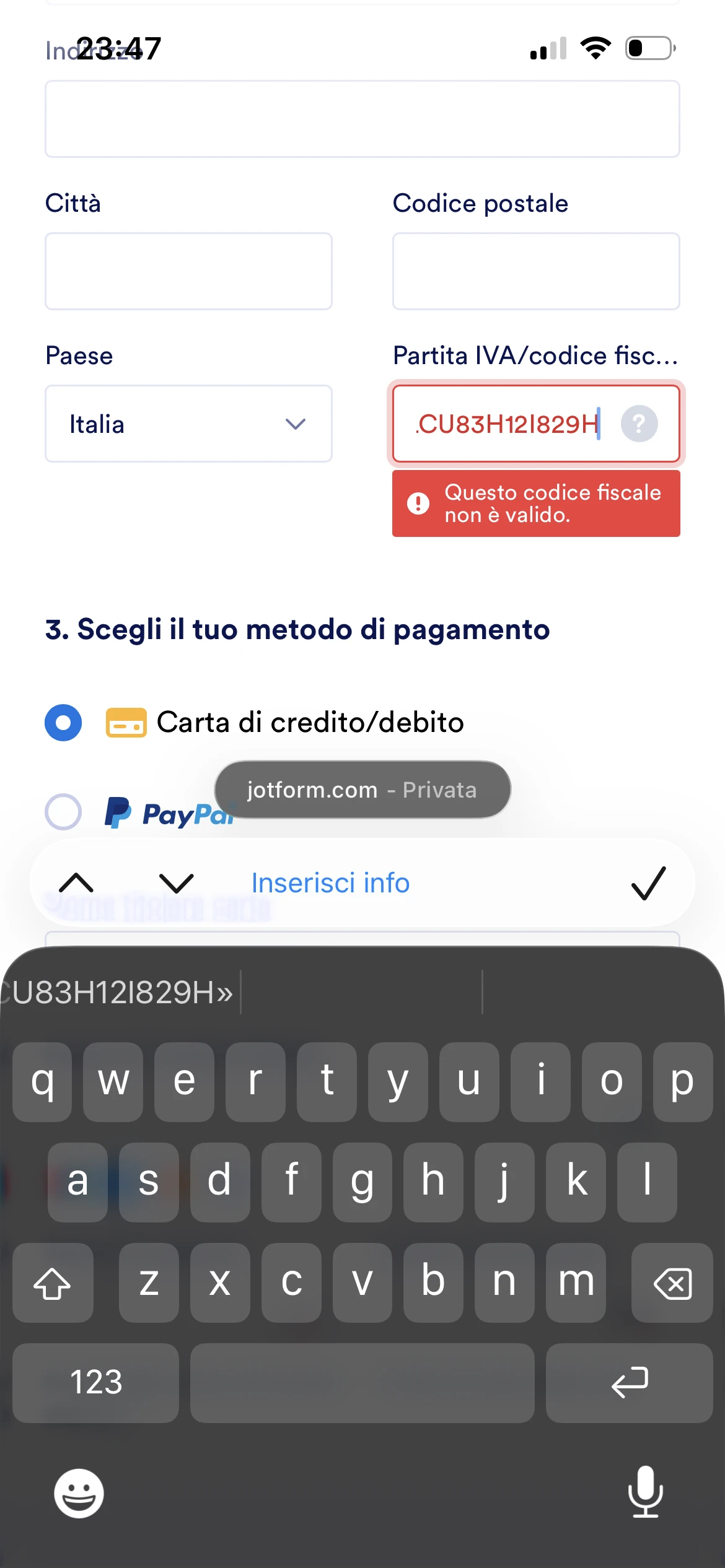
Non riconosce il Codice fiscale italiano

-
 Podo: Addetto all'assistenza
Hi LukaConte83,
Thanks for reaching out to Jotform Support. I'm an AI assistant here to assist you.
Regarding the issue where Jotform does not recognize the Italian Codice Fiscale, there is no specific information in the current knowledge base about a built-in validation or recognition feature for the Italian Codice Fiscale field.
If you are using a text field to collect the Codice Fiscale, please ensure that the input format matches the expected pattern. If you need to validate the Codice Fiscale format, you might consider using custom validation with regular expressions in your form to ensure the input is correct.
Let me help you with that:
- Open your form in the Form Builder.
- Select the field where users enter the Codice Fiscale.
- Go to the field's properties and find the Validation or Input Mask option.
- Apply a custom validation pattern that matches the Italian Codice Fiscale format.
If you need assistance creating the correct regular expression for the Codice Fiscale or setting up the validation, please let me know.
Give it a try and let us know how it goes.
-
lukaconte83
Non riconosce il codice fiscale mio per il pagamento dell'upgrade dell'abbonamento
-
Podo: Addetto all'assistenza
Hi,
Hi lukaconte83, thanks for reaching out to Jotform Support. I'm an AI assistant. I'll do my best to help you until someone from the support team is available. Capisco che durante il pagamento per l’upgrade dell’abbonamento il sistema non riconosce il tuo Codice Fiscale italiano. In questi casi, il problema è spesso legato al formato inserito (maiuscole/minuscole, spazi, caratteri speciali) o a un controllo di validazione del processore di pagamento. Ti consiglio di verificare che il Codice Fiscale sia inserito esattamente come rilasciato dall’Agenzia delle Entrate, tutto in maiuscolo e senza spazi o simboli aggiuntivi. Inoltre, abbiamo già inoltrato la tua richiesta di rimborso al nostro team rimborsi; il nostro team di solito risponde entro 24-48 ore, e ti chiediamo di utilizzare questo thread del ticket per tutti gli aggiornamenti, così da tenere tutto tracciato in un unico posto. Dopo che avremo un loro riscontro, potremo capire meglio cosa è successo con il pagamento e come procedere con l’upgrade del tuo abbonamento.
Reach out again if you need any other help.
-
lukaconte83
Quindi quando potrò continuare il mio lavoro??
-
Podo: Addetto all'assistenza
Hi LukaConte83,
Capisco la tua preoccupazione per poter continuare il lavoro. Al momento, il prossimo passo è attendere la risposta del nostro team rimborsi che sta verificando la situazione del pagamento e del Codice Fiscale.
Il team solitamente risponde entro 24-48 ore. Una volta ricevuto il loro riscontro, potremo capire cosa è successo e come procedere con l'upgrade del tuo abbonamento, permettendoti di continuare il tuo lavoro senza ulteriori interruzioni.
Ti consigliamo di monitorare questo thread per gli aggiornamenti. Dopo che avremo un loro riscontro, ti forniremo tutte le indicazioni necessarie.
Reach out again if you need any other help.
-
 Billy Jotform Support
Hi there,
Thanks for reaching out to us. I understand you're having an issue entering your Italian VAT during our checkout process. Normally, Italian VAT starts with "IT" followed by numbers. Can you please make sure that you're entering the correct one? More importantly, your VAT ID must be registered with VIES for it to be used and recognized for cross-border transactions.
You can verify your VAT ID yourself through VIES's self-service portal. If you haven't registered it yet, you may continue with the checkout without entering the VAT ID, and have it reversed once you're able to register.
Let us know if you have further questions.