
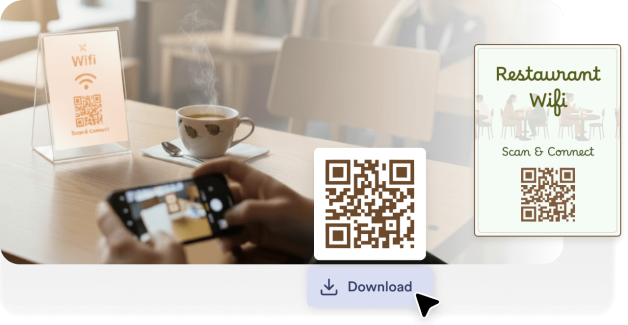
Bringen Sie WLAN-QR-Codes an Tischen, Speisekarten oder Theken an. So können sich Ihre Gäste verbinden, ohne das Personal nach dem Passwort fragen zu müssen.
Erstellen Sie einen QR-Code für Ihr WLAN-Netzwerk. So können sich Gäste direkt verbinden, ohne ein Passwort einzugeben. Geeignet für Privathaushalte, Büros, Restaurants, Hotels, Veranstaltungen und öffentliche Räume.
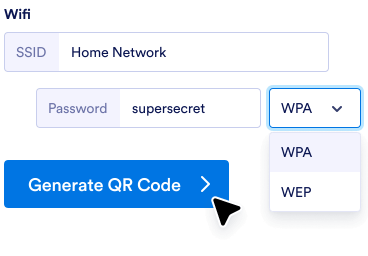
Geben Sie Ihren Netzwerknamen, Ihr Passwort und die Sicherheitsart in den QR-Code-Generator ein.
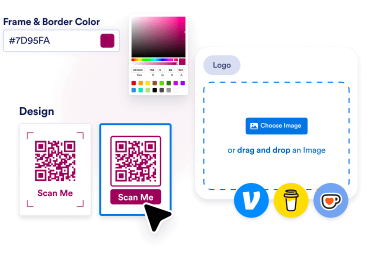
Passen Sie die Farben an, fügen Sie Ihr Logo hinzu oder wählen Sie einen Rahmen, der zum Branding und Stil Ihres Shops passt.
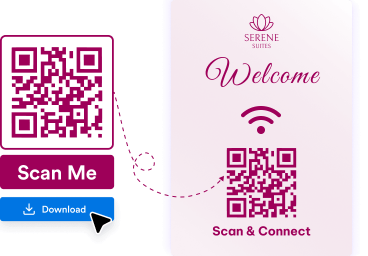
Laden Sie Ihren QR-Code herunter. Bringen Sie ihn an Tischen, Wänden, Speisekarten, Schildern oder Drucksachen an. So können Personen ihn scannen und schnell mit Ihnen in Kontakt treten.
Gäste scannen den QR-Code kurz und verbinden sich sofort mit Ihrem Netzwerk. So vermeiden Sie manuelle Passworteingabe.
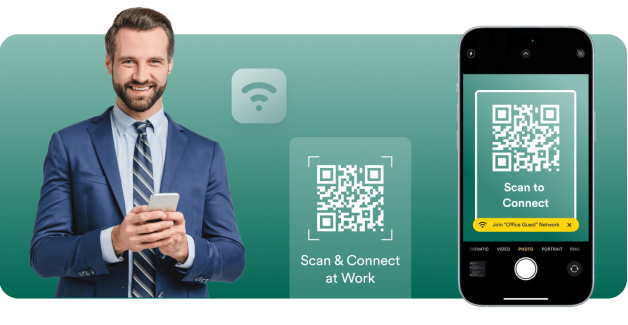
WLAN-QR-Codes helfen Kunden, Besuchern und Teilnehmern, sich in Cafés, Büros, Hotels und bei Veranstaltungen schneller mit dem Internet zu verbinden.
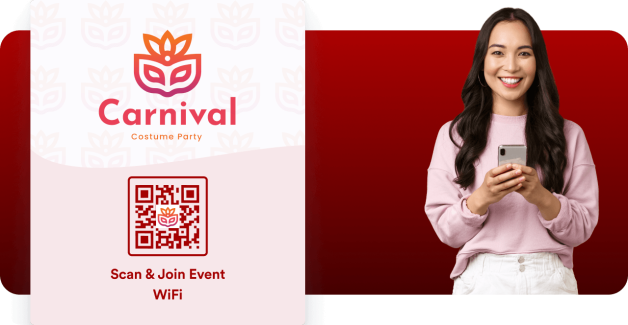
Mit Jotform erstellen Sie mit nur wenigen Klicks einen WLAN-QR-Code, ganz ohne technische Einrichtung oder zusätzliche Software.
Erstellen, personalisieren und teilen Sie QR-Codes wie ein Profi
Finden Sie den perfekten QR-Code für Ihre Bedürfnisse.
QR Code Generator
Erstellen Sie personalisierte QR-Codes mit unendlichen Anpassungsmöglichkeiten für Links, Webseiten und mehr!
Link zum QR-Code
Erstellen Sie schnell einen QR-Code für jeden Link oder jede Webseite.
Google Formular QR-Code
Erstellen Sie einen QR-Code, der direkt mit Ihrem Google Formular verlinkt ist.
LinkedIn QR-Code
Erstellen Sie einen QR-Code für ein LinkedIn-Profil oder eine Unternehmensseite.
Instagram QR Code
Teilen Sie Ihr Instagram-Profil oder Ihren Beitrag mit einem leicht zu scannenden Code.
Facebook QR Code
Leiten Sie Benutzer direkt zu Ihrer Facebook-Seite oder Ihrem Post weiter.
QR-Code mit Logo
Fügen Sie Ihr Logo für personalisierte QR-Codes mit Branding hinzu.
YouTube QR Code
Teilen Sie Videos ganz einfach, indem Sie einen QR-Code für Ihren YouTube-Link erstellen.
Transparenter QR Code
Erstellen Sie QR-Codes mit transparentem Hintergrund.
Weißer QR Code
Generieren Sie minimale und weiße QR-Codes.
Statischer QR-Code
Erstellen Sie unveränderliche, zuverlässige QR-Codes, die permanente Daten programmieren, ideal für den langfristigen Einsatz.
Google Docs QR-Code
Leiten Sie andere schnell zu Ihren Google Docs-Seiten weiter.
Venmo QR-Code
Teilen Sie Ihr Venmo-Profil oder fordern Sie Zahlungen mit einem benutzerdefinierten QR-Code an.
Spotify QR-Code
Erstellen Sie einen QR-Code, um Ihre Lieblings-Playlisten, Songs oder Künstlerprofile sofort auf Spotify zu teilen.
Zahlungen QR-Code
Erstellen Sie schnell einen individuellen QR-Code und nehmen Sie so mühelos Zahlungen an. Teilen Sie diesen anschließend mit anderen, um direkt Zahlungen zu erhalten.
Social Media QR-Code
Teilen Sie Ihr Social-Media-Profil oder Ihre Inhalte direkt mit einem schnellen und einfachen Scan!
Linktree QR-Code
Teilen Sie ganz einfach Ihr Linktree-Profil und verbinden Sie sich mit all Ihren Links mithilfe eines anpassbaren QR-Codes.
Video QR-Code
Erstellen Sie einen QR-Code, um Ihre Videos ganz einfach zu teilen. Scannen Sie diesen, um sich die Videos jederzeit und überall anzusehen!
Speisekarten QR-Code
Erstellen Sie QR-Codes für Ihre Speisekarte, um Ihren Kunden einen direkten digitalen Zugriff zu ermöglichen und ihr Esserlebnis zu verbessern.
PayPal QR-Code
Erstellen Sie PayPal QR-Codes für reibungslose Transaktionen. Teilen Sie Codes mit Kunden, Klienten oder Freunden und akzeptieren Sie Zahlungen sicher, ohne Bargeld oder Kartenzahlungen.
Etsy QR-Code
Erstellen Sie QR-Codes für Ihren Etsy-Shop, um Ihren Kunden einen sofortigen Zugriff zu ermöglichen. Teilen Sie die Codes mit Ihren Kunden, um mühelos Traffic auf Ihren Shop zu lenken.
Lebenslauf QR-Code Generator
Erstellen Sie QR-Codes für Ihren Lebenslauf und erhalten Sie sofortigen professionellen Zugriff. Teilen Sie Ihre Codes mit Personalvermittlern, um Ihre Qualifikationen auf einfache Weise zu präsentieren.
Audio QR-Code
Erstellen Sie einen QR-Code, den jeder scannen kann, um Ihre Musik, Podcasts oder Audioaufnahmen anzuhören. Das ist ideal für Künstler, Bildungsanbieter, Marketer und Unternehmen, die ihre Audioinhalte auf einfache Weise teilen möchten.
TikTok QR-Code
Erstellen Sie einen scannbaren QR-Code für Ihr TikTok-Profil, Ihre Videos oder Ihren Shop. Fans und Kunden können so direkt darauf zugreifen. TikTok QR-Codes helfen Creators, Influencern und Unternehmen dabei, ihre Zielgruppe und ihr Engagement zu vergrößern.
Schwarzer QR-Code
Heben Sie Ihre QR-Codes mit einem klaren, professionellen Design in Schwarz hervor, das medienübergreifend funktioniert. Es eignet sich perfekt für Unternehmen, Veranstaltungen oder persönliche Projekte, bei denen der Code sowohl funktional als auch stilvoll sein soll.
X (Twitter) QR-Code
Erleichtern Sie es anderen, Ihnen zu folgen, Ihre Tweets zu lesen oder sich an der Unterhaltung zu beteiligen, indem Sie einen X (Twitter) QR-Code erstellen. Dieser eignet sich perfekt für Kreative, Marken und Vermarkter, die ihre Reichweite und ihr Engagement erhöhen möchten.
Google Maps QR-Code
Machen Sie es anderen leicht, Sie mit einem scannbaren Google Maps QR-Code zu finden. Er ist perfekt für Unternehmen, Veranstaltungen und die private Nutzung, wenn Sie einen Standort direkt teilen möchten.
Zoom QR-Code
Teilen Sie Ihre Zoom-Meetings, Webinare oder Aufzeichnungen ganz einfach per scanbarem QR-Code. Das ist perfekt für Remote-Teams, Eventorganisatoren und Lehrkräfte, die einen schnellen und nahtlosen Zugriff wünschen.
Google Business Bewertung QR-Code
Generieren Sie QR-Codes für Google Business-Bewertungen, um direkt Feedback zu sammeln. Teilen Sie die Codes mit Ihren Kunden und verbessern Sie mühelos Ihr Online-Image.
Shopify Store QR-Code
Verwandeln Sie Ihren Shopify-Shop in ein scannbares Erlebnis mit einem QR-Code, der direkt zu Ihrem Shop, Produktseiten oder Rabattaktionen führt. Perfekt, um Traffic zu generieren und den Umsatz sowohl online als auch offline zu steigern.
TripAdvisor QR-Code
Erleichtern Sie es Ihren Kunden, Ihr Tripadvisor-Profil zu finden, Bewertungen zu hinterlassen oder Ihre Dienstleistungen mit einem QR-Code zu erkunden. Perfekt für Restaurants, Hotels, Sehenswürdigkeiten und Reiseunternehmen, die Vertrauen aufbauen und ihre Sichtbarkeit erhöhen möchten.
Bringen Sie WLAN-QR-Codes an Tischen, Speisekarten oder Theken an. So können sich Ihre Gäste verbinden, ohne das Personal nach dem Passwort fragen zu müssen.

Helfen Sie Mitarbeitern und Besuchern, sich schnell mit dem Netzwerk zu verbinden. Reduzieren Sie gleichzeitig Supportanfragen und Verwirrung beim Einloggen.

Zeigen Sie WLAN-QR-Codes in Gästezimmern, an der Rezeption oder in Willkommensbroschüren an, um den Internetzugang zu vereinfachen.

Mit QR-Codes auf Namensschildern, Plakaten oder Präsentationsbildschirmen können sich die Teilnehmer direkt mit dem WLAN der Veranstaltung verbinden.
Ein WLAN-QR-Code ist ein scanbarer Code, der Nutzer automatisch mit einem WLAN-Netzwerk verbindet. Anstatt den Netzwerknamen und das Passwort manuell einzugeben, scannen Nutzer den Code mit ihrem Handy und verbinden sich sofort.
WLAN-QR-Codes kommen in Restaurants, Büros, Hotels und öffentlichen Räumen zum Einsatz. So erhalten Gäste schneller und bequemer Internetzugang.
Erleichtern Sie Gästen, Kunden und Besuchern den Zugang zu Ihrem WLAN-Netzwerk. Sie scannen einfach einen Code. Erstellen Sie Ihren WLAN-QR-Code in Sekundenschnelle und teilen Sie ihn überall.