Testimonial-Widget für Ihre Website
Zeigen Sie Kundenzitate mit dem Testimonial-Widget als responsiven Slider, Slideshow, Karussell, Raster, Liste, Masonry oder Badge. Fügen Sie Text, Sternebewertungen, Fotos, Untertitel, Datum, Social-Media-Links, Logos und weitere Bilder hinzu, passen Sie das Design an und betten Sie das Widget ohne Programmierkenntnisse ein.
Jetzt erstellen – kostenlos!

So erstellen Sie das Widget Erfahrungsberichte
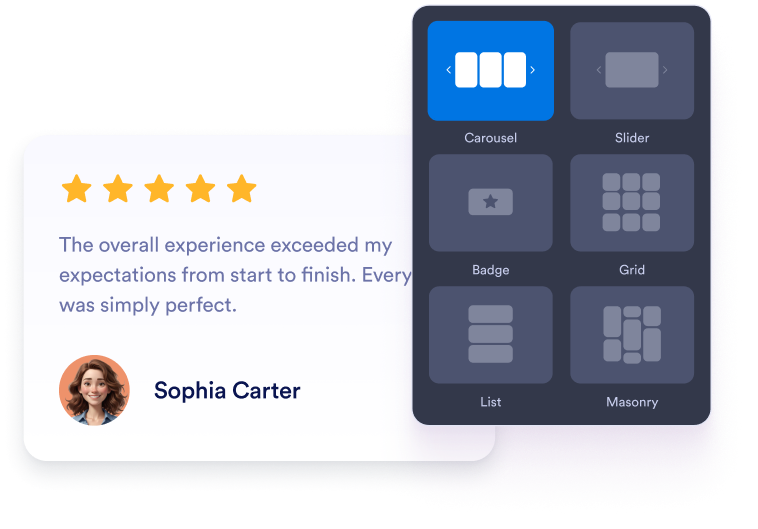
Widget anpassen
Wählen Sie Inhalt, Layout, Farben und Verhalten so, dass das Widget zum Design Ihrer Website passt.
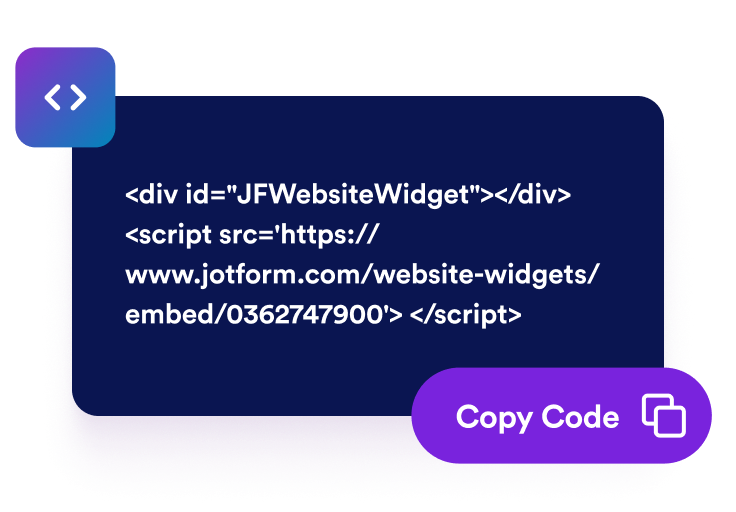
Einbettungscode kopieren
Kopieren Sie den fertigen Einbettungscode, den Jotform für Sie erstellt. Keine Einrichtung und keine Programmierkenntnisse nötig.

Überall einbetten
Fügen Sie den Code in Ihre Website ein und veröffentlichen Sie sie. Ihre Kundenstimmen erscheinen sofort.
Kundenstimmen als Social Proof nutzen
Ausgewählte Kundenstimmen zeigen
Erstellen Sie Slides mit Kundenzitaten, Sternebewertungen, Angaben zu den Verfassenden und Fotos. So sehen Besuchende, was Ihre Kundschaft über Ihr Unternehmen sagt.

Slider- und Raster-Layouts wählen
Nutzen Sie einen responsiven Slider für kompakte Bereiche auf der Startseite, eine Slideshow für wechselnde Zitate, ein Raster für Social-Proof-Blöcke oder eine Liste für längere Kundengeschichten.

Details der Kundenstimmen festlegen
Legen Sie fest, welche Angaben jede Karte zeigt: Fotos, Namen, Untertitel, Datum, Bewertungen, Verifizierungs-Badges, Logos, Bilder, Profillinks und „Weiterlesen”-Text.

Kundenstimmen passend zu Ihrer Website
Passen Sie hellen oder dunklen Modus, Akzentfarbe, Sternfarbe, Kartenhintergrund, Textfarbe, Farbe der Namen, Breite, Navigation und Branding an, damit das Testimonial-Widget zu Ihrer Website passt.

Warum sich Jotform Website Widgets auszeichnen
Mit den Widgets von Jotform wird Ihre Website interaktiver und Sie steigern Ihre Conversion-Rate. Zur Auswahl stehen zahlreiche Tools wie Sternebewertungen, Slideshows mit Erfahrungsberichten, Pop-ups mit Social Proof und eingebettete Medien. Fügen Sie Widgets zu Ihren Formularen oder Landingpages hinzu, um Daten zu sammeln, Erfahrungsberichte anzuzeigen und Leads zu gewinnen – ganz ohne Programmierkenntnisse.
Fügen Sie Jotform-Widgets mithilfe eines Einbettungscodes in Ihre Website ein. Passen Sie das Widget an, sehen Sie sich die Vorschau an und fügen Sie den Code in jede Seite ein, die benutzerdefiniertes HTML oder Einbettungsblöcke unterstützt – ganz ohne Entwicklerinnen oder Entwickler.
Mit Jotform Website Widgets sammeln Sie Leads, zeigen Kundenfeedback, präsentieren Social Proof, binden Medien ein oder fügen nützliche Webseiten-Tools hinzu. Über jedes Widget können Besucher direkt auf Ihrer Website mit Ihrem Unternehmen interagieren.
Wenn Sie Unterstützung bei der Einrichtung, Anpassung, Einbettung oder Fehlerbehebung Ihres Widgets benötigen, steht Ihnen das Kundensupport-Team von Jotform rund um die Uhr zur Verfügung. So können Sie beruhigt weiterarbeiten, denn Sie wissen: Hilfe ist da, wenn Sie sie brauchen.
Wo Sie Ihr Testimonial-Widget einsetzen können
Platzieren Sie Kundenstimmen dort, wo Besuchende Vertrauenssignale brauchen, bevor sie sich anmelden, kaufen, buchen oder Ihr Team kontaktieren.
Social-Proof-Bereiche auf der Startseite: Schaffen Sie mit einem Testimonial-Widget als Slider gleich oben auf der Seite Vertrauen.
Produkt- und Leistungsseiten: Unterstützen Sie Kaufentscheidungen mit passenden Kundenstimmen im Slider.
Preisseiten: Bauen Sie Zweifel ab – direkt neben Tarifvergleichen, Links zum Bezahlvorgang und CTA-Buttons.
Landingpages zur Lead-Generierung: Platzieren Sie einen responsiven Slider mit Kundenstimmen neben Formularen und Anmeldeaufforderungen.
Fallstudien und Kundengeschichten: Heben Sie längere Zitate, Positionen, Unternehmenskontext und passende Bilder hervor.
Badges in Footer oder Seitenleiste: Halten Sie kompakte Kundenstimmen auf Ihrer gesamten Website sichtbar.
Gewinnen Sie Leads als zahlende Kunden mit dem Jotform Formulargenerator
Machen Sie mit Jotform aus Interesse Taten. Erstellen Sie leistungsstarke Formulare, die Leads gewinnen, Zahlungen entgegennehmen und Antworten automatisieren – alles an einem Ort. Jede Antwort landet in Ihrem Jotform Posteingang, wo Sie nachfassen oder sie mit Ihren Lieblings-Apps verbinden können.
Jetzt starten – Kostenlos!
FAQ
Was ist ein Testimonial-Widget?
Ein Testimonial-Widget zeigt ausgewählte Kundenstimmen, Sternebewertungen, Angaben zu den Verfassenden, Fotos, Logos und optional Bilder zur Kundengeschichte in einem anpassbaren Website-Widget an.
Kann ich einen Testimonial-Slider erstellen?
Kann ich Kundenstimmen manuell hinzufügen?
Welche Layouts gibt es?
Kann ich festlegen, welche Felder angezeigt werden?
Funktioniert das Widget auf Mobilgeräten?
Kann ich Kundenstimmen in WordPress, Shopify, Wix, Squarespace, Webflow oder WooCommerce einbetten?
Ist das Testimonial-Widget kostenlos?