-
 communicationreutiliz
https://form.jotform.com/260041236470042
J'ai suivi les étapes de l'assistance et malgré cela je me retrouve toujours sur une page de connexion au site.
-
 Podo: Support Specialist
Hi communicationreutiliz,
Thanks for reaching out to Jotform Support. I'm an AI assistant here to assist you.
To prevent our system from asking you to log in before viewing or downloading submission attachments, you can disable the Require Login to View Uploaded Files. It only takes a few simple steps. Here9s how:
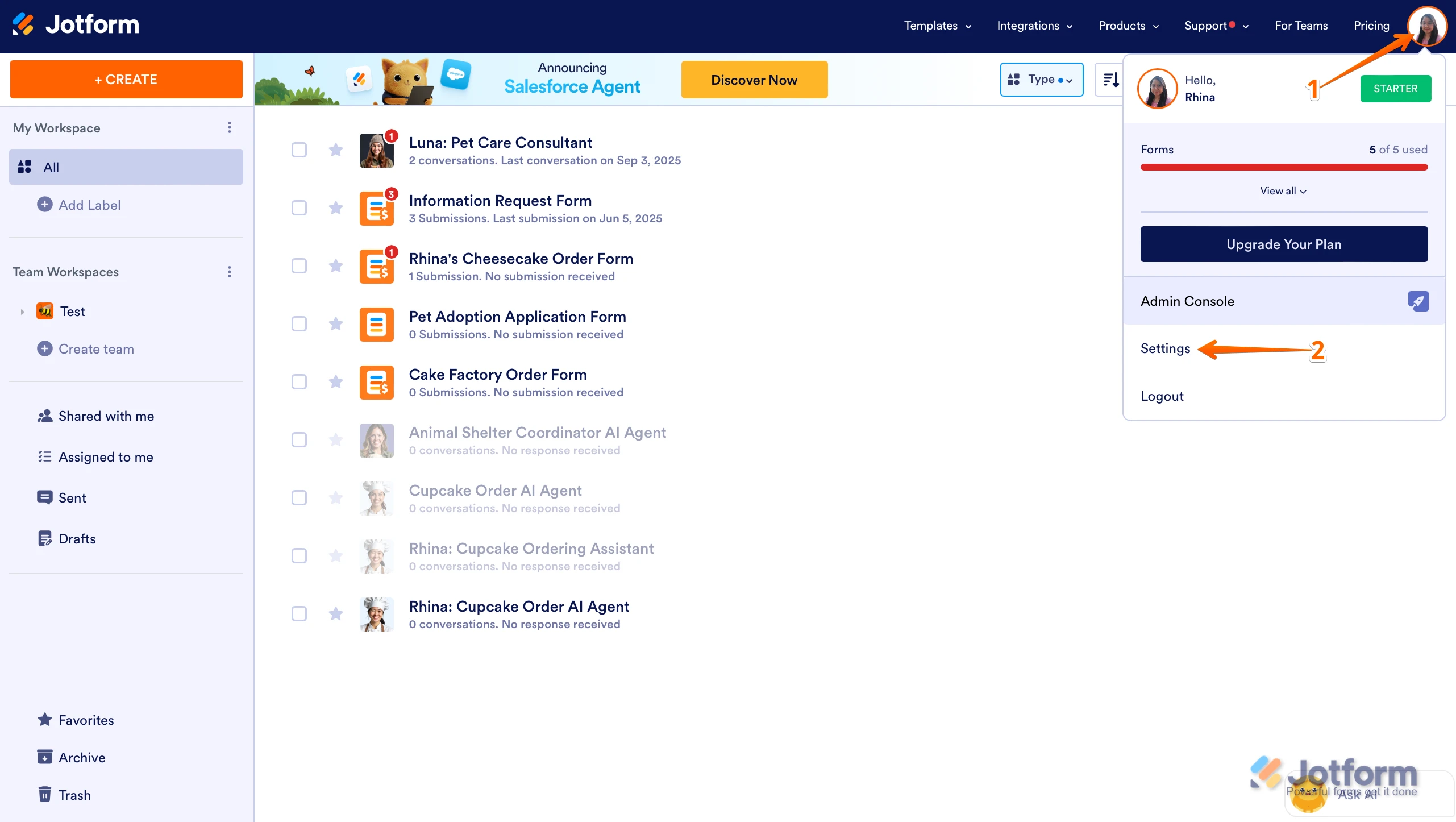
1. On your Workspace page, click on your Avatar/Profile Image in the top-right corner of the screen.
2. In the Dropdown menu that comes up, click on Settings.

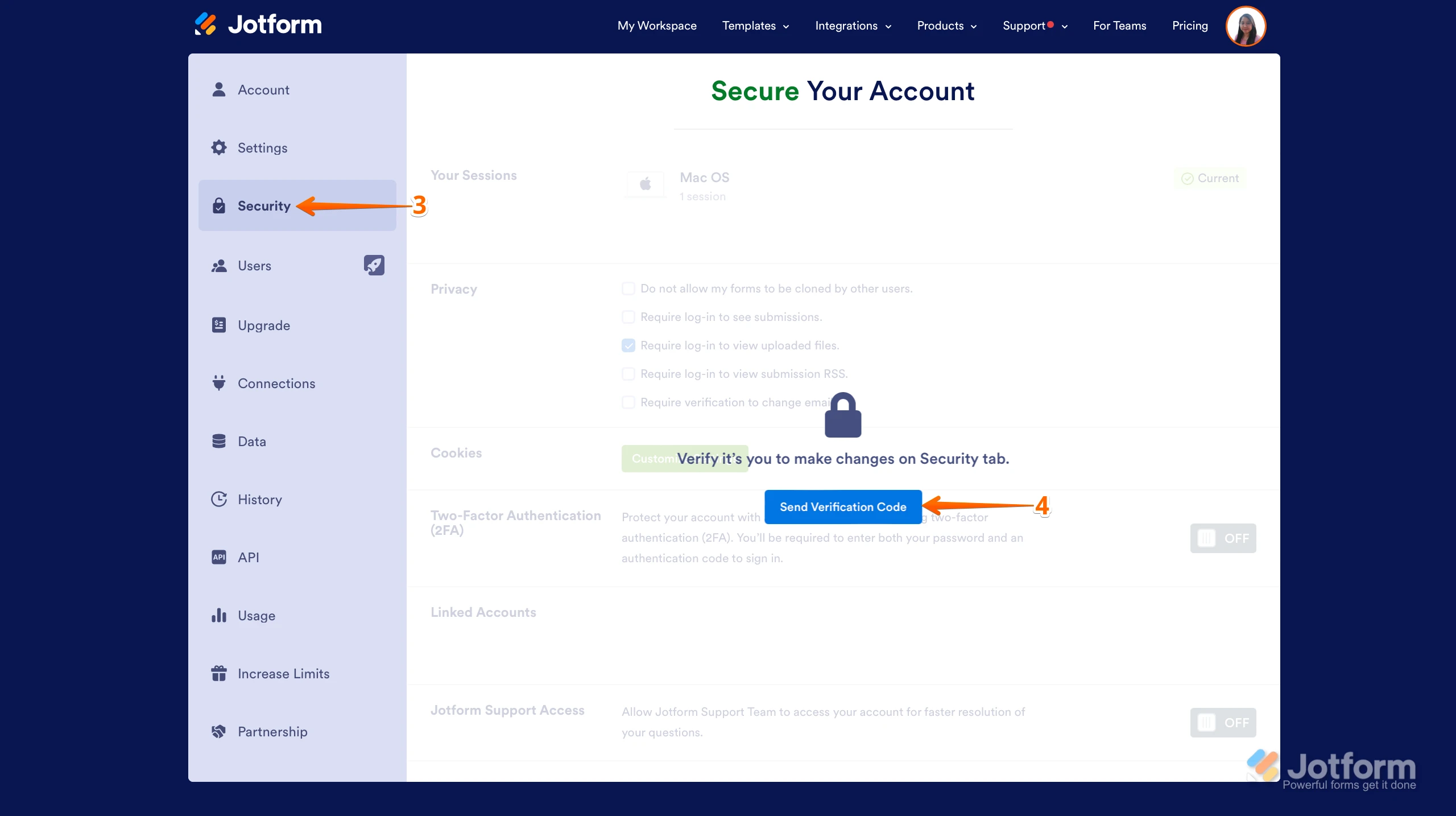
3. Next, click on the Security tab on the left side of the page.
4. Then, click on Send Verification Code.
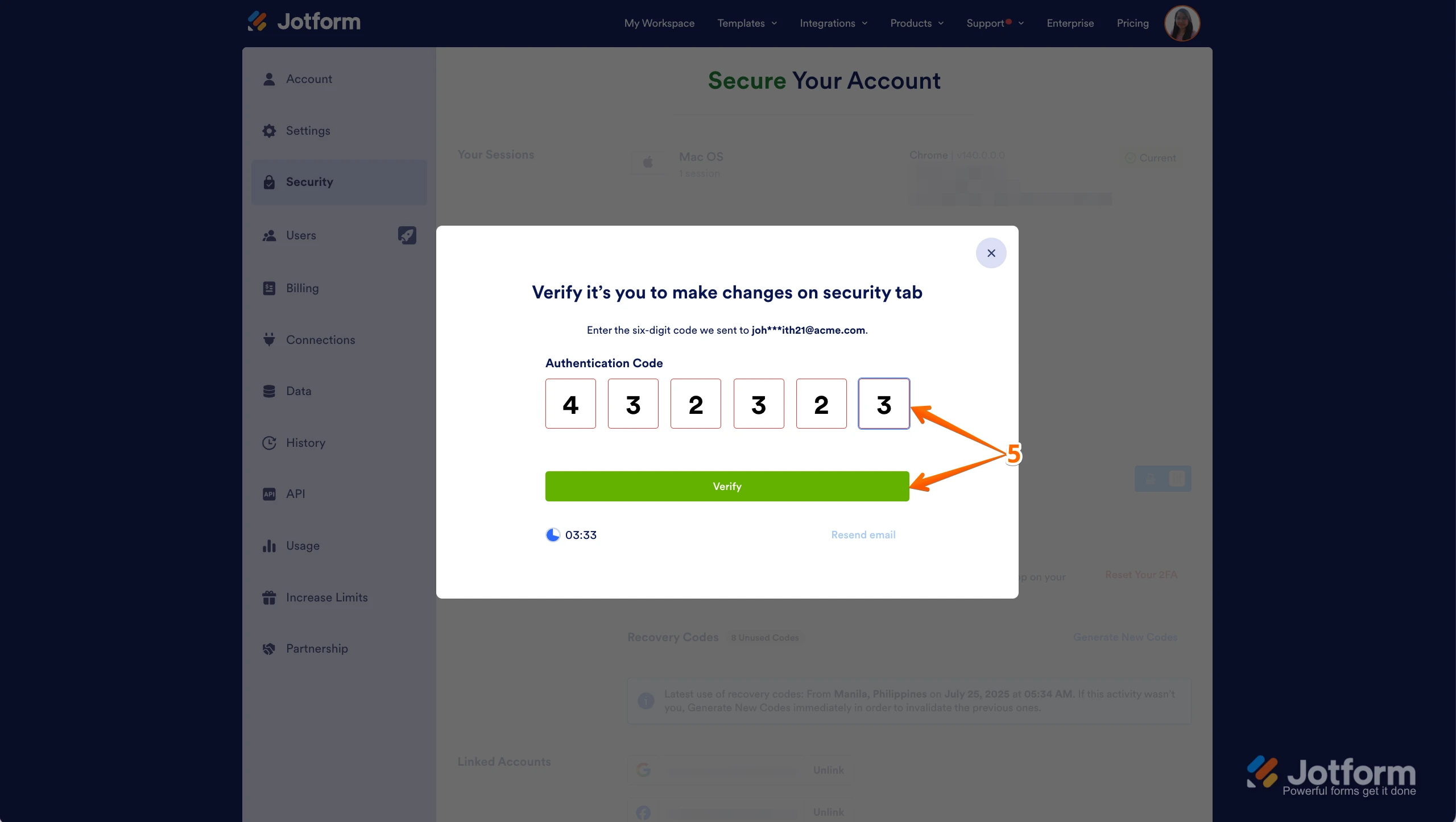
5. In the Confirmation window that opens, enter the Authentication Code sent to your email and click on Verify.
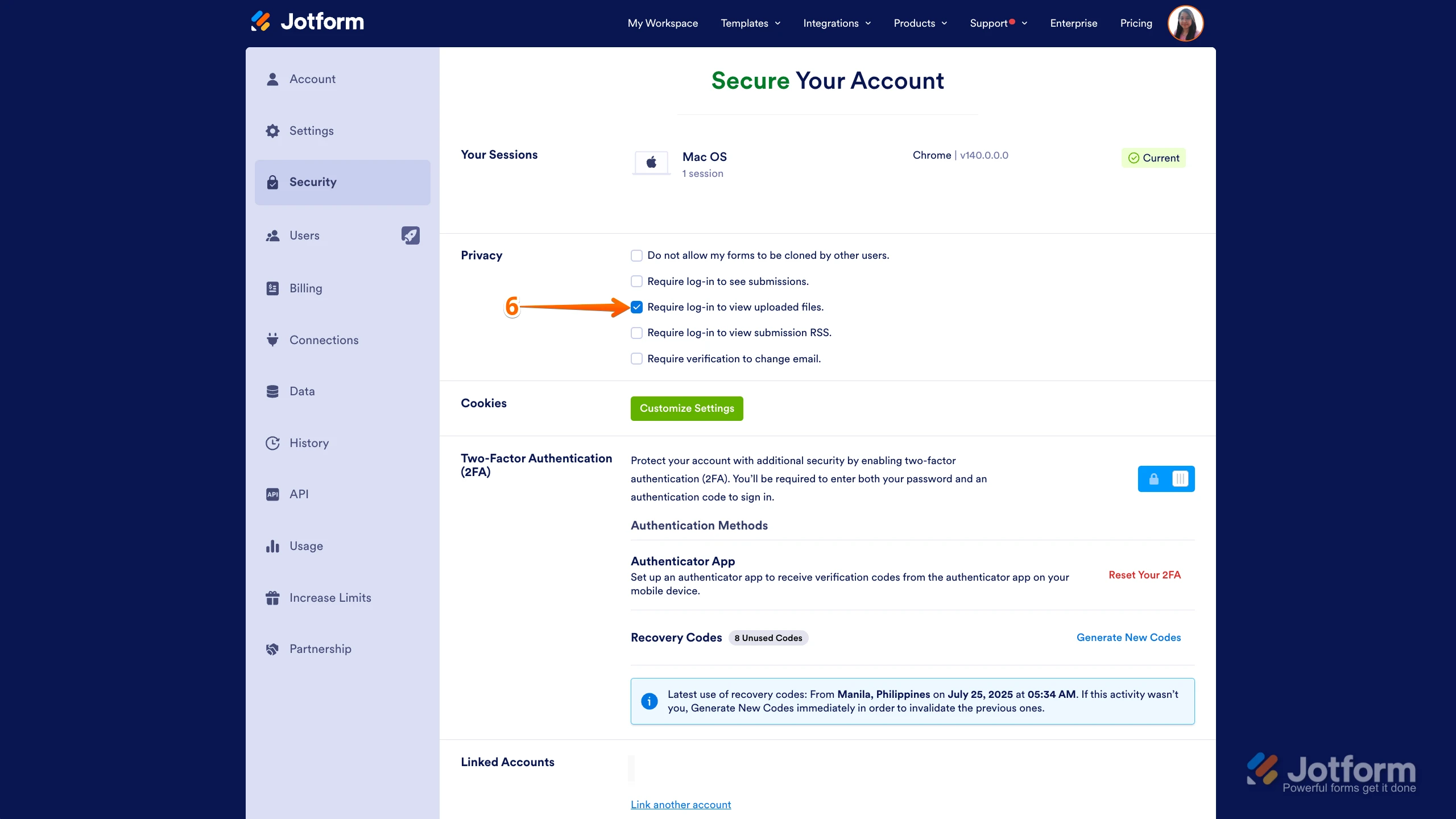
6. Now, uncheck the box next to Require Log-in to View Uploaded Files. That9s it. You9re done.
Reach out again if there9s anything else we can help you with.
-
communicationreutiliz
c'est ce que j'ai fait.
-
Podo: Support Specialist
Hi communicationreutiliz,
You can quickly remove your form9s password protection. Let me show you how.
- In Form Builder, in the orange navigation bar at the top of the page, click on Settings.
- Next, click on Show More Options.
- Then, scroll down to the Password Protection section and uncheck Enable password protection.
Reach out again if there9s anything else we can help you with.
-
communicationreutiliz
cette option était déjà désactivée
-
Podo: Support Specialist
Hi communicationreutiliz,
Le fait que le lien de votre formulaire redirige toujours vers une page de connexion peut être lié aux paramètres d'accès du formulaire dans l'onglet Publier du Form Builder. Voici les types d'accès possibles :
- Public : C'est le paramètre par défaut. Les formulaires publics ne nécessitent pas de connexion et sont accessibles à toute personne disposant du lien.
- Privé : Le formulaire est restreint aux utilisateurs invités uniquement. Seules les personnes dont l'adresse e-mail est ajoutée dans le champ d'invitation peuvent accéder au formulaire, ce qui nécessite une connexion Jotform.
- Accès entreprise : Restreint aux utilisateurs Jotform enregistrés avec le domaine e-mail de votre organisation.
Pour vérifier ou modifier ce paramètre, allez dans l'onglet Publier de votre Form Builder, cliquez sur l'icône d'engrenage bleue en haut, puis assurez-vous que l'accès est réglé sur Public si vous souhaitez que le formulaire soit accessible sans connexion.
Si votre formulaire est déjà en accès public et que le problème persiste, il pourrait y avoir une configuration spécifique dans votre application ou page qui demande une connexion. Aussi, assurez-vous que le formulaire n'est pas intégré dans un environnement qui nécessite une authentification.
Donnez-moi plus de détails sur la façon dont vous partagez ou intégrez le formulaire si vous avez besoin d'une aide plus précise.
Après que vous nous aurez donné plus d'informations, nous pourrons mieux comprendre la situation et vous aider.
-
communicationreutiliz
tout est désactivé
-
Podo: Support Specialist
Hi communicationreutiliz,
Since all the security and access restrictions are disabled and you still face the issue of being redirected to a login page, it might be related to how the form is shared or embedded.
Please provide more details on how you are sharing or embedding the form link. For example, are you sharing the direct form URL, or is it embedded within a website or application that requires login? This information will help us better diagnose the issue and provide a more precise solution.
Once we hear back from you, we'll be able to move forward with a solution.
-
communicationreutiliz
ma seule option de soumission du formulaire est par invitation par email avec le lien.
-
Podo: Support Specialist
Hi communicationreutiliz,
Thank you for the information. Since your form submission option is set to invitation by email with the link, this means access is restricted to invited users only, which requires them to log in to Jotform to access the form.
If you want the form to be accessible without requiring login, you would need to change the access settings from invitation-only to public access in the Publish tab of the Form Builder. This will allow anyone with the link to access the form without needing to log in.
If you prefer to keep the invitation-only submission for security reasons, the login requirement is expected behavior.
Let us know if you want guidance on changing the access settings or if you have any other questions.