-
 barba66I am experiencing an issue where I cannot display the table "idées pédago" on my application. When I try to display the table, I receive a message saying that the table is private. This is problematic because I created the table myself and entered the data, so it should not be private. Additionally, I want to remove the image from my entries so that it does not appear in my list. There is no column for the image, but in the list that shows my entries, there is an image logo next to each entry. I cannot find the "display" tab to manage this. I have connected the table and have fields such as title, description, image, and elements to display. However, I cannot modify the image field because the text to put in the image is frozen, and when I click the plus button, I get the error message "no usable fields found in your data source". The name of my app is "Onir'Pédago" and the table in question is "informations collectées". I need help to open my table and remove the image from my entries list.
 -
 Hakan Enterprise Customer Success Engineer
Hi Barbara,
Thanks for reaching out to Jotform Support. At this point, we’ll need to take a closer look on our end. Let me take a look at this for you. To do that, we’ll need your permission to access your account. Don’t worry, you can turn it off again once we’re done. Let me show you how to do it:
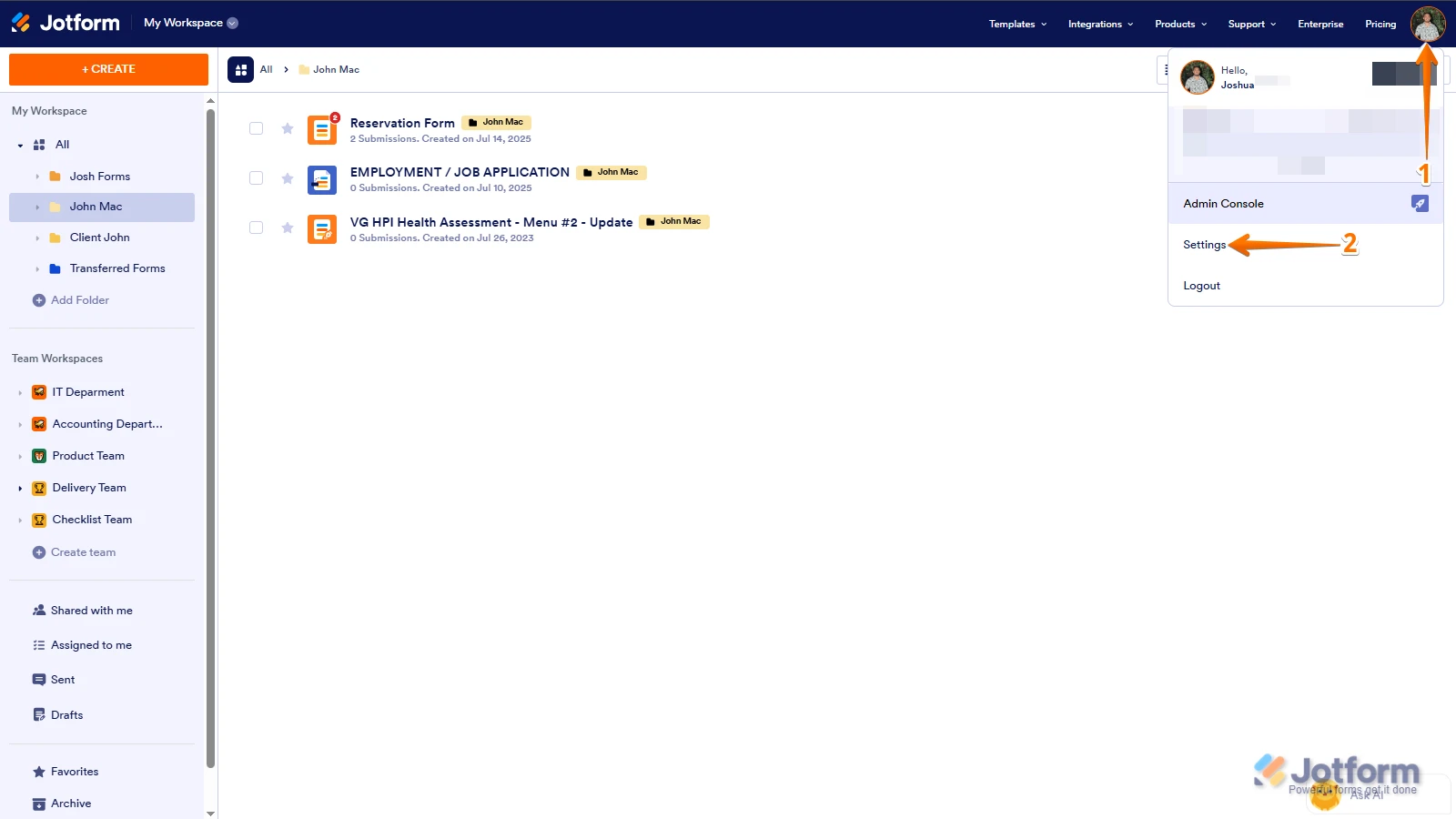
1. In the top-right corner of your Workspace page, click on your Avatar/Profile Image icon.
2. In the Dropdown menu that opens, click on Settings.

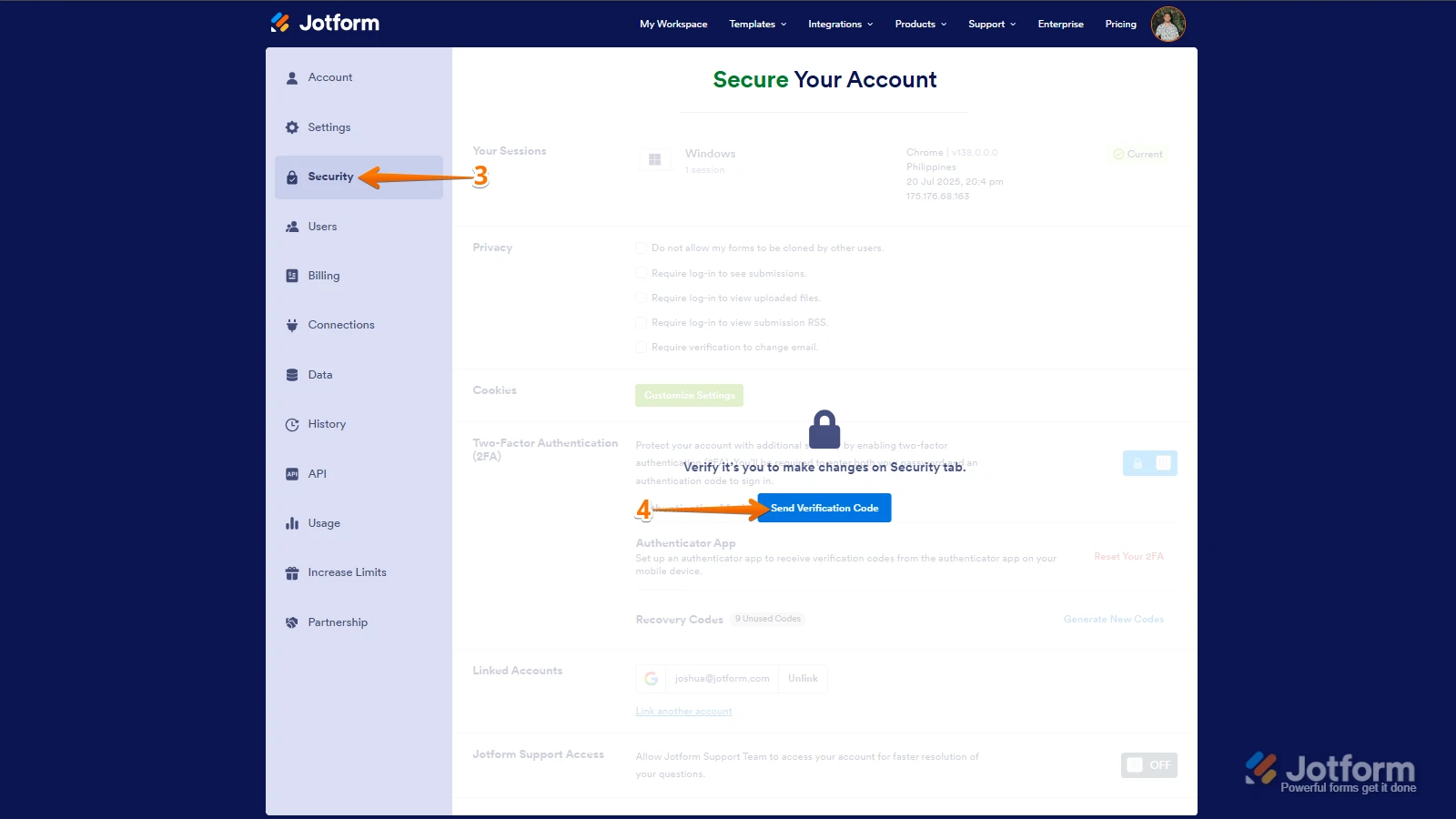
3. Next, in the panel on the left, click on the Security tab.
4. If you haven’t opened your Security page in a while, it’ll ask you to verify. To do that, click on Send Verification Code.
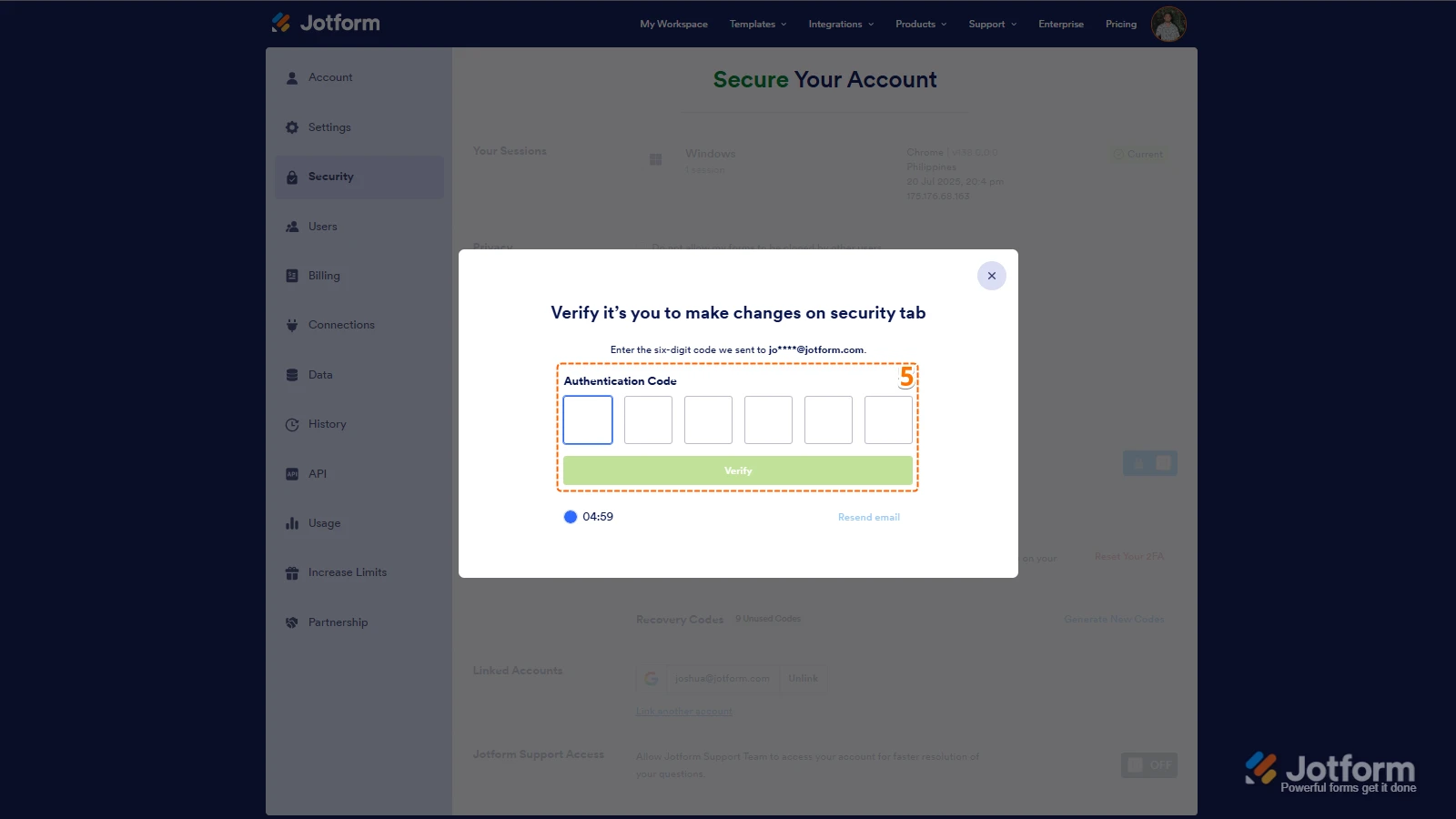
5. Then, enter the Verification Code you receive in your email.
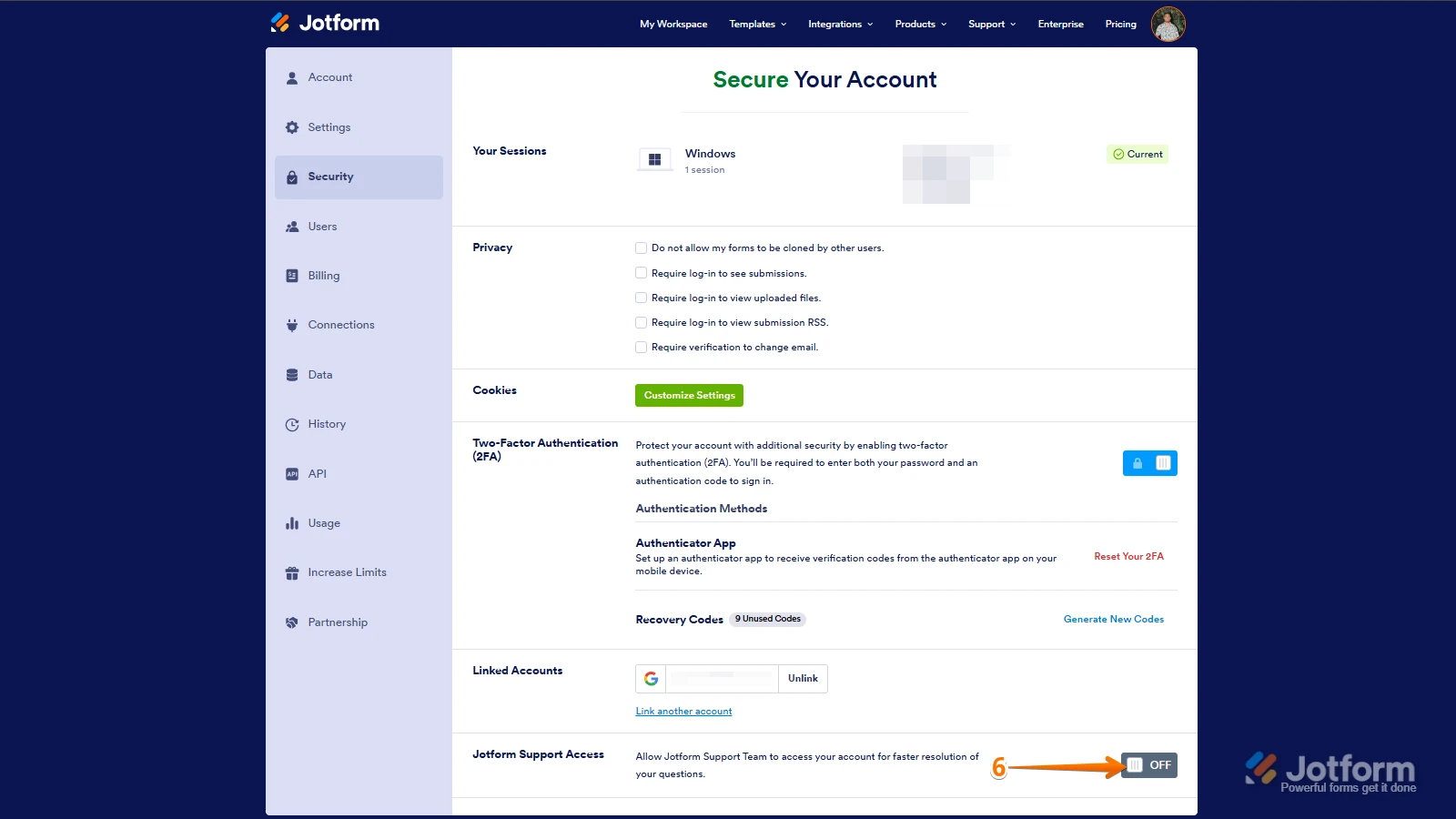
6. Finally, at the bottom of the page, toggle on Jotform Support Access.
After we hear back from you, we’ll have a better idea of what’s going on and how to help.

 After we hear back from you, we’ll have a better idea of what’s going on and how to help.