-
Annulation... non fonctionné
-
 Podo: Spécialiste assistance
Bonjour Kim,
Merci d'avoir contacté le support Jotform. Je suis un assistant IA là pour vous aider.
Si vous parlez de l’annulation de votre abonnement Jotform qui n’a pas fonctionné, vous pouvez vérifier et relancer l’annulation depuis la version bureau de Jotform. Voici comment faire :
Let me walk you through it:
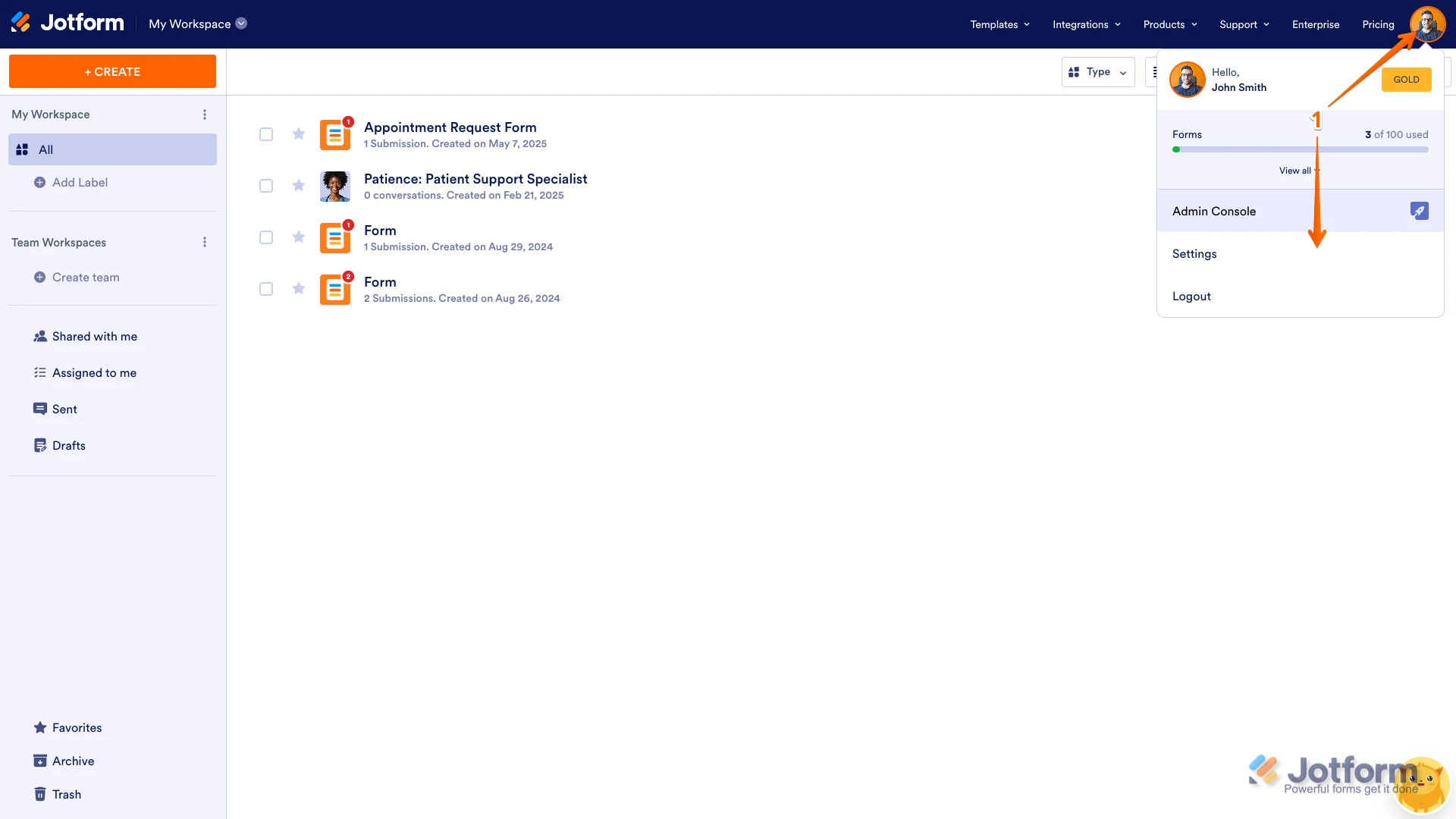
1. Sur votre page Workspace, cliquez sur votre Avatar/Image de profil en haut à droite, puis cliquez sur Settings.

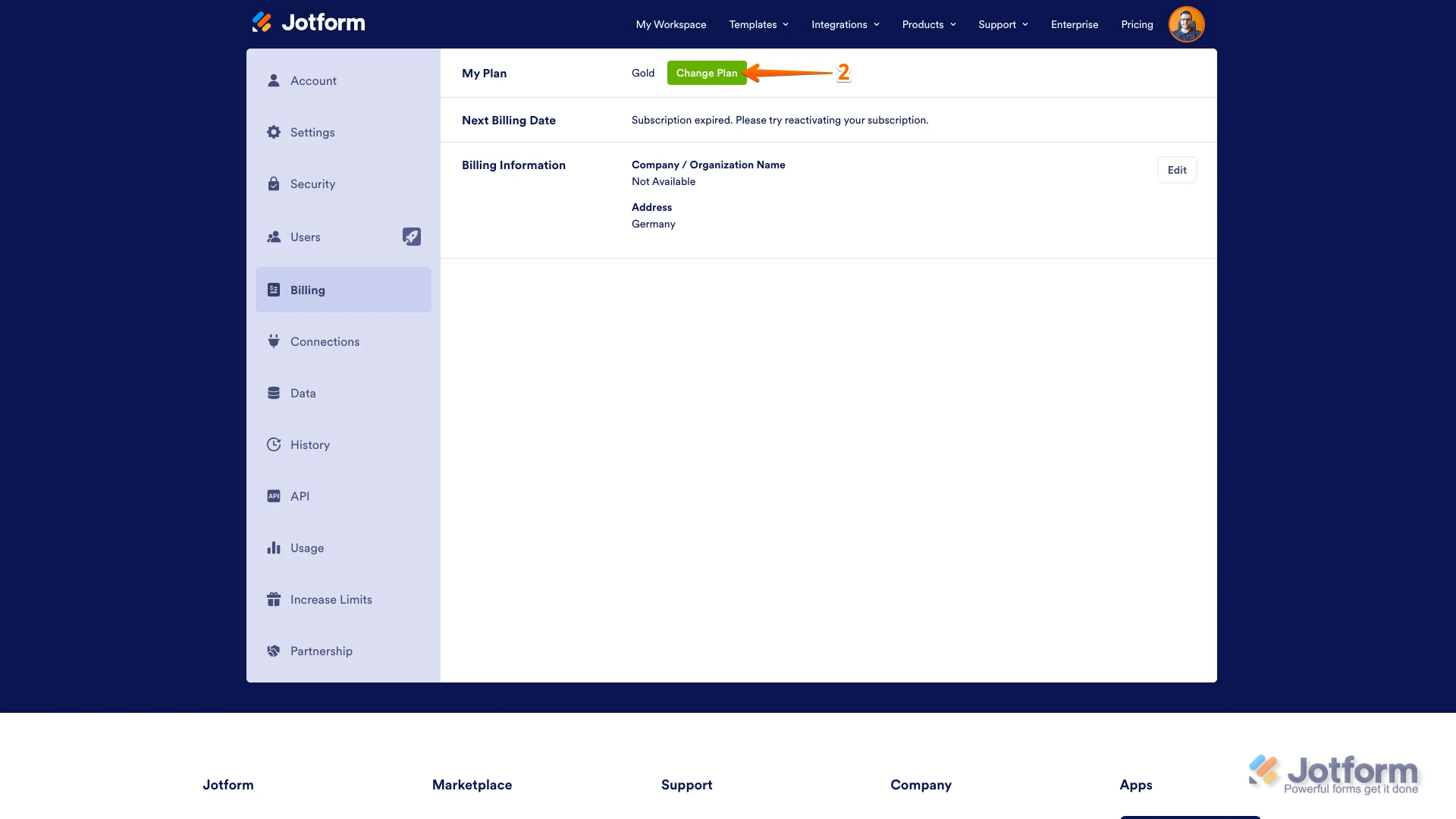
2. Dans l’onglet Billing à gauche, à côté de la section My Plan, cliquez sur Change Plan.
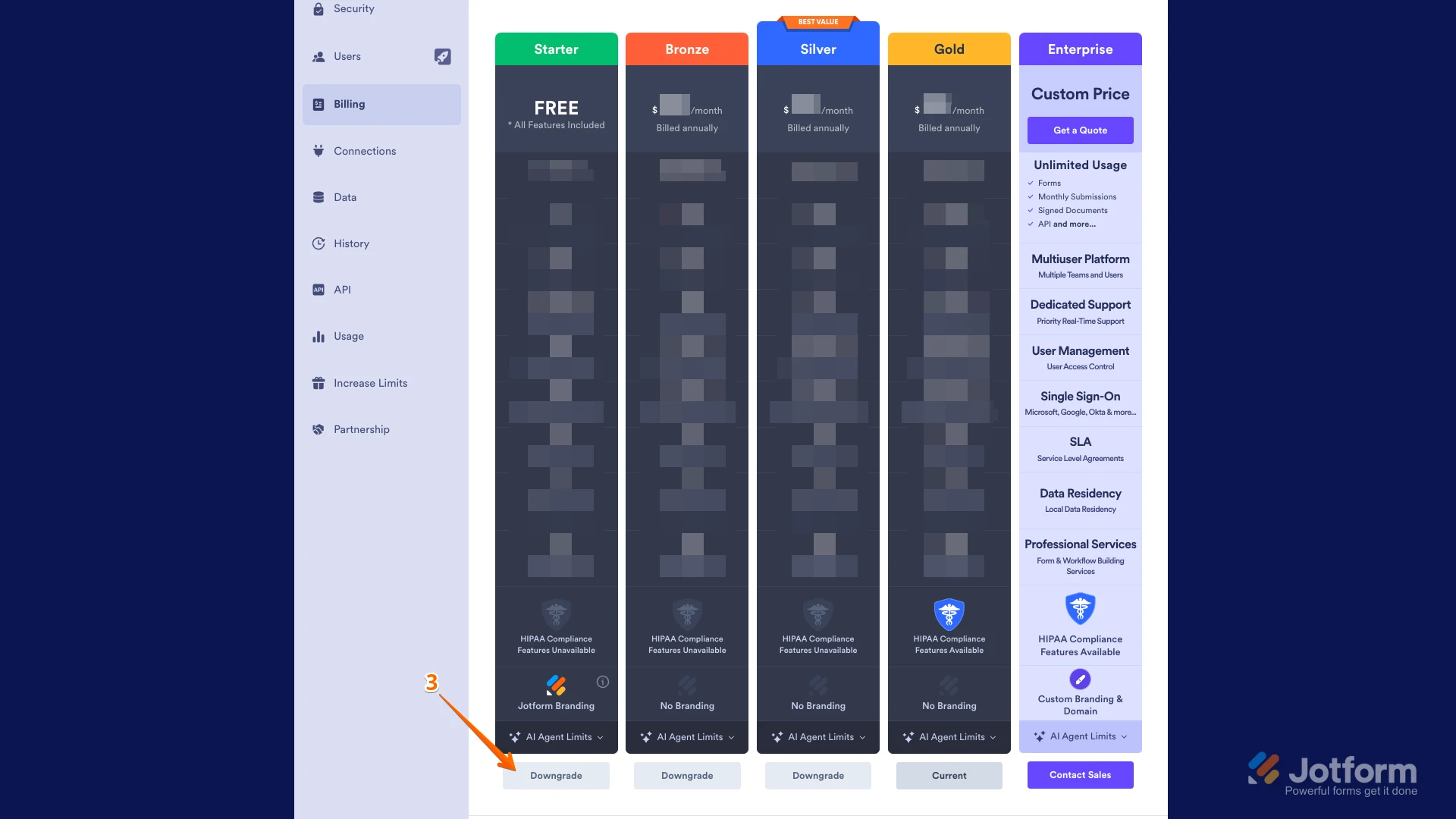
3. Cliquez ensuite sur le bouton Downgrade pour passer au Starter (Free) Plan.
Une fenêtre pop-up s’ouvrira avec des informations supplémentaires sur le changement de plan. Suivez simplement les instructions pour finaliser l’annulation de votre abonnement.Si ce n’est pas de l’abonnement dont vous parlez (par exemple annulation de formulaire, de soumission, ou autre), pouvez-vous préciser ce que vous essayez d’annuler et ce qui « ne fonctionne pas » (message d’erreur, bouton grisé, etc.) ? Après votre retour, nous aurons une meilleure idée de la situation et de la façon de vous aider.
Let us know if you have any other questions.
-
 Sheena Jotform Support
Hi Kim,
Thanks for using Jotform. Our French Support agents are busy helping other Jotform users right now, so I'll try to help you in English using Google Translate, but you can reply in whichever language you feel comfortable using. Or, if you'd rather have support in French, let us know and we can have them do that. But, it might take a while until they're available again.
Now, coming back to your question, I’ve checked your email address, and the account that you're using to contact us isn’t subscribed to any of our paid plans. Can you share your other email address that could have been used to create an account with Jotform? Or, can you send us the details below to help us locate the account where this charge was incurred:
- The last payment amount:
- The last transaction date:
- The last four digits of your card:
- The expiration date of your card:
- The type of card (Visa, Mastercard, Amex, etc.):
If your PayPal account is charged, can you share your PayPal email address?
Once we hear back from you, we'll be able to help you with this.
 Une fenêtre pop-up s’ouvrira avec des informations supplémentaires sur le changement de plan. Suivez simplement les instructions pour finaliser l’annulation de votre abonnement.