L’arabe, l’hébreu, le pachto, le persan, l’ourdou et le sindhi sont des langues couramment écrites de droite à gauche (RTL). Si votre formulaire doit prendre en charge ce sens d’écriture, le CSS constitue une solution adaptée.
Pour aligner votre formulaire pour une lecture de droite à gauche RTL, procédez comme suit :
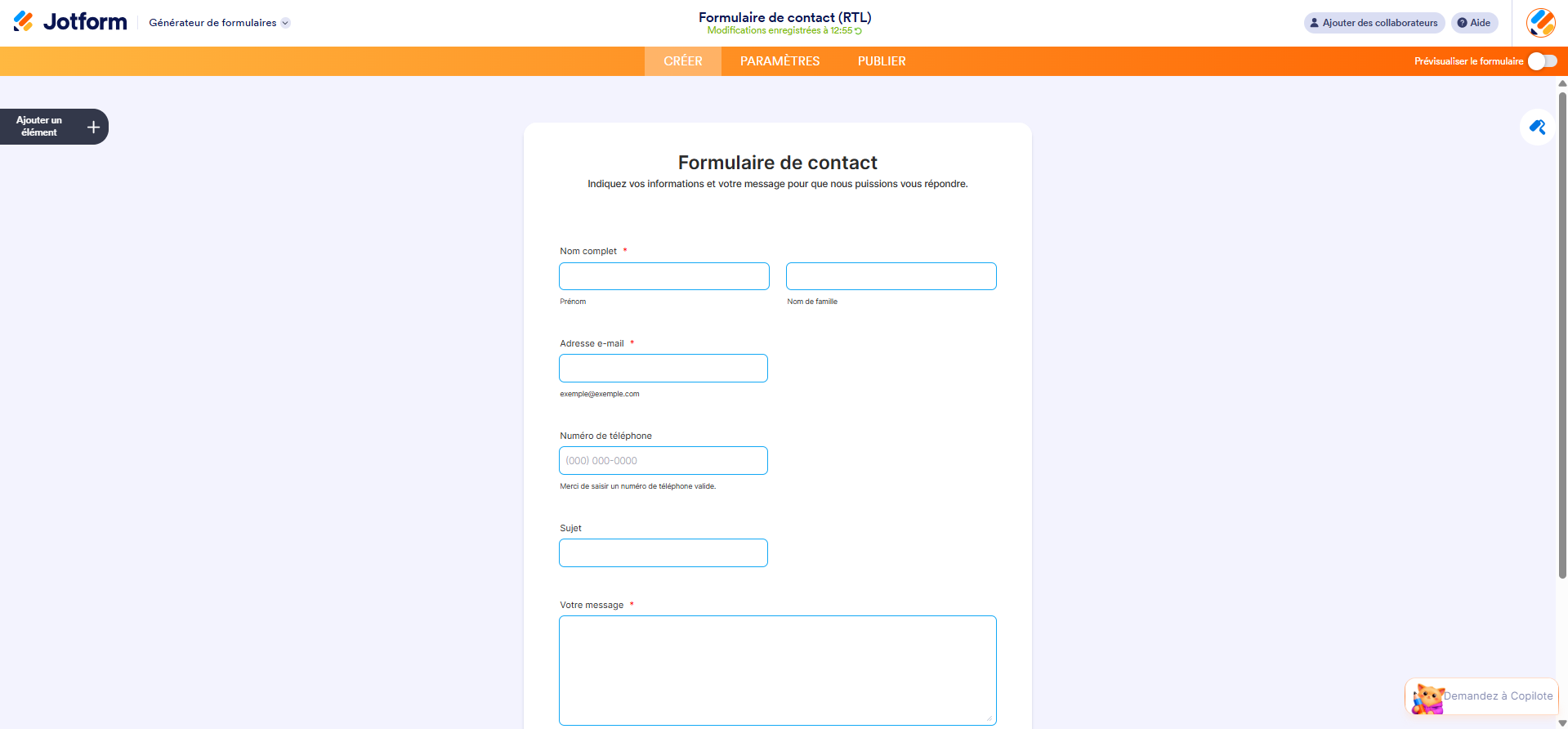
- Dans le Générateur de formulaires Jotform, sélectionnez l’icône de rouleau à peinture dans le coin supérieur droit.
- Dans le volet Concepteur de formulaires, cliquez sur l’onglet Styles.
- Faites défiler jusqu’à la section Injecter du CSS personnalisé.
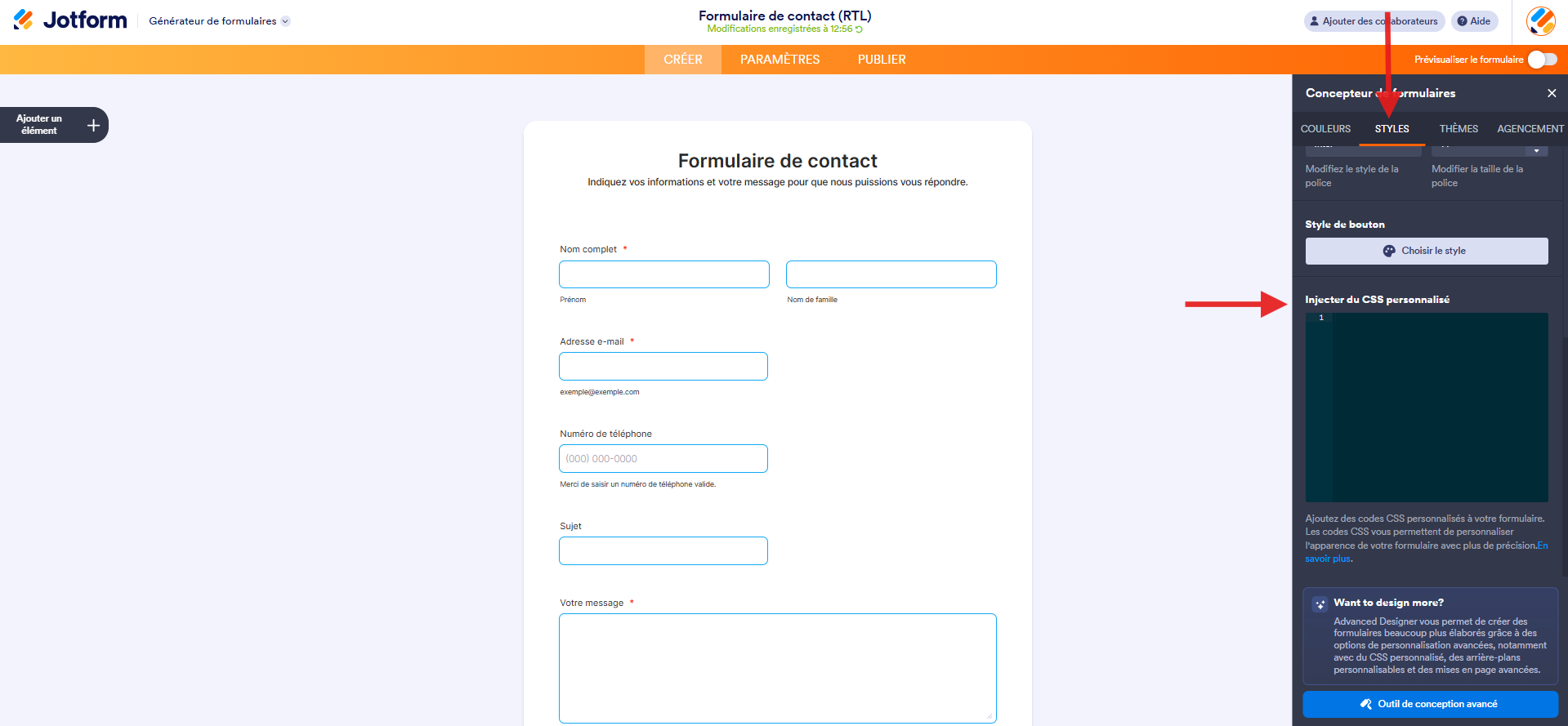
- Saisissez le code suivant dans le champ réservé au code CSS :
.form-all, .form-header, .form-subHeader, .form-textarea, .form-textbox {ntdirection: rtl;nttext-align: right !important;n}nn.form-checkbox-item:not(#foo) label:before, .form-radio-item:not(#foo) label:before {ntright: 0;ntmargin-right: 0;ntfloat: right;n}nn.form-radio-item:not(#foo) label:after {ntright: 4px;n}nn.form-checkbox-item:not(#foo) label:after {ntright: 8px;n}nn.form-checkbox-item:not(#foo) label {ntfloat: right;n}nn.form-all .form-section .form-col-2 {ntwidth: 33.3% !important;n}nn.form-label, label.form-label.form-label-auto, label.form-label:not(.form-label-top) {nttext-align: right !important;n}nnspan.phone-separate {ntdisplay: none;n}nn.form-line-error .form-error-message {ntright: unset !important;ntleft: 0 !important;nttext-align: left;n}nn.form-checkbox-item:not(#foo) label:after {ntright: 0;n}nn.form-multiple-column, .form-single-column {ntwidth: 100%;ntdisplay: inline-flex;ntflex-wrap: wrap;n}nn.form-multiple-column .form-checkbox-item, .form-multiple-column .form-radio-item, .form-single-column .form-checkbox-item, .form-single-column .form-radio-item {ntwidth: 100%;n}nn.form-checkbox+label, .form-checkbox+span, .form-radio+label, .form-radio+span {ntpadding-right: 30px;ntpadding-left: 0;n}nn.form-matrix-values label.matrix-choice-label {ntpadding-right: 20px;ntpadding-left: 0;n}nn.form-label:not(.form-label-top) + .form-input .form-address-line + .form-address-line, .form-sub-label-container + .form-sub-label-container {ntmargin-right: 8px;n}nn.form-address-line + .form-address-line {ntmargin-left: 0;n}nn.form-product-item .p_image .image_area {ntmargin-left: 10px;ntmargin-right: 10px;n}Remarque
Ce code s’applique uniquement aux éléments de formulaire de base et à certains widgets. Si vous avez besoin d’aide pour aligner les éléments de votre formulaire qui ne sont pas couverts par le code, contactez notre équipe d’assistance Jotform.
- Consultez votre formulaire en cliquant sur le bouton bascule Prévisualiser le formulaire ou cliquez sur la flèche à droite de Générateur de formulaires et sélectionner l’option Afficher le formulaire afin de constater les modifications apportées.
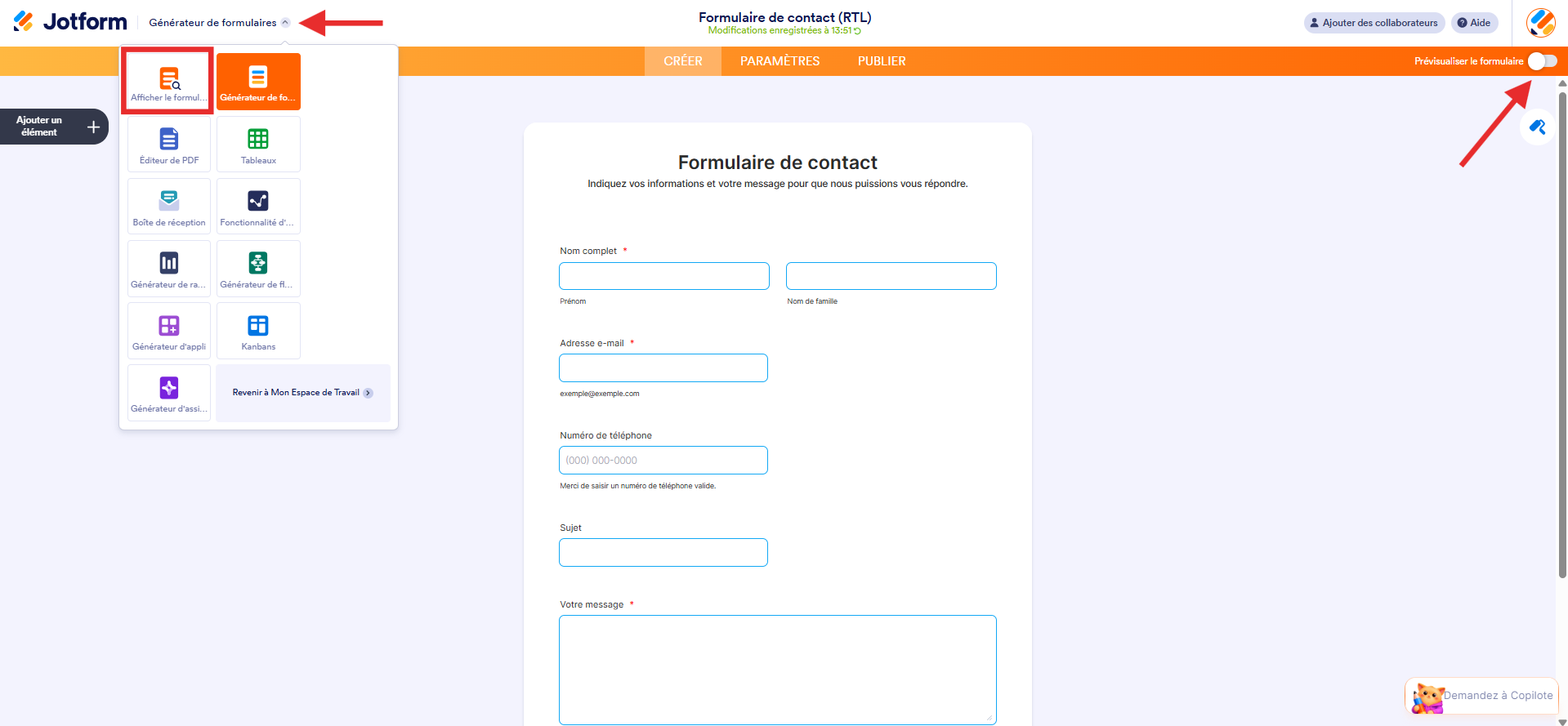
Voici un formulaire de démonstration qui vous montre ce que vous obtiendrez dans une langue qui s’écrit et se lit de droite à gauche.

Envoyer un commentaire: