

Modèles de feuilles d'inscription

Feuille d'inscription des équipes
Gardez les détails des équipes, des joueurs et des tournois organisés pour les sports traditionnels, les sports électroniques ou d'autres ligues grâce à cette feuille d'inscription en ligne gratuite pour les équipes ! Pour commencer, partagez le formulaire d'inscription au tournoi joint avec les équipes et les joueurs, et demandez-leur de le remplir pour s'inscrire à votre prochain tournoi. Une fois qu'un formulaire est soumis, votre tableau en ligne se mettra automatiquement à jour pour afficher les informations soumises — et vous pourrez même mettre à jour manuellement le tableau si nécessaire ! Personnalisez votre feuille d'inscription des équipes en quelques clics grâce à l'interface conviviale de Jotform. Sans programmation requise, vous pouvez rapidement ajouter de nouvelles lignes et colonnes, et utiliser des onglets supplémentaires pour séparer les informations pour différentes équipes, sports et divisions. Vous pouvez même passer de la vue en tableau à la vue en calendrier ou en cartes pour voir les informations de la manière qui vous convient le mieux ! Restez organisé(e) et améliorez vos compétences en gestion sportive grâce à cette feuille d'inscription des équipes gratuite.
Accéder à la catégorie :Feuilles d'inscription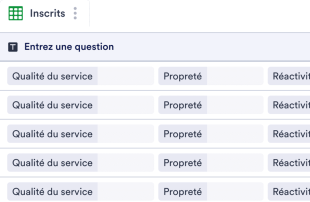
Feuille d'inscription de l'équipe
Gardez les détails des équipes, des joueurs et des tournois organisés pour les sports traditionnels, les sports électroniques ou autres ligues grâce à cette feuille d'inscription d'équipe en ligne gratuite ! Pour commencer, partagez le formulaire d'inscription au tournoi joint avec les équipes et les joueurs et demandez-leur de le remplir pour s'inscrire à votre prochain tournoi. Une fois qu'un formulaire est soumis, votre tableau en ligne se mettra instantanément à jour pour afficher automatiquement les informations soumises, et vous pourrez même mettre à jour le tableau manuellement si nécessaire ! Personnalisez votre feuille d'inscription d'équipe en quelques clics avec l'interface conviviale de Jotform. Sans aucune programmation requise, vous pouvez rapidement ajouter de nouvelles lignes et colonnes, et utiliser des onglets supplémentaires pour séparer les informations des différentes équipes, sports et divisions. Vous pouvez même passer de la vue en tableau à la vue en calendrier ou en cartes pour voir vos informations de la manière qui vous convient le mieux ! Restez organisé et développez vos compétences en gestion sportive grâce à cette feuille d'inscription d'équipe gratuite.
Accéder à la catégorie :Feuilles d'inscriptionÀ propos des Feuilles d'inscription
Les modèles de formulaires d'inscription constituent une catégorie spécialisée de modèles de tableaux conçus pour aider les équipes à organiser et gérer efficacement les soumissions. Ces modèles sont essentiels pour collecter des informations spécifiques ; par exemple, pour des inscriptions à des événement, des heures de bénévolat ou des cours. Les chargés de formulaires, qu'il s'agisse de coordinateurs d'événements, de services RH ou d'établissements d'enseignement, ont besoin d'une méthode simplifiée pour gérer l'afflux de ces informations. Les tableaux Jotform sont une solution intuitive qui permet de gérer ces enregistrements et de garantir ainsi que toutes les données collectées sont organisées de manière logique et facilement accessibles pour des actions ultérieures.
Dans les tableaux Jotform, chaque soumission d'un formulaire Jotform connecté apparaît automatiquement comme une entrée, ce qui permet ainsi de conserver des flux de gestion des données structurés et fluides. Les utilisateurs peuvent consulter ces entrées de différentes manières, en vue Tableau ou Détail, ce qui permet de mieux comprendre les données collectées. De plus, les tableaux Jotform offrent de multiples options organisationnelles : recherche, filtres, regroupement et affichage spécifique, par exemple, au format Calendrier ou Rapport. Ces options sont essentielles pour pouvoir exploiter les données et les analyser de différentes manières. S'il est toujours possible de saisir des données manuellement ou d'importer des fichiers CSV ou Excel afin d'intégrer des données existantes, le principal atout des tableaux Jotform réside dans sa capacité à gérer les soumissions automatiquement depuis les formulaires Jotform.
Why Use Sign Up Sheet Templates?
- Sign Up Sheet Templates eliminate the need for manual data transfer by capturing responses directly through connected Jotform Forms. This direct integration ensures that all entries are automatically and accurately populated into the Jotform Tables.
- Keeping all sign-up information together in one place helps form owners and teams quickly find and manage records. This centralized approach significantly reduces the time spent searching for specific entries.
- Reviewing complete submission details is easy with Jotform Tables, as it allows users to look at individual entries in Detail View, making it simpler to verify the accuracy of the data collected.
- Coordinating follow-up actions becomes more straightforward when all submission data is organized and accessible. Jotform Tables allows teams to track responses and plan next steps efficiently.
- The ability to track changes over time with revision history ensures that form owners and teams can monitor any edits made to the submissions, providing transparency and accountability in data management.
- Reporting on collected data is streamlined with Report View, where users can generate summaries and insights without needing to export data to external tools.
Common Problems Solved by Sign Up Sheet Templates
- Manually copying submissions into spreadsheets is time-consuming and prone to error. With Jotform Tables, responses automatically populate, removing the need for this tedious process.
- Scattered responses across different platforms can lead to oversight and miscommunication. By consolidating all submissions in one table, Jotform Tables ensures that no response is missed.
- Difficulty locating records in traditional spreadsheets is a common issue. Jotform Tables' search and filter capabilities allow users to quickly find specific entries, improving efficiency.
- Inconsistent review processes can lead to data misinterpretation. With features like Detail View and grouping, Jotform Tables standardizes how data is reviewed and analyzed.
- Handling uploads, such as images or documents, can be cumbersome in other systems. Uploads View in Jotform Tables provides an organized way to manage these files alongside the related data.
Matching Form Submission Use Cases to Jotform Tables Features
- Collecting volunteer sign-ups through Jotform Forms allows these submissions to auto-populate into Jotform Tables, ensuring all participant data is immediately accessible for review and action.
- Reviewing event registrations in Table View enables form owners to see all responses at a glance, with options to filter or group entries by category, date, or other criteria for streamlined management.
- Team collaboration on school enrollment submissions is enhanced with access settings, allowing different team members to view or edit records as needed, while revision history keeps track of all changes made.
- For large-scale events, creating reports using Report View provides an overview of attendee information and logistical needs, helping in planning and resource allocation.
- When managing class sign-ups, linked tables can connect related data, such as student information and course details, providing a comprehensive view of the enrollment process.
How to Use Sign Up Sheet Templates with Jotform Forms
- Begin by selecting a relevant Sign Up Sheet Template or create a new table connected to an existing Jotform Form. This setup ensures that any new responses submitted through the form will automatically appear in the connected table for easy access and management.
- Configure the table to suit your review needs by naming columns and choosing appropriate column types. Selecting views such as Table View, Detail View, Calendar View, or Uploads View can help in organizing and visualizing the data effectively based on its intended use.
- Manage submissions efficiently by utilizing search, filters, grouping, and formulas to analyze the data. Use access settings to control who can view or edit the entries, assign tasks to team members, and track any changes with revision history for a collaborative approach.
Top Use Cases for Sign Up Sheet Templates
- For Form Owners: Form owners benefit significantly from Sign Up Sheet Templates as they provide a streamlined process for reviewing incoming responses. Once a Jotform Form collects new sign-up data, these submissions automatically populate into the connected table. Here, form owners can edit submission data, verify the completeness of details or uploads, and ensure that all records are organized logically. This process facilitates efficient data management and enhances the accuracy of the information gathered.
- For Teams: Authorized team members leverage Sign Up Sheet Templates to maintain and coordinate responsibility for entries. With easy access to all submissions, team members can find the data they need promptly and ensure that all records are up to date. Assigning responsibilities using assignees within the table and utilizing access settings enhances collaboration. Additionally, the availability of revision history supports shared work by allowing teams to track changes and maintain data integrity.
- For Managers: Managers utilize Sign Up Sheet Templates to monitor the data collected and identify category-specific patterns and trends. By reviewing submissions in different views, such as Report View, managers can assess progress and ownership of tasks. This oversight capability allows managers to make informed decisions based on the insights gathered from the collected data, ensuring that projects and initiatives remain on track and objectives are met.
Summarizing Sign Up Sheet Templates
Sign Up Sheet Templates offer a powerful way to collect and manage category-specific information, ensuring that data gathered through Jotform Forms is efficiently organized and accessible within Jotform Tables. By automatically populating submissions into a structured table, these templates facilitate effective data review and management. Whether for events, classes, or volunteer coordination, Jotform Tables provides the necessary tools to handle submissions with ease, supporting a wide range of professional needs and enhancing collaborative efforts.
FAQ
1) Is it free to use Sign Up Sheet Templates with Jotform Tables?
Jotform offers a Starter plan that allows users to access Sign Up Sheet Templates. This plan provides the basic features needed to manage submissions in Jotform Tables. Additional features and capabilities may be available through other pricing tiers, but the Starter plan is a great way to begin using the platform.
2) How do submissions from Jotform Forms appear in Sign Up Sheet Templates?
When a form is connected through Jotform Forms, every submission automatically appears as an entry in the linked table. This process ensures that data flows seamlessly from the form to the table, with each response added as a new row. Future responses continue to auto-populate the table, keeping all information up to date.
3) Can I edit, search, filter, group, and calculate data in Sign Up Sheet Templates?
Yes, you can perform various operations on your data within Sign Up Sheet Templates. You can edit entries to ensure accuracy and use search and filters to find specific records quickly. Data can be grouped for better analysis, and you can apply formulas and calculations to gain deeper insights into your submissions.
4) Puis-je exporter les données contenues dans les tableaux au format CSV ou Excel ?
Jotform Tables allows you to export your data in CSV or Excel formats, making it easy to share or analyze outside the platform. This capability supplements the automatic data capture from connected Jotform Forms and helps integrate your data with other systems or tools you may use.
5) Which Jotform Tables views can I use with Sign Up Sheet Templates?
Users can utilize several views within Jotform Tables, including Table View, Detail View, Calendar View, Report View, and Uploads View. Each of these views helps form owners and teams review and manage submissions in different ways, ensuring that data is accessible and organized according to the specific needs of the submission type.
6) Can teams collaborate on submissions in Sign Up Sheet Templates?
Collaboration is a key feature in Jotform Tables, as it allows teams to work together on managing submissions. Features like access settings, assignees, real-time tracking, and revision history support effective teamwork and ensure that everyone involved has the necessary permissions to contribute and track changes to the entries.
7) Can I connect Sign Up Sheet Templates to related data or other applications?
Yes, you can connect Sign Up Sheet Templates to related data using linked tables, which allows for more complex data relationships. Additionally, integrations and action buttons enable connections with other applications, enhancing the functionality and reach of your data management efforts.
8) Can I create reports, PDFs, and manage files from Sign Up Sheet Templates?
Jotform Tables supports the creation of reports and PDFs, providing meaningful insights and summaries of your data. Uploads View enables you to manage files associated with submissions, and signed documents can be generated where applicable, offering a comprehensive suite of document management tools.