-
 Ingeborg_info
Ik heb alle instellingen van mijn server gecheckt: wachtwoorden, poortnaam en andere instellingen. Maar ik krijg iedere keer een foutmelding. Waar kan dat aan liggen?
-
 Podo: Supportspecialist
Hi Ingeborg,
Thanks for reaching out to Jotform Support. I'm an AI assistant here to assist you.
It seems you are having trouble configuring your own email as the sender and are encountering error messages despite checking your server settings such as passwords and port names.
Let me walk you through how to set up a custom SMTP to use your email sender as the provider:
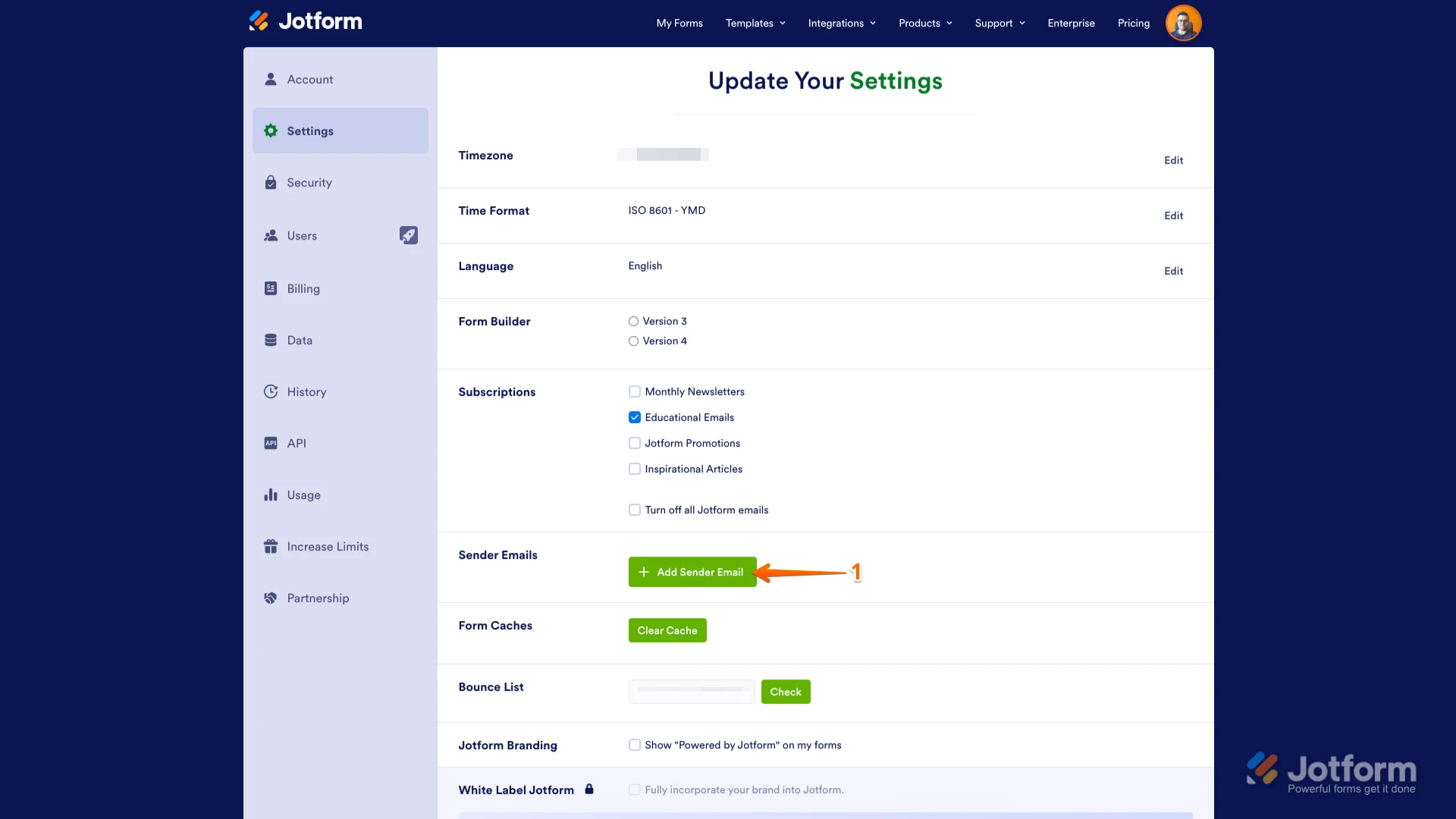
1. Go to the Settings page while logged in to your Jotform account and click on Add Sender Email in the Sender Emails section.

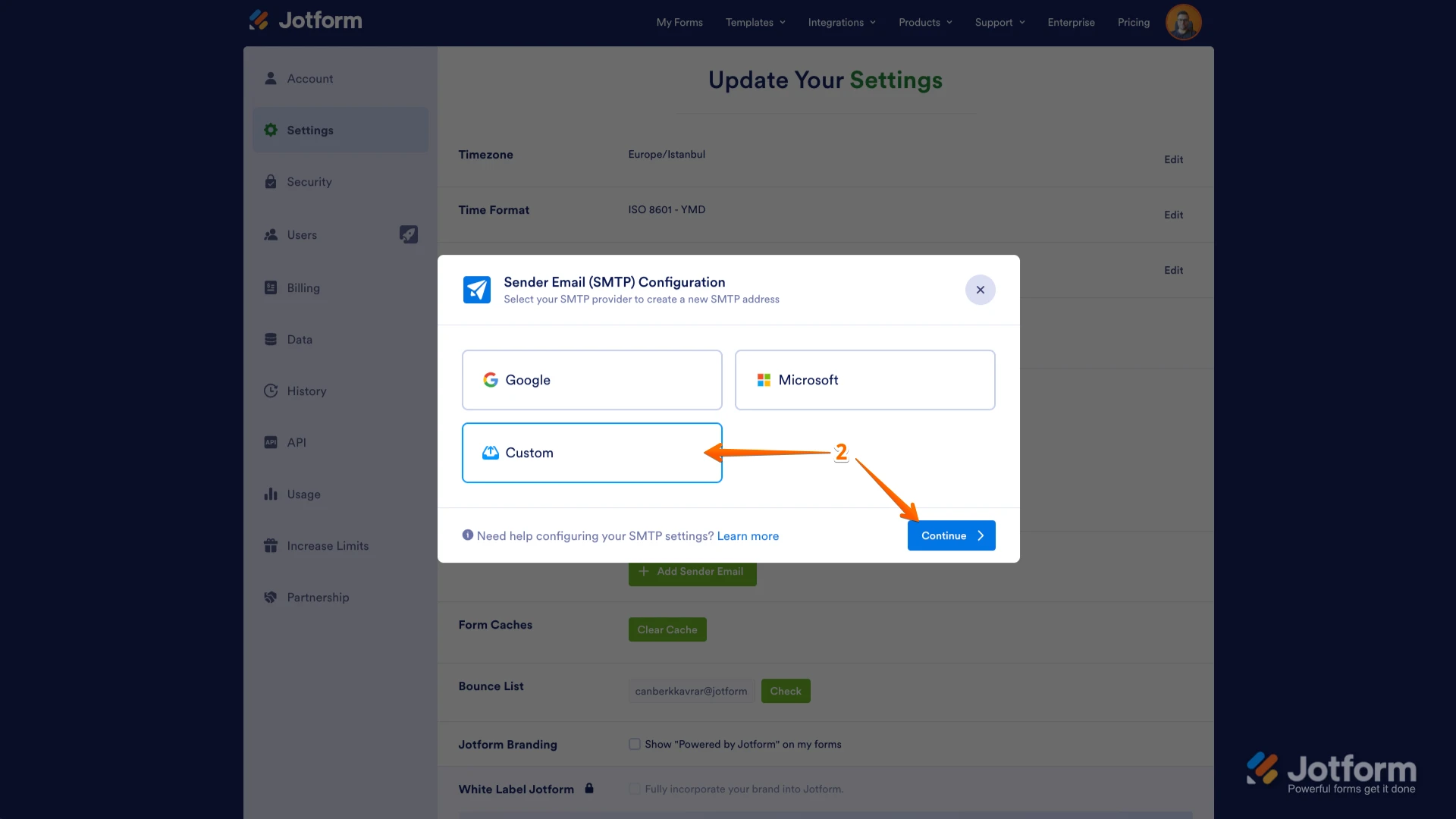
2. In the window that opens, select Custom and click on the Continue button.
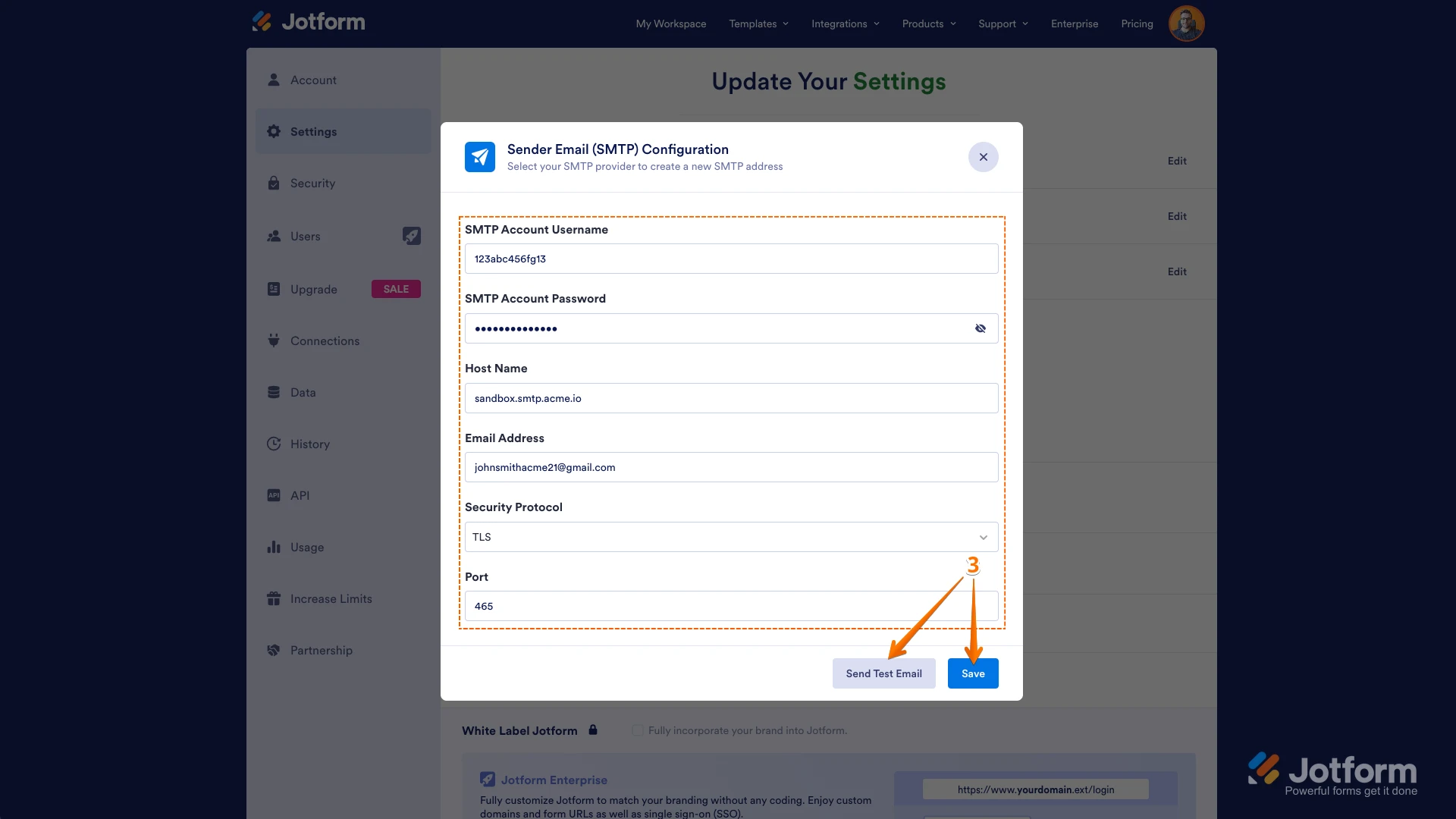
3. Enter your email provider's details, click on Send Test Email to check if it’s set up correctly, and then click on Save.
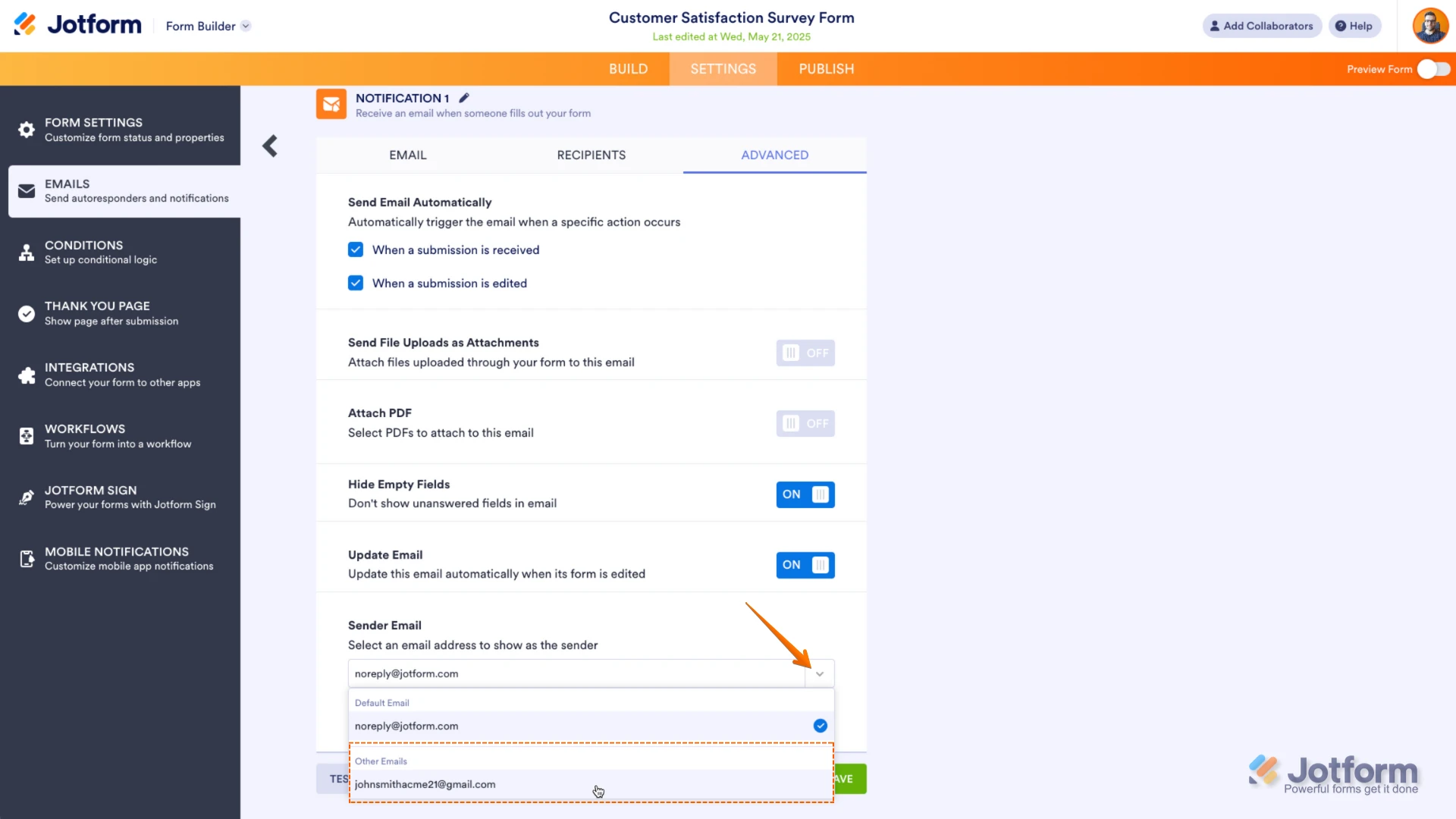
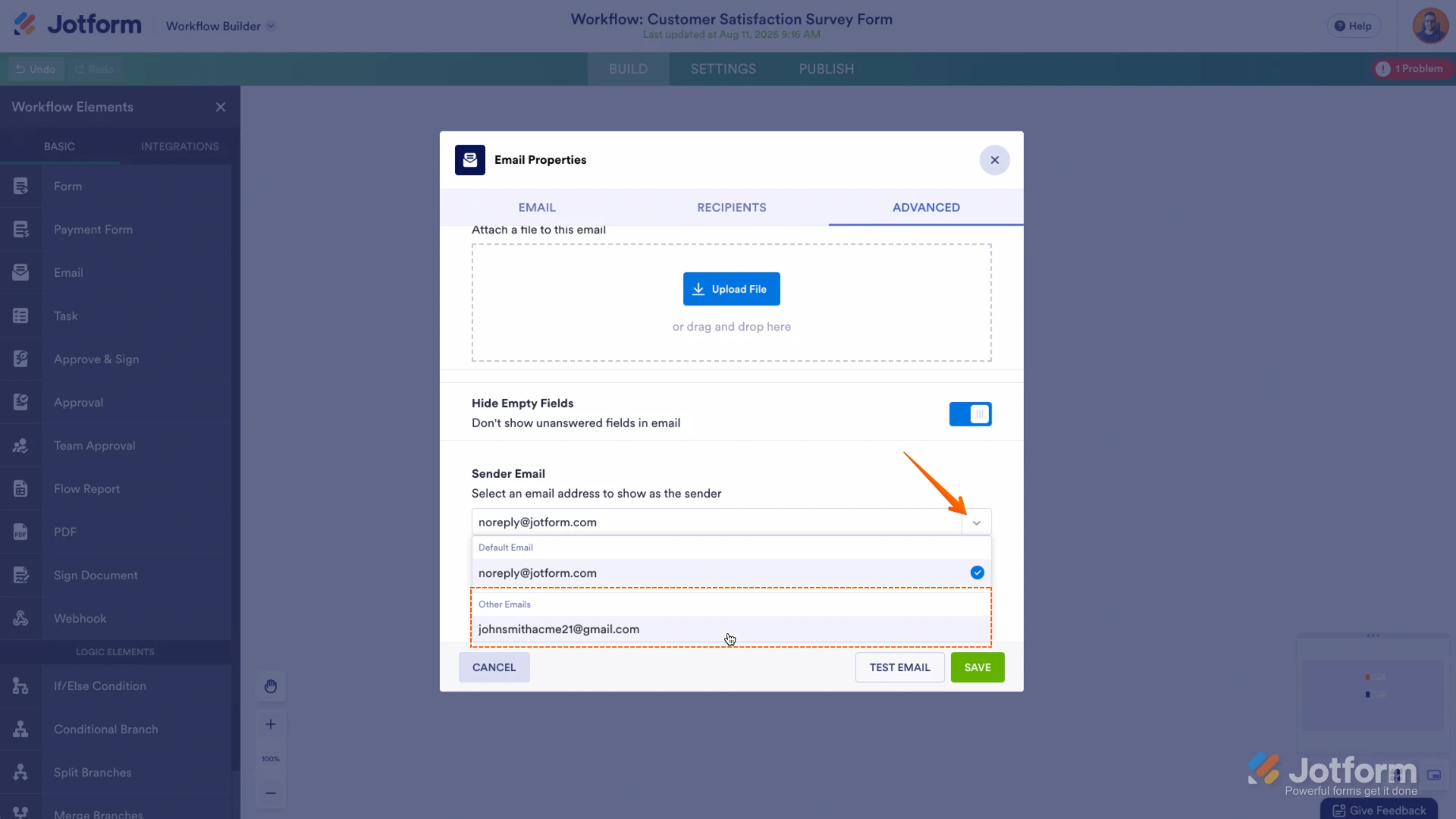
After this, select your custom SMTP in your email properties under email settings in Form Builder or Workflow Builder as needed.
Give it a try and let us know if you need any help.
-
 Lorenz Jotform Support
Hi Ingeborg,
While we do offer Support in many foreign languages, and we're working hard to add more every day, we don't currently have Dutch Support agents who can help you. So I'll try to help you in English using Google Translate, but you can reply in whichever language you feel comfortable using.
Now, coming back to your question, can you share with us the exact error message you're getting when setting up the SMTP email? A screenshot of it would be great. Let me show you how to post a screenshot to our Help Center:
1. On the Help Center page, scroll down to the Your Answer section and click on the Image icon.
2. Drag and drop your image into the Upload box, or click on it and select your file.
3. Then, click on the Add button in the bottom-right corner of the window.
4. To resize it, click on your screenshot and then click on one of the boxes in the corners, and drag it inward.
5. Once you're finished, click on the Post Answer button at the bottom right of the Your Answer section.
-
Ingeborg_info
Hi Lorenz,
Thank you for your quick respons. I managed to do it. I don't know what went wrong, but after many attempts, I succeeded.
Have a nice day!
Ingeborg
-
Podo: Supportspecialist
Hi Ingeborg Möller,
Je verzoek is beantwoord en de thread is gesloten.
If you have another question or need more help, feel free to reply here and we'll assist you right away.