

Шаблони за инвентар

Шаблон за инвентар на продукти
Инвентар на продукти се използва за записване на информация за количеството налични стоки и продукти, които вашата компания предлага. Започнете с въвеждане на име на продукт, идентификационен номер на инвентара, описание, доставчик, местоположение на склад, единична цена и количество. След като добавите цялата необходима информация към вашия шаблон за инвентар на продукти, тя ще бъде безопасно съхранена във вашия защитен Jotform акаунт. След това можете да осъществявате достъп и да редактирате важни данни за инвентара навсякъде и по всяко време — дори без достъп до интернет. Този готов шаблон за инвентар на продукти включва допълнителни раздели за доставчици и история на поръчките – но не се колебайте да го направите ваш собствен, като добавите толкова редове, колони и раздели, колкото е необходимо, за по-ефективно управление на инвентара. Без значение какви видове стоки продавате, следете всеки артикул във вашия инвентар с персонализиран шаблон за инвентар на продукти, който е също толкова висококачествен, колкото и вашия бизнес.
Отидете на категорията:Шаблони за инвентар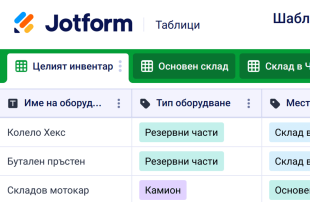
Шаблон за инвентар на оборудване
Шаблон за инвентар на оборудване се използва от компаниите за записване на количеството налично оборудване за конкретни задачи. Независимо дали управлявате компания за строителни материали, офис или болница, нашият безплатен шаблон за инвентар на оборудване ще направи инвентаризацията на оборудването по-лесна от всякога. Просто въведете детайли за всяка част от оборудването в електронната таблица. Вашата информация ще бъде безопасно съхранявана във вашия Jotform акаунт и лесно достъпна от всяко устройство. С нашето безплатно мобилно приложение вие също ще можете да преглеждате и редактирате вашия шаблон за инвентар на оборудване в движение — дори без достъп до интернет. Ако отговаряте за множество складове, не се колебайте да добавите няколко раздела към вашия шаблон за инвентар на оборудване, за да можете по-лесно да записвате всичко на правилното му място. След като въведете всички детайли за инвентара, ще можете да видите електронната таблица такава, каквато е или в изглед на календар, за да видите кога всеки артикул е бил презареден. Подобрете процеса на управление на вашето оборудване с персонализиран шаблон за инвентар на оборудване, който работи точно толкова страхотно, колкото изглежда!
Отидете на категорията:Шаблони за инвентар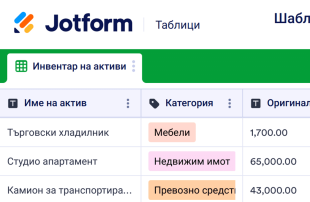
Шаблон за инвентар на активи
Шаблон за инвентар на активи се използва за проследяване на основните активи в една компания, като оборудване, сгради, превозни средства и други. Той записва важни детайли като описания на артикули, местоположения, оригинални и текущи стойности и амортизационни норми. Без значение за каква компания работите, лесно е да следите артикулите, които вашата компания притежава с нашия безплатен онлайн шаблон за инвентар на активи! Това е професионална онлайн електронна таблица, която е предназначена да намали разхвърляните хартиени документи и да позволи на вашата компания да управлява безпроблемно своите активи. Искате ли да видите артикулите във вашия шаблон за инвентар на активи по нов начин? Просто добавете нов раздел и ги пренаредете, както желаете – например, ако управлявате активи за множество локации в рамките на една компания, можете да добавяте нови раздели към отделни елементи по локация. Можете дори да преминете към изглед на календар, за да видите ясно вашите навици за харчене през годината, кои елементи са най-стари и кои трябва да бъдат заменени скоро. С безплатния онлайн шаблон за инвентар на активи на Jotform можете да спестите време, да организирате записите на вашата компания и експертно да проследявате активите в професионален формат на електронна таблица.
Отидете на категорията:Шаблони за инвентар
Шаблон за инвентар на произведения на изкуството
Инвентар на произведения на изкуството се използва за архивиране на произведения на изкуството за колекция или портфолио на художник. Независимо дали сте собственик на художествена галерия, уредник на музей или начинаещ художник, следете по-добре произведенията във вашата колекция, като използвате нашия безплатен шаблон за инвентар на произведения на изкуството. Просто въведете детайли за произведението на изкуството в шаблона за инвента на произведения на изкуството, който включва колони за всяко заглавие, художник, инвентарен номер, размери, среда, цена и други. Тъй като една снимка струва хиляда думи, вие също така ще можете да качвате висококачествени снимки на произведението! Вашата цяла информация ще се съхранява спретнато във визуално зашеметяваща електронна таблица — идеална за творци, като вас — до която след това можете да получите достъп от всяко устройство или да отпечатате за вашите записи. Като всеки голям шедьовър, нашия шаблон за инвентаризация на произведения на изкуството е готов за интерпретация – което означава, че можете да го използвате, както желаете. Чувствайте се свободни да проявите креативност, като добавите нови раздели за електронни таблици и етикети с цветово кодиране, за да направите този шаблон за инвентар на произведения на изкуството да отговаря на вашата визия. В крайна сметка ще получите персонализирана електронна таблица за инвентар на произведения на изкуството, която изглежда достатъчно добре, за да бъде в рамка! С Jotform каталогизирането на всяко ценно произведение на изкуството във вашата колекция никога не е било по-лесно.
Отидете на категорията:Шаблони за инвентарОтносно Шаблони за инвентар
Шаблон за инвентар се използва за записване и наблюдение на артикули, било на работа или у дома. Така че, независимо дали следите доставките в офиса или артикулите в дома си, организирайте се с нашите безплатни онлайн шаблони за инвентар. Без повече изписване на списъци с инвентар или запаси на ръка - просто въведете информация за инвентара в избраната от вас форма за запис на инвентара или онлайн електронна таблица и прегледайте информацията в лесен за четене формат. Всички данни се съхраняват сигурно във вашия акаунт в Jotform, което ги прави достъпни, независимо къде се намирате.
Не виждате шаблон за инвентар, който отговаря на вашите нужди? Няма проблем! Просто персонализирайте една от електронните таблици по-долу, като добавите нови раздели, колони или цветно кодирани етикети и скоро ще получите дизайна, който търсите - без кодиране. Като използвате инвентарните си електронни таблици онлайн, с един от нашите готови шаблони за инвентаризация, можете да премахнете разхвърляните хартиени документи, да управлявате по-добре инвентара си и лесно да преглеждате цялата информация за вашите артикули, в професионален формат на електронна таблица.
Why Use Inventory Templates?
- Managing form submissions in Jotform Tables eliminates the need for manual data transfer, ensuring that all responses are automatically captured and neatly organized in one place. This reduces errors and saves time for businesses that handle large volumes of data.
- Keeping all submissions together in a centralized location makes it easier for form owners to monitor and access collected data. This centralization is particularly beneficial for inventory management, where quick access to updated stock levels is crucial.
- With powerful search and filter options, users can easily locate specific records within the table, enhancing efficiency and productivity. This feature is invaluable for teams needing to quickly find and act on particular inventory items or supplier information.
- Reviewing complete submission details is streamlined, as each entry can be expanded to show all associated data and uploads. This comprehensive view aids in thorough analysis and informed decision-making regarding stock and supplier management.
- Coordinating follow-up actions with integrated forms and tables ensures that staff can track changes and updates in real-time. This capability is essential for maintaining accurate inventory counts and timely reorder processes.
Common Problems Solved by Inventory Templates
- Manual copying of submissions into spreadsheets is a time-consuming and error-prone process. Jotform Tables automatically captures form responses, eliminating the need for redundant data entry tasks and reducing the potential for mistakes.
- Scattered responses across different platforms can lead to data inconsistencies and oversight. By centralizing submissions within a connected table, all data is uniformly organized, ensuring easy access and consistency.
- Locating specific records can be challenging when dealing with large volumes of data. Jotform Tables' search and filter capabilities allow users to quickly find the necessary information, significantly improving the efficiency of inventory management tasks.
- Inconsistent review processes can lead to missed updates or errors. With the ability to view detailed submission data and uploads within the table, users can ensure that all relevant information is consistently accounted for and reviewed.
- Slow reporting can delay critical business decisions. By using Jotform Tables to generate reports directly from collected data, businesses can expedite reporting processes and make timely, informed decisions.
Matching Form Submission Use Cases to Jotform Tables Features
- When new inventory data is collected via connected Jotform Forms, the responses automatically appear in the linked table. This seamless integration ensures that inventory levels are always up-to-date and readily accessible for review.
- Reviewing submissions is simplified using Table View and Detail View, where users can sort, filter, and group data to match specific inventory management needs. This organization aids in identifying trends and making inventory adjustments.
- For team management, access settings and assignees allow for clear responsibility assignments and collaborative efforts. This ensures that each team member knows their role in managing inventory data and can effectively contribute to the process.
- Data reporting is enhanced with the Report View, enabling users to create detailed reports based on the collected data. This facilitates better communication and decision-making regarding stock management and supplier relations.
- For submissions that require immediate action, action buttons can be configured to trigger specific tasks or notifications directly from the table, streamlining workflow and enhancing operational efficiency.
How to Use Inventory Templates with Jotform Forms
- Start with a relevant Jotform Tables template or create a blank table connected to an existing Jotform Form. The form collects inventory-specific information, and new responses automatically populate the connected table, ensuring that data is continuously updated.
- Configure the table for submission review by naming columns and choosing appropriate column types, such as text or number, and selecting relevant views like Table View, Detail View, or Calendar View. This setup ensures that data is organized and easily accessible for analysis.
- Manage submissions using features like search, filters, data grouping, and formulas to analyze inventory data. Utilize access settings, assignees, or linked tables to coordinate team efforts and use action buttons to facilitate quick responses or generate reports as needed.
Top Use Cases for Inventory Templates
- For Form Owners: Form owners can efficiently review incoming responses by accessing organized entries in Jotform Tables. They have the ability to edit submission data and check details or uploads to ensure accuracy. Keeping records organized within this structured environment simplifies data management and supports better decision-making for inventory control.
- For Teams: Authorized team members can easily find and maintain entries in Jotform Tables, ensuring that inventory data remains up-to-date. They can coordinate responsibilities with assignees and use access settings or revision history to track changes and support collaborative efforts. This shared workspace enhances team productivity and accountability.
- For Managers: Managers can monitor collected data and review category-specific patterns in inventory submissions. They can use views like Report View to gain insights into stock levels, check progress, and ensure timely reorder processes. This oversight supports strategic planning and efficient inventory management.
Summarizing Inventory Templates
Inventory Templates offer significant value by streamlining the process of collecting and managing information through Jotform Forms and Jotform Tables. They ensure that all submissions related to inventory management are automatically organized and accessible, facilitating efficient data analysis and decision-making. By leveraging the capabilities of Jotform Tables, businesses can maintain accurate inventory records and enhance their operational workflows.
Често задавани въпроси
1) Is it free to use Inventory Templates with Jotform Tables?
Jotform offers a Starter plan that allows users to access Inventory Templates. This plan provides essential features for managing submissions and organizing data without incurring initial costs. Users can explore the capabilities of Jotform Tables and decide if additional features are needed as their requirements evolve.
2) How do submissions from Jotform Forms appear in Inventory Templates?
Submissions from Jotform Forms are seamlessly integrated into Inventory Templates through connected forms. Once a form is submitted, the data automatically appears as a new entry or row in the linked table. This auto-population ensures that future responses continue to populate the table, keeping the data current and organized.
3) Can I edit, search, filter, group, and calculate data in Inventory Templates?
Yes, you can edit data directly within Inventory Templates to ensure accuracy. The tables support search and filter functions, allowing users to locate specific entries quickly. You can also group data by categories and use formulas for calculations, enhancing the analysis of inventory data without relying on automated decisions.
4) Can I export the data inside the tables as CSV or Excel?
Absolutely, Jotform Tables allows you to export data as CSV or Excel files. This feature enables users to integrate existing information with connected-form submissions, providing a comprehensive view of inventory data. Exporting data is a convenient way to share information or conduct further analysis outside the platform.
5) Which Jotform Tables views can I use with Inventory Templates?
Inventory Templates can be reviewed using several views, including Table View, Detail View, Calendar View, and Report View. Table View provides a structured layout for entries, while Detail View allows for in-depth review of each submission. Calendar View helps in tracking timelines, and Report View facilitates the creation of comprehensive reports for analysis.
6) Can teams collaborate on submissions in Inventory Templates?
Yes, teams can effectively collaborate on submissions using Inventory Templates. Access settings ensure that only authorized members can view or edit data, while assignees can be designated to manage specific entries. Real-time tracking and revision history enhance collaborative efforts by providing insights into changes and updates.
7) Can I connect Inventory Templates to related data or other applications?
You can connect Inventory Templates to related data through linked tables, enabling users to draw insights from multiple sources. Additionally, integrations with other applications can be set up using action buttons, facilitating seamless workflows without specifying unsupported integrations.
8) Can I create reports, PDFs, and manage files from Inventory Templates?
Yes, you can create reports using the Report View, which allows for in-depth data analysis. PDF generation is available for converting table data into easily shareable documents. Uploads View helps manage files associated with inventory entries, and signed documents can be associated when relevant to the category.