-
comment puis je bénéficier de l'offre de fin d'année sur mon abonnement
-
 Mary Eden Jotform Support
Hi Chazal,
Thanks for reaching out to Jotform Support. French Support agents are busy helping other Jotform users right now, so I'll try to help you in English using Google Translate, but you can reply in whichever language you feel comfortable using. Or, if you'd rather have support in French, let us know, and we can have them do that. But, it might take a while until they're available again.
Now, coming back to your question, to benefit from the year-end offer on your subscription, first sign up for a Jotform account if you haven't already. Once you have an account, upgrading your account is easy. Let me show you how:
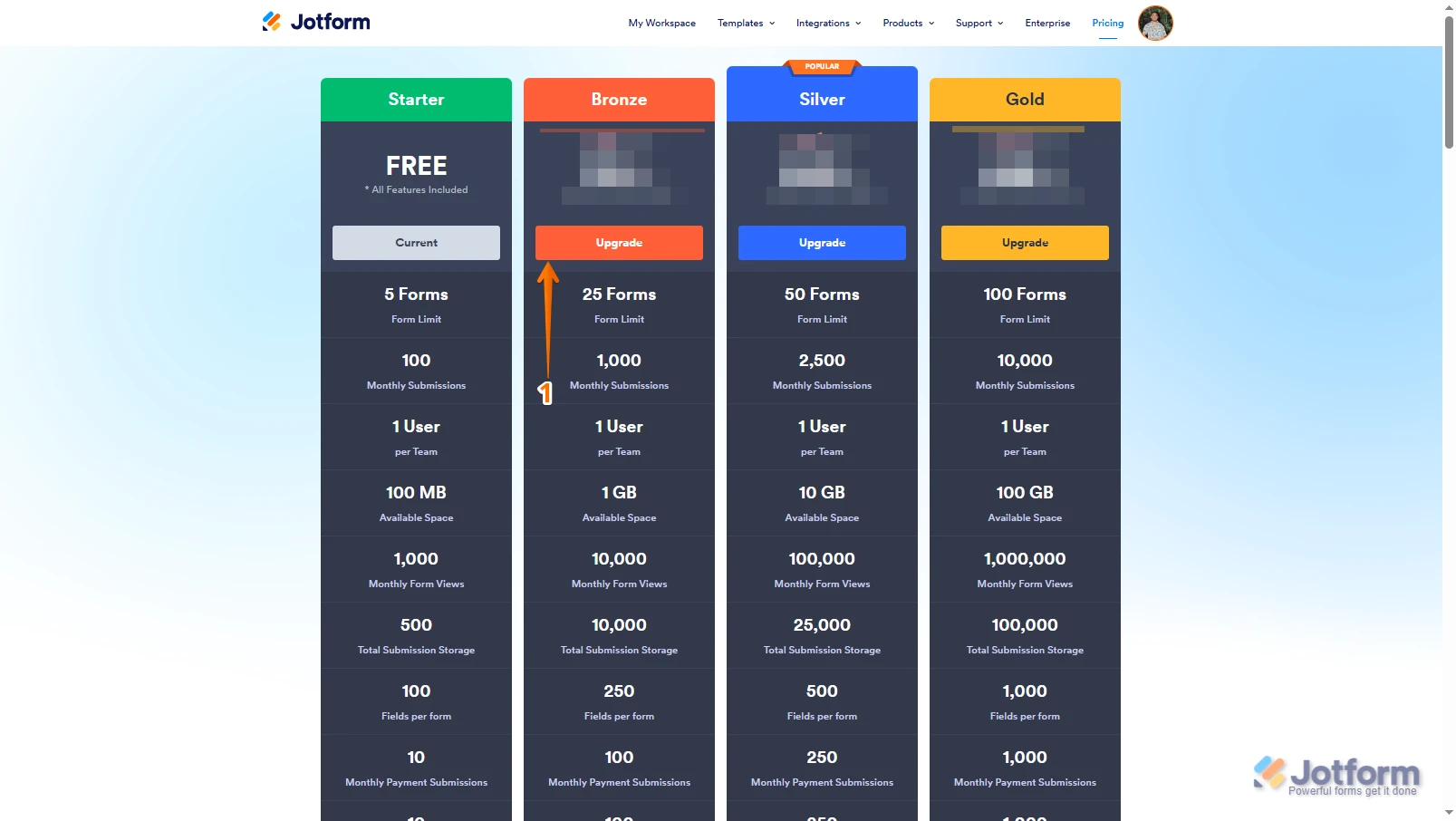
1. Log in to your Jotform account, go to the Pricing page, and click on Upgrade under the subscription plan you want.

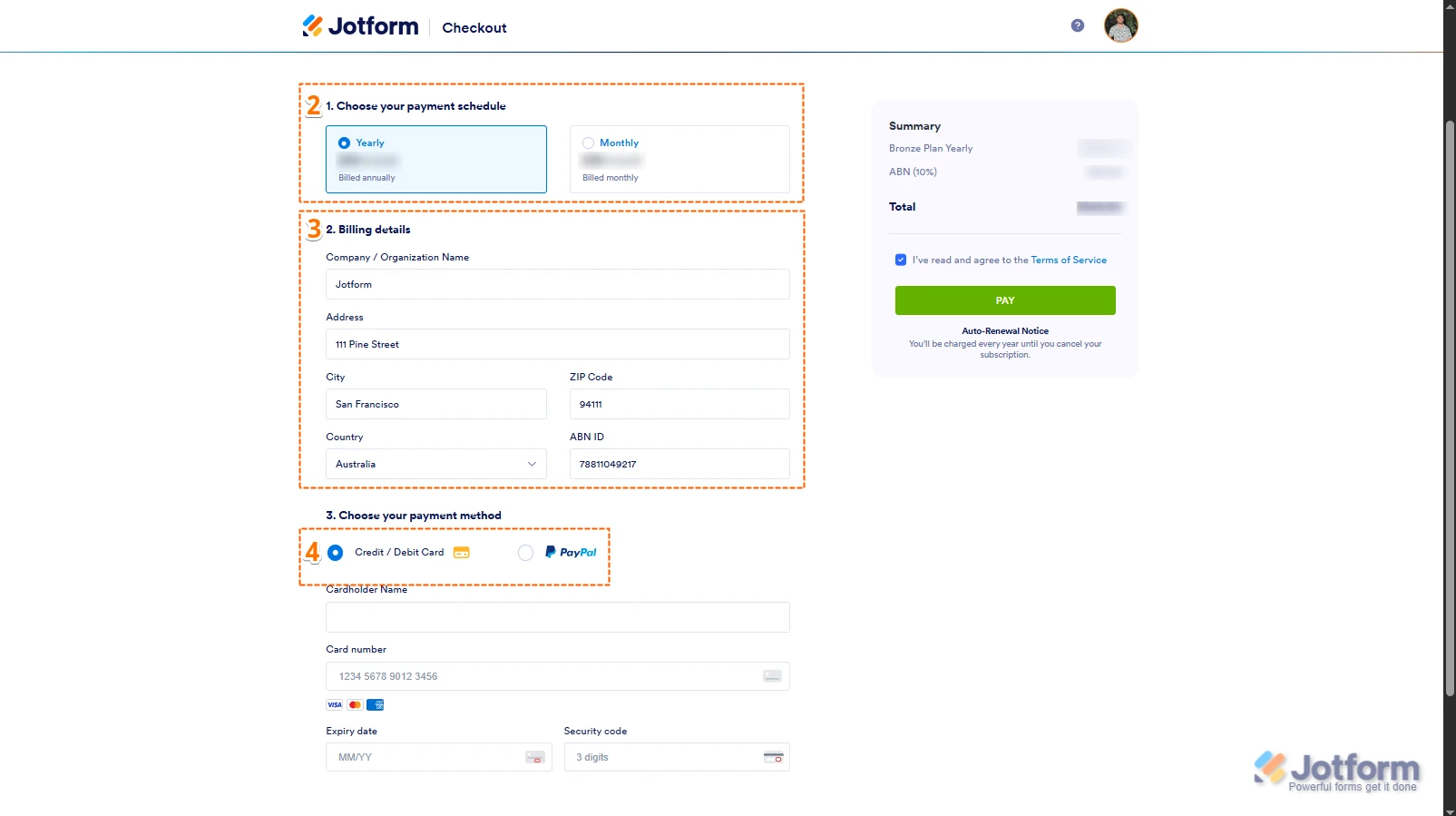
2. In the Choose Your Payment Schedule section, select Yearly or Monthly.
3. Then, enter your billing details in the Billing details section.
4. In the Choose your Payment Method section, select Credit/Debit Card or PayPal.
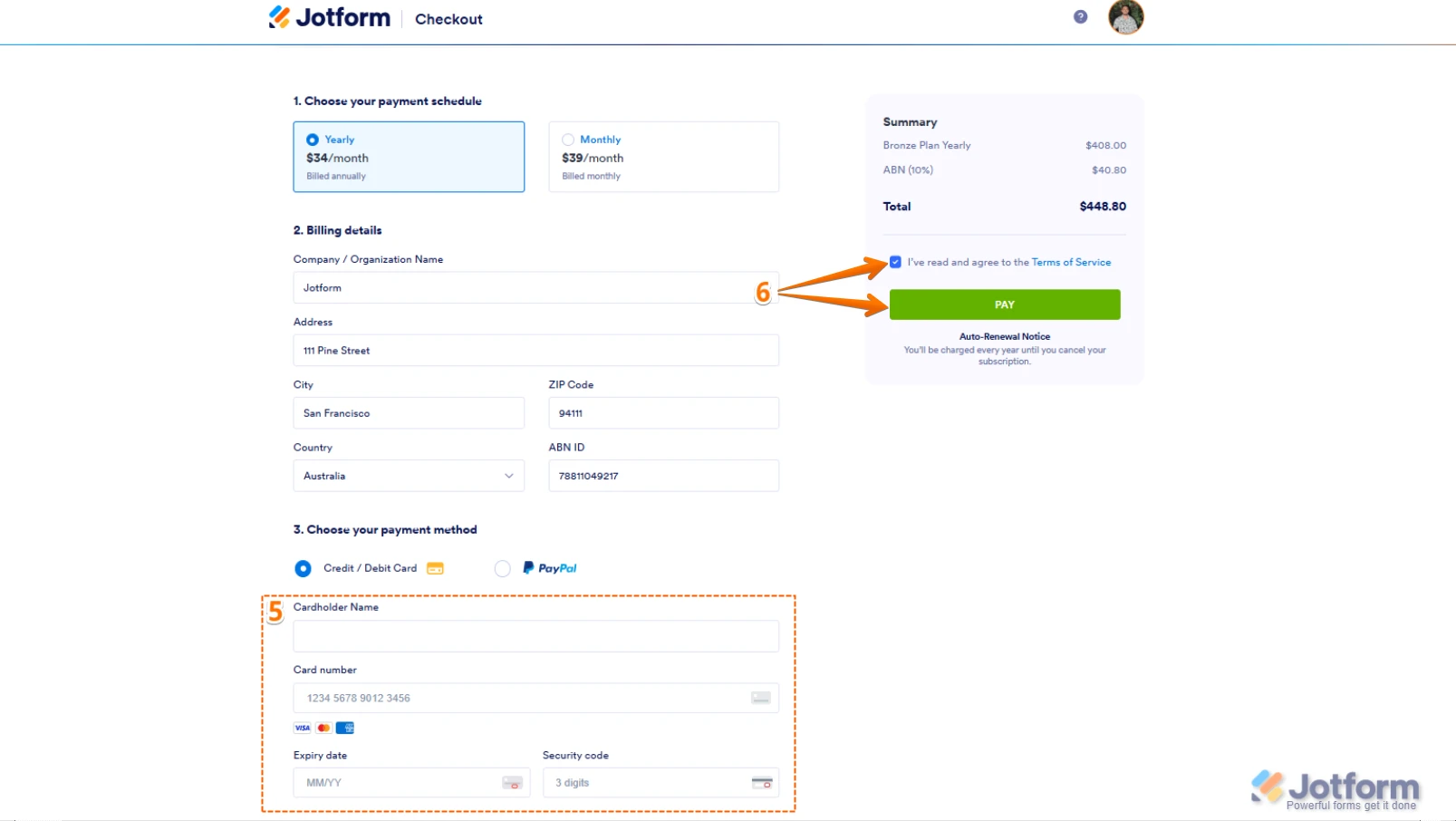
5. If you choose Credit/Debit Card, you can enter your Credit/Debit Card information below the Credit/Debit Card option.
6. Next, in the top-right corner of the page, in the Summary section, tick the box next to I’ve read and agree to the Terms of Service, and click on Pay.
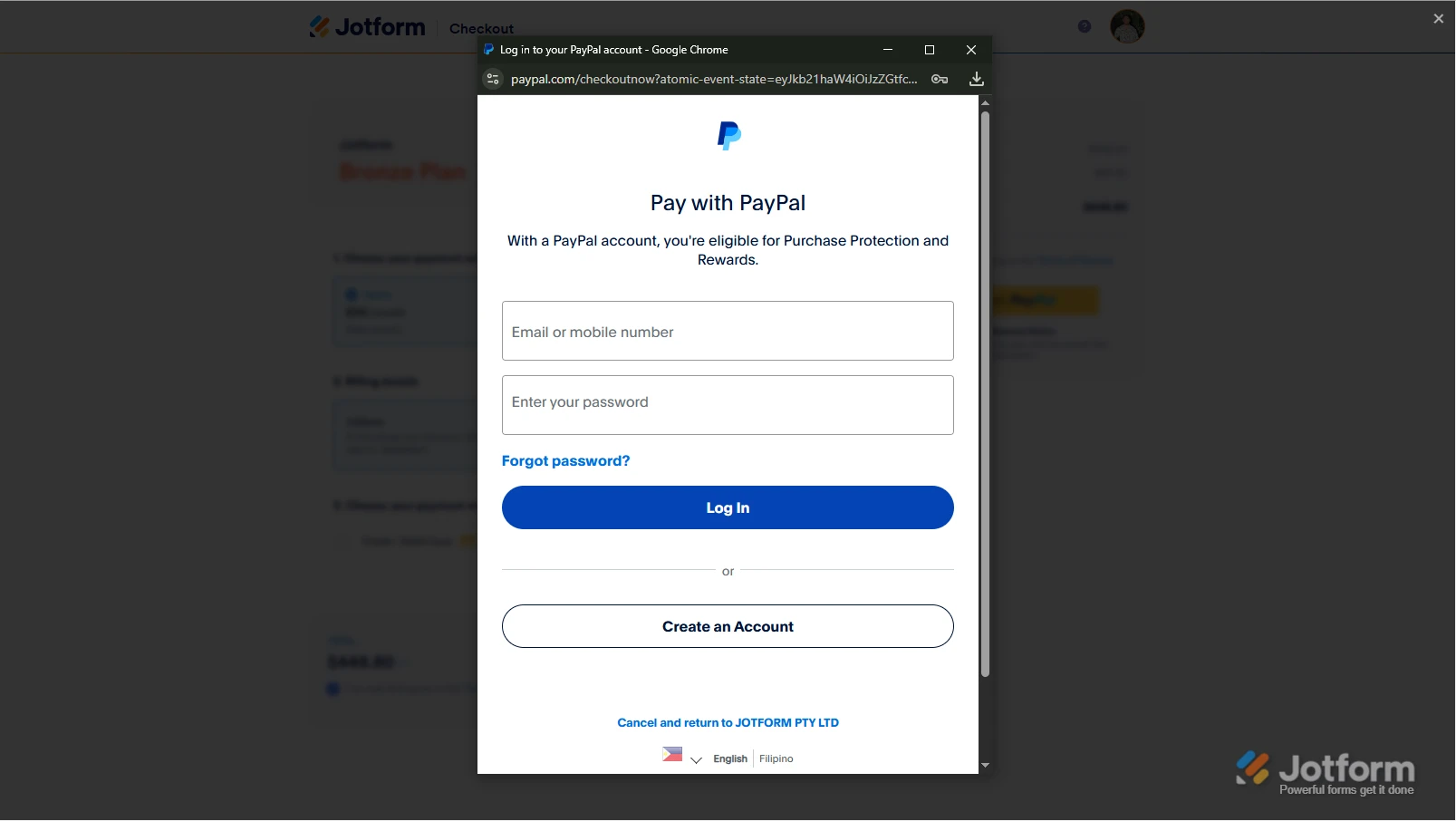
But, if you select PayPal as the payment, a PayPal Payment window will open, where you can log in and complete your payment after clicking on the Pay with PayPal button. Check out this screenshot below:After the subscription is successfully paid, the features and limits for the chosen subscription plan will be applied to your account right away.Reach out again if you have any other questions.