-
 emailbrentbarrett
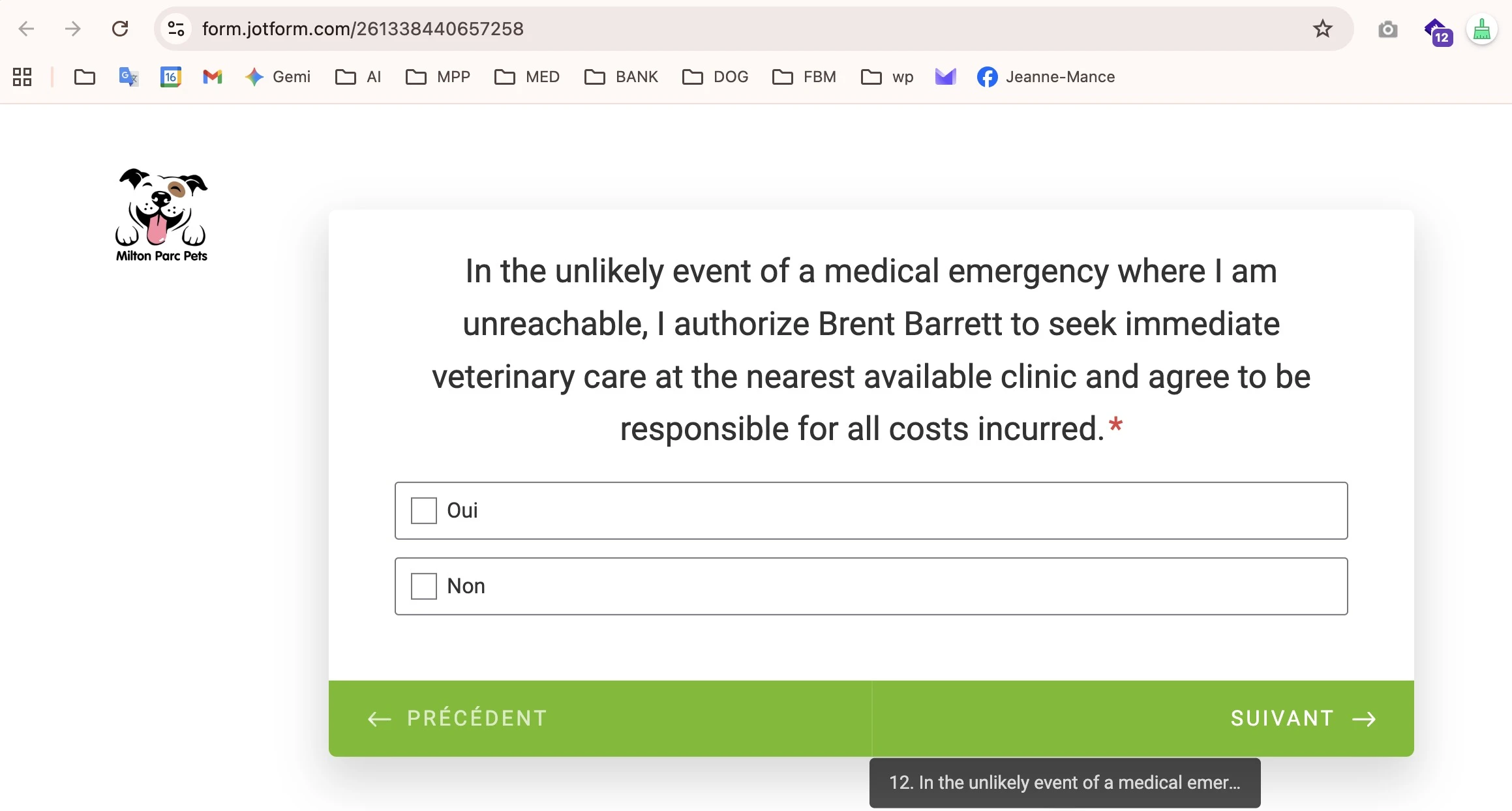
The text for Question 12 does not translate properly. The form displays the english text.
Here is the french text:
Dans le cas improbable d'une urgence médicale où je serais injoignable, j'autorise Brent Barrett à solliciter des soins vétérinaires immédiats auprès de la clinique vétérinaire la plus proche et j'accepte de prendre en charge tous les frais occasionnés.
 Page URL: https://form.jotform.com/261338440657258
 -
 Podo: Spécialiste assistance
Hi Brent,
Thanks for reaching out to Jotform Support. I'm an AI assistant here to assist you.
It sounds like Question 12 is not showing the French translation even though you have the correct French text. Let me walk you through how to check and update the translation in Form Builder so that your French text appears properly:
1. Open your form in Form Builder, and in the orange navigation bar at the top of the page, click on Settings.
2. Click on Show More Options, scroll down to the Form Languages section, and click on Edit.
3. In the Form Language section, make sure your main language is set correctly (for example, English).
4. In the Translations section, click on your French language entry to open the translation table.
5. Find Question 12 in the list and paste this French text into the corresponding translation field if it is empty or still in English:
Dans le cas improbable d'une urgence médicale où je serais injoignable, j'autorise Brent Barrett à solliciter des soins vétérinaires immédiats auprès de la clinique vétérinaire la plus proche et j'accepte de prendre en charge tous les frais occasionnés.6. Click outside the field to let it auto-save. Then, click on the Form Warnings tab to see if there are any remaining untranslated items and adjust them if needed.
Give it a try and let us know how it goes.
-
emailbrentbarrett
Does not work
-
Podo: Spécialiste assistance
Hi Brent,
One of our Support Team members will take it from here to follow up shortly.
Reach out again if you need any other help.
-
 Kyle Jotform Support
Hi Brent,
I cloned your form and tested the French translation for Question 12, but I wasn’t able to replicate the issue. The text displayed correctly in French. Check out my screencast below to see the result:
French:
English:
I also cleared your form’s cache to ensure temporary data isn’t interfering. Can you try to clear your browser's cache and see how it goes? Also, confirm whether this happens across all devices and browsers or only on a specific device.
Try that and reach out again if you need more help.
-
emailbrentbarrettHi Kyle,
Thanks for your help, I tried refreshing cache and a different browser, no luck.
Can you send me a screenshot of the french question 12 on your system, I still see English?
https://form.jotform.com/261338440657258
Client Info / Dog Walking Terms and Conditions
form.jotform.com
Cheers
B
... -
emailbrentbarrettIgnore previous email, works now!
...