-
 SaeraLumin
Buongiorno,
io sono interessata a fare l'abbonamento e usare la piattaforma ma ho un problema. Il sito è lentissimo a caricarsi sia con il browser opera sia con google crome. Non dipende dalla mia connessione perchè è buona e tutte le altre piattaforme e pagine si aprono bene.
Vorrei capire se state facendo degli aggiornamenti e se si può risolvere il problema.
Grazie.
Saera Lumin Ramos -
 Joseph Christian Jotform Support
Hi Saera,
Thanks for reaching out to Jotform Support. Our Italian Support agents are busy helping other Jotform users right now, so I'll try to help you in English using Google Translate, but you can reply in whichever language you feel comfortable using. Or, if you'd rather have support in Italian, let us know and we can have them do that. But, it might take a while until they're available again.
Now, coming back to your question, we aren't experiencing any server issues or scheduled updates at the moment that would cause the platform to load slowly. Since your connection is fine, this may be related to browser cache or a specific extension interfering with the site. You can try opening Jotform in an Incognito window, or if possible, try using a different device to see if the slowness persists.
You can also clear your form caches. Although Clearing Your Form Caches isn't done automatically, it's easy to do it manually. Let me show you how:
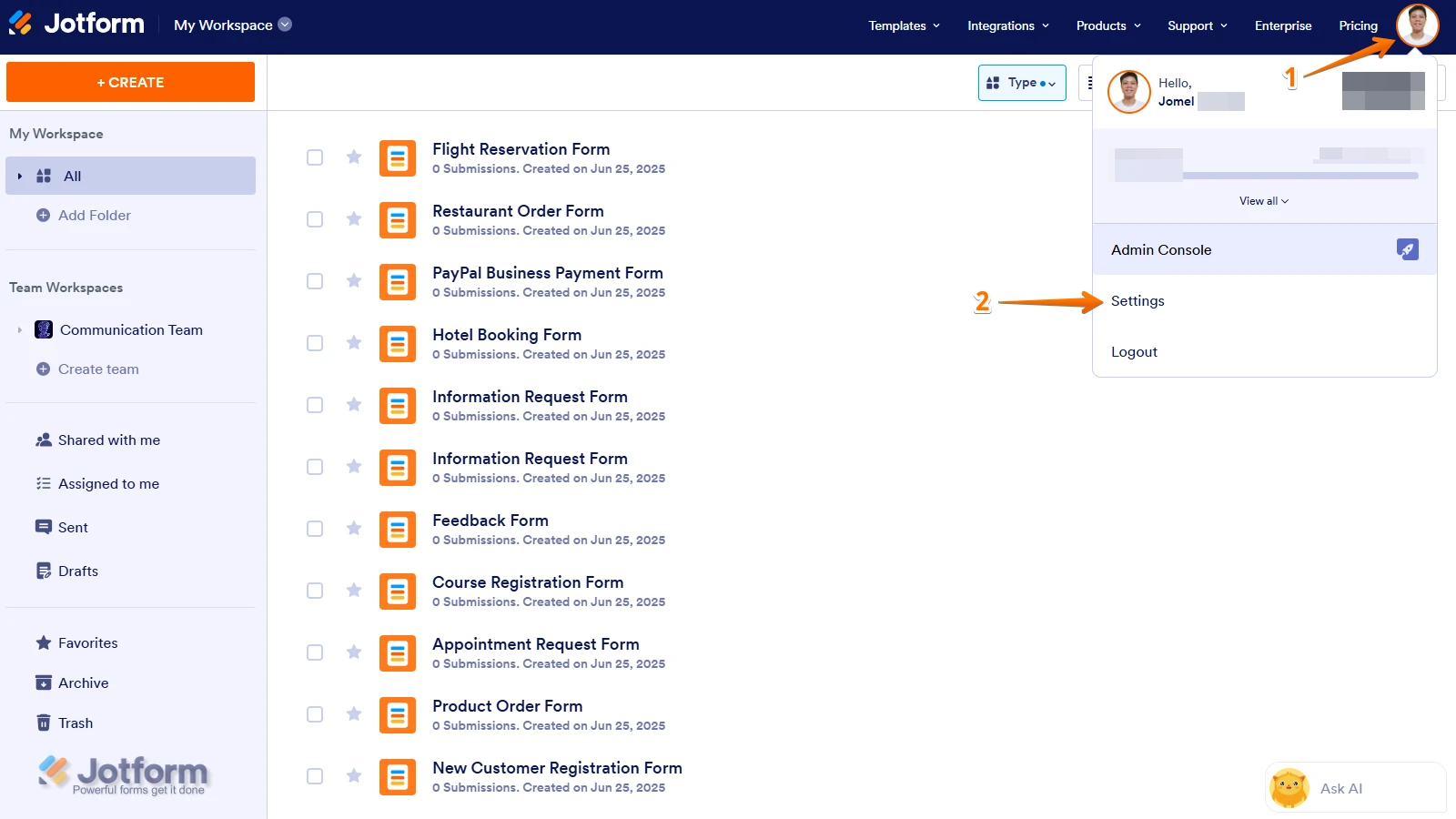
1. On your Workspace page, click on your Avatar/Profile Image icon.
2. In the Dropdown menu, click on Settings.

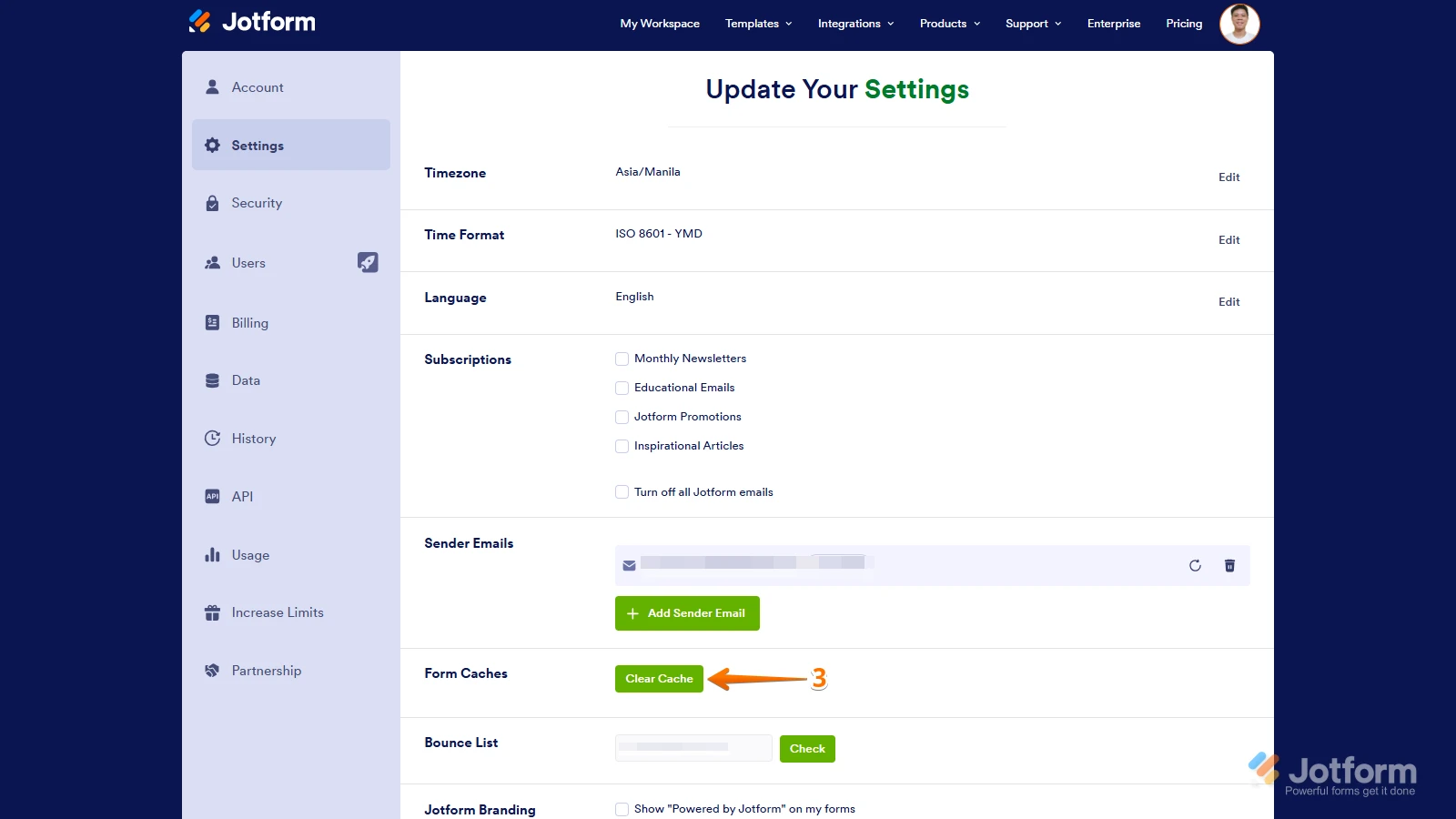
3. In the Settings menu, click on Clear Cache. And that's it, you're done.
Give it a try and let us know if you need any other help. -
SaeraLumin
Good morning Joseph ,
I'm having a problem. I tried uploading both a Word and PDF file, but the system only recognizes some questions, while creating all the others as headings.
I decided to use this platform specifically to avoid wasting time rewriting questions one by one.
How can I ensure that the system reads the questions and uploads them correctly?
Thank you.
-
 kadirosman Jotform Support
Hi Saera,
Thank you for reaching out! You can actually import your existing PDF and convert it directly into a fillable form using Jotform's Smart PDF Forms feature.
You can get started here:
👉 https://www.jotform.com/products/smart-pdf-forms/
For a step-by-step guide on how to import your PDF, check out this help article:
If you run into any questions along the way, feel free to reach out — we're happy to help!