

Fogli di Marketing

Modello di Programma delle Riprese
Un programma delle riprese è un piano dettagliato per organizzare le riprese per la produzione di film o video. Che tu stia lavorando al prossimo film di successo, film indipendente o video musicale di tendenza, il nostro Modello di Programma delle Riprese gratuito ti aiuterà a rimanere organizzato, a distribuire il budget e a finire il film in tempo! Senza bisogno di programmare, gli assistenti alla regia possono inserire le date delle scene, aggiungere i luoghi e gli orari delle riprese, allegare copioni e foto e fornire informazioni sul cast. Le informazioni sulle riprese verranno salvate come foglio di calcolo che potrai scaricare come PDF, CSV o foglio Excel e stampare in formato cartaceo. Tu e il tuo team vi impegnate a creare un film come nessun altro, quindi perché non creare un programma di riprese adatto? È facile personalizzare il nostro Modello di Programma delle Riprese per adattarlo perfettamente alle tue esigenze semplicemente aggiungendo più righe, colonne ed etichette colorate. Puoi anche creare schede aggiuntive per guardaroba, oggetti di scena, effetti speciali e budget. Una volta creato il piano di progetto perfetto con il nostro Modello di Programma delle Riprese, condividilo con il regista per iniziare a realizzare il tuo film: luci, motore, azione!
Vai alla Categoria:Marketing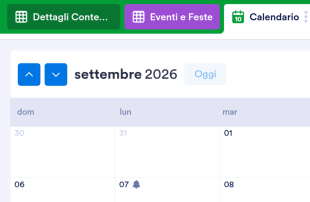
Calendario Editoriale per i Social Media
Un calendario editoriale per i social media viene utilizzato per pianificare e programmare in anticipo i post da pubblicare sui social. Che tu sia un blogger, un influencer o un social media manager per un team di marketing, fai in modo che il tuo brand diventi il prossimo argomento di tendenza con il nostro Template gratuito di Calendario Editoriale per i Social Media. Tutto quello che devi fare è compilare il modulo inserendo il post che si desidera pubblicare, specificando su quali social, oltre a data e ora di pubblicazione. Con questo template di calendario per social media, man mano che compilerai il modulo con tutti i post da pubblicare, troverai tutti i post ordinati consultabili facilmente dalla tabella delle risposte del modulo, scegliendo il tipo di vista che preferisci, come il formato tabella o il formato calendario. Perfetti per la consultazione da qualsiasi dispositivo e facili da condividere con il tuo team. Proprio come ogni post sui social media è fatto su misura per il tuo brand, anche il tuo calendario editoriale dei social media deve soddisfare le tue esigenze. Per personalizzare questo template gratuito di calendario per social media, utilizza il nostro generatore di moduli online per personalizzare in pochi click il tuo nuovo modulo in base alle tue specifiche esigenze. Puoi anche assegnare differenti colori alle etichette, aggiungere nuove schede per i lanci, le campagne imminenti, o per vacanze stravaganti e le ultime tendenze online. Riorganizza la tua strategia di marketing sui social media con il nostro Calendario Editoriale per i Social Media e preparati a diventare virale con i tuoi post!
Vai alla Categoria:Marketing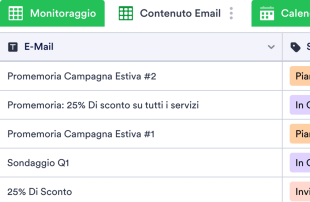
Modello di Calendario per Email Marketing
Un calendario di email marketing viene utilizzato per aiutare le aziende a creare, pianificare, gestire e analizzare campagne di email marketing come newsletter, invii di e-book e altro ancora. Organizza, analizza e migliora le tue campagne di email marketing con un Modello di Calendario per Email Marketing gratuito! Visualizza facilmente i tassi di apertura e i tassi di clic per vedere quali campagne hanno funzionato bene e quali devono essere migliorate. I dati vengono archiviati in modo sicuro nel tuo account Jotform e resi facilmente accessibili da qualsiasi dispositivo. Il nostro Modello di Calendario per Email Marketing include già schede per il monitoraggio delle newsletter, contenuti e-mail e un calendario per vedere quando è previsto l'invio delle newsletter, ma se desideri visualizzare le tue informazioni in un altro modo, sentiti libero di aggiungere nuove schede, colonne, righe ed etichette colorate per sfruttare al massimo i tuoi dati. Assicurati che le tue newsletter raggiungano il tuo pubblico di riferimento organizzando e analizzando i dati della campagna con il nostro Modello di Calendario per Email Marketing gratuito.
Vai alla Categoria:Marketing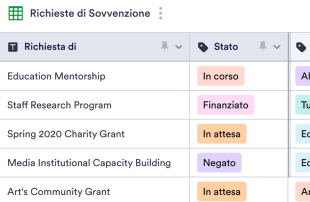
Scheda di Monitoraggio delle Sovvenzioni
Una Scheda di Monitoraggio delle Sovvenzioni è un foglio di calcolo online utilizzato per tenere traccia delle domande di sovvenzione. Puoi utilizzare questo foglio di calcolo online gratuito di Jotform per monitorare lo stato delle domande di sovvenzione in corso, gestire i dettagli di contatto, organizzare le informazioni per richiedere sovvenzioni e gestire accuratamente i finanziamenti. Puoi persino passare a una visualizzazione in formato calendario per assicurarti di non perdere mai una scadenza importante! Personalizza questa Scheda di Monitoraggio delle Sovvenzioni per conservare perfettamente tutte le tue informazioni. Aggiungi righe e colonne, aggiorna i nomi e i colori delle etichette e riorganizza il layout in base alle tue preferenze. Puoi persino utilizzare la nostra funzione di calcolo rapido per sommare automaticamente i totali per gli importi di sovvenzione richiesti e gli importi ricevuti! Mantenendo le informazioni sulle sovvenzioni organizzate in un foglio di calcolo online professionale, puoi aiutare la tua organizzazione non profit a diventare più efficiente, richiedere più sovvenzioni e ottenere più finanziamenti per portare avanti la tua causa.
Vai alla Categoria:MarketingInformazioni su Marketing
Organizzati e assicurati che la tua prossima campagna di marketing funzioni perfettamente con i nostri modelli di marketing online gratuiti! Scegli un modello di seguito per creare un calendario di social media o e-mail marketing, tenere traccia delle richieste di progettazione, monitorare l'avanzamento della campagna e altro ancora. Tutte le informazioni possono essere visualizzate in un foglio di calcolo o in una visualizzazione calendario, consentendoti di scegliere il formato che ti aiuterà a essere più produttivo.
Se non vedi un modello che si adatta esattamente alle tue esigenze, personalizzalo per adattarlo meglio alla tua attività. In un paio di clic puoi aggiungere rapidamente nuove schede, colonne ed etichette con codice colore! Quindi, che tu stia pianificando il tuo calendario dei social media, creando un programma per le riprese video di YouTube o monitorando richieste e analisi interne, utilizza i nostri modelli di marketing gratuiti per organizzare le informazioni e potenziare le tue campagne.
Why Use Marketing Sheets?
- Marketing Sheets eliminate the need for manual data transfer by ensuring that all Jotform Forms submissions automatically populate the connected tables. This reduces errors and saves valuable time.
- Keeping all submissions together in a centralized table makes it easier to find and manage records, allowing marketing teams to stay organized and efficient.
- With detailed submission information readily accessible, teams can review complete details of each entry, including attachments and uploads, ensuring no important data is overlooked.
- The ability to filter and search through submissions quickly helps users locate specific records, facilitating better decision-making and faster response times.
- By using Jotform Tables to coordinate follow-up actions, marketing teams can ensure that no customer inquiry or feedback goes unanswered, improving overall customer satisfaction.
- Real-time tracking and revision history features enable teams to monitor changes and maintain an accurate record of all submissions and actions taken.
Common Problems Solved by Marketing Sheets
- Manually copying submissions from forms into spreadsheets is time-consuming and prone to errors. Marketing Sheets solve this by automatically importing form responses into organized tables.
- Scattered responses across multiple platforms can lead to confusion and inefficiencies. Marketing Sheets centralize all data, making it easier for teams to stay on top of their submissions.
- Finding specific records in a sea of data can be challenging. The search and filter capabilities in Jotform Tables allow users to quickly locate the information they need.
- Inconsistent review processes can result in missed opportunities or overlooked information. By using columns and column types, teams can standardize data review and ensure thoroughness.
- Large file uploads can be cumbersome to manage. The Uploads View in Jotform Tables provides a streamlined way to review and access all uploaded documents associated with form submissions.
Matching Form Submission Use Cases to Jotform Tables Features
- For marketing campaigns receiving numerous sign-ups, the connected form automatically populates the table, ensuring timely and organized data collection.
- Reviewing customer feedback becomes efficient with Table View and Detail View, allowing detailed analysis and categorization of responses.
- Using search and filters, marketing teams can sort through entries to prioritize urgent customer inquiries or feedback, streamlining their workflow.
- Assignees and access settings help coordinate responsibility among team members, ensuring that all submissions are addressed by the appropriate personnel.
- Report View provides insights into collected data, enabling marketing managers to generate reports that highlight key metrics and trends for strategic planning.
How to Use Marketing Sheets with Jotform Forms
- Begin with a suitable Marketing Sheets template or connect a Jotform Tables setup to an existing Jotform Form. As new responses come in, they automatically populate the connected table, streamlining data collection and organization.
- Configure the table for effective submission management by naming columns, selecting appropriate column types, and choosing views like Table View or Uploads View to match the type of data being handled.
- Manage submissions efficiently by using features such as search, filters, data grouping, and formulas. Employ access settings and assignees to facilitate team collaboration and track revision history for accountability.
Top Use Cases for Marketing Sheets
- For Form Owners: Form owners benefit from Marketing Sheets by reviewing incoming responses directly from their connected Jotform Forms. They can edit submission data to correct errors or update information as needed. By checking details and uploads, form owners ensure that every piece of information is accurately captured and retained. Keeping records organized in Jotform Tables allows them to maintain a comprehensive view of all collected data, facilitating better decision-making and follow-ups.
- For Teams: Authorized team members use Marketing Sheets to find and maintain submissions efficiently. By coordinating responsibility with assignees, they ensure that each entry is addressed by the appropriate team member. Access settings and revision history support shared work by providing transparency and accountability. This collaborative environment helps teams stay aligned and responsive to incoming data and tasks.
- For Managers: Managers leverage Marketing Sheets to monitor collected data and review patterns specific to their marketing activities. They can check the progress of tasks and confirm ownership to ensure that all responsibilities are clear. By utilizing Report View or other relevant views, managers gain insights into the data, allowing them to oversee operations and make informed decisions about marketing strategies and resource allocation.
Summarizing Marketing Sheets
Marketing Sheets offer a streamlined, efficient way to collect and manage marketing-specific information through Jotform Forms and Jotform Tables. This category-specific value lies in the automatic integration of form responses into organized tables, where records are easily reviewed and managed. Jotform Tables enhance productivity by providing tools to search, filter, group, and report on collected data, ensuring that marketing teams can focus on strategic activities rather than data entry.
Domande Frequenti
1) Is it free to use Marketing Sheets with Jotform Tables?
Jotform offers a Starter plan, which allows users to begin utilizing Marketing Sheets with Jotform Tables. This plan provides access to essential features needed to manage submissions effectively. Users can explore the capabilities of Jotform Tables without incurring any initial costs. However, for more advanced features and higher usage needs, users may consider exploring other plan options.
2) How do submissions from Jotform Forms appear in Marketing Sheets?
Submissions from Jotform Forms automatically appear in Marketing Sheets when the form is connected to a Jotform Table. Once a respondent submits a form, their response is entered as an entry or a row in the linked table. This auto-population process ensures that new responses continue to flow into the table, keeping all data centralized and up-to-date.
3) Can I edit, search, filter, group, and calculate data in Marketing Sheets?
Yes, you can edit submissions and utilize various features to organize data in Marketing Sheets. Columns and column types allow you to categorize and manage data effectively. The search function helps locate specific entries, while filters and data grouping enable users to sort and analyze information efficiently. Formulas and calculations can be applied to perform necessary data analysis and derive insights.
Utilizzi dei fogli di budget
Exporting data from Marketing Sheets as CSV or Excel is supported, allowing you to add existing information alongside submissions from connected forms. This feature is beneficial for creating backups or sharing data with external stakeholders. Exporting ensures that you have flexible options for data handling and reporting beyond the Jotform ecosystem.
5) Which Jotform Tables views can I use with Marketing Sheets?
In Marketing Sheets, you can utilize Table View, Detail View, Calendar View, Report View, and Uploads View. Table View allows you to see all entries in a spreadsheet-like format, while Detail View provides in-depth information for each submission. Calendar View is useful for date-based entries, Report View helps summarize data for analysis, and Uploads View organizes any uploaded files for easy access and review.
6) Can teams collaborate on submissions in Marketing Sheets?
Teams can collaborate effectively using Marketing Sheets through features like access settings, collaboration tools, and assignees. Real-time tracking and revision history enhance transparency and accountability among team members. These capabilities ensure that everyone involved has the necessary access to participate in managing and processing submissions while maintaining data integrity.
7) Can I connect Marketing Sheets to related data or other applications?
Yes, Marketing Sheets can be connected to related data through linked tables and various integrations. Action buttons can be used for specific functions, although the exact integrations depend on the available connections provided by Jotform. These features enable seamless interaction with other applications and data sources, enhancing the versatility and functionality of your tables.
8) Can I create reports, PDFs, and manage files from Marketing Sheets?
Marketing Sheets allow you to create comprehensive reports using Report View. Additionally, PDF generation is available for producing documents that summarize table data. The Uploads View helps manage and review files associated with submissions, and signed documents can be integrated when necessary. These capabilities support a wide range of documentation and reporting needs within marketing activities.