

Modelli per Gestione del Progetto

Scheda Progetto
Un Scheda Progetto viene utilizzata per gestire la pianificazione del progetto, molto spesso da datori di lavoro responsabili di più progetti contemporaneamente. Sia che tu voglia adottare migliori pratiche di gestione dei progetti per la tua azienda o semplicemente desideri un modo per organizzare i tuoi progetti personali, la Scheda Progetto online gratuita di Jotform migliorerà il modo in cui gestisci i progetti e ti aiuterà a raggiungere i tuoi obiettivi. Per iniziare, inserisci semplicemente i dettagli del progetto come nome, attività, a chi è stato assegnato, date di inizio e fine stimate e stato di avanzamento nel foglio di calcolo. Tu e il tuo team lavorate duramente per adattare i progetti alle esigenze della vostra azienda, quindi perché non fare lo stesso per la vostra Scheda Progetto? La personalizzazione della scheda richiede solo pochi minuti e nessuna conoscenza di programmazione: basta trascinare e rilasciare per aggiungere più colonne, righe, schede ed etichette al tuo foglio di calcolo. Una volta compilata, tu e i membri del tuo team potrete accedere, modificare e condividere la Scheda Progetto utilizzando qualsiasi computer o dispositivo mobile. Con una Scheda Progetto facilmente accessibile, cambierai il modo in cui tieni traccia delle attività importanti e raggiungerai gli obiettivi del progetto in pochissimo tempo!
Vai alla Categoria:Gestione Progetti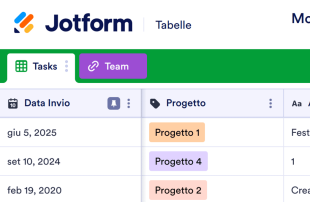
Monitoraggio progetto
Un modello di Monitoraggio del progetto viene utilizzato per gestire piani e programmazioni di progetto, soprattutto da parte di responsabili che seguono più progetti contemporaneamente. Che tu voglia adottare migliori pratiche di project management per la tua azienda o semplicemente trovare un modo per organizzare i tuoi progetti personali, il modello di Monitoraggio del progetto online gratuito di Jotform migliorerà il tuo modo di gestire i progetti e ti aiuterà a raggiungere i tuoi obiettivi. Per iniziare, inserisci semplicemente i dettagli del progetto come nome, attività, assegnatario, date di inizio e fine stimate e stato nel foglio di calcolo. Tu e il tuo team lavorate sodo per adattare i progetti alle esigenze della vostra azienda, quindi perché non fare lo stesso con il vostro modello di Monitoraggio del progetto? Personalizzarlo richiede solo pochi minuti e non necessita di alcuna programmazione, ti basta trascinare e rilasciare per aggiungere colonne, righe, schede ed etichette al foglio di calcolo. Una volta completato, tu e i tuoi colleghi potrete accedere, modificare e condividere il modello di Monitoraggio del progetto da qualsiasi computer o dispositivo mobile. Con un modello di Monitoraggio del progetto facilmente accessibile, cambierai il modo di tenere sotto controllo le attività importanti e raggiungerai gli obiettivi di progetto in pochissimo tempo!
Vai alla Categoria:Gestione Progetti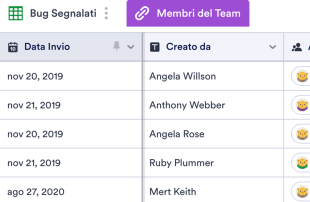
Modello di Monitoraggio dei Problemi
Un Modello di Monitoraggio dei Problemi viene utilizzato per tenere traccia di bug e richieste di funzionalità, assegnarli ai membri del team e monitorarne i progressi. Con questo modello online gratuito, la tua azienda o il tuo dipartimento IT può inserire segnalazioni di bug o funzionalità, assegnarle ai colleghi, dare loro la priorità ed etichettare il loro stato come In attesa, In Corso, Risolto o Cancellato. Le voci vengono archiviate in modo sicuro nel tuo account Jotform e facili da visualizzare in formato foglio di calcolo, calendario o cartolina. Il nostro Modello di Monitoraggio dei Problemi gratuito è già dotato di una scheda per i bug e di una scheda per i membri del team. Se desideri tenere traccia delle tue informazioni in un altro modo, aggiungi semplicemente una nuova scheda! Puoi anche modificare i nomi delle colonne, aggiungere etichette con codice colore e altro per personalizzare l'aspetto e le funzionalità. Tenendo traccia in modo professionale dei bug e delle richieste di funzionalità con il Modello di Monitoraggio dei Problemi online gratuito di Jotform, puoi tenere aggiornato l'intero team, assicurarti che nessuna attività venga persa e dare più facilmente priorità agli elementi nel tuo flusso di lavoro.
Vai alla Categoria:Gestione ProgettiInformazioni sui Modelli per Gestione del Progetto
Finire i progetti in anticipo è più facile a dirsi che a farsi. Che tu sia un project manager di costruzione, un responsabile del supporto tecnico, un grafico freelance o semplicemente lavori a dei progetti personali, i nostri modelli gratuiti di gestione dei progetti ti aiuteranno a organizzare e gestire tutti i tuoi progetti in un unico posto. Basta selezionare uno dei modelli seguenti e inserire i dettagli importanti del progetto nel foglio di calcolo. Con Jotform Mobile Forms puoi persino accedere al tuo modello di gestione dei progetti senza accesso a Internet, perfetto per lavorare in movimento.
Non trovi il modello di gestione del progetto che stai cercando? Personalizza uno qualsiasi dei nostri altri modelli per soddisfare perfettamente le tue esigenze. Puoi aggiungere più righe, colonne, etichette e schede per aiutarti a organizzare meglio i tuoi progetti o compiti. Una volta che hai aggiunto tutto ciò di cui hai bisogno, puoi scaricare il foglio di lavoro come foglio PDF o Excel, condividerlo con colleghi e dipendenti o visualizzarlo come calendario per tenere traccia delle scadenze imminenti. Non importa quanti progetti hai tra le mani, i nostri modelli gratuiti di gestione dei progetti ti aiuteranno a rimanere organizzato!
Why Use Project Management Templates?
- Managing form submissions in Jotform Tables eliminates the need for manual data transfer, which significantly reduces the risk of errors and saves time. This seamless integration ensures that all responses are automatically organized in one place.
- With all responses centralized within Jotform Tables, form owners can easily access and review complete submission details, improving the ability to make informed decisions and take timely actions.
- The ability to search, filter, and group entries means that finding specific records is quick and efficient, allowing teams to focus on analyzing data rather than searching for it.
- By keeping all submissions together, form owners can coordinate follow-ups more effectively, ensuring that no response is overlooked and every task is addressed in a timely manner.
- Tracking changes and reporting on collected data becomes straightforward with Jotform Tables, as users can easily monitor revisions and generate comprehensive reports, aiding in project transparency and accountability.
Common Problems Solved by Project Management Templates
- Manually copying submissions into spreadsheets is time-consuming and error-prone. With Jotform Tables, submissions from Jotform Forms are automatically organized, reducing the need for manual data entry.
- Scattered responses across different platforms can lead to data being missed or overlooked. These templates centralize all submissions, ensuring that no entry is lost and everything is accessible from a single platform.
- Locating specific records can be challenging when dealing with a large volume of submissions. The search and filtering capabilities in Jotform Tables allow users to quickly find and access relevant data.
- Reviewing uploads like documents or images can be cumbersome without a proper system. Uploads View in Jotform Tables provides a dedicated space for managing and reviewing all attached files easily.
- Slow reporting processes can hinder project progress. Utilizing features like Report View allows for quick data analysis and report generation, speeding up the decision-making process.
Matching Form Submission Use Cases to Jotform Tables Features
- When project-related data is submitted through Jotform Forms, it automatically populates the connected table, allowing form owners to manage entries without manual effort. This auto-population ensures immediate access to the latest information.
- For reviewing and organizing submissions, Table View and Detail View provide comprehensive insights into each entry, while search and filters help in locating specific data efficiently.
- Teams can manage access settings to ensure that only authorized members can view or edit certain entries, enhancing data security and collaboration.
- Using Report View, form owners can generate detailed reports based on collected data, which aids in presenting findings and insights during stakeholder meetings.
- The ability to assign entries to specific team members through assignees ensures accountability and helps coordinate responsibilities seamlessly across the team.
How to Use Project Management Templates with Jotform Forms
- Start by choosing a relevant Project Management Template, a blank table, or the table linked to an existing Jotform Form. The Jotform Form will collect all category-specific information, and new responses will automatically appear in the connected table, streamlining the data collection process.
- Configure the table for submission review by naming columns and selecting appropriate column types. Choose from views such as Table View, Detail View, Calendar View, Uploads View, or Report View to best suit the type of data and the review process required.
- Manage submissions effectively by utilizing search, filters, grouping, and formulas to analyze data. Use access settings, assign entries to team members, and track changes with revision history. Linked tables and action buttons can further enhance data management and operational efficiency.
Top Use Cases for Project Management Templates
- For Form Owners: Form owners benefit significantly from these templates as they provide a structured approach to reviewing incoming responses. They can edit submission data as needed, ensuring that all information is accurate and up-to-date. By checking details or reviewing uploads directly within Jotform Tables, form owners maintain organized records, making it easier to track progress and follow up with respondents when necessary.
- For Teams: Authorized team members can quickly find and maintain submission entries, ensuring that all data is current and accurately reflects the project's status. By coordinating responsibility through assignees, teams can manage workloads effectively. Access settings and revision history further support shared work environments by providing transparency and control over who can view or edit specific entries.
- For Managers: Managers utilize these templates to monitor the collected data and review patterns relevant to their projects or departments. They can check progress or ownership of specific tasks, ensuring that project timelines are adhered to. Views like Report View provide valuable insights, enabling managers to make informed decisions and maintain oversight of ongoing activities.
Summarizing Project Management Templates
Project Management Templates offer a valuable solution for collecting category-specific information through Jotform Forms and managing the resulting submissions in Jotform Tables. By facilitating the automatic organization and review of data, these templates help streamline processes, reduce manual tasks, and improve data accuracy. Jotform Tables serves as an efficient platform for managing and analyzing submissions, ensuring that form owners and teams can focus on achieving their project objectives.
Domande Frequenti
1) Is it free to use Project Management Templates with Jotform Tables?
Jotform offers a Starter plan, which allows users to explore and utilize many features of Project Management Templates. This plan provides an opportunity to experience the seamless integration of Jotform Forms and Jotform Tables. Users can start managing their form submissions effectively without an initial financial commitment.
2) How do submissions from Jotform Forms appear in Project Management Templates?
When a form is connected to a Project Management Template, submissions from that form automatically appear in the linked Jotform Table. Each submission becomes an entry, typically displayed as a row in Table View. This automatic process ensures that all future responses continue to populate the table without any manual intervention.
3) Can I edit, search, filter, group, and calculate data in Project Management Templates?
Yes, you can edit submissions and manipulate data using various features in Jotform Tables. You can rename columns, set specific column types, and use search and filters to locate records quickly. Data grouping, formulas, and calculations further enhance the ability to organize and analyze your submissions, providing insights necessary for informed decision-making.
Utilizzi dei fogli di budget
Yes, Jotform Tables allows you to export your data in CSV or Excel formats. This feature is beneficial for users who need to integrate table data with other applications or maintain offline records. Exporting complements the form submission workflow by enabling further data manipulation and analysis outside the Jotform ecosystem.
5) Which Jotform Tables views can I use with Project Management Templates?
Project Management Templates support several views, including Table View, Detail View, Calendar View, Report View, and Uploads View. Table View offers a straightforward spreadsheet-like interface, while Detail View provides an in-depth look at individual entries. Calendar View is ideal for date-specific entries, and Report View helps in generating summaries and insights. Uploads View is useful for managing any attached files.
6) Can teams collaborate on submissions in Project Management Templates?
Yes, teams can collaborate effectively using the collaborative features of Jotform Tables. Access settings ensure that only authorized users can view or edit specific entries, while assignees allow for clear responsibility distribution. Real-time tracking and revision history enable teams to maintain transparency and track changes across the project's lifecycle.
7) Can I connect Project Management Templates to related data or other applications?
Project Management Templates can be connected to related data and various applications through linked tables and integrations. Action buttons within Jotform Tables facilitate streamlined workflows by triggering tasks or updates in other connected systems. This capability enhances the overall efficiency and connectivity of your project management processes.
8) Can I create reports, PDFs, and manage files from Project Management Templates?
Yes, Jotform Tables supports the creation of reports and PDFs, as well as the management of files. Report View allows users to generate detailed insights and summaries based on collected data. With PDF generation, you can create printable and shareable documents, while Uploads View provides an organized space for handling all uploaded files and signed documents.