-
 renkemasaskia
Hier is een tekst die je zo kunt kopiëren en plakken in het [contactformulier](https://www.jotform.com/contact/):
> Beste support,
>
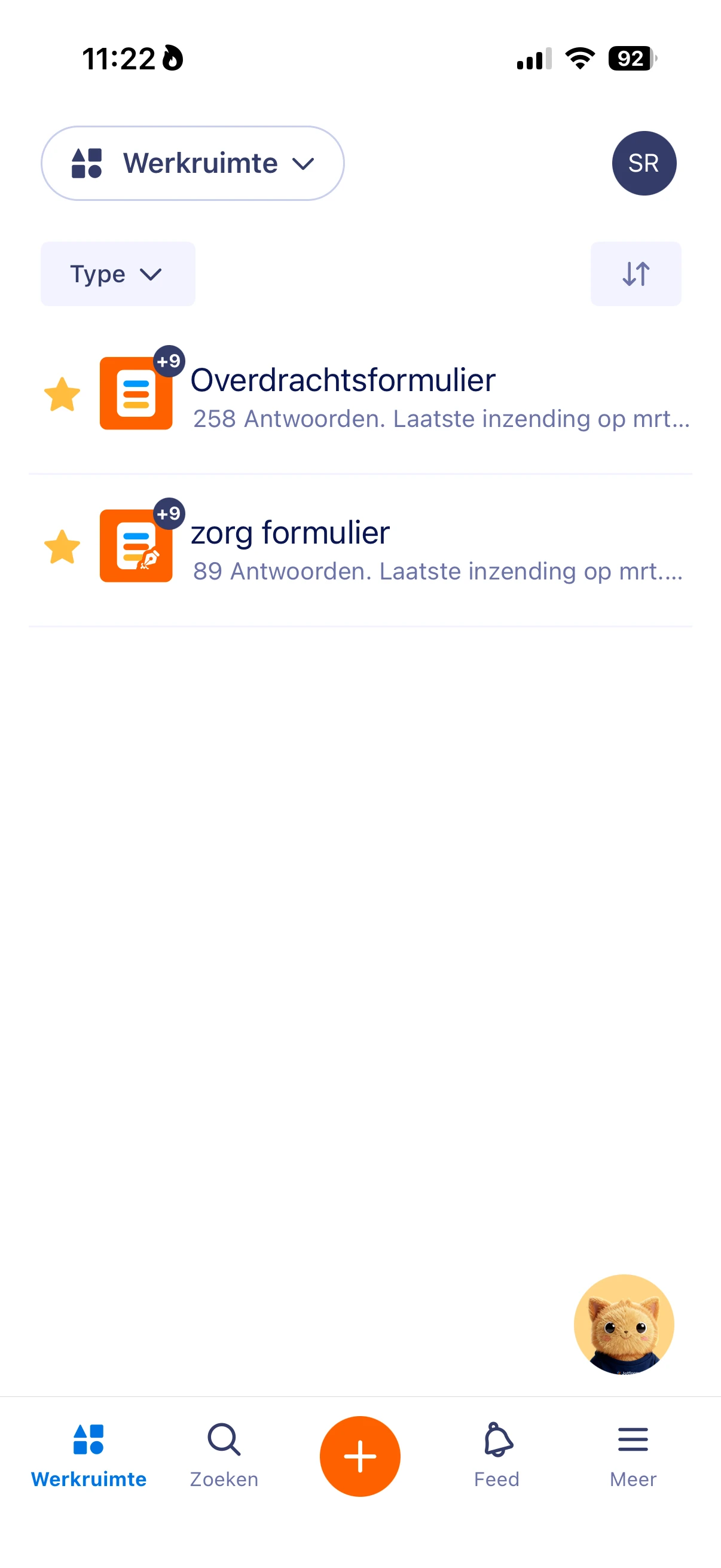
> Sinds 09-03-2026 zie ik in de Jotform Mobile Forms app geen enkel formulier meer.
> In de webversie (via de browser) zijn al mijn formulieren, inclusief gearchiveerde formulieren, wel gewoon zichtbaar.
> In de app is de lijst volledig leeg, ook als ik naar het archief kijk.
>
> Dit heb ik al geprobeerd:
> - Uitloggen en opnieuw inloggen in de app (met hetzelfde account als in de browser).
> - De app volledig sluiten en opnieuw openen.
> - De formulierlijst verversen.
> - Cache van de app wissen via de toestelinstellingen.
> - De app updaten / verwijderen en opnieuw installeren.
>
> Helaas blijft het probleem bestaan.
>
> Kunt u mijn account en de koppeling met de mobiele app nakijken en aangeven waarom mijn formulieren (actief én gearchiveerd) niet meer in de app verschijnen?
>
> Toestel: [vul hier je toestel in, bv. iPhone 13 – iOS 17.3 / Samsung … – Android …]
> Jotform app-versie: [vul hier de app-versie in]
>
> Alvast bedankt voor het nakijken.
Je kunt daar nog screenshots aan toevoegen van (1) de webversie waar je formulieren zichtbaar zijn en (2) het lege scherm in de app.

-
 Podo: Supportspecialist
Hi Saskia,
Thanks for reaching out to Jotform Support. I'm an AI assistant here to assist you.
Regarding your issue with the Jotform Mobile Forms app not showing any forms since 09-03-2026, even though they are visible in the web version, here are some steps and information that might help:
Since you have already tried logging out and back in, refreshing the form list, clearing the app cache, and reinstalling the app without success, the issue might be related to the app's syncing or account linkage.
Unfortunately, I cannot directly check your account or app linkage, but I recommend ensuring the following:
- Verify that you are logged into the exact same Jotform account in the mobile app as in the browser.
- Check if there are any pending app updates or device OS updates that might affect app functionality.
- Try accessing your forms on another device with the Jotform Mobile Forms app to see if the issue persists.
If the problem continues, please provide the following details to help further diagnose the issue:
- Your device model and operating system version (e.g., iPhone 13 – iOS 17.3 or Samsung – Android version).
- The version number of the Jotform Mobile Forms app you are using.
- Screenshots showing (1) your forms visible in the web version and (2) the empty form list in the mobile app.
These details will help in identifying if this is a device-specific or account-related issue.
Give it a try and let us know how it goes.
-
 Jotform Support Former Jotform Support
Hi Saskia,
While we do offer Support in many foreign languages, and we're working hard to add more every day, we don't currently have Dutch Support agents who can help you. So I'll try to help you in English using Google Translate, but you can reply in whichever language you feel comfortable using.
Now, coming back to your question, if I understood it correctly, your forms are no longer showing in the Jotform Mobile App? If so, I checked on the registered account using the email address you used, and there are no assets. Are you possibly referring to another account?
We also suggest that if you are not seeing any submissions, you can try to sync your account. You can easily sync your data in the Jotform Mobile App. To get going, here’s what you’ll do:
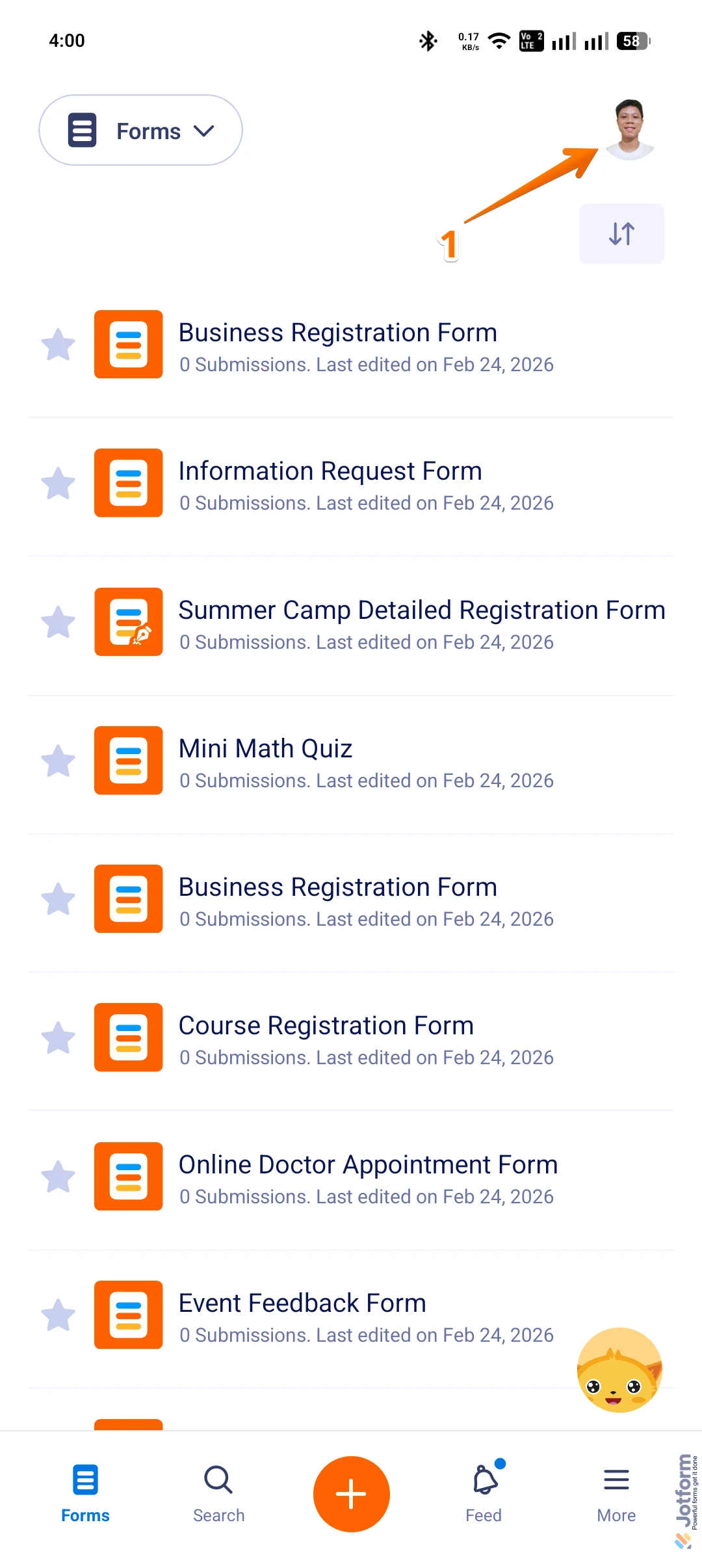
1. On the Jotform Mobile App, tap on the Profile Picture/Avatar in the top right corner of the screen to open Settings.
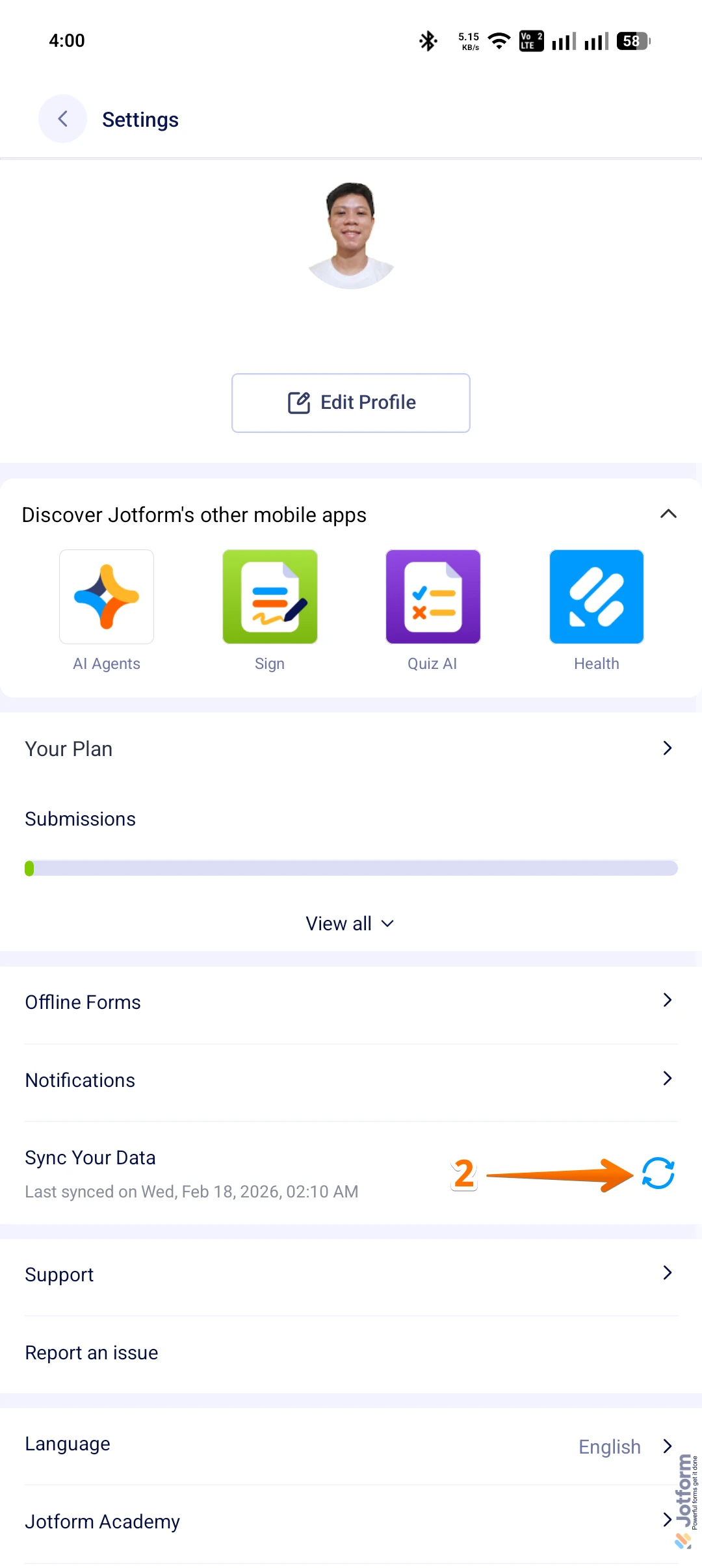
2. Now, while in Settings, tap on the Refresh icon in the Sync Your Data section.
If you want the app to refresh and get the latest data without issues, enable the Background App Refresh feature for the Jotform Mobile App in your phone settings.
Give it a go and let us know if anything else comes up.