Tabellen
Maak een tabel — het is gratis!
  • Voordelen
  • Functies
  • Werkplekken
  • Templates
  • Verhaal
    • Belangrijkste functies
    • Veelgestelde vragen
    • Handleidingen
    • Blogberichten
  • Maak een tabel — het is gratis!

Share & Collaborate

Collaborate with coworkers or clients by sharing your tables with custom access settings.

Begin dialoogvenster
Tabellen
Share & Collaborate Categorie
Share Tables
Maak een tabel — het is gratis!

Share Jotform Tables with Others

Easily share your Jotform Tables with teammates, clients, or stakeholders using email invitations or shareable links. Assign access permissions and collaborate securely in one place.
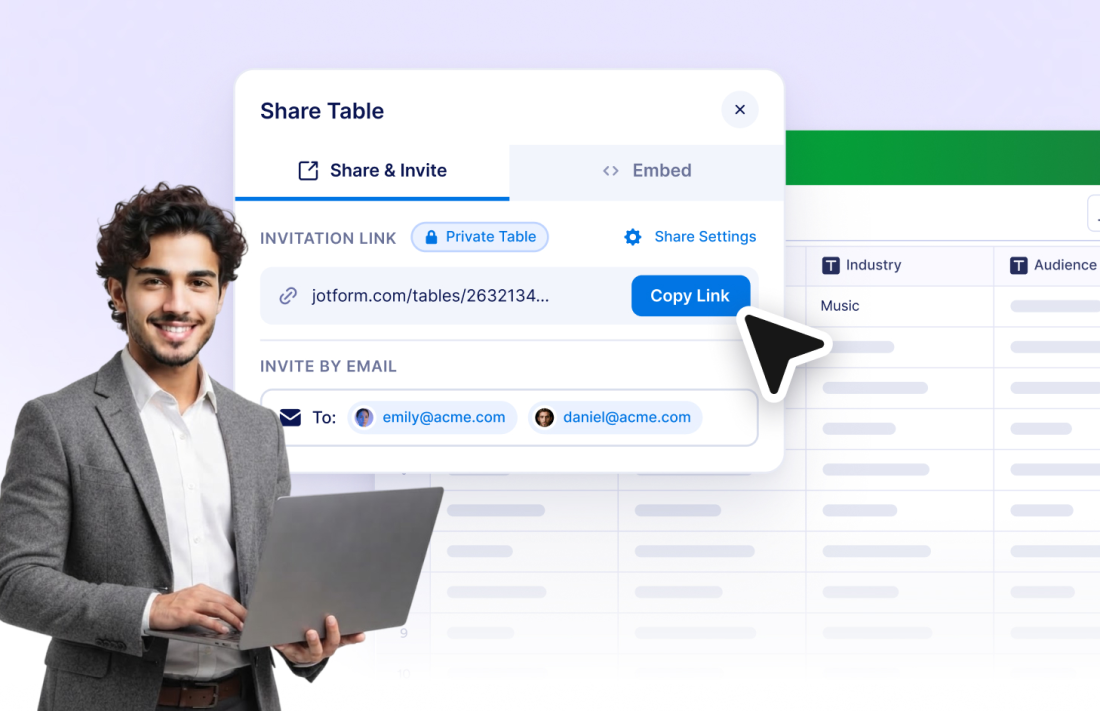
Share Jotform Tables with Others

Simplify collaboration with flexible sharing options. Invite individuals by email or generate invitation links while controlling who can view, comment on, or edit your table data.

Share Tables with Custom Access Permissions

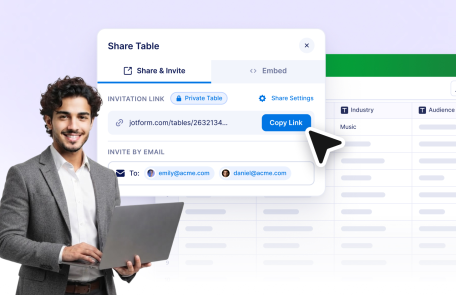
Invite collaborators directly by email or share a secure invitation link. Set access roles, manage permissions, and control how others interact with your table data.

Invite Users by Email

Send invitations directly from the Share panel by entering email addresses and assigning Read-Only, Commenter, or Collaborator roles. Share your tables securely with specific individuals.

Generate Shareable Invitation Links with Default Roles

Create invitation links from the Share panel and assign default Read-Only, Commenter, or Collaborator roles. Easily share table access while controlling how new users interact with your data.

Set Custom Expiration Dates for Invitation Links

Set an expiration date for your invitation link to control how long it remains valid. Once the selected date passes, the link expires, preventing new users from joining through it.

Veelgestelde vragen

Open the Share panel in Jotform Tables to invite users directly by email or generate a shareable invitation link. Both options let you collaborate with others while managing access permissions.

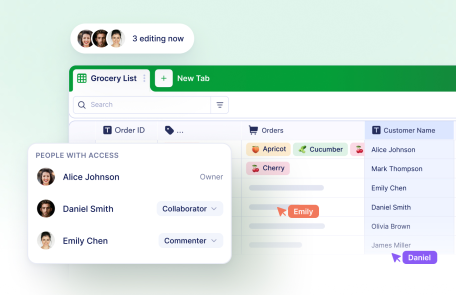
You can choose from three roles: Read-Only, Commenter, and Collaborator. Read-Only users can view data, Commenters can view and leave comments, and Collaborators can add or edit table data without changing table-level settings.

Yes. You can set a custom expiration date for invitation links. After that date, the link becomes invalid, preventing additional users from joining your table through it.
Gerelateerde functies

Collaborate on Tables with Your Team

Tabellen

Collaborate on Tables with Your Team

Embed Jotform Tables on Your Website

Tabellen

Embed Jotform Tables on Your Website

Add Comments to Jotform Tables

Tabellen

Add Comments to Jotform Tables

Control Table Access and Privacy

Tabellen

Control Table Access and Privacy

Request Access to Jotform Tables

Tabellen

Request Access to Jotform Tables

Einde dialoogvenster
Jotform LogoJotform Icon
Tabellen
Share & Collaborate Categorie

Functies

Share Tables Thumbnail Image
Lees meer: Share Tables

Share Tables

Easily share your Jotform Tables with teammates, clients, or stakeholders using email invitations or shareable links.

Collaborate on Tables with Your Team Thumbnail Image
Lees meer: Collaborate on Tables with Your Team

Collaborate on Tables with Your Team

Collaborate with your team in Jotform Tables using live activity indicators, personalized filters, and flexible sharing controls.

Control Table Access and Privacy Thumbnail Image
Lees meer: Control Table Access and Privacy

Control Table Access and Privacy

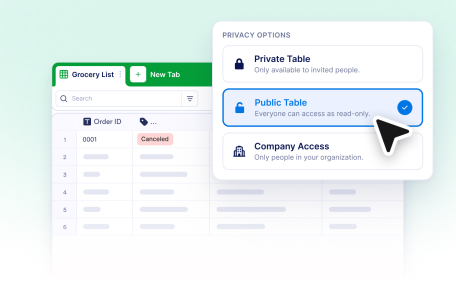
Keep data private, share it publicly, or limit access to your organization based on your sharing needs.

Request Access to Jotform Tables Thumbnail Image
Lees meer: Request Access to Jotform Tables

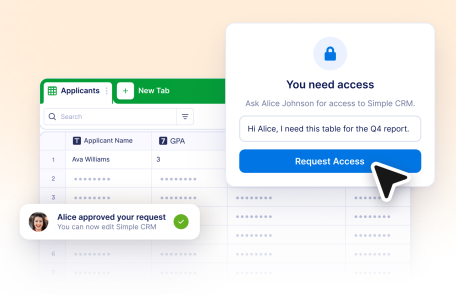
Request Access to Jotform Tables

Request permission to view restricted Jotform Tables or ask for editing access when you need it.

Embed Jotform Tables on Your Website Thumbnail Image
Lees meer: Embed Jotform Tables on Your Website

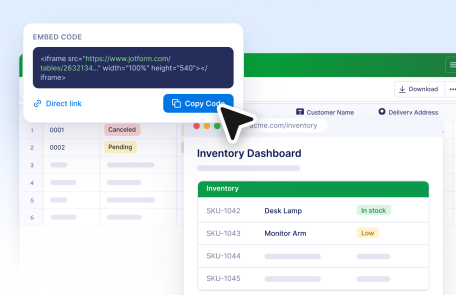
Embed Jotform Tables on Your Website

Display Jotform Tables on websites, blogs, or dashboards with a simple embed code.

Add Comments to Jotform Tables Thumbnail Image
Lees meer: Add Comments to Jotform Tables

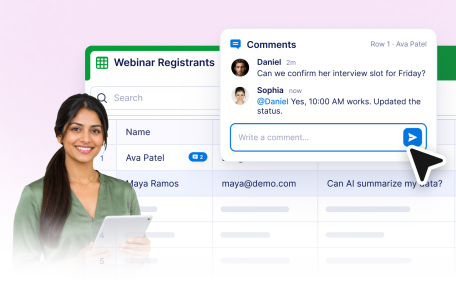
Add Comments to Jotform Tables

Add comments directly to cells in Jotform Tables to share feedback, discuss submission details, and communicate with your team.

CATEGORIEËN
  • Introductie14
  • FunctiesAan de slag6
  • FunctiesView Types5
  • FunctiesColumn Management11
  • FunctiesKolomtypen25
    • Basic Columns12
    • Formula Columns4
    • Connected Columns2
    • Actieknoppen7
  • FunctiesSearch, Filter, and Sort4
  • FunctiesInzendingenbeheer11
    • Entry Actions6
    • Single Entry View5
  • FunctiesShare & Collaborate6
  • FunctiesData Exporteren5
  • FunctiesReply & Forward Submissions2
  • FunctiesArchive, Trash & History5
  • FunctiesTables Tabs5
  • FunctiesTable Options4
  • FunctiesPayment Data2
  • FunctiesEncrypted Submissions1

Jotform

  • Formulier maken
  • Mijn werkruimte
  • Prijzen
  • Jotform Enterprise
      • Aanvraagformulieren
      • Inschrijvingsformulieren
      • Contactformulieren
      • Feedbackformulieren
      • Bestelformulieren
      • Evaluatieformulieren
      • Reserveringsformulieren
      • Boekingsformulieren
      • Verzoekformulieren
      • Overheid
      • Gezondheidszorg
      • Zomerkampen
      • Restaurants en supermarkten
      • Kerken
      • Dierenopvang
      • Fotografie
      • Onderwijs
      • Kleine bedrijven
      • Non-profitorganisaties
      • Marketing- en reclamebureaus
      • Een enquête maken
      • Methoden voor gegevensverzameling
      • Formulierontwerp
      • Online betalingen accepteren
      • Een app maken zonder te coderen
      • Wat is een QR-code?
      • Een website maken
      • Online verkopen
      • Handleiding voor prestatiebeoordelingen
      • Thuiswerken
      • Alle handleidingen voor zakelijk gebruik
    • Toepassing
    • Jotform Formulierbouwer
    • Jotform Afspraken
    • Jotform Apps
    • Jotform AI-assistenten
    • Jotform Borden
    • Jotform Winkelbouwer
    • Jotform Tabellen
    • Jotform Inbox
    • Jotform Mobiele Formulieren
    • Jotform Workflows
    • Jotform Rapportenbouwer
    • Jotform Slimme PDF-formulieren
    • Jotform PDF-editor
    • Jotform Sign
    • Jotform AI
    • Claude-formulierbouwer
    • ChatGPT Formulierbouwer
    • Jotform Teams
    • Voorwaardelijke logica
    • Conversationele formulieren
    • Formulieren toewijzen
    • Formulieren vertalen
    • Whitelabeling
    • Formulier inschakelen/uitschakelen
    • Meerdere gebruikers
    • Insluitbare formulierbouwer
  • Tools
  • AI-tools
  • Form Backend
    • Alternatief voor Google Formulieren
    • Alternatief voor Microsoft Forms
    • Alternatief voor Typeform
    • Alternatief voor Tally Forms
    • Alternatief voor Fillout
    • Alternatief voor Formstack
    • Alternatieven voor SurveyMonkey
    • Alternatieven voor Wufoo
    • Alternatief voor 123FormBuilder
    • Alternatieven voor WPForms
    • Alternatieven voor Paperform
    • Alternatieven voor Adobe Sign
    • Alternatieven voor PandaDoc
    • Alternatieven voor DocuSign
    • Alternatieven voor Jotform

Marktplaats

    • Formuliertemplates
    • Templates voor assistenten
    • Templates voor borden
    • App-templates
    • Workflowtemplates
    • Templates voor tabellen
    • PDF-templates
    • Sign-templates
  • Formulierthema's
  • Formulierwidgets
    • Betalingsintegraties
    • Alle integraties
    • Jotform voor Canva
  • Website-widgets

Ondersteuning

  • Neem contact met ons op
  • Gebruikershandleiding
    • Veelgestelde vragen
    • Helpcentrum
    • API en ontwikkelaars
    • Jotform-status
    • Jotform-boeken
  • Jotform Academy
  • Webinars
  • Podcasts
  • Professional Services
  • Misbruik melden
  • Melding inzake auteursrechten
  • Jotform-account herstellen

Bedrijf

  • Over ons
  • Over Jotform AI
  • Mediakit
  • In het nieuws
  • Nieuwsbrieven
    • Agency-programma
    • Resellerprogramma
    • Partnerprogramma
    • Jotform-partners
  • Blog
  • Klantverhalen

Enterprise

  • Meerdere gebruikers en teams
  • Prijzen
  • Beheerdersconsole
  • Professional Services
    • Overheid
    • Financiële diensten
    • Onderwijs
    • Zakelijke diensten
    • Gezondheidszorg
    • Non-profitorganisaties
    • Buitendienstbeheer
  • Beveiliging
  • White Label
  • Gegevensopslag in lokale datacenters
  • Veelgestelde vragen

Apps & Platforms

Jotform Tabellen is een databaseplatform voor spreadsheets om gegevens te organiseren en te beheren. Dit platform wordt door teams over de hele wereld voor gezamenlijk gegevensbeheer gebruikt. De tool biedt functies voor het automatisch invullen van gegevens vanuit formulieren, het importeren van CSV- en Excel-bestanden en kant-en-klare kolomtypen om workflows te stroomlijnen met behulp van geïntegreerde automatisering en het genereren van PDF-bestanden. Deze tool is speciaal ontworpen voor bedrijven die op zoek naar krachtige en toegankelijke databaseoplossingen zijn.

4 Embarcadero Center, Suite 780, San Francisco CA 94111

© 2026 Jotform Inc. De naam 'Jotform' en het Jotform-logo zijn geregistreerde handelsmerken van Jotform Inc.

  • Algemene voorwaarden
  • Privacybeleid
  • Beveiliging
  • Toegankelijkheidsverklaring
  • Verklaring moderne slavernij