

Henkilöstötietuemallit

Lääkärintodistus
Lääkärintodistus on tosite potilaalle siitä, että hän on hakeutunut lääkärin vastaanotolle oireidensa vuoksi. Lääkärintodistusta tarvitaan useimmiten, kun opiskelijan tai työntekijän tulee ottaa useampi sairaslomapäivä, ja koulu tai työnantaja vaatii tositetta lääkäriltä.Lääkärintodistuksella opiskelija tai työntekijä voi myös osoittaa koululle tai työnantajalle mahdolliset rajoitteet opiskeluun tai työkykyyn liittyen.Lääkärintodistuspohja kattaa potilastiedot, kuvauksen oireista, lääkärin lausunnon, määrätyt sairaslomapäivät ja potilaalle annetun lääkityksen. Pohja sisältää myös kohdan lääkärin allekirjoitukselle. Voit mukauttaa pohjaa ja lisätä oman logosi, yhteystiedot, ja mukauttaa pohjan ulkoasua näköiseksesi PDF Editorissa.
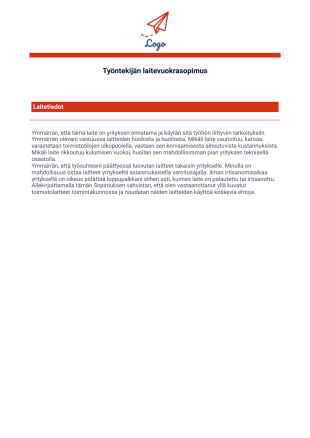
Työntekijän laitevuokrasopimus
Laitevuokrasopimus on työnantajan ja työntekijän välinen sopimus, jolla työnantaja sallii työntekijän käyttää sovittua laitteistoa suorittaakseen asianmukaisesti työtehtävänsä. Tässä sopimuksessa määritellään työntekijän yleiset tehtävät ja vastuut laitteiden käytöstä ja huollosta, jonka lisäksi lomake kerää laitteiden eritellyt tiedot, kuten laitteiden malli, valmistaja, sarjanumero jne. Tämä sopimus auttaa myös työnantajan laitteistojen inventaariossa pitämällä kirjaa mitkä laitteet kullakin työntekijällä on käytössä.Tämä PDF-pohja mahdollistaa laitevuokrasopimusten luomisen välittömästi. Mallipohja mahdollistaa laitteiden yksityiskohtien sekä laitteita käyttävien työntekijöiden tietojen keräämisen sujuvasti. Antamalla työntekijän allekirjoittaa lomake sähköisesti, asiakirjasta tulee tulostettuna käyttökelpoinen laitevuokrasopimus.
Tietoja Henkilöstötietuemallit
Työntekijätietojen hallinta on tärkeää, mutta paperityöhön on helppo jumittua. Järjestä paremmin henkilöstöosastosi tiedot ja säästä aikaa Jotformilla! Yhdistä vain lomakkeesi johonkin henkilöstöhallinnon lomakepohjistamme, ja voit kerätä digitaalisesti työntekijätietoja, lomapyyntöjä, henkilöstön arviointeja ja muuta. Lomakevastaukset muunnetaan välittömästi turvallisiksi PDF-tiedostoiksi, jotka voit sitten ladata, tulostaa tai jakaa millä tahansa laitteella - täydellinen työntekijöiden tietojen katseluun missä vain.
Olitpa töissä asiakaspalvelussa, terveydenhuollossa, koulutuksessa tai muulla alalla, meiltä löydät työnhakuun liittyvät PDF-pohjat, jotka sopivat yrityksesi tarpeisiin. Tarkastele työntekijöiden yhteystietoja, pyyntöjä ja palautetta muutamalla klikkauksella. Lomakevastaukset tallennetaan upeina PDF-tiedostoina, jotka voit helposti mukauttaa vastaamaan yritystäsi. Mikset myös lisäisi yrityksesi logoa ja värejä yksinkertaisella vedä ja pudota PDF-editorilla? Tietosi eivät ole vain paremmin järjestettyjä - ne myös näyttävät hyviltä.
Why Use Employee Record Templates?
- Uuden työntekijän perehdytys ja tietojen kerääminen
- Olemassa olevien työntekijätietojen päivittäminen
- Sertifikaattien, koulutuksen ja vaatimustenmukaisuuden seuranta
- Suoritusarviointien ja kurinpidollisten toimenpiteiden kirjaaminen
- Hätäyhteystietojen ja terveystietojen hallinta
Common Problems Solved by Employee Record Templates
- Ylennysten, siirtojen tai roolimuutosten dokumentointi
- Manual data entry is prone to errors, leading to potential inaccuracies in employee records. Employee Record Templates address this by automating data collection and entry, ensuring that information is captured accurately and consistently. This automation not only reduces errors but also enhances the overall reliability of employee data.
- Varmistaa, että kaikki tarvittavat työntekijätiedot kerätään ja pidetään ajantasalla.
- Helpottaa työntekijätietojen nopeaa hakemista tarkastuksia tai raportointia varten
3. Mahdolliset omistajat ja käyttäjät:
- Parantaa tietoturvaa ja tietosuojan vaatimustenmukaisuutta
- HR-päälliköt ja -henkilöstö
- Osastopäälliköt ja esimiehet
- The PDF Editor facilitates automated PDF generation, creating a standardized and professional document for each employee record. This automation ensures that all employee records are consistent in appearance and format, enhancing the professionalism of the HR department.
- Palkanlaskennan ja vaatimustenmukaisuuden asiantuntijat
- Offline data collection through Jotform Mobile Forms is particularly useful for remote or field-based employees who may not have immediate internet access. This capability allows employees to fill out forms offline, with data being automatically synced once a connection is reestablished.
How to Create a Employee Record Template
- Browse the Template List for an Employee Record template or start from a blank Template.
- Yritysviestintäosastot
- Mahdollistaa oikea-aikaisen varaston täydennyksen ja hävikin ehkäisyn
Top Use Cases for Employee Record Templates
- For Managers: Employee Record Templates provide managers with a reliable way to access and update employee information as needed. This access is crucial for performance evaluations and making informed decisions regarding promotions or reassignments. Managers can quickly retrieve employee data to ensure that team goals are aligned with individual capabilities and qualifications.
- For Teams: These templates facilitate seamless collaboration among team members by providing a centralized repository of employee information. Team members can access relevant data to coordinate work schedules, share responsibilities, and ensure that team objectives are met. This centralized approach fosters a collaborative work environment where information is readily available to those who need it.
- For Customers: While primarily used internally, Employee Record Templates can also indirectly benefit customers by ensuring that the company employs qualified and well-managed staff. By maintaining accurate employee records, businesses can ensure that only the most suitable employees interact with customers, enhancing service quality and customer satisfaction.
Summarizing Employee Record Templates
Employee Record Templates are a vital component in modern HR operations, providing a structured, efficient, and secure way to manage employee data. By leveraging the capabilities of Jotform, businesses can automate data collection, improve accuracy, and ensure that employee information is easily accessible and well-organized. This not only enhances the overall efficiency of HR processes but also contributes to better decision-making and improved employee management. As businesses continue to evolve, Employee Record Templates will remain an indispensable asset in maintaining streamlined and effective HR operations.
Nämä pohjat ovat vain malleja lomakkeille. Jos käytät lomaketta sopimuksena tai keräät henkilökohtaisia (tai arkaluontoisia) tietoja, suosittelemme että varmistat noudattavasi sovellettavia lakeja, ja varmistat sopimusten laillisuuden maassasi asianajajasi kanssa.
Usein kysytyt kysymykset
1. Mitä ovat työntekijätietojen mallipohjat?
Työntekijätietopohjat ovat muokattavia asiakirjoja, joita HR-tiimit käyttävät järjestämään ja ylläpitämään olennaisia työntekijätietoja, kuten henkilötietoja, työhistoriaa, suoritusmerkintöjä, läsnäolotietoja ja perehdytysasiakirjoja.
2. Mitä tietoja yleensä sisältyy työntekijän tietoihin?
Yleisiä elementtejä ovat yhteystiedot, asema ja osasto, aloituspäivämäärät, hätäyhteystiedot, koulutushistoria, arvioinnit, sertifioinnit ja henkilöstöhallintoon liittyvät päivitykset. Voit muokata kenttiä yrityksen rakenteen tai vaatimustenmukaisuusvaatimusten mukaan.
3. Miten Jotform PDF-editori auttaa HR-tiimejä hallitsemaan työntekijätietoja?
Jotform PDF-editorin avulla HR-tiimit voivat suunnitella jäsenneltyjä asetteluita, lisätä uusia kenttiä, järjestellä osioita ja luoda automaattisesti PDF-tiedostoja lomakevastauksista. Tämä tukee yhdenmukaista dokumentointia rekrytoinnissa, perehdytyksessä ja jatkuvassa työntekijähallinnassa.
4. Voivatko henkilöstöasiakirjat sisältää allekirjoituksia?
Kyllä. Kun HR-työnkulut vaativat kuittauksen tai hyväksynnän, allekirjoituksia voidaan sisällyttää asiakirjoihin ja kerätä digitaalisesti Jotform Signin avulla. Tämä on hyödyllistä käytäntöjen vahvistuksissa, koulutusten kuittauksissa ja perehdytyssopimuksissa.
5. Miten työntekijätietopohjat parantavat henkilöstöhallinnon tehokkuutta?
Ne virtaviivaistavat tiedonkeruuta, vähentävät manuaalista työtä ja luovat automaattisesti hyvin muotoiltuja työntekijätiedostoja. Verkkolomakkeiden yhdistäminen PDF-luontiin auttaa henkilöstöhallintoa ylläpitämään keskitettyjä, organisoituja tietueita mahdollisimman vähällä vaivalla.
6. Ovatko nämä pohjat hyödyllisiä uusien työntekijöiden perehdytykseen?
Kyllä. HR-tiimit voivat käyttää mallipohjia perehdytysvaiheiden, koulutuksen tarkistuslistojen, työtehtävien ja työntekijätietojen dokumentointiin. Allekirjoitetut asiakirjat voidaan tallentaa digitaalisten tietueiden oheen, jotta niihin on helppo palata.
7. Voivatko yritykset mukauttaa työntekijätietoja eri osastoille?
Ehdottomasti. Osastot, kuten taloushallinto, operaatiot tai IT, voivat käyttää omia räätälöityjä versioitaan työntekijätiedoista, jotka keräävät roolikohtaisia tietoja pitäen samalla kokonaisrakenteen yhdenmukaisena.
8. Soveltuvatko työntekijätietojen PDF-tiedostot auditointi- ja vaatimustenmukaisuustarpeisiin?
Kyllä. Hyvin järjestettyjen ja aikaleimattujen henkilöstöasiakirjojen ylläpitäminen auttaa yrityksiä varautumaan sisäisiin tarkastuksiin, vaatimustenmukaisuusarviointeihin tai kolmannen osapuolen auditointeihin. Jotform Sign ja Jotform PDF-editori tukevat yhdessä kattavaa dokumentointia.