

Tietotekniikan PDF-pohjat

Laitteiston vuokrasopimus
Laitevuokraustoiminnan harjoittaminen on palveluntarjoajalle melko haastavaa ja monimutkaista, ja jokaiselle vuokrattavalle välineelle on vaadittava vuokrasopimus. Tämä vuokrasopimus toimii laillisena kirjallisena asiakirjana, jossa määritellään sekä omistajan että vuokraajan ehdot, vastuut ja velvollisuudet laitteiden vuokraamisessa.Tällä yksinkertaisella vuokrasopimuspohjalla keräät seuraavat tiedot: omistajan ja vuokraajan tiedot, vuokrattavat laitteet, vuokratiedot, kuten vuokrasumma, maksun eräpäivä, maksutapa, vakuus ja vuokra-aika, palveluntarjoajan ja vuokraajan allekirjoitus sekä laitteiden vuokrausehdot.
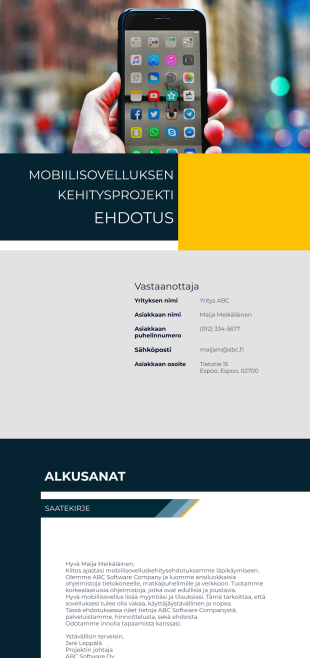
Mobiilisovelluksen kehitysehdotus
Vakuuta asiakkaasi lähettämällä heille vaikuttava mobiilisovelluskehitysehdotus PDF-tiedostona. Tässä upeassa ehdotuksessa on kansilehti, johdanto, yrityksen yleiskatsaus, kehitysprosessin vaiheet, tarjottavat palvelut, projektin tiedot ja sopimusehdot. Tämän ehdotuspohjan avulla asiakkaanne arvostavat ehdotustanne, voivat tutustua sopimusehtoihin yksityiskohtaisesti, ja samalla tarjoat asiakkaalle selkeän kuvan yrityksestä sekä tulevan ohjelmistokehitysprosessin vaiheista. Upeassa ehdotuspohjassa on myös mukana hinta-arvio projektille sekä yksityiskohtaiset sopimusehdot.
Tietoja Tietotekniikan PDF-pohjat
Nykypäivänä on harvinaista, että yrityksellä ei ole verkkopresenssiä. Vielä muutama vuosi sitten varastojen inventoinnit tehtiin käsin ja siihen kului paljon aikaa ja työtunteja. Tuotteiden myynti ja palvelujen tarjoaminen olisi edellyttänyt, että myyntiedustajat menevät ovelta ovelle, jakavat lehtisiä tai pyörittävät myymälöitä. Tutkimukset tehtiin kasvotusten tai paperilomakkeiden avulla. Tai kuvittele, että olet seissyt jonossa tunteja rekisteröityäksesi tapahtumaan.
Tietotekniikka on todella mullistanut tavan, jolla elämme. Se tukee edelleen elämänlaadun parantamista innovaatioiden avulla. Elämästä on tullut helpompaa sekä yrityksille että kuluttajille. Voimme sanoa, että se on verrattavissa teolliseen vallankumoukseen, kun siirryimme valmistusprosessimme kodeista tehtaisiin.
Why Use Information Technology PDF Templates?
- Tapausten ja ongelmien raportointi
- IT-omaisuuden seuranta ja varastonhallinta
- Ohjelmisto- ja laitteistopyyntöasiakirjat
- Käyttäjäoikeuksien muutospyynnöt
- Järjestelmän ylläpito ja tarkastuslokit
Common Problems Solved by Information Technology PDF Templates
- IT-perehdytys- ja poistumistarkistuslistat
- Tietoturvapoikkeaman dokumentaatio
- Standardoi IT-prosessien tiedonkeruun
- Vähentää manuaalista paperityötä ja hallinnollista työtä
3. Mahdolliset omistajat ja käyttäjät:
- Varmistaa organisatorisen ja lakisääteisen vaatimustenmukaisuuden.
- Parantaa vastausaikaa ja vastuullisuutta IT-tuessa
- IT-päälliköt ja tukihenkilöstö
- Järjestelmänvalvojat
- HR-osastot (perehdytys/poistuminen)
How to Create a Information Technology PDF Template
- IT-pyyntöjä lähettävät työntekijät
- Vaatimustenmukaisuus- ja tarkastustiimit
- Mahdollistaa oikea-aikaisen varaston täydennyksen ja hävikin ehkäisyn
Top Use Cases for Information Technology PDF Templates
- For Managers: Information Technology PDF Templates offer managers a streamlined way to oversee project documentation and reporting. By utilizing these templates, managers can ensure that all project-related information is consistently documented and easily accessible. This facilitates better decision-making and enhances project oversight.
- For Teams: IT teams can benefit from these templates by using them to standardize technical reports and documentation. This ensures that all team members are aligned and that documentation is consistently maintained, which is crucial for the successful execution of IT projects.
- For Customers: Customers receive clear, professionally formatted documents that enhance their understanding of the IT services being provided. This clarity fosters trust and improves communication between the service provider and the client, ensuring that customer needs are effectively addressed.
Summarizing Information Technology PDF Templates
Nykyään lähes kaikki yhteydessä ja verkossa. Jos haluat hallinnoida varastoa, siihen löytyy ohjelmisto. Jos haluat myydä tuotteita ja palveluja verkossa, voit käyttää verkkosivustoa siihen. Jos haluat suorittaa kyselyjä, kerätä kyselylomakkeita tai järjestää tapahtumia − voit käyttää lomakkeita. Jotform ei ole poikkeus tässä asiassa. Ymmärrämme, että jokainen yksilö ei ole suunnittelija tai he työskentelevät suunnittelijan kanssa. Tiedämme, miten hankalaa on päästä alkuun missä tahansa suunnittelutyössä. Siksi loimme uuden PDF-editorin ja suuren joukon PDF-malleja, joita kuka tahansa tietotekniikan alalla voi käyttää.
Usein kysytyt kysymykset
1. Mitä ovat tietotekniikan PDF-mallipohjat?
Informaatioteknologian PDF-pohjat ovat mukautettavia asiakirjoja, joita IT-tiimit käyttävät luodakseen jäsenneltyjä PDF-tiedostoja esimerkiksi laitehallintaan, tukipyyntöihin, turvallisuuden tarkistuslistoihin ja järjestelmän käyttöoikeusasiakirjoihin Jotform PDF-editorin tai Jotform Signin avulla.
2. Miten IT-tiimit voivat käyttää näitä pohjia työnkulkujen tehostamiseen?
Nämä mallipohjat auttavat automatisoimaan tukipyyntöjen lähettämistä, yhdenmukaistamaan laitteiden luovutuksia ja luomaan yhdenmukaista dokumentaatiota perehdytystä, ohjelmistoasennuksia ja insidenttiraportointia varten.
3. Voinko kerätä allekirjoituksia Jotform Signilla IT-hyväksyntäprosesseihin?
Kyllä. IT-osastot voivat pyytää allekirjoituksia pääsyoikeuksien hyväksyntöihin, laitteiden luovutuksiin, tietoturvavahvistuksiin ja toimittajasopimuksiin Jotform Signin kautta.
4. Millaisia IT-asiakirjoja näillä pohjilla voi luoda?
Voit luoda PDF-muotoisia omaisuusluetteloita, tukipyyntöjen yhteenvetoja, verkon käyttöoikeuksien hyväksyntöjä, huoltolokeja ja kyberturvallisuuden vaatimustenmukaisuusasiakirjoja.
5. Ovatko nämä pohjat täysin muokattavissa erilaisia IT-käytäntöjä varten?
Kyllä. Jotform PDF-editori mahdollistaa täydellisen mukauttamisen, mukaan lukien brändäyksen, lomakekentät, työnkulkuvaatimukset ja teknisen dokumentaation tarpeet.
6. Auttavatko nämä pohjat ylläpitämään vaatimustenmukaisuutta ja dokumentaation tarkkuutta?
Ne tukevat sisäistä vaatimustenmukaisuutta varmistamalla yhtenäisen dokumentaation auditointeja, IT-hallinnon vaatimuksia ja kyberturvallisuusstandardeja varten.
7. Voidaanko nämä lomakepohjat integroida automatisoituihin IT-työnkulkuihin?
Kyllä. PDF-tiedostoja voidaan luoda automaattisesti lomakevastauksista ja ohjata hyväksyttäväksi, allekirjoitettavaksi tai pilvitallennukseen tukemaan automatisoituja IT-prosesseja.
8. Soveltuvatko nämä mallipohjat sekä pienille että suuryritysten IT-tiimeille?
Ehdottomasti. Ne skaalautuvat kaikenkokoisille IT-osastoille ja auttavat standardoimaan dokumentaatiota, vähentämään manuaalista työtä ja parantamaan toiminnan tehokkuutta.