-
 ykuroda128
https://form.jotform.com/250982262900052 にあるフォームを削除または非表示にする方法はありますか?管理者アカウントは ykuroda128@gmail.com で、Google アドレスを使用して SSO でログインしているため、復元できません。早急に解決策をご教示いただければ幸いです。上記のフォームをすぐに削除しないと、部署から解雇されてしまうかもしれません。どうかご対応ください。弊社がこのフォームの所有権の正当性の主張が可能です。 事実関係の証明が可能なので最低でも非表示にしてほしいです。もしくはこのアカウント自体を削除してサイト自体を削除するという方法でも構いません 対応お願いします。
Page URL: https://form.jotform.com/250982262900052 -
 Shaira Jotform Support
Hi ykuroda128,
While we do offer Support in many foreign languages, and we're working hard to add more every day, we don't currently have Japanese Support agents who can help you. So I'll try to help you in English using Google Translate, but you can reply in whichever language you feel comfortable using.
Now, coming back to your question, I can see that the form is under your account. You can delete a form in a few easy steps. Here’s how to do it:
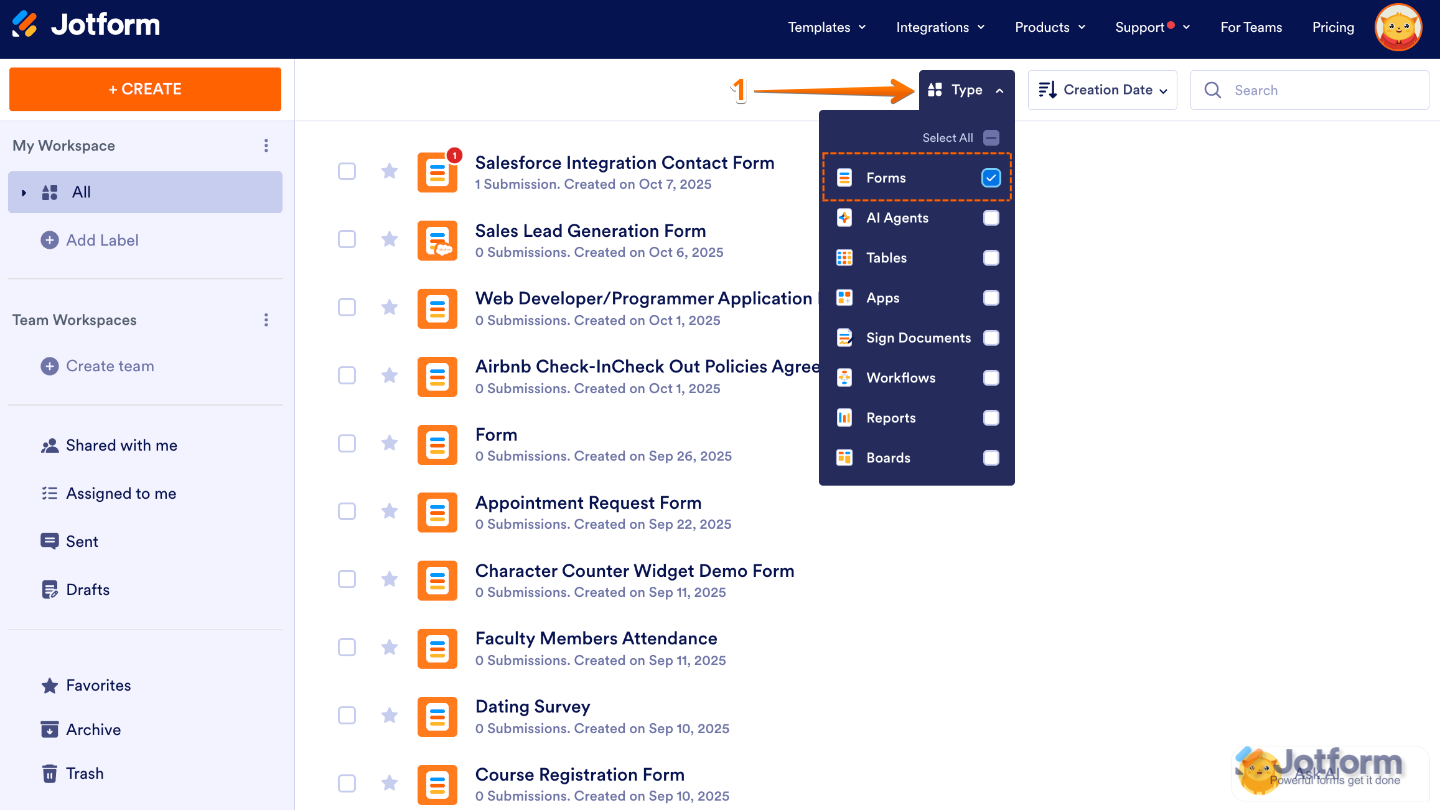
1. On your My Workspace page, click on Type at the top and in the Dropdown menu that opens, uncheck the boxes next to all the assets except Forms, so only they’ll be shown on the page.

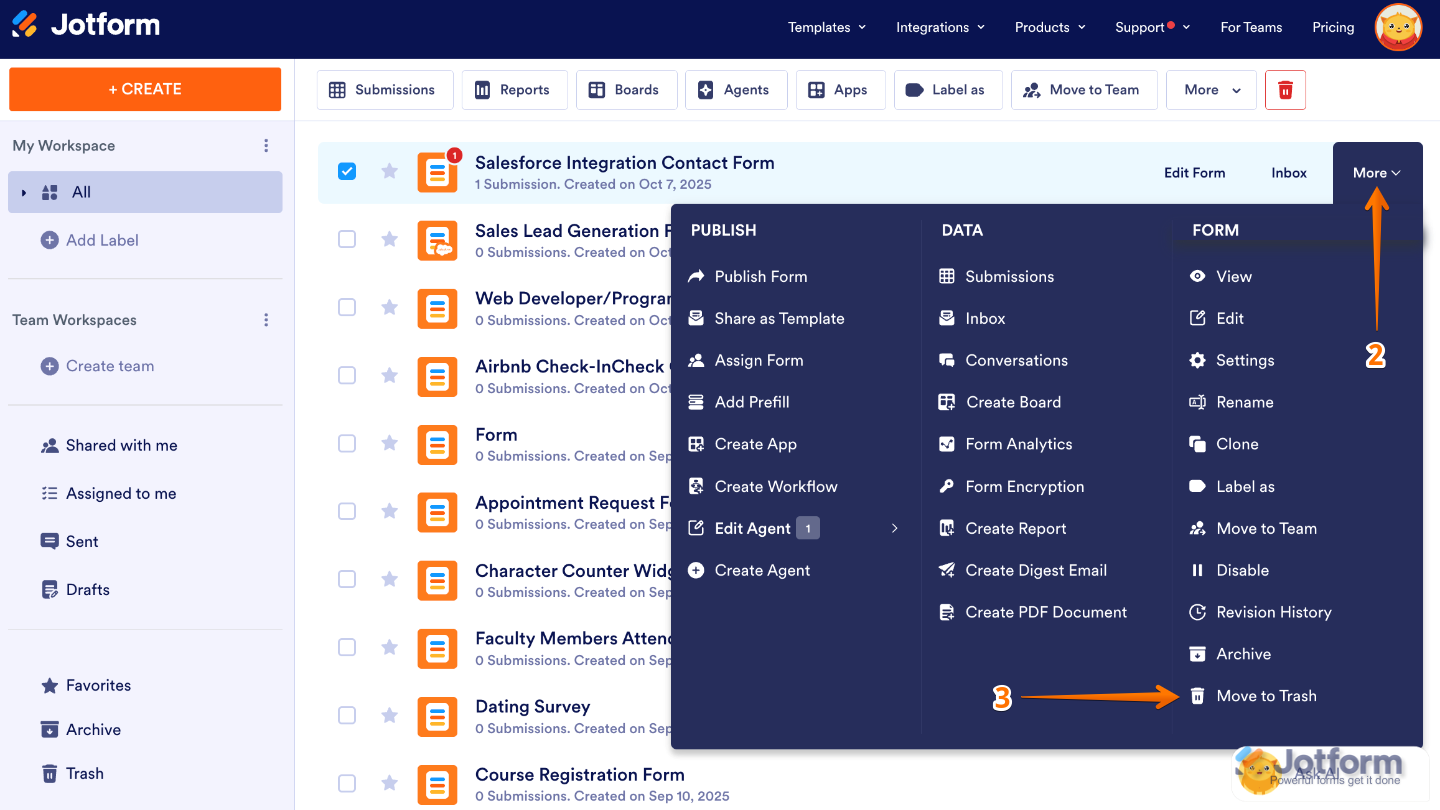
2. Now, hover your mouse over the form you want to delete, and click on More on the right side of the page.
3. Then, in the Dropdown menu, under the Form column, click on Move to Trash.
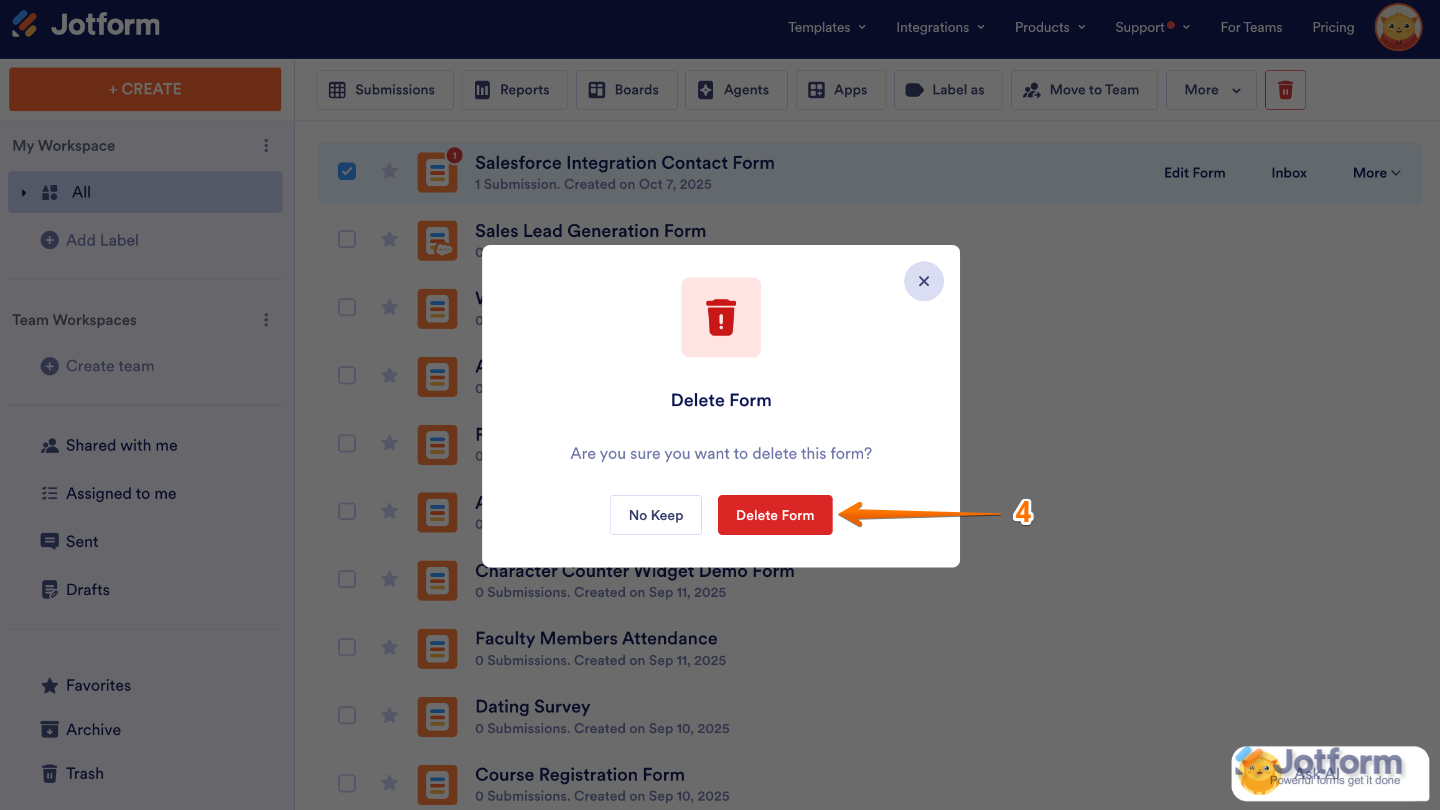
4. Next, click on Delete Form in the Confirmation window.
That’s it! Your form has now been deleted.
 That’s it! Your form has now been deleted.