Testimonial Carousel Widget for Hotels Reviews

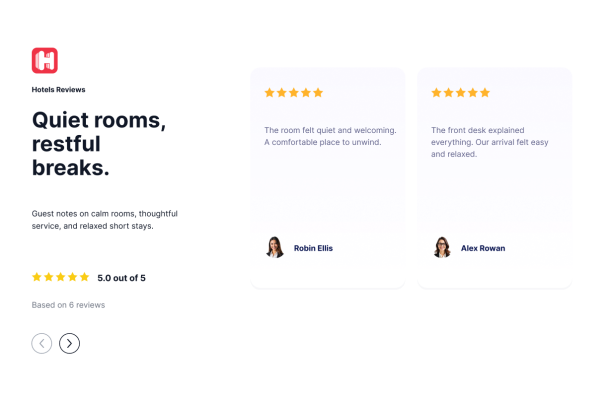
This full-width hotel review carousel presents six illustrative sample testimonials for a boutique hotel. A light theme, Inter type, standard review cards, and the heading “Quiet rooms, restful breaks.” give the section a calm, readable style.
Testimonial Carousel Widget for Hotels Reviews

More ホテルズドットコム 評判 Styles

Photo Testimonials Slider623 Used

Photo Testimonials Slider

Showcase six fictional sample guest reviews for a modest city guesthouse in a full-width carousel. The comments cover a comfortable bed, an uncluttered room, helpful arrival information, a quiet spot for reading by the window, fresh bed linen, and clear checkout instructions. Each card displays a reviewer portrait and name, a five-star rating, and a room photo used as an illustrative background—not an image of an identified real property. A guesthouse website can use this widget to give visitors a concise preview of the stay. Visitors browse the reviews with the previous and next arrows and can open a review for more detail. The light theme, bold heading, and manual carousel controls keep the focus on the guest comments.

Hotels Reviews Wall of Love528 Used

Hotels Reviews Wall of Love

Hotels Reviews Wall of Love presents six fictional five-star guest reviews about a small guesthouse near an old-town market. A left-aligned source header pairs the Hotels mark with “A cozy base for old-town walks,” an overall rating and six-review count. Native Light Standard cards display stars above complete short comments, with human portraits and reviewer names at the bottom. The sample feedback covers rooms, walking tips, breakfast, a reading nook, arrival and checkout. Dates, review photos, products, branding and CTA are hidden. Replace these fictional examples with authorized feedback. Custom CSS is empty and disabled.

Hotels Reviews Tabs815 Used

Hotels Reviews Tabs

This light, full-width hotel reviews widget presents six fictional five-star guest reviews for a small guesthouse near a public botanical garden. The header, “Notes from our weekend guests,” introduces comments about peaceful rooms, a simple breakfast, a friendly arrival, walks to the gardens, and reading in the courtyard. Reviewer names, portraits, ratings, and a review count are displayed, with Hotels.com identified as the review source. Visitors can select reviewer tabs to read a larger featured review panel and use the previous and next controls to browse the set. This layout suits a guesthouse or hospitality website that wants to show sample guest feedback in a compact, navigable format. The reviews are fictional examples and do not indicate an actual hotel endorsement.

Rainbow Hotels Reviews Wall of Love235 Used

Rainbow Hotels Reviews Wall of Love

Showcase a relaxed weekend-stay theme with this full-width Hotels.com review wall. Its masonry layout presents six illustrative guest comments about a peaceful city base, a quiet courtyard, comfortable rooms, and a warm welcome. Each card displays the reviewer’s name, portrait, and five-star rating, while the heading, “A little calm between city days,” sets a gentle tone for a small city hotel. Designed for hotel teams presenting guest feedback to travelers considering a short city break, the wall gives visitors a quick way to browse the comments. They can select a review to see it in a dialog and use the “Load more” control to explore the displayed reviews.

ホテルズドットコム 評判ウィジェットの作成方法

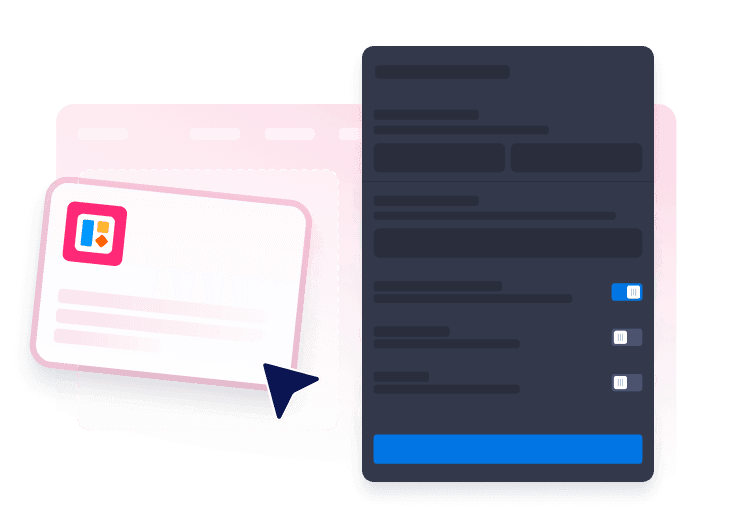
Choose widget elements

ウィジェットの要素を選択

ウェブサイトの訪問者に表示したいコンテンツと要素を選び、ニーズに合わせてウィジェットをカスタマイズします。

Customize your widget

ウィジェットをカスタマイズ

色やその他のデザイン設定を調整して、ウェブサイトのスタイルに合わせてウィジェットの外観をカスタマイズします。

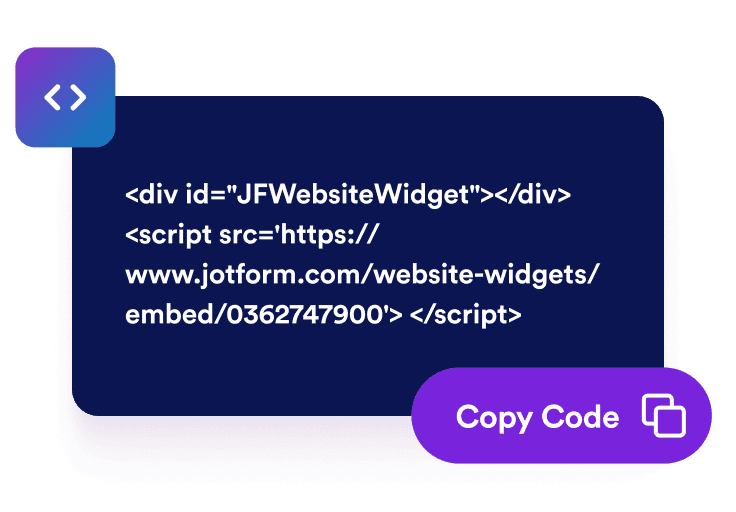
Embed it on your website

ウェブサイトに埋め込む

埋め込みコードをカスタムHTMLまたは埋め込みブロックに貼り付け、ページを公開してウェブサイトウィジェットを表示します。

顧客の検討段階に合わせてホテルズドットコムの口コミを表示

お客様が自信を持って判断できるようサポート

料金、登録、購入手続き、問い合わせの案内の近くに、顧客の好意的な口コミを掲載しましょう。ホテルズドットコムの口コミを通じて、訪問者は施設のサービスやサポートについて詳しく知り、自分のニーズに合っているかを判断できます。

Support confident customer decisions

口コミを掲載して情報を充実させる

最新の体験に基づく口コミを掲載して、重要なページをより有益なものにしましょう。口コミを埋め込んだからといって検索順位の向上が保証されるわけではありませんが、施設の評判を調べたり、他の選択肢と比較したりしている訪問者に役立つ情報を提供できます。

Add useful customer review content

ホテルズドットコムの口コミで信頼性を高める

ホテルズドットコムに投稿された口コミをWebサイトに直接表示できます。顧客の口コミや評価は第三者の視点からの情報として役立ち、訪問者は他のサイトで口コミを探すことなく、施設の信頼性を判断できます。

Build credibility with Hotels.com reviews

ホテルズドットコムの口コミを自動で最新の状態に保つ

口コミの取得元を連携すると、ウィジェットが表示条件を満たすホテルズドットコムの口コミと同期します。新しい口コミも自動的に表示されるため、顧客のコメントをコピーしたり、Webサイトを手動で更新したりする手間を減らせます。

Keep Hotels.com reviews updated automatically

ホテルズドットコム 評判をWordPressに埋め込む方法

1埋め込みコードを取得

Jotformのホームページウィジェットをカスタマイズしたら、「無料で試す」をクリックし、生成された埋め込みコードをコピーします。

2ページエディターを開く

ウィジェットを表示したいWordPressの投稿または固定ページを開き、新しいブロックを追加します。

3カスタムHTMLブロックを追加

カスタムHTMLを選択し、Jotformホームページウィジェットの埋め込みコードをHTMLフィールドに貼り付けます。

4更新して表示

更新または公開をクリックし、ページを開いて埋め込まれたウィジェットを確認します。

Jotform ホームページウィジェットが選ばれる理由

Jotformのウィジェットは、ウェブサイトをよりインタラクティブにし、コンバージョンを高めます。星評価やお客様の声を表示するスライダー、ソーシャルプルーフのポップアップ、メディア埋め込みまで、多彩なツールが利用可能です。フォームやランディングページにウィジェットを追加して、データ収集、実績や信頼性のアピール、見込み顧客の獲得を実現できます。コーディングは不要です。

コーディングなしで埋め込む

シンプルな埋め込みコードで、Jotformウィジェットをウェブサイトに追加できます。ウィジェットをカスタマイズし、見た目をプレビューして、カスタムHTMLや埋め込みブロックに対応したあらゆるページに貼り付けるだけ。開発者は一切不要です。

よりインタラクティブなページを作成

Jotform ホームページウィジェットを使って、見込み顧客の獲得、お客様のフィードバックの表示、ソーシャルプルーフの活用、メディアの埋め込み、便利なウェブページツールの追加ができます。各ウィジェットは、訪問者がウェブサイトから直接あなたのビジネスとやり取りできるようサポートします。

必要なときにサポートを受けられる

ウィジェットの設定、カスタマイズ、埋め込み、トラブルシューティングでサポートが必要な場合、Jotformのカスタマーサポートチームが24時間年中無休で対応します。必要なときにいつでもサポートを受けられるので、安心してご利用いただけます。

ホテルズドットコム 口コミウィジェットの活用シーン

訪問者が施設の評判を確認し、購入、申し込み、会員登録、問い合わせを検討するページに、ホテルズドットコムの口コミを埋め込みましょう。

ホームページの信頼性をアピールするセクションで評価や顧客からの口コミを紹介できます。

商品・サービス紹介ページで、主なメリットの近くに口コミを表示し、その魅力をより具体的に伝えられます。

料金・プランページで選択肢を比較する訪問者をサポートします。

決済・登録ページで、購入や登録の直前に生じる不安を解消できます。

キャンペーンのランディングページで、プロモーションのオファー付近に信頼できるフィードバックを追加します。

会社概要・評判紹介ページで、お客様の体験を一か所にまとめて紹介できます。

Jotformのフォーム作成ツールで見込み顧客を顧客へと導く

Jotformで訪問者の関心を具体的なアクションにつなげましょう。見込み顧客の獲得、決済の受付、返信の自動化ができる高機能なフォームを、すべて一か所で作成できます。送信された回答はすべてJotformインボックスに届くため、フォローアップやお気に入りのアプリとの連携も簡単です。

無料で今すぐ始める
Convert leads into customers

よくある質問 (FAQ)

  • ホテルズドットコム 口コミウィジェットは、ホテルズドットコムの対象となるお客様の評価や口コミをウェブサイトに表示します。訪問者があなたの製品、サービス、料金、企業の評判を検討する際に、信頼性の高い第三者の口コミを参考にできます。