PDF-editor
  • Voordelen
  • Functies
  • PDF-templates
  • Invulbare PDF-formulieren
  • Enterprise
    • Belangrijkste functies
    • Veelgestelde vragen
    • Webinar
  • Inloggen
  • Meld je gratis aan

Sharing

Share your documents with ease using fast, flexible delivery options. Send PDFs by email, share secure links, download files instantly, or print them on the spot, everything you need to get your documents where they need to go.
Begin dialoogvenster
Jotform PDF-editor
Delen Categorie
Print PDF Documents Instantly
Create with PDF Editor

Print PDF Documents Instantly

Einde dialoogvenster
Jotform LogoJotform Icon
Jotform PDF-editor
Delen Categorie
Attach PDF Documents to Emails
Lees meer: Attach PDF Documents to Emails

Attach PDF Documents to Emails

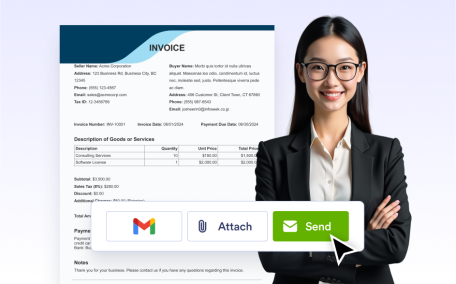
Automatically attach generated PDFs to notification or autoresponder emails to share with users or team members.

Send PDF Documents
Lees meer: Send PDF Documents

PDF-documenten verzenden

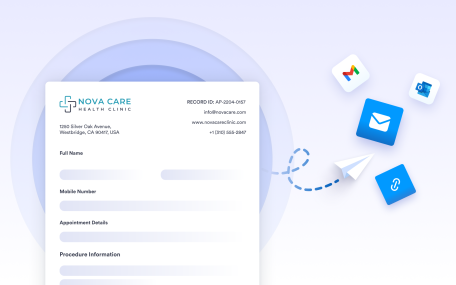
Verzend PDF-documenten automatisch of handmatig met behulp van ingebouwde bezorgopties. Deel documenten via e-mail, workflows of tabelacties om ervoor te zorgen dat PDF's op het juiste moment de juiste ontvangers bereiken.

Download PDF Documents
Lees meer: Download PDF Documents

PDF-documenten downloaden

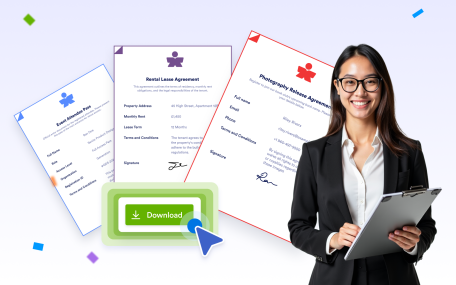
Download gegenereerde PDF-documenten direct met echte inzendingsgegevens. Bekijk en exporteer documenten rechtstreeks vanuit de PDF-editor of Jotform Tabellen wanneer je ze nodig hebt.

Send Documents to Cloud Storage Services
Lees meer: Send Documents to Cloud Storage Services

Send Documents to Cloud Storage Services

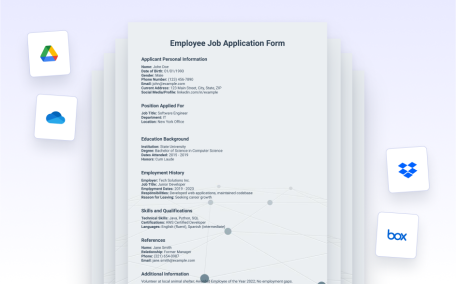
Send PDF documents to connected cloud storage services like Google Drive, Dropbox, Box, OneDrive, or Egnyte for secure storage and easy access.

Send Documents to Business Apps
Lees meer: Send Documents to Business Apps

Send Documents to Business Apps

Send PDFs to connected business apps such as HubSpot, Salesforce, Slack, Microsoft Teams, Zendesk, Zoho CRM, or Asana to keep teams aligned and workflows moving.

Share via Link
Lees meer: Share via Link

Share via Link

Generate a secure shareable link for any PDF so recipients can view documents instantly in their browser without downloads.

Print PDF Documents Instantly
Lees meer: Print PDF Documents Instantly

Print PDF Documents Instantly

Print PDF documents directly from the PDF Editor to create physical copies for signatures, filing, or in person use.

CATEGORIEËN
  • Introductie9
  • FunctiesAan de slag5
  • FunctiesPDF-bouwer14
  • FunctiesDocumentopbouw8
  • FunctiesOntwerp en branding5
  • FunctiesLay-out & Pagina-instellingen4
  • FunctiesIntegraties9
  • FunctiesBeveiliging3
  • FunctiesInvulbare PDF-formulieren11
  • FunctiesDelen7

Jotform

  • Formulier maken
  • Mijn werkruimte
  • Prijzen
  • Jotform Enterprise
      • Aanvraagformulieren
      • Inschrijvingsformulieren
      • Contactformulieren
      • Feedbackformulieren
      • Bestelformulieren
      • Evaluatieformulieren
      • Reserveringsformulieren
      • Boekingsformulieren
      • Verzoekformulieren
      • Overheid
      • Gezondheidszorg
      • Zomerkampen
      • Restaurants en supermarkten
      • Kerken
      • Dierenopvang
      • Fotografie
      • Onderwijs
      • Kleine bedrijven
      • Non-profitorganisaties
      • Marketing- en reclamebureaus
      • Verhalen van gebruikers
      • Een enquête maken
      • Methoden voor gegevensverzameling
      • Formulierontwerp
      • Online betalingen accepteren
      • Een app maken zonder te coderen
      • Wat is een QR-code?
      • Een website maken
      • Online verkopen
      • Handleiding voor prestatiebeoordelingen
      • Thuiswerken
      • Alle handleidingen voor zakelijk gebruik
    • Toepassing
    • Jotform Formulierbouwer
    • Jotform Afspraken
    • Jotform Apps
    • Jotform AI-assistenten
    • Jotform Borden
    • Jotform Winkelbouwer
    • Jotform Tabellen
    • Jotform Inbox
    • Jotform Mobiele Formulieren
    • Jotform Workflows
    • Jotform Rapportenbouwer
    • Jotform Slimme PDF-formulieren
    • Jotform PDF-editor
    • Jotform Sign
    • Jotform AI NEW
    • ChatGPT Formulierbouwer
    • Jotform Teams
    • Voorwaardelijke logica
    • Conversationele formulieren
    • Formulieren toewijzen
    • Formulieren vertalen
    • Whitelabeling
    • Formulier inschakelen/uitschakelen
    • Meerdere gebruikers
    • Insluitbare formulierbouwer
  • Tools
  • AI-tools
    • Alternatief voor Google Formulieren
    • Alternatief voor Microsoft Forms
    • Alternatief voor Typeform
    • Alternatief voor Tally Forms
    • Alternatief voor Fillout
    • Alternatief voor Formstack
    • Alternatieven voor SurveyMonkey
    • Alternatieven voor Wufoo
    • Alternatief voor 123FormBuilder
    • Alternatieven voor WPForms
    • Alternatieven voor Paperform
    • Alternatieven voor Adobe Sign
    • Alternatieven voor PandaDoc
    • Alternatieven voor DocuSign
    • Alternatieven voor Jotform

Marktplaats

    • Formuliertemplates
    • Templates voor assistenten
    • Templates voor borden
    • App-templates
    • Workflowtemplates
    • Templates voor tabellen
    • PDF-templates
    • Sign-templates
  • Formulierthema's
  • Formulierwidgets
    • Betalingsintegraties
    • Alle integraties
    • Jotform voor Canva
  • Widgets voor websites

Ondersteuning

  • Neem contact met ons op
  • Gebruikershandleiding
    • Veelgestelde vragen
    • Forum
    • API en ontwikkelaars
    • Jotform-status
    • Jotform-boeken
  • Jotform Academy
  • Webinars
  • Podcasts
  • Professional Services
  • Misbruik melden
  • Melding inzake auteursrechten
  • Jotform-account herstellen

Bedrijf

  • Over ons
  • Over Jotform AI
  • Mediakit
  • In het nieuws
  • Nieuwsbrieven
    • Agency-programma NEW
    • Resellerprogramma
    • Partnerprogramma
    • Jotform-partners
  • Blog
  • Klantverhalen

Enterprise

  • Meerdere gebruikers en teams
  • Prijzen
  • Beheerdersconsole
  • Professional Services
    • Overheid
    • Financiële diensten
    • Onderwijs
    • Zakelijke diensten
    • Gezondheidszorg
    • Non-profitorganisaties
    • Buitendienstbeheer
  • Beveiliging
  • White Label
  • Gegevensopslag in lokale datacenters
  • Veelgestelde vragen

Apps

De Jotform PDF-editor converteert ingediende formulieren automatisch naar professionele PDF-documenten. Deze tool wordt door bedrijven over de hele wereld gebruikt om automatisch documenten te maken. De tool biedt drag-and-drop aanpassingsopties, duizenden PDF-templates en functies voor invulbare PDF-formulieren om de workflows voor documenten en de communicatie met klanten te stroomlijnen. De editor is speciaal ontworpen voor organisaties die verzorgde PDF-formulieren met hun eigen huisstijl willen genereren.

4 Embarcadero Center, Suite 780, San Francisco CA 94111

© 2026 Jotform Inc. The name "Jotform" and the Jotform logo are registered trademarks of Jotform Inc.

  • Terms & Conditions
  • Privacy Policy
  • Security
  • Accessibility Statement
  • Anti-Slavery Policy