-
 Sandra_sandra_sandra839
Ik heb dit veld op het form op verborgen gezet, maar is toch zichtbaar in de preview en in de link naar het formulier
- Resultaat groot potentieel
- Dit veld is verborgen en zal niet te zien zijn op het formulier.
- Verzenden
-
 Podo: Supportspecialist
Hi Sandra,
Thanks for reaching out to Jotform Support. I'm an AI assistant here to assist you.
Als je een veld in je formulier verborgen hebt gezet maar het blijft toch zichtbaar in de live weergave of via de link, dan gaat er meestal iets mis met hoe het veld verborgen wordt (bijvoorbeeld via voorwaarden of instellingen). Let me help you with that:
- Controleer of het veld echt verborgen is
Ga in Form Builder naar je formulier, klik op het veld “Resultaat groot potentieel” en kijk in het rechterpaneel of de optie Hide (Verborgen) geactiveerd is. Als het veld niet grijs is in de builder, is het nog niet als verborgen gemarkeerd. - Controleer je voorwaarden (Conditions)
Klik bovenaan op Settings en daarna op Conditions. Kijk of er Show/Hide Field-voorwaarden zijn die dit veld mogelijk weer zichtbaar maken. Als er een voorwaarde staat die het veld toont, kan het daardoor toch zichtbaar zijn, ook al staat het standaard op verborgen. - Test in een privévenster of andere browser
Open de formulierlink in een incognitovenster/privévenster of in een andere browser waarin je niet bent ingelogd bij Jotform. Soms zie je in de preview of als ingelogde gebruiker velden anders dan eindgebruikers; zo kun je controleren of het voor respondenten echt zichtbaar is.
Als het veld dan nog steeds zichtbaar is, kun je ons het beste een schermafbeelding sturen van:
- Hoe het veld eruitziet in Form Builder (met de instellingen rechts in beeld).
- Hoe het eruitziet in de live versie van het formulier.
Na die extra informatie kunnen we gerichter nagaan waarom het veld ondanks de melding “Dit veld is verborgen en zal niet te zien zijn op het formulier” toch verschijnt.
Reach out again if you need any other help.
- Controleer of het veld echt verborgen is
-
Sandra_sandra_sandra839
alle opties doorlopen maar veld blijft toch zichtbaar
-
Podo: Supportspecialist
Hi Sandra,
Je geeft aan dat je alle opties hebt doorlopen maar dat het veld nog steeds zichtbaar blijft. Op basis van de beschikbare informatie kan ik alleen bevestigen hoe velden normaal verborgen horen te worden en hoe verborgen velden zich gedragen, maar er staat niets specifieks over een situatie waarin een als verborgen gemarkeerd veld tóch zichtbaar blijft in de live weergave.
In het kort werkt het verbergen van velden zo:
Velden verbergen: In Form Builder kun je een veld verbergen via het contextmenu (rechtsklik → Hide) of via de eigenschappen onder de geavanceerde instellingen door “Hide field” aan te zetten. Verborgen velden worden grijs weergegeven in de builder en horen niet zichtbaar te zijn op het formulier voor respondenten.
Gebruik van verborgen velden: Verborgen velden kunnen nog steeds gebruikt worden voor berekeningen, voorwaarden, rapportages, integraties of interne processen, maar horen niet op het formulier zelf getoond te worden.
Er is in de beschikbare informatie geen extra uitleg of bekende oorzaak beschreven voor het specifieke issue dat jij nu ervaart (een veld dat als verborgen staat, maar toch zichtbaar blijft in de live versie).
Ik weet deze informatie niet en ons supportteam zal je verzoek verder behandelen.
-
Sandra_sandra_sandra839
Graag verder behandelen in het supportteam. Hoe lang duurt het voordat dit is opgelost?
-
Podo: Supportspecialist
Hi Sandra,
Ik weet niet hoe lang het precies zal duren voordat dit specifieke issue is opgelost; dat hangt af van de verdere analyse en opvolging.
Ik weet deze informatie niet en ons supportteam zal je verzoek verder behandelen.
Let us know if you have any other questions.
-
 Sheena Jotform Support
Hi Sandra,
I checked your form and noticed that the field is included in your conditions. Here's a screenshot of my result:

If you want this field to stay completely hidden, you need to remove it from the condition shown below, since it is already set as hidden by default. Otherwise, the condition can override the default hidden state and make it visible. If instead you want to show it based on a condition, can you provide more details about your requirement?
Let us know if you have any other questions.
-
Sandra_sandra_sandra839
Hi Sheena,
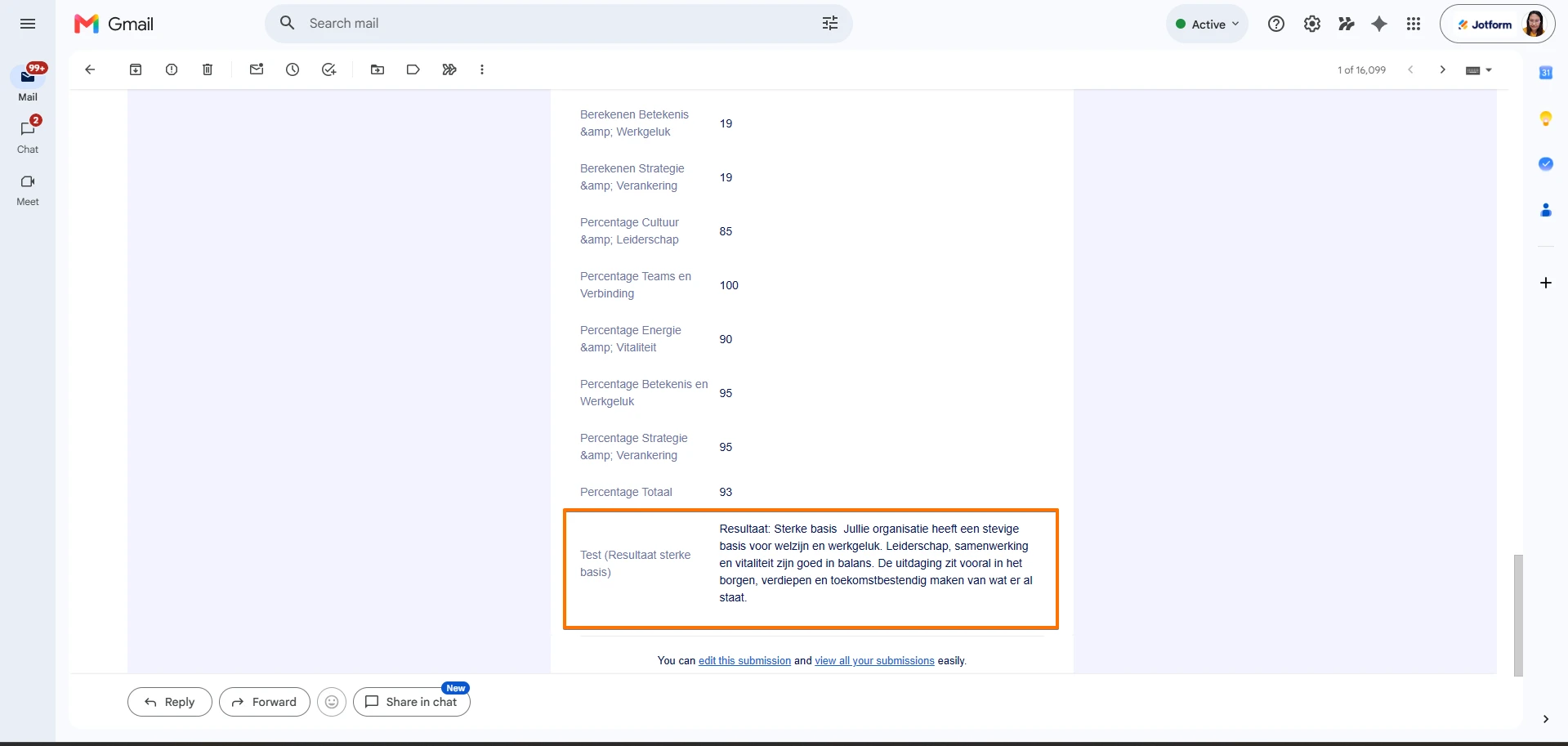
Ik wil dit veld juist weergeven op basis van een voorwaarde maar niet op het formulier maar in de PDF die de aanvrager krijgt toegezonden. Dan kan ik deze voorwaarde toch niet zomaar verwijderen? De invuller krijgt nu direct dit resultaat te zien, zonder iets in te vullen. Dat klopt niet, het resultaat is afhankelijk van de score en kan dus variëren.
-
 Kyle Jotform Support
Hi Sandra,
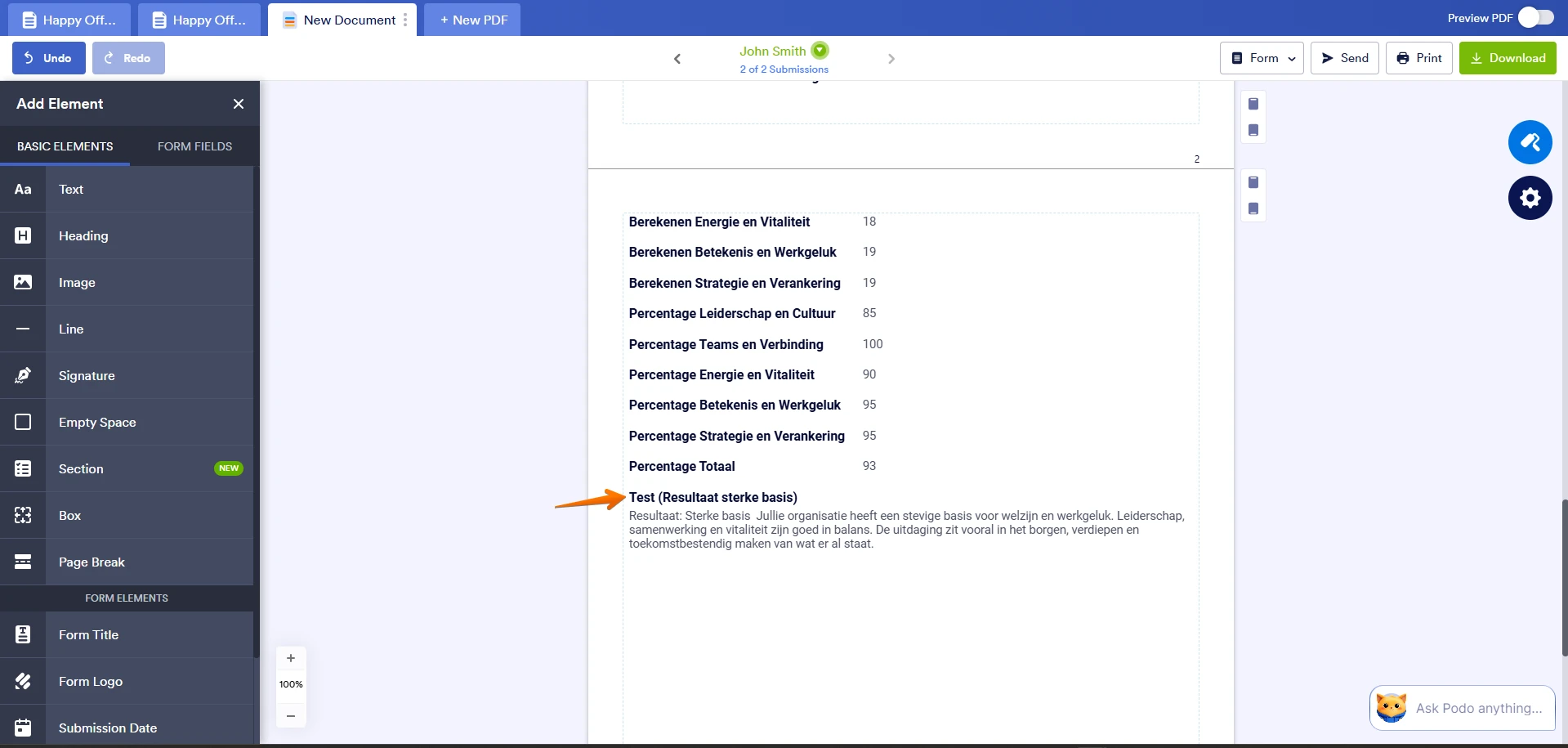
Hidden fields are not shown on the live form but they are still part of the submission data, so you can display them in the PDF. To achieve what you want, keep the field hidden in the form builder and then customize the PDF in the PDF Editor.
There you can add the hidden field and set it to appear based on your scoring condition. This way, respondents won’t see the field on the form, but it will show correctly in the PDF output depending on the score. You can always update the PDF file manually. Here’s how to do it:
- In PDF Editor, click on the Add Element menu on the left side of the page.
- Then, click on the Form Fields tab, drag and drop or click on the fields you want to add your PDF document.
-
Sandra_sandra_sandra839
Dat heb ik gedaan. Deze conditions moeten dus in tact blijven voor de PDF. Maar mag op verborgen worden gezet op het formulier. Dat heb ik ook gedaan maar wordt nog steeds weergegeven. Wil je ervoor zorgen dat het resultaat op het formulier niet zichtbaar wordt alleen in de PDF? Mogelijk kunnen jullie dit technisch wel aanpassen? Hartelijk dank.
-
 Joeni Jotform Support
Hi Sandra,
To clarify, if you use the Show/Hide Field feature to display the percentage result, it will automatically appear before the user submits the form. Instead, you can use the Update/Calculate Field feature to pass the result into a Long Text field that’s set to Hidden. This way, it won’t be visible on the form but will still show up in your PDF. As a first step, add a Long Text field that corresponds to the number of results. Let me show you how:
- In Form Builder, click on the Add Element button in the upper left side of the panel to open the Form Elements menu.
- Now, under the Basic tab, select the Long Text element and add it to your form.
- Then, rename the field, click on the Gear icon and go to the Advanced tab.
- Finally, scroll down and toggle off the Hide Field option.
- In Form Builder, select the old Result field and click on the Conditional Branch icon.
- Now, put a check on the Select All checkbox and click on the Delete button at the navigation bar.
- In Form Builder, click on the Settings tab in the orange navigation bar and select the Conditions tab on the left side menu.
- Now, click on the Add Condition button and select the Update/Calculate Field option in the New Condition menu.
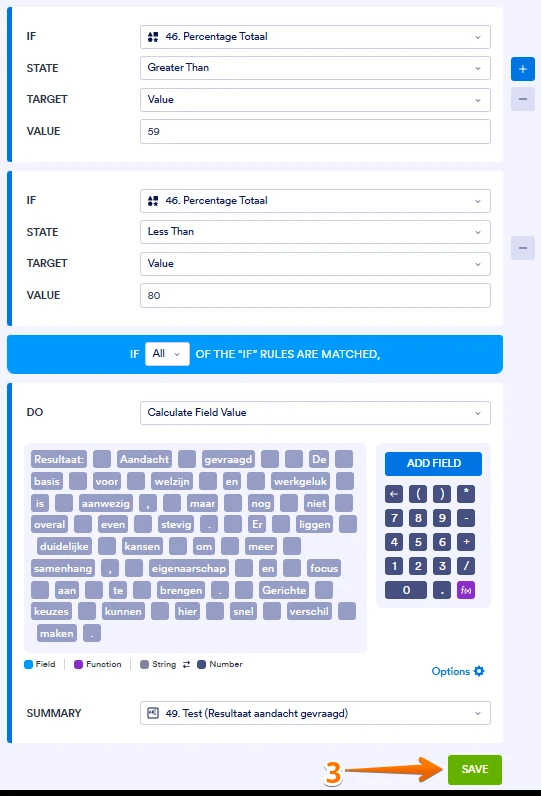
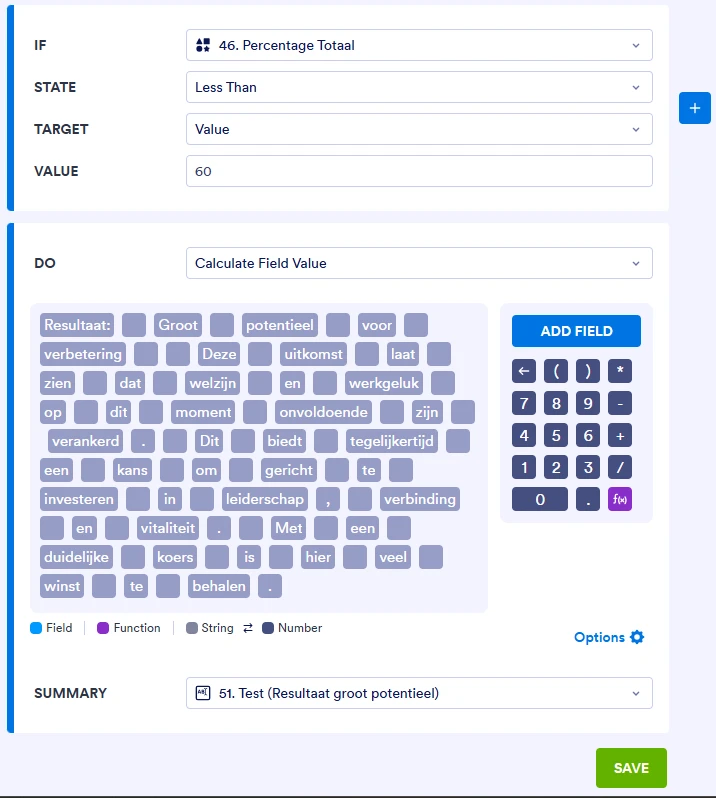
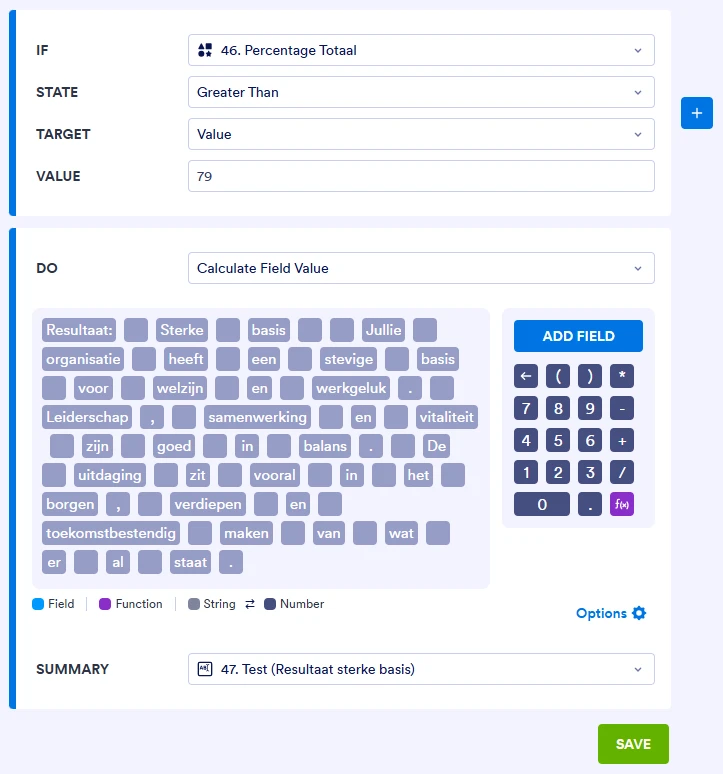
3. Then, set up the conditions below and click on the Save button.
Once that’s done, you can go ahead and delete the previous result field. Let me show you how:
- In Form Builder, select the Resultaat aandacht gevraagd field and click on the Trash Can icon.
1. On your Workspace page, click on Create on the top-left side of the page.
2. Select Form from the assets, and then click on Import Form.
3. In the next window, click on From a Web Page.
4. Paste the form link into the Enter URL field and click on Create Form.
Give it a try and let us know if you need any other help.

 Email:
 If you want to make sure your original form stays unchanged during troubleshooting, I recommend