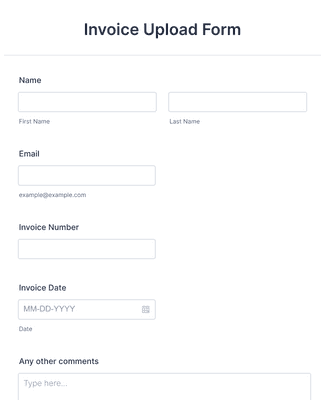
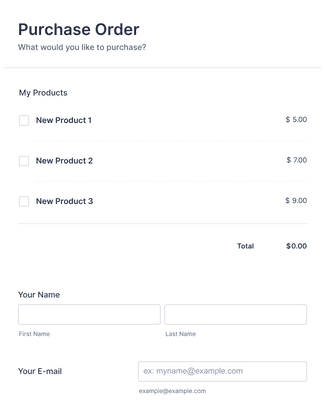
Интегрирайте QuickBooks с Jotform чрез нашия Конструктор на форми. Изпращайте фактури, поръчки за покупка, платежна информация и други чрез вашите онлайн форми и информацията автоматично ще попълни вашия QuickBooks акаунт.
Шаблони
Не сте сигурни откъде да започнете? Изберете готов шаблон по-долу, след което го персонализирайте с няколко лесни щраквания с нашия конструктор с плъзгане и пускане. Не се изисква кодиране.
Jotform ChatGPT приложение
Create forms in seconds inside ChatGPT, refine them through conversation, and turn submissions into clear insights without switching tabs.

Benefits
Направете вашия счетоводен процес по-лесен от всякога, като използвате конструктора на форми с плъзгане и пускане на Jotform. Можете да създавате форми и да ги персонализирате така, че да отговарят на вашия счетоводен бизнес или бизнес за електронна търговия. Вашата работа току-що стана много по-управляема.
Трябва да увеличите процента на отговори? С предварително попълнените форми на Jotform можете да увеличите броя на отговорите, които получавате — предварителното попълване прави попълването на форма лесно.
След като изпратите форми, поддържайте връзка с вашите клиенти чрез имейли за напомняне и автоматичен отговор. Можете също така автоматично да прикачите PDF документи за допълнително удобство.
Jotform Таблици променя играта с визуалните отчети. Преобразувайте данни от Jotform Таблици в професионални, лесни за използване визуални отчети с Конструктора на отчети на Jotform.
Connect one of Jotform’s 40+ payment processors to QuickBooks forms so customers can submit payments directly through the form. Jotform’s payment integrations help you collect money quickly and securely. Simplified payment collection improves cash flow and reduces administrative work.
Препоръки