Before and After Slider Widget
Before and After Slider Widget Features for Websites
Show visual transformations with interactive before-and-after image comparisons. Add image pairs, labels, captions, reveal controls, carousel navigation, fullscreen viewing, and custom styling without code.
Create Your Before and After Slider Widget - It's Free!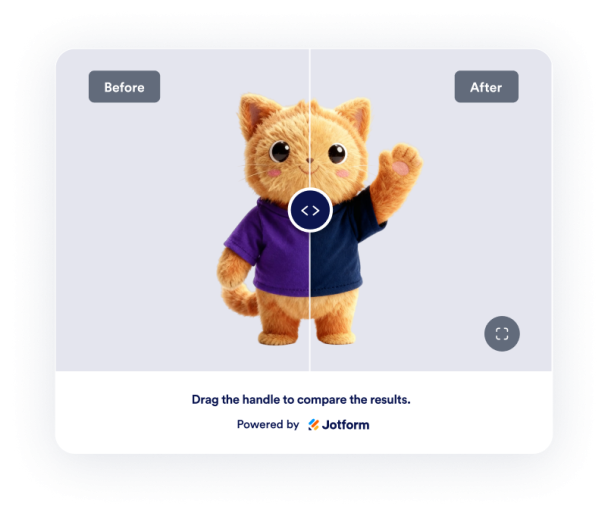

Compare Before and After Images
Place two related images in one interactive frame so visitors can quickly understand a transformation. Add before and after image URLs, write clear labels, and include captions for renovation, beauty, repair, design, or product comparison pages.
Image controls include:

Control the Reveal Experience
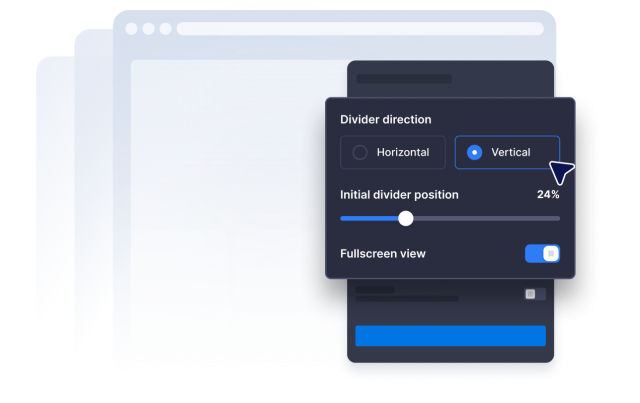
Choose how visitors explore each comparison. Set a horizontal or vertical divider, adjust the starting reveal position, and let visitors compare images with drag, click, or hover interaction depending on your page experience.
Reveal controls include:
Show Multiple Transformations
Create a small comparison gallery when one image pair is not enough. Add up to three before-and-after pairs and enable carousel navigation so visitors can browse project stages, case studies, edits, or service results.
Gallery options include:

Match Sliders to Your Website
Style the comparison widget so it fits naturally into your page. Adjust width, image ratio, corner radius, divider size, colors, labels, captions, fullscreen mode, mobile visibility, and custom CSS.
Style controls include: