Countdown Timer Widget
Countdown Timer website widget features
Build a countdown for limited-time offers, product launches, events, webinars, seasonal campaigns, and announcement banners. Select the timing, display format, layout, theme, buttons, and end behavior without doing any coding.
Create Your Countdown Timer Widget — It’s Free!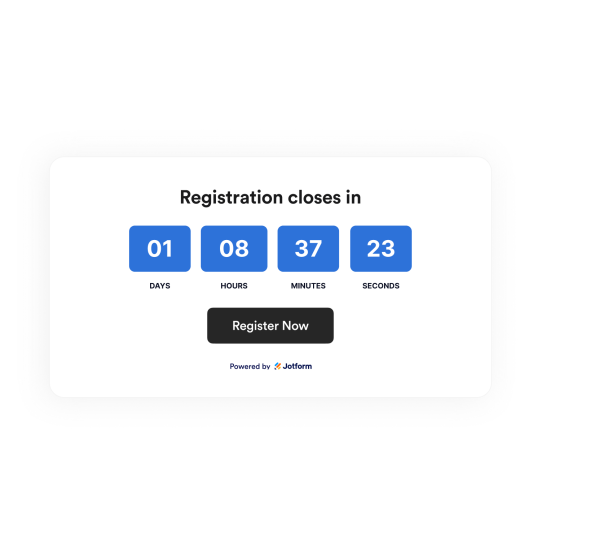

Set the date, time, time zone, and restart rules
Choose when the countdown will start and end. Set up all-day behavior. Schedule the timer to restart daily, weekly, monthly, annually, or each weekday.
Timing controls include:

Position your countdown for maximum effect
Place your countdown where it will best support the user journey. Use a low-profile inline section, a fixed top or bottom bar, or a floating card.
Layout options include:

Customize timer styles and themes
Choose from flip, block, or minimal timers and a variety of theme presets, including light, dark, gradient, seasonal, holiday, and sales. You can also set custom colors and labels.
Style controls include:

Add call-to-action buttons and end behavior
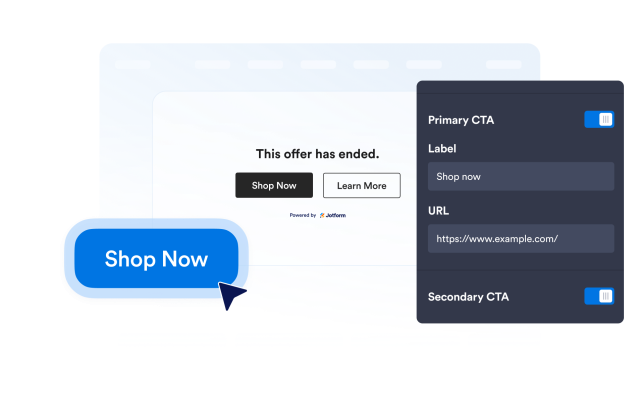
Send visitors to a sale, signup, booking, or download page while the countdown runs. When the timer reaches zero, hide it, show a message, or redirect visitors.
Action controls include: