

Formularios para personal

Formulario De Solicitud De Tiempo Libre
El formulario de solicitud de tiempo libre permite realizar un seguimiento diario de las solicitudes de permisos de los empleados, en el que estos introducen su información de contacto, la fecha de inicio y finalización de su permiso, la información sobre el intervalo de tiempo y cualquier comentario adicional que deseen añadir.
Ir a la categoría:Formularios de negocio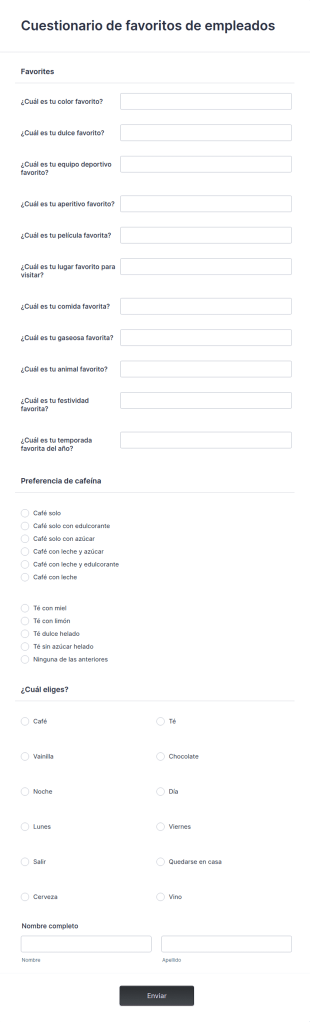
Cuestionario De Favoritos De Empleados
Un cuestionario sobre los favoritos de los empleados es una herramienta utilizada por los formadores para averiguar qué artículos populares le gustan y cuáles no a un empleado, y si los recomendaría a otras personas.
Ir a la categoría:Formularios de negocio
Encuesta De Satisfacción Laboral
Determine que tan satisfechos están sus trabajadores — un factor clave en la retención de empleados.
Ir a la categoría:Formas recursos humanos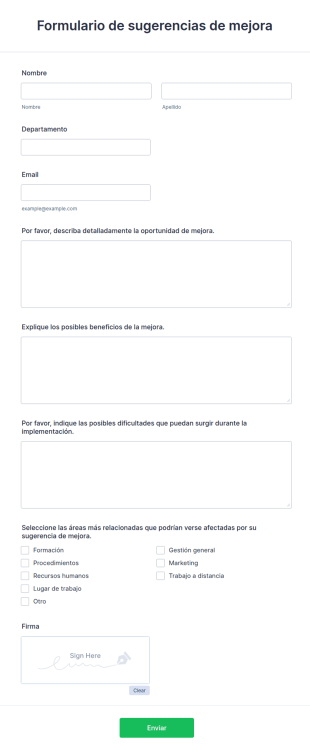
Formulario De Sugerencias De Mejora Para Empleados
Acepte comentarios en línea y recopile sugerencias para mejorar su negocio. Fácil de personalizar, integrar e incorporar. No requiere conocimientos de programación.
Ir a la categoría:Formas recursos humanosAcerca de Formularios para personal
Los formularios para personal son formularios en línea especializados concebidos para simplificar y optimizar los procesos relacionados con la gestión del personal y las operaciones dentro de una organización. Estos formularios se utilizan en diversas áreas operativas, como la incorporación de empleados, las evaluaciones de rendimiento, la planificación de horarios y la recopilación de opiniones. En los flujos de trabajo reales, los formularios para personal facilitan una comunicación fluida entre los departamentos de RRHH y los empleados, garantizando que los datos se recopilen de forma eficaz y precisa, lo cual es fundamental para mantener el buen funcionamiento de las operaciones y mejorar la productividad de la organización.
Jotform stands out as the leading online form builder in the industry for creating Staff Forms due to its innovative features and user-friendly interface. With Jotform, businesses can effortlessly customize forms to fit their specific staff management needs, enabling the automation of data collection processes that save time and reduce the risk of human error. Centralized data management is made possible with Jotform Tables, allowing organizations to store, organize, and analyze staff-related data from a single platform, thereby improving operational efficiency and decision-making.
Why Use Staff Forms?
- Staff Forms significantly enhance the accuracy of data collection by minimizing the risk of human errors often associated with manual entry. This accuracy is crucial for maintaining reliable records and ensuring that all staff-related processes are based on correct information, which is essential for effective decision-making.
- The speed at which data can be collected and processed using Staff Forms is unparalleled. By automating many of the steps involved in data gathering, organizations can respond more quickly to staff needs and inquiries, thereby improving overall responsiveness and service levels within the company.
- Professional data handling is a hallmark of Staff Forms, allowing organizations to present a polished image to employees and stakeholders. With customizable templates, businesses can ensure that all forms maintain a consistent and professional look, enhancing the organization's brand and identity.
- Utilizing Staff Forms allows for streamlined workflows, reducing the time spent on administrative tasks. This efficiency frees up valuable time for staff to focus on more strategic tasks, ultimately boosting productivity and morale across the organization.
- The integration capabilities of Staff Forms with other platforms, such as Google Sheets and Salesforce, allow for seamless data transfer and synchronization. This connectivity ensures that all staff-related data is up-to-date and can be accessed by relevant stakeholders without unnecessary delays or duplications.
Common Problems Solved by Staff Forms
- One of the most significant pain points in staff management is the cumbersome paperwork involved in processes such as onboarding and performance reviews. Staff Forms eliminate this burden by digitizing these processes, making it easier to collect, store, and retrieve information.
- Manual data entry often leads to errors and inconsistencies, which can have detrimental effects on staff records and reporting. By using Staff Forms, organizations can automate data entry, ensuring that information is consistent and accurate across all systems.
- Lost or misplaced data is a common issue when dealing with paper forms. With Staff Forms, all data is stored securely in Jotform’s database, making it easily accessible and reducing the risk of data loss.
- The inefficiencies associated with traditional staff management processes can slow down operations and negatively impact productivity. Staff Forms streamline these processes, allowing for quicker completion and turnaround times, which enhances overall operational efficiency.
Funciones según el caso de uso
- The Drag-and-Drop Form Builder is perfect for customizing Staff Forms to suit specific company requirements, such as tailoring an employee feedback form to include unique questions that align with organizational goals. This feature ensures that forms are precisely suited to the task, enhancing data relevance and usability.
- Las condiciones lógicas se pueden emplear en los formularios para el personal con el fin de crear formularios dinámicos que se adaptan en función de las respuestas de los usuarios, lo que simplifica procesos complejos, como las evaluaciones de rendimiento, al mostrar solamente las secciones relevantes para cada miembro del personal. Esta adaptabilidad asegura una experiencia de usuario más fluida y una recopilación de datos eficiente.
- For organizations requiring secure document handling, Electronic Signatures (Jotform Sign) enable legally binding digital signatures on forms such as employment contracts or policy acknowledgments, ensuring compliance and reducing the need for physical paperwork.
- The use of Jotform’s PDF Editor allows for Automated PDF Generation from form submissions, turning collected data into professional documents that can be easily shared or archived, thus streamlining reporting and documentation processes.
- With 100+ Third-party Integrations, Staff Forms can connect with platforms like Slack and Salesforce, enabling real-time notifications and data synchronization, which ensures that all team members are informed and that data is consistently updated across all systems.
- Approval Workflows are ideal for managing processes that require multiple levels of authorization, such as time-off requests or budget approvals, providing a clear and efficient path for decision-making and ensuring that all necessary stakeholders are involved.
- Secure Data Management with Jotform Tables ensures that sensitive staff information is protected and organized, allowing HR departments to manage employee data with confidence and comply with privacy regulations.
How to Create a Staff Form
- Browse the Template List for a Staffs template or start from a blank form to ensure that the form structure aligns with your organization’s specific needs and goals.
- Customize the design and fields using the Drag-and-Drop Form Builder, allowing for the inclusion of specific data points and ensuring that the form meets the precise requirements of the staff management process.
- Publish and share your form via Direct Link, Email, or Website Embed to ensure that it is easily accessible to all intended users, facilitating smooth data collection and communication.
Top Use Cases for Staff Forms
- For Managers: Staff Forms provide managers with an efficient way to handle administrative tasks such as performance appraisals, leave requests, and team feedback. By automating these processes, managers can focus more on strategic initiatives and less on paperwork, leading to better team management and improved outcomes.
- Para equipos: Los equipos pueden usar los formularios de personal para coordinar actividades, realizar un seguimiento del progreso y comunicarse de manera eficaz entre sí. Funciones como las condiciones lógicas y las integraciones con plataformas colaborativas garantizan que los equipos tengan a su alcance la información que necesitan, impulsando un entorno de trabajo más cohesionado y productivo.
- For Customers: While primarily used internally, Staff Forms can also enhance customer interactions by ensuring that staff members are better organized and informed. For example, quick access to updated schedules and contact information helps staff serve customers more efficiently, improving customer satisfaction and loyalty.
Summarizing Staff Forms
Staff Forms by Jotform offer a comprehensive solution for managing staff-related processes with greater efficiency and accuracy. By leveraging Jotform’s powerful features, organizations can streamline operations, reduce administrative burdens, and focus on strategic objectives. The ability to customize forms, automate workflows, and securely manage data ensures that Staff Forms are an invaluable asset to any organization seeking to optimize its staff management practices.
Preguntas Frecuentes
1. ¿Qué es un formulario para personal?
Un formulario de personal es un documento digital que se utiliza para recopilar, gestionar y procesar información relativa a los empleados, como datos de incorporación, solicitudes de permisos, evaluaciones de rendimiento y reportes de incidentes.
2. ¿Por qué son importantes los formularios para personal en las organizaciones?
Los formularios de personal ayudan a normalizar los procesos administrativos y de RRHH, reduciendo el papeleo, asegurando el cumplimiento de la normativa y facilitando una comunicación eficiente entre empleados y directivos.
3. ¿Qué información suele recopilarse en los formularios para personal?
Los campos más frecuentes incluyen datos personales, información de contacto, historial laboral, fechas de baja, opiniones, calificaciones de rendimiento y firmas digitales.
4. ¿Existen diversos tipos de formularios para personal?
Sí, los formularios para el personal pueden abarcar formularios de incorporación, formularios de solicitud de permisos, hojas de horas, evaluaciones del rendimiento, reportes de incidentes, inscripciones a cursos de formación y formularios de opinión, cada uno ajustado a las necesidades particulares de RRHH.
5. ¿Quién puede utilizar los formularios de personal?
Los responsables de RRHH, los jefes de equipo, los jefes de departamento, los administradores de oficina y los empleados pueden emplear formularios de personal para diversos procesos internos.
6. ¿Cómo favorecen los formularios para personal el cumplimiento de la normativa y el mantenimiento de registros?
Los formularios digitales del personal aseguran que toda la información requerida se recopila de forma consistente, se almacena de modo seguro y es fácilmente accesible para auditorías o reportes, apoyando el cumplimiento de las políticas de la empresa y los requisitos legales.
7. ¿Pueden personalizarse los formularios para personal de diferentes departamentos o funciones?
Absolutamente. Los formularios de personal pueden personalizarse con campos determinados, flujos de trabajo de aprobación y condiciones lógicas para cubrir las necesidades específicas de los distintos departamentos o puestos de trabajo.
8. ¿Son privados y seguros los formularios para personal?
Sí, Jotform utiliza almacenamiento de datos seguro y encriptación para proteger la información confidencial del personal, asegurando la privacidad y el cumplimiento de la normativa de protección de datos.