Special Education Forms

Ups, Resultado No Encontrado
Lo sentimos, no pudimos encontrar ningún resultado en nuestro Form Templates.
Descubre todas las categoríasAcerca de Special Education Forms
Special education forms are structured documents used to collect, document, and manage information related to special education services, accommodations, and student support plans. They help schools and support teams coordinate evaluations, eligibility decisions, individualized planning, and ongoing progress tracking in a consistent way. Special education forms are commonly used by schools, special education departments, counselors, psychologists, and family support teams for referrals, assessments, IEP-related documentation, accommodation requests, service delivery records, and parent communication. By standardizing these workflows, special education forms improve clarity, reduce administrative delays, and support better collaboration between educators and families.
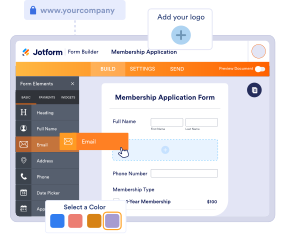
With Jotform, special education forms can be created quickly using a no-code, drag-and-drop Form Builder and tailored to different school processes and student needs. Conditional logic can show the right questions based on grade level, referral reason, or service type, while file upload fields can collect supporting documents. Submissions are stored in Jotform Tables, making it easier for authorized staff to review requests, track documentation, and maintain organized records. Automated notifications can help route forms to the correct team members and keep timelines moving.
Use Cases of Special Education Forms
Special education forms support referral, evaluation, planning, and service documentation across student support processes. Below are common ways these forms are used and the problems they help solve.
Posibles casos de uso:
- Special education referral and pre-evaluation intake
- Parent or teacher accommodation requests
- Evaluation and assessment documentation collection
- IEP meeting scheduling and participation confirmations
- Service delivery logs and progress monitoring
- Parent communication and consent collection
Problem-Solving Points:
- Centralize student support documentation and reduces scattered communication
- Help teams gather consistent details needed for evaluation and planning
- Support better coordination between teachers, specialists, and families
- Improve record keeping for follow-ups, meetings, and service tracking
Posibles propietarios y usuarios:
- Special education coordinators and case managers
- Teachers and classroom staff
- School psychologists and counselors
- Speech, occupational, or behavioral support providers
- Parents or guardians submitting forms and approvals
Diferencias entre los métodos de creación:
- Special education referral forms focus on observed concerns, classroom impact, interventions already tried, and why a formal evaluation is being requested.
- Accommodation and support request forms emphasize the student’s needs, requested adjustments, learning environment details, and documentation that supports the request.
- IEP and progress tracking forms prioritize goals, service minutes, progress notes, meeting outcomes, and action items for follow-up.
How to Create a Special Education Form
Creating a special education form with Jotform helps schools collect student support information in a consistent, organized way while keeping workflows clear for staff and families.
1. Choose a Template or Start from Scratch
In My Workspace, click “Create” and select “Form.” You can start from scratch or adapt an education intake template. A Classic Form works well for comprehensive referrals. A Card Form can guide staff or parents through step-by-step questions to reduce missing information.
2. Add Student and Request Context Fields
Use Add Element to collect student name, grade, school, teacher, and guardian contact info. Add a dropdown for request type such as referral, accommodation request, evaluation documentation, or progress update.
3. Collect the Right Information Based on Form Purpose
For referral forms, include fields for observed behaviors, learning challenges, frequency, and how the issue affects academic or social functioning. For accommodation requests, include requested supports, classroom context, and relevant documentation. For progress tracking, include goals, notes, and service details.
4. Use Conditional Logic to Keep the Form Focused
Conditional logic helps show different sections based on grade level, referral reason, or service type. For example, if “Speech support” is selected, show speech-related prompts. If “Behavioral concerns” is selected, show behavior tracking fields.
5. Add Consent and Communication Preferences
Include consent acknowledgments for parent participation and documentation collection if needed. Add communication preference fields for follow-ups and meeting scheduling.
6. Publish, Test, and Manage Submissions in Jotform Tables
Preview and test before sharing. Publish the form link to staff or families via email or your school portal. Submissions are stored in Jotform Tables, where authorized teams can filter by student, request type, and status.
Preguntas Frecuentes
1. What are special education forms?
Special education forms are documents or online forms used to manage referrals, accommodations, evaluations, and support planning for students who may need special education services.
2. Why are special education forms important?
They standardize documentation, improve collaboration, and help schools coordinate evaluations and support services more efficiently.
3. What information is typically included in special education forms?
Common fields include student details, observed concerns, interventions attempted, requested supports, evaluation notes, consent acknowledgments, and progress updates.
4. Who uses special education forms?
Special education teams, teachers, counselors, psychologists, service providers, and parents or guardians may all use special education forms.
5. Are special education forms used only for IEPs?
No. They are also used for referrals, evaluations, accommodation requests, service logs, parent consent, and progress monitoring.
6. Can special education forms be completed online?
Yes. Online forms make it easier to collect information from teachers and families and keep records organized in one place.
7. How do special education forms help with coordination?
They create consistent inputs for meetings and planning, reduce missing details, and help route requests to the right staff quickly.
8. Can special education forms be customized by school process?
Yes. Schools can tailor fields, logic, and workflows to fit their referral steps, service models, and documentation requirements.