

نماذج تقرير الحوادث

نموذج تقرير تلف الممتلكات
نموذج تقرير تلف الممتلكات يُستخدم من قبل الأفراد والشركات للإبلاغ عن الأضرار التي لحقت بالممتلكات. استخدم هذا النموذج المجاني لتقرير تلف الممتلكات لجمع المعلومات المتعلقة بالأضرار التي لحقت بممتلكاتك. سيوفر لك النموذج تفاصيل الحادث، والمعدات المتضررة، بالإضافة إلى أسماء الشهود.بمجرد تخصيص النموذج باستخدام أداة إنشاء النماذج السهلة لدينا، يمكنك البدء فورًا في جمع المعلومات من العملاء. يمكنك إضافة المزيد من الأسئلة أو تعديل الأسئلة الحالية لجمع تفاصيل أكثر.كما يمكنك تخصيص التصميم بالكامل من خلال تغيير الخطوط، والألوان، والخلفيات، والاطلاع على إمكانيات التصميم المتقدمة. لا تحتاج إلى أي معرفة بالبرمجة لإجراء هذه التعديلات.ويمكنك أيضًا الاستفادة من تكامل النموذج مع أكثر من ١٠٠ تطبيق قوي لتتبع الطلبات المرسلة!
انتقل إلى الفئة:نماذج تقرير حوادث العمل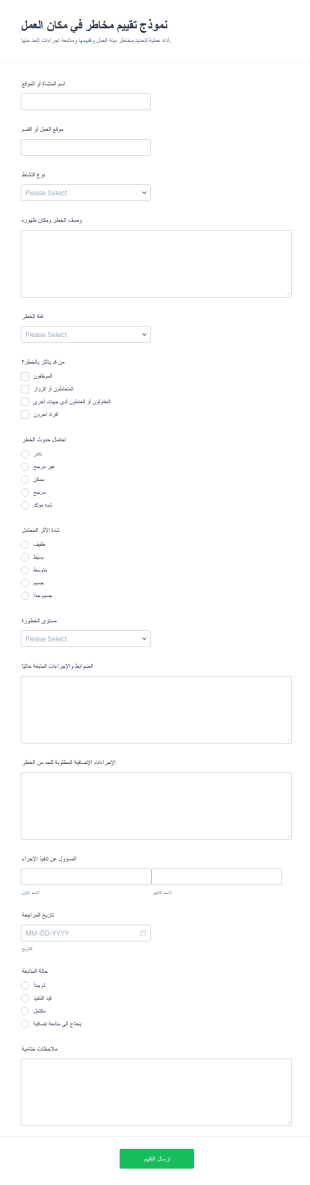
استمارة تقييم مخاطر مكان العمل
يساعد نموذج تقييم مخاطر في مكان العمل على توثيق المخاطر وتحديد أولويات المعالجة لفرق السلامة والإدارة في المواقع والمصانع والمشاريع، مع جمع البيانات ومتابعة الإرسالات بسهولة عبر Jotform.
انتقل إلى الفئة:نماذج فحص السلامة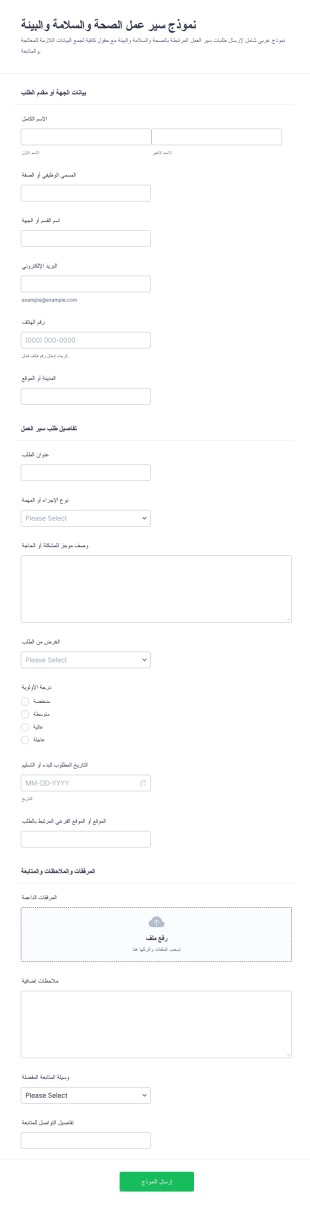
نموذج تقديم طلب سلامة وصحة مهنية
يساعد نموذج سير عمل الصحة والسلامة والبيئة على تنظيم جمع البيانات لطلبات السلامة والصحة المهنية والبيئة من الموظفين والمقاولين، مع توجيه الإرسالات وتسهيل المتابعة عبر Jotform.
انتقل إلى الفئة:نماذج الطلبات
نموذج الإبلاغ عن عطل
تساعد استمارة الإبلاغ عن الأخطاء البرمجية الفرق التقنية ودعم العملاء على جمع (البيانات، المدفوعات، الاستجابات) حول الأعطال من المستخدمين ومتابعتها وتحسين الخدمات الرقمية عبر Jotform.
انتقل إلى الفئة:نماذج تقنية المعلومات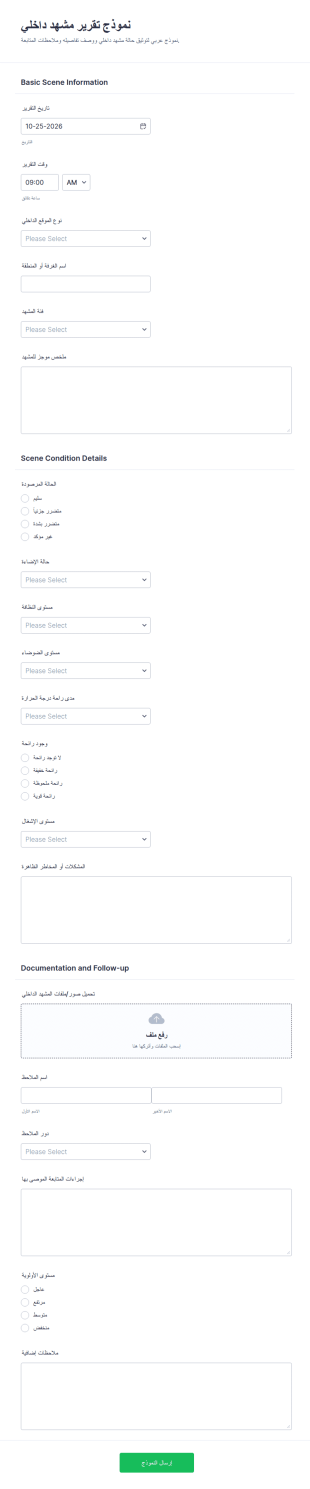
تقرير مشهد داخلي
يساعد نموذج تقرير مشهد داخلي على توثيق ملاحظات المواقع الداخلية وإدارة المتابعة حسب الأولوية لدى فرق السلامة وإدارة المرافق، مع جمع البيانات وإدارة إرسال نموذج بسهولة عبر Jotform.
انتقل إلى الفئة:نماذج التقارير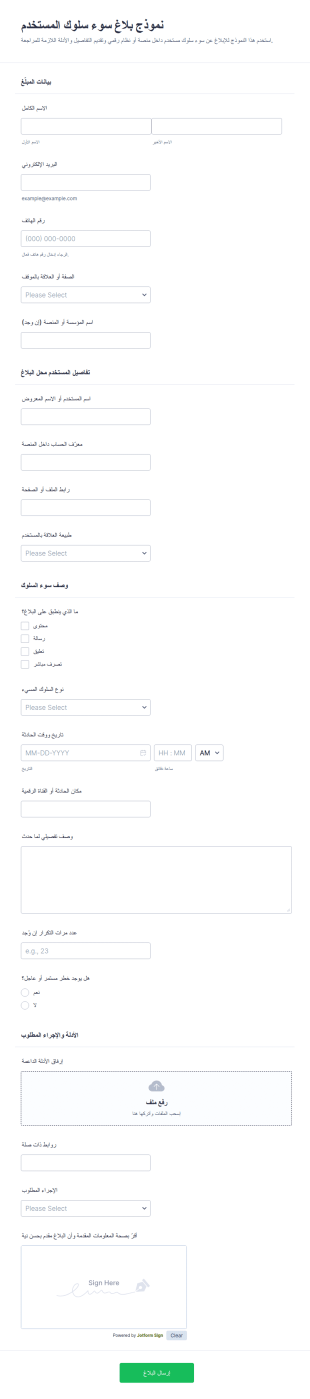
نموذج الإبلاغ عن سوء سلوك المستخدم
يساعد نموذج بلاغ سوء سلوك المستخدم على جمع البيانات حول إساءة المستخدمين داخل المنصات الرقمية ومراجعتها بسرعة، وهو مناسب لفرق الإشراف وخدمة العملاء والمؤسسات التي تحتاج إلى توثيق البلاغات وإدارة الإرسالات.
انتقل إلى الفئة:نماذج الشكاوىحول نماذج تقرير الحوادث
نماذج تقارير الحوادث هي نماذج رقمية متخصصة مصممة لتبسيط عملية توثيق وإدارة الحوادث عبر مختلف القطاعات. تُعد هذه النماذج أساسية في تسجيل تفاصيل الحوادث، أو خروقات السلامة، أو أي أحداث مهمة تتطلب إعداد تقارير رسمية. تلعب دورًا حيويًا في قطاعات مثل الرعاية الصحية، والتصنيع، وبيئات الشركات، حيث يكون التوثيق الدقيق وفي الوقت المناسب للحوادث أمرًا ضروريًا للامتثال والكفاءة التشغيلية. من خلال استخدام نماذج تقارير الحوادث، يمكن للمؤسسات ضمان جمع جميع البيانات ذات الصلة بشكل متسق وفعّال، مما يسهل الاستجابة السريعة للحوادث ومعالجتها.
يبرز Jotform كأداة إنشاء النماذج عبر الإنترنت الرائدة لإنشاء وإدارة نماذج تقارير الحوادث. تتيح واجهته البديهية بالسحب والإفلات للمستخدمين تخصيص النماذج بسهولة لتلبية الاحتياجات التنظيمية المحددة. باستخدام Jotform، تصبح عملية جمع البيانات مؤتمتة، مما يقلل الجهد اليدوي المرتبط بالأعمال الورقية التقليدية. تضمن إمكانات إدارة البيانات القوية في المنصة، والمدعومة بواسطة Jotform Tables، أن تكون جميع بيانات الحوادث مركزية وآمنة وسهلة الوصول للتحليل وإعداد التقارير. هذا التكامل السلس بين إنشاء النماذج وإدارة البيانات يجعل Jotform أداة لا غنى عنها للشركات التي تسعى إلى تحسين عمليات الإبلاغ عن الحوادث.
لماذا تستخدم نماذج تقارير الحوادث؟
- تُعد نماذج تقارير الحوادث ضرورية لضمان دقة واتساق البيانات في توثيق الحوادث. ومن خلال استخدام نماذج رقمية منظمة، يمكن للمؤسسات التخلص من التباين والأخطاء المرتبطة غالبًا بالتقارير المكتوبة بخط اليد، وبالتالي الحفاظ على جودة وموثوقية عالية للبيانات.
- تحسن هذه النماذج بشكل كبير سرعة جمع البيانات ومعالجتها. وعلى عكس الأساليب التقليدية القائمة على الورق، تتيح النماذج الرقمية إرسال البيانات ودمجها فورًا في الأنظمة المركزية، مما يسرّع عملية حل الحوادث.
- تُعد إدارة البيانات بشكل احترافي فائدة رئيسية أخرى لاستخدام نماذج تقارير الحوادث. ومن خلال سير العمل الآلي والتقاط البيانات في الوقت الفعلي، يمكن للمؤسسات ضمان التعامل مع جميع معلومات الحوادث بشكل احترافي، مما يقلل من خطر فقدان البيانات أو سوء التعامل معها.
- تسهّل نماذج تقارير الحوادث الامتثال للوائح والمعايير الخاصة بالصناعة. ومن خلال الاحتفاظ بسجل شامل وسهل الوصول لجميع الحوادث، يمكن للمؤسسات إثبات الالتزام بإرشادات السلامة والإبلاغ بسهولة، وبالتالي تجنب العقوبات القانونية والمالية المحتملة.
- يسهم استخدام هذه النماذج أيضًا في تعزيز التواصل والتعاون داخل المؤسسات. ومن خلال توفير تنسيق موحد للإبلاغ عن الحوادث، يمكن لجميع أصحاب المصلحة البقاء على اطلاع ومتوافقين، مما يتيح استجابة أكثر تنسيقًا وفعالية للحوادث.
المشكلات الشائعة التي تحلها نماذج تقارير الحوادث
- تتمثل إحدى التحديات الرئيسية التي تعالجها نماذج تقارير الحوادث في عدم كفاءة الأعمال الورقية التقليدية. قد تستغرق النماذج الورقية وقتًا طويلًا لملئها، وتكون عرضة للأخطاء، ويصعب إدارتها. تعمل النماذج الرقمية على تبسيط العملية بأكملها، مما يجعلها أسرع وأكثر كفاءة.
- يُعد إدخال البيانات يدويًا مشكلة شائعة أخرى تخفف منها هذه النماذج. ومن خلال أتمتة جمع البيانات ودمجها، يمكن للمؤسسات تقليل مخاطر الأخطاء المرتبطة بالإدخال اليدوي، مما يضمن سجلات حوادث أكثر دقة وموثوقية.
- تُعد البيانات المفقودة أو الموضوعة في غير مكانها مصدر قلق كبير في الإبلاغ عن الحوادث. تضمن النماذج الرقمية تخزين جميع البيانات بأمان وسهولة استرجاعها، مما يلغي خطر فقدان المستندات الورقية ويضمن سهولة الوصول إلى جميع معلومات الحوادث عند الحاجة.
- تتعامل نماذج تقارير الحوادث أيضًا مع تحدي تأخر الاستجابة للحوادث. ومن خلال إرسال البيانات في الوقت الفعلي والإشعارات الآلية، يمكن للمؤسسات الاستجابة للحوادث بسرعة أكبر، مما يقلل الأضرار المحتملة ويحسن السلامة والكفاءة بشكل عام.
مطابقة حالات الاستخدام مع الميزات
- لجمع البيانات بكفاءة أثناء وقوع حادث، يتيح مُنشئ النماذج بالسحب والإفلات للمستخدمين إنشاء نماذج مخصصة بسرعة تتناسب مع أنواع الحوادث المحددة، مما يضمن التقاط جميع المعلومات الضرورية بدقة وكفاءة.
- يمكن استخدام المنطق الشرطي لتبسيط عملية ملء النموذج من خلال ضبط حقول النموذج ديناميكيًا بناءً على إدخال المستخدم، مما يضمن جمع المعلومات ذات الصلة فقط وتقليل تعقيد النموذج.
- تتيح ميزة التوقيعات الإلكترونية من Jotform للمستخدمين التقاط توقيعات ملزمة قانونيًا مباشرةً داخل النماذج، مما يسهل الامتثال ويضمن اعتماد جميع تقارير الحوادث والتحقق منها حسب الأصول.
- يمكن لمحرر PDF إنشاء مستندات PDF احترافية تلقائيًا من عمليات إرسال النماذج، مما يوفر تنسيقًا منظمًا وموحدًا للإبلاغ عن الحوادث إلى أصحاب المصلحة أو الجهات التنظيمية.
- بالنسبة للمؤسسات التي تتطلب تكاملًا سلسًا للبيانات، يوفر Jotform أكثر من 100 عملية تكامل مع جهات خارجية، بما في ذلك Google Sheets وSalesforce، مما يسمح بمزامنة بيانات الحوادث تلقائيًا مع الأنظمة الحالية لإجراء مزيد من التحليل وإعداد التقارير.
- تضمن إدارة البيانات الآمنة باستخدام Jotform Tables تخزين جميع بيانات الحوادث بأمان، مع ضمان عناصر التحكم في الوصول والتشفير الامتثال للوائح حماية البيانات وحماية المعلومات الحساسة.
كيفية إنشاء نموذج تقرير حادثة
- ابدأ بتصفح قائمة القوالب للعثور على قالب تقارير الحوادث أو ابدأ بنموذج فارغ لتخصيص التصميم وفقًا لاحتياجاتك المحددة.
- خصص التصميم والحقول باستخدام مُنشئ النماذج بالسحب والإفلات، مع إضافة العناصر أو إزالتها حسب الحاجة لالتقاط جميع معلومات الحادث ذات الصلة.
- بمجرد اكتمال النموذج، انشره وشاركه عبر رابط مباشر أو البريد الإلكتروني أو تضمينه في موقع الويب لضمان سهولة الوصول إليه لجميع المستخدمين المحتملين.
أهم حالات استخدام نماذج تقارير الحوادث
- للمديرين: توفر نماذج تقارير الحوادث للمديرين طريقة شاملة ومنظمة لتتبع الحوادث داخل مؤسساتهم. ومن خلال الوصول إلى تقارير مفصلة ومتسقة، يمكن للمديرين تحديد الأنماط أو المشكلات المتكررة، مما يتيح لهم تنفيذ تدابير وقائية وتحسين السلامة العامة في مكان العمل. بالإضافة إلى ذلك، تتيح البيانات في الوقت الفعلي التي توفرها هذه النماذج للمديرين اتخاذ قرارات مستنيرة بسرعة، مما يقلل من تأثير الحوادث على العمليات.
- للفرق: تستفيد الفرق من نماذج تقارير الحوادث من خلال توفير طريقة موحدة وفعالة لتوثيق الحوادث عند وقوعها. ويضمن ذلك أن يكون جميع أعضاء الفريق على اطلاع بالأمر نفسه، مما يعزز التواصل والتعاون بشكل أفضل في معالجة الحوادث وحلها. وباستخدام هذه النماذج، يمكن للفرق أيضًا تبسيط عمليات إعداد التقارير، مما يوفر الوقت ويقلل العبء الإداري المرتبط بإعداد التقارير التقليدية القائمة على الورق.
- للعملاء: يمكن أيضًا استخدام نماذج تقارير الحوادث لتعزيز رضا العملاء من خلال توفير آلية شفافة وفعالة للإبلاغ عن المشكلات أو الحوادث. ويمكن للعملاء تعبئة هذه النماذج بسهولة عبر الإنترنت، مما يضمن معالجة مخاوفهم وحلها على الفور. ولا يؤدي هذا النهج الاستباقي لإدارة الحوادث إلى تعزيز ثقة العملاء وولائهم فحسب، بل يساعد المؤسسات أيضًا في الحفاظ على سمعة إيجابية من خلال إظهار التزامها بالخدمة الممتازة والاستجابة السريعة.
تلخيص نماذج تقارير الحوادث
توفر نماذج تقارير الحوادث قيمة تجارية كبيرة من خلال تعزيز كفاءة ودقة وموثوقية عمليات توثيق الحوادث وإدارتها. ومن خلال الاستفادة من مُنشئ النماذج القوي عبر الإنترنت من Jotform، يمكن للمؤسسات تخصيص وأتمتة سير عمل الإبلاغ عن الحوادث، مما يضمن جمع جميع البيانات ذات الصلة وإدارتها بفعالية. ويسهم ذلك بدوره في تسريع حل الحوادث، وتحسين الامتثال، واتخاذ قرارات أفضل، مما يساهم في النهاية في توفير بيئة عمل أكثر أمانًا وإنتاجية.
الأسئلة الشائعة
1) هل إنشاء نماذج تقارير الحوادث على Jotform مجاني؟
نعم، يوفر Jotform خطة مجانية تتيح للمستخدمين إنشاء واستخدام نماذج تقارير الحوادث، مع إمكانية الترقية للحصول على ميزات إضافية وسعة أكبر حسب الحاجة.
2) هل النماذج والبيانات المُرسلة آمنة؟
بالتأكيد، يضمن Jotform حماية جميع النماذج والبيانات من خلال التشفير المتوافق مع معايير الصناعة وإجراءات الأمان، مما يحافظ على أمان المعلومات الحساسة وامتثالها للوائح حماية البيانات.
3) هل أحتاج إلى معرفة بالبرمجة لإنشاء نموذج تقرير حادث؟
لا، تتيح أداة إنشاء النماذج بالسحب والإفلات من Jotform للمستخدمين إنشاء نماذج دون الحاجة إلى أي معرفة بالبرمجة، مما يجعل العملية سهلة ومتاحة للجميع.
4) هل يمكنني تحصيل المدفوعات مباشرةً من خلال نماذجي؟
نعم، يدعم Jotform التكامل مع أكثر من 30 بوابة دفع، بما في ذلك Stripe وPayPal وSquare، مما يتيح للمستخدمين تحصيل المدفوعات مباشرةً من خلال نماذجهم.
5) هل يمكن استخدام هذه النماذج على الأجهزة المحمولة؟
نعم، تتميز نماذج Jotform بأنها متجاوبة بالكامل ويمكن الوصول إليها وملؤها عبر الأجهزة المحمولة، مما يضمن الراحة وسهولة الوصول للمستخدمين أثناء التنقل.
6) هل يمكنني تحويل عمليات إرسال النماذج إلى مستندات PDF احترافية؟
نعم، يتيح محرر PDF من Jotform للمستخدمين إنشاء مستندات PDF احترافية تلقائيًا من عمليات إرسال النماذج، وهو مثالي لأغراض إعداد التقارير وحفظ السجلات.
7) هل يمكن لهذه النماذج التكامل مع الأنظمة الحالية مثل CRM أو برامج إدارة المشاريع؟
نعم، مع توفر أكثر من 100 عملية تكامل مع جهات خارجية، يمكن لـ Jotform الاتصال بسلاسة مع أنظمة إدارة علاقات العملاء مثل Salesforce وأدوات إدارة المشاريع، مما يضمن تدفقًا سلسًا للبيانات وتعزيز الإنتاجية.
8) هل توجد ميزات لأتمتة سير عمل الموافقات للنماذج المُرسلة؟
نعم، يوفر Jotform سير عمل الموافقات الذي يمكنه أتمتة عملية توجيه النماذج المُرسلة للمراجعة والموافقة، مما يسهّل الكفاءة التشغيلية ويقلل أوقات الإنجاز.