

IT-Apps

Computerreparaturservice-App
Die Computerreparaturservice-App unterstützt Reparaturbetriebe, technische Serviceteams und selbstständige Fachkräfte bei der zentralen Aufnahme und Bearbeitung von Reparaturanfragen. Kundinnen und Kunden können ein defektes Gerät zur Reparatur anmelden, während das Team neue Anfragen in einer übersichtlichen Liste aufruft und die wichtigsten Angaben in einer Detailansicht prüft. Informationen zu Gerät, Dringlichkeit, Fehlerbild und Kontaktmöglichkeit stehen gebündelt bereit. So gehen weniger Angaben verloren, dringende Fälle lassen sich schneller erkennen und Beschäftigte erhalten eine verlässliche Grundlage für Rückfragen, Terminabsprachen und die weitere Bearbeitung. Die Vorlage eignet sich für Werkstätten, Vor-Ort-Dienste und interne Technikabteilungen, die ihre Annahme nachvollziehbarer organisieren möchten.Mit Jotform lässt sich diese App-Vorlage ohne Programmierung an den eigenen Reparaturablauf anpassen. Über die Drag-and-drop-Oberfläche können Seiten, Karten, Buttons und Formulare ergänzt oder neu angeordnet werden, sodass ein passender digitaler Annahmebereich entsteht. Verbundene Formulare unterstützen die Datenerfassung, während Tabellen und Workflows eingehende Angaben für die weitere Bearbeitung verfügbar machen. Teams können Farben, Schriftarten und Inhalte an ihr Erscheinungsbild anpassen und die App anschließend über einen direkten Verweis teilen. Dadurch bietet Jotform einen mobilfreundlichen Selbstbedienungsweg für Kundschaft und einen zentralen Arbeitsbereich für den Reparaturservice.
Zur Kategorie:IT-Apps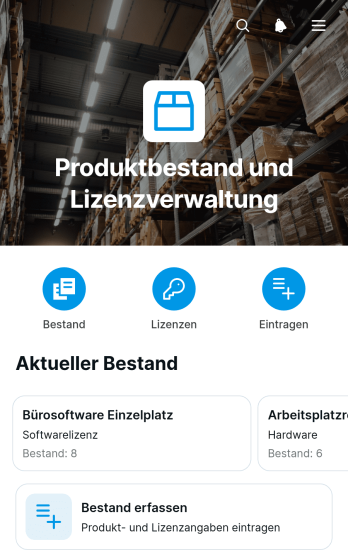
Produktbestands- und Lizenz-App
Die Produktbestands- und Lizenz-App ist eine mobilfreundliche App-Vorlage zur gemeinsamen Verwaltung von Produktbeständen und zugehörigen Lizenzangaben. Sie eignet sich für Lagerteams, Einkaufsabteilungen, IT-Verantwortliche, Einzelhändler und kleinere Unternehmen, die verfügbare Mengen sowie zeitlich begrenzte Nutzungsrechte zentral im Blick behalten möchten. Nutzer können Produkte in einer übersichtlichen Liste aufrufen, neue Bestände erfassen und auf Detailseiten Angaben wie Bestand, Lizenztyp und Lizenzablauf prüfen. Dadurch lassen sich fehlende Artikel und bevorstehende Lizenzverlängerungen leichter erkennen. Die Vorlage unterstützt eine einheitliche Datenerfassung und reduziert verstreute Aufzeichnungen bei der laufenden Bestandskontrolle.Mit Jotform lässt sich die Produktbestands- und Lizenz-App ohne Programmierung an betriebliche Abläufe anpassen. Der App Generator bietet eine drag-and-drop Oberfläche, mit der Seiten, Karten, Buttons und Formulare ergänzt oder neu angeordnet werden können. Verknüpfte Formulare erleichtern die Erfassung von Bestandsänderungen, während Jotform Tabellen die zugehörigen Daten übersichtlich organisiert. Die App kann über einen direkten Link oder einen QR-Code mit berechtigten Mitarbeitern geteilt und auf Mobilgeräten genutzt werden. So entsteht aus einer Vorlage für Apps eine zentrale Anlaufstelle für interne Selbstbedienung, aktuelle Produktinformationen und wiederkehrende Kontrollaufgaben.
Zur Kategorie:Inventory Management Apps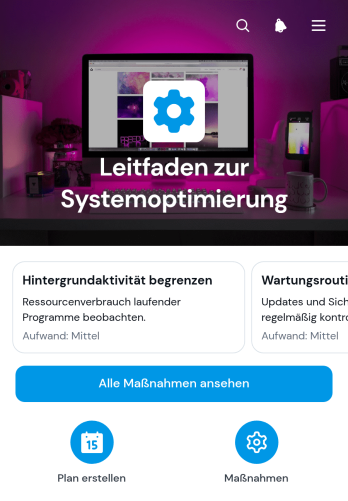
Leitfaden-App zur Systemoptimierung
Die Leitfaden-App zur Systemoptimierung unterstützt Fachkräfte für Informationstechnik, Betriebsverantwortliche, Beratende und Projektgruppen dabei, Verbesserungsmöglichkeiten verständlich aufzubereiten und in umsetzbare Maßnahmen zu überführen. Nutzer können Optimierungsmaßnahmen durchsuchen, deren möglichen Nutzen, Bereich und Aufwand einordnen sowie ausgewählte Vorhaben mit Priorität und geplantem Termin festhalten. Dadurch bleiben Empfehlungen nicht in einzelnen Dokumenten verstreut, sondern werden an einem zentralen Ort zugänglich. Die Vorlage eignet sich für interne Systemprüfungen, technische Modernisierungen, Prozessverbesserungen und wiederkehrende Optimierungsrunden in kleinen und mittleren Unternehmen.Mit Jotform lässt sich diese Anwendungsvorlage ohne Programmierung an betriebliche Abläufe anpassen. Über eine intuitive Oberfläche zum Ziehen und Ablegen können Verantwortliche Seiten, Karten, Schaltflächen und Navigationsbereiche bearbeiten, Formulare für die Maßnahmenplanung verknüpfen und relevante Informationen übersichtlich bereitstellen. Verbundene Arbeitsabläufe unterstützen die Datenerfassung und erleichtern Aktualisierungen, während die mobilfreundliche Darstellung den Zugriff auf verschiedenen Geräten ermöglicht. Die fertige Anwendung kann über einen direkten Verweis oder eine individuelle Webadresse mit Beschäftigten, Beratenden und Entscheidungsträgern geteilt werden.
Zur Kategorie:IT-Apps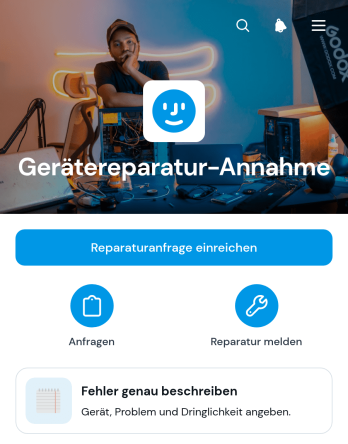
App zur Aufnahme von Gerätereparaturen
Die App zur Aufnahme von Gerätereparaturen ist eine zentrale Anlaufstelle für Reparaturbetriebe, technische Serviceteams, Werkstätten und interne Technikabteilungen, die neue Reparaturfälle geordnet erfassen möchten. Kundinnen, Kunden oder Beschäftigte können eine Reparaturanfrage einreichen, den Fehler und die Dringlichkeit festhalten sowie ihre Kontaktdaten angeben. Bereits übermittelte Angaben lassen sich bei Bedarf bearbeiten. Dadurch erhalten zuständige Teams von Anfang an aussagekräftige Informationen, können dringende Fälle leichter erkennen und Rückfragen reduzieren. Die App-Vorlage eignet sich für defekte Computer, Mobilgeräte, Haushaltsgeräte, Werkzeuge und andere technische Geräte.Mit Jotform lässt sich die App zur Aufnahme von Gerätereparaturen ohne Programmierung an betriebliche Abläufe anpassen. Der App-Generator bietet eine Oberfläche zum Ziehen und Ablegen, mit der Seiten, Schaltflächen, Formulare und weitere Inhalte übersichtlich angeordnet werden können. Verknüpfte Formulare unterstützen die Datenerfassung, während Benachrichtigungen und ergänzende Genehmigungsschritte wiederkehrende Abläufe erleichtern können. Die fertige App ist mobilfreundlich und kann über eine direkte Webadresse geteilt werden. So entsteht aus einer praktischen App-Vorlage ein markengerecht gestalteter Zugang zur Selbstbedienung für Kundschaft oder interne Teams.
Zur Kategorie:Equipment Maintenance Software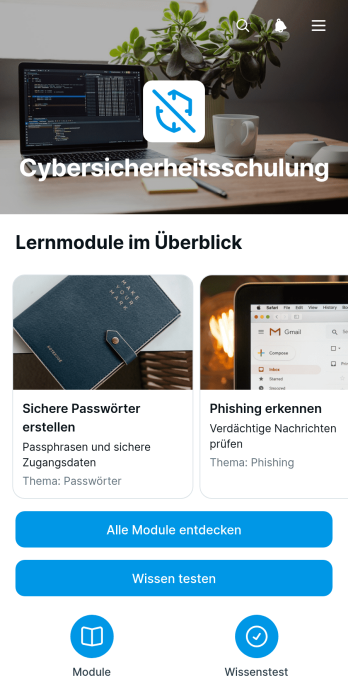
App für Cybersicherheitsschulungen
Die App für Cybersicherheitsschulungen vermittelt Beschäftigten praxisnahes Wissen zum sicheren Umgang mit digitalen Risiken. Sie eignet sich für Unternehmen, Bildungseinrichtungen, Beratungsstellen und interne IT-Teams, die Sicherheitsbewusstsein aufbauen oder regelmäßig auffrischen möchten. Lernende können Schulungsmodule aufrufen, zentrale Lerninhalte und Praxisbeispiele ansehen und ihr Wissen anschließend mit einem eingebundenen Formular testen. Dadurch stehen wichtige Hinweise gebündelt bereit, während Verantwortliche eine einheitliche Lernumgebung für neue und bestehende Beschäftigte bereitstellen. Die App-Vorlage unterstützt wiederkehrende Schulungen, interne Sensibilisierungskampagnen und die selbstständige Weiterbildung zu Themen wie verdächtigen Nachrichten, sicheren Zugangsdaten und dem verantwortungsvollen Umgang mit Informationen.Mit Jotform lässt sich diese Vorlage für Apps ohne Programmierung an die eigenen Schulungsziele anpassen. Über den visuellen Baukasten können Teams Seiten, Karten, Schaltflächen, Bilder und Lernmaterialien neu anordnen sowie Farben, Schriftarten und Gestaltung an das interne Erscheinungsbild angleichen. Formulare zur Wissensprüfung lassen sich direkt mit der App verbinden, sodass Datenerfassung und Auswertung an einem zentralen Ort zusammenlaufen. Die fertige Anwendung kann über einen direkten Verweis oder einen QR-Code geteilt und auf mobilen Geräten geöffnet werden. So entsteht aus einer vorgefertigten Grundlage schnell ein übersichtliches Lernangebot, das sich bei neuen Risiken oder geänderten internen Empfehlungen unkompliziert aktualisieren lässt.
Zur Kategorie:IT-Apps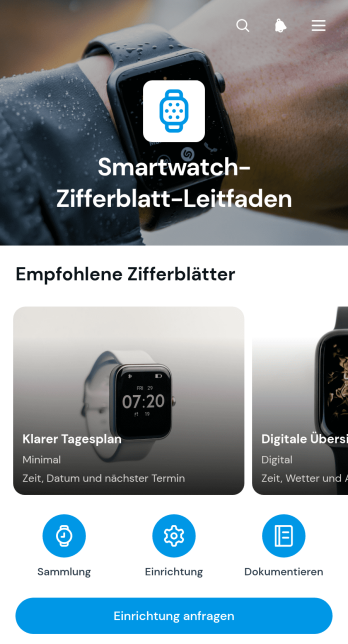
App-Leitfaden für Smartwatch-Zifferblätter
Der App-Leitfaden für Smartwatch-Zifferblätter ist eine zentrale Informationsquelle für Fachhändler, technische Beratungsteams, Schulungsanbieter und Kundendienstabteilungen, die Menschen bei der Auswahl und Einrichtung digitaler Zifferblätter unterstützen. Die App-Vorlage bündelt übersichtliche Einträge zu Funktionen, Verwendungshinweisen und geeigneten Uhrenmodellen. Nutzer können passende Zifferblätter durchsuchen, Einrichtungsanfragen übermitteln und ergänzende Dokumentationen bereitstellen. Dadurch bleiben Beratungswissen und praktische Hinweise an einem leicht erreichbaren Ort, während wiederkehrende Fragen schneller beantwortet werden. Die Vorlage eignet sich für Verkaufsberatung, interne Wissenssammlungen, technische Schulungen und digitale Hilfsangebote.Mit dem App-Generator von Jotform lässt sich diese Vorlage ohne Programmierung an eigene Inhalte, Abläufe und Gestaltungsrichtlinien anpassen. Seiten, Karten, Buttons und Formulare können neu angeordnet oder ergänzt werden, sodass aus dem Leitfaden eine mobilfreundliche Informations- und Selbstbedienungsumgebung entsteht. Verknüpfte Formulare unterstützen die Datenerfassung für Einrichtungswünsche und neue Dokumentationen. Anschließend kann die App per direktem Link geteilt oder über eine individuelle Internetadresse veröffentlicht werden. So entsteht mit Jotform eine zugängliche App, die Beratung, Wissensvermittlung und Serviceanfragen sinnvoll zusammenführt.
Zur Kategorie:Ressourcen & Lernportal Apps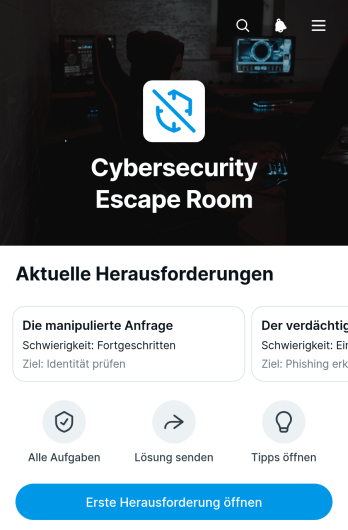
Cybersicherheits-Rätselraum-App
Die Cybersicherheits-Rätselraum-App bietet Lehrkräften, Schulungsverantwortlichen und IT-Abteilungen eine spielerische Umgebung für Übungen rund um digitale Gefahren. Teilnehmende bearbeiten nacheinander realitätsnahe Szenarien, lösen konkrete Aufgaben und können bei Bedarf Hinweise aufrufen. Lösungen werden direkt über ein verknüpftes Formular übermittelt. Die App-Vorlage eignet sich für Sensibilisierungsschulungen, Unterrichtseinheiten, interne Aktionstage und betreute Arbeitsgruppen. Sie fördert die aktive Auseinandersetzung mit verdächtigen Nachrichten, sicheren Zugangsdaten und weiteren Risiken, während Verantwortliche den Ablauf zentral bereitstellen und leichter organisieren können.Mit Jotform lässt sich diese Vorlage über einen App-Generator ohne Programmierung an unterschiedliche Lernziele und Zielgruppen anpassen. Eine Bedienoberfläche zum Ziehen und Ablegen erleichtert das Bearbeiten von Seiten, Karten, Schaltflächen und Navigation. Formulare, Tabellen, Genehmigungsprozesse und Benachrichtigungen können mit dem Lernablauf verbunden werden, sodass Datenerfassung und Auswertung an einem Ort zusammenkommen. Nach der Veröffentlichung kann die Cybersicherheits-Rätselraum-App über eine Webadresse geteilt und auf Smartphones, Tablets oder Computern genutzt werden. So entstehen mobilfreundliche, eigenständig nutzbare Lernerlebnisse ohne Entwicklungsaufwand.
Zur Kategorie:Quiz Apps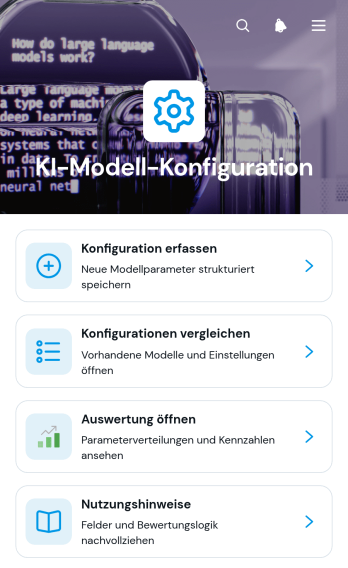
App zur Konfiguration von KI-Modellen
Die App zur Konfiguration von KI-Modellen ist eine zentrale Arbeitsumgebung für Entwicklungsabteilungen, Fachleute der Informationstechnik, Datenverantwortliche und beratende Arbeitsgruppen, die Einstellungen verschiedener KI-Modelle nachvollziehbar dokumentieren und bewerten möchten. Neue Konfigurationen lassen sich erfassen, übersichtlich vergleichen und über eine Auswertung untersuchen. So können Beteiligte geeignete Einstellungen für unterschiedliche Einsatzgebiete leichter auswählen, Änderungen zwischen Versionen erkennen und Bemerkungen an einem gemeinsamen Ort festhalten. Nutzungshinweise unterstützen zudem eine einheitliche Vorgehensweise bei Versuchen, internen Prüfungen und wiederkehrenden Modellbewertungen.Mit Jotform lässt sich diese App-Vorlage ohne Programmierung an eigene Abläufe anpassen. Der App Generator bietet eine visuelle Bedienoberfläche, mit der Seiten, Karten, Buttons und Navigationselemente angeordnet sowie Formulare und Tabellen für die Datenerfassung verbunden werden können. Verantwortliche können Inhalte aktualisieren, Arbeitsabläufe durch Genehmigungsschritte ergänzen und die mobilfreundliche App über einen direkten Verweis teilen. Dadurch entsteht eine einheitliche Anlaufstelle, über die Arbeitsgruppen Konfigurationen erfassen, Informationen eigenständig abrufen und Ergebnisse gemeinsam auswerten können.
Zur Kategorie:IT-Apps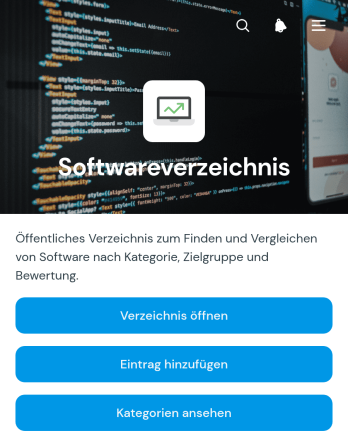
Softwareverzeichnis-App
Die Softwareverzeichnis-App bündelt Programme und digitale Werkzeuge in einem zentralen, leicht durchsuchbaren Verzeichnis. Sie eignet sich für IT-Abteilungen, Beratungen, Bildungseinrichtungen und Unternehmen, die freigegebene Anwendungen, interne Hilfsmittel oder empfohlene Lösungen übersichtlich bereitstellen möchten. Nutzer können das Verzeichnis aufrufen, Einträge nach Kategorien erkunden und neue Programme über ein verbundenes Formular vorschlagen. So werden verstreute Listen ersetzt, die Suche nach passenden Werkzeugen vereinfacht und das Wissen über verfügbare Lösungen für Mitarbeiter, Kunden oder Mitglieder leichter zugänglich. Auch wachsende Bestände lassen sich geordnet darstellen und für die Selbstbedienung verfügbar machen.Mit Jotform lässt sich diese App-Vorlage ohne Programmierung an eigene Abläufe und Zielgruppen anpassen. Der App Generator bietet eine Drag-and-drop-Oberfläche, mit der Seiten, Buttons, Texte und Navigationselemente bearbeitet sowie Formulare, Tabellen, Genehmigungen und weitere Arbeitsabläufe verbunden werden können. Organisationen können die Gestaltung an ihr Erscheinungsbild anpassen, die Datenerfassung zentral verwalten und die Softwareverzeichnis-App per Link, Einbettung oder QR-Code teilen. Die mobilfreundliche Darstellung ermöglicht den Zugriff über verschiedene Geräte und schafft einen einheitlichen Ausgangspunkt für Programmsuche, Empfehlungen und interne Ressourcen.
Zur Kategorie:IT-Apps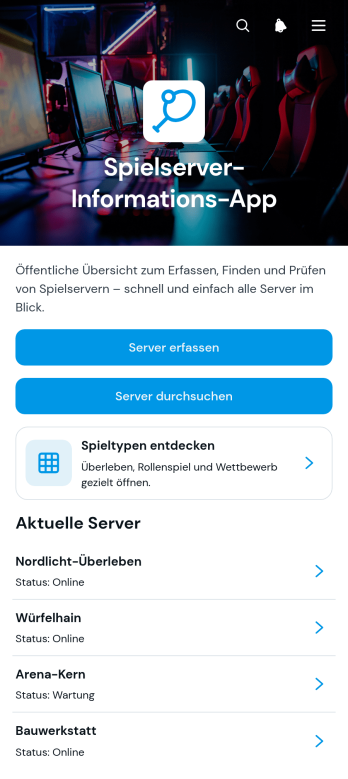
Spielserver-Informations-App
Die Spielserver-Informations-App bündelt Serververzeichnisse und wichtige Betriebsangaben für Spielgemeinschaften, Betreiber und technische Teams. Besucher können verfügbare Server durchsuchen, Angebote nach Spieltypen wie Überleben, Rollenspiel oder Wettbewerb erkunden und Detailseiten mit Serveradresse, Version, Spielerzahl sowie Betriebsstatus aufrufen. Neue Server lassen sich über ein verbundenes Formular erfassen. So erhalten Mitglieder einen zentralen, mobilfreundlichen Anlaufpunkt, während Betreiber Informationen übersichtlich bereitstellen und die Auffindbarkeit ihrer Angebote verbessern. Die App-Vorlage eignet sich für private Spielgruppen, öffentliche Gemeinschaften, Veranstalter und Teams, die mehrere Server verwalten.Mit Jotform lässt sich die Spielserver-Informations-App ohne Programmierung an eigene Anforderungen anpassen. Der App-Generator bietet eine Drag-and-drop-Oberfläche, mit der Seiten, Karten, Buttons, Verknüpfungen und Gestaltungselemente geändert werden können. Formulare unterstützen die Datenerfassung, während verbundene Tabellen neue Einträge geordnet aufnehmen und laufende Workflows erleichtern. Die fertige App kann per Link oder Einbettung geteilt werden und ermöglicht einen bequemen Selbstservice auf Mobilgeräten und Rechnern. Dadurch entsteht aus einer praktischen App-Vorlage schnell ein gebrandeter Informationsbereich für aktuelle Serverangebote.
Zur Kategorie:Entertainment Apps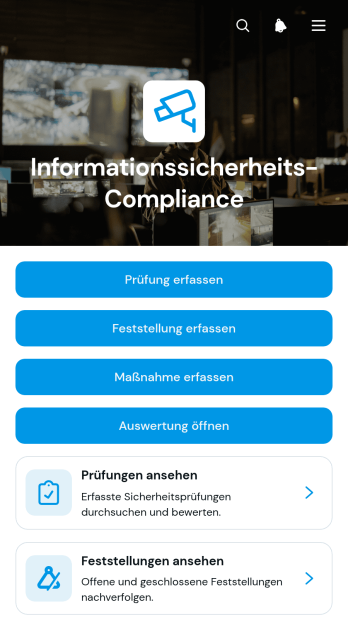
Informationssicherheits-Compliance-App
Die Informationssicherheits-Compliance-App ist eine sofort einsetzbare App-Vorlage für Informationssicherheitsverantwortliche, interne Prüfteams, IT-Abteilungen und Beratungen. Sie unterstützt dabei, Prüfungen und Feststellungen zentral zu erfassen, daraus Maßnahmen nachzuverfolgen und Ergebnisse in einer Auswertung zu überblicken. Damit eignet sie sich für regelmäßige Kontrollen, interne Bewertungen, die Vorbereitung auf externe Begutachtungen und die laufende Bearbeitung erkannter Schwachstellen. Zuständigkeiten und Fortschritte bleiben für beteiligte Teams leichter nachvollziehbar, während getrennte Listen, uneinheitliche Erfassungswege und verstreute Unterlagen reduziert werden.Mit Jotform lässt sich diese App-Vorlage über einen App Generator ohne Programmierung an die eigenen Abläufe anpassen. Eine drag-and-drop-Oberfläche erleichtert das Bearbeiten von Seiten, Buttons, Formularen und Navigationselementen. Verknüpfte Formulare, Tabellen und Genehmigungsprozesse unterstützen eine geordnete Datenerfassung und einen durchgängigen Workflow. Die App kann über einen persönlichen Link geteilt und auf mobilen Geräten genutzt werden, sodass Mitarbeitende Prüfungen dokumentieren, Maßnahmen aktualisieren und benötigte Informationen im Selbstbedienungszugriff aufrufen können. So bieten die App-Vorlagen von Jotform eine flexible Grundlage für übersichtliche interne Arbeitsabläufe.
Zur Kategorie:Safety and Compliance Apps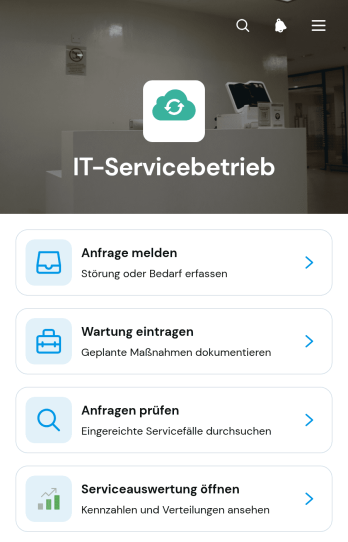
App für den Betrieb der Informationstechnik
Die App für den Betrieb der Informationstechnik ist eine anpassbare App-Vorlage, mit der interne Fachbereiche technische Anliegen und Wartungsarbeiten an einem zentralen Ort koordinieren. Sie eignet sich für mittelständische Unternehmen, Bildungseinrichtungen, gemeinnützige Organisationen und verteilte Arbeitsgruppen, deren Mitarbeitende Störungen oder Unterstützungsbedarf unkompliziert melden sollen. Zuständige Fachkräfte können Anfragen prüfen, Wartungen dokumentieren und Auswertungen aufrufen. So gehen wichtige Angaben zu Betreff, System, Maßnahme und Kontakt nicht in Nachrichtenpostfächern oder einzelnen Listen verloren. Die Vorlage schafft klare Zuständigkeiten und verbessert den Überblick über wiederkehrende Probleme sowie geplante Arbeiten.Mit Jotform lassen sich App-Vorlagen über einen App-Generator ohne Programmierung an betriebliche Abläufe anpassen. Über die Oberfläche zum Ziehen und Ablegen können Seiten, Karten, Schaltflächen und Navigation neu angeordnet, ausgeblendet oder ergänzt werden. Formulare zur Datenerfassung, Tabellen, Genehmigungsschritte und Benachrichtigungen lassen sich zu einem zusammenhängenden Arbeitsablauf verbinden. Die fertige App ist mobilfreundlich und kann über eine eigene Internetadresse geteilt oder in bestehende Seiten eingebettet werden. Dadurch erhalten Mitarbeitende einen leicht erreichbaren Selbstbedienungszugang, während zuständige Fachbereiche Informationen gebündelt erfassen und gemeinsam bearbeiten.
Zur Kategorie:IT-Apps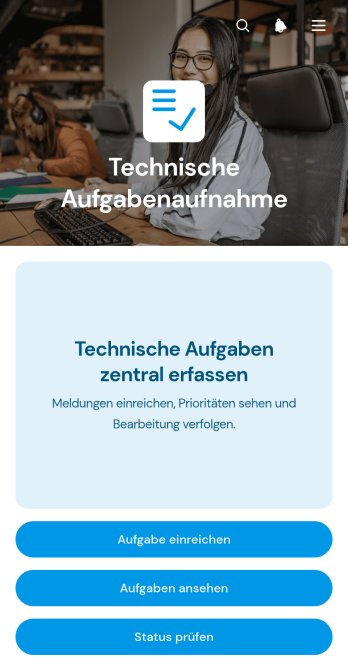
App zur Erfassung Technischer Aufgaben
Die App zur Erfassung Technischer Aufgaben ist eine anpassbare App-Vorlage, mit der technische Anliegen und Arbeitsaufträge an einer zentralen Stelle aufgenommen werden. Beschäftigte können neue Aufgaben einreichen, vorhandene Einträge nach Priorität oder Kategorie ansehen und den jeweiligen Fortschritt prüfen. Die Vorlage eignet sich für technische Abteilungen, interne Unterstützungsgruppen, Entwicklungsbereiche, Wartungsteams und projektbezogene Arbeitsgruppen in kleinen und mittleren Unternehmen. Sie schafft einen einheitlichen Eingang für Anfragen, reduziert verstreute Mitteilungen und erleichtert die Abstimmung zwischen anfragenden Personen und zuständigen Fachkräften. Dadurch bleiben offene Aufgaben sichtbar, wichtige Fälle lassen sich schneller erkennen und wiederkehrende technische Arbeiten können nachvollziehbar organisiert werden.Mit Jotform Apps lässt sich diese Vorlage ohne Programmierung an den eigenen Ablauf anpassen. Über die Oberfläche zum Ziehen und Ablegen können Seiten, Schaltflächen, Karten, Formulare und weitere Inhalte hinzugefügt oder neu angeordnet werden. Verbundene Formulare unterstützen die Datenerfassung, während Tabellen und Benachrichtigungen Informationen für die weitere Bearbeitung bereitstellen. So entsteht ein mobilfreundlicher Zugang zur Selbstbedienung, den Beschäftigte und technische Arbeitsgruppen über einen direkten Verweis aufrufen können. Farben, Schriftarten und visuelle Elemente lassen sich an das Erscheinungsbild der Organisation anpassen. Die App zur Erfassung Technischer Aufgaben kann sofort veröffentlicht und bei veränderten Anforderungen jederzeit erweitert werden.
Zur Kategorie:IT-AppsÜber IT-Apps
In today's digital age, Information Technology Apps have become indispensable tools across various sectors. These apps are designed to streamline processes, enhance communication, and improve the overall efficiency of IT operations. They serve multiple use cases, such as managing IT assets, tracking helpdesk tickets, and monitoring system performance. Target users include IT professionals, system administrators, and tech support teams who operate within industries like tech companies, educational institutions, and healthcare facilities. Information Technology Apps are vital for ensuring that technology infrastructure runs smoothly, allowing businesses to focus on their core operations without being bogged down by technical glitches or inefficiencies.
Jotform's no-code app builder offers a robust solution for creating Information Technology Apps that cater to these needs. With Jotform Apps, you can build Progressive Web Apps (PWAs) that function seamlessly on any device, be it iOS or Android, without the need for an app store. This flexibility ensures that your IT team can access crucial data and tools from anywhere, at any time. The centralized data management feature allows for real-time updates and easy sharing of information across teams, enhancing collaboration and productivity. Whether you need to create a simple IT ticketing system or a comprehensive asset management app, Jotform's intuitive drag-and-drop interface makes the process straightforward and efficient, eliminating the need for complex coding or technical skills.
Warum Information Technology Apps nutzen?
- Streamlined IT Processes: Information Technology apps help automate repetitive tasks, reducing the manual workload on IT teams. This leads to faster response times and more efficient handling of IT incidents and requests.
- Centralized Data Management: With all IT-related data centralized within the app, teams can easily access and update information, leading to better coordination and fewer errors in data handling.
- Enhanced Collaboration: Features like document uploads and real-time updates facilitate better communication and collaboration among team members, ensuring everyone is on the same page.
- Cross-Platform Accessibility: Being Progressive Web Apps (PWAs), these apps can be accessed on any device, anytime, without the need for downloading from an app store. This flexibility ensures that IT professionals can work from anywhere.
- Security and Compliance: Jotform offers robust security features, ensuring that sensitive IT data is protected. This is crucial for maintaining compliance with industry standards and regulations.
- Customization and Flexibility: The no-code app builder allows for extensive customization of the app to meet specific IT needs, providing flexibility to adapt as the organization's requirements evolve.
Common Problems Solved by Information Technology Apps
- Lost Paperwork: Traditional IT processes often involve paper-based documentation that can get misplaced. IT apps digitize all paperwork, ensuring that documents are stored securely and are easily retrievable.
- Delayed Response Times: Without a centralized system, IT requests can fall through the cracks. These apps provide a structured workflow for tracking and prioritizing requests, ensuring timely responses.
- Data Inconsistencies: Disparate data sources can lead to inconsistencies. Information Technology apps centralize data, ensuring that all team members work with the most current and accurate information.
- Limited Accessibility: Traditional IT systems can be inaccessible remotely. These apps, being PWAs, ensure that IT teams can access tools and data from any device, facilitating remote work and support.
- Manual Task Overload: IT teams often handle numerous repetitive tasks manually. Automation features within these apps help reduce manual workload, allowing teams to focus on more strategic initiatives.
Passende Anwendungsfälle für Features
- Product List for Asset Management: Use the Product List feature to keep track of IT assets, including hardware and software inventories, making it easier to manage resources and track usage.
- File Upload for Documentation: The File Upload feature allows IT teams to store and share important documents, such as manuals and compliance reports, ensuring easy access for all team members.
- Appointment Field for Scheduling: Utilize the Appointment Field to schedule maintenance tasks or team meetings, ensuring that all activities are planned and executed on time.
- E-Signature for Approvals: Implement the E-Signature feature to streamline approval processes for IT requests, ensuring that all necessary sign-offs are captured digitally and securely.
- Payment Integrations for Service Billing: If you offer IT services, integrate payment options like Stripe or PayPal to facilitate seamless and secure billing directly through the app.
How to Create an Information Technology App
- Choose a Template: Start by selecting the "Information Technology App Templates" from Jotform's extensive library, such as the "IT Ticketing App," or opt to create a new one from scratch.
- Customize with the No-code App Builder: Use Jotform's drag-and-drop functionality to tailor the app to your specific needs. Add forms, branding elements, and other widgets to enhance the app's functionality and appearance.
- Share via Link, QR code, or Embed: Once your app is ready, distribute it effortlessly by sharing a link, generating a QR code, or embedding it into your existing digital platforms.
Top Use Cases für IT Apps
- For IT Managers: IT Managers can benefit from apps like the "Performance Management App" to track and optimize the performance of their IT teams. By centralizing performance data, managers can identify areas of improvement, allocate resources efficiently, and ensure that team goals align with broader organizational objectives.
- For IT Support Teams: Support teams can leverage the "IT Ticketing App" to streamline the process of handling tech support requests. This app enables them to track issues from reporting to resolution, ensuring that nothing falls through the cracks and all technical issues are addressed promptly.
- For System Administrators: System Administrators can utilize the "Company Portal App" to manage user access, monitor system performance, and ensure compliance with security protocols. This app serves as a centralized hub for all administrative tasks, enhancing efficiency and control over IT infrastructure.
- Für Bildungseinrichtungen: Bildungseinrichtungen können mithilfe der Schulverwaltungs-App die IT-Ressourcen verschiedener Abteilungen koordinieren. Die App bündelt die Verwaltung von IT-Anwendungen, Support-Tickets und Zugriffsrichtlinien für Benutzer und sorgt so für einen reibungslosen Betrieb der Bildungstechnologie.
IT Apps zusammengefasst
Information Technology Apps built with Jotform offer a comprehensive solution for managing the complexities of IT operations. By leveraging Jotform's no-code app builder, organizations can create customized apps that address their specific IT needs without the need for extensive technical expertise. These apps improve efficiency by automating processes, centralizing data, and facilitating collaboration across teams. Moreover, the flexibility of Progressive Web Apps ensures that these tools are accessible from any device, making them ideal for IT teams that require mobility and accessibility. With robust security features and seamless integration with payment services, Jotform's IT apps provide a reliable and secure platform for enhancing IT operations.
Häufig gestellte Fragen
1) Ist es kostenlos, IT Apps auf Jotform zu erstellen und zu nutzen?
Ja, Jotform bietet einen Starter-Plan an, der es Nutzern ermöglicht, IT Apps kostenlos zu erstellen und zu nutzen. Dieser Plan bietet Zugang zu einer Reihe von Funktionen und ermöglicht es Unternehmen, die Möglichkeiten von Jotform Apps ohne finanzielle Verpflichtung zu erkunden. Nutzer können bei wachsendem Bedarf auf kostenpflichtige Pläne upgraden und so Zugang zu zusätzlichen Funktionen und höheren Limits erhalten.
2) Sind die über die App erfassten Daten und Zahlungen sicher?
Ja, Daten und Zahlungen, die über Jotform Apps erfasst werden, sind sicher. Jotform hält strenge Sicherheitsstandards ein, einschließlich DSGVO-Compliance, um sicherzustellen, dass alle Nutzerdaten geschützt sind. Zahlungsintegrationen wie Stripe und PayPal sind mit branchenführenden Sicherheitsprotokollen ausgestattet, um Finanztransaktionen abzusichern.
3) Benötige ich Programmierkenntnisse, um ein IT-Apps mit Jotform zu erstellen?
Nein, Sie benötigen keine Programmierkenntnisse, um eine IT App mit Jotform zu erstellen. Die Plattform ist mit einer benutzerfreundlichen, codefreien Oberfläche ausgestattet, die es Nutzern ermöglicht, Apps mithilfe einer einfachen Drag-and-Drop-Oberfläche zu erstellen und anzupassen. Diese Zugänglichkeit ermöglicht es jedem, unabhängig von technischen Kenntnissen, funktionale und professionelle Apps zu erstellen.
4) Can I collect payments for services directly through the app?
Ja, Sie können Zahlungen für Dienstleistungen direkt über die App mit Jotforms Zahlungsintegrationen einziehen. Die Plattform unterstützt verschiedene Zahlungsanbieter, darunter Stripe und PayPal, und bietet so Flexibilität und Sicherheit bei der Abwicklung von Transaktionen. Diese Funktion ist besonders vorteilhaft für Unternehmen, die eine nahtlose und zuverlässige Zahlungsabwicklung benötigen.
5) Unterstützt Jotform die Offline-Datenerfassung für IT Apps?
Ja, Jotform unterstützt die Offline-Datenerfassung für IT Apps über die Funktion Mobile Formulare. Diese Möglichkeit erlaubt es Nutzern, Daten auch ohne Internetverbindung zu erfassen und so den unterbrechungsfreien Betrieb sicherzustellen. Sobald die Verbindung wiederhergestellt ist, werden die Daten automatisch synchronisiert, wodurch die Datenkonsistenz gewahrt bleibt.
6) Are Jotform Apps compatible with both iOS and Android devices?
Ja, Jotform Apps sind sowohl mit iOS- als auch mit Android-Geräten kompatibel. Als Progressive Web Apps können sie über einen Browser installiert werden, wodurch Downloads aus dem App Store entfallen. Diese Kompatibilität stellt sicher, dass Nutzer auf einer Vielzahl von Geräten auf ihre Apps zugreifen können, was Flexibilität und Zugänglichkeit erhöht.
7) Wie können IT Apps das Projektmanagement in Technologieunternehmen verbessern?
IT Apps verbessern das Projektmanagement in Technologieunternehmen, indem sie zentralisierte Plattformen für die Aufgabenkoordination und Kommunikation bereitstellen. Funktionen wie Workflow-Automatisierung und Echtzeit-Updates stellen sicher, dass alle Teammitglieder aufeinander abgestimmt und informiert sind, was zu einer effizienteren Projektdurchführung und termingerechten Lieferung führt.
8) Können IT Apps an spezifische Geschäftsanforderungen angepasst werden?
Ja, IT Apps können mithilfe von Jotforms Drag-and-Drop-Oberfläche an spezifische Geschäftsanforderungen angepasst werden. Diese Anpassungsmöglichkeit erlaubt es Unternehmen, die App-Funktionen auf ihre individuellen betrieblichen Anforderungen abzustimmen und so sicherzustellen, dass die App maximalen Mehrwert und Effizienz bietet.