

Team Collaboration Apps

Darts-Liga-Verwaltungs-App
Die Darts-Liga-Verwaltungs-App ist eine zentrale Anlaufstelle für Ligaverantwortliche, Dartvereine, Freizeitligen und Veranstalter, die Teams, Spieler und Begegnungen übersichtlich verwalten möchten. Die App-Vorlage bündelt die Erfassung von Teams und Spielern, die Eintragung von Spielergebnissen sowie den Zugriff auf Spielplan und Ligatabelle. Dadurch finden Teilnehmende wichtige Ligainformationen an einem Ort, während Organisatoren Ergebnisse schneller dokumentieren und den aktuellen Saisonstand leichter bereitstellen können. Sie eignet sich für regelmäßige Ligabetriebe, vereinsinterne Wettbewerbe und regionale Dartserien mit mehreren Mannschaften.Mit Jotform lässt sich diese App-Vorlage ohne Programmierung an den eigenen Wettbewerb anpassen. Über den App-Generator mit Drag-and-drop-Oberfläche können Seiten, Karten, Buttons, Farben und Schriftarten verändert werden. Formulare, Tabellen und Workflows unterstützen die Datenerfassung und sorgen dafür, dass neue Teamangaben, Spielerdaten und Ergebnisse geordnet weiterverarbeitet werden. Die fertige Darts-Liga-Verwaltungs-App kann per Link geteilt und auf Mobilgeräten geöffnet werden, sodass Ligaleitung, Mannschaften und Spieler auch unterwegs auf aktuelle Informationen und Möglichkeiten zur Selbstbedienung zugreifen können.
Zur Kategorie:Sports Apps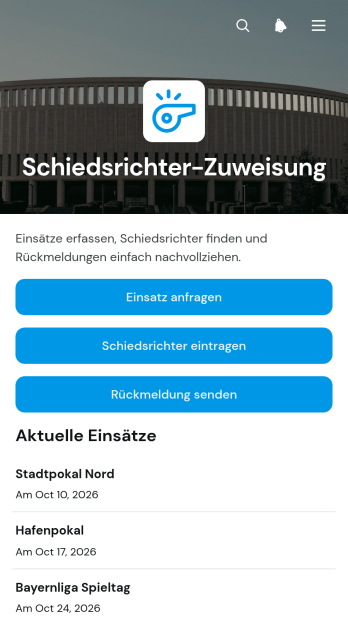
App zur Schiedsrichtereinteilung
Die App zur Schiedsrichtereinteilung unterstützt Vereine, Sportverbände, Turnierleitungen und Veranstaltungsorganisationen dabei, Schiedsrichtereinsätze zentral zu koordinieren. Verantwortliche können Einsatzanfragen erfassen, verfügbare Schiedsrichter eintragen und Rückmeldungen zu geplanten Begegnungen einholen. Übersichten zu Veranstaltungen und Kontaktdaten erleichtern die Abstimmung, während Angaben zu Lizenzstufe und Verfügbarkeit eine passende Besetzung fördern. So lassen sich offene Einsätze schneller erkennen, Zuständigkeiten nachvollziehen und kurzfristige Änderungen besser bearbeiten. Die App-Vorlage eignet sich für regelmäßige Spieltage, Turniere, Wettkämpfe und andere Sportveranstaltungen mit wechselndem Personalbedarf.Mit Jotform lässt sich diese App zur Schiedsrichtereinteilung ohne Programmierkenntnisse an die Abläufe einer Organisation anpassen. Der App-Generator bietet eine leicht bedienbare Oberfläche, mit der Seiten, Schaltflächen, Formulare und Übersichten übersichtlich angeordnet werden können. Verbundene Formulare unterstützen die Datenerfassung, während zentral bereitgestellte Informationen den Beteiligten einen einfachen Selbstbedienungszugang ermöglichen. Farben, Schriftarten und Inhalte können an das Erscheinungsbild des Vereins oder Verbands angepasst werden. Anschließend lässt sich die mobilfreundliche App über einen direkten Verweis teilen, damit Einsatzplanung und Kommunikation auch unterwegs erreichbar bleiben.
Zur Kategorie:Sports Apps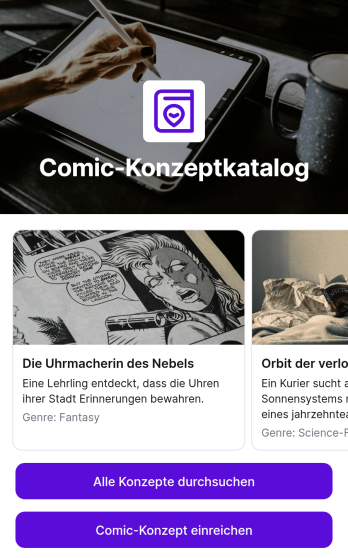
Comic-Konzeptkatalog-App
Die Comic-Konzeptkatalog-App ist eine zentrale Sammlung für neue Comicideen und richtet sich an Zeichnende, Schreibende, Kreativgruppen, Verlage, Bildungseinrichtungen und Unterhaltungsprojekte. Konzepte lassen sich übersichtlich durchsuchen, über ein verbundenes Formular einreichen und anhand wichtiger Angaben wie Titel, Hauptfigur und zentralem Thema betrachten. Dadurch bleiben kreative Vorschläge an einem gemeinsamen Ort auffindbar, statt über Dokumente, Nachrichten und einzelne Dateien verteilt zu sein. Die App eignet sich für Ideenrunden, redaktionelle Sichtungen, Unterrichtsprojekte, Wettbewerbe und die frühe Entwicklung neuer Geschichten. Verantwortliche können eingereichte Ansätze leichter vergleichen, vielversprechende Ideen wiederfinden und die gemeinsame Konzeptarbeit besser organisieren.Mit Jotform lässt sich diese App-Vorlage ohne Programmierung an den eigenen kreativen Ablauf anpassen. Der App-Generator mit drag-and-drop Bedienung unterstützt individuelle Seiten, Karten, Verknüpfungen, Bilder und Formulare, ohne dass technische Kenntnisse erforderlich sind. Weitere Schritte zur Datenerfassung, Prüfung oder internen Abstimmung können ebenfalls angebunden werden. Farben, Schriftarten und Inhalte lassen sich passend zum Projekt gestalten. Anschließend kann die mobilfreundliche App über einen direkten Verweis oder einen scanbaren Code geteilt werden. So entsteht aus einer praktischen Vorlage ein zugänglicher Arbeitsbereich für Einreichungen, Katalogpflege und selbstständiges Durchsuchen.
Zur Kategorie:Entertainment Apps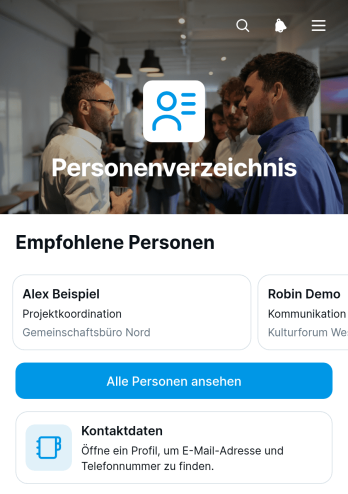
Personenverzeichnis-App
Die Personenverzeichnis-App ist eine zentrale, mobilfreundliche Anlaufstelle, über die Beschäftigte, Mitglieder oder Beteiligte Personen und deren Kontaktdaten finden können. Unternehmen, Personalabteilungen, Verbände, Bildungseinrichtungen und gemeinnützige Organisationen können damit ein übersichtliches Verzeichnis für die interne oder gemeinschaftliche Nutzung bereitstellen. Nutzer durchsuchen Personenprofile, sehen E-Mail-Adressen und Telefonnummern und nehmen direkt Kontakt auf. So werden verstreute Kontaktlisten ersetzt, häufige Rückfragen reduziert und die Zusammenarbeit zwischen Abteilungen, Standorten oder Gruppen erleichtert. Auch für die Selbstbedienung in wachsenden Organisationen eignet sich die App-Vorlage.Mit Jotform lässt sich diese Personenverzeichnis-App ohne Programmierkenntnisse an den eigenen Bedarf anpassen. Der codefreie App Generator bietet eine Oberfläche zum Ziehen und Ablegen, mit der Seiten, Karten, Schaltflächen, Bilder und Navigationselemente bearbeitet werden können. Formulare, Tabellen und Genehmigungsprozesse lassen sich für Datenerfassung und Workflow miteinander verbinden. Nutzer können mit einer der App-Vorlagen beginnen, Farben und Inhalte anpassen und das fertige Verzeichnis über einen direkten Zugang teilen. Dadurch entsteht schnell eine einheitliche und mobilfreundliche Informationsquelle für Kontaktsuche und Zusammenarbeit.
Zur Kategorie:Unternehmensportal Apps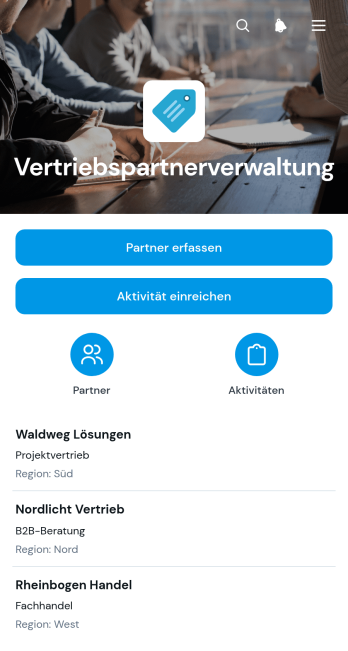
App zur Verwaltung von Vertriebspartnern
Die App zur Verwaltung von Vertriebspartnern bündelt Partnerkontakte und Vertriebsaktivitäten an einem zentralen Ort. Sie eignet sich für Vertriebsleitungen, Hersteller, Handelsunternehmen und wachsende Betriebe, die ihre Zusammenarbeit mit externen Verkaufspartnern übersichtlich organisieren möchten. Neue Partner lassen sich erfassen, bestehende Kontakte nach Region durchsuchen und wichtige Angaben wie E-Mail-Adresse oder Telefonnummer schnell aufrufen. Außerdem können Mitarbeitende Aktivitäten und deren Ergebnisse dokumentieren. So entsteht eine einheitliche Informationsquelle, die verstreute Aufzeichnungen reduziert, die Kontaktpflege erleichtert und einen besseren Überblick über laufende Partnerbeziehungen schafft.Mit Jotform kann diese App-Vorlage ohne Programmierung an eigene Vertriebsabläufe angepasst werden. Der programmierfreie App-Generator bietet eine visuelle Bedienoberfläche, mit der sich Seiten, Schaltflächen, Formulare und Navigationselemente bearbeiten lassen. Formulare, Tabellen, Benachrichtigungen und Genehmigungsabläufe können miteinander verbunden werden, damit Datenerfassung und interne Prozesse reibungslos zusammenspielen. Die fertige App lässt sich per Direktlink teilen und auf Mobilgeräten nutzen. Dadurch können Vertriebsgruppen ihre Partnerdaten aktuell halten, Aktivitäten zeitnah erfassen und Informationen auch unterwegs abrufen.
Zur Kategorie:CRM Apps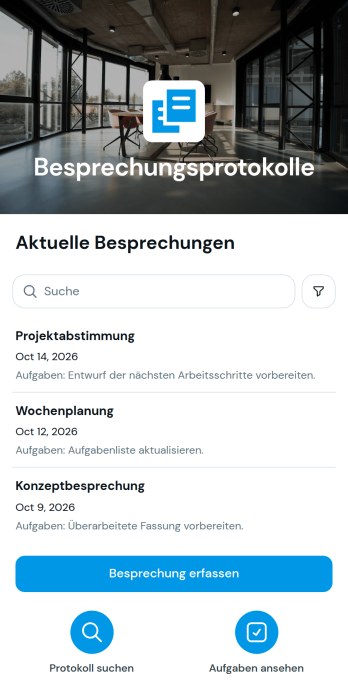
Besprechungsprotokoll-App
Die Besprechungsprotokoll-App dient Teams, Projektleitungen und Organisationen dazu, Sitzungen einheitlich zu dokumentieren und Ergebnisse zentral bereitzustellen. Nutzende können neue Besprechungen erfassen, Teilnehmende und Tagesordnungspunkte festhalten sowie Beschlüsse, Aufgaben, verantwortliche Personen und Fristen übersichtlich zuordnen. Dadurch bleiben Vereinbarungen nachvollziehbar, Zuständigkeiten werden klarer und offene Punkte geraten nach dem Termin weniger leicht in Vergessenheit. Die App-Vorlage eignet sich für regelmäßige Teamrunden, Projektbesprechungen, Kundentermine, Ausschusssitzungen und interne Abstimmungen.Mit Jotform lässt sich diese Vorlage ohne Programmierung an unterschiedliche Abläufe und Gestaltungsanforderungen anpassen. Der App Generator bietet eine drag-and-drop Oberfläche, über die Seiten, Karten, Buttons und verknüpfte Formulare bearbeitet werden können. Erfasste Angaben lassen sich mit Tabellen, Genehmigungsprozessen und weiteren Workflows verbinden, sodass Datenerfassung und Aufgabenübergabe an einem Ort zusammenlaufen. Die fertige App kann über einen direkten Verweis oder einen QR-Code geteilt und auf mobilen Geräten genutzt werden. So entsteht schnell eine gebrandete Arbeitsumgebung für Zusammenarbeit, Dokumentation und ortsunabhängigen Zugriff.
Zur Kategorie:Team Collaboration Apps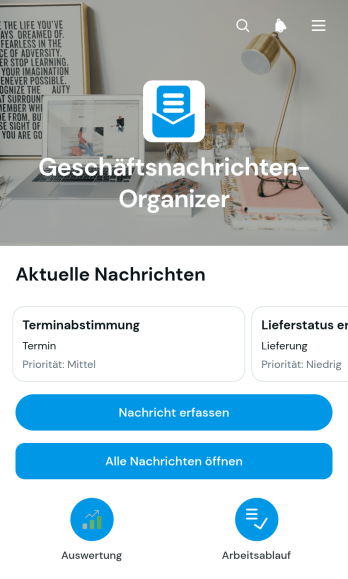
App zur Organisation von Geschäftsnachrichten
Die App zur Organisation von Geschäftsnachrichten ist eine App-Vorlage für Arbeitsgruppen, Kundenservice, Vertrieb, Beratung und Verwaltung, die eingehende geschäftliche Mitteilungen zentral erfassen und bearbeiten möchten. Mitarbeitende können Nachrichten mit Absender, Inhalt, Status und Priorität dokumentieren, notwendige Nachverfolgungen festhalten und interne Notizen ergänzen. Übersichten und Auswertungen zeigen offene Vorgänge sowie die Verteilung nach Status oder Dringlichkeit. Dadurch gehen wichtige Anliegen seltener verloren, Zuständigkeiten werden nachvollziehbarer und wiederkehrende Abstimmungen lassen sich geordnet bearbeiten.Mit Jotform lässt sich diese Vorlage über einen App-Generator ohne Programmierung an betriebliche Abläufe anpassen. Seiten, Karten, Button und Navigation können auf die Anforderungen der jeweiligen Organisation zugeschnitten und mit Formularen, Tabellen, Genehmigungsschritten oder Benachrichtigungen verbunden werden. Die zentrale Datenerfassung unterstützt eine einheitliche Bearbeitung, während mobilfreundliche Ansichten den Zugriff unterwegs erleichtern. Anschließend kann die App per Direktlink geteilt oder in eine bestehende Internetseite eingebettet werden. So entsteht aus einer anpassbaren App-Vorlage eine praktische Anlaufstelle für Zusammenarbeit und Selbstbedienung.
Zur Kategorie:Team Collaboration Apps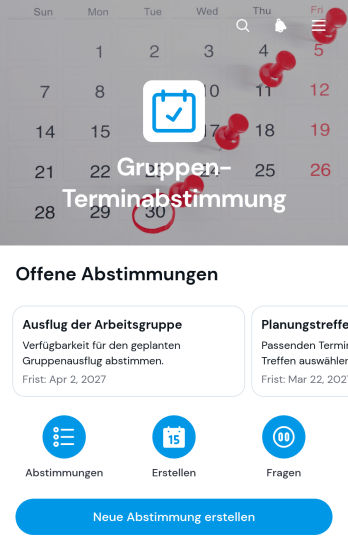
App zur Gruppenterminabstimmung
Die App zur Gruppenterminabstimmung unterstützt Arbeitsgruppen, Vereine, Bildungseinrichtungen, Veranstaltungsplanende und Projektverantwortliche dabei, einen passenden gemeinsamen Termin zu finden. Verantwortliche können neue Abstimmungen anlegen, verfügbare Zeiträume zur Auswahl stellen und Ergebnisse übersichtlich bereitstellen. So lassen sich Besprechungen, Schulungen, Veranstaltungen, Gruppentreffen oder ehrenamtliche Einsätze koordinieren, ohne einzelne Rückmeldungen aus verschiedenen Nachrichten zusammenführen zu müssen. Die zentrale Übersicht verbessert die Beteiligung, beschleunigt Entscheidungen und schafft für alle Teilnehmenden einen einheitlichen Informationsstand.Mit Jotform Apps lässt sich diese App-Vorlage ohne Programmierkenntnisse an unterschiedliche Abläufe und Zielgruppen anpassen. Im App-Generator können Seiten, Buttons, Inhalte und verbundene Formulare angeordnet sowie Farben, Schriftarten und Gestaltung an den gewünschten Auftritt angepasst werden. Erfasste Angaben lassen sich mit Tabellen, Benachrichtigungen und weiteren Workflows verknüpfen, damit Verantwortliche Rückmeldungen leichter auswerten und nächste Schritte organisieren können. Die fertige App ist mobilfreundlich und kann über eine direkte Adresse oder eingebettet bereitgestellt werden. Dadurch eignet sich Jotform sowohl für interne Abstimmungen als auch für die Selbstbedienung durch externe Teilnehmende.
Zur Kategorie:Terminplanung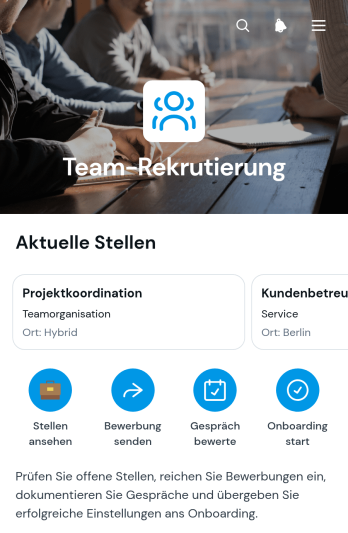
App zur Teamrekrutierung
Die App zur Teamrekrutierung bündelt die Personalsuche für Unternehmen, Personalabteilungen, Führungskräfte und wachsende Teams an einem zentralen Ort. Verantwortliche können offene Stellen veröffentlichen, Bewerbungen entgegennehmen und Gesprächsbewertungen strukturiert erfassen. Geeignete Personen lassen sich anschließend geordnet an die Einarbeitung übergeben. So bleiben Stelleninformationen, fachliche Einschätzungen und die Eignung fürs Team nachvollziehbar, während alle Beteiligten mit einem einheitlichen Ablauf arbeiten. Die Vorlage eignet sich besonders für kleine und mittlere Unternehmen, die wiederkehrende Einstellungen übersichtlicher koordinieren möchten.Mit Jotform lässt sich diese Vorlage ohne Programmierkenntnisse an den eigenen Einstellungsprozess anpassen. Über eine Oberfläche zum Ziehen und Ablegen können Seiten, Karten, Schaltflächen und verknüpfte Formulare geändert sowie an das Erscheinungsbild der Organisation angepasst werden. Erfasste Daten lassen sich in verbundenen Tabellen organisieren und für weitere Arbeitsschritte nutzen. Die mobilfreundliche App kann über einen direkten Verweis geteilt werden, damit Bewerbende, Personalverantwortliche und Gesprächsführende unabhängig vom Gerät auf die jeweils benötigten Inhalte zugreifen können. Weitere Vorlagen für Apps erleichtern den schnellen Einstieg in digitale Arbeitsabläufe und die zentrale Datenerfassung.
Zur Kategorie:Human Resources Apps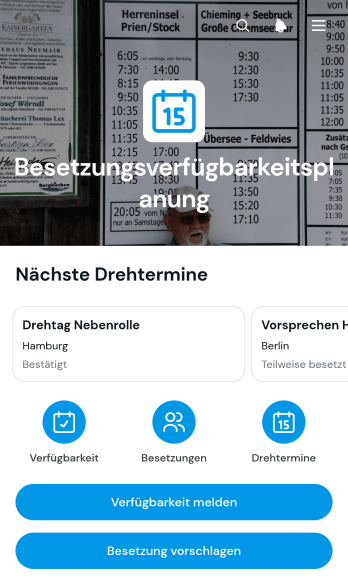
App zur Verfügbarkeitsplanung von Darstellern
Die App zur Verfügbarkeitsplanung von Darstellern unterstützt Produktionsleitungen, Besetzungsabteilungen und kreative Teams dabei, Termine und Rollenbesetzungen für Film-, Bühnen- oder Medienproduktionen zu koordinieren. Mit dieser App-Vorlage können Darsteller ihre verfügbaren Termine eigenständig melden, während zuständige Mitarbeiter passende Personen für Rollen vorschlagen. Übersichten zu Projekten, Rollen, Drehorten, geplanten Terminen und dem aktuellen Besetzungsstatus erleichtern die Abstimmung. So bleiben wichtige Angaben an einem zentralen Ort auffindbar, Terminüberschneidungen werden schneller erkannt und Entscheidungen lassen sich auf einer verlässlichen Datengrundlage treffen.Mit Jotform lässt sich die App zur Verfügbarkeitsplanung von Darstellern ohne Programmierung an den Ablauf einer Produktion anpassen. Der App Generator bietet eine Oberfläche zum Ziehen und Ablegen, über die Seiten, Karten, Schaltflächen und Navigationselemente verändert werden können. Formulare zur Datenerfassung lassen sich mit Tabellen, Benachrichtigungen und Genehmigungsprozessen zu einem zusammenhängenden Workflow verbinden. Die fertige App kann über einen direkten Verweis oder einen QR-Code geteilt und auf Mobilgeräten genutzt werden. Damit eignen sich die App-Vorlagen von Jotform sowohl für einzelne Produktionen als auch für Teams, die regelmäßig Darsteller, Rollen und Termine koordinieren.
Zur Kategorie:Terminplanung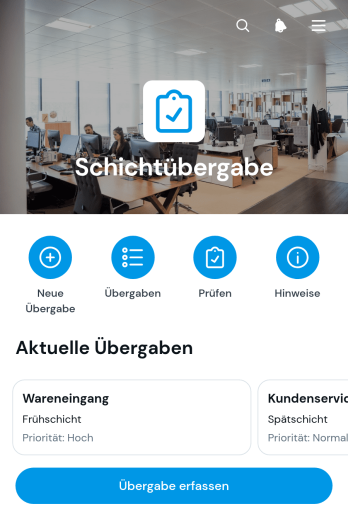
Schichtübergabe-App
Die Schichtübergabe-App unterstützt Betriebe dabei, wichtige Informationen beim Wechsel von Arbeitsschichten vollständig und nachvollziehbar weiterzugeben. Sie eignet sich für Schichtleitungen und Mitarbeitende in Produktion, Logistik, Pflege, Gastgewerbe, Gebäudebetrieb und technischen Diensten. Nutzer können Übergaben erfassen, offene Punkte und nächste Maßnahmen sichtbar machen sowie frühere Übergabeprotokolle zentral einsehen. Dadurch sinkt das Risiko, dass dringende Aufgaben, Störungen oder wichtige Hinweise zwischen zwei Schichten übersehen werden. Verantwortlichkeiten werden klarer, Folgearbeiten lassen sich besser priorisieren und nachfolgende Mitarbeitende erhalten einen verlässlichen Überblick.Mit Jotform lässt sich diese App-Vorlage ohne Programmierung an betriebliche Abläufe anpassen. Der visuelle App-Generator erleichtert das Ändern von Seiten, Karten, Schaltflächen, Farben und Navigation. Formulare und Tabellen können für die Datenerfassung verbunden und bei Bedarf um Benachrichtigungen oder Genehmigungsschritte ergänzt werden. Die fertige App kann über eine direkte Webadresse geteilt und auf Mobilgeräten genutzt werden. So entsteht ein zentraler Zugang für wiederkehrende Übergaben, dokumentierte Maßnahmen und die Zusammenarbeit zwischen Schichten.
Zur Kategorie:Protokolle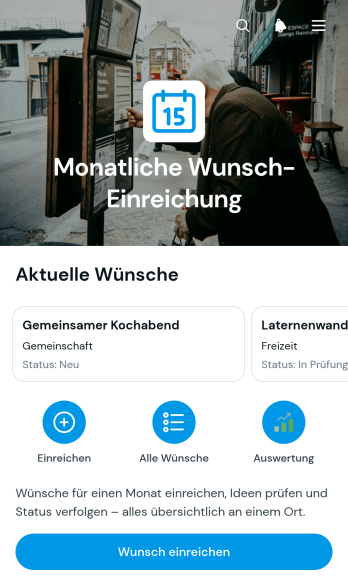
App zur monatlichen Wunscheinreichung
Die App zur monatlichen Wunscheinreichung ist eine zentrale Anlaufstelle, über die Beschäftigte, Mitglieder oder andere Beteiligte regelmäßig Wünsche und Verbesserungsideen einreichen können. Neue Anliegen lassen sich per Formular erfassen, anschließend in einer übersichtlichen Liste aufrufen und anhand von Bearbeitungsstatus, Priorität und Kategorie verfolgen. Zusammenfassungen nach Status und Kategorie erleichtern verantwortlichen Teams die monatliche Auswertung. Die App-Vorlage eignet sich besonders für Personalabteilungen, interne Serviceteams, Vereine und kleinere Organisationen, die wiederkehrende Vorschläge nachvollziehbar sammeln möchten. So gehen Wünsche nicht in E-Mails verloren und Beteiligte erhalten mehr Transparenz über die weitere Bearbeitung.Mit Jotform lässt sich diese Vorlage ohne Programmierkenntnisse an unterschiedliche Abläufe anpassen. Der App-Generator bietet eine Bedienoberfläche zum Ziehen und Ablegen, mit der Seiten, Texte, Schaltflächen und Gestaltungselemente geändert werden können. Verknüpfte Formulare und Tabellen unterstützen die Datenerfassung, während Benachrichtigungen und Workflows bei der internen Bearbeitung helfen. Die App kann über einen direkten Verweis geteilt und auf Mobilgeräten geöffnet werden. Dadurch entsteht eine leicht zugängliche Möglichkeit zur Selbstbedienung, die Einreichung, Übersicht und Bearbeitung in einer einheitlichen Umgebung zusammenführt.
Zur Kategorie:Organisations-Apps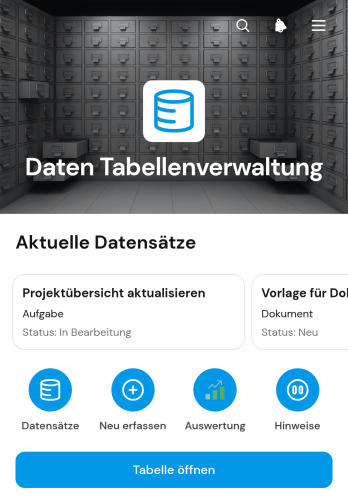
App zur Datentabellenverwaltung
Die App zur Datentabellenverwaltung ist eine zentrale Arbeitsoberfläche für Unternehmen, Projektgruppen und Verwaltungsbereiche, die Datensätze übersichtlich erfassen, prüfen und weiterverfolgen möchten. Mitarbeitende können Tabelleneinträge durchsuchen, neue Datensätze anlegen und die Verteilung nach Bearbeitungsstatus auswerten. Angaben wie Beschreibung, verantwortliche Person und Fälligkeitsdatum schaffen klare Zuständigkeiten. Die App-Vorlage eignet sich unter anderem für Aufgabenlisten, Projektinformationen, Inventardaten, Kundenanfragen und interne Betriebsabläufe. Sie reduziert verstreute Informationen und erleichtert die Zusammenarbeit, wenn mehrere Personen regelmäßig auf denselben Datenbestand zugreifen.Mit Jotform lässt sich diese Vorlage über einen App-Generator ohne Programmierung an individuelle Abläufe anpassen. Eine drag-and-drop Oberfläche unterstützt beim Anordnen von Seiten, Karten, Buttons und Navigationselementen. Verknüpfte Formulare und Tabellen verbinden die Datenerfassung mit dem passenden Workflow, während Freigabelinks einen einfachen Zugriff per Mobilgerät oder Rechner ermöglichen. Organisationen können Farben, Schriftarten und Inhalte anpassen und daraus eine mobilfreundliche Selbstbedienungsoberfläche erstellen. So bieten die App-Vorlagen von Jotform einen schnellen Ausgangspunkt für strukturierte Datenpflege und transparente Arbeitsprozesse.
Zur Kategorie:Verwaltung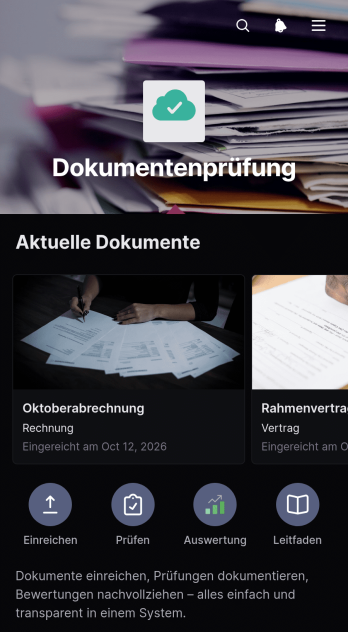
App zur Dokumentenprüfung
Die App zur Dokumentenprüfung bündelt das Einreichen, Prüfen und Dokumentieren von Unterlagen in einer zentralen, leicht zugänglichen Anwendung. Sie eignet sich für Rechtsabteilungen, Beratungen, Prüfgruppen, Projektverantwortliche und interne Verwaltungsbereiche, die Dokumente nachvollziehbar bearbeiten möchten. Nutzer können neue Unterlagen einreichen, Dokumentinformationen aufrufen und Bewertungen mit Kommentaren sowie Prüffristen festhalten. Eine Statusauswertung schafft Überblick über offene und abgeschlossene Prüfungen. Dadurch sinkt der Abstimmungsaufwand, Zuständigkeiten werden klarer und wichtige Rückmeldungen bleiben mit dem jeweiligen Dokument verknüpft.Mit Jotform lässt sich diese App-Vorlage ohne Programmierung an unterschiedliche Prüfprozesse anpassen. Der App-Generator bietet eine bedienungsfreundliche Oberfläche, über die Seiten, Karten, Buttons und Navigationselemente angeordnet sowie Farben und Schriftarten angepasst werden können. Verknüpfte Formulare unterstützen die Datenerfassung, während Tabellen und Workflows Informationen für die weitere Bearbeitung organisieren. Die fertige Anwendung kann per Weblink geteilt und auf mobilen Geräten genutzt werden. So erhalten Mitarbeitende und externe Prüfer einen einheitlichen Zugang zu Dokumenten, Prüfschritten und aktuellen Bearbeitungsständen.
Zur Kategorie:Audit Apps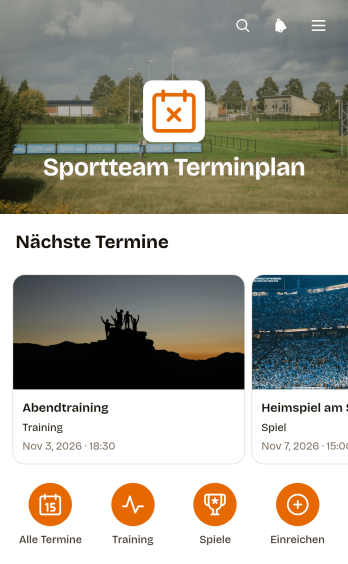
Terminplan-App für Sportmannschaften
Die Terminplan-App für Sportmannschaften bündelt Spiel-, Trainings- und Veranstaltungstermine für Vereine, Trainerstäbe, Mannschaftsleitungen und aktive Mitglieder an einem zentralen Ort. Übersichten erleichtern den Zugriff auf anstehende Termine, während Angaben zu Ort und Gegner die Vorbereitung unterstützen. Wichtige Hinweise lassen sich direkt beim jeweiligen Eintrag bereitstellen. Über die Funktion zum Einreichen neuer Termine können berechtigte Personen zusätzliche Spiele, Trainingseinheiten oder Mannschaftsveranstaltungen melden. So werden verstreute Informationen reduziert, kurzfristige Änderungen leichter kommuniziert und alle Beteiligten erhalten eine verlässliche Grundlage für ihre Wochenplanung.Mit Jotform lässt sich diese App-Vorlage ohne Programmierkenntnisse an die Abläufe und die visuelle Gestaltung einer Sportorganisation anpassen. Der App Generator ermöglicht es, Seiten, Karten, Schaltflächen und Navigationselemente flexibel anzuordnen sowie Formulare zur Datenerfassung einzubinden. Verknüpfte Tabellen, Genehmigungsschritte und automatische Benachrichtigungen unterstützen einen übersichtlichen Workflow vom eingereichten Termin bis zur Veröffentlichung. Die fertige Anwendung ist mobilfreundlich und kann über eine eigene Webadresse mit Spielern, Betreuungspersonen oder Eltern geteilt werden. Dadurch entsteht ein leicht zugängliches Angebot zur Selbstbedienung, das Terminabsprachen vereinfacht und den organisatorischen Aufwand senkt.
Zur Kategorie:Sports Apps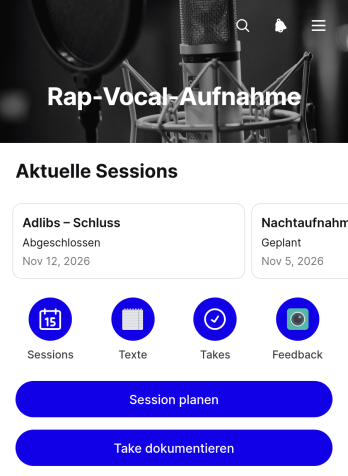
App für Rap-Gesangsaufnahmen
Die App für Rap-Gesangsaufnahmen ist eine zentrale Arbeitsumgebung für Rapperinnen und Rapper, Tonstudios, Musikschaffende und Produktionsteams, die Aufnahmen geordnet vorbereiten und nachvollziehbar festhalten möchten. Mit der Vorlage lassen sich Aufnahmetermine planen, einzelne Aufnahmefassungen dokumentieren und Textfassungen samt Hinweisen übersichtlich bereitstellen. So bleiben Aufnahmeziele, Termine, Bearbeitungsstände und wichtige Anmerkungen an einem Ort verfügbar. Das erleichtert die Zusammenarbeit bei Einzelstücken, Gemeinschaftsprojekten, Probeaufnahmen und längeren Produktionen, bei denen mehrere Fassungen verglichen und Texte laufend überarbeitet werden.Mit Jotform lässt sich diese App-Vorlage ohne Programmierung an den eigenen Aufnahmeprozess anpassen. Der App-Generator bietet eine Bedienoberfläche zum Ziehen und Ablegen, über die Seiten, Karten, Buttons und Inhalte neu angeordnet oder ergänzt werden können. Formulare unterstützen die Datenerfassung, während verknüpfte Tabellen und Workflows Angaben zentral organisieren und passende Abläufe anstoßen. Die fertige App kann über einen direkten Verweis geteilt und auf Mobilgeräten genutzt werden. Dadurch entsteht ein leicht zugänglicher Selbstbedienungsbereich für alle Beteiligten, der Aufnahmeplanung, Dokumentation und Textarbeit sinnvoll miteinander verbindet.
Zur Kategorie:Entertainment Apps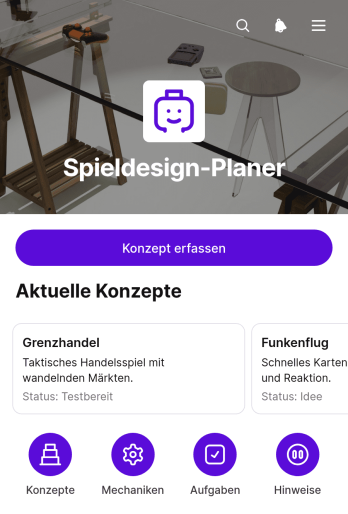
Game Design Planner App
Die Spielentwicklungsplaner-App unterstützt unabhängige Entwickler, Kreativteams, Studierende und Lehrkräfte dabei, Spielideen von der ersten Skizze bis zur Erprobung übersichtlich auszuarbeiten. Neue Konzepte lassen sich zentral erfassen und anschließend nach Titel durchsuchen. Detailansichten bündeln wichtige Angaben zu Zielgruppe, Kernmechanik und Spielablauf, während Aufgaben und Testpläne die nächsten Arbeitsschritte festhalten. Dadurch bleiben kreative Entscheidungen nachvollziehbar, Ideen gehen nicht in verstreuten Notizen verloren und Teams können Entwürfe leichter vergleichen, besprechen und weiterentwickeln.Mit Jotform kann diese App-Vorlage ohne Programmierung an unterschiedliche Entwicklungsprozesse angepasst werden. Über eine Oberfläche zum Ziehen und Ablegen lassen sich Seiten, Karten, Schaltflächen, Texte und Navigationselemente neu anordnen oder mit einem eigenen Erscheinungsbild versehen. Formulare und Tabellen unterstützen die Datenerfassung, während Benachrichtigungen und verbundene Arbeitsabläufe die Zusammenarbeit erleichtern. Die fertige App kann über einen direkten Link oder einen QR-Code geteilt und auf mobilen Geräten genutzt werden. So entsteht ein zentraler Arbeitsbereich für Planung, Dokumentation und gemeinsame Konzeptarbeit.
Zur Kategorie:Planungs-Apps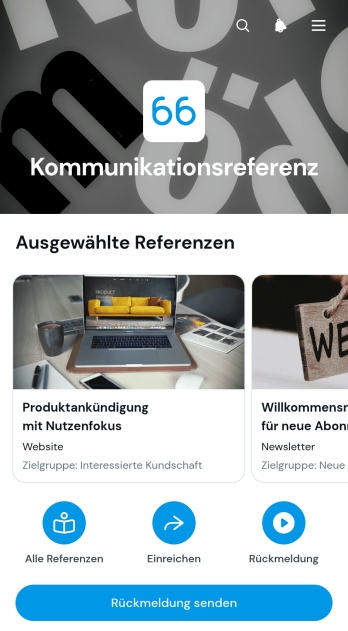
Kommunikationsreferenz-App
Die Kommunikationsreferenz-App ist eine zentrale Anwendungsvorlage für Organisationen, die bewährte Kommunikationsbeispiele, Formulierungshilfen und interne Hinweise übersichtlich bereitstellen möchten. Kommunikationsabteilungen, Personalabteilungen, Schulungsverantwortliche und der Kundenservice können damit Referenzen nach Themen ordnen, kurze Erläuterungen und Beispieltexte veröffentlichen sowie Rückmeldungen zu einzelnen Inhalten erfassen. Beschäftigte finden passende Orientierungshilfen schneller und müssen nicht in verteilten Dokumenten oder Nachrichten suchen. Die Anwendung eignet sich für interne Sprachleitfäden, Gesprächsvorbereitung, Schulungsmaterialien und wiederkehrende Kommunikationssituationen. So bleiben Referenzinhalte leichter auffindbar, Rückmeldungen werden an einer Stelle gesammelt und Verbesserungsbedarf lässt sich früh erkennen.Mit Jotform lässt sich diese Vorlage ohne Programmierung an den eigenen Arbeitsalltag anpassen. Über eine visuelle Bedienoberfläche können Seiten, Karten, Schaltflächen, Bilder und Navigationswege neu angeordnet oder ergänzt werden. Verknüpfte Formulare unterstützen die Datenerfassung, während Tabellen, Benachrichtigungen und Genehmigungsschritte passende Arbeitsabläufe ergänzen können. Organisationen können Gestaltung und Inhalte an ihr Erscheinungsbild anpassen und die fertige Anwendung über einen direkten Verweis veröffentlichen. Dadurch entsteht ein mobilfreundlicher Zugang, der Beschäftigten eine einfache Selbstbedienung ermöglicht und aktuelle Kommunikationshilfen zentral verfügbar macht.
Zur Kategorie:Ressourcen & Lernportal Apps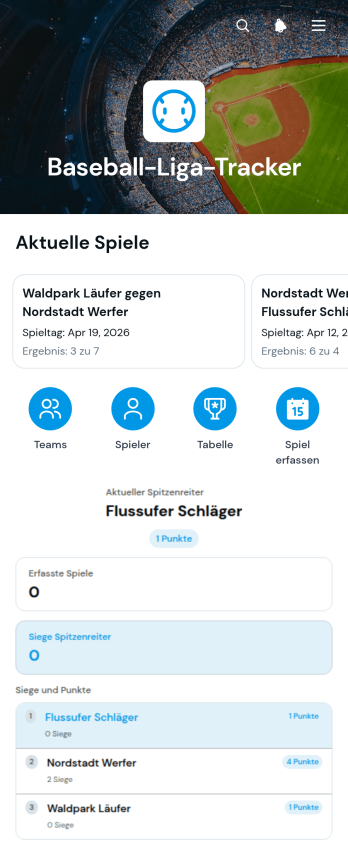
App zur Nachverfolgung einer Baseball-Liga
Die App zur Nachverfolgung einer Baseball-Liga ist eine zentrale Anlaufstelle für Vereine, Ligaverantwortliche, Trainer und organisatorische Helfer, die Mannschaften, Spieltermine und Spielende übersichtlich verwalten möchten. Mannschaften und Spieler lassen sich über verbundene Formulare erfassen, während Begegnungen mit Heim- und Auswärtsmannschaft sowie Ergebnisse leicht eingetragen und aufgerufen werden können. Dadurch ersetzt die App verstreute Tabellen, handschriftliche Notizen und schwer auffindbare Nachrichten. Sie eignet sich für Freizeitligen, Jugendprogramme, Schulmannschaften, Turnierserien und regionale Wettbewerbe, in denen aktuelle Angaben zu Spielorten, Trainern, Positionen und Trikotnummern zentral verfügbar sein sollen.Mit Jotform kann diese App-Vorlage ohne Programmierung an die Abläufe einer Liga angepasst werden. Der App-Generator bietet eine Oberfläche mit Ziehen und Ablegen, über die Seiten, Karten, Schaltflächen, Farben und Schriftarten geändert werden können. Formulare und verbundene Datensätze unterstützen eine geordnete Datenerfassung, während Listen den schnellen Zugriff auf Mannschaften, Spiele und Spieler erleichtern. Die fertige App kann über eine eigene Internetadresse geteilt oder in eine bestehende Internetseite eingebettet werden. So entsteht mit Jotform eine mobilfreundliche Lösung für Zusammenarbeit, Selbstbedienung und laufende Aktualisierungen während der gesamten Saison.
Zur Kategorie:Sports Apps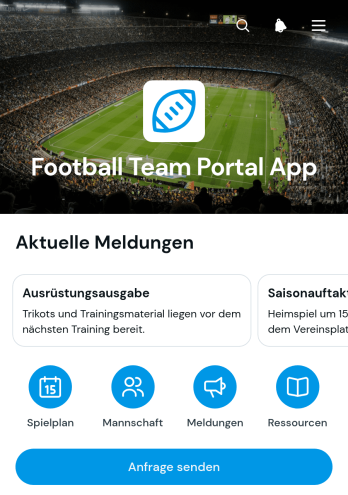
Fußballmannschaftsportal-App
Die Fußballmannschaftsportal-App bündelt wichtige Vereins- und Mannschaftsinformationen an einem zentralen Ort. Sie eignet sich für Fußballvereine, Freizeitmannschaften, Trainer, Betreuer und organisatorische Helfer, die Termine, Mitteilungen und Kontaktdaten übersichtlich bereitstellen möchten. Mitglieder können bevorstehende Trainingseinheiten oder Spieltermine aufrufen, relevante Mannschaftseinträge durchsuchen und über ein verbundenes Formular Anfragen senden. Damit unterstützt die App die Vorbereitung von Spieltagen, die Abstimmung rund um das Training und die laufende Kommunikation, ohne dass Informationen über unterschiedliche Nachrichtenverläufe und Dokumente verteilt werden.Mit Jotform lässt sich diese App-Vorlage ohne Programmierkenntnisse an die Abläufe einer Mannschaft anpassen. Im codefreien App Generator können Seiten, Karten, Buttons und Formulare per Ziehen und Ablegen angeordnet sowie Farben, Schriften und Inhalte geändert werden. Verbundene Formulare erleichtern die Datenerfassung, während Tabellen und Benachrichtigungen die Bearbeitung eingehender Anfragen unterstützen. Die fertige App kann über eine eigene Webadresse geteilt und auf Smartphones, Tablets oder Computern genutzt werden. So entsteht eine mobilfreundliche Anlaufstelle für Selbstbedienung, Zusammenarbeit und aktuelle Mannschaftsinformationen.
Zur Kategorie:Sports Apps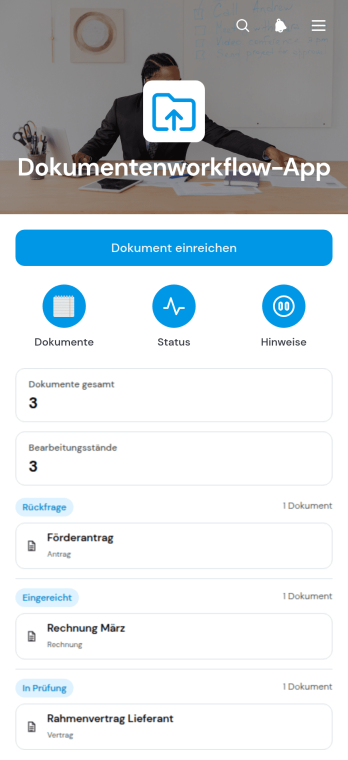
Dokumentenworkflow-App
Die Dokumentenworkflow-App bündelt das Einreichen, Prüfen und Nachverfolgen von Dokumenten an einem zentralen Ort. Mitarbeitende können Dateien mit den benötigten Angaben übermitteln, den Bearbeitungsstatus in einer übersichtlichen Dokumentenansicht verfolgen und zugehörige Details aufrufen. Diese App-Vorlage eignet sich für Verwaltungsteams, Personalabteilungen, Beratungsstellen, Bildungseinrichtungen und andere Organisationen, die regelmäßig Unterlagen von Beschäftigten, Kundschaft oder Partnern erhalten. Sie reduziert unübersichtliche E-Mail-Verläufe, erleichtert die Zuordnung von Dokumentkategorien und schafft einen nachvollziehbaren Ablauf für wiederkehrende Vorgänge.Mit Jotform Apps lässt sich die Dokumentenworkflow-App ohne Programmierkenntnisse an interne Abläufe und die eigene Gestaltung anpassen. Der App Generator unterstützt die zentrale Verknüpfung von Formularen, Tabellen und weiteren Workflow-Schritten, sodass Datenerfassung, Dateiverwaltung und Bearbeitung sinnvoll zusammenspielen. Inhalte und Navigation können über eine drag-and-drop Oberfläche geändert und für die mobile Nutzung bereitgestellt werden. Anschließend lässt sich die App per direktem Link, Einbettung oder scanbarem Code mit berechtigten Personengruppen teilen. So entsteht aus einer praktischen App-Vorlage eine leicht zugängliche Selbstbedienungsstelle für dokumentenbezogene Prozesse.
Zur Kategorie:Team Collaboration Apps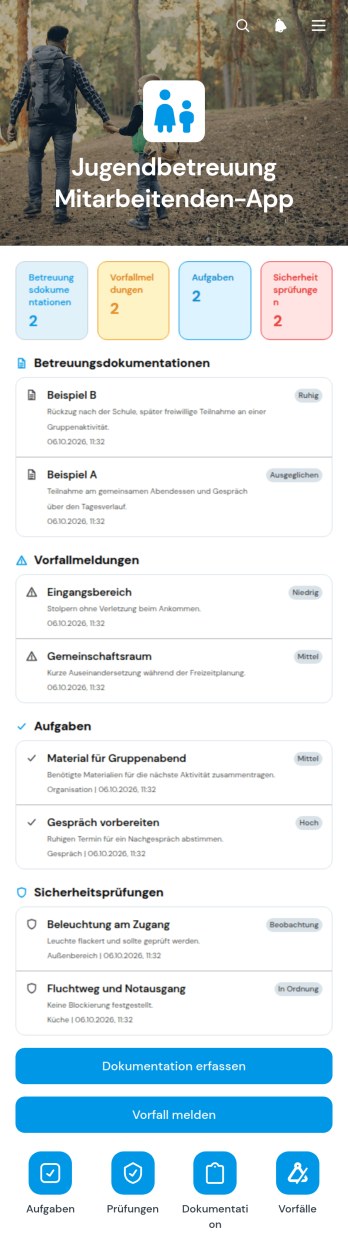
App für Mitarbeitende in der Jugendhilfe
Die App für Mitarbeitende in der Jugendhilfe bündelt wichtige Arbeitsabläufe für pädagogische Fachkräfte, Betreuungspersonal und Leitungen von Jugendhilfeeinrichtungen. Beobachtungen und ergriffene Maßnahmen lassen sich dokumentieren, Vorfälle mit den erforderlichen Angaben melden und aktuelle Aufgaben übersichtlich aufrufen. Zusätzlich können regelmäßige Prüfungen erfasst und mit Notizen versehen werden. So erhalten Mitarbeitende einen zentralen Zugang zu wiederkehrenden Vorgängen, während Einrichtungen Informationen einheitlicher organisieren und Zuständigkeiten leichter nachvollziehen können. Die App-Vorlage eignet sich für Wohngruppen, Jugendzentren, ambulante Angebote und weitere soziale Einrichtungen.Mit dem App Generator von Jotform können Organisationen diese und weitere App-Vorlagen ohne Programmierung an ihre Abläufe anpassen. Seiten, Schaltflächen und Inhalte lassen sich über eine leicht bedienbare Oberfläche bearbeiten und mit Formularen, Tabellen, Genehmigungen oder automatischen Benachrichtigungen verbinden. Die fertige Anwendung kann per Verknüpfung geteilt und auf mobilen Geräten genutzt werden. Dadurch unterstützt Jotform die zentrale Datenerfassung, den eigenständigen Zugriff auf Arbeitsmittel und die bessere Zusammenarbeit im Betreuungsalltag.
Zur Kategorie:Apps für soziale Zwecke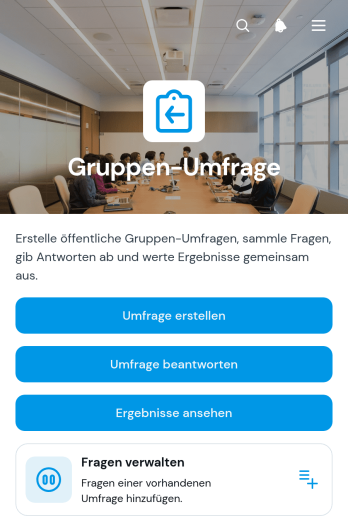
Gruppenumfrage-App
Die Gruppenumfrage-App ist eine zentrale Anwendung zum Erstellen, Beantworten und Auswerten gemeinsamer Befragungen. Sie eignet sich für Arbeitsgruppen, Bildungseinrichtungen, Vereine, gemeinnützige Organisationen und Projektverantwortliche, die Meinungen, Rückmeldungen oder Entscheidungen mehrerer Personen übersichtlich erfassen möchten. Verantwortliche können Umfragen anlegen und Fragen verwalten, während Teilnehmende ihre Antworten über einen leicht zugänglichen Bereich abgeben. Die gesammelten Ergebnisse lassen sich anschließend gemeinsam einsehen. So unterstützt die App etwa interne Abstimmungen, Veranstaltungsbewertungen, Unterrichtsbefragungen, Ideenrunden und Rückmeldungen zu gemeinschaftlichen Vorhaben.Mit Jotform lässt sich diese App-Vorlage ohne Programmierung an unterschiedliche Gruppen und Befragungsziele anpassen. Der App-Generator bietet eine drag-and-drop Oberfläche, mit der Seiten, Texte, Karten und Buttons neu angeordnet oder ergänzt werden können. Formulare und Datenerfassung lassen sich direkt mit der Anwendung verbinden, sodass Antworten gebündelt vorliegen und Arbeitsabläufe leichter koordiniert werden können. Nach der Gestaltung kann die mobilfreundliche App per Verknüpfung oder QR-Code geteilt werden. Dadurch erhalten Teilnehmende einen einfachen Selbstbedienungszugang, während Organisierende Umfragen und Ergebnisse an einem zentralen Ort verwalten.
Zur Kategorie:Customer Engagement Apps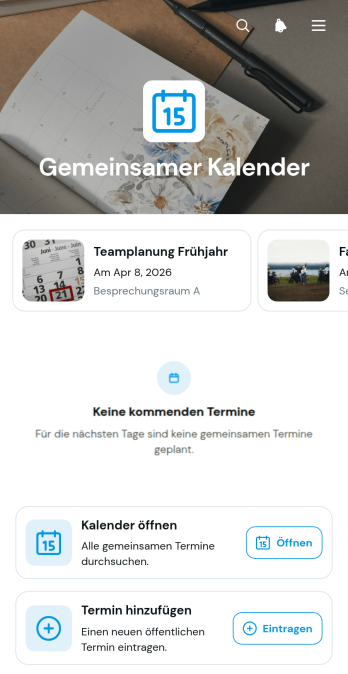
Gemeinsame Kalender-App
Die Gemeinsame Kalender-App bündelt Termine für Arbeitsgruppen, Abteilungen, Vereine, Bildungseinrichtungen und Veranstaltungsverantwortliche an einem zentralen Ort. Beteiligte können den gemeinsamen Kalender aufrufen, neue Termine eintragen und wichtige Angaben wie Datum, Uhrzeit, Ort und Kategorie übersichtlich prüfen. Dadurch sinkt das Risiko von Terminüberschneidungen, verstreuten Absprachen und veralteten Zeitplänen. Die App-Vorlage eignet sich für Besprechungen, Schichtabsprachen, Unterrichtstermine, Gemeinschaftsaktivitäten, Projektfristen und interne Veranstaltungen. Sie unterstützt eine verlässliche Planung und erleichtert die Abstimmung, wenn mehrere Personen denselben Zeitplan verwenden.Mit Jotform lässt sich diese App-Vorlage ohne Programmierkenntnisse an eigene Abläufe anpassen. Der codefreie App Generator mit drag-and-drop-Bedienung hilft dabei, Seiten, Karten, Buttons und Navigationselemente passend anzuordnen sowie Farben, Schriften und Inhalte zu ändern. Formulare für die Datenerfassung können direkt mit dem Kalenderzugang verbunden und in einen passenden Workflow eingebunden werden. Die fertige Anwendung ist mobilfreundlich und kann über eine Webadresse geteilt werden, sodass Beschäftigte, Mitglieder oder weitere Beteiligte ihre Terminplanung per Selbstbedienung verwalten können. Die App-Vorlagen von Jotform bieten damit eine flexible Grundlage für gemeinsam genutzte Zeitpläne.
Zur Kategorie:TerminplanungÜber Team Collaboration Apps
Team Collaboration Apps are specialized mobile and web apps designed to enhance communication, coordination, and efficiency within organizations. These apps are commonly used to streamline workflows, facilitate real-time communication, and manage projects effectively. Industries such as technology, healthcare, education, and finance benefit greatly from using these apps to optimize team productivity and ensure seamless operations across various departments. Whether it's managing project timelines, sharing critical updates, or collaborating on documents, these apps serve as a central hub for all team activities, fostering a more connected and agile work environment.
Jotform Apps stands out as a premier no-code app builder in the realm of Team Collaboration Apps, leveraging the power of Progressive Web App (PWA) technology. This innovative approach allows users to install apps directly via a browser, eliminating the need for App Store downloads and ensuring compatibility across iOS, Android, tablets, and desktops. By integrating Jotform Tables, data collected through these apps is centralized, enabling efficient data management and reporting. This workflow-oriented approach ensures that teams can access vital information anytime, anywhere, to make informed decisions quickly and effectively.
Why Use Team Collaboration Apps?
- Team Collaboration Apps significantly enhance productivity by providing a centralized platform for communication and task management. This eliminates the need for multiple communication channels and streamlines the process of tracking project progress.
- These apps support real-time collaboration, allowing team members to work together on documents and projects simultaneously, regardless of their location. This capability is crucial for remote teams or organizations with multiple offices.
- By integrating with existing business processes, Team Collaboration Apps can automate routine tasks, reducing the administrative burden on team members. This allows them to focus on more strategic activities that drive business growth.
- The ability to customize these apps to meet specific organizational needs ensures that they can adapt to various workflows and business models. This flexibility makes them suitable for a wide range of industries and applications.
- With advanced features like push notifications, team members can stay informed about important updates and deadlines, ensuring timely responses and minimizing delays in project execution.
Common Problems Solved by Team Collaboration Apps
- One of the primary challenges in large organizations is maintaining clear and effective communication. Team Collaboration Apps address this by providing a unified platform for messaging, file sharing, and video conferencing, reducing communication gaps.
- Managing projects across different time zones and locations can lead to disorganization and missed deadlines. These apps offer tools for scheduling, task assignments, and deadline tracking, ensuring projects stay on track.
- Data silos can hinder decision-making and slow down operations. Team Collaboration Apps centralize data, making it easily accessible to all team members and enabling faster, more informed decision-making.
- Ensuring data security and compliance with regulations such as GDPR is a major concern for businesses. These apps incorporate robust security features, ensuring that sensitive information is protected and compliance is maintained.
- The high cost of implementing and maintaining multiple software solutions can strain a company's budget. Team Collaboration Apps offer a cost-effective way to integrate various functionalities into a single platform, reducing overall software expenditure.
Passende Anwendungsfälle für Features
- For project management, the Drag-and-Drop Interface allows users to create intuitive workflows that match their specific processes, resulting in increased efficiency and clarity in task assignments.
- The Store Builder feature enables organizations to create custom portals for internal resource distribution or client-facing interactions, enhancing the user experience and operational efficiency.
- Push Notifications keep team members updated on important developments or reminders, ensuring that no critical information is overlooked and that everyone remains aligned with project goals.
- Payment Integrations with platforms like Stripe and PayPal facilitate seamless financial transactions directly within the app, streamlining the payment process for both the organization and its clients.
- The Publish Options feature allows organizations to control the accessibility of their apps by choosing between public, private, or company-only settings, enhancing data security and user management.
- Sharing Methods such as Direct Link, Email, QR Code, and Social Media simplify the distribution of apps to the intended audience, whether for internal use or broader public access.
- Workflow Automation streamlines repetitive tasks, reducing manual effort and increasing productivity across the organization, allowing team members to focus on more strategic objectives.
How to Create a Team Collaboration App
- Wählen Sie eine für Ihre Kategorie geeignete Vorlage aus der Vorlagenliste aus oder beginnen Sie neu.
- Passen Sie die App mithilfe der Drag-and-Drop-Oberfläche an Ihre Anforderungen an.
- Teilen Sie die App über einen Link, einen QR-Code oder eine Einbettung, um sie mit Ihrer Zielgruppe zu teilen.
Top Use Cases for Team Collaboration Apps
- For Managers: Team Collaboration Apps provide managers with a comprehensive view of all ongoing projects, allowing them to monitor progress and allocate resources efficiently. By using centralized dashboards and real-time data insights, they can make informed decisions and adjust strategies as needed. This visibility also enables managers to identify potential bottlenecks early and implement corrective measures to maintain project momentum.
- For Teams: These apps facilitate seamless communication and collaboration among team members, regardless of their location. By providing a single platform for messaging, file sharing, and task management, team members can coordinate their efforts more effectively. This leads to improved productivity and a stronger sense of cohesion, as everyone is aligned towards common goals and objectives.
- For Customers: Team Collaboration Apps enhance the customer experience by providing a direct line of communication between clients and service providers. Customers can receive timely updates on project progress, submit requests, and provide feedback through the app. This transparency builds trust and strengthens client relationships, ultimately leading to higher customer satisfaction and loyalty.
Summarizing Team Collaboration Apps
In summary, Team Collaboration Apps are an essential component of modern business operations, offering a centralized platform for communication, project management, and data sharing. By leveraging Jotform’s no-code app builder and PWA technology, organizations can create customized apps that are accessible across all devices, ensuring seamless collaboration and data management. These apps address common industry challenges by streamlining workflows, enhancing communication, and providing robust security features. Ultimately, they empower teams to work more efficiently and effectively, driving business success in a competitive landscape.
Häufig gestellte Fragen
1) Is it free to create and use Team Collaboration apps on Jotform?
Yes, Jotform offers a Starter plan that allows users to create and use Team Collaboration apps for free. This plan provides access to a range of basic features suitable for small teams or individual use. Users can upgrade to paid plans as their needs grow, unlocking additional capabilities and increased usage limits.
2) Sind die über die App erfassten Daten und Zahlungen sicher?
Absolutely, Jotform prioritizes the security of your data and payments. The platform employs advanced security measures, including SSL encryption and GDPR compliance, to protect information collected through the apps. Payment integrations with trusted providers like Stripe and PayPal further ensure that transactions are secure and reliable.
3) Do I need any coding skills to create a Team Collaboration app with Jotform?
No, Jotform Apps is a no-code app builder, meaning you do not need any coding skills to create a Team Collaboration app. The intuitive Drag-and-Drop Interface allows users to easily customize their apps, adding features and functionalities without writing a single line of code.
4) Can I collect payments for services directly through the app?
Yes, you can collect payments directly through the app using integrations with popular payment processors such as Stripe and PayPal. This feature enables you to process transactions seamlessly, making it convenient for both your organization and your clients.
5) Does Jotform support offline data collection for Team Collaboration apps?
Yes, Jotform supports offline data collection through its Mobile Forms feature. This allows users to collect data even when not connected to the internet, which is then automatically synced when the device is back online. This capability is especially useful for field teams or situations where connectivity is limited.
6) Are Jotform Apps compatible with both iOS and Android devices?
Indeed, Jotform Apps are compatible with both iOS and Android devices, thanks to their PWA technology. This ensures that the apps can be accessed and installed via a browser on any device, providing a consistent and seamless user experience across different platforms.
7) How can Team Collaboration Apps benefit the healthcare industry?
In the healthcare industry, Team Collaboration Apps can streamline communication between medical professionals, administrative staff, and patients. They facilitate the secure sharing of medical records, appointment scheduling, and real-time updates on patient care plans. This enhances the efficiency of healthcare delivery and improves patient outcomes.
8) Can educational institutions utilize Team Collaboration Apps effectively?
Yes, educational institutions can use Team Collaboration Apps to enhance communication and collaboration among teachers, students, and administrative staff. These apps can host virtual classrooms, share educational resources, and manage student assignments and feedback, creating a more interactive and engaging learning environment.