

Templat Proposal

Pengajuan Proposal
Pengajuan Proposal adalah dokumen formal yang meminta anggaran keuangan, pendanaan, atau investasi dari penerima pengajuan. Dokumen proposal ini penting untuk akurat dan lugas karena investor akan didasarkan pada ini jika mereka akan mengabulkan permintaan dana atau tidak. Dokumen pengajuan proposal yang baik harus menunjukkan tujuan proyek, informasi tentang organisasi, dan berapa banyak uang yang dibutuhkan agar berhasil. Pengajuan Proposal yang terlihat profesional ini menampilkan informasi tentang perusahaan, proyek, tujuan dan sasaran, anggaran, jadwal waktu, dan tanda tangan dari pemberi persetujuan. Templat ini juga memiliki halaman sampul dan surat lamaran. Dokumen pengajuan proposal ini juga menunjukkan misi dan visi perusahaan. Menggunakan widget Daftar yang Dapat Dikonfigirasi, garis waktu proyek menunjukkan aktivitas, tanggal mulai, dan tanggal akhir di mana Anda dapat menambahkan bidang secara dinamis sesuai kebutuhan. Anggaran proyek menggunakan alat Tabel Input untuk menampilkan detail keuangan dalam format tabel. Templat ini juga menggunakan widget tanda tangan elektronik untuk mendapatkan tanda tangan digital dari pemberi persetujuan.
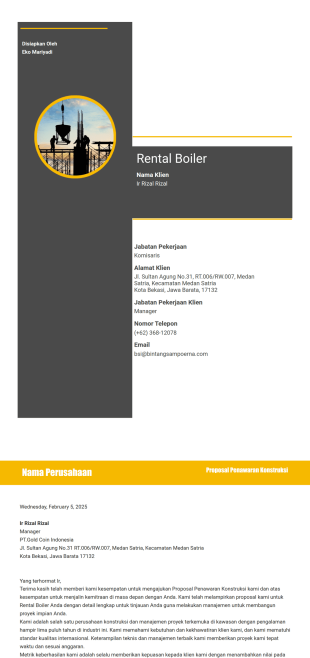
Proposal Konstruksi
Menulis proposal penawaran konstruksi bisa menjadi tugas yang menakutkan — tetapi tidak dengan Jotform! Template Proposal Konstruksi kami secara instan menghasilkan proposal konstruksi profesional untuk Anda, sehingga alur kerja Anda tidak terasa seperti situs konstruksi dan lebih seperti struktur yang sudah jadi. Cukup berikan informasi klien, detail konstruksi, dan persyaratan pembayaran, dan template kami langsung mengubah informasi tersebut menjadi proposal konstruksi PDF profesional. Anda dapat mengunduh atau mencetak PDF untuk presentasi proposal Anda berikutnya, atau mengirimkannya melalui email langsung ke klien untuk dipertimbangkan.Baik Anda perlu membuat satu atau beberapa proposal, Editor PDF kami memudahkan penyesuaian Template Proposal Konstruksi ini. Cantumkan riwayat perusahaan, logo, dan surat pengantar agar terlihat profesional agar sesuai dengan bisnis Anda. Template Proposal Konstruksi kami menghasilkan proposal tawaran konstruksi PDF yang dipoles dengan cepat, sehingga Anda dapat menghemat waktu untuk dokumen dan mengesankan klien dengan profesionalisme Anda.
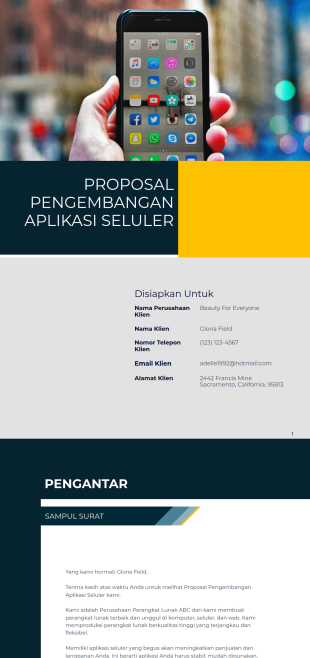
Proposal Pengembangan Aplikasi Seluler
Bujuk klien Anda untuk memanfaatkan layanan perangkat lunak Anda dengan mengirimkan PDF Proposal Pengembangan Aplikasi Seluler yang luar biasa. Proposal yang luar biasa ini memiliki halaman sampul, pengantar, gambaran umum perusahaan, proses pengembangan, layanan yang ditawarkan, detail proyek, dan persyaratan. Dalam proposal ini, prospek Anda pasti akan menghargai proposal Anda karena mengandung misi dan visi perusahaan Anda. Ini juga menggambarkan proses pengembangan tentang cara Anda membuat aplikasi seluler mulai dari proposal, rapat, persetujuan, pengujian, dan peluncuran.Templat Proposal Aplikasi Seluler yang sensasional ini juga menunjukkan deskripsi proyek dan harga yang dikutip. Terakhir, syarat dan ketentuan menentukan ruang lingkup layanan perusahaan.
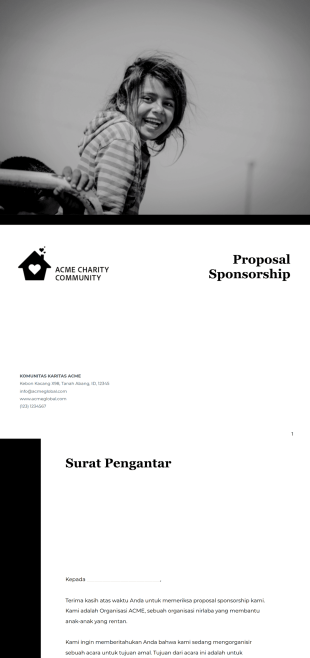
Templat Proposal Sponsorship
Templat proposal sponsorship ini membantu Anda menarik dan meyakinkan calon sponsor untuk menjadi bagian dari acara Anda. Templat ini mencakup halaman depan, surat pengantar untuk calon sponsor, gambaran umum perusahaan, informasi tentang acara, dan syarat-syaratnya.
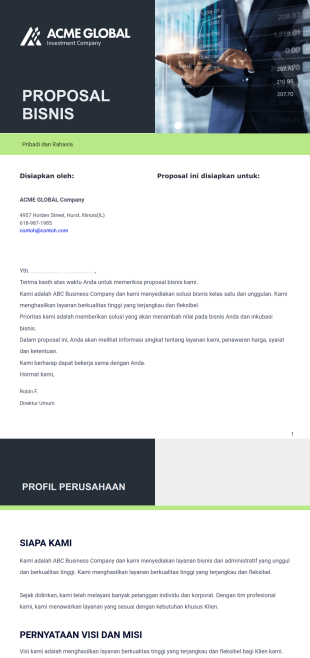
Templat Proposal Bisnis Gratis
Mencari investor atau klien baru? Gunakan templat proposal bisnis gratis dari Jotform di sini untuk menonjolkan potensi, ide, dan manfaat bisnis Anda.
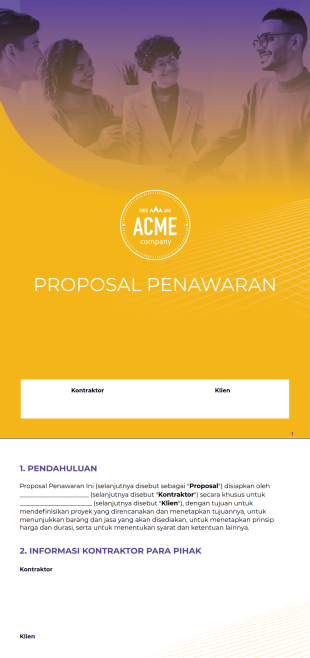
Templat Proposal Penawaran
Buat proposal penawaran untuk proyek mendatang. Sesuaikan proposal agar sesuai dengan tema proyek Anda. Berfungsi di perangkat apa pun — desktop, tablet, atau ponsel.
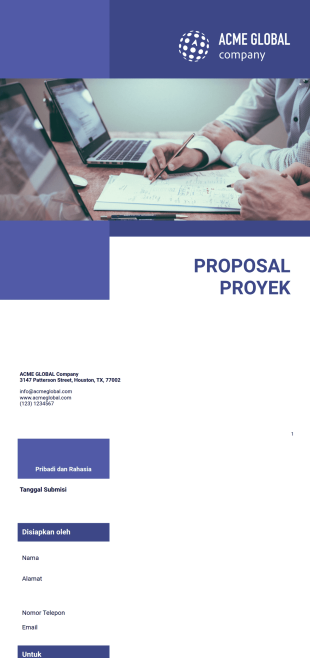
Templat Proposal Proyek Gratis
Butuh menulis proposal proyek? Mulailah dengan salah satu template proposal proyek gratis dari Jotform di sini untuk menghemat waktu dan usaha.

Templat Proposal Investasi
Buat proposal investasi untuk bisnis Anda. Kirim ke investor dalam hitungan detik. Geser dan lepas untuk menyesuaikan. Berfungsi dengan baik di semua perangkat iOS dan Android.

Proposal Anggaran
Proposal anggaran adalah dokumen formal yang digunakan untuk menguraikan rencana anggaran keuangan untuk perusahaan, proyek, atau kampanye. Proposal Anggaran gratis dari <a href="https://www.jotform.com/products/sign/" style="color:rgb(17,85,204);background-color:transparent;" target="_blank">Tanda Tangan Jotform</a> menyediakan ruang untuk mengisi pengeluaran untuk karyawan/personel, peralatan, material, perlengkapan, perjalanan, acara, lokakarya, konferensi, dan utilitas. Sesuaikan templat ini sesuai keinginan Anda, lalu bagikan melalui email untuk mengumpulkan tanda tangan elektronik dari perangkat apa pun. Perlu membuat beberapa perubahan? Tidak masalah! Anda tidak memerlukan pengalaman dalam pengodean atau desain apa pun — cukup seret dan lepas untuk menambahkan atau mengedit kolom formulir, menyertakan merek pribadi Anda, mengubah huruf dan warna, dan banyak lagi. Anda juga dapat mengatur perintah penandatanganan otomatis untuk memastikan tanda tangan diterima tepat waktu. Hemat waktu dan kertas dengan templat Proposal Anggaran online dari Tanda Tangan Jotform ini.

Templat Proposal Desain Interior
Buat proposal desain interior khusus dengan templat gratis ini. Mudah disesuaikan dan dibagikan. Tanda tangan elektronik dalam hitungan detik. Dapat digunakan di semua perangkat iOS dan Android.

Templat Proposal Perangkat Lunak
Proposal perangkat lunak adalah dokumen pemasaran multihalaman yang digunakan untuk membuat promosi penjualan tentang perangkat lunak atau layanan yang disediakan oleh perusahaan. Proposal Perangkat Lunak gratis dari <a href="https://www.jotform.com/products/sign/" style="background-color:transparent;color:rgb(17,85,204);" target="_blank">Tanda Tangan</a> ini diberikan kepada calon klien sebelum memulai hubungan bisnis. Isi proposal ini dari perangkat apa pun, lalu bagikan dengan klien melalui email untuk mengumpulkan tanda tangan elektronik dengan mudah. Perlu membuat perubahan pada templat Proposal Perangkat Lunak ini? Tidak masalah! Anda dapat melakukan hal-hal seperti menambahkan atau mengedit bidang formulir, menyiapkan pesanan tanda tangan otomatis, menyertakan bidang tanda tangan tambahan jika ada beberapa klien, mengunggah merek perusahaan Anda, mengubah font dan warna, dan banyak lagi. Setelah kedua belah pihak menandatangani proposal khusus Anda, Anda akan secara otomatis menerima dokumen PDF final untuk disimpan sebagai arsip Anda.
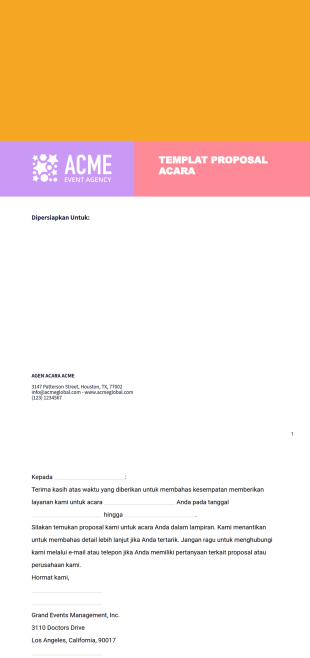
Templat Proposal Acara
Jika Anda mengelola atau bekerja untuk perusahaan acara, percepat proses pembuatan dan pengisian proposal acara dengan Templat Proposal Acara yang sudah jadi ini. Cukup sesuaikan syarat dan ketentuan agar lebih sesuai dengan bisnis Anda, bagikan dokumen dengan klien atau rekan kerja melalui email, dan kumpulkan tanda tangan elektronik yang mengikat secara hukum di perangkat apa pun! Sesuaikan desain Templat Proposal Acara ini dalam hitungan detik dengan pembangun seret dan lepas kami. Unggah logo Anda, ubah font dan warna, tambahkan beberapa penanda tangan, atur perintah penandatanganan otomatis, dan masih banyak lagi tanpa memerlukan pengodean. Kemudian, saat dokumen Templat Proposal Acara kustom Anda sudah siap, bagikan dengan klien untuk mengumpulkan respons dan mengubahnya menjadi PDF lengkap secara instan. Dengan menyederhanakan proses tanda tangan Anda dengan <a href="https://www.jotform.com/products/sign/" style="color:rgb(46,105,255);background-color:rgb(255,255,255);" target="_blank">Tanda Tangan Jotform</a>, Anda dapat menghemat waktu yang lebih baik digunakan di tempat lain.

Proposal Layanan Kebersihan
Gunakan templat proposal layanan kebersihan ini untuk memberikan kesan pertama yang luar biasa kepada calon klien.

Proposal Pemasaran Digital
Menangkan klien yang membutuhkan pemasaran online dengan menggunakan templat Proposal Pemasaran Digital ini. Proposal ini sangat presentatif dan efektif dalam menjangkau klien agar memanfaatkan layanan Anda.

Templat Proposal Produksi Video
Buat proposal produksi video profesional. Dapat diakses di tablet, ponsel, dan desktop. Dirancang untuk memenuhi kebutuhan perusahaan Anda. Tanda tangan elektronik dalam hitungan detik.

Proposal Agen Perjalanan
Proposal agen perjalanan digunakan oleh agen perjalanan untuk mengirimkan proposal deskriptif kepada klien mereka yang menguraikan layanan perjalanan yang akan mereka berikan. Proposal ini dapat mencakup informasi seperti rencana perjalanan, detail pemesanan, detail akomodasi, biaya transportasi, dokumen yang diperlukan, dan banyak lagi. Dengan menggunakan Proposal Agen Perjalanan siap pakai ini dari <a href="https://www.jotform.com/products/sign/" style="color:rgb(17,85,204);background-color:transparent;" target="_blank">Tanda Tangan Jotform</a>, Anda dapat menggunakan templat untuk menyusun proposal dengan cepat bagi klien Anda. Jangan ragu untuk membuat templat ini sesuai dengan bisnis Anda dengan mengunggah logo Anda, mengubah elemen visual, atau menambahkan atau menghapus bagian tertentu, bidang formulir, dan atau bidang tanda tangan elektronik. Jika Anda ingin mengumpulkan tanda tangan dari banyak pihak, Anda dapat melakukannya secara otomatis dengan perintah penandatanganan otomatis! Hemat waktu dan kertas dengan membuat Proposal Agen Perjalanan online yang profesional.

Templat Proposal Bisnis Nirlaba
Proposal bisnis nirlaba adalah dokumen atau surat penawaran yang menguraikan rencana bisnis kepada pemberi hibah yang mungkin ingin mendanai organisasi nirlaba untuk keterlibatan bisnis. Dengan Proposal Bisnis Nirlaba gratis dari <a href="https://www.jotform.com/products/sign/" style="background-color:transparent;color:rgb(17,85,204);" target="_blank">Proposal Bisnis Nirlaba gratis dari <a href="https://www.jotform.com/products/sign/" style="background-color:transparent;color:rgb(17,85,204);" target="_blank">Jotform Sign</a>, Anda dapat membuat dokumen khusus untuk mengumpulkan tanda tangan elektronik dari pemberi hibah di perangkat apa pun. Perlu mengubah tampilan dan nuansa templat Proposal Bisnis Nirlaba ini? Mudah saja dengan pembuat daring tanpa kode dari Tanda Tangan Jotform. Cukup seret dan lepas untuk menambahkan atau mengedit bidang formulir, menyertakan bidang tanda tangan tambahan, menyertakan logo organisasi Anda, mengubah font dan warna, dan membuat perubahan kosmetik lainnya. Setelah selesai membuat perubahan, bagikan proposal Anda melalui email untuk mengumpulkan tanda tangan. Anda akan secara otomatis menerima dokumen PDF final setelah semua pihak menandatangani.

Templat Proposal Bisnis Musik
Perlu menarik minat investor untuk usaha bisnis musik besar Anda berikutnya? Tanda Tangan Jotform menyediakan Templat Proposal Bisnis Musik ini untuk semua kebutuhan Anda. Sertakan rencana bisnis, musisi dan bakat yang terlibat, pendekatan pemasaran, dan banyak lagi tergantung pada kebutuhan Anda! Kemudian kirimkan saja ke investor yang berminat untuk mendapatkan persetujuan dan tanda tangan mereka. Menyesuaikan Templat Proposal Bisnis Musik ini mudah dilakukan dengan pembuat formulir online kami yang mudah digunakan — tidak memerlukan pengetahuan pengkodean. Cukup seret dan lepas untuk menambahkan atau menghapus bidang formulir, sertakan pencitraan merek dan gambar pribadi, tautkan ke sampel dan trek musik, buat perintah penandatanganan otomatis, dan pilih font dan warna Anda sendiri. Mulai usaha bisnis musik Anda berikutnya dengan Tanda Tangan Jotform hari ini.
Tentang Templat Proposal
Templat PDF Proposal adalah tata letak digital yang telah dirancang sebelumnya yang menyederhanakan proses penyusunan dan presentasi proposal profesional. Templat ini sangat berharga di berbagai industri, seperti penjualan, pemasaran, dan manajemen proyek, memungkinkan bisnis untuk secara efisien mempersiapkan dan menyebarkan proposal terperinci kepada klien dan pemangku kepentingan. Kasus penggunaan operasional umum meliputi pembuatan kontrak bisnis, penyusunan proposal penjualan, dan formalisasi penawaran proyek. Dengan mengotomatiskan proses dokumentasi, templat ini memastikan konsistensi dan profesionalisme dalam setiap proposal yang diajukan.
Jotform menonjol sebagai pembuat formulir online utama untuk membuat dan mengelola Templat Proposal. Platform ini menawarkan kemudahan kustomisasi yang tak tertandingi, memungkinkan pengguna untuk menyesuaikan setiap aspek templat mereka agar sesuai dengan kebutuhan bisnis tertentu. Dengan Jotform, bisnis dapat mengotomatiskan pengumpulan data, memastikan bahwa semua informasi yang diperlukan dicatat dan diformat secara akurat. Selain itu, Tabel Jotform menyediakan platform terpusat untuk manajemen data yang aman, memungkinkan pengguna untuk secara efisien mengatur, menganalisis, dan mengakses data proposal secara real-time.
Why Use Proposal Templates?
- Using Proposal Templates significantly enhances the accuracy of your documents. By maintaining consistent formatting and structure, these templates minimize the risk of human error, ensuring that all critical information is presented clearly and accurately. This helps to build trust and credibility with clients and stakeholders.
- Proposal Templates offer remarkable speed in document preparation. Once a template is set up, generating a new proposal is as simple as filling in specific details, allowing teams to produce documents quickly without starting from scratch. This efficiency can significantly reduce the time spent on administrative tasks.
- The professional data handling capabilities of Proposal Templates can elevate any business interaction. By standardizing document layouts and data presentation, these templates help convey a polished and organized image. This professionalism is essential in competitive industries where first impressions can make a significant difference.
- With Proposal Templates, data consistency is assured across different teams and departments. By using a standardized template, all users are guided in entering data uniformly, which improves communication and reduces discrepancies in information sharing within the organization.
- Proposal Templates also facilitate easy integration with other business systems. By ensuring that the data collected is in a structured format, these templates can seamlessly interact with CRM and other business tools, enhancing overall workflow efficiency.
Common Problems Solved by Proposal Templates
- One of the significant challenges businesses face is the cumbersome and error-prone nature of manual data entry. Proposal Templates alleviate this by automating the data input process, drastically reducing the likelihood of mistakes and data discrepancies.
- The risk of lost or misplaced documents is a common industry pain point. Digital Proposal Templates solve this by providing a centralized digital repository where all proposals are stored securely and can be easily retrieved when needed.
- Manual paperwork often leads to inefficiencies and delays in proposal processing. By transitioning to digital templates, businesses can eliminate the bottlenecks associated with paper-based systems, leading to faster processing times and improved workflow.
- Ensuring that all necessary information is included in a proposal can be challenging. Proposal Templates provide a structured framework that prompts users to include all required details, ensuring nothing important is overlooked.
Matching Use Cases to Features
- For businesses looking to streamline proposal creation, the Drag-and-Drop Form Builder is an invaluable feature. This tool allows users to effortlessly customize their templates, adding or removing sections to suit specific client needs, ultimately leading to more tailored and professional proposals.
- The Conditional Logic feature can be employed to create dynamic templates that adapt based on user input. This ensures that only relevant sections of a proposal are displayed, simplifying the proposal review process for clients and stakeholders.
- Penggunaan Tanda Tangan Elektronik (Jotform Sign) dalam Templat Proposal mempermudah proses persetujuan yang aman dan efisien. Para pemangku kepentingan dapat menandatangani proposal secara digital, mempercepat proses penerimaan dan mengurangi kebutuhan penanganan dokumen fisik.
- Fitur Editor PDF sangat penting untuk pembuatan PDF otomatis, memungkinkan proposal untuk langsung dikonversi menjadi dokumen PDF profesional dan rapi yang mudah dibagikan dan dipresentasikan kepada klien.
- The Report Builder can be used to create comprehensive reports summarizing proposal data. This is particularly useful for managers who need to analyze proposal performance and outcomes across multiple submissions.
- Approval Workflows can automate the approval process of proposals, ensuring that they are reviewed and signed off by the necessary parties before being sent to clients. This feature enhances accountability and ensures compliance with internal protocols.
- Secure Data Management with Jotform Tables allows for the safe storage and organization of proposal data. This feature is critical for maintaining data integrity and ensuring that sensitive client information is protected.
How to Create a Proposal Template
- Start by browsing the Template List to find a suitable Proposal template, or begin with a blank Template if you prefer to build one from scratch.
- Customize the design and fields using the Drag-and-Drop Form Builder. This allows you to add specific sections, adjust layouts, and incorporate branding elements to align with your company's standards.
- Once your template is complete, publish and share it via Direct Link, Email, or Website Embed. This ensures that your proposals are easily accessible to stakeholders and clients, facilitating smooth communication and collaboration.
Top Use Cases for Proposal Templates
- For Managers: Proposal Templates are an essential tool for managers who need to oversee and approve multiple proposals efficiently. They provide a standardized format that ensures all proposals meet the organization's quality standards, making it easier to review and authorize documents. Managers can use these templates to track proposal statuses and manage deadlines, ensuring timely submissions.
- For Teams: Teams benefit from Proposal Templates by collaborating more effectively on proposal creation. With a shared template, team members can contribute to different sections without disrupting the overall document flow. This collaborative approach ensures that all relevant expertise is incorporated into the proposal, resulting in a more comprehensive and persuasive document.
- For Customers: Customers appreciate the professionalism and clarity that Proposal Templates provide. By receiving well-structured proposals, clients can easily understand the offerings and terms being presented. This clarity helps in building trust and facilitates quicker decision-making, as clients have all the information they need to make informed choices.
Summarizing Proposal Templates
Proposal Templates offer significant business value by streamlining the proposal creation process, enhancing document accuracy, and promoting professional presentation standards. They support efficient collaboration and approval workflows, reducing administrative burdens and enabling faster responses to client needs. By integrating seamlessly with Jotform’s features, these templates empower businesses to manage proposal data securely and effectively, driving improved business outcomes.
Template ini hanya formulir yang disarankan. Jika Anda menggunakan formulir sebagai kontrak, atau untuk mengumpulkan informasi pribadi (atau kesehatan pribadi), atau untuk tujuan lain dengan implikasi hukum, kami menyarankan Anda untuk memastikan secara pribadi bahwa formulir Anda telah mematuhi hukum yang berlaku dan bahwa Anda telah berkonsultasi dengan seorang pengacara sebelum mengandalkan formulir tertentu.
Tanya Jawab
1) Is it free to create Proposal Templates on Jotform?
Ya, Jotform menawarkan akses gratis untuk membuat Templat Proposal menggunakan pembuat formulir online-nya. Pengguna dapat menyesuaikan dan menggunakan templat tanpa biaya, meskipun fitur lanjutan dan batas tanggapan yang lebih tinggi mungkin memerlukan paket berbayar.
2. Siapa yang biasanya menggunakan templat laporan kemajuan?
Jotform memprioritaskan keamanan data, menggunakan enkripsi dan langkah-langkah penyimpanan data yang aman untuk melindungi baik templat maupun data yang dikirimkan. Pengguna juga dapat mengaktifkan pengaturan keamanan tambahan seperti perlindungan kata sandi untuk PDF mereka.
3) Do I need coding knowledge to build a Proposal template?
Tidak, Pembuat Formulir Seret-dan-Lepas Jotform dirancang agar mudah digunakan dan tidak memerlukan pengetahuan pemrograman. Pengguna dapat dengan mudah menyesuaikan templat dengan menyeret dan melepaskan kolom dan elemen desain.
4) What is Field Mapping in the context of Proposal Templates?
Field Mapping involves connecting individual input fields from a web form to specific positions on a PDF layout, ensuring that the data collected is accurately transferred to the final document.
5. Dapatkah laporan kemajuan disetujui atau diakui secara digital?
Ya, templat Jotform responsif terhadap seluler dan dapat diakses di perangkat seluler. Hal ini memungkinkan pengguna untuk membuat, mengubah, dan meninjau proposal saat bepergian, sehingga meningkatkan fleksibilitas dan kenyamanan.
6) What does Autoresponder PDF Attachment do?
Fitur Lampiran PDF Penjawab Otomatis secara otomatis mengirimkan salinan PDF yang dihasilkan ke email pengirim formulir setelah tanggapan, memastikan mereka menerima konfirmasi dan catatan proposal mereka secara langsung.
7) How does the Hide Empty Fields setting work?
Pengaturan Sembunyikan Kolom Kosong secara otomatis menghapus pertanyaan atau bagian yang tidak terjawab dari PDF akhir, sehingga menghasilkan dokumen yang lebih bersih dan ringkas yang hanya berfokus pada informasi yang diberikan.
8) What is the Submission Table Widget used for in Proposal Templates?
Widget Tabel Tanggapan memformat data formulir yang kompleks, seperti tabel matriks atau pembelian terperinci, ke dalam tata letak tabular yang rapi pada PDF, sehingga memudahkan interpretasi dan analisis informasi yang dikirimkan.