

Template Catatan Pribadi

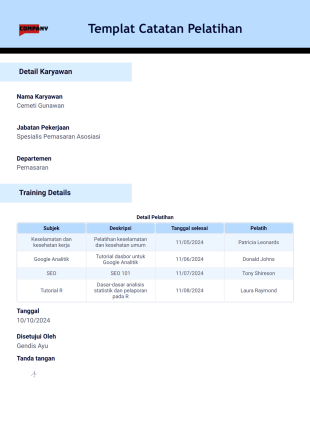
Templat Catatan Pelatihan
Lacak pelatihan karyawan. Hasilkan catatan pelatihan dalam bentuk PDF secara otomatis. Kumpulkan informasi dan tanda tangan elektronik. Mudah untuk disesuaikan. Tanpa perlu pengkodean.
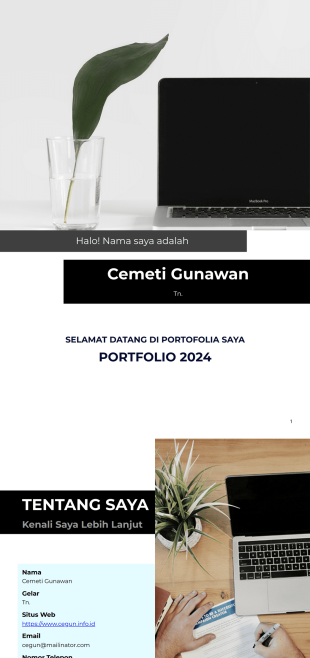
Templat Portofolio
Menangkan hati calon klien atau prospek yang membutuhkan salah satu layanan Anda dengan menyajikan Templat Portofolio ini. Templat ini pasti akan membantu Anda mendapatkan proyek.
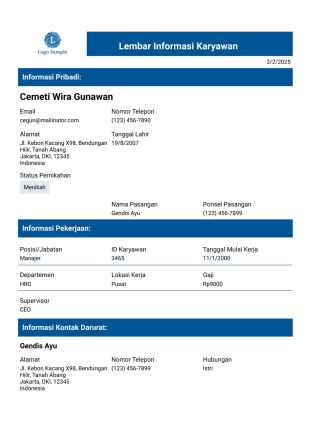
Templat Rekaman Karyawan Profesional
Templat Rekaman Karyawan Profesional akan sangat memudahkan proses Anda, karena Anda akan dapat melihat informasi setiap karyawan dalam satu antarmuka jika Anda menjalankan bisnis atau bekerja di departemen SDM.
Tentang Catatan Pribadi
Catatan pribadi digunakan untuk melacak rincian individu, seperti informasi kontak, catatan medis, dan banyak lagi. Baik jika Anda bekerja di bidang pendidikan, kesehatan, atau departemen SDM perusahaan Anda, kelola informasi penting seperti seorang profesional dengan Template PDF Catatan Pribadi gratis kami! Semua informasi akan disimpan dengan aman di akun Jotform Anda dan dilindungi dengan kepatuhan GDPR, kepatuhan CCPA, dan opsi untuk kepatuhan HIPAA .
Untuk memulai, cukup isi formulir singkat dengan informasi orang tersebut. Template PDF pilihan Anda akan mengubah informasi menjadi dokumen PDF yang dipersonalisasi — mudah diunduh, dicetak, atau dibagikan dengan klien atau rekan kerja. Dengan Editor PDF kami yang mudah digunakan, Anda dapat dengan cepat membuat Template Catatan Pribadi Anda terlihat persis seperti yang Anda inginkan. Gunakan interface seret dan lepas kami untuk menambahkan logo Anda, mengatur ulang tata letak, mengubah font dan warna, dan mengunggah gambar untuk mempersonalisasi desain.
Why Use Personal Records Templates?
- Personal Records Templates offer a high level of accuracy in data collection, which is crucial for maintaining reliable personal information databases. By using pre-designed fields and structures, these templates significantly reduce the likelihood of human error often associated with manual data entry.
- Speed is a significant advantage when using Personal Records Templates. They enable rapid data entry and processing, allowing for quicker turnaround times in administrative tasks. This efficiency is particularly beneficial in fast-paced environments like hospitals or recruitment agencies where timely data processing is essential.
- Professional data handling is another key benefit of using these templates. They offer a standardized format for capturing and storing personal records, which ensures that all data is presented consistently and professionally. This uniformity is vital for maintaining credibility and trust with clients and stakeholders.
- The ability to automate repetitive tasks is a major advantage of using Personal Records Templates. Automated workflows, such as autoresponder PDF attachments, free up valuable time and resources by eliminating the need for manual follow-ups, thus improving overall productivity.
- Enhanced data security is an integral feature of Personal Records Templates. With options like password protection and secure data management through Jotform Tables, sensitive personal information is safeguarded against unauthorized access, ensuring compliance with data protection standards.
Common Problems Solved by Personal Records Templates
- One of the most common problems in managing personal records is the excessive amount of paperwork involved. Personal Records Templates alleviate this issue by digitizing records, thereby reducing the physical storage space required and simplifying document management processes.
- Manual data entry is prone to errors, which can lead to inaccuracies in personal records. Templates address this by providing structured fields that guide users in entering data correctly, significantly reducing the incidence of errors and ensuring data integrity.
- Lost or misplaced documents are a frequent issue in traditional record-keeping systems. By utilizing digital templates, organizations can minimize this risk, as all records are securely stored and easily accessible online, ensuring that critical information is never lost.
- The time-consuming nature of traditional data collection methods is another challenge that templates help overcome. Automated features within Personal Records Templates streamline the data collection process, allowing organizations to save time and allocate resources more efficiently.
Matching Use Cases to Features
- Meningkatkan keamanan data dan kepatuhan privasi
- Human resources departments often require personal records for new hires. The Conditional Logic feature can be utilized to streamline the onboarding process by showing or hiding fields based on user input, ensuring that only relevant information is collected, thereby reducing unnecessary data clutter.
- Educational institutions frequently handle personal records of students. By using Electronic Signatures (Jotform Sign), schools can efficiently manage consent forms and administrative approvals, ensuring that all records are authenticated and legally binding without the need for physical paperwork.
- In corporate settings, the need to generate reports from personal records is common. The PDF Editor enables automated PDF generation of data collected through forms, facilitating the quick creation of professional reports that can be shared with stakeholders.
- Organizations with field operations benefit from Offline Data Collection. This capability allows personnel to gather personal records in remote locations without internet access, ensuring that data collection is uninterrupted and later synchronized when connectivity is restored.
How to Create a Personal Records Template
- Koordinator nonprofit
- Customize the design and fields using the Drag-and-Drop Form Builder. This feature provides the flexibility to modify the template’s appearance and functionality, ensuring that it captures all necessary data accurately.
- Publish and share via Direct Link, Email, or Website Embed. Once your template is ready, choose the most effective distribution method to reach your intended audience, ensuring that data collection is seamless and efficient.
Top Use Cases for Personal Records Templates
- For Managers: Managers can leverage Personal Records Templates to maintain comprehensive employee records, ensuring that all personnel information is accurately documented and easily accessible. This capability aids in performance reviews, compliance audits, and workforce planning, allowing managers to make informed decisions based on reliable data.
- For Teams: Teams benefit from using Personal Records Templates by having a centralized database for tracking project-specific personal information, such as team member roles and responsibilities. This centralization fosters improved collaboration and communication, as team members can easily access and update records as needed.
- For Customers: Customers appreciate the convenience of Personal Records Templates when submitting personal information for service requests or account registrations. The templates ensure that their data is collected in a secure and standardized manner, providing an enhanced customer experience that builds trust and satisfaction.
Summarizing Personal Records Templates
Personal Records Templates offer substantial business value by streamlining the collection, management, and storage of individual data. They enhance operational efficiency through automation and standardized data handling, reducing errors and ensuring data integrity. With Jotform’s robust features such as secure data management and intuitive customization, organizations can optimize their workflows and improve their data-driven decision-making processes. By adopting Personal Records Templates, businesses can ensure that their data management practices are efficient, secure, and aligned with professional standards.
Tanya Jawab
1) Is it free to create Personal Records Templates on Jotform?
Yes, Jotform offers a free plan that allows users to create and customize Personal Records Templates, although certain limitations may apply based on usage and features.
2. Siapa yang biasanya menggunakan templat laporan kemajuan?
All templates and submitted data are securely managed with encryption and other data protection measures, ensuring that sensitive information remains confidential and secure at all times.
3) Do I need coding knowledge to build a Personal Records template?
No coding knowledge is required. Jotform’s user-friendly Drag-and-Drop Form Builder allows you to create and customize templates effortlessly, making the process accessible to users with varying technical expertise.
4. Apakah surat konfirmasi dapat dikirim secara otomatis setelah tanggapan formulir?
Field Mapping is the process of connecting individual web form input fields to specific positions on a PDF Document layout, ensuring that data is accurately represented in the final document.
5. Dapatkah laporan kemajuan disetujui atau diakui secara digital?
Yes, Jotform’s templates are mobile-friendly and can be accessed and filled out on a variety of devices, including smartphones and tablets, ensuring flexibility and convenience for users on the go.
6) How does Autoresponder PDF Attachment work?
Autoresponder PDF Attachment automatically sends a generated PDF of the submitted form data to the form submitter via email, providing instant confirmation and a record of their submission.
7) How does Password Protection enhance document security?
Password Protection adds an additional layer of security by requiring users to enter a password before accessing a PDF file, safeguarding sensitive personal data from unauthorized access.