

نماذج تصميم الويب
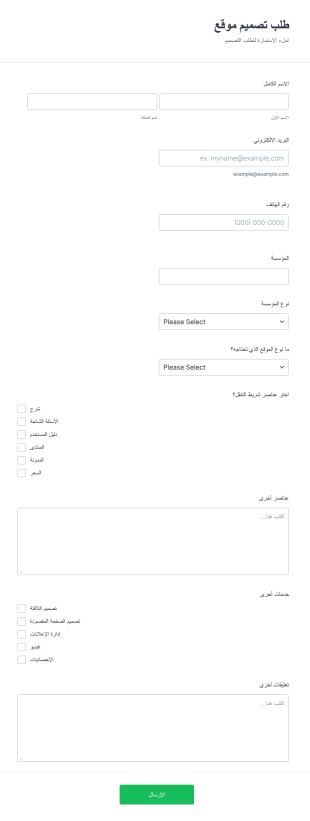
استمارة طلب تصميم موقع
باستعمال هذه الاستمارة يمكنك جمع المعلومات لتعرف نوع شركة العميل ولتعرف نوع توقعاتهم من الموقع. هذه الاستمارة تسمح بالتصميم بالتفصيل وبعرض المزيد من الخدمات وإدارة الإعلانات. باستعمال أدواتنا يمكنك يمكنك تعديل الاستمارة بما يتناسب مع المؤسسة الخاصة بك
انتقل إلى الفئة:نماذج تصميم الويب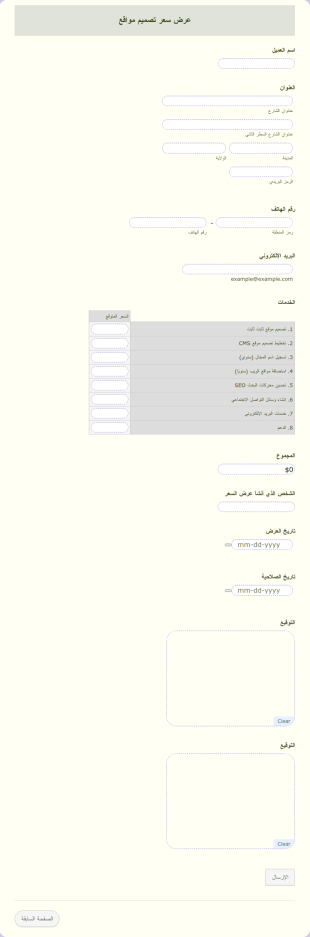
عرض سعر تصميم مواقع
انشا استمارة لتقديم عروض الأسعار لتصميم المواقع. هذه الاستمارة مجرد قالب يمكن تعديله بسهولة بما يتناسب مع احتيلجاتك.
انتقل إلى الفئة:نماذج تصميم الويب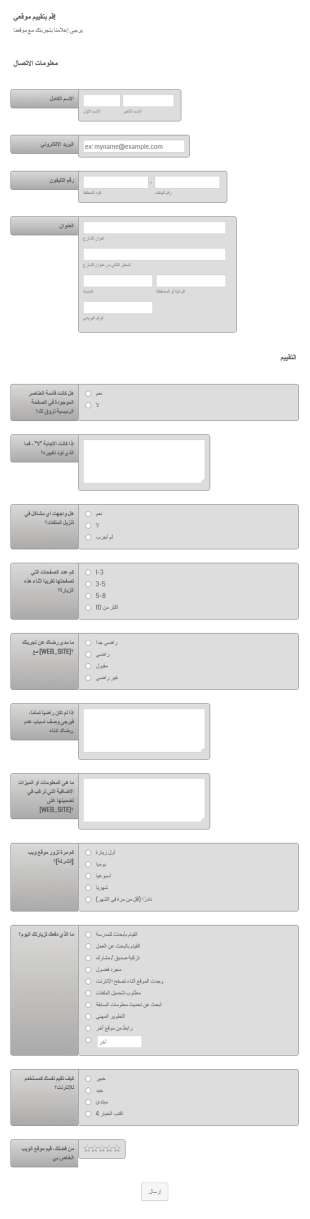
نموذج تقييم الموقع
يقيس تقييم موقع الويب جودة المحتوى والأداء لموقع ويب معين. هذا مهم جدًا خاصة لأصحاب مواقع الويب للتحقق مما إذا كان زوار موقعهم راضين عن الموقع أم لا. الطريقة المثلى لتحسين موقع الويب الخاص بك هي جمع التعليقات من زوارك ويمكن تحقيق ذلك من خلال مطالبتهم بالإجابة على بعض الأسئلة المتعلقة بتجربتهم في زيارة موقع الويب الخاص بك. إذا كنت تبحث عن نموذج تقييم يمكنك استخدامه كنقطة بداية، فجرّب نموذج تقييم موقع الويب هذا من JotForm. هذه قائمة أسئلة لتقييم موقع الويب تحتوي على اسم الشركة والتفاصيل ومعلومات الاتصال بالزائر وأسئلة التقييم والتصنيف. هذا نموذج لسجل تقييم موقع الويب يمكنك تعديله أو إضافته أو إزالته بناءً على النتيجة التي ترغب في تحقيقها.
انتقل إلى الفئة:نماذج تصميم الويب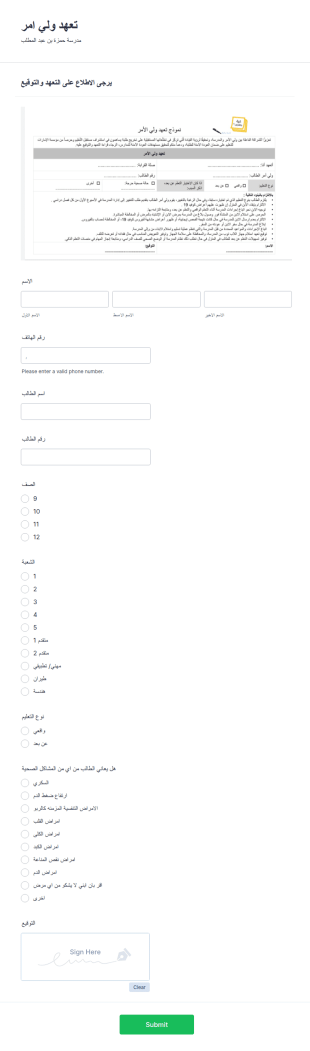
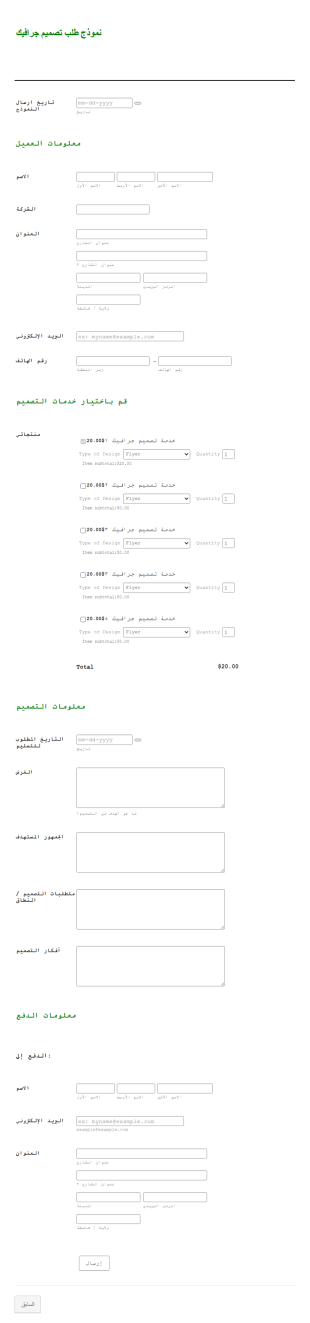
قالب تسعير تصميم جرافيك
قالب عرض أسعار تصميم الجرافيك مناسب لمصممي الجرافيك والشركات التي تقدم خدمات تصميم الجرافيك. باستخدام هذا القالب، يمكنك بسهولة إنشاء عرض أسعار بصيغة PDF لأعمال التصميم الخاصة بك. يتم تحديث العرض تلقائيًا بالمعلومات من نموذج الطلب أو استمارة الطلب التي يملؤها عملاؤك.عادةً ما يتم إنشاء المستند بصيغة PDF يمكن إرسالها للعملاء في أي وقت أو الاحتفاظ بها لأغراض المراجعة. لتعديل قالب عرض أسعار تصميم الجرافيك بما يتناسب مع احتياجاتك، يمكنك استخدام محرر PDF الخاص بـ Jotform. الميزة هي أنك ستحتاج فقط إلى السحب والإفلات للعناصر دون الحاجة إلى أي معرفة بالبرمجة.
انتقل إلى الفئة:نماذج التصوير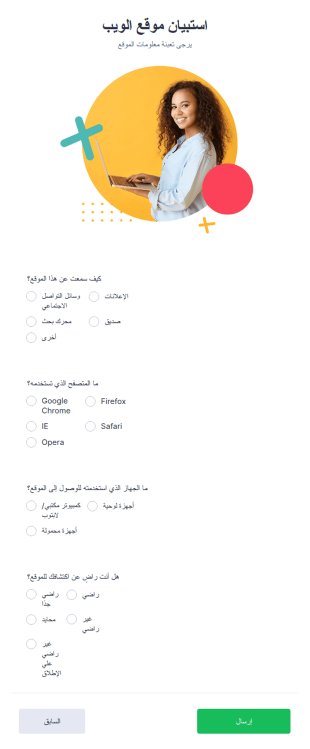
استطلاع Bootstrap
استبيان Bootstrap هو نموذج يسمح للعملاء بتقديم ملاحظاتهم حول موقع إلكتروني، باستخدام مجموعة من الأسئلة لتحديد مدى تفاعل الموقع. سواء كنت مالك موقع أو مصممًا، يمكنك جمع ملاحظات قيّمة من عملائك باستخدام قالب استبيان Bootstrap مجاني. استخدمه لمعرفة الاقسام التي يعمل فيها موقعك بشكل جيد أو إذا كانت واجهة التنقل سهلة الاستخدام — ثم قم بتحسينه! ما عليك سوى تخصيص الأسئلة لتتناسب مع موقعك، تضمين النموذج على موقعك، وابدأ بجمع الردود. إنه مجاني وسهل الاستخدام.اجعل قالب استبيان Bootstrap هذا خاصًا بك عن طريق تعديل عدد الأسئلة ومحتواها. أنشئ استبيانك الخاص في ثوانٍ. يمكنك حتى إضافة شعارك ليتماشى مع موقعك — أو إضافة المزيد من الحقول لجمع معلومات حول عادات الزوار. اختر المنصة التي ترغب في إرسال الردود إليها، سواء كان ذلك في صورة ملف PDF أو Dropbox أو Google Drive، وستقوم Jotform برفع الردود إلى الحساب الذي تختاره. والأفضل من ذلك؟ قم بمزامنة الردود مع Google Sheets للحصول على تحليل مفصّل لنقاط القوة والضعف في موقعك. اجمع ملاحظات زوار موقعك باستخدام نموذج استبيان Bootstrap مجاني عبر الإنترنت!
انتقل إلى الفئة:نماذج تصميم الويب
Seo استبيان العميل لمحركات البحث
استبيان العميل لتحسين محركات البحث يستخدم من قبل الشركات لجمع المعلومات من العملاء المحتملين حول احتياجات تصميم مواقع الويب الخاصة بهم. يمكنك استخدام هذا النموذج المجاني للاستبيان لإدارة طلبات تصميم موقع الويب الخاصة بك. قم بتخصيص حقول الاستمارة لتتناسب مع احتياجات عملك، ثم ضع الاستمارة على متجر الويب الخاص بك أو شاركها بواسطة رابط أو قم باضافتها إلى جهاز الكمبيوتر أو اللوحي الخاص بشركتك شخصياً. يمكنك حتى تكوين الاستمارة لإرسال رسالة بريد إلكتروني تتبع لجهات اتصال لطلب تصميم موقع الويب الخاصة بك - ما يساعد على التأكد من الحصول على المعلومات التي تحتاجها لاتخاذ قرارات واضحة. هل ترغب في إنشاء نموذج طلب تصميم موقع الويب الخاص بك؟ أضف شعار علامتك التجارية، وقم بتغيير حقول الاستمارة والألوان لتتناسب مع عملك، وأضف شعار أو صورة إلى الخلفية. تطبيق النموذج المجاني من Jotform ليس له حدود! ثم، للتأكد من الاستفادة من كل ما يقدمه Jotform لمساعدتك في إدارة طلبات تصميم موقع الويب الخاص بك، اطلع على أكثر من 100 تكامل مع تطبيق خارجي لمزامنة الردود مع حساباتك الأخرى. أيضًا، يمكنك تتبع تقديماتك أثناء التنقل باستخدام تطبيق Jotorm للهاتف. قم بتسجيل حساب وابدأ في جمع الطلبات!
انتقل إلى الفئة:نماذج تصميم الويب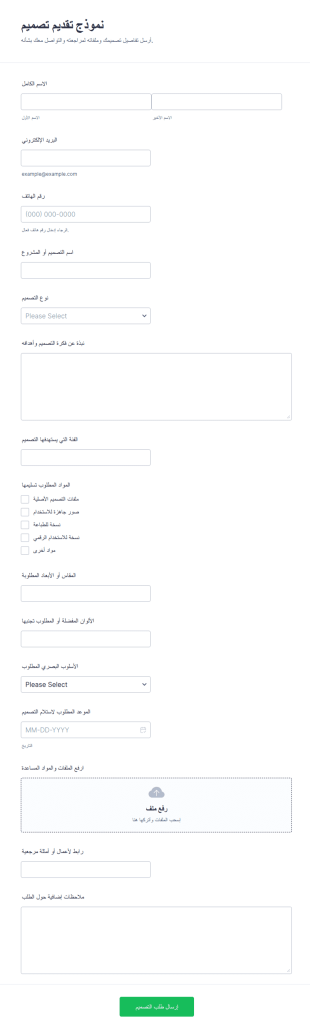
نموذج تقديم تصميم
يساعد نموذج تقديم تصميم على جمع البيانات اللازمة لطلبات التصميم من العملاء، وتحديد نوع العمل وموعد التسليم وإرفاق المواد، وهو مناسب للمصممين ووكالات التصميم وأقسام التسويق التي تريد تنظيم ردود النموذج عبر Jotform.
انتقل إلى الفئة:نماذج تصميم الويب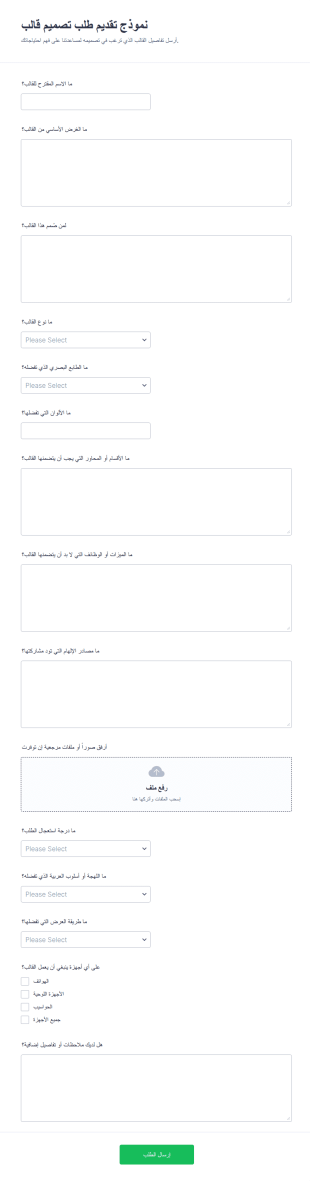
نموذج تقديم مقترحات السِمة
يساعد نموذج تقديم طلب تصميم قالب على جمع متطلبات تصميم القوالب وتحديد الأولويات وإدارة طلبات الفرق أو العملاء عبر نماذج أونلاين من Jotform لتسريع جمع البيانات ومتابعة ردود النموذج.
انتقل إلى الفئة:نماذج تصميم الويبحول نماذج تصميم الويب
Web Design Forms are specialized digital forms tailored for the intricate needs of web design projects. These forms facilitate a seamless flow of information between clients and designers, ensuring that all project requirements are captured accurately and efficiently. Whether it's gathering initial project specifications or managing ongoing feedback during the design process, Web Design Forms play a critical role in streamlining communication and documentation. By utilizing these forms, web designers and agencies can ensure that every detail is accounted for, thus enhancing project outcomes and client satisfaction.
تتميز Jotform باعتبارها أفضل مُنشئ نماذج أونلاين لإنشاء نماذج تصميم الويب وإدارتها، حيث توفر سهولة فائقة في التخصيص ووظائف متقدمة. وتتيح واجهتها البديهية المعتمدة على السحب والإفلات للمستخدمين تخصيص النماذج بما يتوافق مع متطلبات كل مشروع بكل سهولة، بينما تُسهم ميزة جمع البيانات تلقائيا في تبسيط عملية جمع المعلومات وتخزينها. وبالإضافة إلى ذلك، توفر جداول Jotform منصة مركزية وآمنة ومنظمة لإدارة بيانات النماذج وتخزينها، مما يضمن سهولة الوصول إلى جميع المعلومات المتعلقة بالمشروعات وإدارتها. وهذا يجعل Jotform أداة أساسية لمحترفي تصميم الويب الذين يسعون إلى تحسين سير العمل وتعزيز تفاعلهم مع العملاء.
لماذا نستخدم نماذج تصميم المواقع الإلكترونية؟
- تضمن نماذج تصميم المواقع الإلكترونية تسجيل تفاصيل المشروع المهمة بدقة، مما يقلل من مخاطر سوء الفهم والأخطاء. ومن خلال استخدام نماذج إلكترونية منظمة، يمكن للمصممين جمع متطلبات العملاء وتفضيلاتهم وملاحظاتهم بشكل منهجي، مما يؤدي إلى تنفيذ المشروع بدقة أكبر.
- تتحسن سرعة جمع المعلومات ومعالجتها بشكل كبير بفضل نماذج تصميم المواقع الإلكترونية. فبدلاً من الاعتماد على تبادل الرسائل الإلكترونية أو المكالمات الهاتفية، يمكن للعملاء ملء النماذج بسرعة وفي الوقت الذي يناسبهم، مما يزود المصممين ببيانات ملائمة وفي الوقت المناسب للمضي قدماً بالمشروع بكفاءة.
- يُعد التعامل الاحترافي مع البيانات حجر الزاوية في «نماذج تصميم المواقع الإلكترونية»، حيث يقلل التنسيق الرقمي من مخاطر فقدان المعلومات أو ضياعها. وبفضل التخزين الرقمي المركزي، يتم تنظيم جميع النماذج المرسلة تلقائيًا، مما يسهل تتبع تفاصيل المشروع والرجوع إليها في أي مرحلة.
- تتيح إمكانيات التخصيص للمصممين تكييف النماذج وفقًا للاحتياجات المحددة لكل مشروع، مما يضمن تلبية جميع المتطلبات الفريدة. وتساعد هذه القدرة على التكيف في تلبية نطاقات المشاريع المتنوعة، بدءًا من التحديثات البسيطة للمواقع الإلكترونية وصولاً إلى عمليات إعادة التصميم المعقدة، دون المساس بالاتساق أو الجودة.
- تساهم ميزات الأتمتة المتوفرة في نماذج تصميم المواقع الإلكترونية من Jotform في تقليل المهام الإدارية اليدوية، مما يتيح للمصممين مزيدًا من الوقت للتركيز على العمل الإبداعي. ويؤدي ذلك إلى زيادة الإنتاجية وتبسيط سير العمل، وهو ما يعود بالنفع في النهاية على كل من فريق التصميم والعميل.
المشاكل الشائعة التي تحلها نماذج تصميم المواقع الإلكترونية
- تعاني العديد من مشاريع تصميم المواقع الإلكترونية من انقطاع في التواصل بسبب المعلومات غير الكاملة أو غير الواضحة. وتساعد نماذج تصميم المواقع الإلكترونية في التخفيف من حدة هذه المشكلة من خلال توفير نموذج منظم يتيح للعملاء التعبير عن احتياجاتهم بوضوح وشمولية، مما يقلل من احتمالية حدوث سوء تفاهم.
- قد تستغرق الأعمال الورقية وإدخال البيانات يدويًّا وقتًا طويلاً وتكون عرضة للأخطاء. ومن خلال التحول إلى النماذج الرقمية، يمكن لفرق تصميم المواقع الإلكترونية التخلص من أوجه القصور المرتبطة بالأعمال الورقية التقليدية، مما يضمن تسجيل جميع البيانات بدقة وتخزينها إلكترونيًّا لتسهيل الوصول إليها.
- قد يؤدي فقدان تفاصيل المشروع أو ضياعها إلى تعطيل الجداول الزمنية والتأثير على نتائج المشروع. وبفضل «نماذج تصميم المواقع الإلكترونية»، يتم تخزين جميع البيانات بأمان عبر الإنترنت، مما يقلل من مخاطر فقدان المعلومات ويمكّن المصممين من الحفاظ على الاستمرارية طوال دورة حياة المشروع.
- قد تؤدي إدارة عدة مشاريع للعملاء في آن واحد إلى ظهور تحديات تنظيمية. وتوفر نماذج تصميم المواقع الإلكترونية منصة مركزية لتتبع الطلبات وتنظيم البيانات، مما يسهل على المصممين التوفيق بين عدة مشاريع دون إغفال متطلبات كل مشروع على حدة.
- قد تؤدي عملية الموافقة اليدوية إلى تأخير سير العمل في المشروع. وبفضل ميزة «مسارات عمل الموافقة» من Jotform، يمكن لـ «نماذج تصميم المواقع الإلكترونية» تبسيط عملية الموافقة، مما يتيح اتخاذ القرارات بشكل أسرع والمضي قدماً في المشروع.
مطابقة حالات الاستخدام مع الميزات
- من أجل تسجيل المواصفات التفصيلية للمشروع، يتيح «منشئ النماذج بالسحب والإفلات» للمصممين إنشاء نماذج تتضمن جميع الحقول الضرورية، مما يضمن جمع البيانات بشكل شامل وبطريقة سهلة الاستخدام.
- يمكن استخدام «المنطق الشرطي» لتخصيص تجربة استخدام النموذج للعملاء، من خلال إظهار الحقول أو إخفائها بناءً على الإجابات السابقة. وتضمن هذه الميزة أن يملأ العملاء الأقسام ذات الصلة فقط، مما يجعل عملية إرسال النموذج أكثر كفاءة وتخصيصًا.
- لتسهيل عمليات الدفع مقابل خدمات التصميم، يمكن لـ «نماذج تصميم المواقع الإلكترونية» التكامل مع أكثر من 30 بوابة دفع، بما في ذلك Stripe وPayPal. ويتيح ذلك للعملاء إجراء مدفوعات آمنة مباشرةً عبر النموذج، مما يسهم في تبسيط عملية الفوترة.
- تتيح التوقيعات الإلكترونية (Jotform Sign) للمصممين الحصول على موافقات العملاء على العروض أو مسودات التصميم مباشرةً داخل النموذج، مما يضمن توثيق جميع الموافقات وكونها ملزمة قانونًا.
- تتيح ميزة محرر PDF إنشاء مستندات PDF احترافية تلقائيًا من استجابات النماذج، مما يوفر سجلًا منظمًا وسهل المشاركة لجميع تفاعلات العملاء واتفاقيات المشروعات.
- يتيح التكامل مع خدمات الجهات الخارجية مثل Google Sheets وSalesforce نقل البيانات وإدارتها بسلاسة، مما يتيح لفرق التصميم الحفاظ على سجلات مشاريع محدثة ومتزامنة.
- تضمن «إدارة البيانات الآمنة» مع جداول Jotform تخزين جميع البيانات التي يتم جمعها بشكل آمن، مما يحمي معلومات العملاء ويحافظ على الامتثال للوائح حماية البيانات.
كيفية إنشاء نموذج لتصميم مواقع الويب
- ابدأ بتصفح قائمة القوالب للعثور على قالب خاص بتصميم الويب يناسب احتياجاتك، أو ابدأ بنموذج فارغ لإنشاء حل مخصص.
- استخدم أداة إنشاء النماذج بالسحب والإفلات لتخصيص التصميم والحقول، مع التأكد من تلبية جميع متطلبات المشروع المحددة وأن يكون النموذج سهل الاستخدام بحيث يمكن للعملاء تعبئته بسهولة.
- بمجرد الانتهاء من إعداد النموذج، قم بنشره ومشاركته عبر «الرابط المباشر» أو «البريد الإلكتروني» أو «التضمين في الموقع الإلكتروني» لضمان سهولة الوصول إليه للعملاء وأصحاب المصلحة.
أهم حالات استخدام نماذج تصميم المواقع الإلكترونية
- للمديرين: توفر نماذج تصميم الويب للمديرين أداة شاملة للإشراف على جميع المشروعات الجارية، مما يساعد على ضمان سير كل مشروع وفق الخطة ومعالجة جميع متطلبات العملاء. كما تتيح إمكانية الوصول إلى البيانات والتحليلات في الوقت الفعلي للمديرين اتخاذ قرارات مدروسة بسرعة، مما يُحسن توزيع الموارد ويعزز الكفاءة العامة لإدارة المشروعات.
- للفرق: تستفيد فرق التصميم من نماذج تصميم الويب من خلال توفير منصة مركزية للتعاون والتواصل بفعالية. ومع توفر جميع تفاصيل المشروعات ومدخلات العملاء في مكان واحد، يتمكن أعضاء الفريق من تنسيق جهودهم وضمان الاتساق والالتزام بأهداف المشروع. ويسهم هذا النهج التعاوني في تحقيق نتائج أعلى جودة وتعزيز روح العمل الجماعي داخل الفريق.
- للعملاء: يستمتع العملاء الذين يستخدمون نماذج تصميم الويب بتجربة سلسة واحترافية عند التعامل مع شركائهم في التصميم. ويضمن التنسيق المنظم للنماذج قدرتهم على توضيح احتياجاتهم بدقة وكفاءة، بينما تسهم العمليات المؤتمتة في تقليل أوقات الانتظار وتعزيز مستوى الرضا العام. ويساعد هذا المستوى من الخدمة على بناء الثقة وتعزيز العلاقات مع العملاء.
تلخيص نماذج تصميم المواقع الإلكترونية
تُعد نماذج تصميم المواقع الإلكترونية عنصراً أساسياً في أي مشروع لتصميم المواقع، حيث توفر طريقة منظمة وفعالة لإدارة التفاعلات مع العملاء ومتطلبات المشروع. ومن خلال الاستفادة من الميزات المتقدمة التي يوفرها Jotform، يمكن للمصممين تبسيط سير عملهم، والحد من الأخطاء، وتعزيز التواصل، مما يؤدي في النهاية إلى تحقيق نتائج متميزة. إن القدرة على تخصيص النماذج وفقاً لاحتياجات المشروع المحددة، إلى جانب الإدارة الآمنة للبيانات، تجعل من Jotform شريكاً لا غنى عنه في قطاع تصميم المواقع الإلكترونية.
الأسئلة الشائعة
1) هل إنشاء نماذج تصميم الويب على Jotform مجاني؟
نعم، يقدم Jotform خطة مجانية تتيح للمستخدمين إنشاء وتخصيص نماذج تصميم الويب، على الرغم من وجود قيود على عدد النماذج وعمليات الإرسال.
2) هل النماذج والبيانات المُرسلة آمنة؟
Absolutely, Jotform prioritizes data security with measures such as SSL encryption, compliance with GDPR, and secure data storage practices to protect client information.
3) Do I need coding knowledge to build a Web Design Form?
No, Jotform’s Drag-and-Drop Form Builder is designed for ease of use, allowing users to create fully functional forms without any coding expertise.
4) هل يمكنني تحصيل المدفوعات مباشرةً من خلال النماذج؟
Yes, Web Design Forms can integrate with over 30 payment gateways, enabling secure and convenient payment collection directly through the forms.
5) هل يمكن استخدام هذه النماذج على الأجهزة المحمولة؟
Indeed, Jotform’s forms are mobile-responsive, ensuring that clients can complete and submit forms from any device, enhancing accessibility and convenience.
6) هل يمكنني تحويل البيانات المُرسلة عبر النماذج إلى مستندات PDF احترافية؟
Yes, with Jotform’s PDF Editor, you can automatically generate polished PDF documents from form submissions, perfect for record-keeping or sharing with clients.
7) هل المعلومات المقدمة من خلال نماذج تصميم الويب آمنة؟
Using structured forms ensures all client feedback and requirements are clearly documented, reducing miscommunication and improving project outcomes.
8) هل يمكن تخصيص نماذج تصميم الويب لأنواع مختلفة من المشاريع؟
نعم، يقدم Jotform عمليات تكامل مع العديد من خدمات الجهات الخارجية، بما في ذلك أدوات إدارة المشاريع مثل Asana وTrello، لتبسيط سير العمل ومزامنة البيانات.