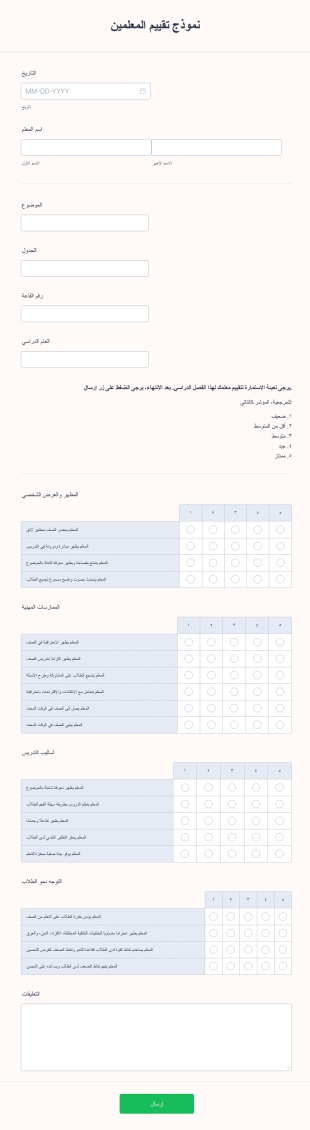


نماذج التعليم
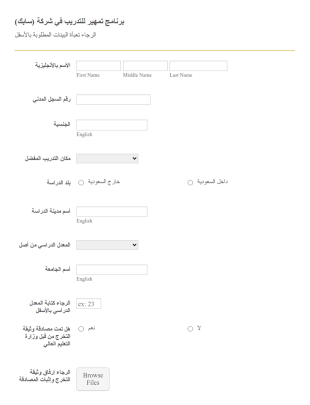
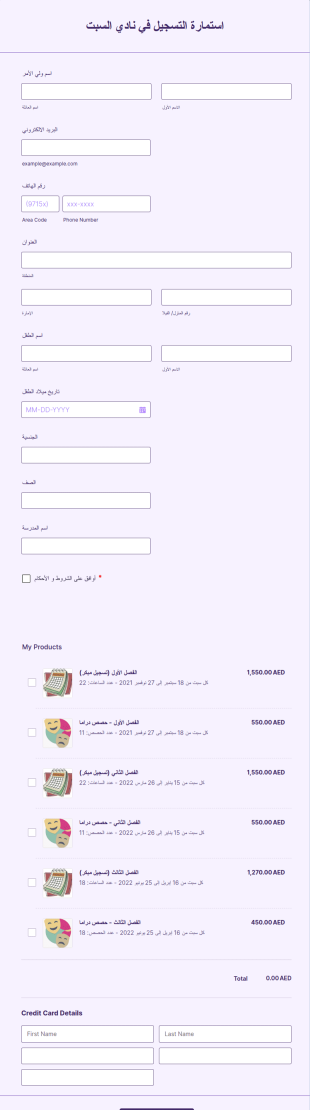
استمارة التسجيل في دورة تدريبية
نموذج التسجيل في دورة تدريبية، والذي يوفر لك المعلومات الشخصية للمتقدمين ومعلومات الاتصال مع التفاصيل التعليمية.
انتقل إلى الفئة:نماذج التعليم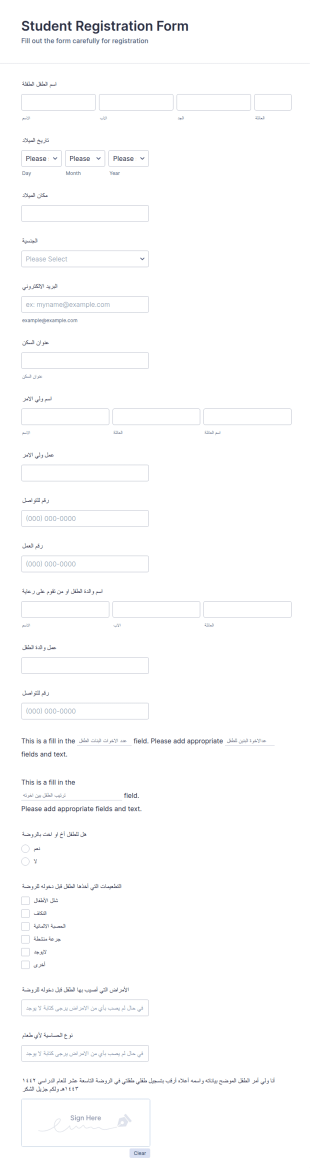

نموذج جمع معلومات الطلاب
نموذج جمع معلومات الطالب هي وثيقة تُستخدم من قبل المعلمين لجمع البيانات عن طلابهم. اجمع المعلومات التي تحتاجها من الطالب الذي يسجل في المدرسة أو الصف أو البرنامج. سواء كنت معلمًا في مدرسة أو تعمل لصالح مدرسة، احصل على نموذج جمع معلومات الطالب عبر الإنترنت لتبقى على اطلاع بمعلومات طلابك! قم ببساطة بتخصيص النموذج ليناسب احتياجاتك باستخدام أداة إنشاء النماذج المجانية لدينا، ثم شاركه مع طلابك عن طريق تعيينه لهم عبر برنامج إدارة الفصول الدراسية أو عن طريق مشاركة الرابط. الأمر بهذه البساطة!يمكنك مزامنة نموذج جمع معلومات الطالب مع حساباتك الأخرى باستخدام أكثر من ١٠٠ تكامل قوي للتطبيقات من Jotform، مثل Google Drive أو Dropbox، لتكون أكثر كفاءة وتحافظ على تنظيم بياناتك. يمكنك حتى إضافة شعارك لتمثيل مدرستك بأسلوب مميز من خلال التصميم القابل للتخصيص للنموذج. باستخدام نموذج جمع معلومات الطالب المجاني من Jotform، ستكون مستعدًا لاستقبال العام الدراسي الجديد بكل كفاءة.
انتقل إلى الفئة:نماذج التعليم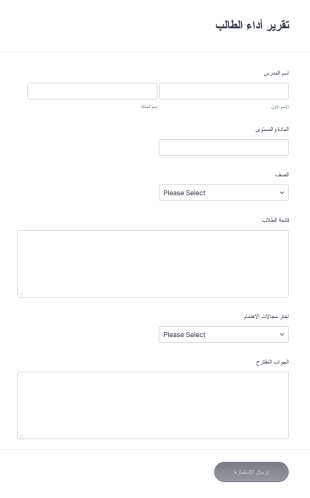
تقرير أداء الطالب
هذه الاستمارة يمكن استعمالها لتتبع تقدم الطلاب. هذا القالب يمكن استعماله كخطوة أولى ويمكن نعديلها بسهولة.
انتقل إلى الفئة:نماذج التعليم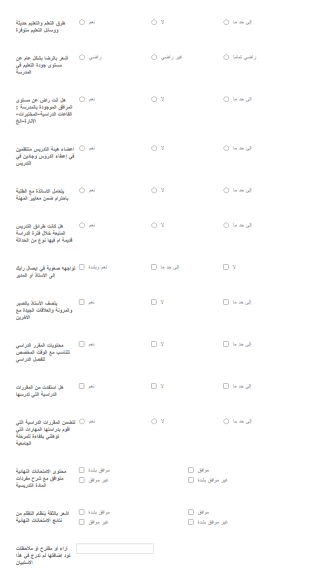
استبيان التعليم
استبيان لقياس رضا الطلبة عن جودة التعليم والتعلم في المدارس
انتقل إلى الفئة:نماذج التعليم
نموذج بيانات الطالب
نموذج بيانات الطالب هو قالب مصمم لجمع المعلومات الشخصية للطلاب مثل الاسم، اسم الأم، اسم الأب، رقم الهاتف المنزلي، رقم الجوال، رقم العمل، والعنوان. بالإضافة إلى ذلك، يتضمن النموذج حقولًا لجمع معلومات حول سبب التحويل، الحضور، اختبارات الأداء، الفحص، سجل الانضباط، وأحدث الدرجات الأكاديمية.يُعد هذا النموذج مخصصًا للمدارس لتسهيل عملية جمع وتنظيم بيانات الطلاب بشكل فعال. باستخدام نموذج بيانات الطالب، يمكن للمدارس الاستفادة من عملية مبسطة لجمع وإدارة المعلومات، مما يسهل الوصول إلى البيانات وتحديثها عند الحاجة. يساعد هذا النموذج في تتبع الحضور، الأداء الأكاديمي، وسجلات الانضباط بشكل أكثر كفاءة.تتيح الحقول القابلة للتخصيص في النموذج للمدارس تعديل النموذج وفقًا لمتطلباتها الخاصة، مما يضمن جمع جميع المعلومات الضرورية بدقة. بفضل سهولة الاستخدام وخيارات التخصيص المتاحة في Jotform، يمكن للمدارس إنشاء نظام فعال لجمع البيانات يوفر الوقت ويبسّط المهام الإدارية.منشئ النماذج من Jotform، هي أداة إنشاء النماذج عبر الإنترنت بالسحب والإفلات، هي المنتج المثالي لإنشاء نموذج بيانات الطالب. بفضل خيارات الحقول المتنوعة والإضافات المتاحة، يمكن للمدارس تخصيص النموذج لإدراج جميع الحقول اللازمة لجمع البيانات.تسهل امكانية التكامل في Jotform مع التطبيقات والخدمات الشهيرة نقل البيانات وأتمتة العمليات، مما يُبسط سير العمل ويوفر الوقت. باستخدام منشئ النماذج من Jotform، يمكن للمدارس إنشاء نموذج جاهز للاستخدام يُعزز قدراتها على جمع البيانات وإعداد التقارير بكفاءة.
انتقل إلى الفئة:نماذج التعليم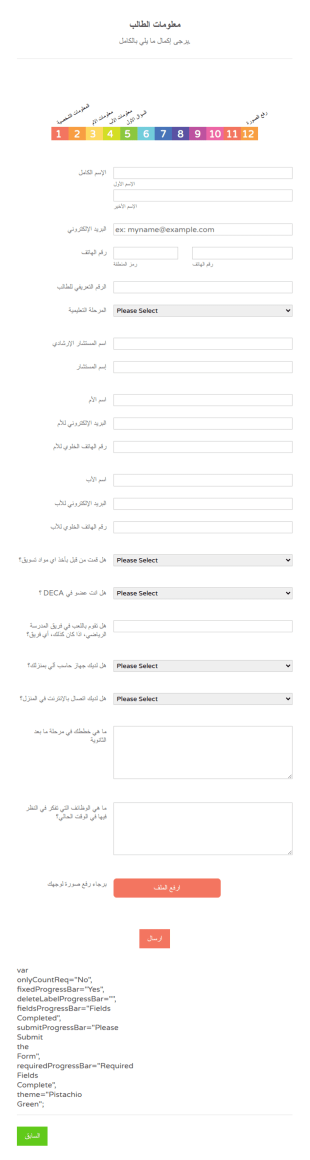
نموذج معلومات الطالب
هل تريد أن تعرف طلابك بشكل أفضل؟ باستخدام نموذج المعلومات الشخصية للطلاب، يمكنك الحصول على معلومات الطلاب بسهولة مثل الهوية الشخصية وأفراد الأسرة والأسئلة الإضافية مثل هل يلعب / تلعب في فريق رياضي بالمدرسة، وهل لديه / لديها جهاز كمبيوتر في المنزل، وهل لديه / لديها اتصال بالإنترنت في المنزل، ما الذي يخطط له بعد تخرجه من المدرسة الثانوية. أيضًا، يسمح قالب نموذج المعلومات الشخصية للطلاب بتحميل صورهم.
انتقل إلى الفئة:نماذج التعليم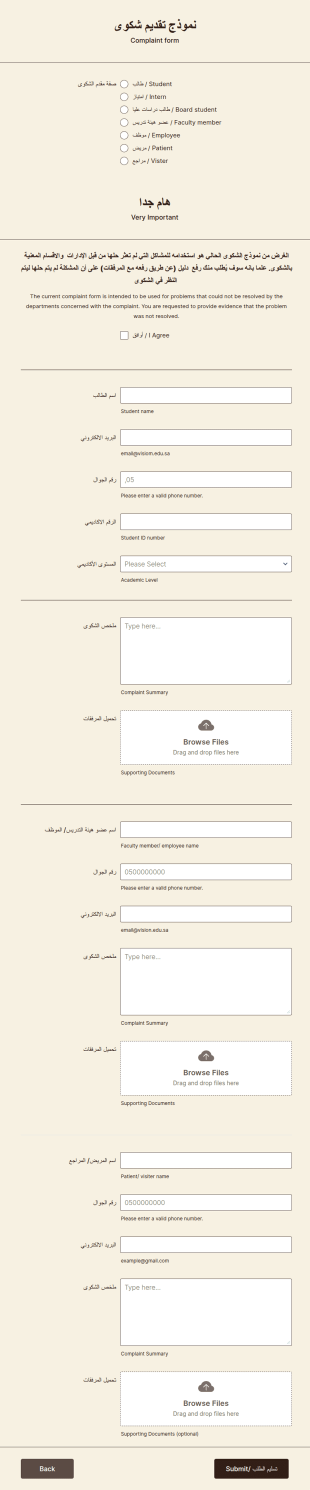
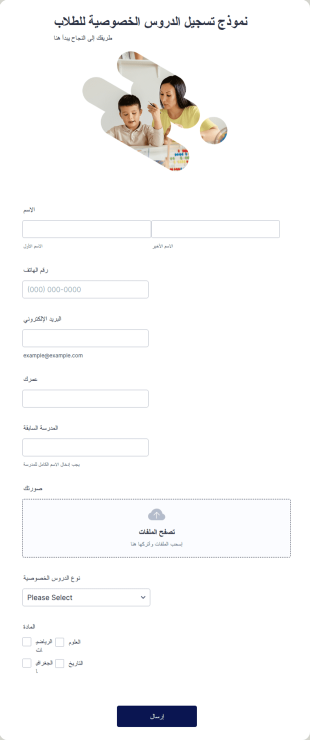
نموذج تسجيل الطلاب للدروس الخصوصية
نموذج تسجيل الطلاب للدروس الخصوصية هو أداة تتيح للمدرسين الخصوصيين أو المدارس الخاصة جمع معلومات الاتصال بالطلاب. سواء كنت مدرس أو تدير مدرسة خاصة، يمكنك استخدام نموذج تسجيل الطلاب للدروس الخصوصية المجاني على موقعك لتسهيل تواصل الطلاب معك!بكل بساطة، قم بتخصيص النموذج للحصول على المعلومات التي تحتاجها، ثم قم بتضمينه في موقعك وابدأ بجمع المزيد من المعلومات حول طلابك. هل ترغب في إضافة شعارك، استخدام ألوان مختلفة، أو تحديث صورة الخلفية؟ استخدم أداة إنشاء النماذج المجانية للحصول على المظهر الذي تريده بالضبط.إذا كنت تريد دمج هذا النموذج مع نموذج آخر أو مزامنته مع حساباتك الأخرى، فهناك أكثر من ١٠٠ تكامل يمكنك الاختيار منها. وإذا كنت ترغب في قبول المدفوعات عبر الإنترنت، لدينا تكاملات مع معالجات دفع موثوقة مثل PayPal، Stripe، وSquare.احصل على مزيد من المعلومات من الطلاب — وحوّلهم إلى عملاء — باستخدام نموذج تسجيل الطلاب للدروس الخصوصية المجاني على موقعك!
انتقل إلى الفئة:نماذج التعليم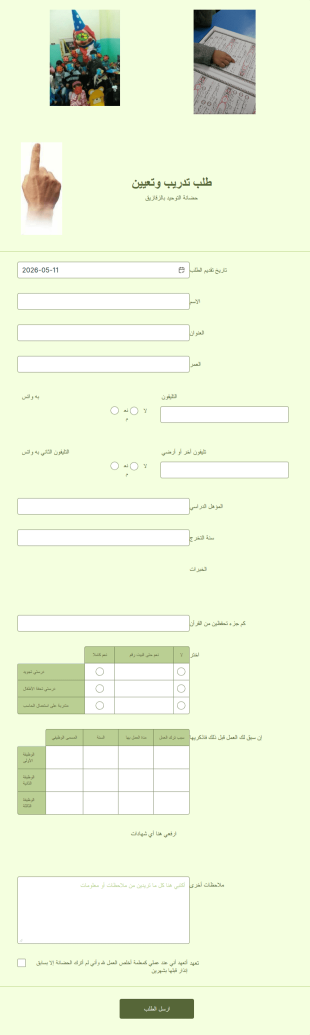
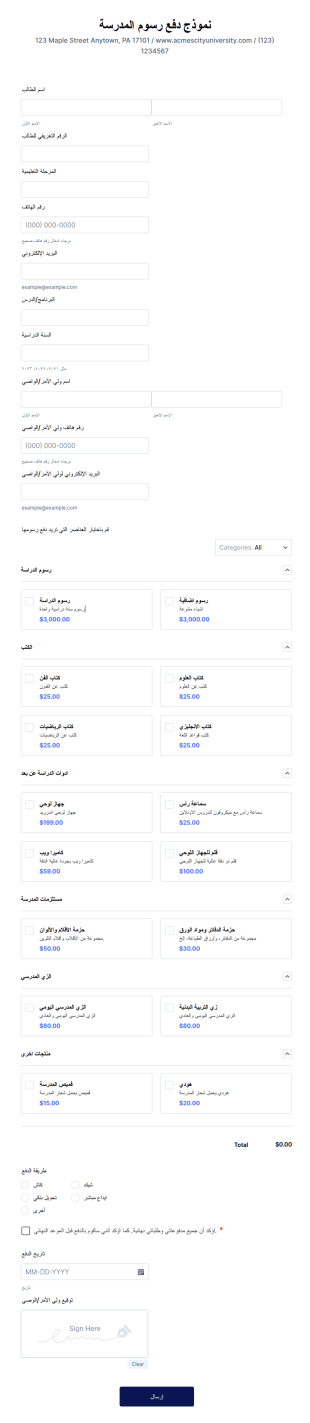
نموذج دفع رسوم المدرسة
نموذج دفع رسوم المدرسة هو مستند يمكن للمدرسة استخدامه لجمع تفاصيل الدفع من الآباء أو الأوصياء الذين يرغبون في تسجيل أطفالهم. من المهم أن يكون هذا النموذج مكتملًا وسهل الفهم لتجنب الالتباس وتأخير الدفعات.يحتوي نموذج دفع رسوم المدرسة على حقول نموذج تطلب معلومات الطالب، وتفاصيل الاتصال بالوالدين أو الأوصياء، وقسم الدفع، والتوقيع. يستخدم هذا القالب أداة قائمة المنتجات الجديدة التي تتيح لمنشئ النموذج إدراج قائمة بالمنتجات مع الأسعار والخيارات والصور. توفر هذه الأداة جداول بعمود واحد أو عمودين أو ثلاثة أعمدة.تتميز هذه الأداة الديناميكية بقدرتها على حساب إجمالي قيمة العناصر المحددة، مع خيار تضمين الضرائب، والشحن، والقسائم، والفواتير. كما تتيح دمج بوابة دفع لتسهيل عملية استلام المدفوعات عبر الإنترنت. بالإضافة إلى ذلك، يستخدم هذا القالب أداة التوقيع لالتقاط توقيع الوالد أو الوصي بعد تأكيد الدفع أو الشراء.
انتقل إلى الفئة:نماذج التعليم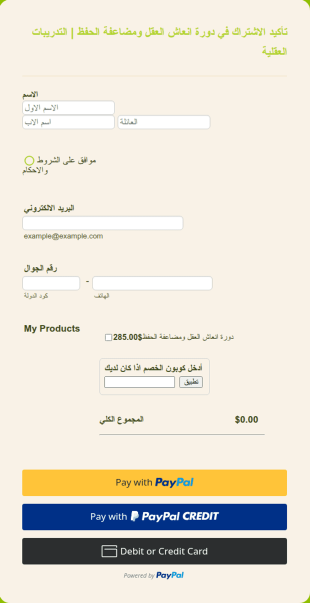
شراء درس عبر الإنترنت
نموذج شراء دورة/درس/كورس عبر الإنترنت باللغة العربية. يجمع تفاصيل الاتصال بالعملاء ويسمح لهم بالدفع عبر الإنترنت
انتقل إلى الفئة:نماذج التعليم
نموذج التقديم للمدرسة
نموذج التقديم المدرسي يستخدم من قبل الطالب أو ولي الأمر عند التقديم للالتحاق بمدرسة. هذا النموذج مهم لأنه يتحقق من المعلومات الأساسية عن الطالب الجديد، بما في ذلك خلفيته، سلوكه، موقفه، وحالته الصحية الحالية. يحتوي هذا النموذج على حقول تطلب اسم الطالب، عمره، جنسه، بيانات الاتصال، العنوان، المستوى الدراسي، واسم المدرسة التي التحق بها آخر مرة.كما يطلب النموذج معلومات عن الوالد أو ولي الأمر ليتم الاتصال بهم عند الحاجة، خاصة في حالات الطوارئ. يتضمن النموذج أيضًا قسم لتاريخ الحالة الصحية للطالب، مثل الحساسية، الأدوية، العمليات الجراحية السابقة، حالات الدخول للمستشفى، أو أي حالات طبية حالية يجب أن تكون المدرسة على علم بها.يحتوي النموذج كذلك على قسم لتفاصيل التطعيم والتحصينات، للتحقق مما إذا كان الطالب قد تلقى لقاحات معينة أم لا. ويستخدم هذا النموذج أداة التوقيع لرصد التوقيع الرقمي للوالد أو الوصي.
انتقل إلى الفئة:نماذج التعليم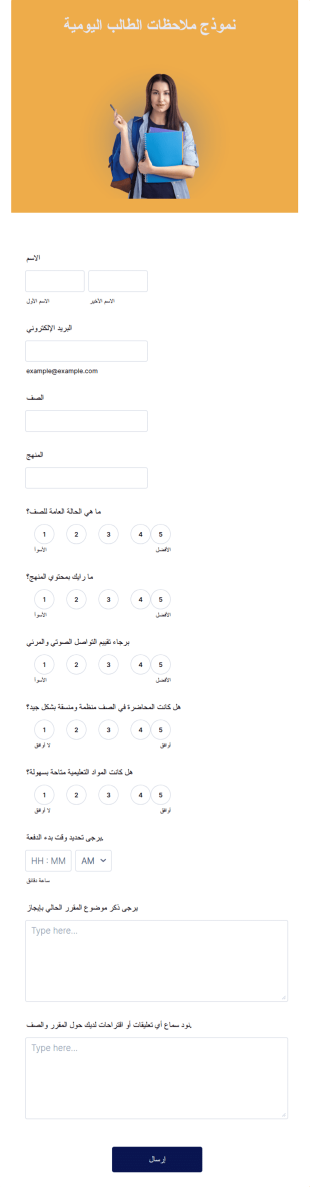
نموذج ملاحظات الطالب اليومية
<article dir="auto" data-testid="conversation-turn-45" data-scroll-anchor="true">نموذج ملاحظات يومية للطلاب هو أداة يستخدمها المعلمون للحصول على ملاحظات يومية من الطلاب. سواء كنت معلمًا في مدرسة اعدادي أو ثانوي، أو حتى في جامعة أو كلية، يمكنك تبسيط عملية جمع الملاحظات اليومية لكل طالب باستخدام نموذج ملاحظات يومية للطلاب المجاني! فقط قم بسحب وإفلات الأسئلة التي تريدها، وخصص النموذج ليناسب صفك الدراسي، وشاركه مع طلابك من خلال رابط أو عبر تضمينه في موقعك الإلكتروني — إنه بهذه السهولة! إذا أردت، يمكن للطلاب أيضًا تقديم إجاباتهم باستخدام تطبيق Jotform لنماذج الهاتف— فقط قم بتحميل التطبيق، وإعداد النموذج، ومشاركته مع الطلاب.هل سئمت من استخدام النماذج الورقية؟ مع Jotform، يمكنك إرسال ردود الطلاب إلى حسابك في Gmail، أو Google Drive، أو Dropbox، أو Box، أو Evernote، وتنظيمها تلقائيًا باستخدام الإشعارات والتذكيرات عبر البريد الإلكتروني، بل وحتى طباعة نسخة من إجاباتهم! أرسل لطلابك نموذج ملاحظات يومية مجاني مع Jotform.</article>
انتقل إلى الفئة:نماذج التعليم

تسجيل رياض الأطفال
نموذج تسجيل رياض الأطفال هو مستند يقوم أولياء الأمور بملؤه لتسجيل أطفالهم في صفوف الحضانة. استخدم هذا النموذج المجاني لتسجيل الأطفال في الحضانة لجمع معلومات التواصل من أولياء الأمور أثناء تسجيلهم لأطفالهم. ما عليك سوى تخصيص النموذج ليعكس بيانات مدرستك، ثم تضمينه في موقعك الإلكتروني لجمع المعلومات المطلوبة — كل ذلك من مكان واحد!تذكّر أن تُبقي النموذج بسيطًا ومختصرًا — لا تشتت أولياء الأمور بأسئلة غير ضرورية! وإذا كنت ترغب في تخصيص النموذج بشكل أكبر، يمكنك استخدام أداة إنشاء النماذج المجانية لتعديل الخطوط والألوان والتعليمات بما يتناسب مع أسلوبك. وبفضل أكثر من ١٠٠ تكامل متاح، يمكنك مزامنة المعلومات المُجمّعة مع حساباتك الأخرى مثل Google Drive أو Dropbox. سيساعدك نموذج تسجيل الحضانة المجاني في الحصول على مزيد من المعلومات من أولياء الأمور أثناء عملية التسجيل
انتقل إلى الفئة:نماذج التعليم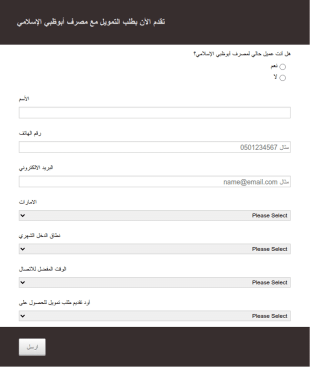
Arabic Financial Application Form RTL CSS
Arabic Financial Application Form RTL CSS
انتقل إلى الفئة:نماذج التعليم
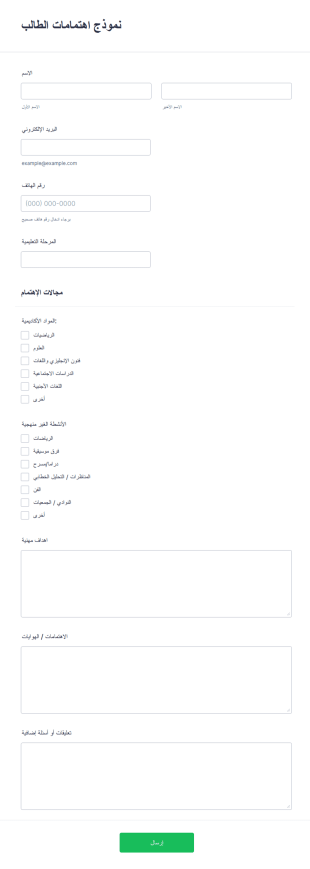
نموذج اهتمامات الطالب
نموذج اهتمامات الطالب هو قالب تم تصميمه لجمع معلومات من الطلاب حول اهتماماتهم الأكاديمية، تفضيلاتهم في الأنشطة الخارجية، أهدافهم المهنية، وهواياتهم. يمكن للمؤسسات التعليمية مثل المدارس، الكليات، البرامج التعليمية، أو المنظمات اللامنهجية استخدام هذا النموذج لجمع بيانات ذات صلة من الطلاب المهتمين بالمشاركة في دورات أو أنشطة أو برامج معينة.من خلال فهم اهتمامات وأهداف طلابهم، تستطيع المؤسسات التعليمية تخصيص عروضها لتلائم احتياجات وتفضيلات طلابها بشكل أفضل.توفّر Jotform، وهي منصة سهلة الاستخدام لإنشاء النماذج عبر الإنترنت باستخدام السحب والإفلات، مجموعة من الميزات والفوائد التي تجعلها الخيار المثالي لإنشاء وتخصيص نموذج اهتمامات الطالب.بفضل سهولة استخدام Jotform، يمكن للمؤسسات التعليمية تصميم وتعديل نماذجها بسهولة لتتناسب مع الهوية الخاصة بها. كما تتيح المنصة جمع التوقيعات الإلكترونية بسهولة، مما يضمن الحصول على جميع التوقيعات المطلوبة بسرعة وأمان.بالإضافة إلى ذلك، توفر Jotform قوالب نماذج قابلة للتخصيص وخيارات حقول متعددة، مما يسمح بإنشاء نموذج يلبي الاحتياجات الخاصة لكل مؤسسة تعليمية. ومع ميزات التكامل التي توفّرها، يمكن نقل البيانات تلقائيًا بكل سلاسة، مما يساعد على تبسيط الإجراءات وتوفير الوقت الثمين.بشكل عام، تساعد Jotform المؤسسات التعليمية من جمع وتحليل معلومات الطلاب بكفاءة، مما يؤدي إلى تحسين اتخاذ القرارات وتوفير تجربة تعليمية أكثر تخصيصًا.
انتقل إلى الفئة:نماذج التعليم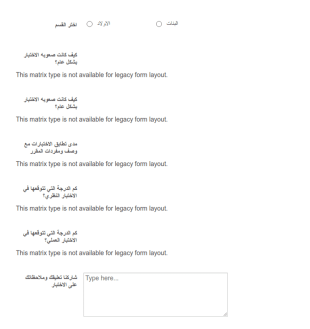

نموذج التقديم للجامعه
احصل على بيانات تفصيلية من طلبات القبول المقدمة إلى جامعتك ووفّر الكثير من الوقت لقسم القبول باستخدام نموذج طلب الالتحاق بالجامعة هذا. يُعد هذا النموذج مثالًا عامًا لطلبات القبول للطلاب الدوليين أو الطلاب المنتقلين محليًا. سيطلب نموذج طلب الالتحاق هذا من الطلاب تقديم معلومات مفصلة حول التأشيرة والسجلات الأكاديمية الخاصة بهم. يحتوي النموذج على أقسام مخصصة لرفعالمستندات الداعمة المطلوبة للقبول في الجامعة. يمكنك تخصيص محتوى وتصميم هذا النموذج بسهولة دون الحاجة إلى كتابة أي اكواد برمجية، وذلك بفضل أداة السحب والإفلات سهلة الاستخدام. بمجرد مراجعة الحقول، يمكنك إضافة شعار جامعتك وتغيير الخطوط أو الألوان أو الخلفية. بعد ذلك، يمكنك إما تضمين النموذج في موقعك الرسمي أو مشاركته واستخدامه بشكل مستقل.
انتقل إلى الفئة:نماذج التعليم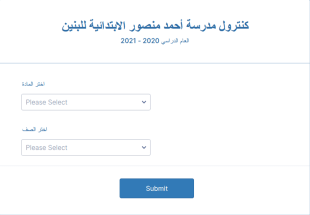
حول نماذج التعليم
تشكل نماذج التعليم نماذج رقمية متخصصة صُممت لتبسيط مختلف العمليات داخل المؤسسات التعليمية والمنظمات ذات الصلة. سواء كان الأمر يتعلق بإدارة تسجيل الطلاب، أو جمع الملاحظات من أعضاء هيئة التدريس، أو تنظيم الأنشطة اللامنهجية، فإن نماذج التعليم تُعد حلاً متعدد الاستخدامات للتعامل مع مجموعة واسعة من المهام. تُعد هذه النماذج جزءًا أساسيًا من العمليات اليومية في المدارس والجامعات ومراكز التدريب، حيث تُسهل جمع البيانات المهمة ومعالجتها وتحليلها. ومن خلال رقمنة سير العمل التقليدي المعتمد على النماذج الورقية، تُعزز نماذج التعليم الكفاءة، وتقلل الأعباء الإدارية، وتحسن الإدارة العامة للعمليات التعليمية.
يُعد Jotform المنصة الرائدة لإنشاء وإدارة نماذج التعليم عبر الإنترنت. وبفضل واجهته سهلة الاستخدام، يتيح Jotform تخصيص النماذج وأتمتة عمليات جمع البيانات بسهولة، مما يضمن قدرة المؤسسات التعليمية على تكييف النماذج لتلبية احتياجاتها الخاصة. وتمتد إمكانيات المنصة القوية إلى الإدارة المركزية للبيانات من خلال جداول Jotform، حيث يتم تخزين جميع المعلومات التي يتم جمعها وتنظيمها بأمان. ولا تقتصر فائدة هذه المركزية على تسهيل استرجاع البيانات بكفاءة فحسب، بل تدعم أيضًا إعداد التقارير الشاملة وتحليل البيانات، مما يمكّن المعلمين والإداريين من اتخاذ قرارات مستنيرة استنادًا إلى رؤى دقيقة مستخلصة من البيانات.
لماذا نستخدم نموذج التعليم؟
- توفر نماذج التعليم دقة لا مثيل لها في جمع البيانات، مما يضمن تسجيل المعلومات بشكل صحيح من المرة الأولى. وتقضي هذه الدقة على الأخطاء الشائعة المرتبطة بإدخال البيانات يدويًّا، مما يعزز موثوقية البيانات التي يتم جمعها والثقة فيها.
- تُعد السرعة من أبرز مزايا استخدام نماذج التعليم، إذ تتيح جمع البيانات ومعالجتها بسرعة كبيرة. ويساعد ذلك على تسريع المهام الإدارية، مما يوفّر وقتًا قيّمًا للمعلمين والموظفين للتركيز على الأنشطة الأكثر أهمية.
- تسهل النماذج الرقمية عملية معالجة البيانات بشكل احترافي، حيث تضمن إدارة المعلومات الحساسة — مثل سجلات الطلاب وملاحظاتهم — بشكل آمن ومتوافق مع لوائح الخصوصية. ويعد هذا الأمر بالغ الأهمية بشكل خاص في الحفاظ على سلامة وسرية البيانات التعليمية.
- تمنح مرونة نماذج التعليم إمكانية تخصيصها لتناسب مجموعة واسعة من السيناريوهات التعليمية، بدءًا من طلبات الالتحاق وحتى التسجيل في الفعاليات. وتدعم هذه المرونة مختلف الاحتياجات التعليمية، وتضمن توافق النماذج بشكل مثالي مع أهداف المؤسسة التعليمية.
- تقلل ميزات الأتمتة في نماذج التعليم من الحاجة إلى التدخل اليدوي، مما يتيح للمعلمين إعداد الإشعارات وعمليات الموافقة ونقل البيانات تلقائيًا. ويسهم هذا في تبسيط العمليات، وزيادة الكفاءة التشغيلية، وتقليل الأعباء الإدارية.
المشاكل الشائعة التي يحلها نموذج التعليم
- يُعد الاعتماد على الأنظمة الورقية من أبرز التحديات في قطاع التعليم، إذ تكون أكثر عرضة للأخطاء وأقل كفاءة. وتعمل نماذج التعليم على رقمنة هذه العمليات، مما يلغي مخاطر فقدان المستندات الورقية ويضمن بقاء البيانات متاحة دائمًا.
- يمثل إدخال البيانات يدويًا تحديًا شائعًا آخر تعالجه نماذج التعليم بكفاءة. فمن خلال أتمتة جمع البيانات ومعالجتها، تقلل هذه النماذج من الأخطاء البشرية وتحد من الوقت المستغرق في تنفيذ المهام المتكررة.
- يمثل فقدان البيانات مصدر قلق كبير للمؤسسات التعليمية، خاصةً عند التعامل مع المعلومات الحساسة. وتوفر نماذج التعليم منصة آمنة لجمع البيانات وتخزينها، مما يساعد على حمايتها من الفقدان غير المقصود أو الاختراقات الأمنية.
- صُممت نماذج التعليم لتبسيط العمليات المعقدة، مثل التسجيل في الدورات الدراسية وجمع التعليقات، من خلال توفير واجهة مبسطة وسهلة الاستخدام. ويؤدي هذا التبسيط إلى تقليل العبء المعرفي على المستخدمين وتحسين التجربة الإجمالية.
- يتم التغلب على مشكلة محدودية إمكانية الوصول إلى النماذج الورقية التقليدية من خلال استخدام النماذج الرقمية، التي يمكن الوصول إليها من أي مكان وفي أي وقت، مما يضمن حصول جميع الأطراف المعنية على إمكانية الوصول اللازمة لملء النماذج وتقديمها على الفور.
مطابقة حالات الاستخدام مع الميزات
- يُعد «منشئ النماذج بالسحب والإفلات» أداة مثالية لتخصيص «نموذج التعليم» بما يتناسب مع الاحتياجات المحددة، مثل إنشاء نماذج تسجيل فريدة تجمع كل المعلومات الضرورية عن الطلاب. وتتيح هذه الميزة إجراء تعديلات وتحديثات سريعة، مما يضمن بقاء النماذج ملائمة وفعالة.
- يتيح «المنطق الشرطي» إنشاء نماذج ديناميكية تتكيف وفقًا لمدخلات المستخدم، مثل عرض حقول إضافية للطلاب الذين يختارون مقررات أو برامج دراسية محددة. وتساهم هذه القدرة على التكيف في تحسين تجربة المستخدم وتضمن جمع كل البيانات الضرورية.
- يتيح التكامل مع أكثر من 30 بوابة دفع، بما في ذلك Stripe وPayPal، للمؤسسات التعليمية تحصيل الرسوم مباشرةً عبر النماذج. وتعمل هذه الميزة على تبسيط عملية الدفع، مما يقلل من المهام الإدارية المرتبطة بمعالجة المعاملات المالية.
- تُعد التوقيعات الإلكترونية، التي توفرها توقيعات Jotform، ضرورية للحصول على الموافقات والتصاريح المطلوبة، مثل موافقة أولياء الأمور على الرحلات المدرسية. وتساعد هذه الميزة على استيفاء جميع المتطلبات القانونية ومتطلبات الامتثال بسهولة.
- يقوم محرر ملفات PDF تلقائيًا بإنشاء مستندات PDF احترافية من البيانات المرسلة عبر النماذج، مثل كشوف الدرجات أو الشهادات، مما يضمن عرض البيانات بطريقة رسمية ومتسقة.
- يتيح «منشئ التقارير» من Jotform إمكانية إنشاء تقارير شاملة استنادًا إلى البيانات التي تم جمعها، مثل تحليل التعليقات الواردة من تقييمات الدورات التدريبية من أجل توجيه عملية تحسين المناهج الدراسية.
- بفضل إمكانيات جمع البيانات دون اتصال بالإنترنت، تتيح نماذج Jotform للهاتف المحمول جمع البيانات حتى في حال عدم توفر اتصال بالإنترنت، وهو أمر بالغ الأهمية للأنشطة الميدانية أو البيئات التعليمية في المواقع النائية.
كيفية إنشاء نموذج خاص بالتعليم
- ابدأ بتصفح «قائمة القوالب» للبحث عن قالب خاص بالتعليم، أو اختر البدء من نموذج فارغ.
- قم بتخصيص التصميم والحقول باستخدام أداة إنشاء النماذج بالسحب والإفلات، لتكييف النموذج بما يتناسب مع المتطلبات التعليمية المحددة.
- بمجرد أن يصبح النموذج جاهزًا، قم بنشره ومشاركته عبر «الرابط المباشر» أو «البريد الإلكتروني» أو «التضمين في موقع الويب» للوصول إلى الجمهور المستهدف.
أهم حالات الاستخدام لنموذج التعليم
- للمديرين: تُعد نماذج التعليم أداة قيّمة للمديرين المسؤولين عن الإشراف على الجوانب الإدارية في المؤسسات التعليمية. فهي تُبسّط عمليات مثل تقييم الموظفين، واعتماد الميزانيات، والتخطيط الاستراتيجي، مع جمع البيانات المهمة التي تدعم اتخاذ القرارات. كما تسهم إمكانية أتمتة الإشعارات وعمليات الموافقة في تعزيز كفاءة المديرين، مما يتيح لهم التركيز على تحقيق الأهداف العامة للمؤسسة التعليمية.
- للفرق: تستفيد الفرق التعليمية، بما في ذلك أعضاء هيئة التدريس والموظفون الإداريون، بشكل كبير من استخدام نماذج التعليم. فهي تسهّل التعاون من خلال إتاحة الوصول المشترك إلى النماذج والبيانات، مما يمكّن الفرق من تنسيق أنشطة مثل تطوير المناهج، وتخطيط الفعاليات، وتقييم الطلاب. وبفضل الميزات المدمجة، مثل المنطق الشرطي وعمليات التكامل مع خدمات الجهات الخارجية، تستطيع الفرق العمل بكفاءة أكبر وبدرجة أعلى من التنسيق.
- للعملاء: يستفيد الطلاب وأولياء الأمور، باعتبارهم العملاء الرئيسيين للمؤسسات التعليمية، من تفاعلات محسّنة من خلال «نماذج التعليم». تعمل هذه النماذج على تبسيط الإجراءات مثل التسجيل في الدورات الدراسية، ودفع الرسوم، وتقديم الملاحظات، مما يوفر تجربة مستخدم سلسة. وتضمن سهولة استخدام النماذج الرقمية للعملاء إمكانية الاستفادة من الخدمات التعليمية في أي وقت ومن أي مكان، مما يعزز مستوى الرضا العام.
ملخص نموذج التعليم
تُعد نماذج التعليم حلاً تحويليًا لقطاع التعليم، حيث توفر وسيلة فعالة وموثوقة وآمنة لإدارة البيانات وتبسيط العمليات. ومن خلال الاستفادة من إمكانيات منشئ النماذج عبر الإنترنت من Jotform، يمكن للمؤسسات التعليمية تعزيز الكفاءة التشغيلية، وتقليل الأعباء الإدارية، وتحسين دقة البيانات. كما أن التكامل السلس للميزات، مثل بوابات الدفع، والتوقيعات الإلكترونية، والإنشاء التلقائي لملفات PDF، يؤكد القيمة التي توفرها نماذج التعليم في تحديث سير العمل التعليمي.
الأسئلة الشائعة
1) هل إنشاء نماذج التعليم على Jotform مجاني؟
نعم، يوفر Jotform خطة مجانية تتيح للمستخدمين إنشاء نماذج التعليم ومشاركتها، مع وجود بعض القيود على عدد النماذج وعمليات الإرسال.
2) هل النماذج والبيانات المُرسلة آمنة؟
بالتأكيد. يعطي Jotform الأولوية لأمان البيانات، حيث يستخدم التشفير والامتثال لمعايير الخصوصية لحماية جميع المعلومات المقدمة.
3) هل أحتاج إلى معرفة بالبرمجة لإنشاء نموذج تعليم؟
لا توجد حاجة إلى معرفة بالبرمجة. يتيح منشئ النماذج بالسحب والإفلات من Jotform لأي شخص إنشاء نماذج احترافية بسهولة.
4) هل يمكنني تحصيل المدفوعات مباشرةً من خلال النماذج؟
نعم، يدعم Jotform التكامل مع أكثر من 30 بوابة دفع، مما يتيح جمع المدفوعات مباشرة عبر النماذج الخاصة بك.
5) هل يمكن استخدام هذه النماذج على الأجهزة المحمولة؟
نعم، نماذج Jotform متوافقة مع الأجهزة المحمولة ويمكن الوصول إليها وإرسالها من أي هاتف ذكي أو جهاز لوحي.
6) هل يمكنني تحويل البيانات المُرسلة عبر النماذج إلى مستندات PDF احترافية؟
بالفعل. يتيح محرر PDF من Jotform تحويل عمليات الإرسال تلقائيًا إلى مستندات PDF منظمة بشكل جيد.
7) كيف يمكن لنماذج التعليم تحسين تفاعل الطلاب؟
تعمل نماذج التعليم على تبسيط عمليات التواصل وجمع الملاحظات، مما يسهل على الطلاب التفاعل مع المحتوى والخدمات التعليمية، وبالتالي يعزز المشاركة.
8) هل يمكن لنماذج التعليم التكامل مع نظام معلومات الطلاب الحالي لدينا؟
نعم، يوفر Jotform أكثر من 100 تكامل مع جهات خارجية، مما يسمح بالاتصال السلس مع مختلف أنظمة معلومات الطلاب والبرامج التعليمية الأخرى.