The default Member Role determines the permissions that a new user receives when they join a Team. Team Admins can update this setting at any time from the Team Settings panel.
Changing the Default Member Role
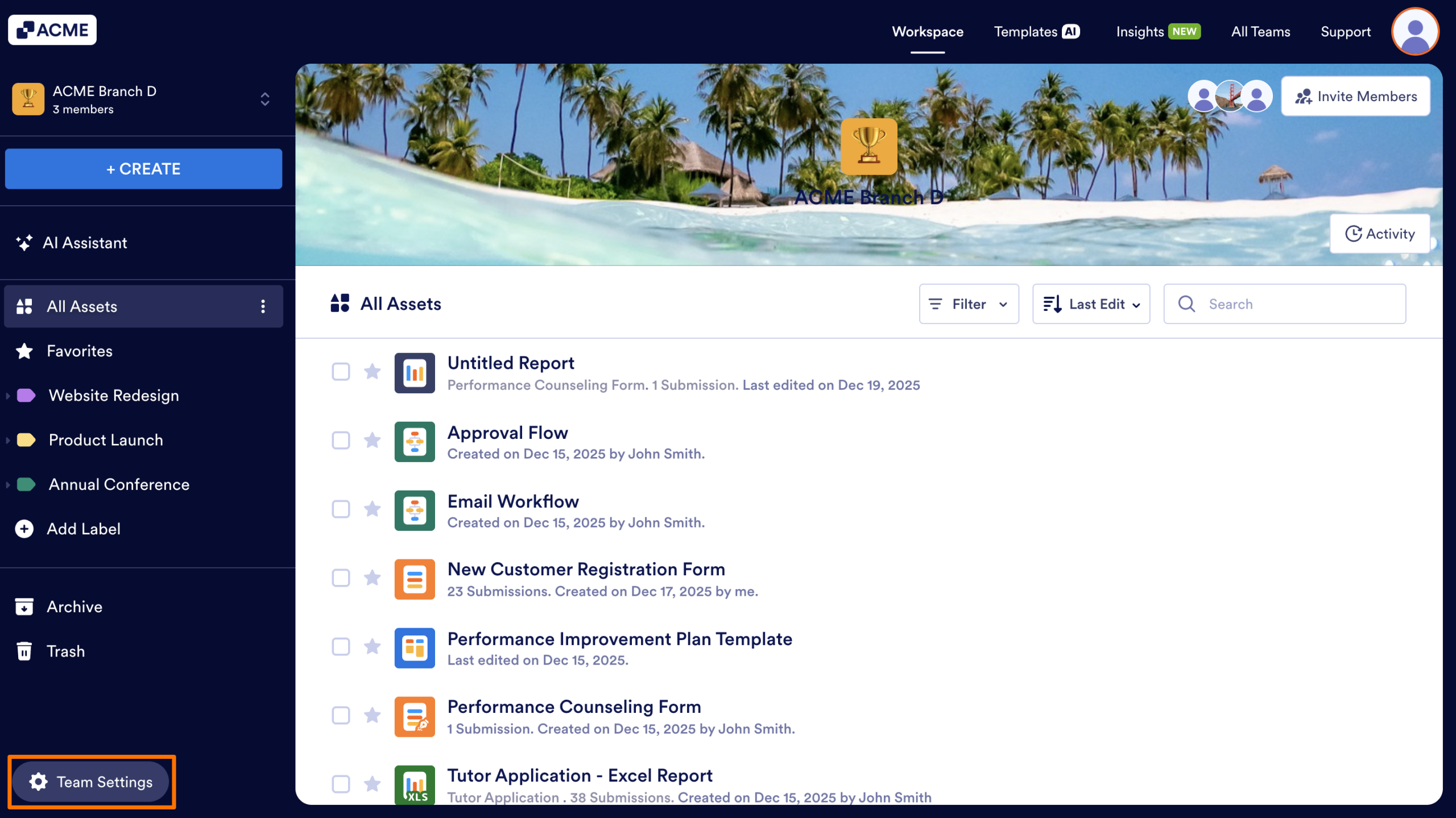
- First, in the Team Workspace, click on Team Settings on the bottom left corner of the screen.
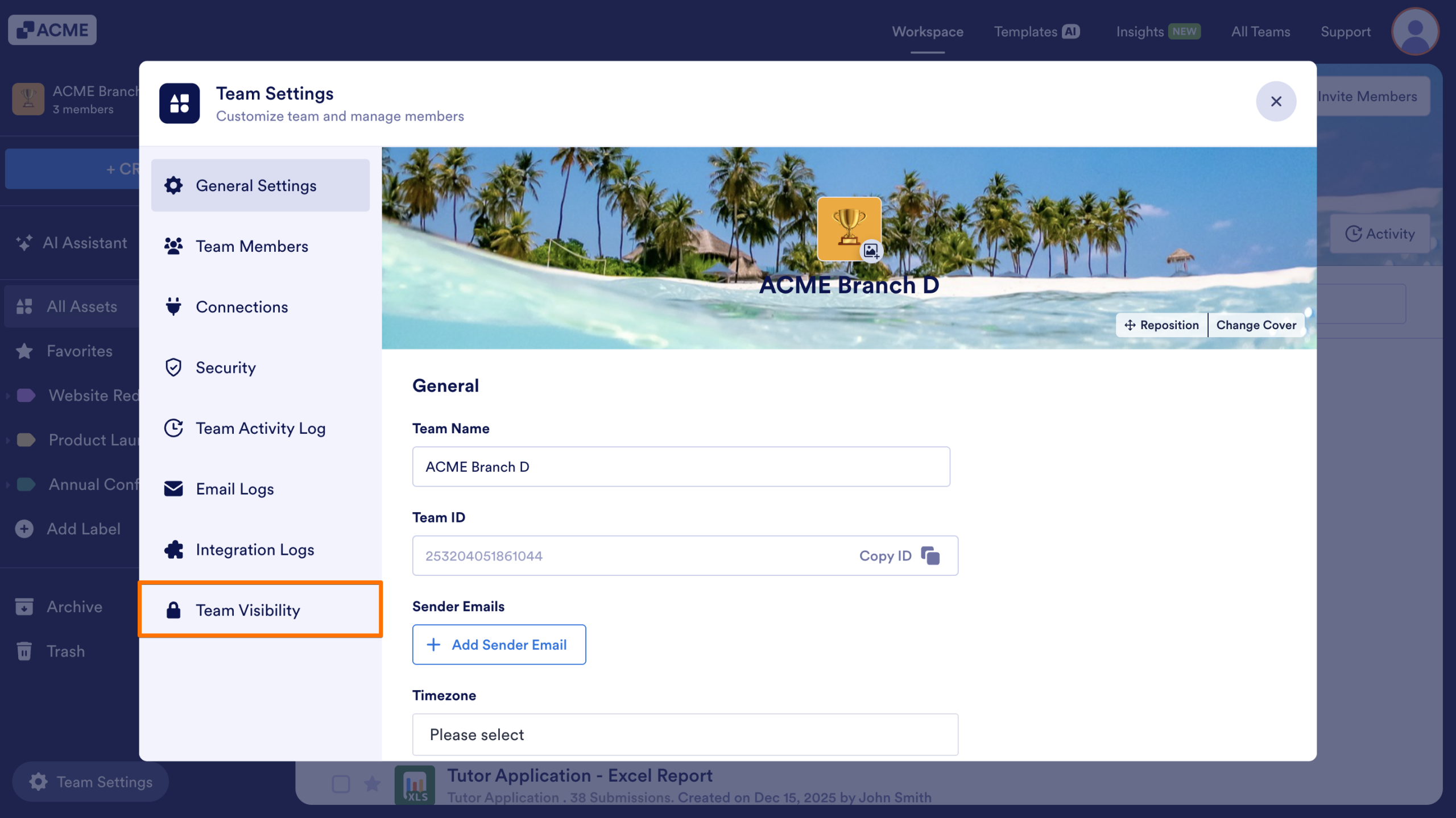
- Next, in the menu that appears on screen, select Team Visibility in the sidebar on the left.
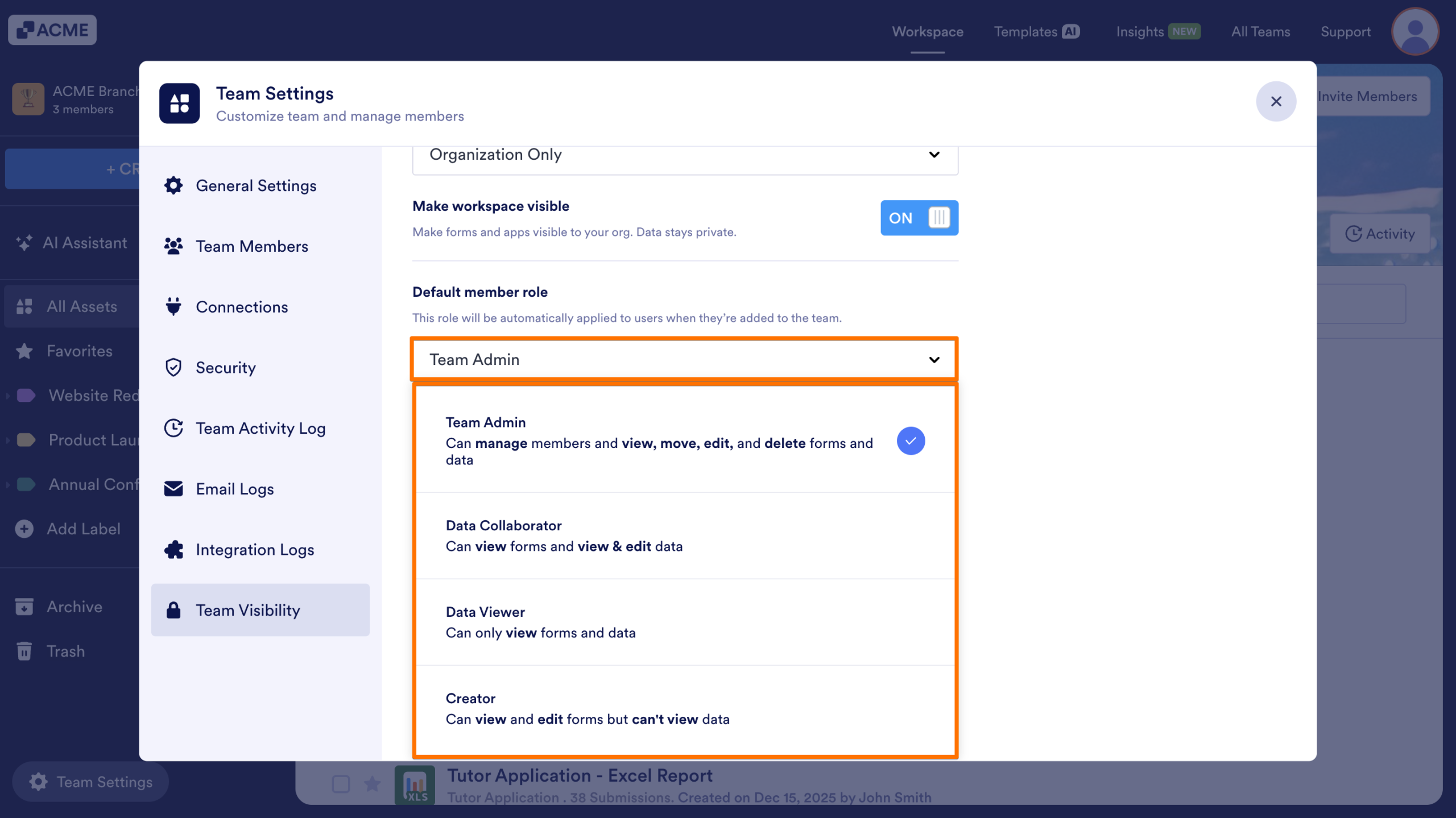
- Then, click on the dropdown under Default Member Role.
- Now, choose the role you want new members to receive.
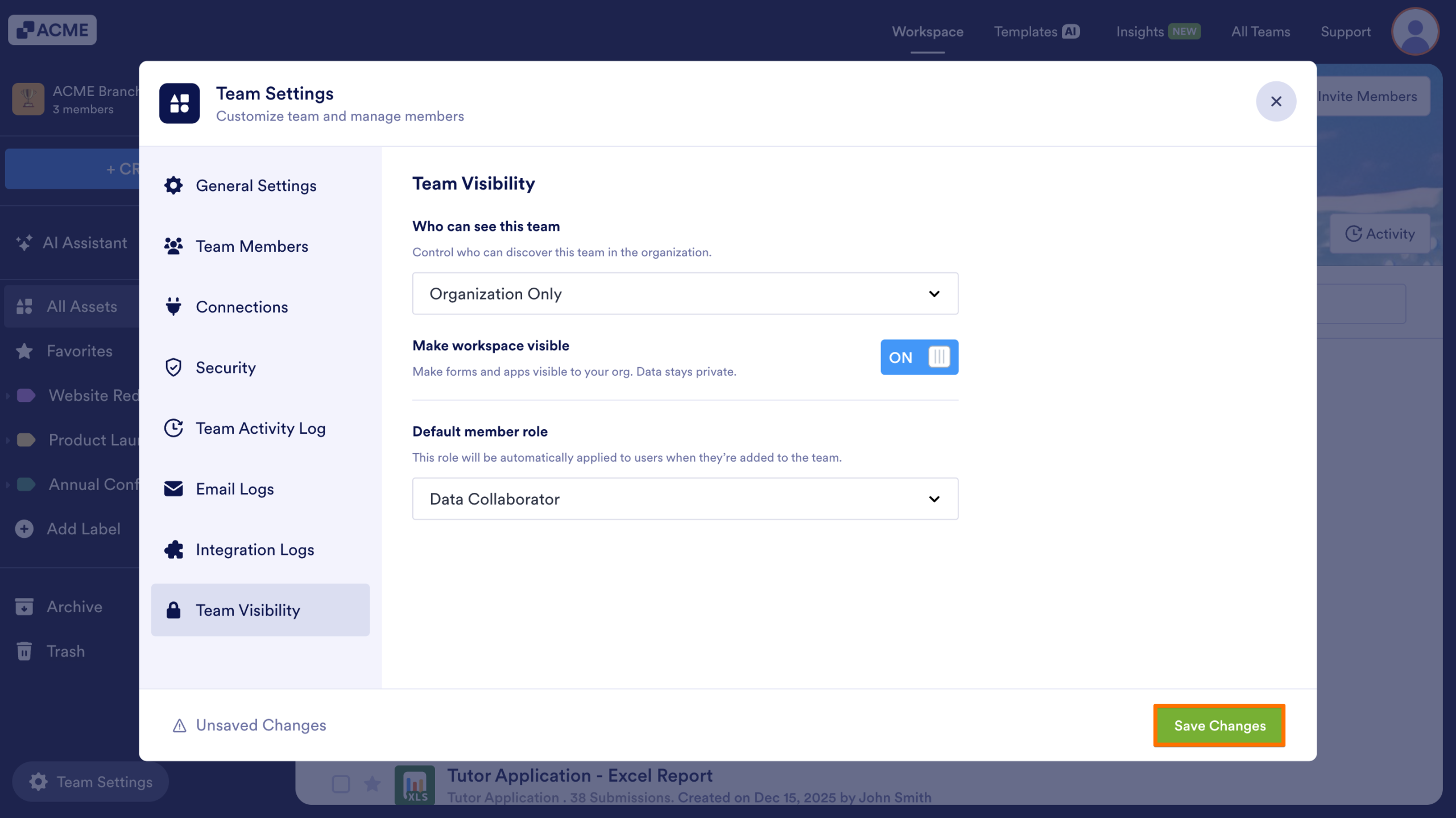
- Finally, click on Save Changes.
Note
This automatic role assignment applies only when a member requests to join a team workspace. In all other cases—such as being invited to the team—the inviter selects the member’s role manually.

Send Comment: