If you need further help with your account, you can reach the support team directly from the Support page. This ensures your request is routed correctly and handled by the team best suited to assist you. Here’s how to submit a support request.
How to Reach the Support Page
- In My Workspace, click on the Support on the top right.
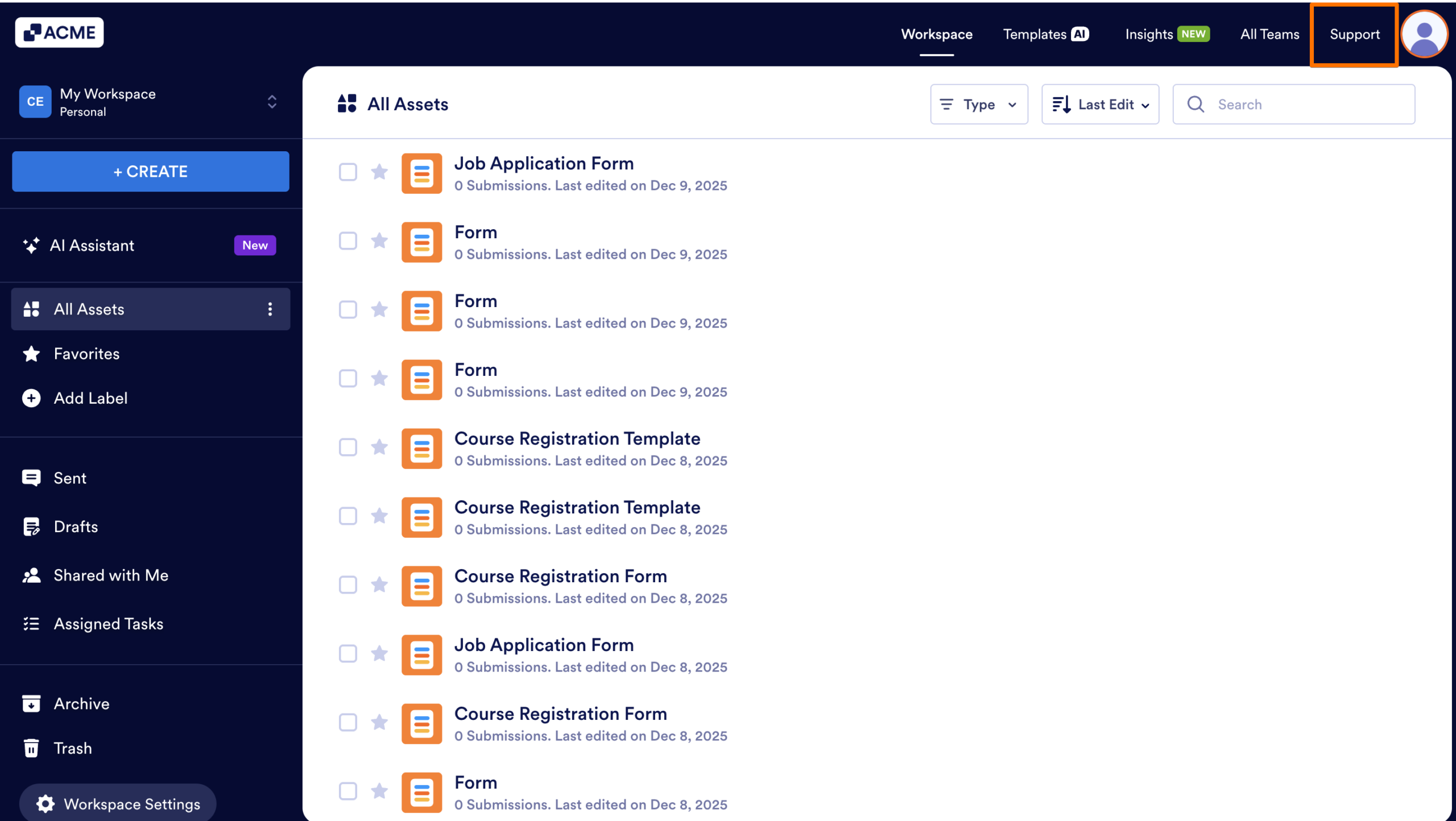
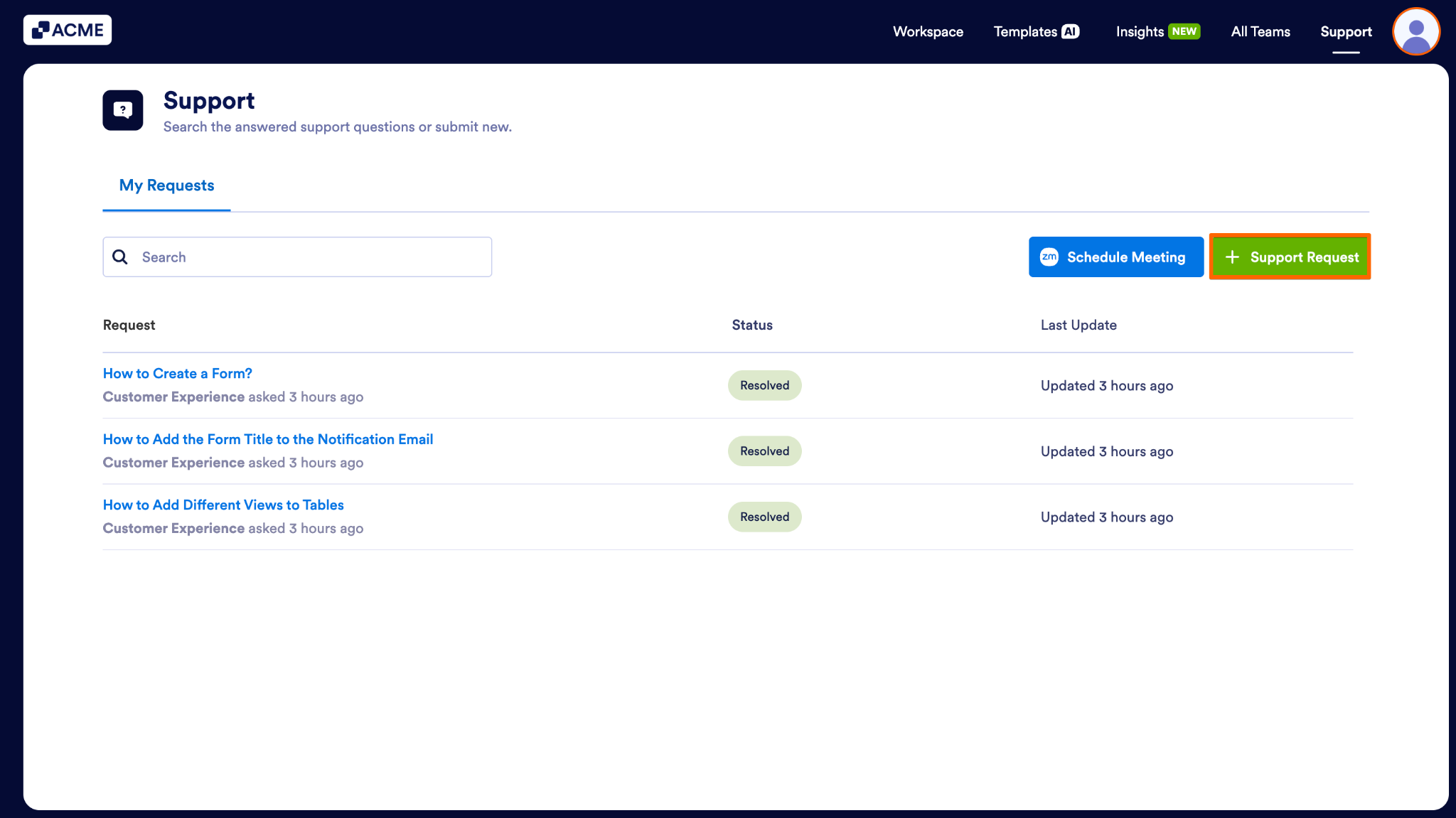
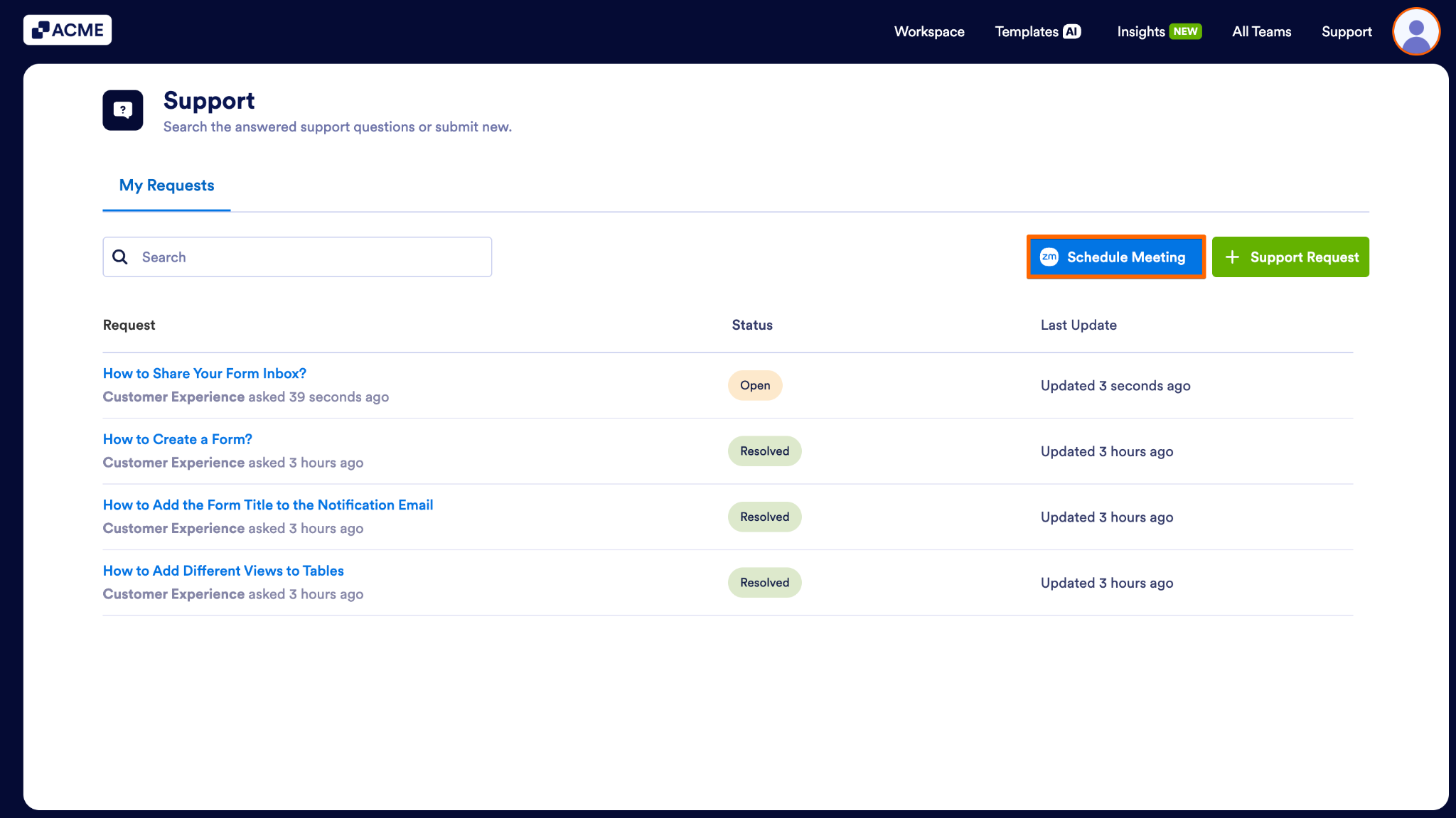
The Support page is where you can view all your existing support requests and submit new ones. This page lists every ticket you’ve created, along with its status and the most recent update. You can search through your past requests, check whether an issue has been resolved, and open any ticket to review its details or follow up.
Creating a Support Request
- In the Support page, click on the Support Request button.
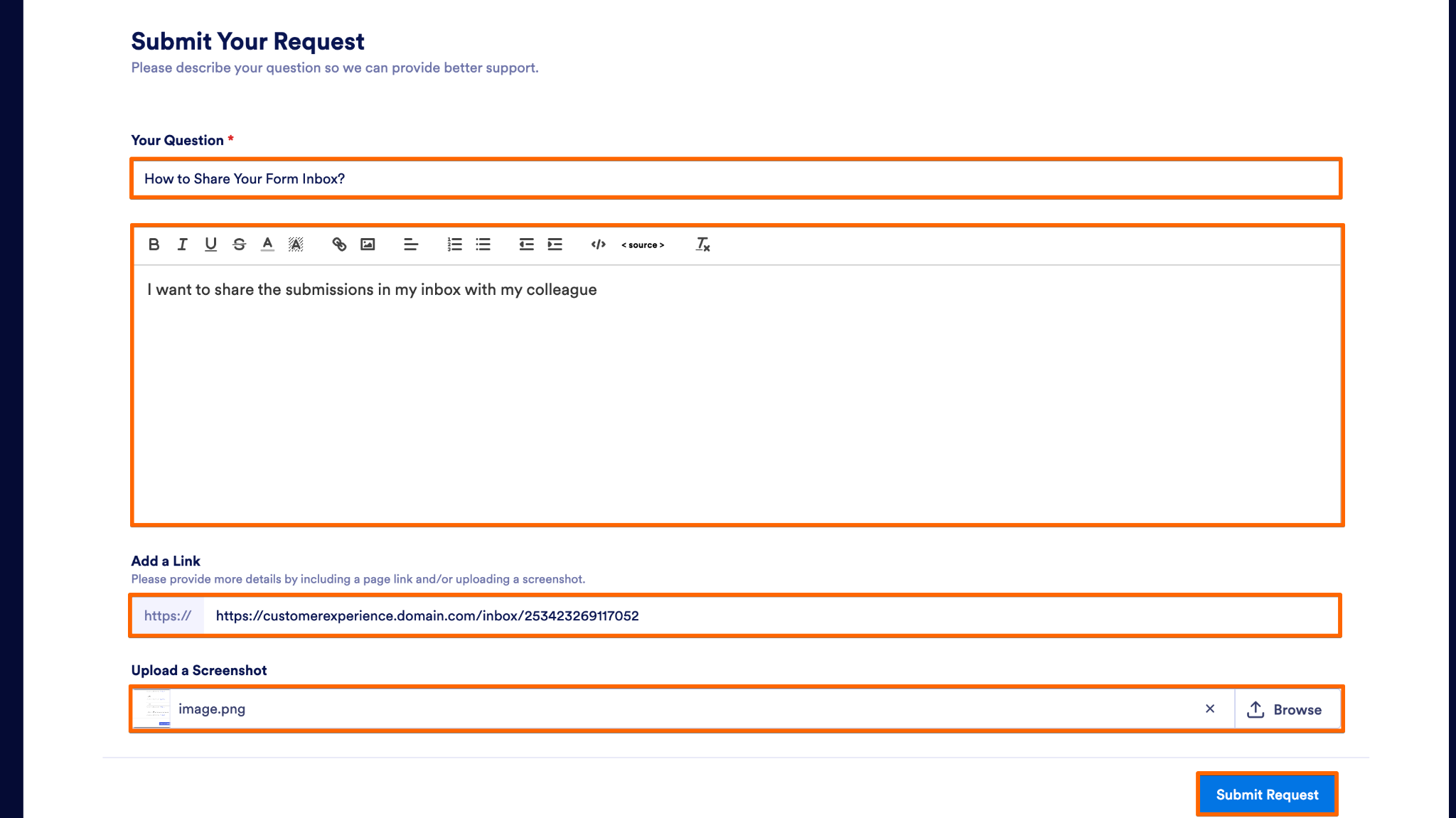
- Then, fill out the requested fields with the required details.
- Finally, click Submit Request to send your request to the support team.
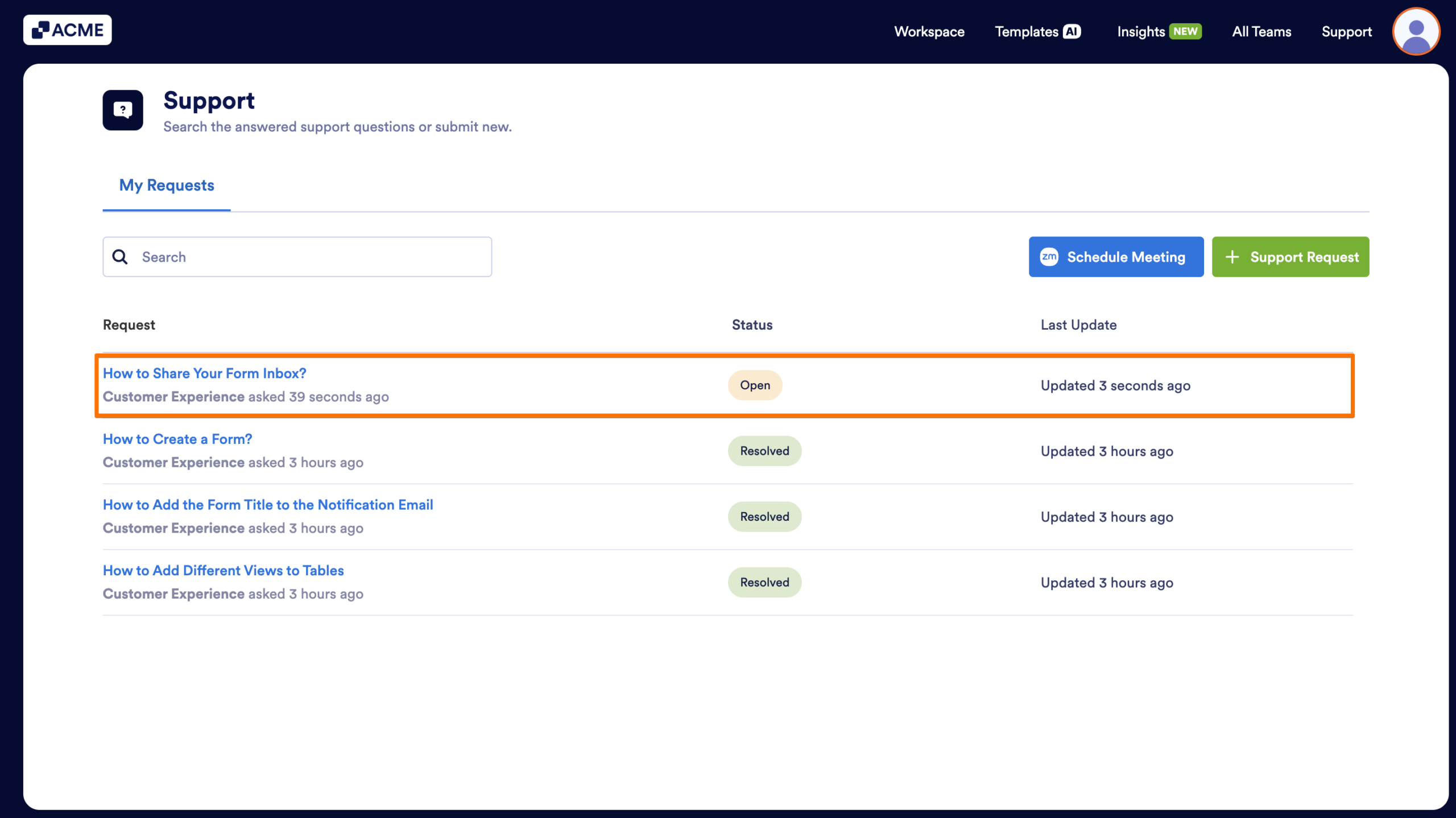
You’ll see it appear in your list of tickets once created.
Scheduling a Meeting
If you prefer to speak directly with the support team, you can schedule a meeting from the same page.
- In the Support page, click on the Schedule Meeting button.
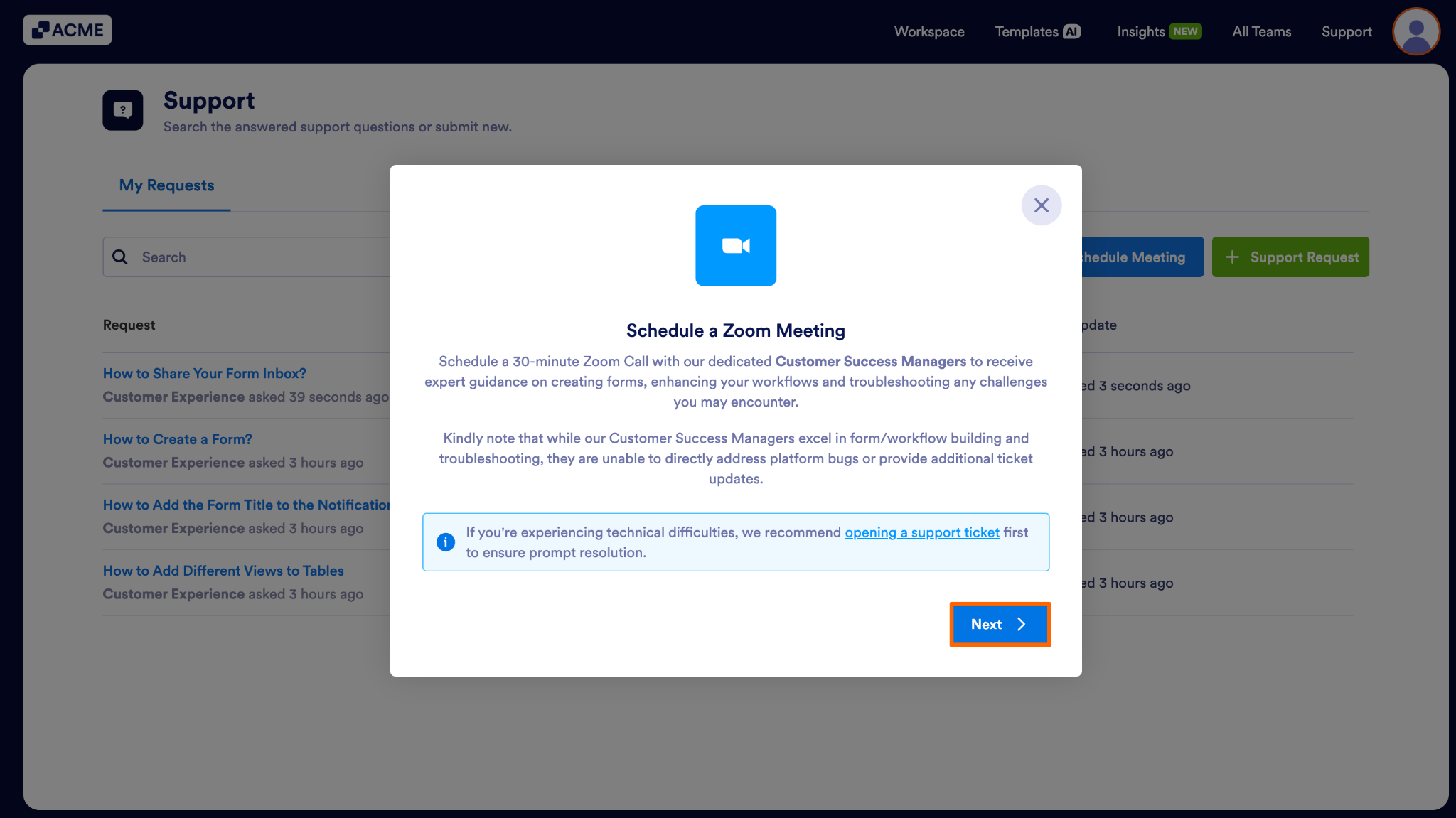
- Click on Next.
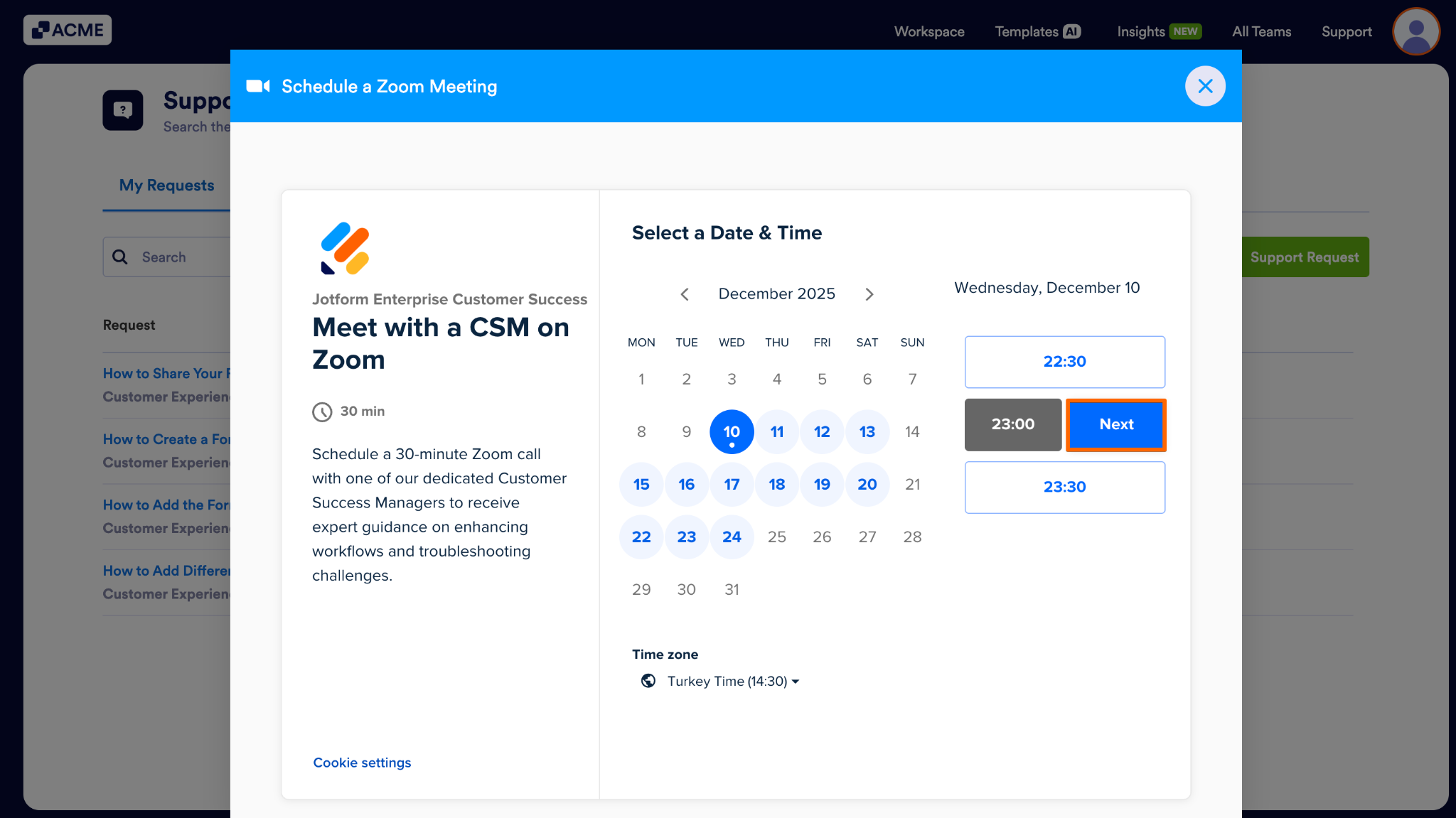
- Select a date and time slot that works for you.
- Click on Next.
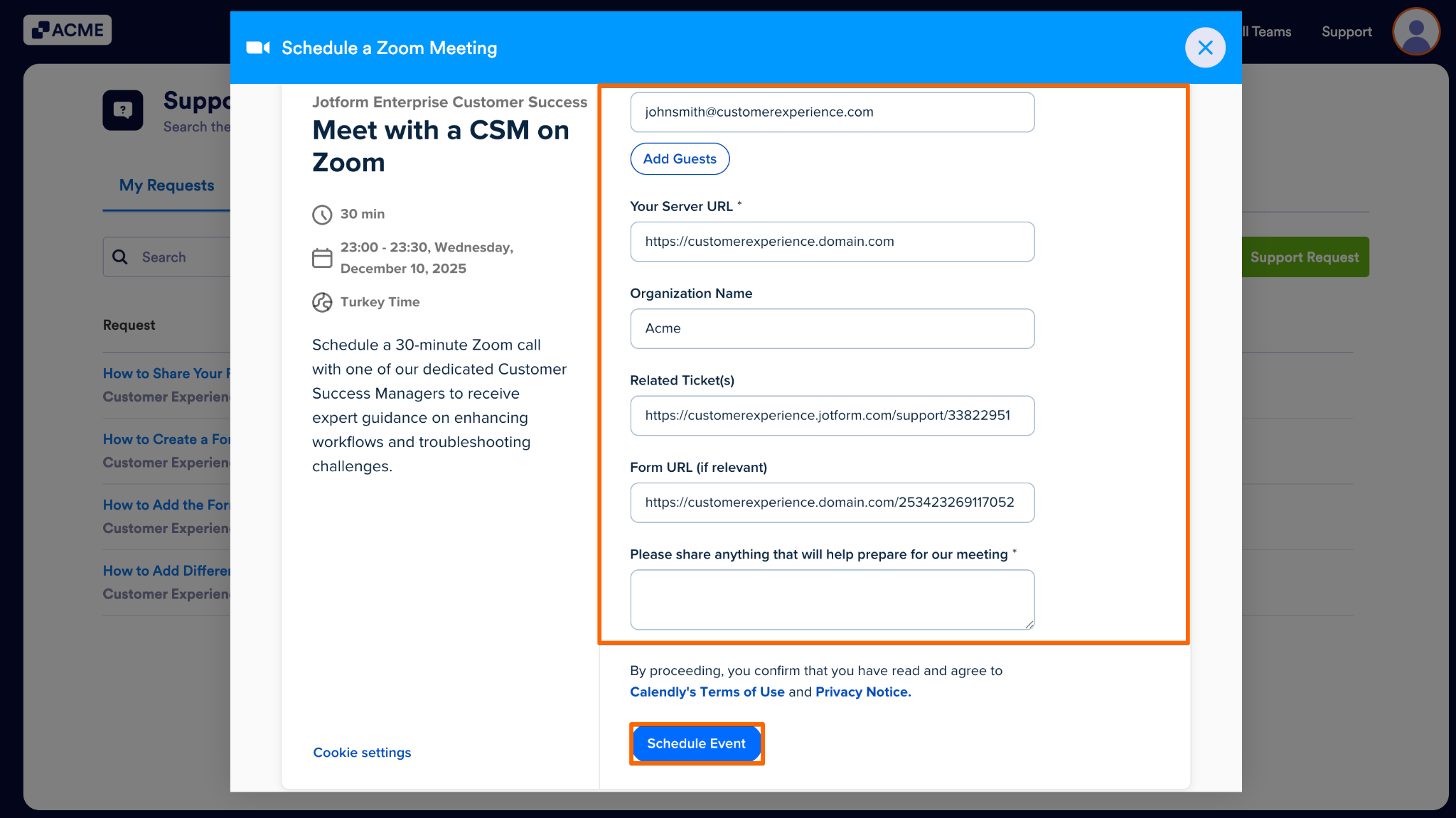
- Enter the details.
- Finally, click on Schedule Event.
Note
Kindly note that while our Customer Success Managers excel in form/workflow building and troubleshooting, they are unable to directly address platform bugs or provide additional ticket updates.
If you’re experiencing technical difficulties, we recommend opening a support ticket first to ensure prompt resolution.

Send Comment: