This guide explains how to create new forms directly inside a Team Workspace, ensuring all team assets stay organized and accessible to the right members. Before creating anything, make sure you’re working inside the correct team:
- First, in My Workspace, click on the Workspace picker above the Create button.
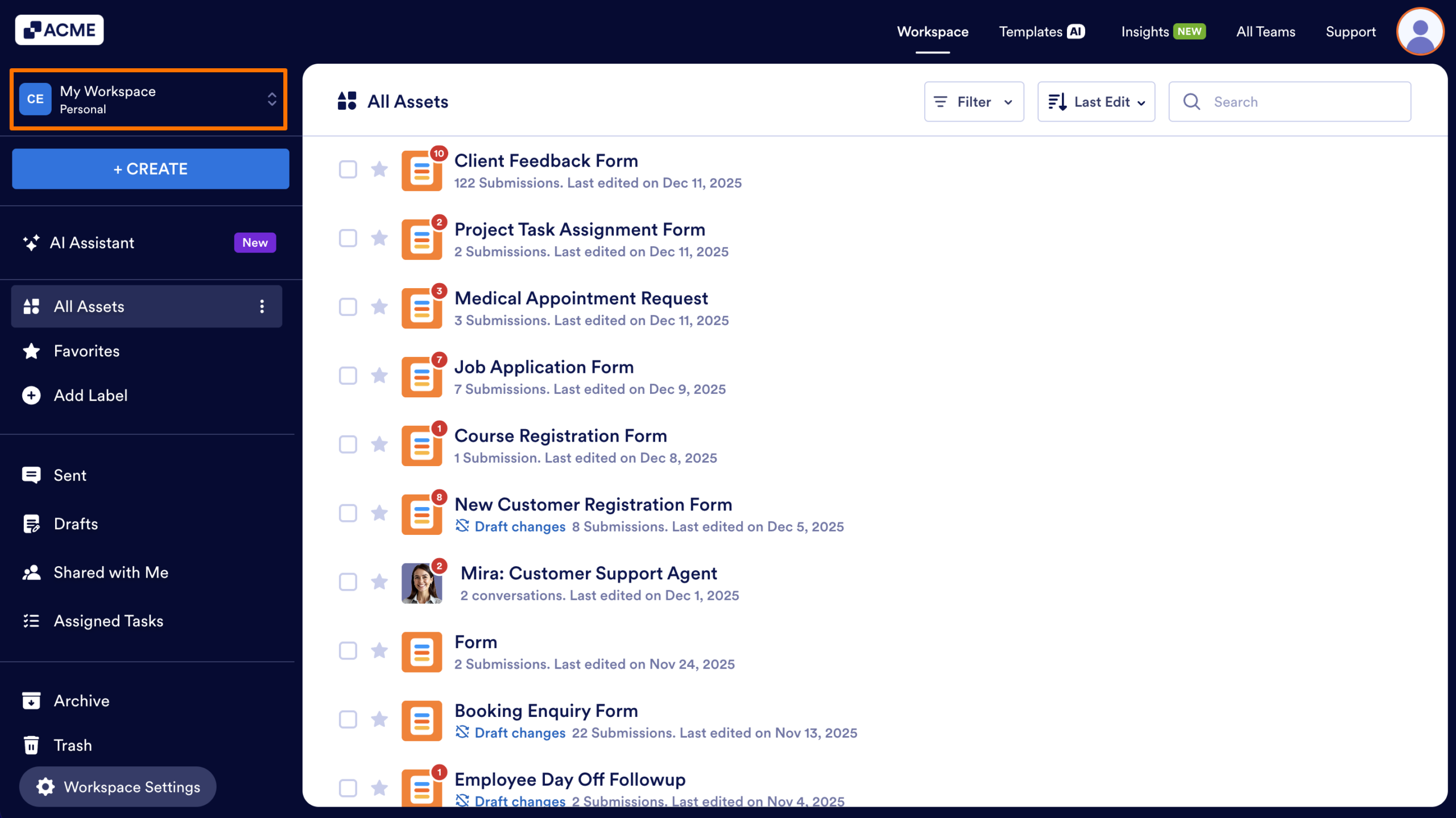
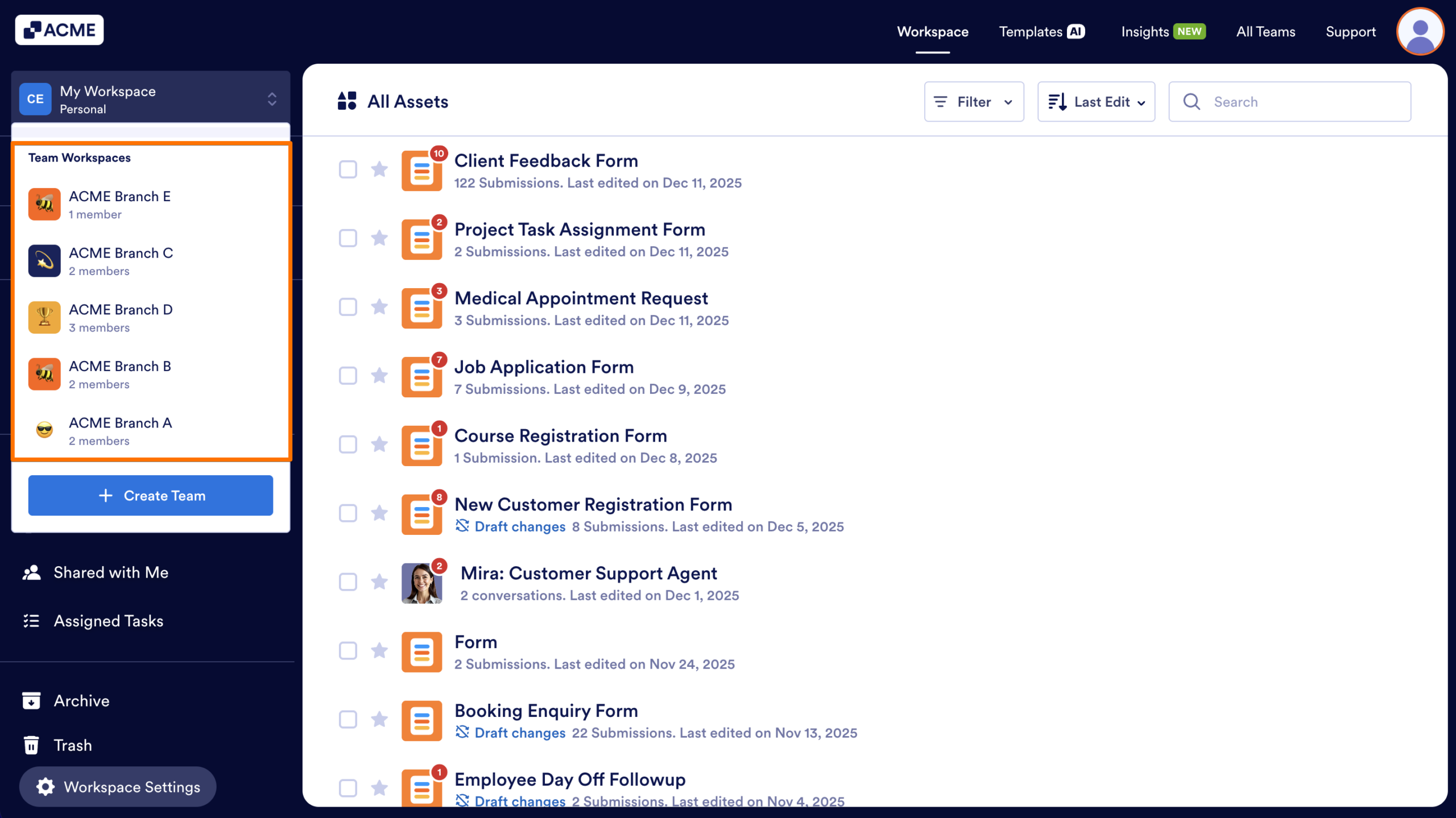
- Next, select the workspace you want to contain the Form.
- Finally, in the Team Workspace, click on the Create button.
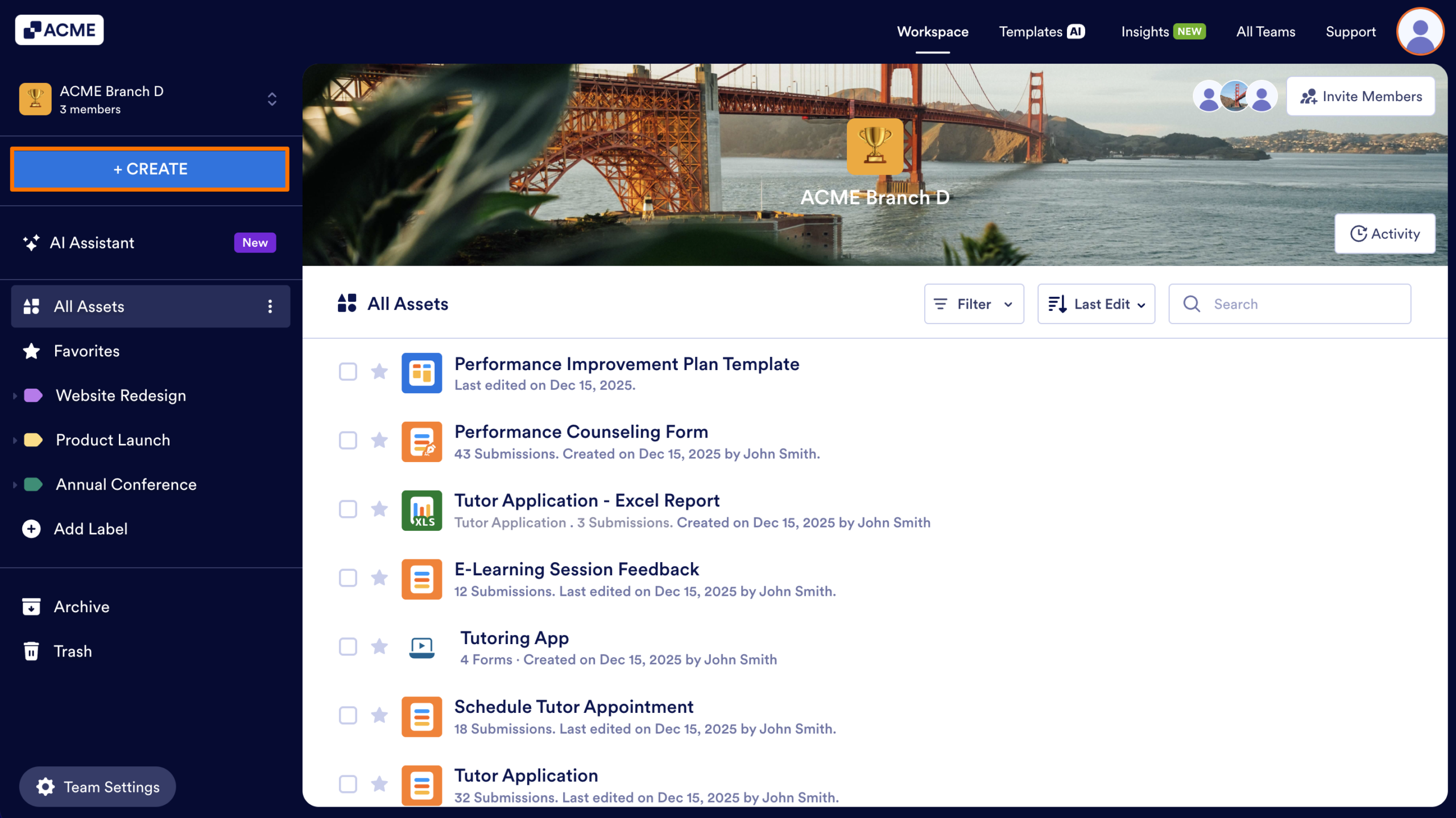
- From the menu that appears, choose Form.

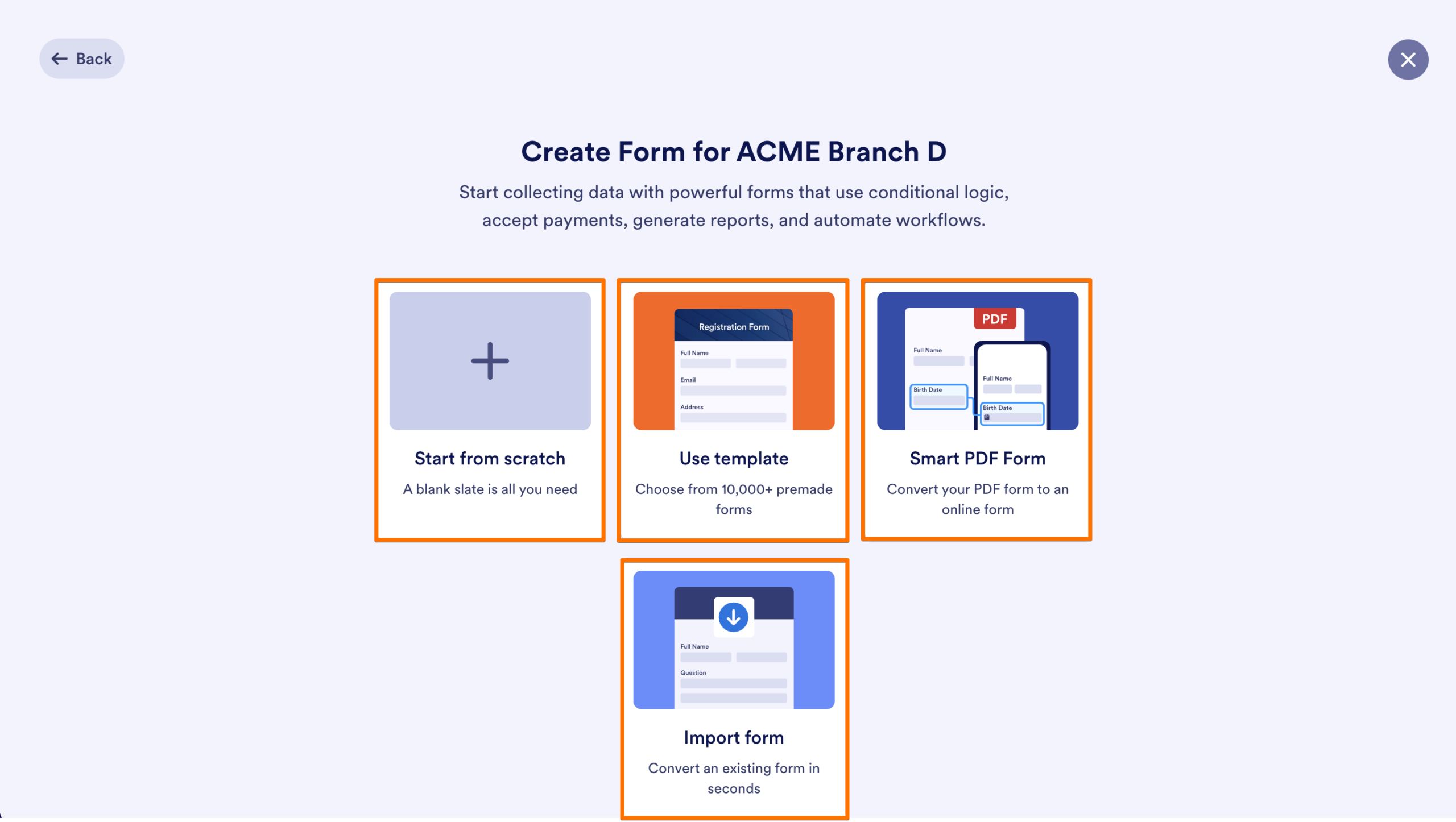
- Select how you want to create your form.
- Start from scratch
Create a blank form with no predefined fields. - Use template
Browse and select from thousands of ready-made form templates. - Smart PDF Form
Upload a PDF and convert it into an online, fillable form. - Import form
Bring in an existing form.
The Form Builder will open in a new window or tab, and the form will be automatically saved inside the selected Team Workspace.

Send Comment: