Use the AI Salesforce Agent to capture leads, create or update records, automate case management, and deliver personalized support — all without writing code. It elevates your customer support operations, acting like a dedicated Salesforce specialist, so your team can focus on higher-value work.
In the Admin Console, you can enable or disable the option for users in your organization to create a Salesforce Agent. Follow the guide below to update this setting.
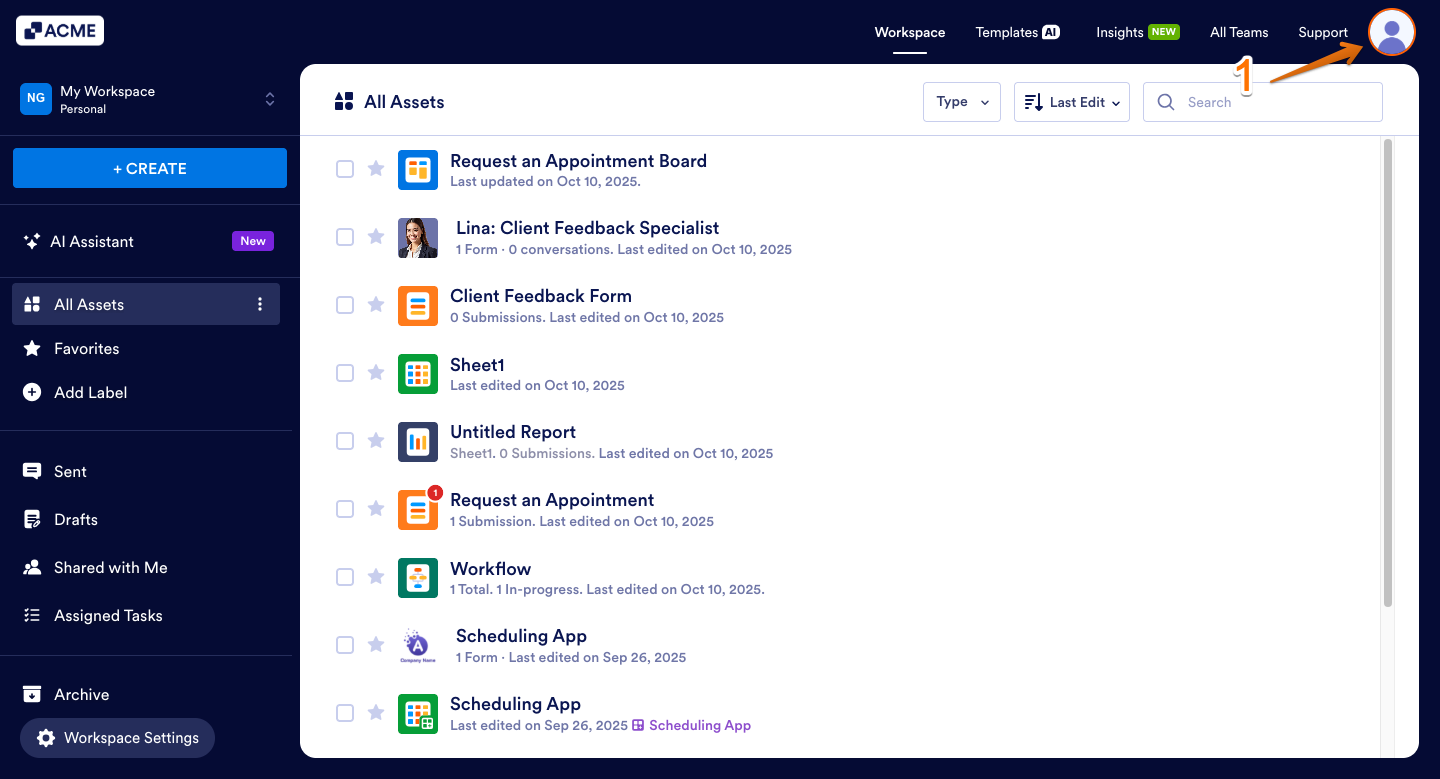
- In the top-right corner of your My Workspace page, click on your Avatar/Profile picture.
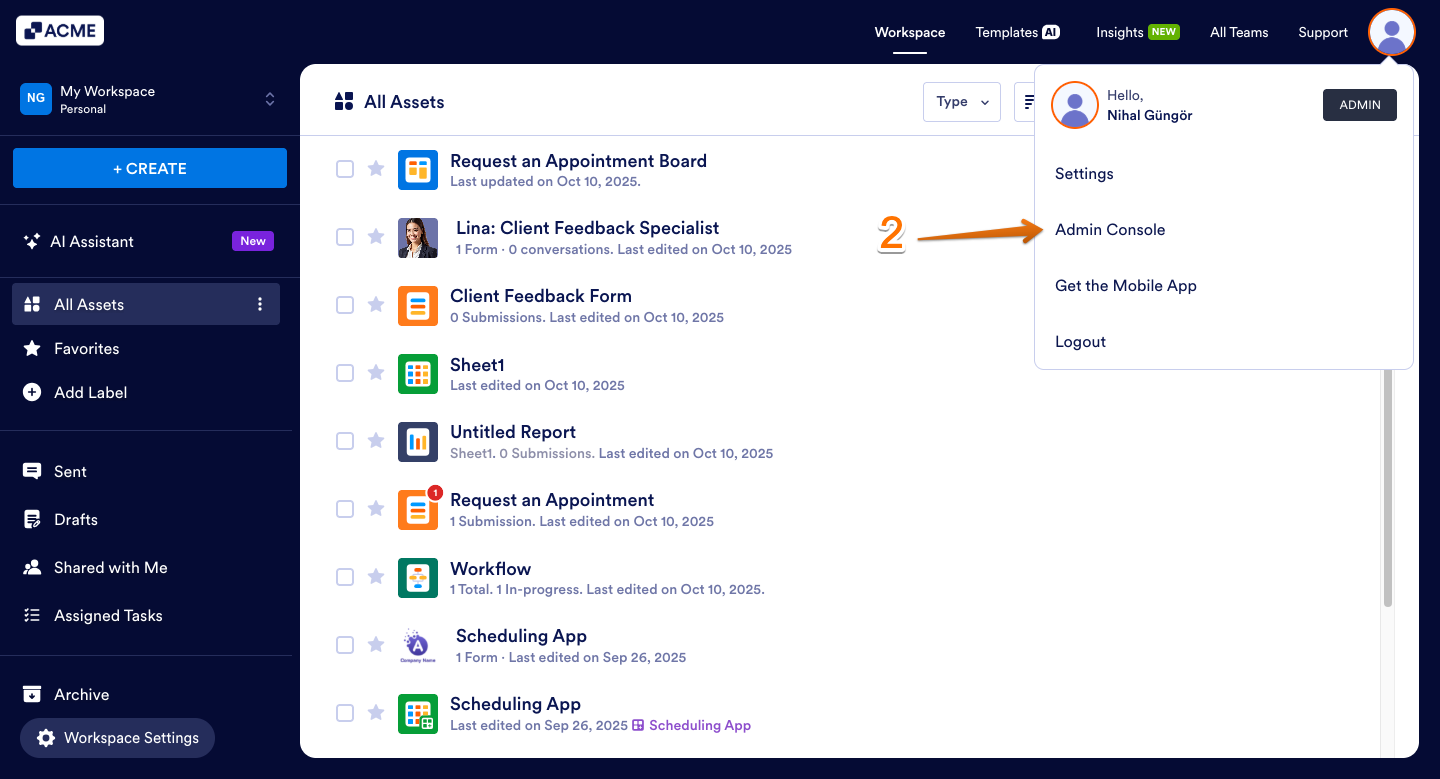
- Then, in the menu that comes up, click on Admin Console.
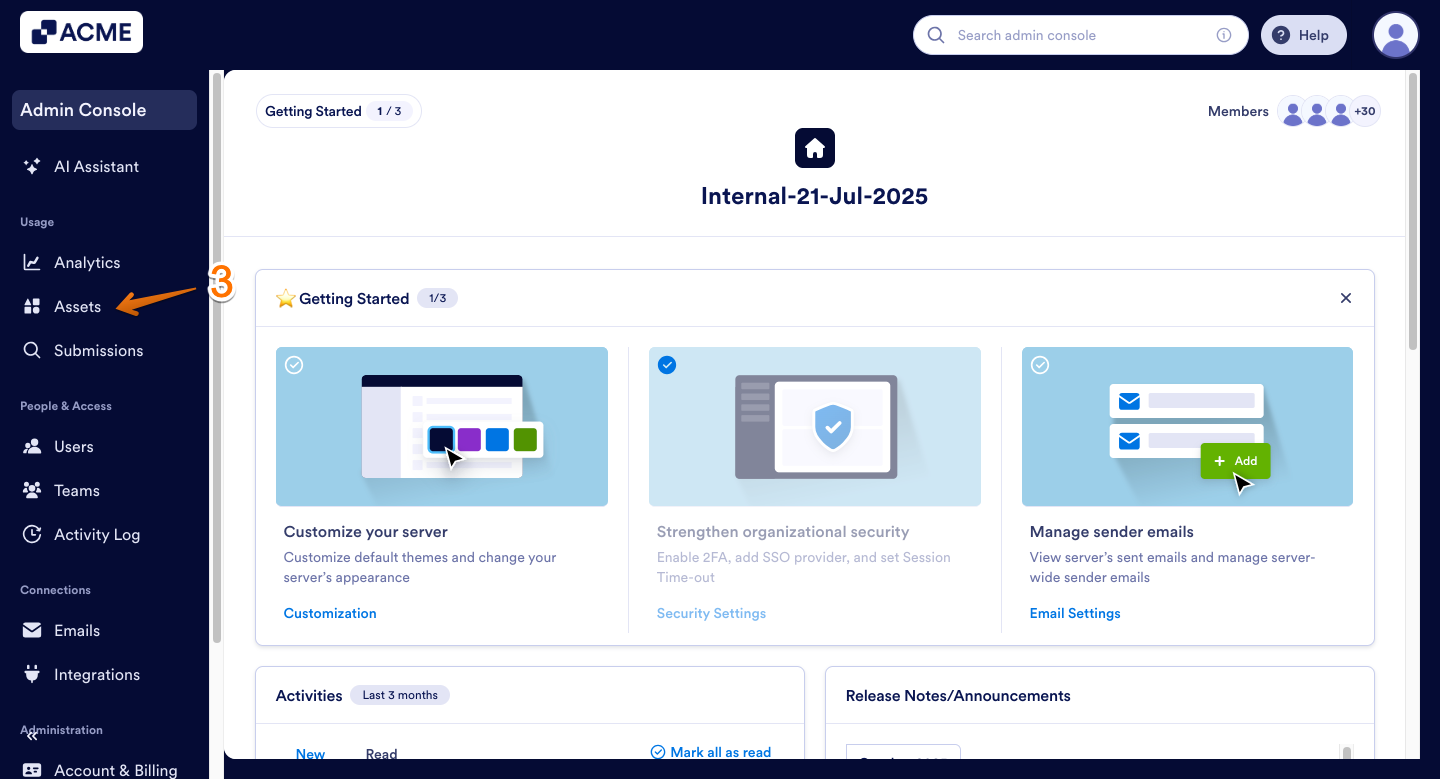
- Now, in the menu on the left side of the Admin Console page, click on Assets.
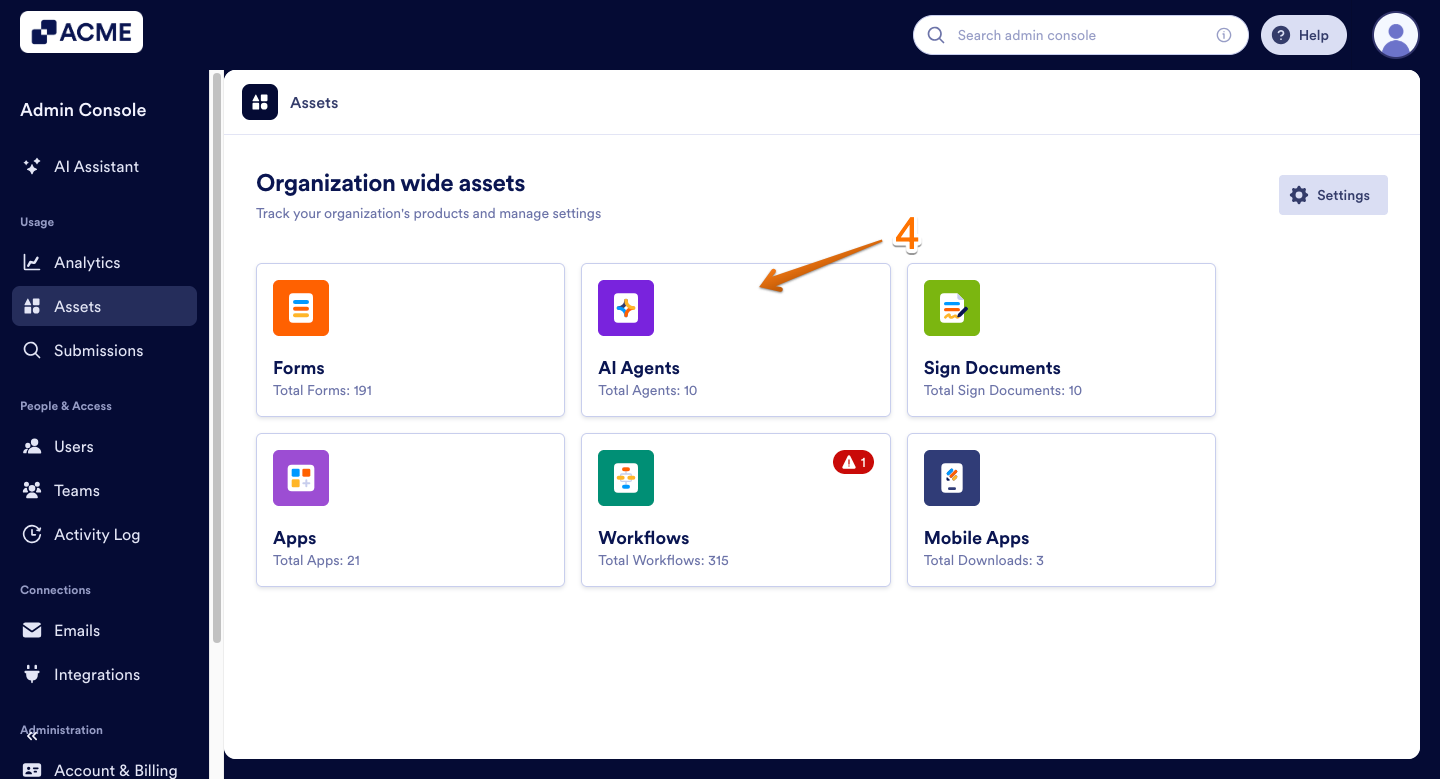
- Then, in the Organization Wide Assets section on the right, click on AI Agents.
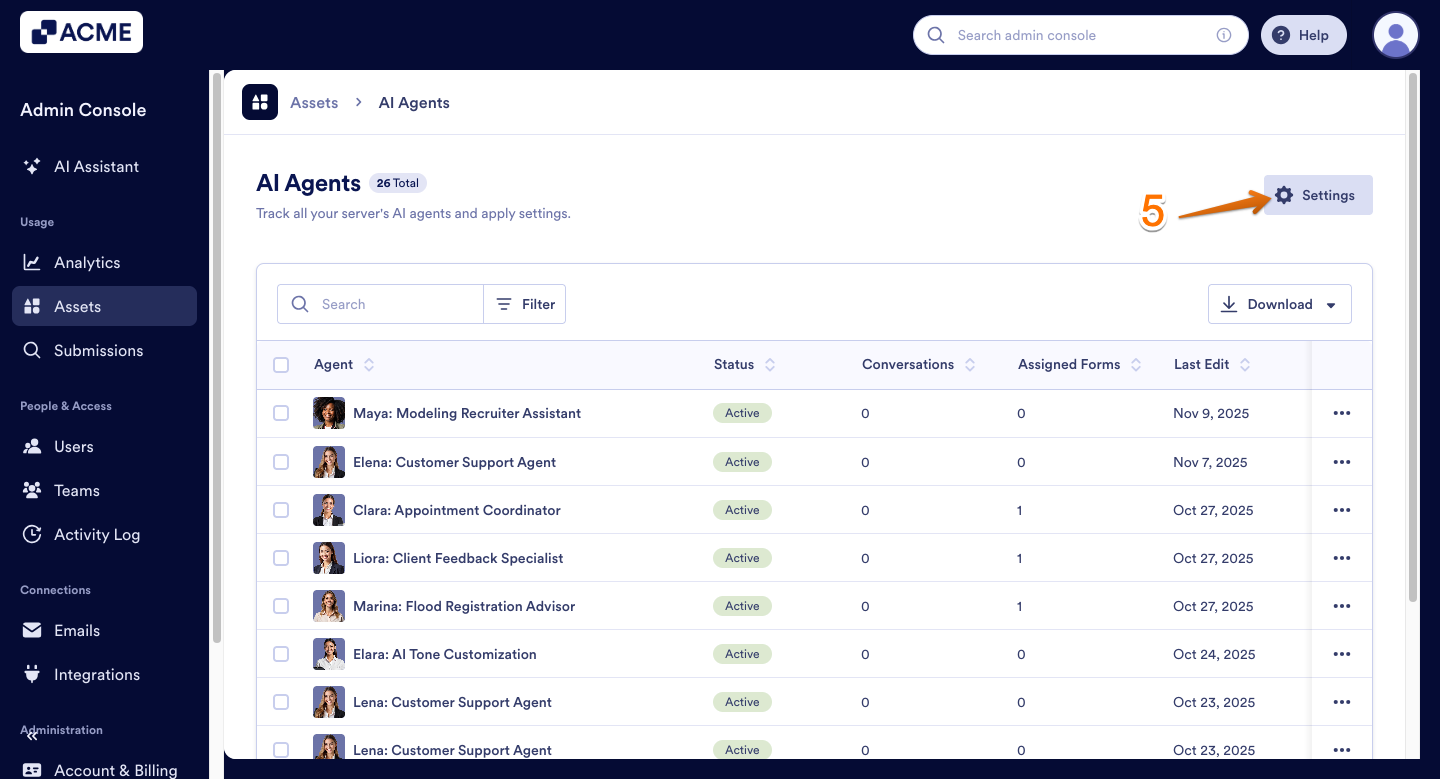
- Next, on the right side of the AI Agents section, click on Settings.
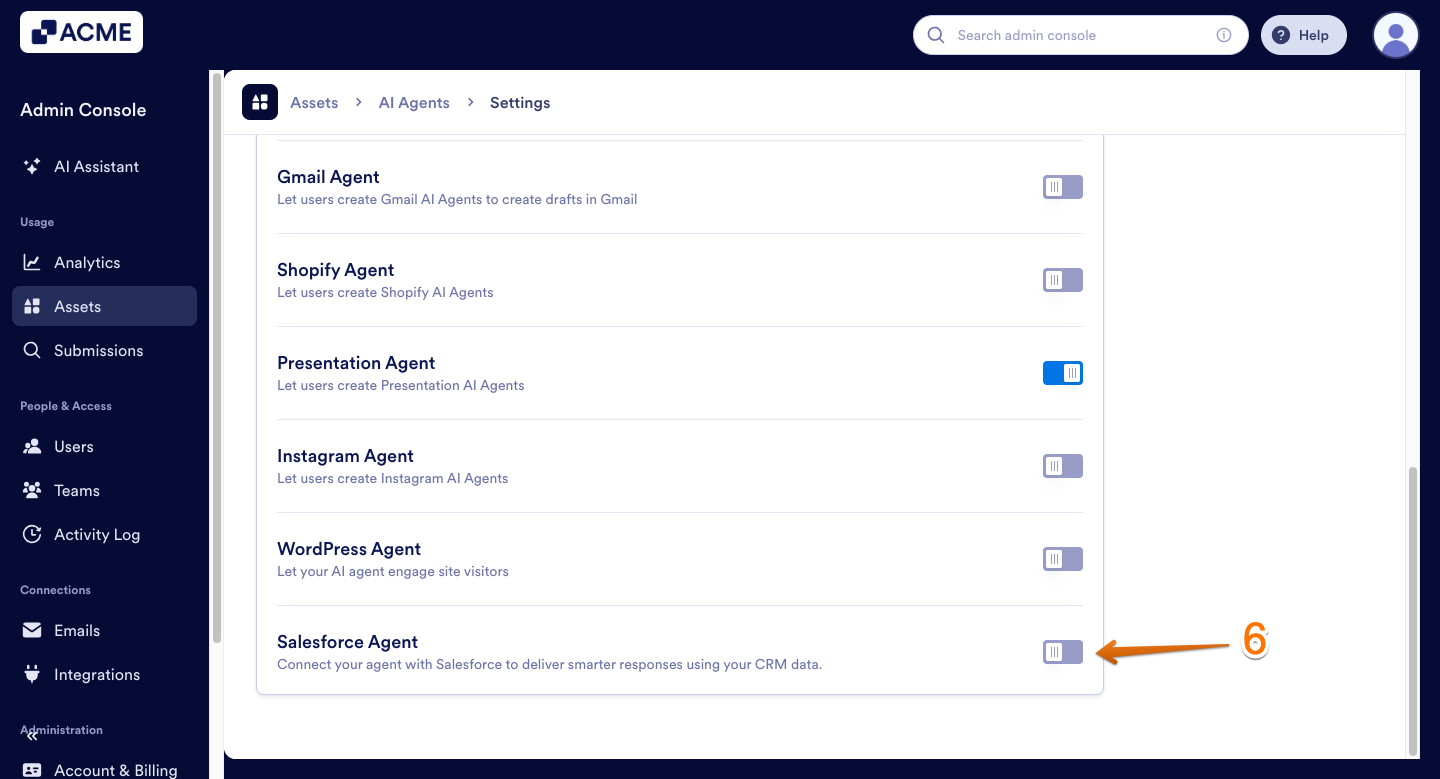
- Now, under the AI Agent Settings section, scroll down to Salesforce Agent and, on the right side of it, toggle it on.
That’s wrapped up! You can now decide at any time if users in your organization are allowed to create a Salesforce Agent.
Now, they can create Salesforce AI Agents.
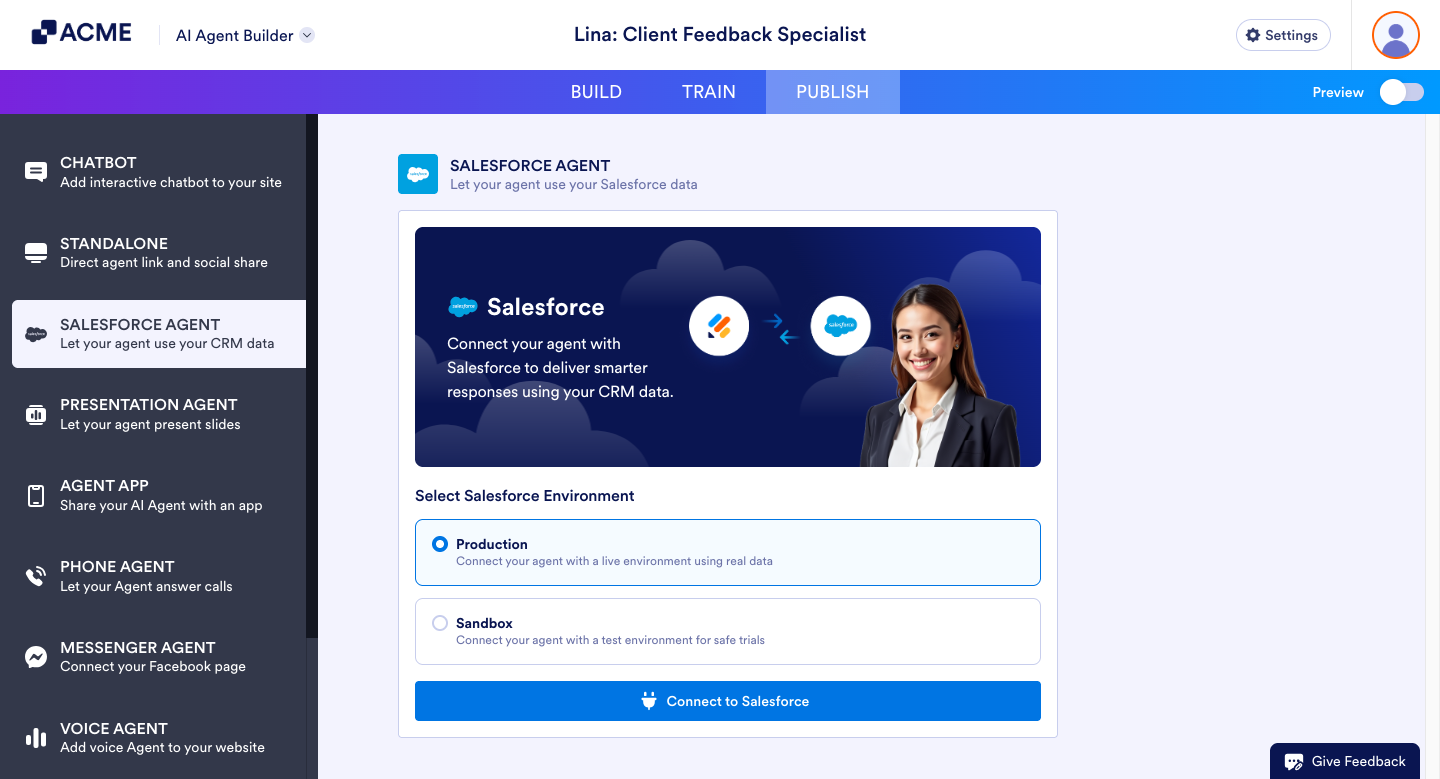
Tip: Disabling Salesforce Agent will prevent users from creating new ones. Existing Salesforce Agents will be removed from user accounts but restored once Salesforce Agent creation is enabled again.

Send Comment: