If you need to work on an asset individually, keep a personal version, or reorganize how your content is stored, you can move an asset from a team workspace into My Workspace.
Note
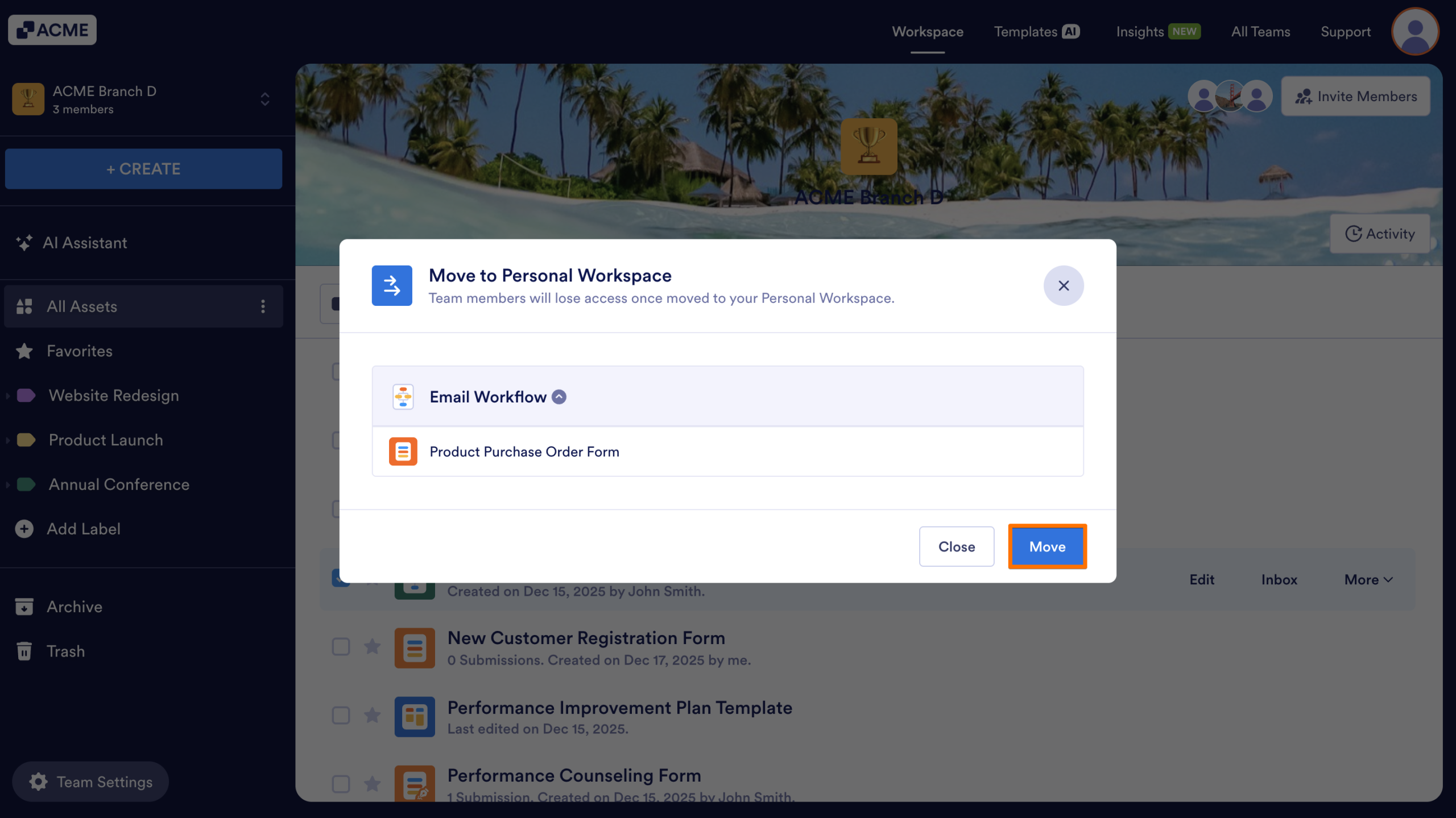
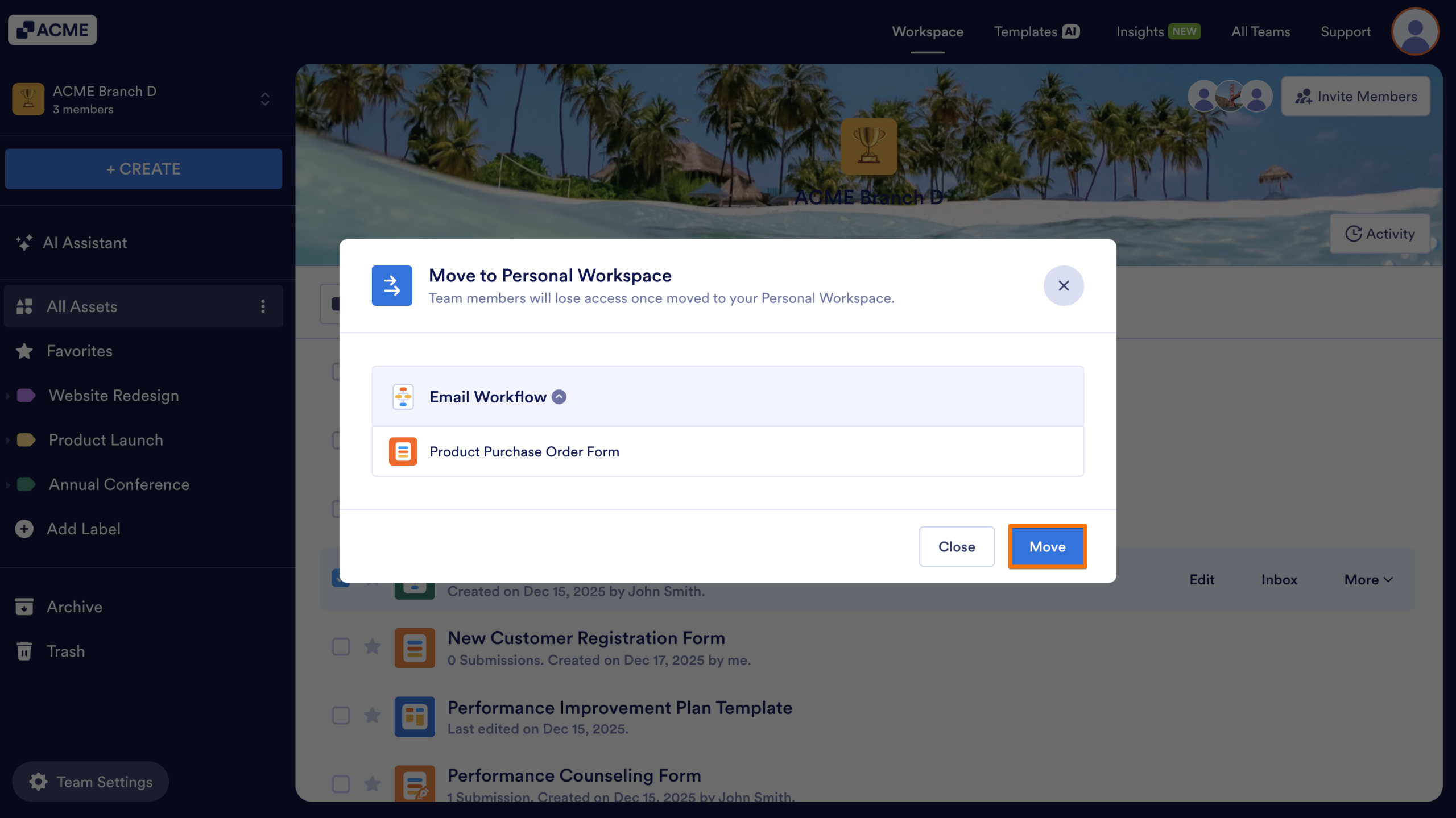
If the asset you’re attempting to move is connected to other assets, all connected items will move together. For example, if a form is linked to a table or a report, moving the form will also move the associated table or report. You’ll be notified about any linked assets before confirming the move and will need to confirm your understanding before the move can be completed.
There are two ways to move assets; from the More menu in your Team Workspace, or using the Toolbar. Let’s walk through those options together, below:
Move an Asset Using the More Menu
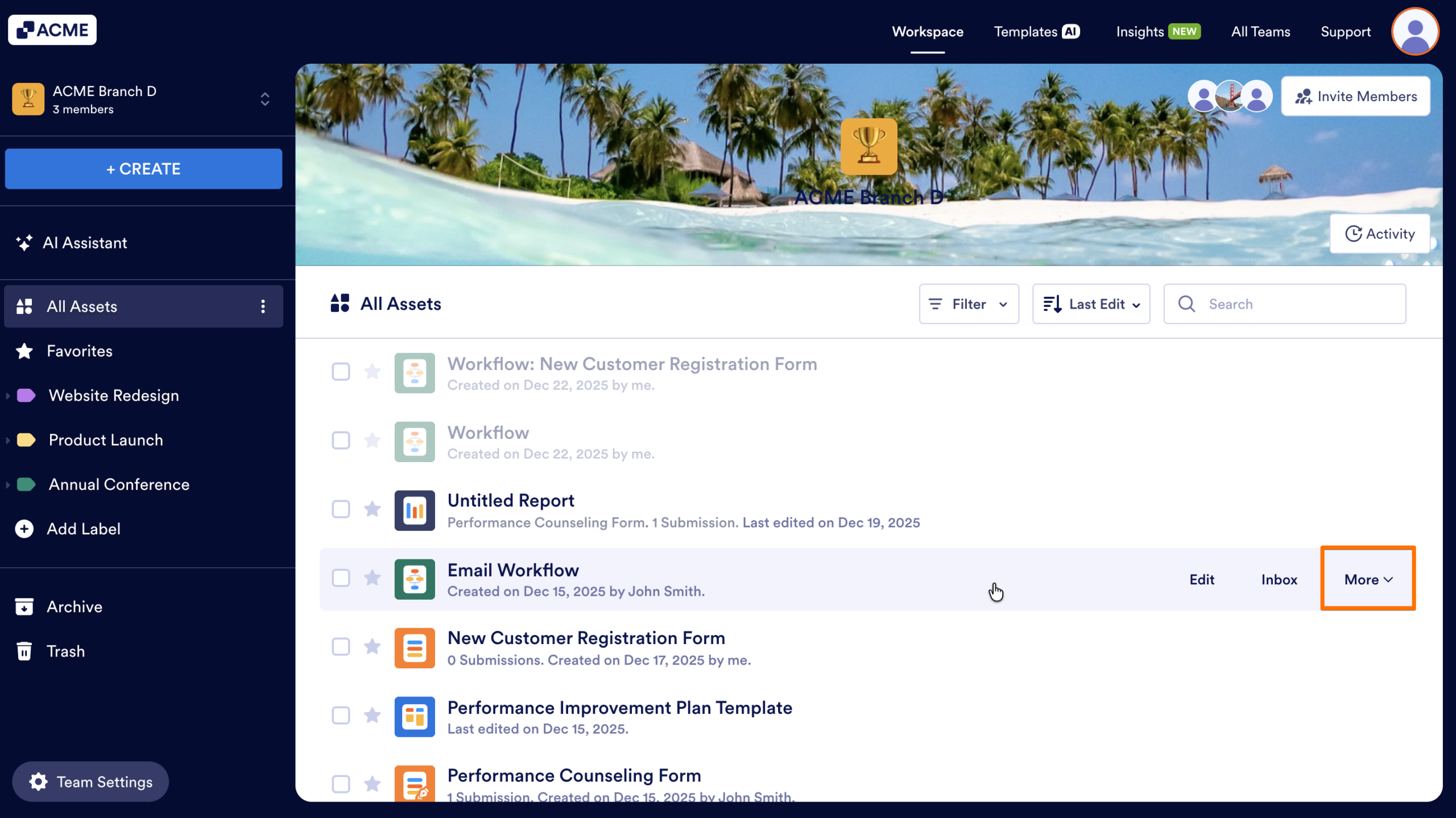
- In the Team Workspace, hover over the asset you would like to move.
- Click on the More button on the right side.
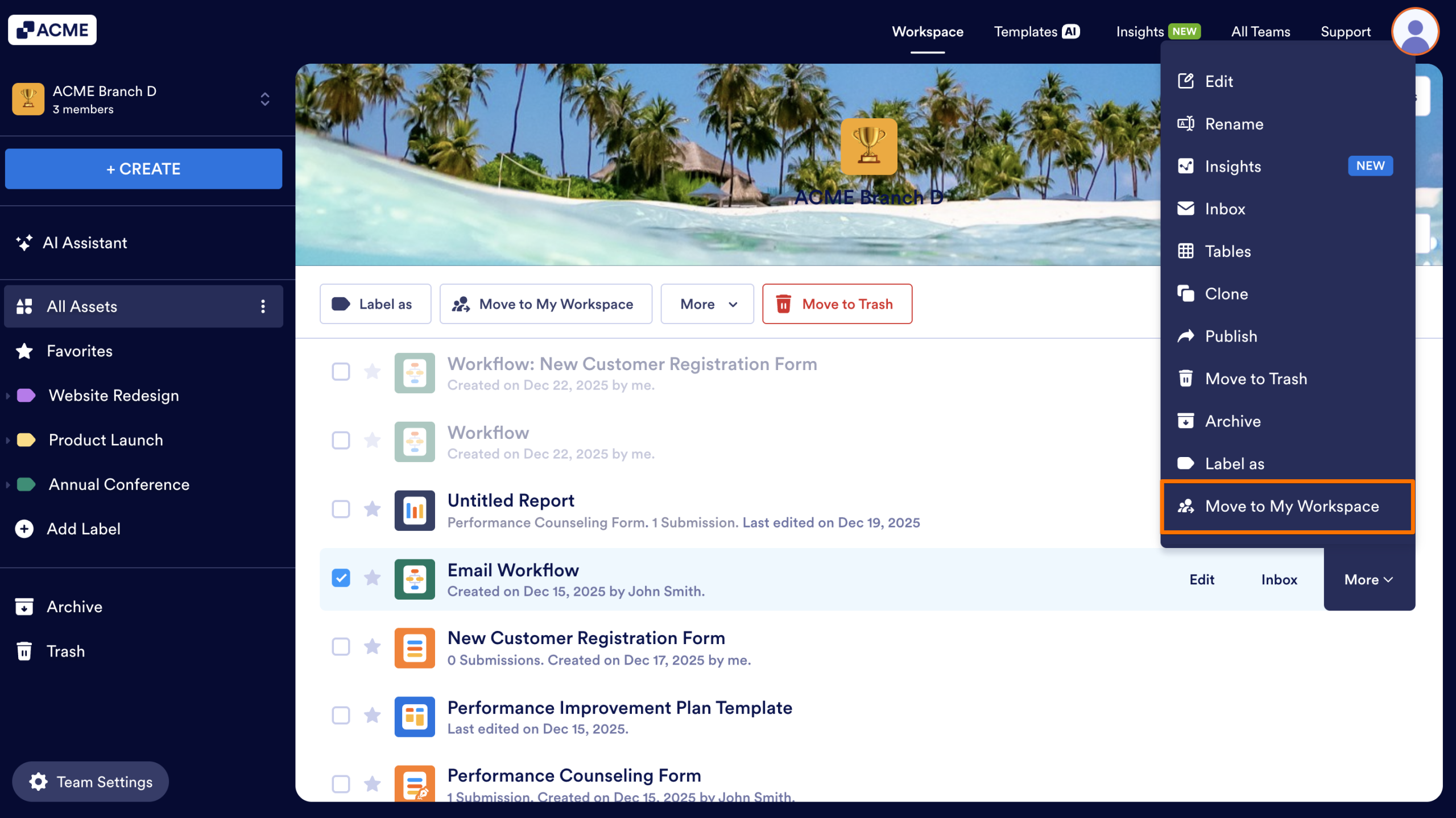
- Select Move to My Personal Workspace from the menu.
- Finally, click on Move.
Move an Asset Using the Toolbar
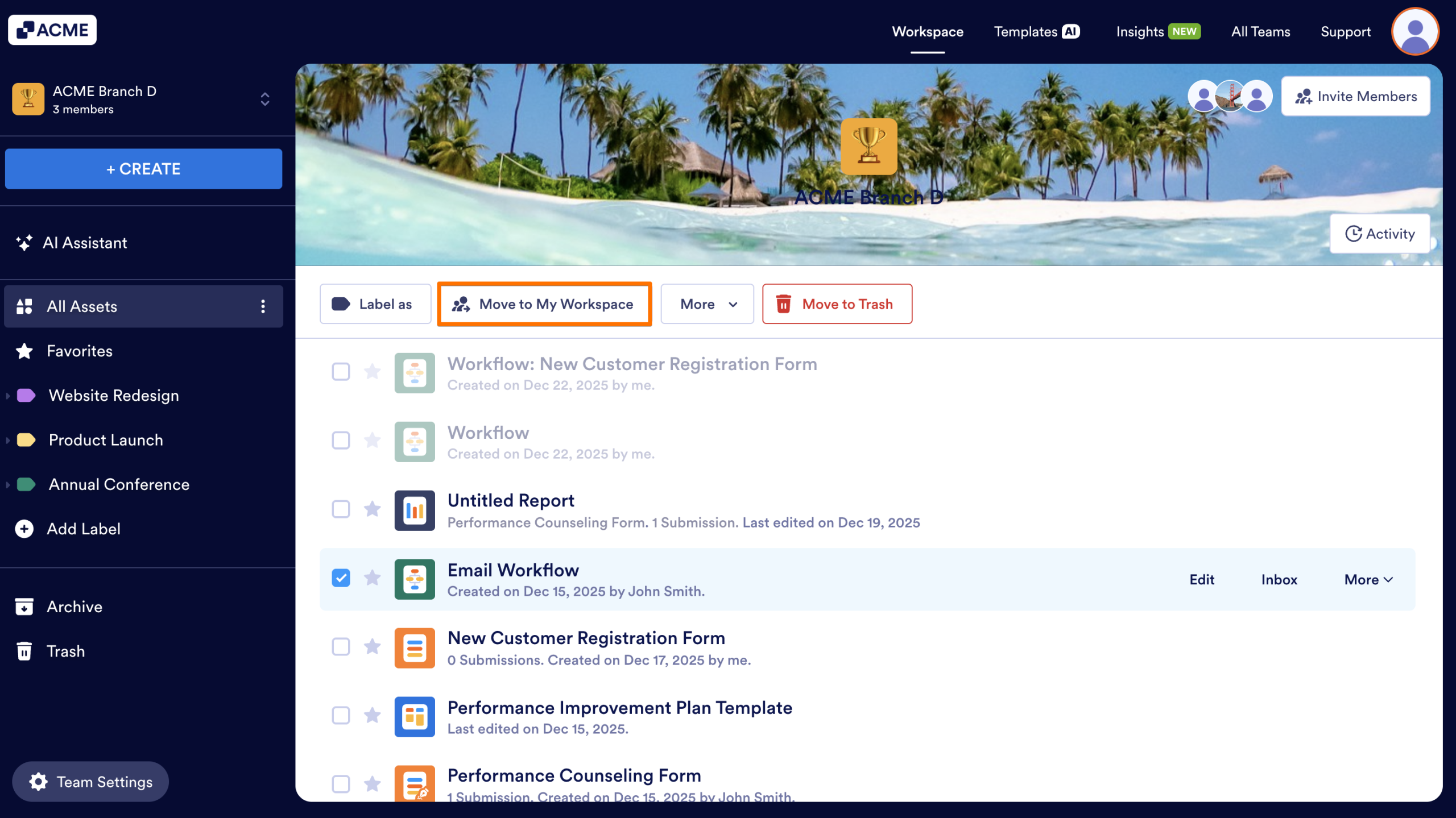
- In the Team Workspace, hover over the asset you would like to move, and click on it.
- In the toolbar at the top, click on Move to My Workspace
- Finally, click on Move.
Once moved, the asset will appear under My Workspace, and team members will no longer see or access it unless you share it again.
Note
Assets can only be moved one by one, so you’ll need to repeat this process for each item you want to transfer.

Send Comment: