Assets can’t be transferred directly from one team workspace to another. To move an asset between teams, you’ll first need to move it into My Workspace, and then move it into the target team.
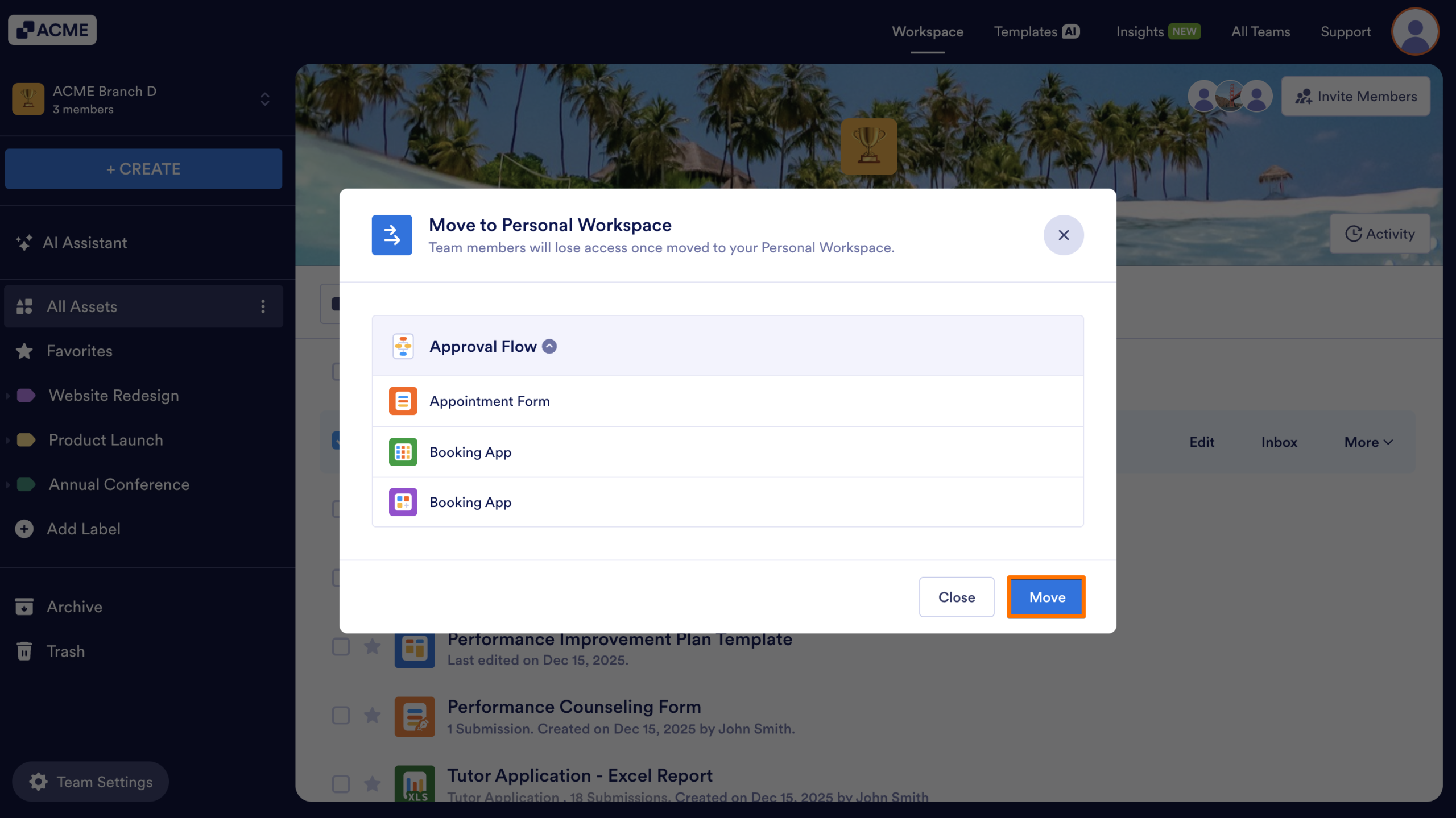
Additionally, assets can only be moved one by one and if an asset is connected to other assets (such as a form linked to a table or report), all connected assets will be moved together.
Moving an Asset from the Team Workspace into My Workspace
- Starting from within your Team Workspace, select the asset you want to move.
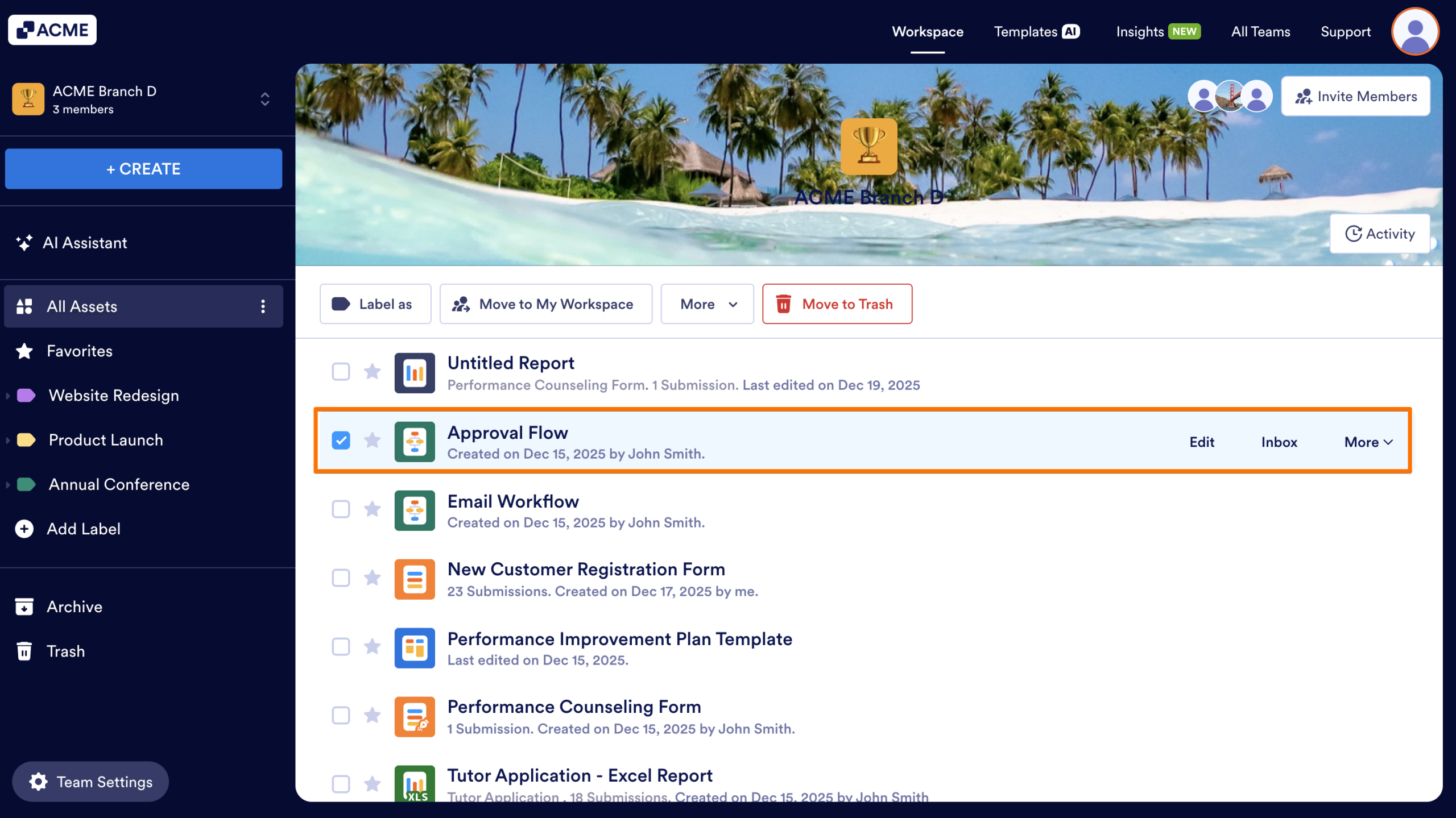
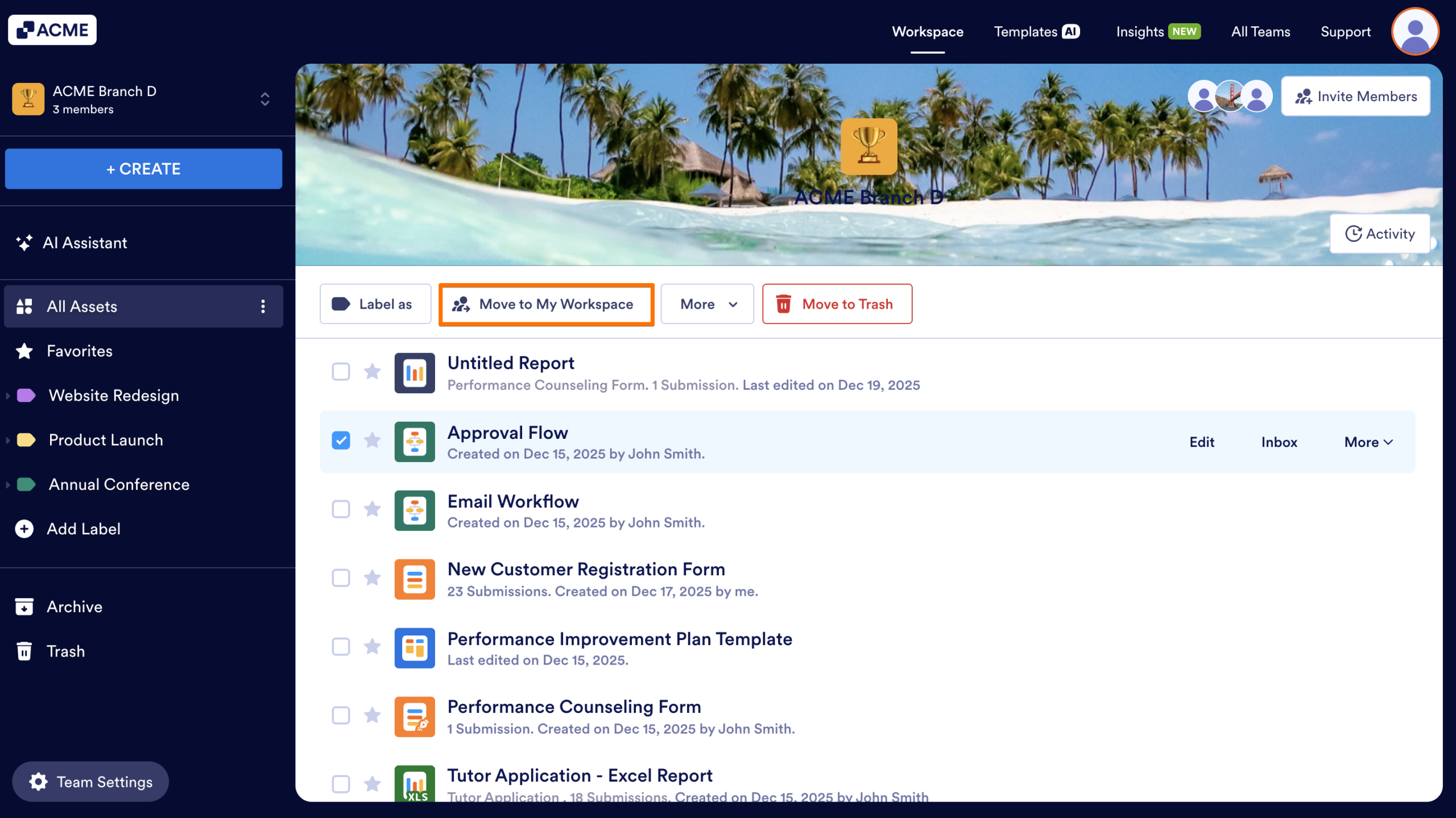
- In the toolbar along the top of the page, click on Move to My Workspace.
- If the asset is currently linked to any other assets, a popup window will appear showing which connected assets would be moved along with it. Review this list and confirm, then click Move.
Once moved, the asset will appear in My Workspace, and the original team members will no longer have access (unless you share it with them again, or move it back into the Team).
Moving an Asset from My Workspace back into a Team Workspace
To move the asset to another Team Workspace (or back into the same Team):
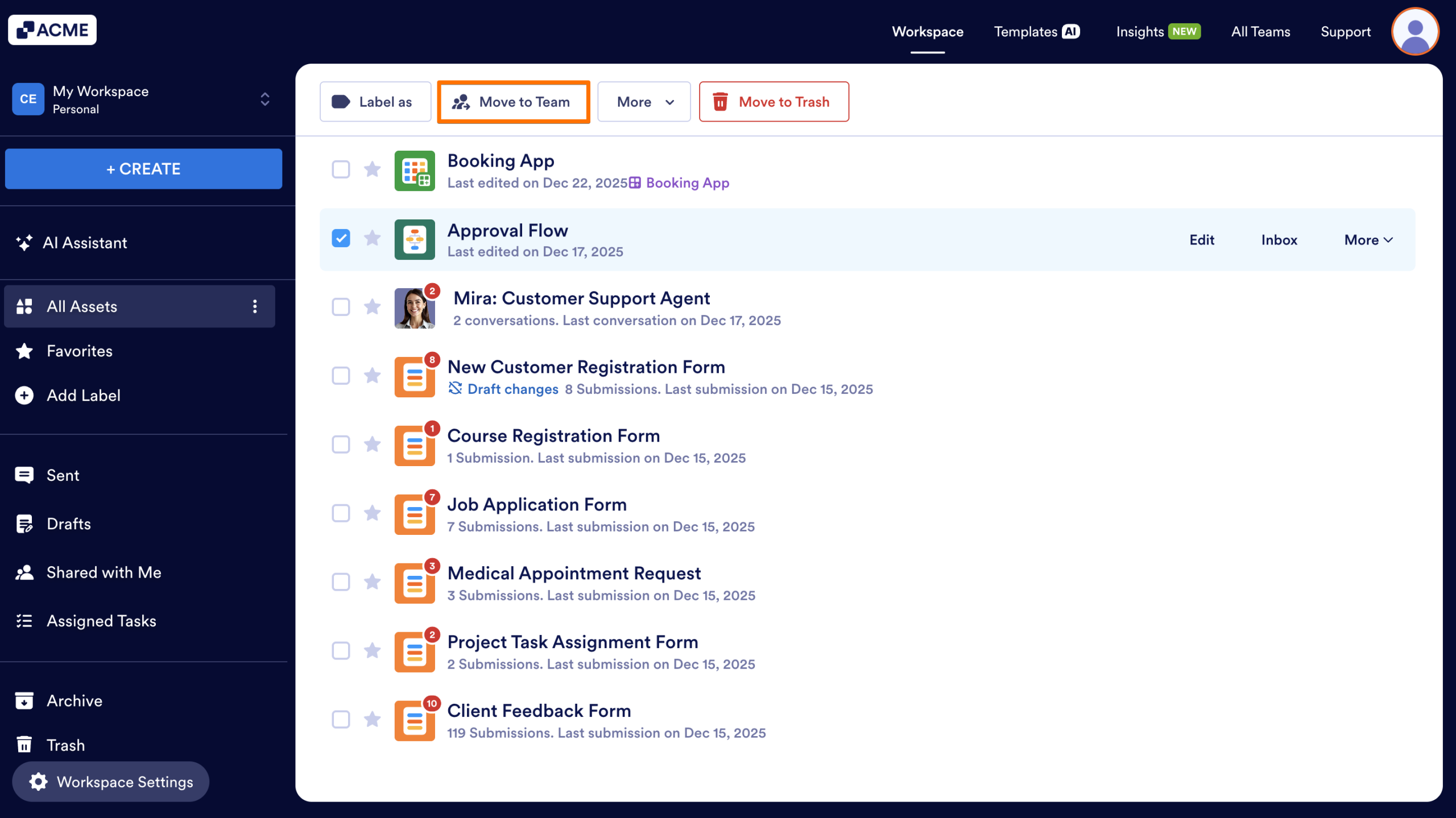
- Starting in My Workspace, locate and select the asset you’d like to move.
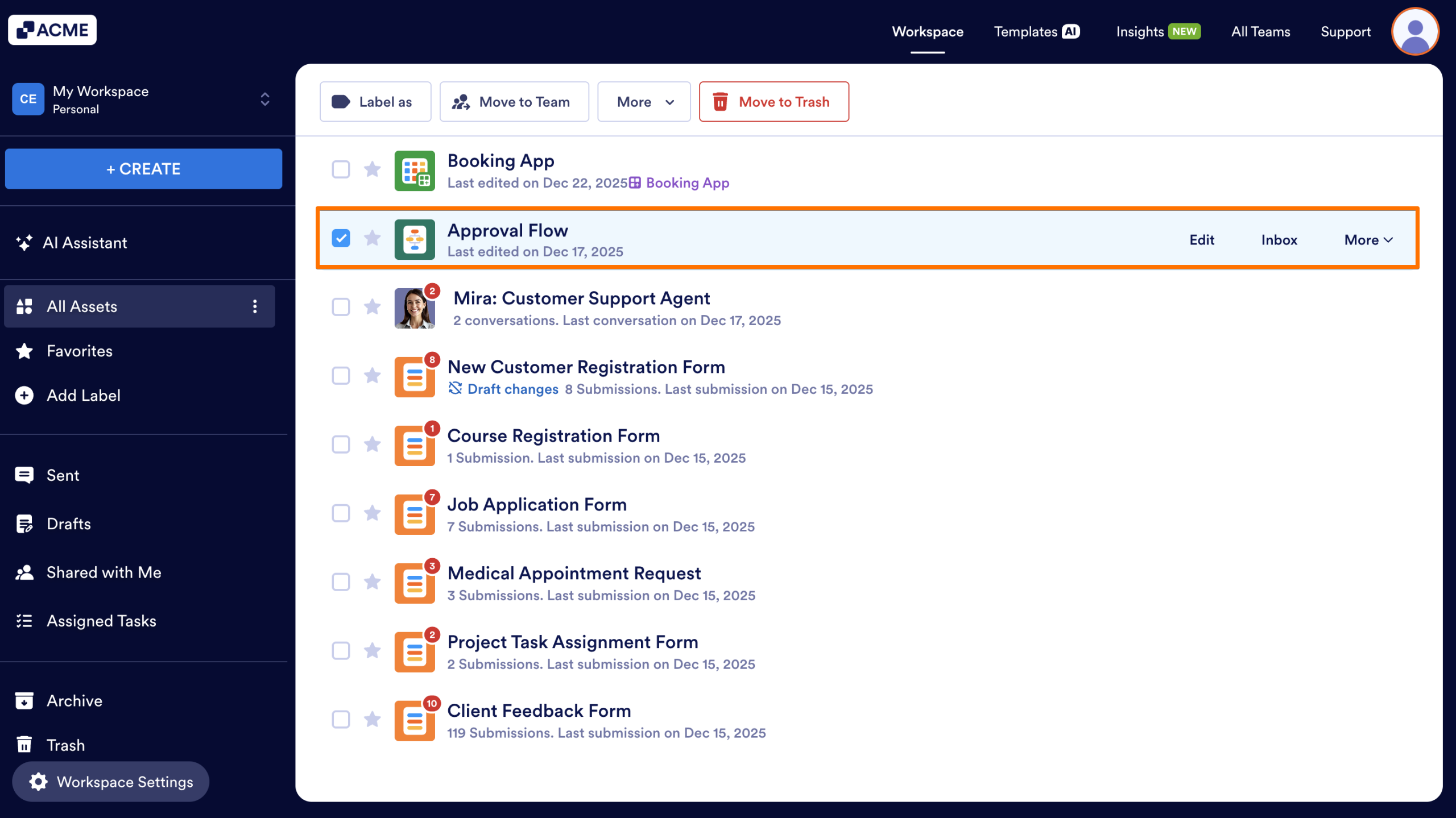
- Click on Move to Team in the toolbar.
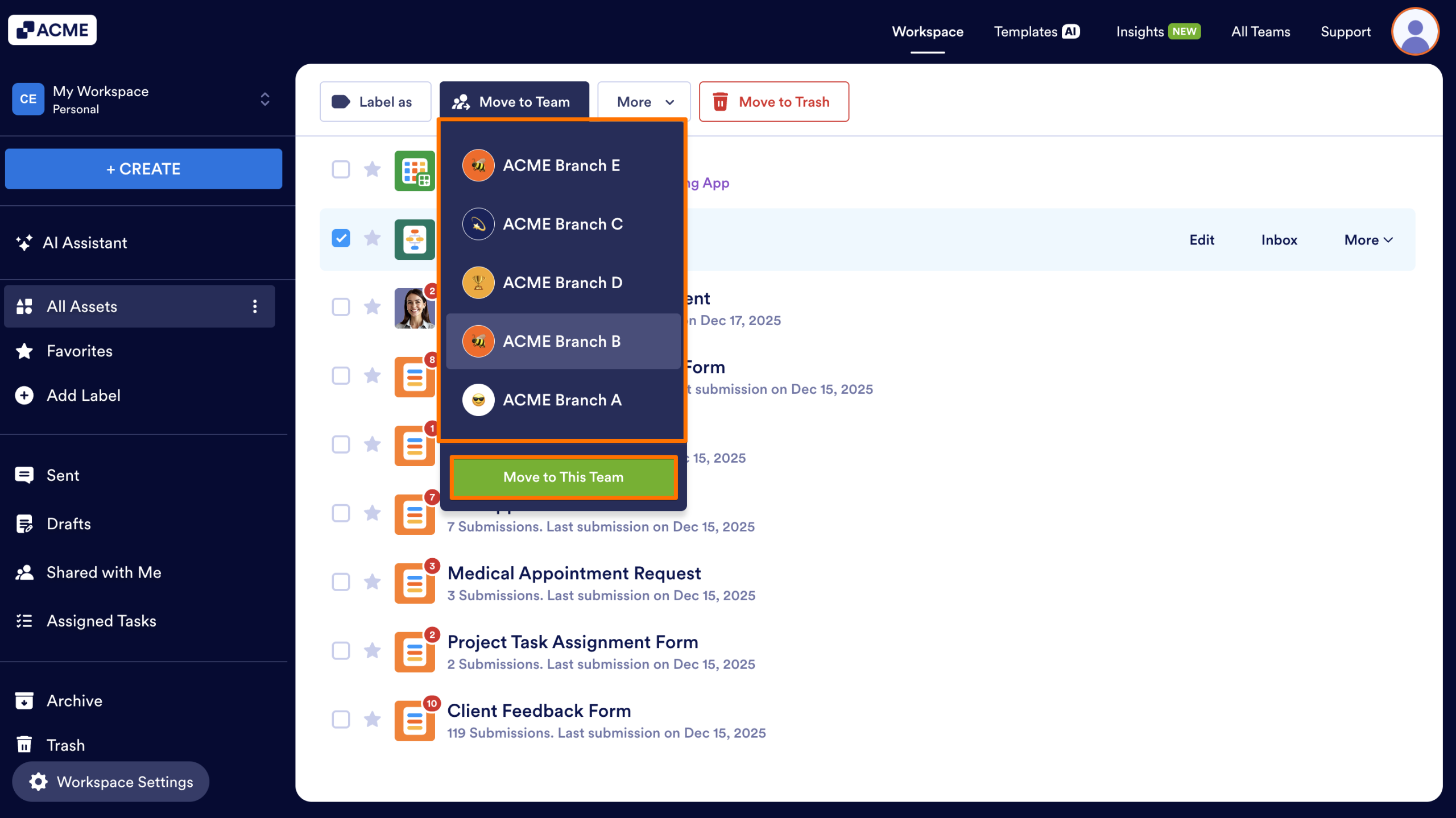
- Choose the destination team from the dropdown and select Move to This Team.
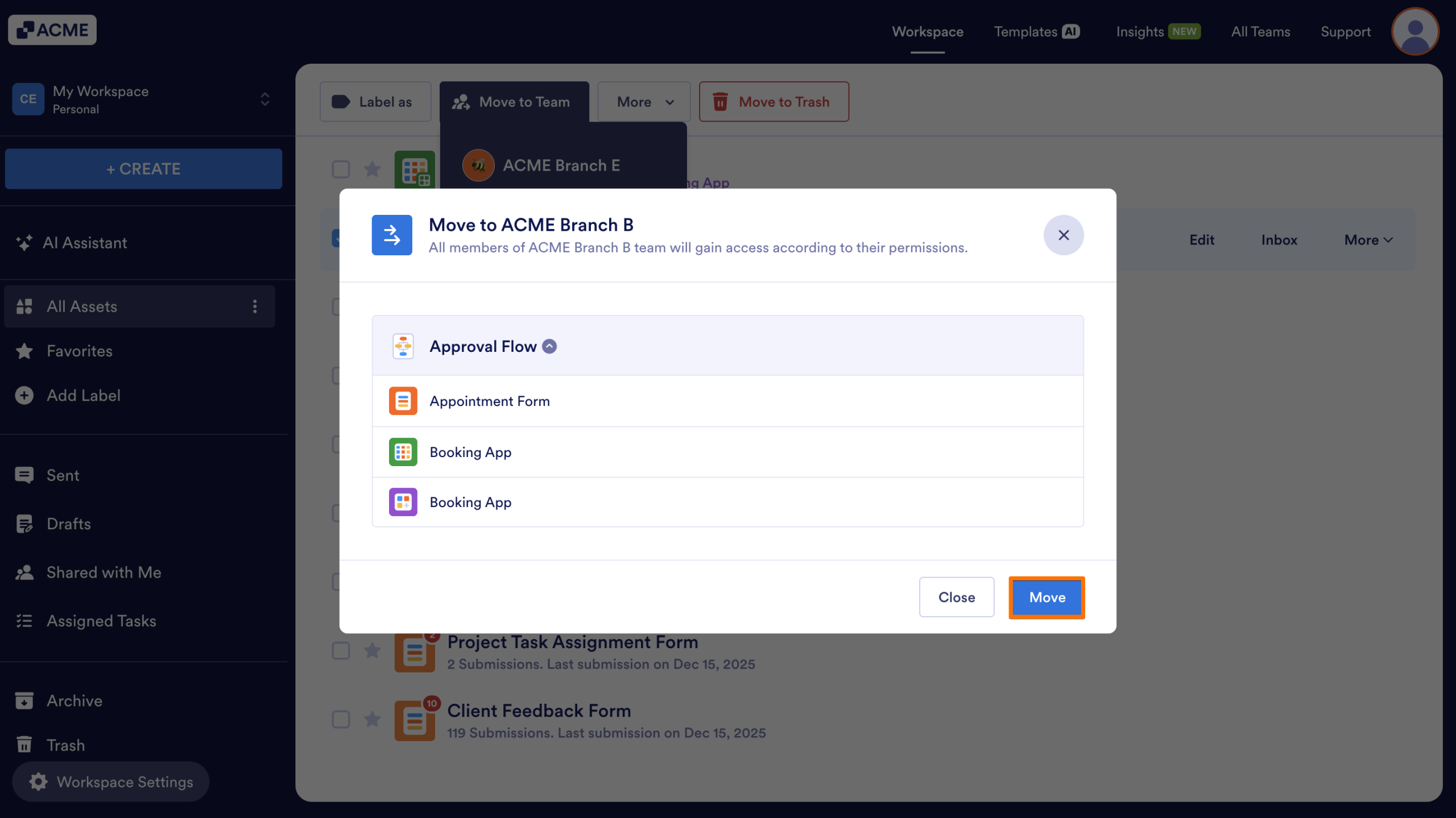
- If the asset is currently linked to any other assets, a popup window will appear showing which connected assets would be moved along with it. Review this list and confirm, then click Move.
The asset will now appear inside the selected team workspace and be shared with all members of that team.

Send Comment: