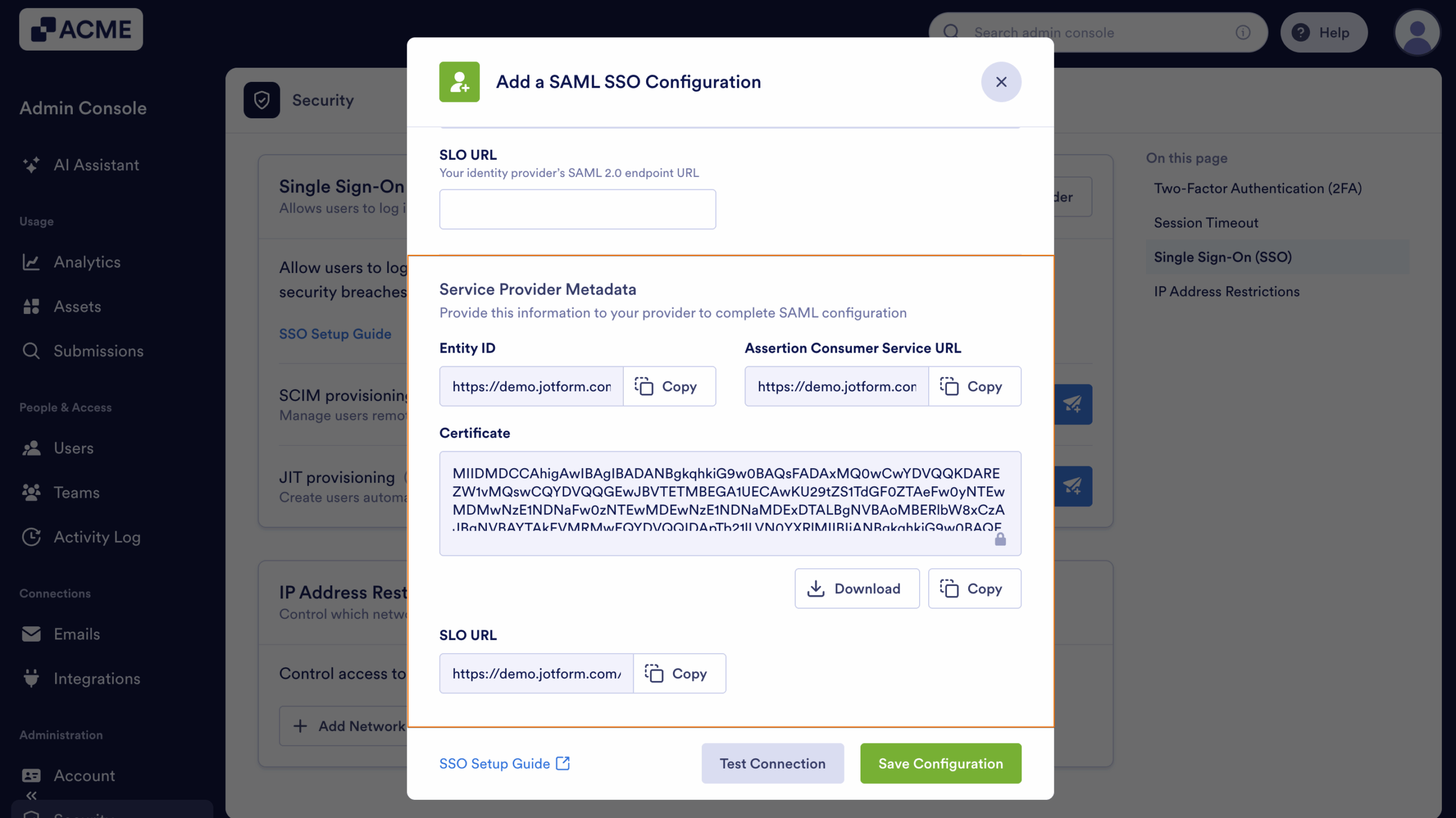
Many Identity Providers (IdPs), including Google, Microsoft Entra ID, OneLogin, and Okta, require the Service Provider (SP) Metadata from your organization to properly configure their custom SAML application settings. This metadata contains essential details such as Entity ID, ACS (Assertion Consumer Service) URL, and Certificate information. These help establish a secure and seamless connection between your organization and the chosen IdP.
Providing accurate SP Metadata in your IdP ensures a smooth authentication and authorization processes, improving security and user access management.
Here’s how to get your Service Provider Metadata:
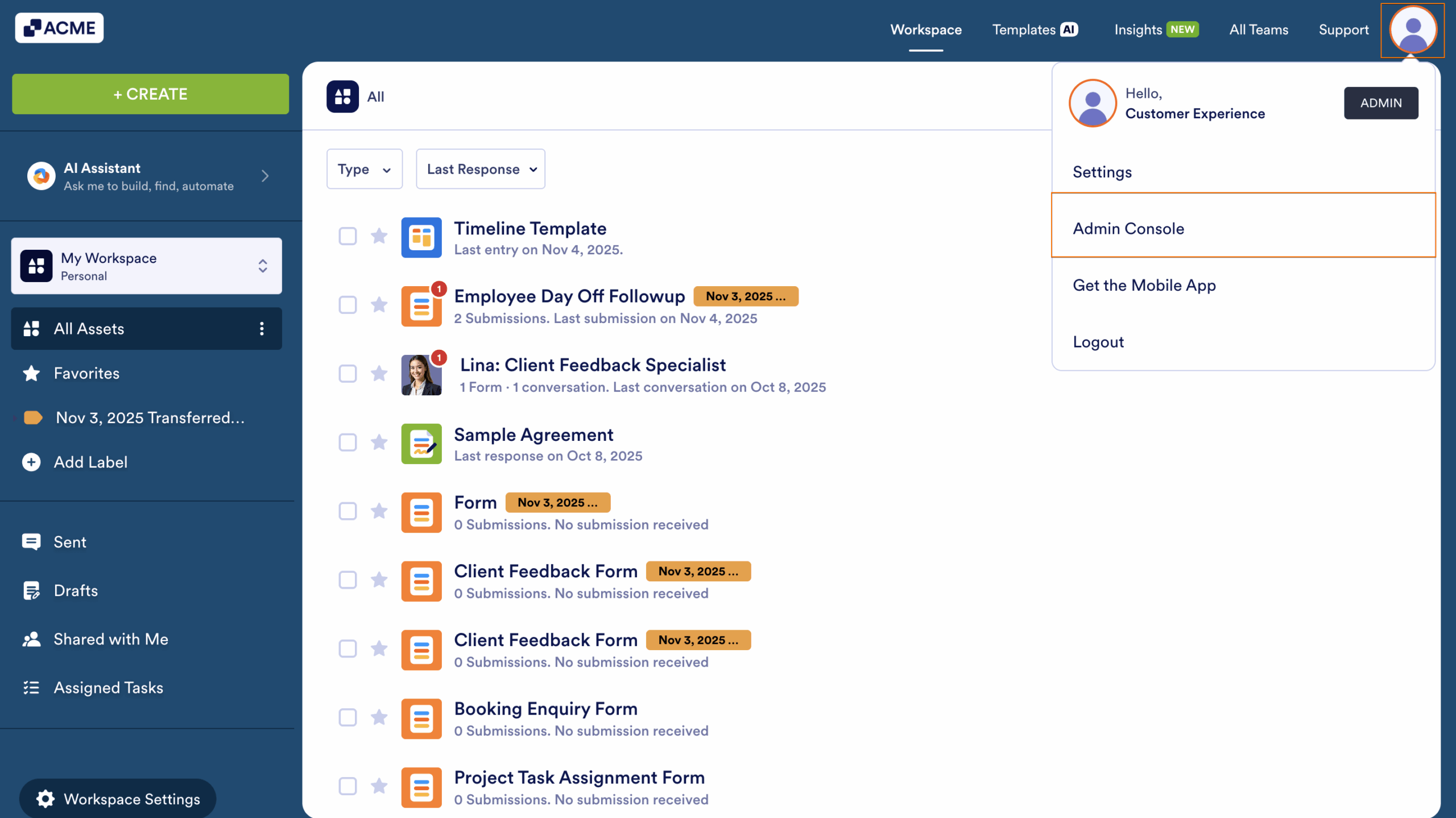
- Login to your organization and go to the Admin Console by clicking on your Avatar in the upper right corner of My Workspace.
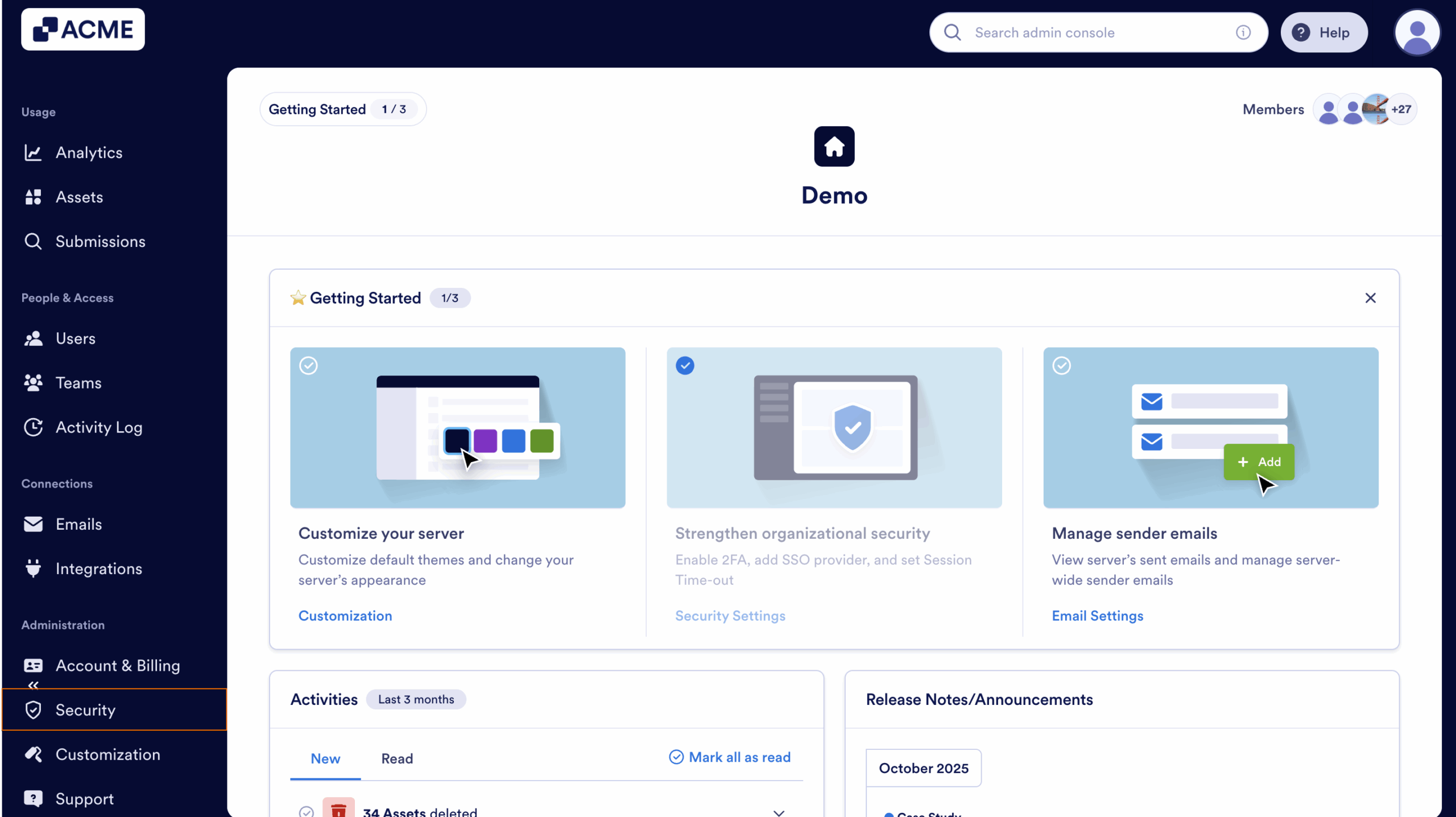
- Next, on the sidebar on the left side of the screen, click on Security.
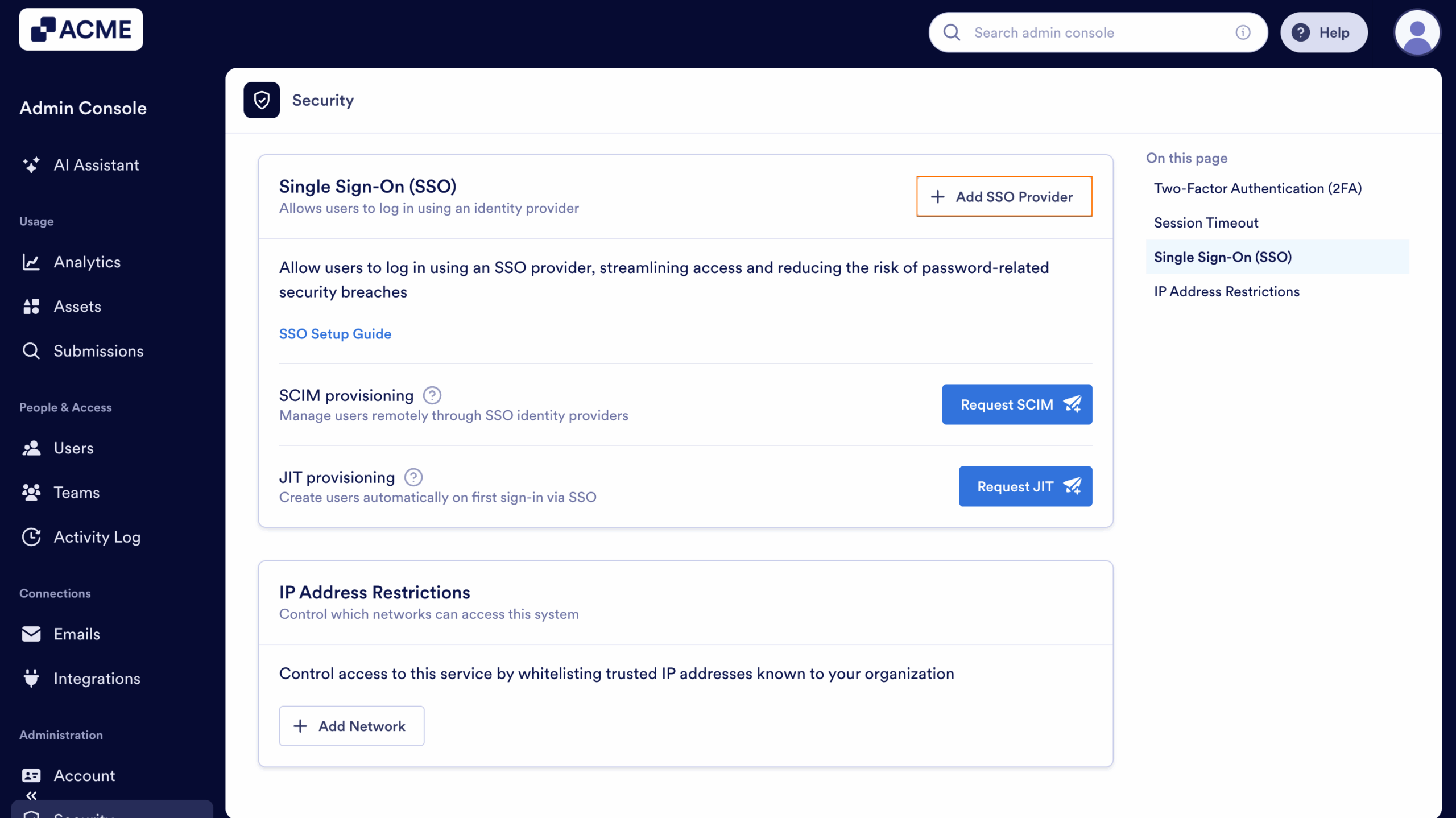
- Then, scroll down below Single Sign-On (SSO) and click on Add SSO Provider.
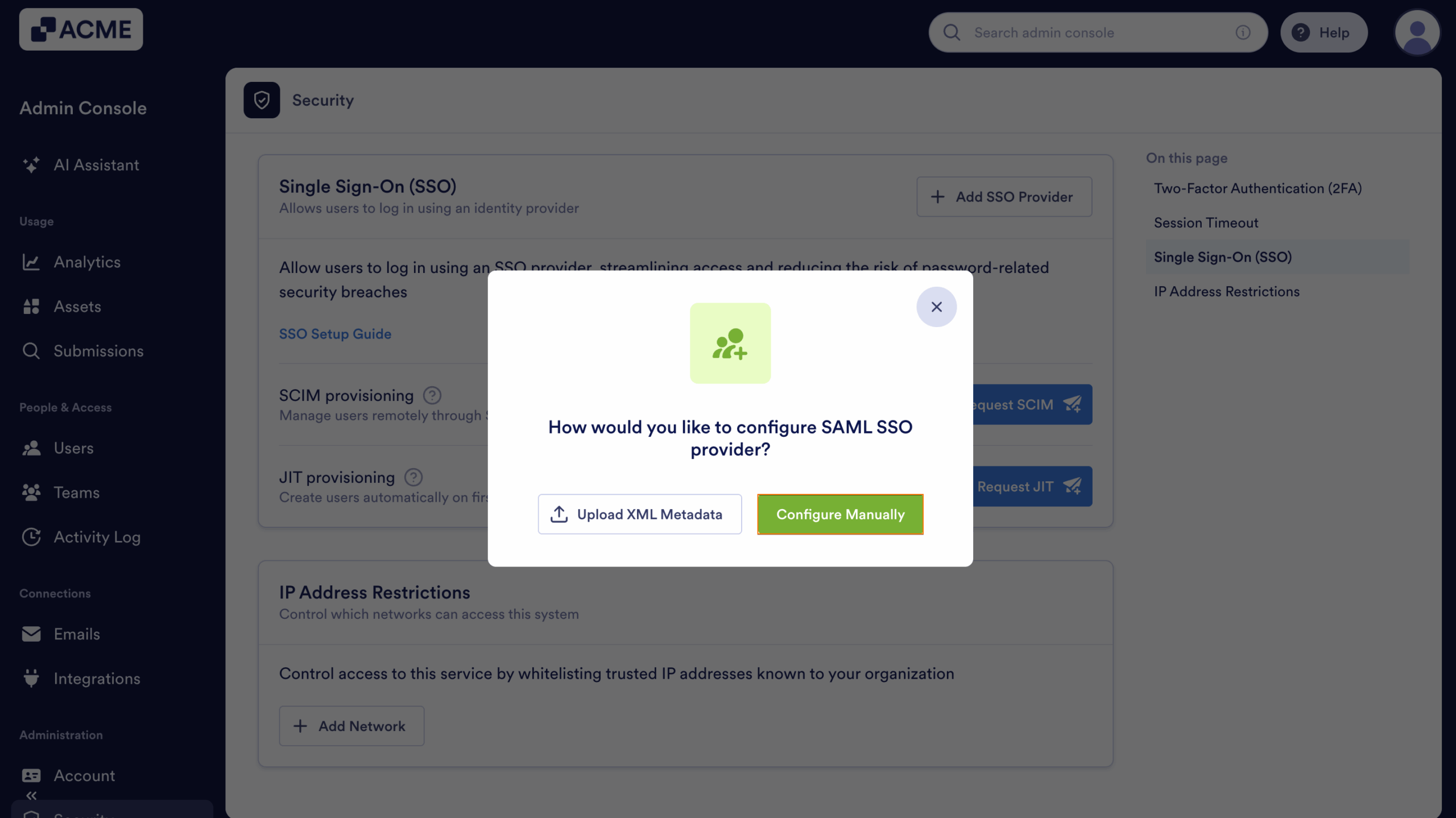
- Next, select Configure Manually.
- Finally, scroll down and copy the following Service Provider Metadata details:
- Entity ID
- Assertion Consumer Service URL
- Certificate
- SLO URL

Send Comment: