What is a Guest User?
A Guest User is an external (and unlicensed) user who’s been granted access to your forms to submit, view, or edit their own responses.
Revoking Access of Assets from Guest Accounts
As an admin, you can unassign form assets from guest accounts in your organization through the Admin Console. This allows you to remove a guest account’s access to specific assets.
From the Guest Accounts tab, you can open an individual guest’s details to view their assigned assets and unassign them as needed. Unassigning assets helps you maintain proper access control and ensure that guest accounts can only interact with the resources they currently need. Let’s walk through that together, down below:
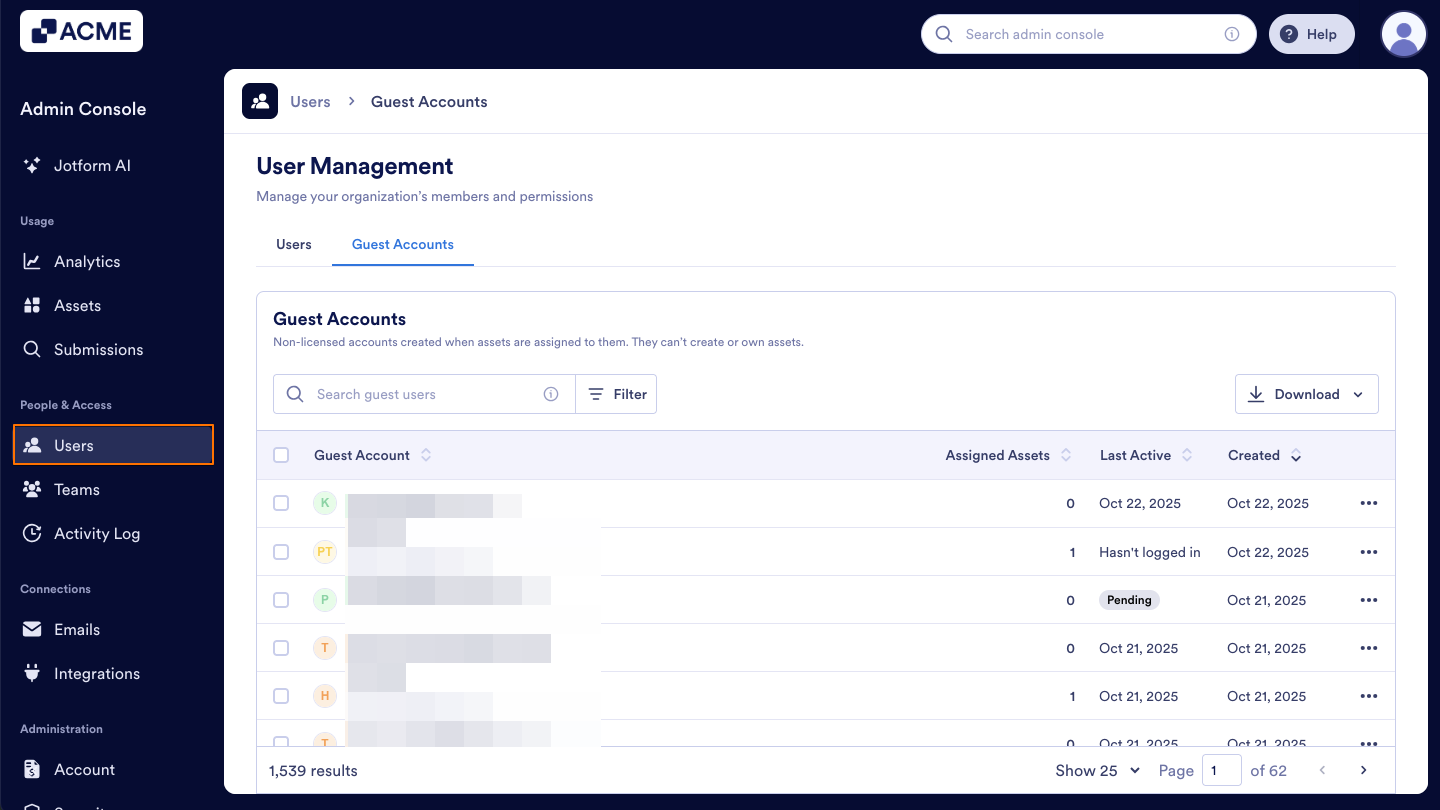
- Starting in the Admin Console, click on Users in the menu on the left side of the page.
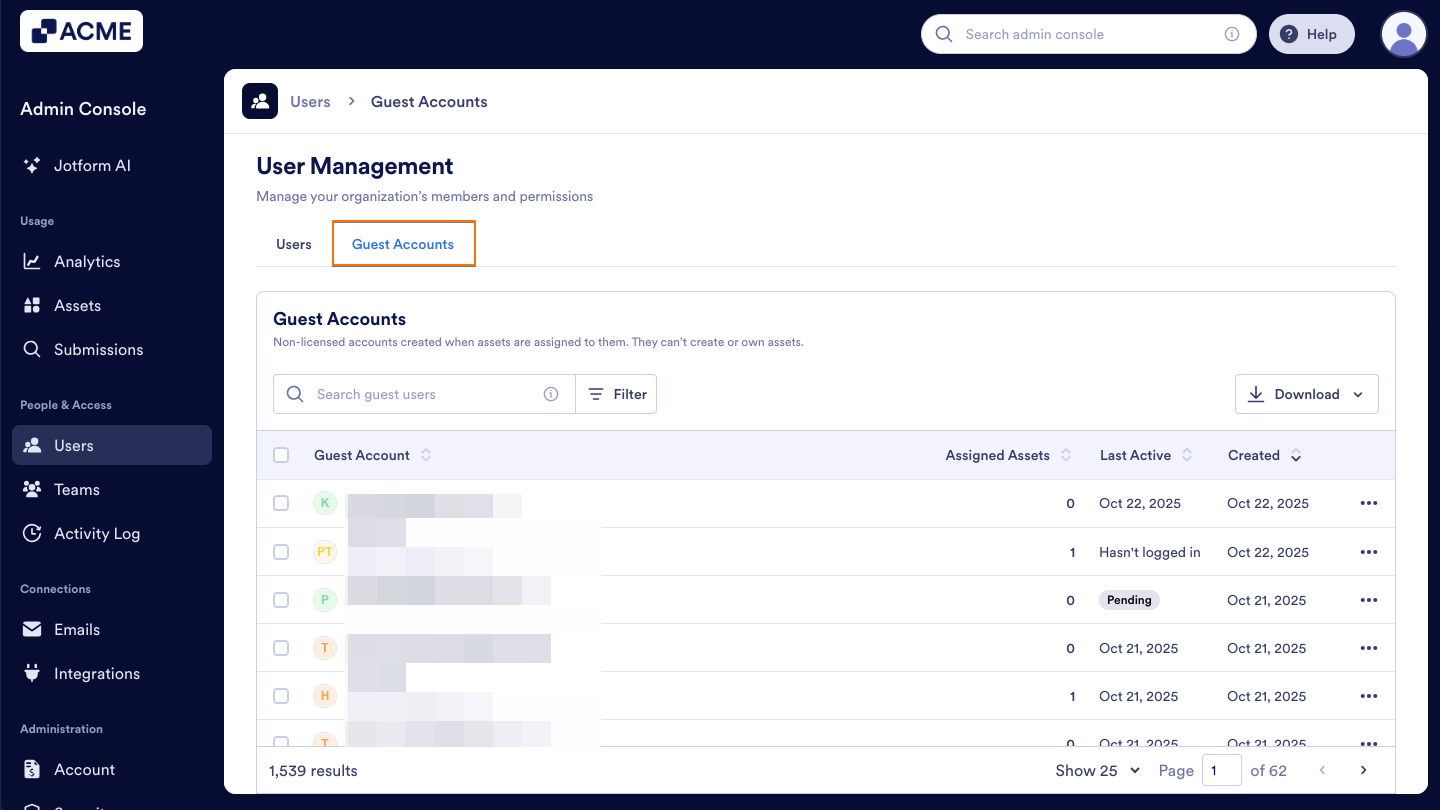
- Next, click on the Guest Accounts tab located at the top of the User Management page.
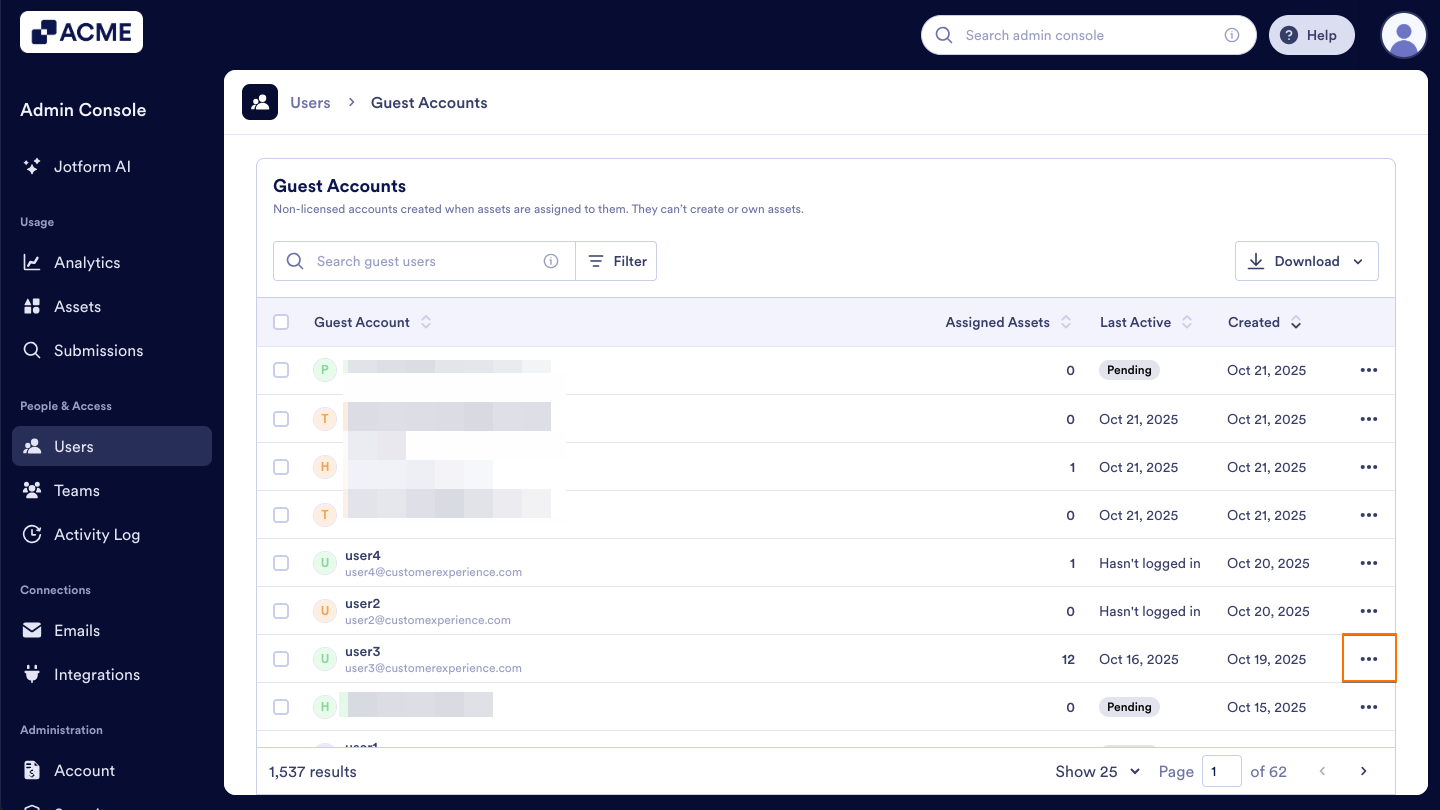
- Now, click on the Three-Dot Menu to the right of that user.
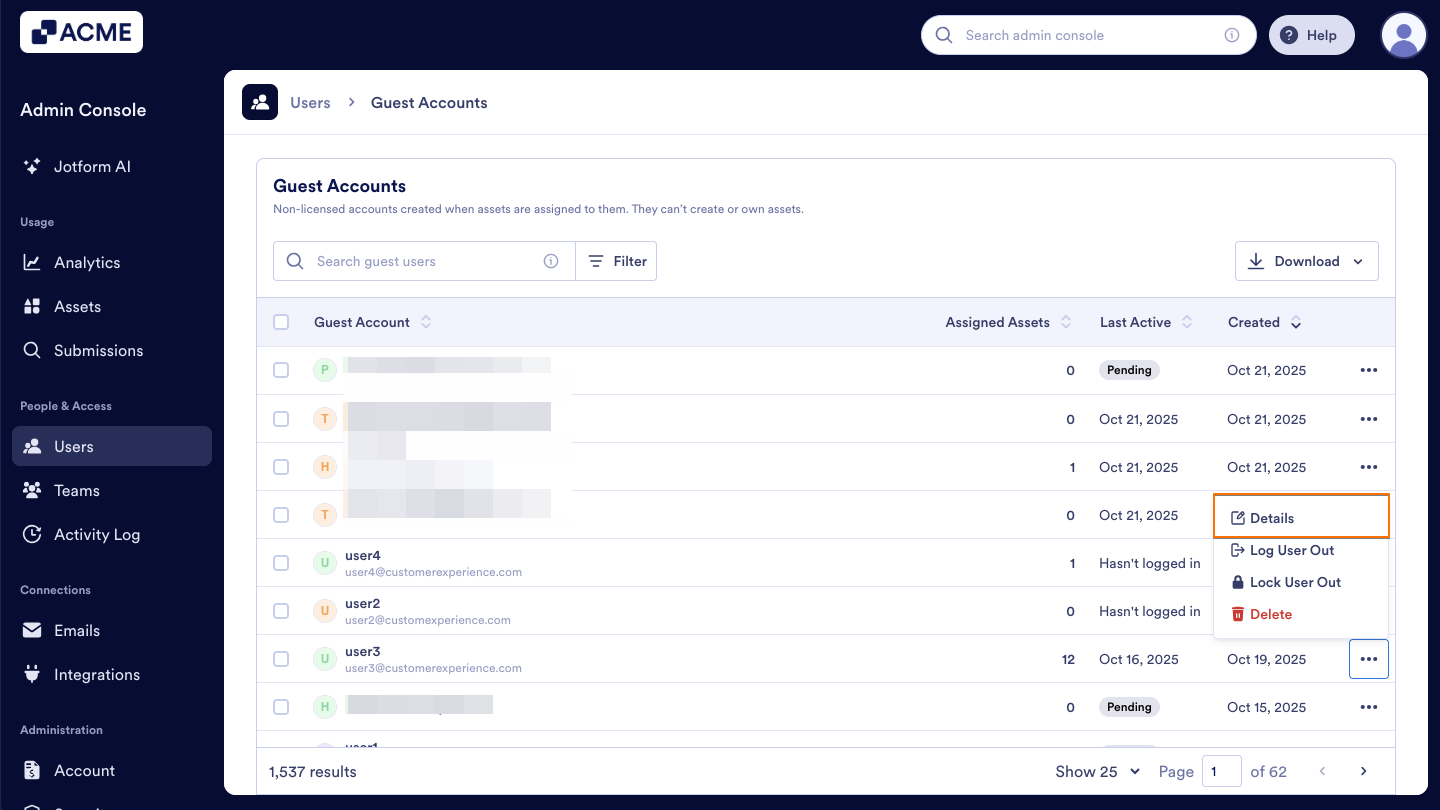
- Click on Details in the dropdown menu. This opens a sidebar on the right side of the screen that contains several tabs, such as Details, Assets, and Activity.
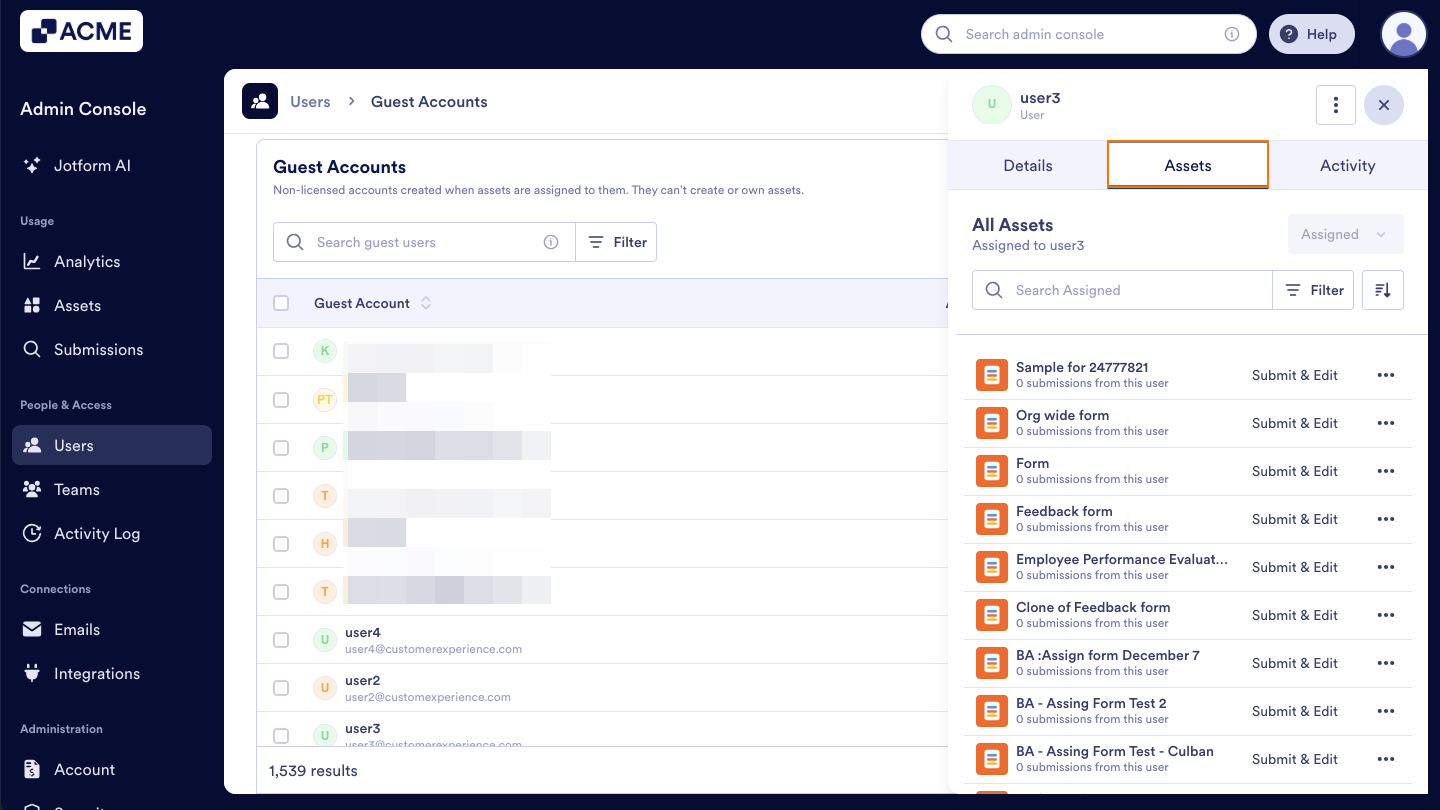
- In the Details section of that sidebar, click on Assets. Here, you will see a list of all assets assigned to that guest user.
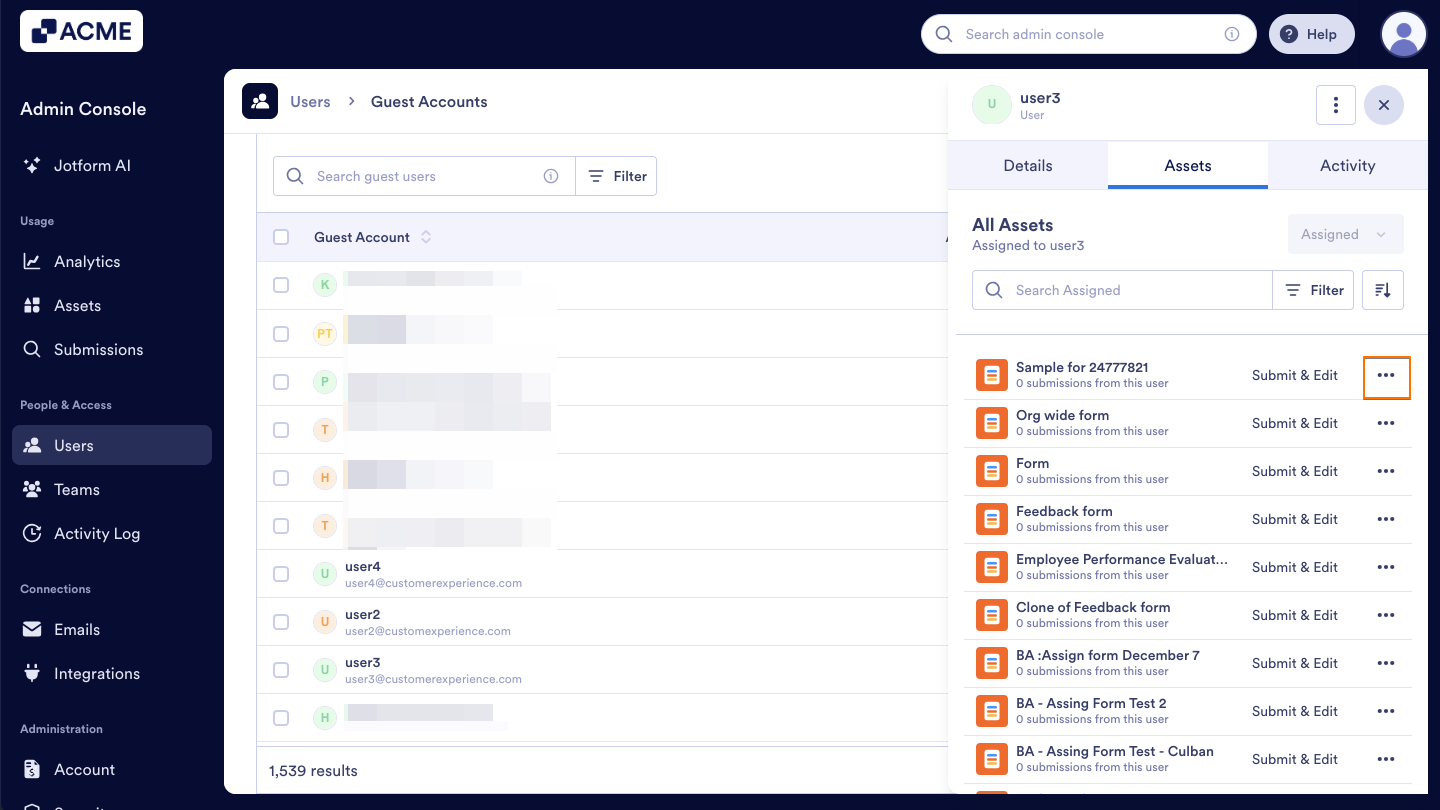
- Click on the Three Dots icon located to the right of the asset you want to revoke access.
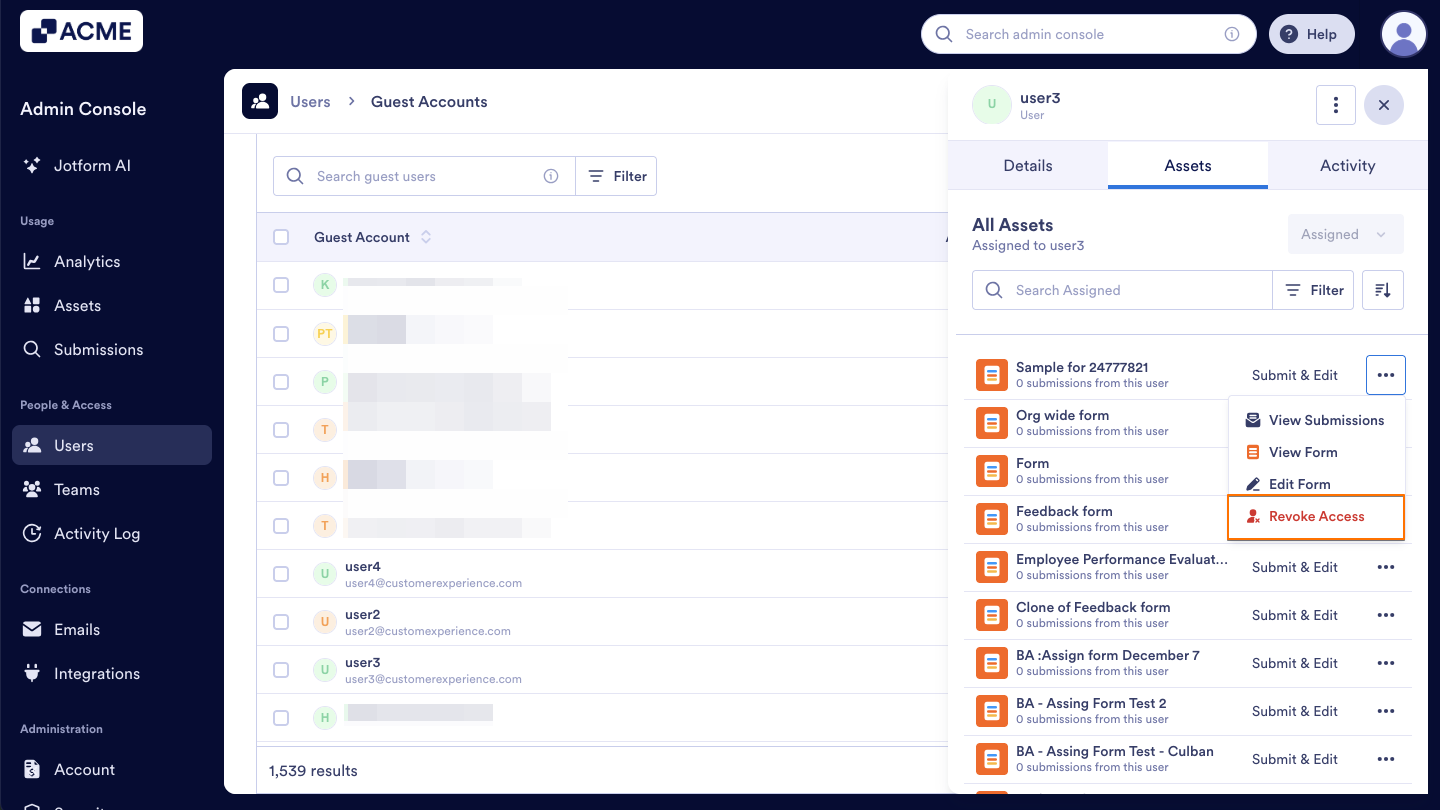
- Then, click Revoke Access in the dropdown menu.
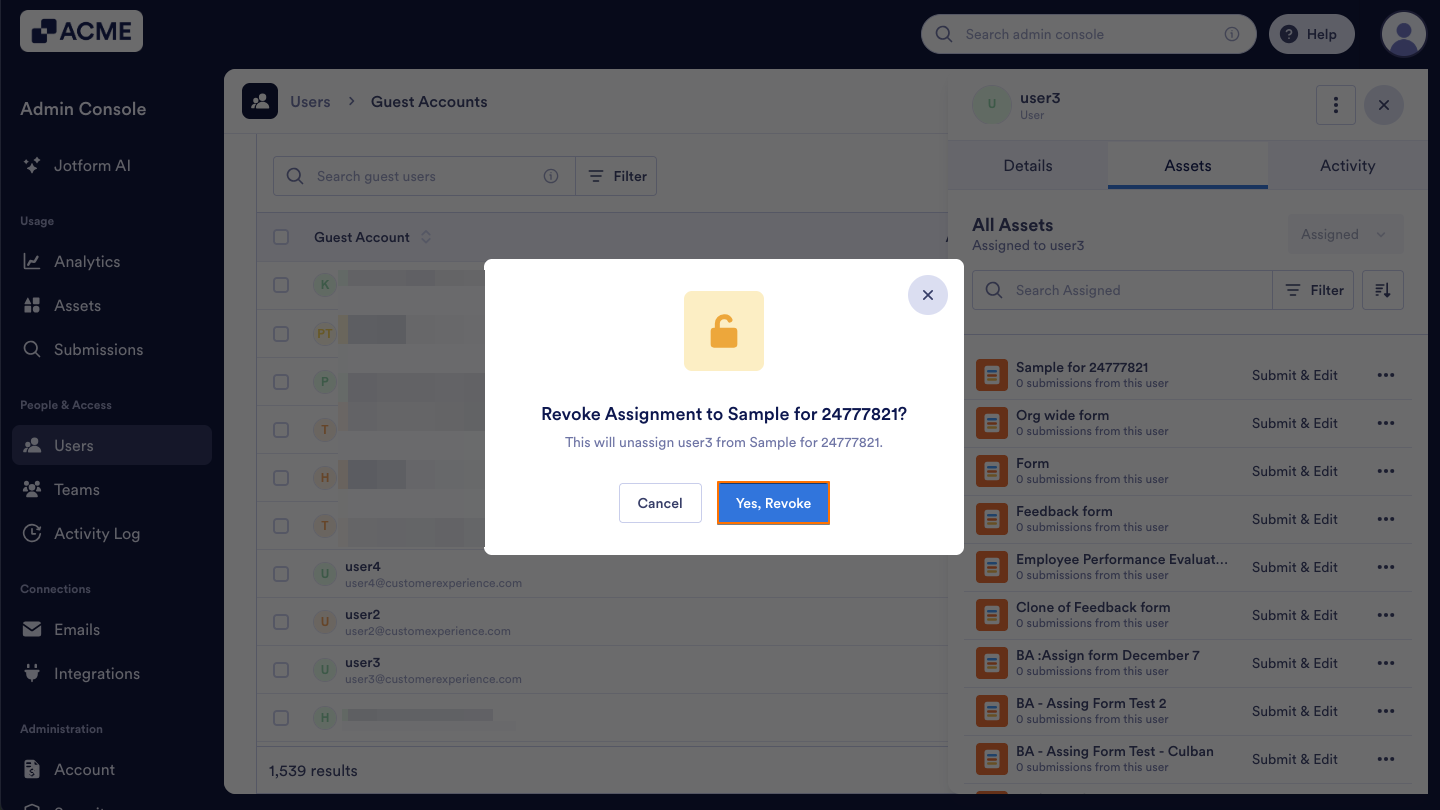
- Click on Yes, Revoke.
See also:
- How to View and Manage Assigned Asset Access for Guest Accounts in Your Organization from the Admin Console
- How to View and Manage Shared Assets in Your Organization from the Admin Console
- How to View Users Owned Assets in Your Organization from the Admin Console
- How to Revoke Users Access to Assets in Your Organization from the Admin Console

Send Comment: