Boards is a task management tool that enables seamless collaboration within an organization. It allows users to connect forms, workflows, or AI Agents to boards, automatically generating tasks from customer requests. This streamlines business processes from data collection to task completion — all within the organization’s system.
Boards help your organization stay organized and manage tasks efficiently with the following features:
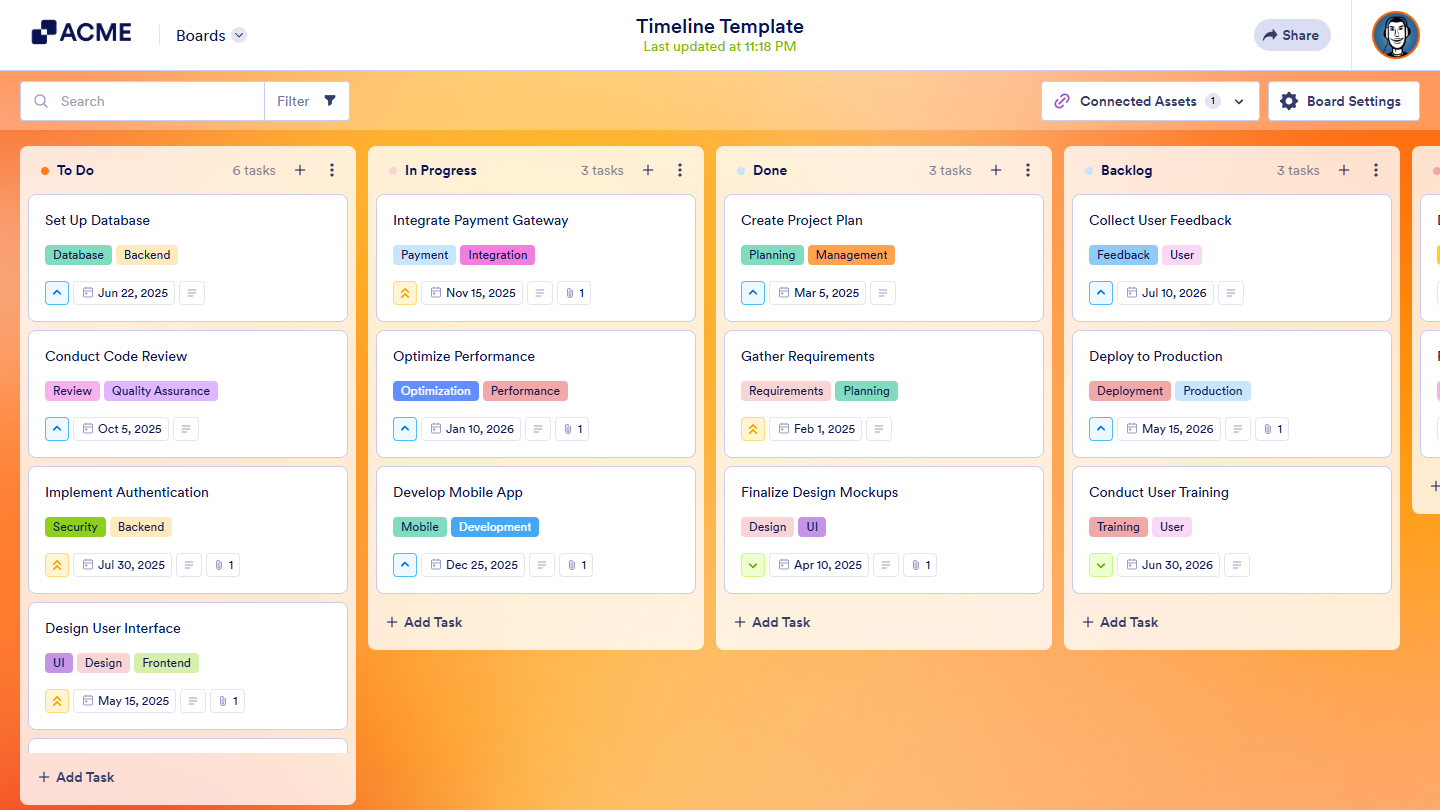
- Kanban View — Organize and track tasks visually for better workflow management.
- Task Details — Add priority levels, due dates, descriptions, and attachments for improved task clarity.
- Collaboration Tools — Share boards with teammates, assign tasks, and collaborate effectively.
- Internal Communication — Add comments to tasks to facilitate discussions and keep track of updates.
- Activity Logs — Monitor task history and track changes over time.
- Integration with Multiple Channels — Automatically generate tasks from various sources, including forms, workflow automation, e-signatures, and AI Agents, streamlining overall business operations.
Creating Your First Board
You can easily create your first Board in a few simple steps. Here’s what to do:
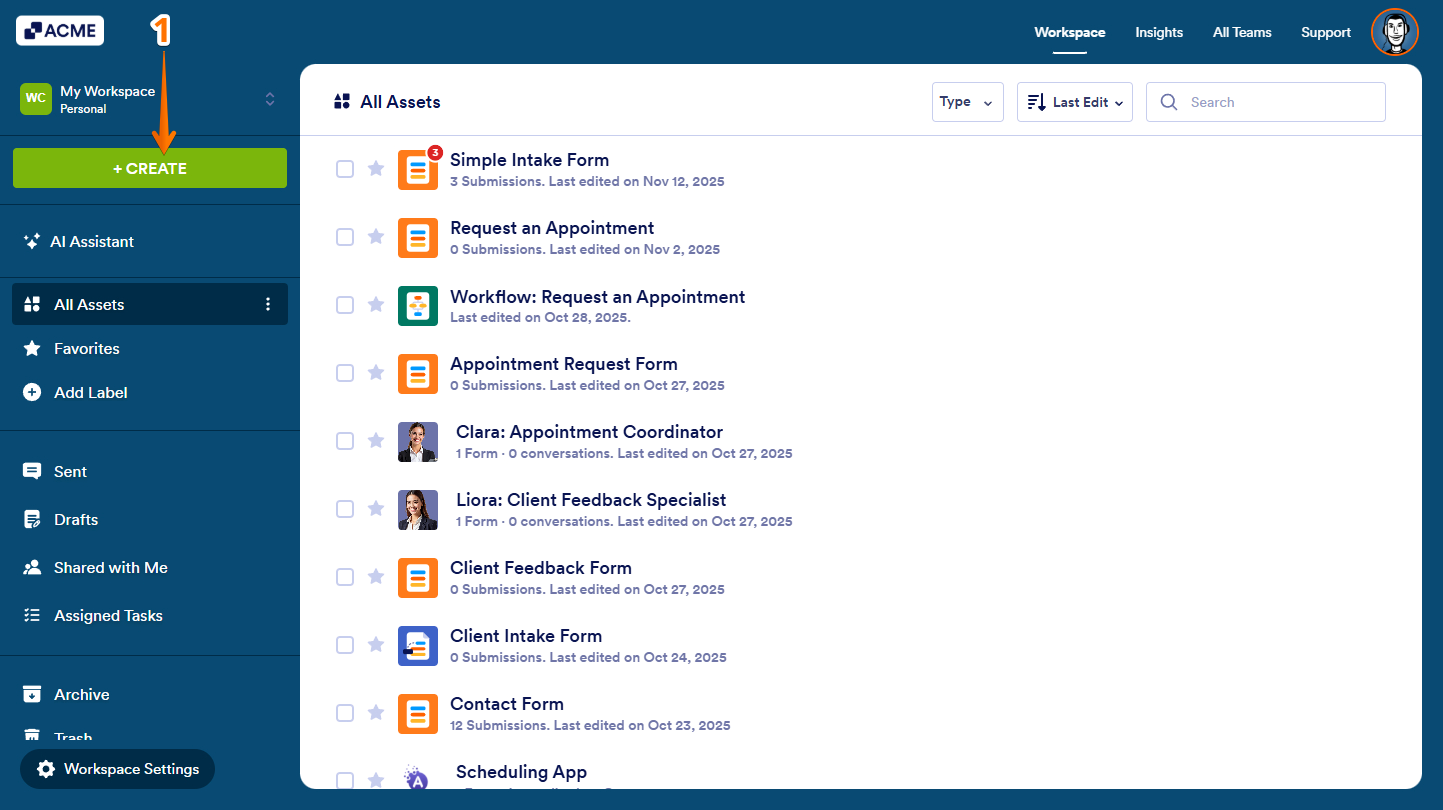
- On your Workspace page, click on Create on the top-left side of the screen.
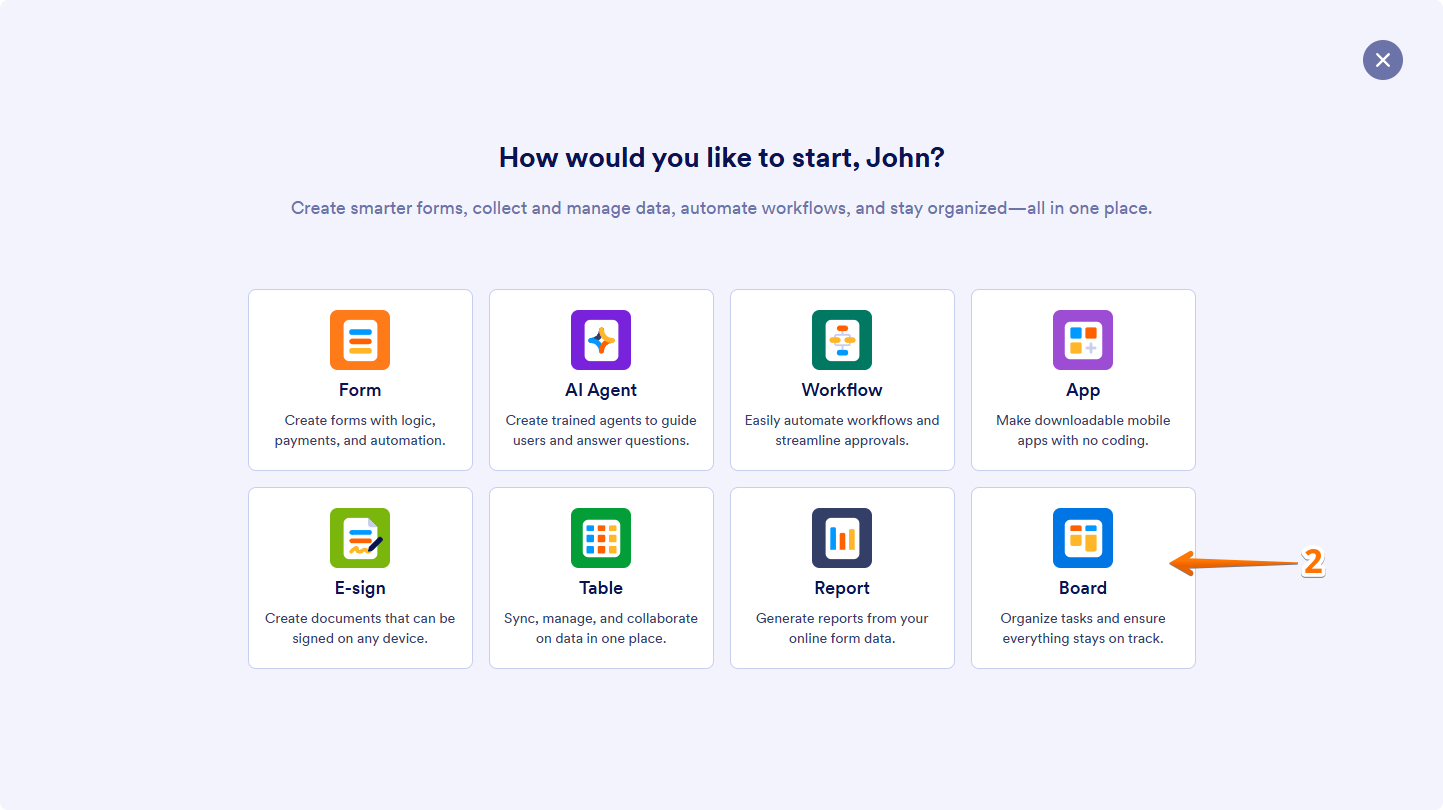
- In the window that opens, click on Board.
- Now, choose how to create your board:
- Start from Scratch — Create a board from a blank layout, giving you full control over its structure and design.
- Select Form — Connect an existing form to automatically generate tasks from form submissions.
- Use Template — Quickly set up a board using pre-designed templates with ready-made structures.
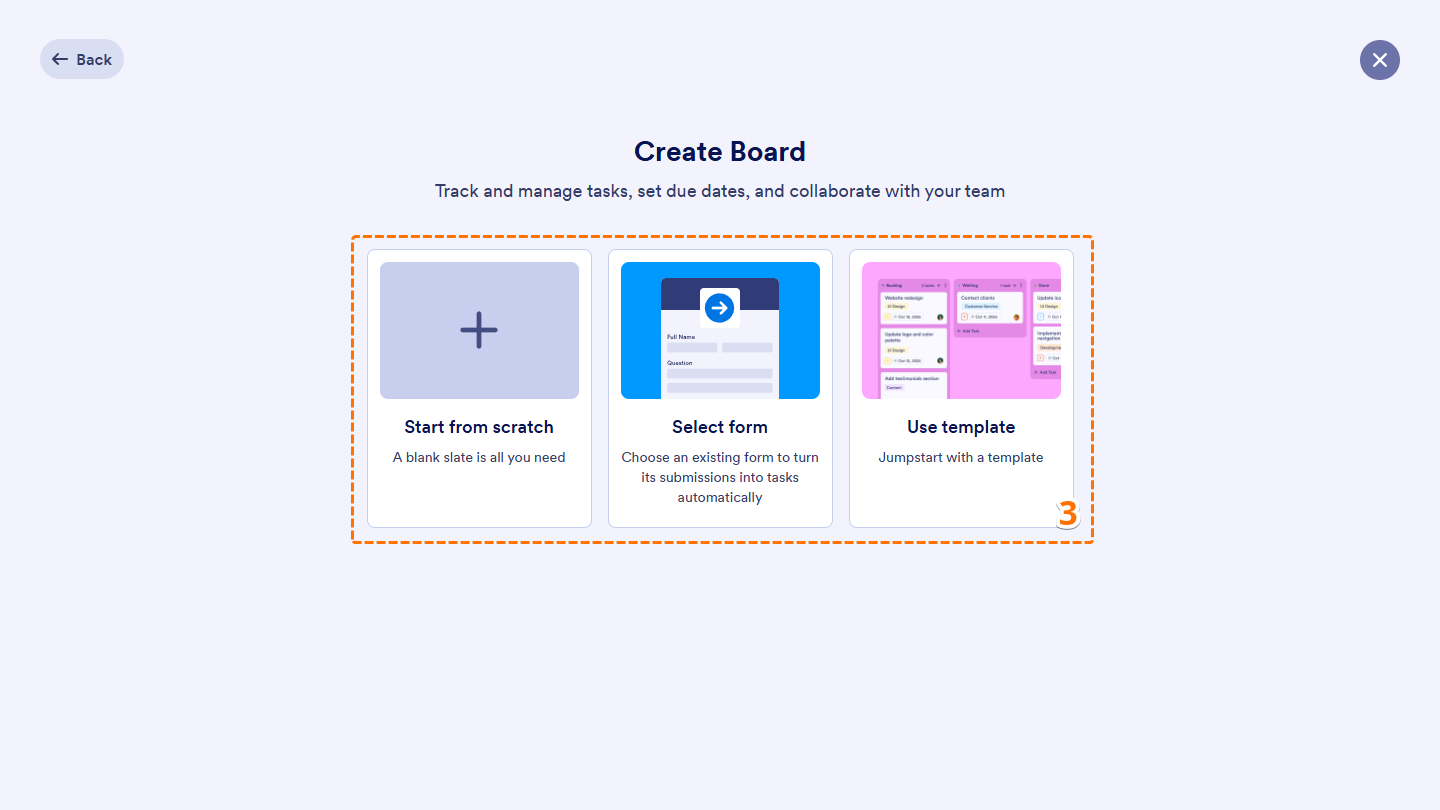
After selecting an option, you can now set up your board and start customizing it.
Common Ways to Use Boards
Boards help your organization stay organized and manage tasks effortlessly. Here are some practical ways to use them:
- Project Management — Track tasks, deadlines, and progress through a structured workflow.
- Customer Support — Efficiently manage and monitor support tickets to ensure timely resolution.
- Event Planning — Coordinate schedules, RSVPs, and logistics all in one place.
- Sales Pipeline — Track leads and deals across different stages of the sales process.
- HR and Recruitment — Streamline job applications and hiring workflows for smoother recruitment management.
Boards simplify task and project management by integrating data collection and workflow processing, making them an essential tool for organizations seeking an all-in-one solution.

Send Comment: