What Is the Team ID Used For?
Team IDs are needed when connecting your team workspace to certain integrations, automations, or API-based tools. It uniquely identifies your team when making API calls related to team assets, setting up advanced integrations or internal tools, providing information for troubleshooting or support, or configuring systems that reference a team by ID instead of name.
As an Admin, you can locate your Team IDs from within the Team Workspace settings. Let’s walk through that together, below:
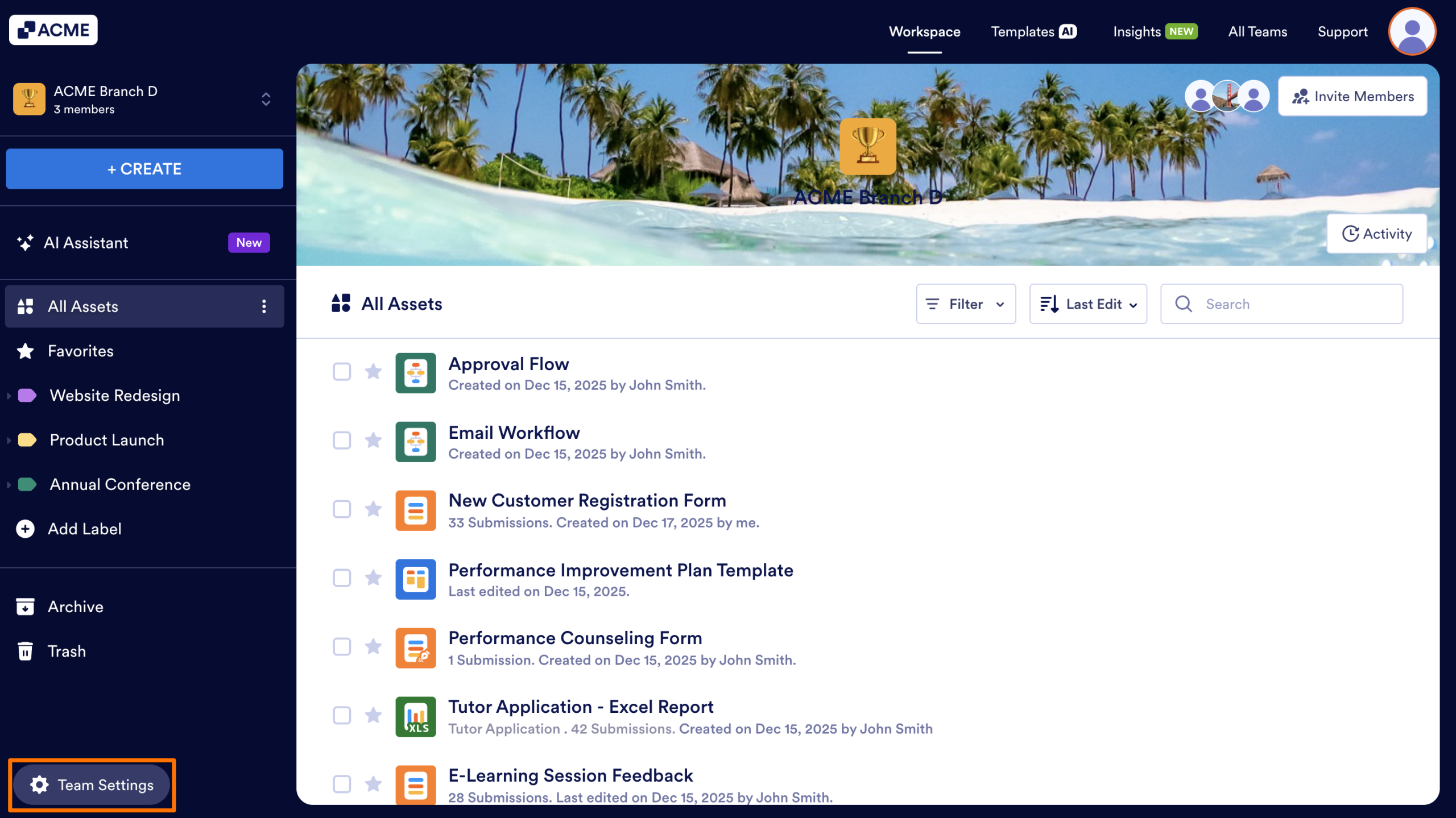
- In the Team Workspace, click on the Team Settings button in the bottom left.
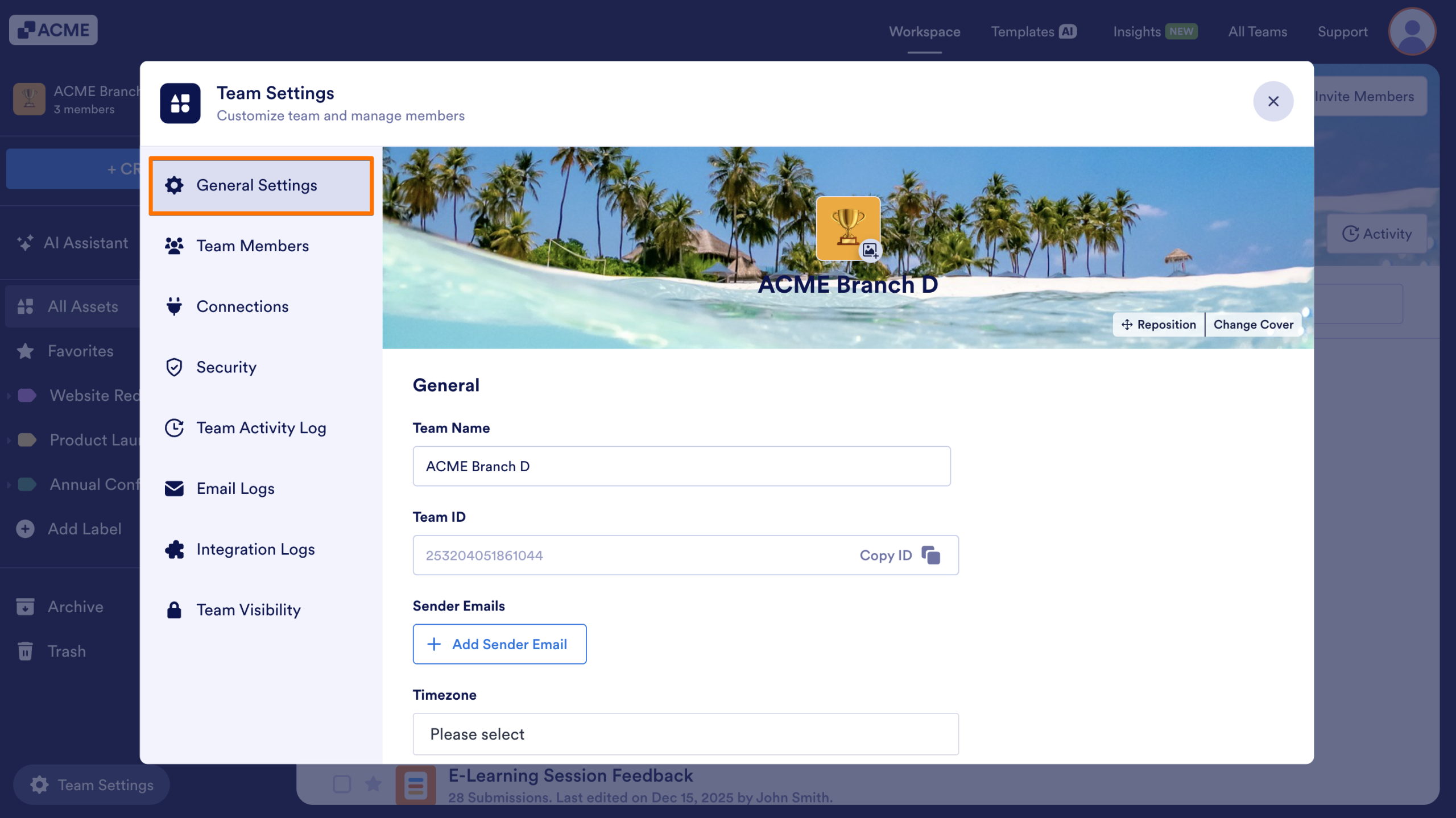
- Select General Settings in the menu that appears.
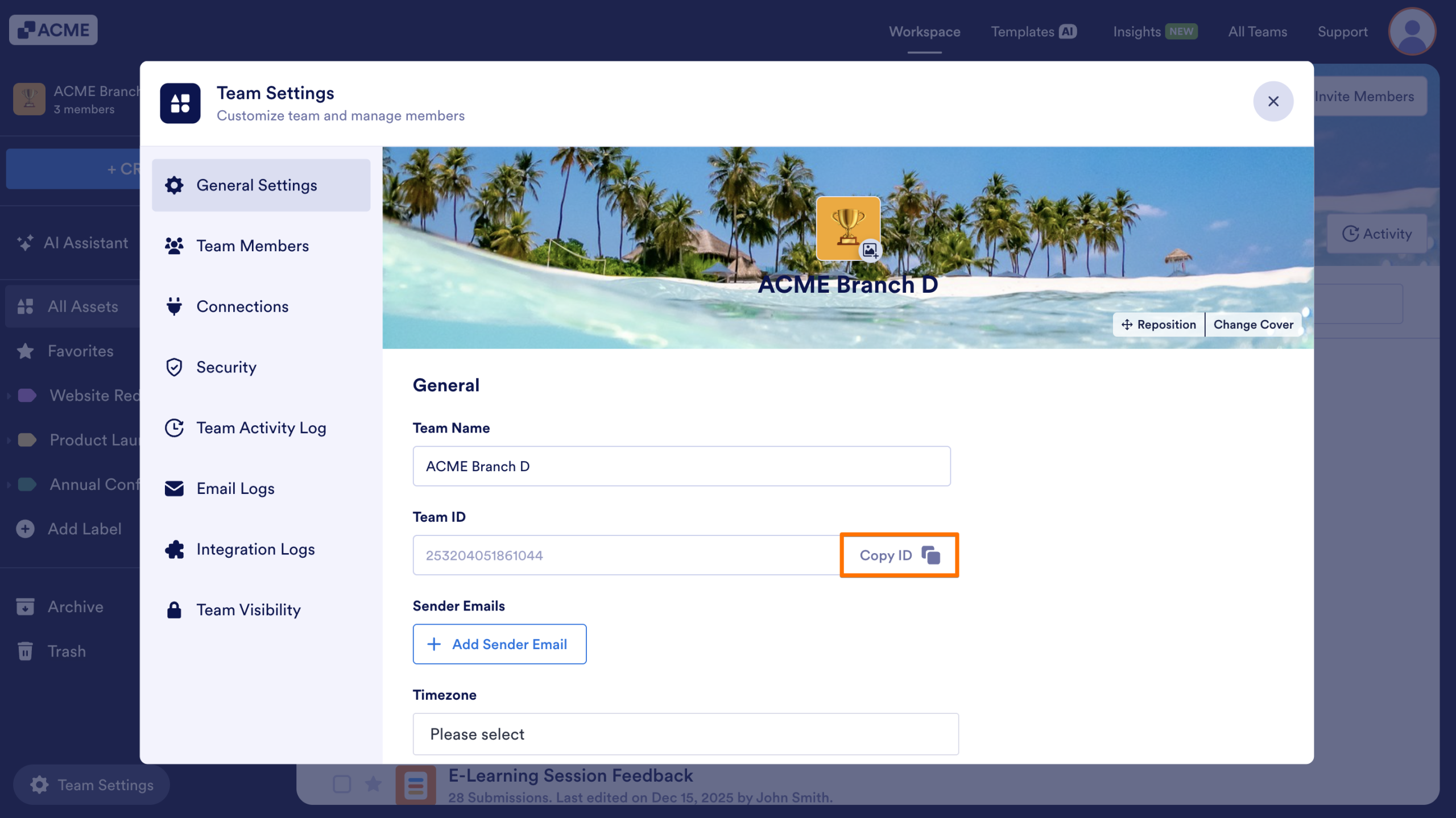
- You can view and copy the Team ID from this page, whenever you need it.

Send Comment: