Workspace
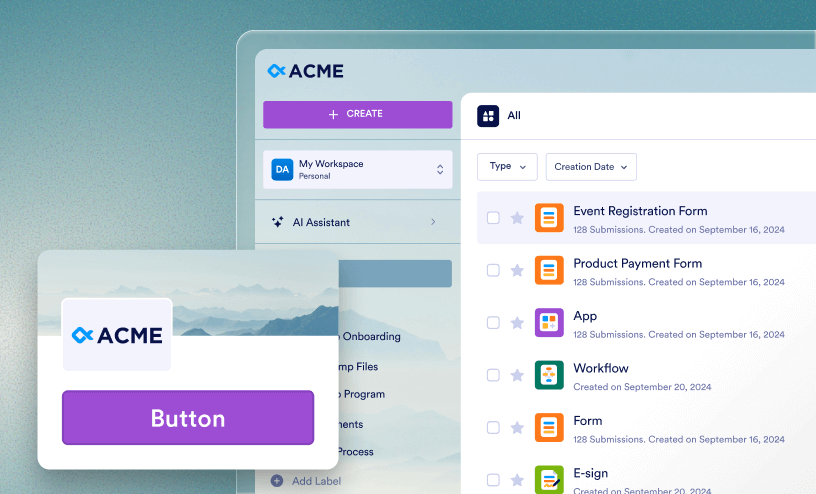
Learn how to create, manage, and organize your assets in Workspace, view submissions, and access drafts — all in one place.
Guides
How to Create Workflows
Workflows help you automate processes by connecting forms, actions, and logic into a single flow. In this guide, we’ll go over creating workflows directly from a workspace, as well as from an existing form. Create a Workflow from the...

How to Generate New AI-Powered Form Templates to Your Organization's Templates List
AI template creation allows you to generate a new form using AI prompts and then publish it as an organizational template. An organization admin needs to enable this feature first. In My Workspace, click on Templates in the upper right-hand...
How to View Your Reports
Analyze and present submission data collected from Forms and other assets. Using the Filter and Sort menus, organize Reports in a Workspace based on your needs. Then, use the Search Bar to find a specific Report. In this guide, we’ll go over...

How to View Your Sign Documents
Sign Documents help you send, manage, and track documents that need legally binding signatures. View and organize Sign Documents in a workspace using the Filter and Sort menus, or search for a specific one using the Search Bar. Only Sign...

How to View Your AI Agents
AI Agents help automate conversations and take action across any connected assets, such as Forms, Workflows, and more. View all AI Agents in a Workspace using the Filter menu, organize them from newest to oldest using the Sort menu, or search for...

How to View Your Boards
Boards help you organize tasks and track progress across your assets. Organize all of the Boards in a workspace using the Filter and Sort menus, or search for a specific Board using the Search Bar. Using the Filter Menu This menu can be...

How to View Your Apps
Apps are a great way to bundle Forms, links, and other documents in one place. Want to find a specific app in a workspace? Use Filters to see all Apps in a Workspace, the Sort tool to organize them, and the Search Bar to find a specific App. In...

How to View Your Workflows
View all workflows in a space using filters—then, organize them using the Sort menu or use the Search Bar to find a specific one. In this guide, we’ll go over how to locate and view specific workflows from the Workspace, as well as accessing...

How to View Your Tables
Want to see a specific Table? Using the Filter, Sort, and Search tools, you can quickly organize your workspace to find a specific standalone Table or sort them from newest to oldest. In this guide, we’ll go through the different ways you can...

How to View Your Forms
Finding specific forms in a workspace can be daunting – especially if you’re the owner of multiple assets. In this guide, we’ll walk through the ways you can use the Filter, Sort, and Search to quickly find or organize your forms. Using...

How to Create PDF Documents
Generate professional, downloadable, and portable versions of your submission data using PDF Documents. In this guide, we’ll go over different ways you can create a PDF, either directly from a form, a table, or a workflow. Create a PDF...
How to Create Reports
Reports help you visualize your submission data using charts, graphs, and tables. You can use reports to analyze trends, track performance, and share clear, professional data summaries with your team. In this guide, you’ll learn how to create...

How to Create Sign Documents
You can collect legally binding electronic signatures for contracts, waivers, agreements, and more using Sign Documents. Create a document from scratch or clone an existing document directly from your workspace, or add Jotform Sign Automation to a...

How to Create AI Agents
AI Agents allow you to create interactive, conversational interfaces that can handle inquiries and collect data. You can build these Agents directly from your Workspace or generate them from existing Forms. Create an AI Agent from the...

How to Create Boards
Boards allow you to organize your Forms and assets into a visual, column-based interface, making it easier to track projects and workflows. You can create a board from your workspace or directly from existing forms. Create a Board from the...

How to Create Apps
Apps allow you to bundle multiple Forms, links, and documents into a single, mobile-ready interface. You can create an App from your Workspace or directly from your existing Forms. This guide covers every available way to build and manage your...

How to Manage Your Labels with API
Efficient data organization is critical for high-volume operations. Our Labeling API provides a robust, programmatic way to categorize, group, and manage your digital assets. By using these endpoints, you can automate your Workspace structure and...

How to Add Labels to Assets in Your Workspace
Labels give you a simple and powerful way to organize your Workspace by grouping related assets together. You can add labels to all asset types, not just Forms, allowing you to manage your entire Workspace more efficiently. Labels can also help...

How to Sort Your Assets
Keeping your workspace organized is essential for a smooth workflow. The Sort menu helps you rearrange your assets so you can find exactly what you need based on activity, date, or name. Using the Sort Menu The Sort menu is located at the...

How to View Shared Assets
When a form or another asset is shared with you, you can access it directly from your account’s workspace. Depending on your organization’s settings, shared assets allow you to collaborate, review content, or manage data without being the...

How to Use Search on Your Workspace
The search bar is a convenient tool for quickly locating specific items within your current workspace. In this guide, we’ll walk through how it works, limitations, and how to find Asset IDs. How the Search Field Works The search bar is...

How to Create Tables
View, organize, and work with data in one place using tables. You can use standalone tables to manage custom data or use the tables automatically created from form submissions. This guide goes over the different ways to create a table, both in...

How to Filter Assets by Type
Your workspace can contain different kinds of assets—such as forms, tables, reports, and other items you create. To help you focus on a specific type of asset, the workspace includes a Filter menu that lets you filter the view to show only the...

How to Create Forms
Need to build a new form? In My Workspace, you can start the process, either from scratch, an existing form, a file, or even a template. This guide will walk through different ways to create a form in your personal workspace. For help creating a...

Navigating My Workspace Page
My Workspace is your unified home base. It brings all of your personal Forms, Tables, Apps, and documents into a single, intelligent interface. This guide walks you through the layout of the new workspace and the tools available to manage your...

How to Customize Your Workspace Appearance
Your Workspace is more than just a dashboard—it’s your Team’s central hub for collaboration, forms, and data. The best part? You can make it your own. From adding your organization’s branding to organizing Forms and users, customizing your...

What is Workspace?
Workspace is a unified hub where you can access all your Forms, AI agents, Apps, E-sign Documents, Workflows, Tables and Reports. Instead of switching between different pages, everything’s now in one place, making it easier to find what you...

How to View and Continue Saved Form Drafts in Your Workspace
Taking the hassle out of unfinished submissions, drafts are saved in the Drafts section of your Workspace. That way, you can come back and complete them whenever you’re ready. Viewing and Managing Your Form Drafts You can easily access...
How to Create Assets on Workspace
Creating an Asset within your organization’s workspace is simple and keeps everything organized. Whether you need a Form, AI Agent, Workflow, App, E-Sign Document, Table, Report, or Board, you can set it up in just a few clicks. With all your...

How to Filter and Sort Assets on Workspace
All your assets—including forms, AI agents, tables, apps, sign documents, workflows, reports, and boards—are now neatly organized in one place. No more jumping between tabs or hunting through menus to find what you need. Everything you’ve...

How to View Form Submissions
Viewing form submissions involves managing and organizing your form data efficiently. The Tables are the central workspace for your submission data, is accessible from different areas within your account, making it easy to stay on top of your...