Jotform vs Wufoo
Beyond Wufoo. More Features. More Templates. More Control.
Jotform vs Wufoo: Which is the best? Powerful features, advanced customization options, and a smooth workflow make Jotform a form builder you can trust. Explore impressive features like card forms, conditional logic, 10,000+ form templates, 100+ integrations, and a mobile app!

VS
Feature Comparison
Trusted by millions of users around the world, Jotform offers dozens of form features and templates. See for yourself why Jotform is one of the best Wufoo alternative with our comparison chart.
| ფუნქციონალი | Jotform | Wufoo |
|---|---|---|
| ერთ კითხვა ერთ გვერდზე |
Jotform Cards
|
Wufoo
არა
|
| მობილურის აპლიკაცია |
დიახ
|
Wufoo
არა
|
| ფორმის კითხვების/ველების რაოდენობა უფასო პაკეტისათვის |
100 Fields
|
Wufoo
10 ველი
|
| ფორმების რაოდენობა უფასო პაკეტით სარგებლობისას |
5 ფორმა
|
Wufoo
5 ფორმა
|
| ხელმისაწვდომი სივრცე უფასო პაკეტით სარგებლობისას |
100 MB
|
Wufoo
0
|
| HIPAA Compliance |
დიახ
|
Wufoo
არა
|
| Offline Form Feature |
დიახ
|
Wufoo
არა
|
| ინტუიციური ფორმის მშენებელი |
დიახ
|
Wufoo
დიახ
|
| ყველა კითხვა ერთ გვერდზე |
დიახ
|
Wufoo
დიახ
|
| Google Analytics აქტივობის კონტროლის |
უფასო
|
Wufoo
ფასიანი სერვისი
|
| ფორმის შაბლონები |
10,000+
|
Wufoo
400+
|
| PDF შაბლონები |
2,000+
|
Wufoo
0
|
| გადახდის ინტეგრაციები |
40+
|
Wufoo
0
|
| ინტეგრაციები |
100 + და Zapier
|
Wufoo
60 + და Zapier
|
| PDF დოკუმენტების გენერატორი |
დიახ
|
Wufoo
არა
|
| PCI შესაბამისი |
დიახ
|
Wufoo
დიახ
|
| SOC 2 შესაბამისობა |
Available on Jotform Enterprise
|
Wufoo
AWS სერვერების გავლით
|
| მობილურზე მორგებული ფორმები |
დიახ
|
Wufoo
დიახ
|
| API და Webhook |
დიახ
|
Wufoo
დიახ
|
| თემები და CSS |
დიახ
|
Wufoo
დიახ
|
| შენახვა და მოგვიანებით გაგრძელება |
დიახ
|
Wufoo
არა
|
| Conditional Logic for All Plans Including |
დიახ
|
Wufoo
დიახ
|

If you see any incorrect, incomplete or inaccurate information, please request correction by filling out the form below.
გასწორების მოთხოვნაExplore free form templates
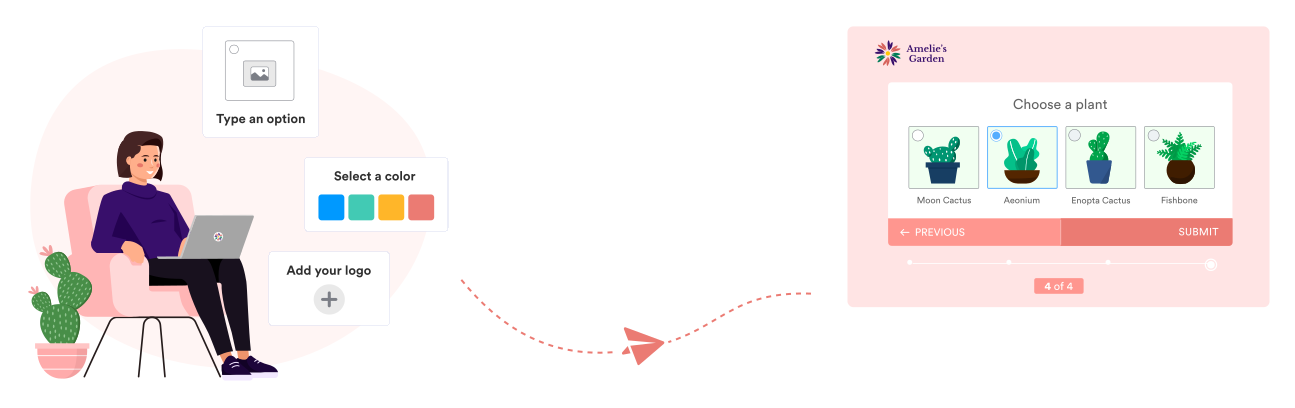
With our growing library of 10,000+ free form templates, you’ll find the right design for your needs in no time! In addition to standard layout (all questions on a single page), Jotform offers a card layout (one question per page) to make your forms even more professional and conversational.
ფორმის მშენებელი
Build advanced forms
Whether you’re gathering leads, selling products, or collecting donations, Jotform’s drag-and-drop Form Builder makes it easy to get the look and function you need from your forms. Use our sleek and modern interface to create custom card forms (one question per page), integrate with popular third-party apps, and more — with no coding required!
TRY NOW - It’s Free!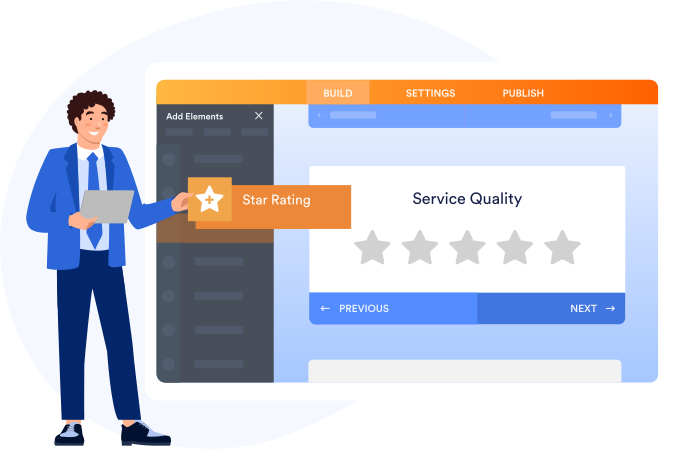
PDF რედაქტორი
Organize your information
Generate PDF documents in seconds with Jotform PDF Editor — the perfect tool to print or download info for your records. Simply attach a custom PDF template to your form to instantly convert submissions into professional-looking documents! Explore 2,000+ free PDF templates to get started.
დაათვალიერეთ PDF შაბლონები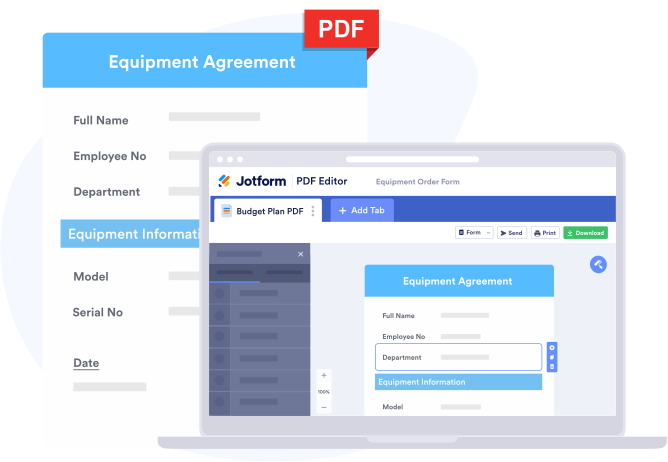
მობაილ ფორმები
შეაგროვეთ მონაცემები ყველგან
მობილურზე მორგებული ფორმები დიდებულია, მაგრამ რას იტყოდით სრულიად უფასო მობილურ აპლიკაციაზე, რომელიც საშუალებას გაძლევთ შექმნათ ფორმები, შეაგროვოთ მონაცემები და იხილოთ გამოგზავნილი ინფორმაცია ნებისმიერ დროს? ჩვენი მობილურის უფასო აპლიკაციით, Jotform მობილური ფორმები, თქვენ შეგიძლიათ შეაგროვოთ და მართოთ ფორმის მონაცემები ყველგან - თუნდაც ინტერნეტ კავშირის გარეშე. ის მოიცავს ფორმის შევსების პროგრესის შენახვისა და მოგვიანებით გაგრძელების, ასევე ფორმების თანამშრომლებსა და გუნდის წევრებზე მიმაგრების ფუნქციონალს!
შეისწავლეთ Jotform მობილურის ფორმები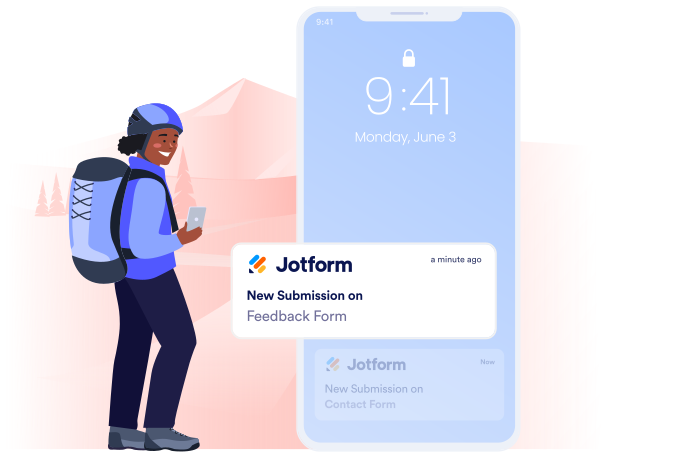
შემოსულები
Make the most of your data
So you’ve collected your data. Now what? View and manage submissions on the go with mobile-responsive forms and a free mobile app, or instantly send autoresponder emails to people who fill in your forms.
TRY NOW - It’s Free!
Safe & Secure
Advanced data security
Jotform იცავს თქვენს მონაცემებს PCI და GDPR შესაბამისობით, ასევე 256 ბიტიანი SSL კავშირით. დამატებით, სამედიცინო პროფესიონალებისათვის, ვისაც სჭირდება დამატებითი უსაფრთხოება, Jotform გთავაზობთ HIPAA შესაბამისობას ვერცხლის და ოქროს პაკეტებით სარგებლობისას!

Migrate From Wufoo
Migrate Your Wufoo Forms to Jotform
არ არის საჭირო თავიდან შექმნათ თქვენი ონლაინ ფორმები ნოლიდან. ერთი მარტივი კლიკით, თქვენ შეგიძლიათ გადაიტანოთ არსებული Wufoo ფორმები და მონაცემები თქვენს ახალ Jotform ანგარიშში - ასე რომ თქვენ შეგიძლიათ გააგრძელოთ მონაცემების შეგროვება შეფერხების გარეშე.
100+ ინტეგრაცია
Powerful apps and integrations
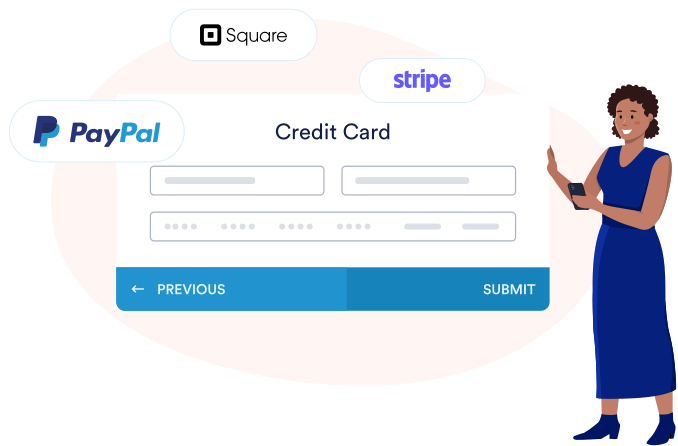
Automate your workflow with our 100+ apps and integrations, available for free on any Jotform plan. Sync your forms with your favorite online tools, from payment processors and productivity boards to cloud storage accounts and CRM systems.


Workflows
Create useful workflows
Automate your processes with Jotform Workflows. Create powerful workflows that automatically send form submissions to members of your company. Manage workflows and automate manual processes with the power of Jotform Workflows. Set up multistep workflows, request payments, and track the progress of each request in real time.
Explore Jotform Workflows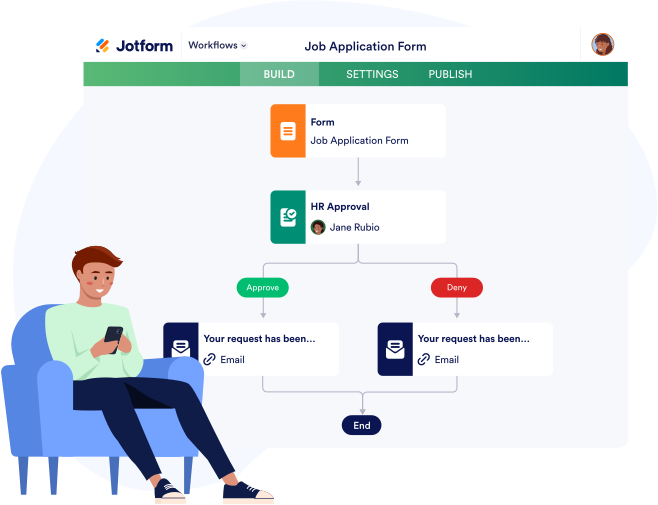
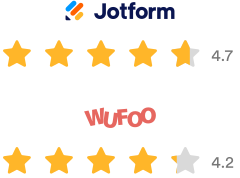
According to the software review site G2, Wufoo has 4.2 stars from almost 300 reviews. Jotform, on the other hand, has 4.7 stars from more than 600 reviews. In G2’s list of ratings, Jotform beats out Wufoo in every category. Jotform is especially far ahead of Wufoo in the “Product Direction” category, another indication that it may be seen as somewhat dated.

Compare Jotform and Wufoo
ეძებთ Wufoo-ს ალტერნატივას? მაშინ აღარ მოგიწევთ დამატებითი ძიება - Jotform გთავაზობთ მძლავრ ფუნქციონალს, მორგების მძლავრ ხელსაწყოებს და მოქნილ სამუშაო პროცესს რაც აქცევს JotForm-ს Wufoo ფორმების საუკეთესო ალტერნატივად. გაიგეთ თუ რატომ უნდა გახადოთ Jotform თქვენი სანდო პარტნიორი და მიიღოთ თქვენი მონაცემების მაქსიმუმი.

Learn More About
Jotform vs Wufoo Comparison
-
რატომ უნდა გამოვიყენო Jotform Wufoo-ს ნაცვლად?
Jotform offers advanced form features and customization options at a cost-effective price. Get started with a free plan that offers access to 10,000+ classic and card form templates, 2,000+ PDF templates, a sleek drag-and-drop Form Builder and PDF Editor, 130+ apps and third-party integrations, a free mobile app, and so much more. And if you need more submissions, storage space, or HIPAA compliance features, we offer several paid plans to choose from. No matter how you use Jotform, you can start collecting data with online forms tailored to meet your every need.
-
არის თუ არა Jotform უფასო?
Absolutely! Sign up for free to access many of Jotform’s powerful form features, including an advanced Form Builder and PDF Editor, 100+ apps and integrations, 10,000+ customizable templates, and an offline mobile app. To access more powerful features, accept more submissions, and create unbranded forms, just upgrade to a paid plan that meets your needs.
-
არის თუ არა Jotform მობილურზე მორგებული?
დიახ. მას შემდეგ, რაც გამოაქვეყნებთ ფორმას JotForm-ის გამოყენებით, ის იდეალურად გამოჩნდება ნებისმიერ მოწყობილობაზე - მათ შორის კომპიუტერებში, ტაბლეტებსა და მობილურ მოწყობილობებში. გარდა ამისა, Jotform გთავაზობთ უფასო მობილურ აპლიკაციას, რათა გაგიმარტივოთ მიღებული მონაცემების ნახვა და მართვა.
-
რამდენად დაცულია Jotform?
We take data security very seriously, which is why all form data is protected by a 256-bit SSL connection, GDPR compliance, and PCI compliance. You also have the option to encrypt your forms. Healthcare professionals on our Gold or Enterprise plans can even create forms that enable HIPAA compliance. To learn more about how Jotform protects your data, please visit our security page.
-
Is Jotform HIPAA compliant?
To help healthcare workers protect sensitive patient data, Jotform offers HIPAA compliance features for Gold and Enterprise users. To start collecting medical information, patient signatures, and fee payments, check out our form templates for patient intake forms, medical assessment forms, appointment booking forms, and more!
-
რა ინტეგრაციებს სთავაზობს Jotform?
პროექტების მართვის პროგრამებითა და CRM სისტემებით დაწყებული, გადახდის სისტემებითა და იმეილ მარკეტინგის ხელსაწყოებით დამთავრებული, Jotform გთავაზობთ 100+ პოპულარულ პლატფორმასთან ინტეგრაციას როგორიცაა მაგალითად Google Drive, Mailchimp, Slack, Airtable, Dropbox და მრავალი სხვა. თუ თქვენ გსურთ ავტომატურად გაუგზავნოთ ფორმის მონაცემები თქვენს სხვა ონლაინ ანგარიშებს ან უსაფრთხოდ მიიღოთ გადახდები, თქვენ აუცილებლად იპოვით აპლიკაციის ინტეგრაციას რათა დააჩქაროთ თქვენი სამუშაო პროცესი და მოახდინოთ მისი ავტომატიზაცია. ვერ იპოვეთ ფავორიტი აპლიკაცია ჩვენს ინტეგრაციებში? დააკავშირეთ თქვენი ფორმა Zapier-ს და შექმენით სასურველი ინტეგრაცია ნებისმიერ ფავორიტ ხელსაწყოსთან!
-
შემიძლია თუ არა გადახდების მიღება Jotform-ის გამოყენებით?
Jotform გთავაზობთ 40+ გადახდის სისტემის ინტეგრაციას, რათა შეუფერხებლად მიიღოთ ონლაინ გადახდები პირდაპირ თქვენი ფორმების გავლით. თუ თქვენ ქმნით შეკვეთის ფორმას თქვენი ონლაინ მაღაზიისათვის, წევრთა რეგისტრაციის ფორმას თქვენი კლუბისათვის ამ დონაციის ფორმას თქვენი არაკომერციული ორგანიზაციისათვის, უბრალოდ დაამატეთ თქვენთვის სასურველი გადახდის სისტემა და დაიწყეთ უსაფრთხო გადახდების მიღება. Jotform არ გადაგახდევინებთ ტრანზაქციის დამატებით საკომისიოს, როდესაც მიიღებთ თანხას თქვენი ფორმების გავლით.
-
დავკარგავ თუ არა ჩემს Wufoo-ს მონაცემებს, თუ გადავერთვები Jotform-ზე?
არა! მარტივად გამოიყენეთ ჩვენი მიგრაციის ხელსაწყო, რათა გადაიტანოთ თქვენი არსებული Wufoo ფორმები თქვენს ახალ Jotform ანგარიშში. თქვენ შეძლებთ გააგრძელოთ მონაცემების შეგროვება არსებული სამუშაო პროცესების დარღვევის გარეშე - და ისარგებლებთ მძლავრი და მოწინავე ფუნქციონალით!