

Personeelszaken (PZ) Formulier Sjablonen

Verlof Aanvraagformulier
Met dit eenvoudig in te vullen verlof aanvraagformulier krijgt u direct een verlofaanvraag van uw werknemers, waarbij de details elk soort conflict voorkomen. Met velden die de werknemers-id, managergegevens en verlofdatums verzamelen, kunt u alle relevante informatie verzamelen zonder dat u daar iets aan hoeft te doen. Ga aan de slag met dit voorbeeld en pas het aan met velden die passen bij uw organisatiestructuur. Alle verlof aanvraagformulier sjablonen hebben toegang tot het assortiment apps en widgets van Jotform, zodat het verzamelen van informatie eenvoudiger en sneller verloopt.
Ga naar categorie:Formulieren voor Human Resources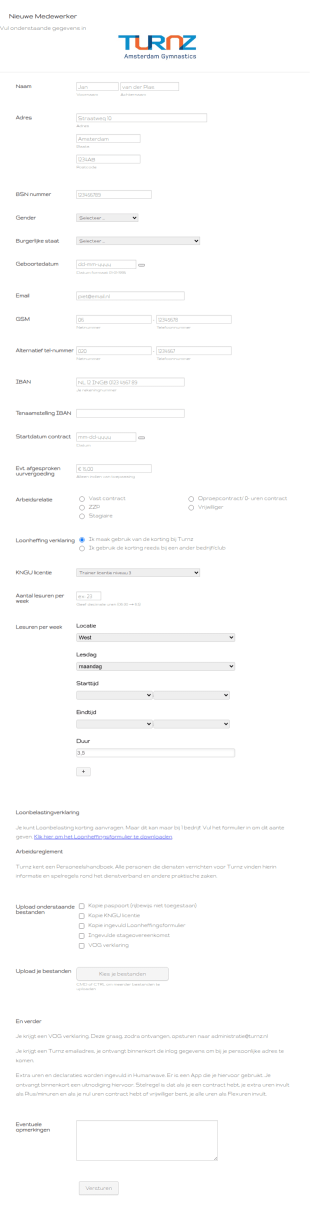
Nieuwe Medewerker Formulier
Inschrijving medewerker formulier
Ga naar categorie:Formulieren voor Human Resources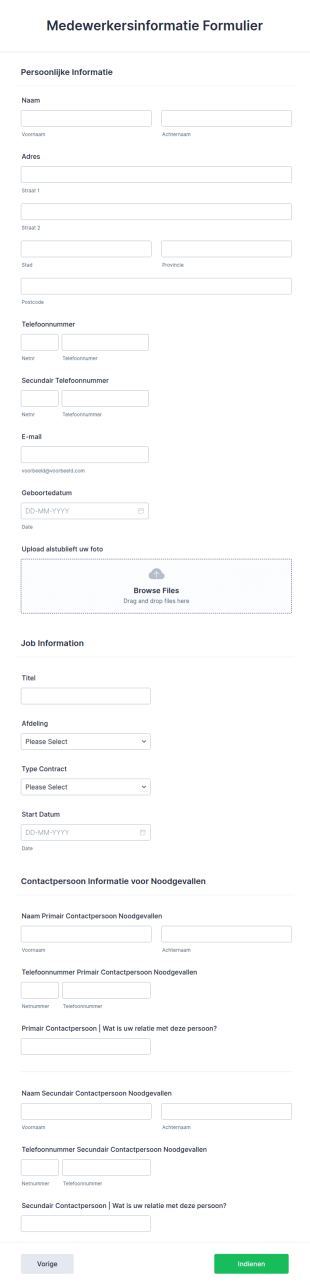
Medewerkersinformatie Formulier
Het formulier Medewerkersinformatie wordt door veel bedrijven gebruikt om de informatie van hun werknemers vast te leggen en te catalogiseren en om de gegevens te verzamelen die nodig zijn voor hun database. De sjabloon bevat verschillende secties waar contactgegevens en persoonlijke gegevens van werknemers, alle noodzakelijke informatie met betrekking tot hun functie en positie, contactgegevens voor noodgevallen kunnen worden verzameld. Met nog veel meer aanpasbare tools en widgets, bouw je eigen formulier met behulp van deze als basis.
Ga naar categorie:Formulieren voor Human Resources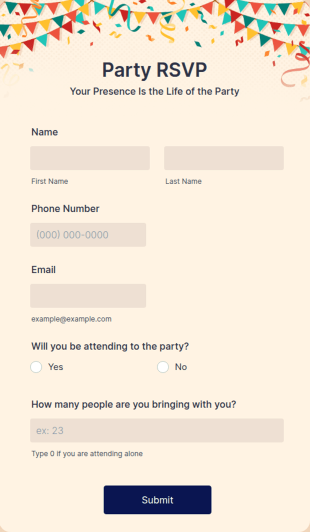
RSVP Formulier Voor Feesten
Begin de voorpret met een online RSVP-formulier voor feesten! Met Jotform kun je eenvoudig RSVP's verzamelen vanaf elk apparaat, of je nu een verjaardagsfeest, bedrijfsevenement of benefietavond organiseert. Je kunt dit RSVP-formulier voor feesten eenvoudig op je evenement afstemmen en met een URL delen, via e-mail versturen of in je website insluiten om online reacties te verzamelen. Vervolgens kun je de gastenlijst met RSVP-gegevens downloaden of via Jotform Tabellen openen om reacties in een spreadsheetweergave, agendaweergave of kaartweergave te bekijken.Vergroot het enthousiasme van gasten door foto's te uploaden, je logo toe te voegen en kleuren te wijzigen. Door onze drag-and-drop formulierbouwer te gebruiken, kun je het ontwerp binnen een paar klikken op je behoeften afstemmen! Daarnaast kun je uit meer dan 100 gratis integraties kiezen om je formulier en RSVP-gegevens met andere apps zoals Google Drive, Google Agenda en Zoom te koppelen. Behoud het overzicht door RSVP's niet per telefoon of e-mail te verzamelen. Gebruik in plaats daarvan een online RSVP-formulier voor feesten om alle gegevens op één plek bij te houden.
Ga naar categorie:Formulieren voor goede doelen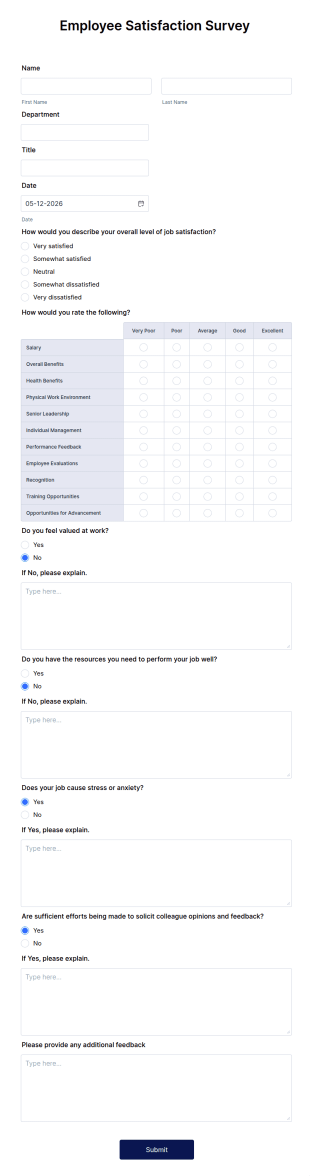
Formulier Voor Medewerkerstevredenheidsonderzoeken
Een medewerkerstevredenheidsonderzoek wordt door managers of HR-afdelingen gebruikt om meer inzicht te krijgen in hoe medewerkers hun werkomgeving ervaren. Met het gratis medewerkerstevredenheidsonderzoek van Jotform kun je online enquêteresultaten verzamelen vanaf elk apparaat! Je kunt de formuliertemplate eenvoudig aanpassen, in je interne website insluiten of via een link delen en de antwoorden via je beveiligde Jotform-account bekijken. Vervolgens kun je de Jotform Rapportenbouwer gebruiken om automatisch gedetailleerde rapporten te genereren of ingediende formulieren automatisch in een PDF-bestand om te zetten.Deze template voor een medewerkerstevredenheidsonderzoek bevat al vragen om je medewerkers beter te leren kennen. Je kunt ook eenvoudig meer vragen toevoegen, je logo uploaden of het ontwerp van de enquête wijzigen. Door de Jotform Formulierbouwer te gebruiken, kun je de template binnen een paar klikken volledig op je behoeften afstemmen zonder te coderen. Je kunt uit meer dan 100 gratis integraties kiezen om ingevulde formulieren automatisch met andere accounts, waaronder Airtable, Google Drive, Dropbox, Trello, Slack en meer te synchroniseren. Gebruik deze gratis template om de antwoorden van medewerkers online te verzamelen en tijd te besparen. Je kunt dit kant-en-klare formulier gebruiken om de tevredenheid te meten of vanaf nul beginnen en een geheel nieuwe enquête maken!
Ga naar categorie:Bedrijfsenquêtes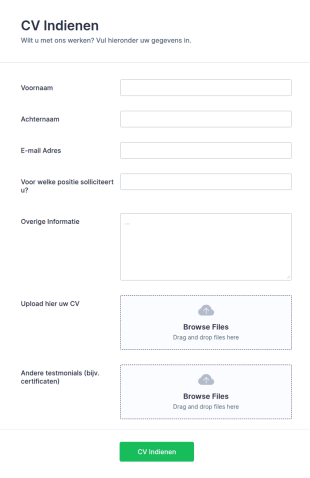
CV Aanvraagformulier
Dit CV Aanvraagformulier sjabloon helpt u om CV's snel te verzamelen en helpt kandidaten om het beste aanvraagformulier voor curriculum vitae te maken dat bij hen past. Het sjabloon bestaat uit gebieden om de noodzakelijke contactgegevens van de aanvrager te verzamelen, de positie te vragen waar ze naar solliciteren en vereist dat ze hun CV en een ander bestand zoals testimonials uploaden.With veel meer aanpasbare tool en widgets, bouw je eigen formulier met deze als basis.
Ga naar categorie:Formulieren voor Human Resources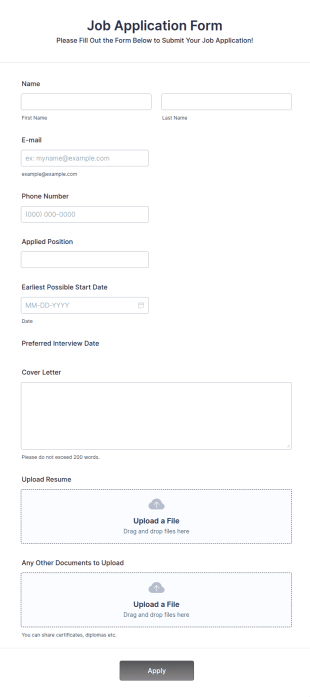
Online Sollicitatieformulier
Een online sollicitatieformulier is een webformulier dat wordt gebruikt om informatie over sollicitanten te verzamelen. Met ons online sollicitatieformulier kun je het sollicitatieproces stroomlijnen, of je nu op zoek naar nieuwe medewerkers of freelancers bent. Je kunt het sollicitatieformulier eenvoudig aanpassen en in je website insluiten om meteen met het verzamelen van informatie te beginnen. Sollicitanten kunnen via het formulier eenvoudig hun cv uploaden, zodat je de meest geschikte kandidaat kunt selecteren.Je kunt het formulier volledig aan je behoeften aanpassen door je logo toe te voegen, de achtergrondafbeelding aan te passen en een ander lettertype te kiezen. Dankzij deze aanpassingen kun je het formulier eenvoudig op het ontwerp van je website afstemmen. Als je op verschillende manieren informatie wilt verzamelen, kun je de Jotform Mobiele Formulieren-app gebruiken om de efficiëntie te verhogen. Met deze app kun je informatie van meerdere kandidaten verzamelen en ingediende formulieren in realtime bijhouden. Voeg dit gratis sollicitatieformulier toe aan je website om je wervingsproces direct te stroomlijnen.
Ga naar categorie:Zakelijke formulieren
Koninklijk Theater Carré | Sollicitatie
Sollicitatie formulier Koninklijk Theater Carré - The Inclusion Studio
Ga naar categorie:Formulieren voor Human Resources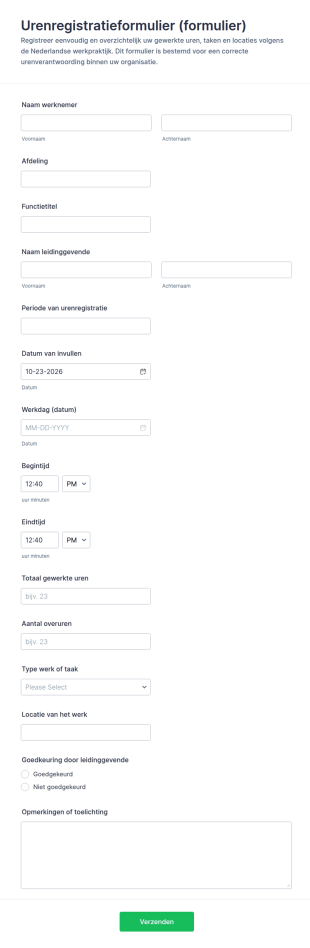
Urenregistratieformulier
Leg gewerkte uren en inzet per werkdag vast met het Urenregistratieformulier van Jotform, ideaal voor teams en administratie die urenverantwoording, controle en rapportage willen vereenvoudigen.
Ga naar categorie:Tijdregistratie Formulieren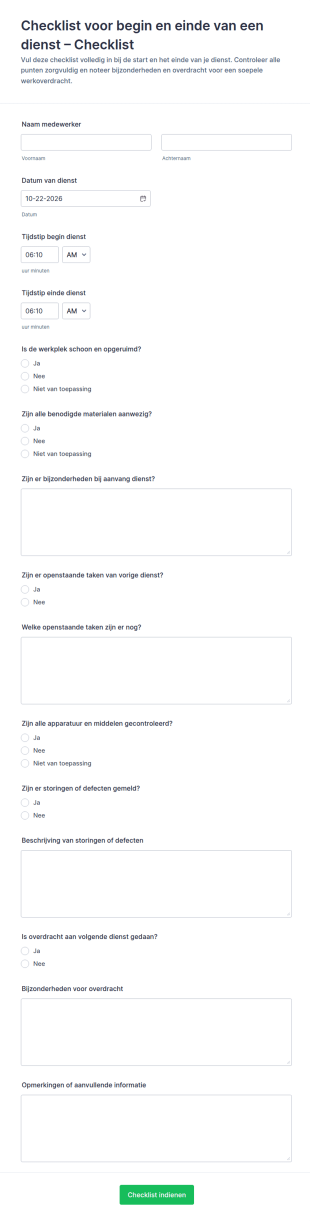
Checklist Voor Start En Eindcontrole Van Diensten
Checklistformulier voor begin en einde van een dienst ondersteunt teams met ploegendiensten bij consistente overdracht en kwaliteitscontrole, zodat start- en eindroutines duidelijk worden vastgelegd en opgevolgd.
Ga naar categorie:Checklistformulieren
Overdracht Checklist
Overdrachtschecklist Dienstwissel Formulier ondersteunt consistente dienstoverdrachten in omgevingen met ploegendiensten en helpt teams afspraken, prioriteiten en verantwoordelijkheden vast te leggen met Jotform gegevensverzameling.
Ga naar categorie:ChecklistformulierenOver Personeelszaken (PZ) Formulier Sjablonen
Formulieren voor Human Resources zijn gespecialiseerde digitale formulieren die zijn ontworpen om diverse HR-processen binnen een organisatie te stroomlijnen. Deze formulieren worden voor uiteenlopende HR-activiteiten gebruikt, van het inwerken van nieuwe medewerkers en prestatiebeoordelingen tot verlofaanvragen en exitgesprekken. Hiermee kunnen dynamische HR-teams gegevens efficiënt en nauwkeurig verzamelen. Dit vermindert de werkdruk van HR-medewerkers en verhoogt de algehele efficiëntie van workflows. Met deze formulieren kan je HR-afdeling gegevens overzichtelijk houden en de administratie soepel laten verlopen, of het nu gaat om het beheren van personeelsinformatie of het bijhouden van trainingssessies.
Jotform serves as the premier online form builder for creating and managing Human Resources (HR) Forms. With its user-friendly interface, Jotform allows HR professionals to customize forms effortlessly, tailoring them to meet specific organizational needs. The platform's ability to automate data collection processes ensures that information is captured consistently and accurately, reducing the risk of errors. Moreover, Jotform Tables offer centralized data management, enabling HR teams to organize, analyze, and access data from a single, secure location. This comprehensive solution empowers HR departments to enhance their efficiency and focus more on strategic HR initiatives.
Why Use Human Resources (HR) Forms?
- Human Resources (HR) Forms significantly boost data accuracy by eliminating the need for manual data entry, which is prone to human errors. By having employees fill out digital forms, organizations ensure that the captured data is precise and reliable, leading to better decision-making processes.
- The speed of data collection is greatly enhanced with HR forms. As opposed to traditional paper forms, digital HR forms enable instant submission and processing of information, allowing HR teams to act swiftly on the data received, whether it be for onboarding new employees or processing leave requests.
- Professional data handling is a hallmark of HR forms, offering a structured approach to managing sensitive employee information. By adhering to industry standards for data protection and confidentiality, HR forms ensure that all collected data is handled with the utmost care and security.
- HR forms facilitate seamless communication between employees and HR departments. By providing a centralized platform for submitting inquiries, feedback, and requests, these forms help streamline communication channels, ensuring that all parties are on the same page.
- Automation of routine HR tasks is made possible with digital forms. By integrating HR forms with existing systems and workflows, organizations can automate repetitive tasks such as sending email confirmations or updating employee records, thereby freeing up valuable time for HR professionals.
Common Problems Solved by Human Resources (HR) Forms
- One of the primary issues HR departments face is the overwhelming amount of paperwork, which can lead to inefficiencies and lost documents. HR forms digitize this paperwork, making it easier to manage and reducing the risk of misplaced documents.
- Manual entry of employee data is not only time-consuming but also increases the likelihood of errors. HR forms automate this process, ensuring that information is accurately captured and reducing the need for redundant data entry.
- Lost data can have significant implications for an organization, especially when it comes to compliance and employee management. HR forms provide a secure and reliable way to store and manage data, ensuring that all information is preserved and easily retrievable when needed.
- Keeping track of employee requests and approvals can be challenging without a standardized process. HR forms streamline these workflows by providing a structured format for submissions and approvals, ensuring that nothing falls through the cracks.
Matching Use Cases to Features
- The Drag-and-Drop Form Builder is ideal for customizing HR forms to suit specific departmental needs. HR professionals can easily add, remove, or modify fields to tailor forms for various purposes, such as performance reviews or employee feedback, ensuring that all necessary information is gathered efficiently.
- Conditional Logic in HR forms allows for dynamic form interactions, making the user experience more intuitive. For instance, forms can be set to display specific questions based on previous answers, streamlining the data collection process and ensuring only relevant information is requested from employees.
- With over 30 Payment Gateways, HR forms can facilitate transactions such as employee reimbursements or event registrations. By incorporating these gateways, organizations can handle financial transactions directly within the form, providing convenience and efficiency.
- Electronic Signatures (Jotform Sign) enable HR departments to collect legally binding signatures directly on forms. This feature is particularly useful for contracts and agreements, ensuring that all documentation is completed and signed in a timely manner.
- The PDF Editor allows for automated PDF generation, creating professional documents from form submissions. This is particularly useful for generating employee records, contracts, or reports, ensuring that all documentation is consistent and easily shareable.
- Jotform's 100+ Third-party Integrations, such as with Google Sheets or Salesforce, enhance workflow efficiency by ensuring that data collected through HR forms is seamlessly integrated into existing systems. This connectivity allows for real-time data updates and streamlined operations.
- Approval Workflows facilitate the routing of forms for necessary approvals, ensuring that requests such as leave applications or expense claims are properly vetted and authorized in a timely manner.
How to Create a Human Resources (HR) Form
- Browse the Template List for a Human Resources (HR)s template or start from a blank form. This step allows you to select a starting point that best fits your organization's requirements.
- Customize the design and fields using the Drag-and-Drop Form Builder. This intuitive process allows you to add or modify fields to create a form that meets your specific data collection needs.
- Publish and share via Direct Link, Email, or Website Embed. This ensures that your form is easily accessible to all intended participants, facilitating smooth data collection.
Top Use Cases for Human Resources (HR) Forms
- For Managers: Managers can leverage HR forms to streamline employee evaluations, goal setting, and feedback collection. By utilizing digital forms, managers can ensure that evaluations are conducted consistently and that feedback is gathered in a structured manner. This not only enhances the performance review process but also aids in identifying areas for employee development and growth.
- For Teams: Teams benefit from HR forms through streamlined communication and collaboration. Forms such as team feedback surveys or inter-departmental requests facilitate efficient information exchange and ensure that all team members are aligned with organizational objectives. This collaborative approach fosters a cohesive work environment and promotes team synergy.
- For Customers: While primarily designed for internal use, HR forms can also enhance customer interactions by ensuring that HR-related inquiries and processes are handled smoothly and professionally. For example, forms can be used to manage client training sessions or to gather feedback on HR service delivery, ensuring that client expectations are met and exceeded.
Summarizing Human Resources (HR) Forms
Human Resources (HR) Forms serve as a vital component in modern HR management, offering a comprehensive solution for streamlining data collection, enhancing communication, and automating routine tasks. By adopting digital forms, organizations can significantly reduce the administrative burden on HR teams, allowing them to focus on strategic initiatives that drive business success. With Jotform's powerful features and integrations, HR departments are equipped with the tools needed to efficiently manage their workflows, ensuring that employee data is handled with precision and security.
Veelgestelde vragen
1) Is it free to create Human Resources (HR) Forms on Jotform?
Ja, Jotform biedt een gratis abonnement waarmee je HR-formulieren met basisfuncties kunt maken en gebruiken. Voor geavanceerdere functies en hogere limieten voor het aantal inzendingen kun je voor een van onze betaalde abonnementen kiezen.
2. Waarom zijn IT-formulieren belangrijk voor organisaties?
Absoluut. Jotform hecht veel waarde aan gegevensbeveiliging en maakt gebruik van maatregelen die aan de geldende normen voldoen, zoals SSL-versleuteling. Dit zorgt ervoor dat alle formulieren en ingediende gegevens tegen onbevoegde toegang zijn beschermd.
3) Do I need coding knowledge to build a Human Resources (HR) Form?
Nee, je hebt geen ervaring met coderen nodig om met Jotform een formulier voor Human Resources te maken. Het platform biedt een gebruiksvriendelijke drag-and-drop formulierbouwer waarmee je moeiteloos formulieren kunt maken en aanpassen.
4. Zijn er verschillende soorten IT-formulieren?
Ja, Jotform ondersteunt meer dan 30 betalingsgateways. Zo kun je rechtstreeks via je formulieren betalingen ontvangen voor verschillende doeleinden, zoals onkostenvergoedingen voor medewerkers of aanmeldingen voor evenementen.
5) Kan ik deze formulieren op mobiele apparaten gebruiken?
Ja, Jotform-formulieren zijn mobielvriendelijk en kunnen op elk mobiel apparaat worden geopend en ingevuld. Zo kunnen medewerkers en HR-teams de formulieren eenvoudig invullen, waar ze ook zijn.
6. Hoe verbeteren IT-formulieren de efficiëntie van workflows?
Ja, met de Jotform PDF-editor kun je op basis van inzendingen automatisch professionele PDF-documenten genereren. Zo kun je gegevens eenvoudiger delen en opslaan.
7) How do HR forms streamline the onboarding process?
HR forms simplify the onboarding process by automating the collection of necessary information and documentation from new hires. This ensures a smooth transition and reduces the administrative workload on HR teams.
8) Can HR forms integrate with our existing HR systems?
Yes, Jotform offers over 100 third-party integrations, allowing HR forms to seamlessly connect with existing HR systems and applications such as Google Sheets, Salesforce, and Slack, enhancing workflow efficiency.