

Обрасци за корисничку услугу
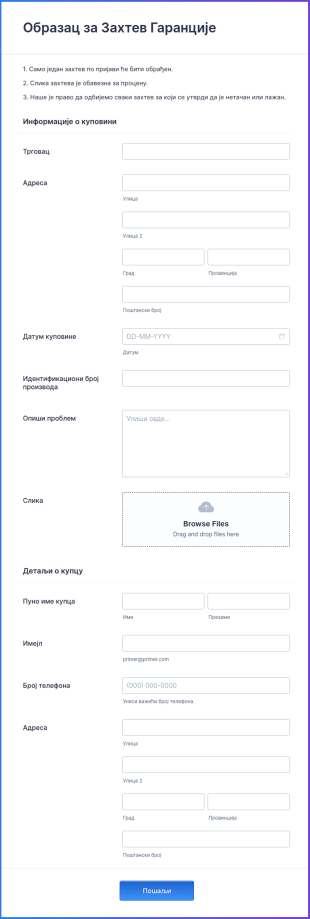
Образац за Захтев Гаранције
Образац за Захтев Гаранције је документ који потрошачи користе за подношење рекламације у вези са гаранцијом за производ или уређај. То је правни документ који се мора доставити када постоји проблем са производом. Можеш да креираш бесплатни Образац за Захтев Гаранције за неколико минута. Користи овај бесплатни образац да би пратио гаранције производа — и прикупили информације које су ти потребне да их поправиш — за неколико секунди онлајн! Само прилагоди образац по свом укусу, угради га на свој веб сајт и гледај како се поднети захтеви шаљу директно у пријемно сандуче. Ако имаш мобилну апликацију, можеш чак и да попуниш образац на свом телефону или мобилном уређају. Са нашим моћним Креатором Образаца, можеш лако да прилагодиш Образац за Захтев Гаранције тако да одговара твом бренду. Додај свој лого, ажурирај поља и одељке обрасца да би добио информације које су ти потребне и изабери савршену позадину која одговара твом пословању. А уз Jotform Мобилне Обрасце, можеш чак и да попуниш обрасце са свог телефона. Поједностави процес захтева за гаранцију и уштеди време помоћу нашег бесплатног обрасца.
Иди на категорију:Обрасци за корисничку услугу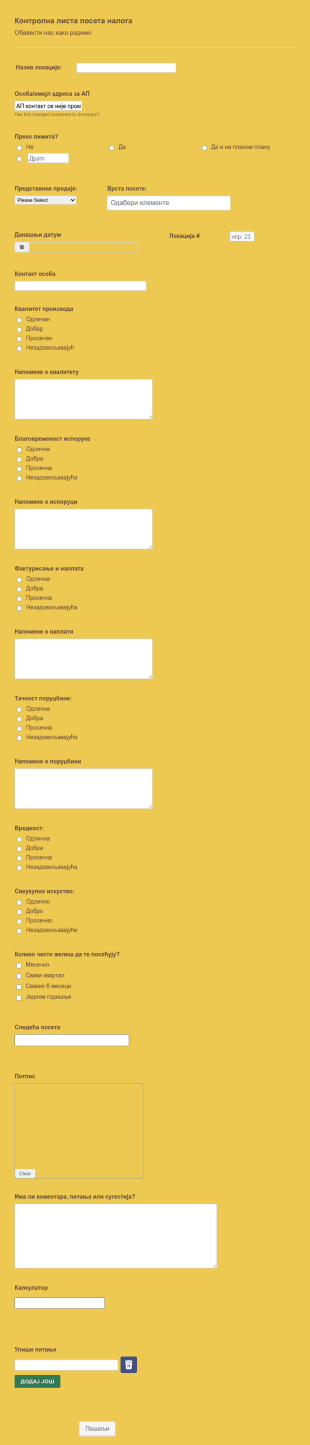
Образац Извештаја о Посети Клијента
Образац Извештаја о Посети Клијента је извештај који садржи податке које је прикупио продајни представник. Направи извештај за свој продајни тим да би пратио време које троше на посете клијента и производе које продају. Jotform се може лако прилагодити додавањем логотипа, ажурирањем поља обрасца, диверзификацијом питања, одабиром нових фонтова и боја, додавањем е-потписа помоћу "превуци и пусти" Кретора Образаца који је једноставан за коришћење и који не захтева било какво кодирање. Лако угради образац или на свој веб сајт или подели линк.
Иди на категорију:Обрасци за корисничку услугу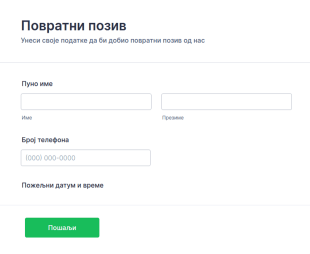
Образац за Повратни Позив
Овај шаблон Образац за Повратни Позив је универзални образац за повратни позив. Можеш прикупити имена и бројеве да би контактирао потенцијалне купце. Такође, можеш прикупити жељене информације о датуму и времену купца. Можеш да измениш овај Образац за Повратни Позив према својим потребама, додавањем нових поља.
Иди на категорију:Обрасци за корисничку услугу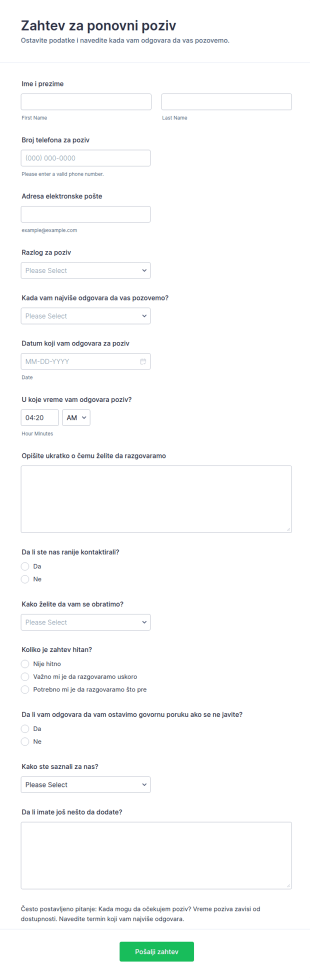
Захтев за поновни позив
Организујте повратне позиве и приоритизацију упита помоћу шаблона за Zahtev za ponovni poziv obrazac у Jotform, идеално за корисничку подршку и услужне тимове којима је важно брзо прикупљање података.
Иди на категорију:Обрасци за контакт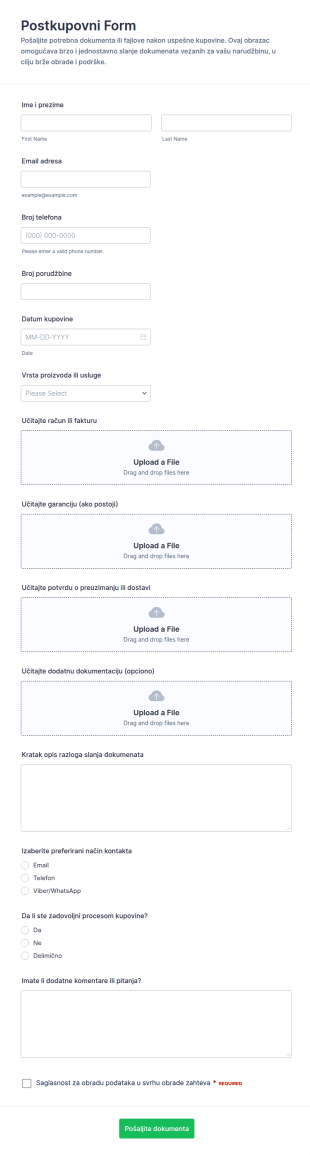
Постпродајни образац за отпремање датотека
Посткупovni образац за слање документације помаже продавницама и сервисима да након куповине прикупљају податке и фајлове од купаца на једном месту, уз јасан преглед сваке пријаве обрасца у Jotform-у.
Иди на категорију:Обрасци за отпремање фајловa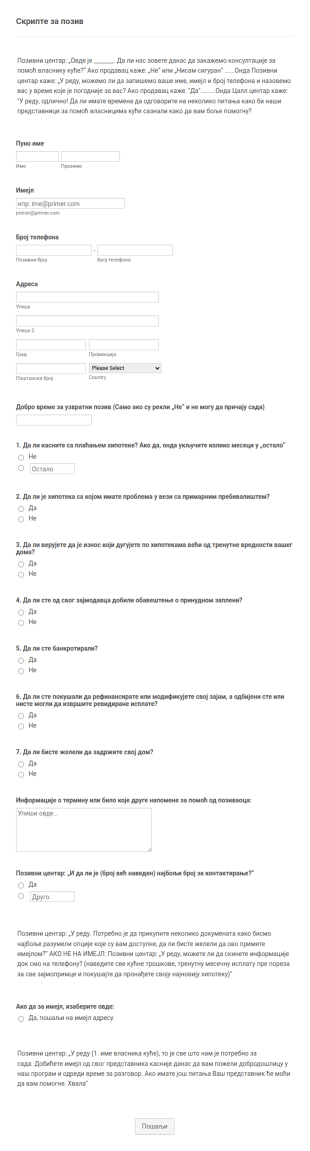
Образац за Позивни Центар
Овај Образац за Позивни Центар је водич за скрипту позива за агенте који показује правац и најбољи исправан приступ приликом руковања клијентима. Користите овај шаблон скрипте за позивни центар да омогућиш агентима да попуне образац уместо клијената. Можеш да уредиш овај шаблон за позивни центар када га клонирате.
Иди на категорију:Обрасци за корисничку услугу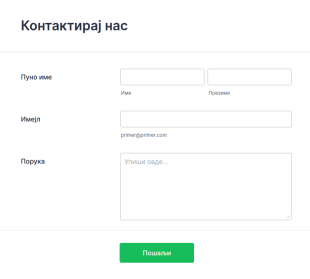
Образац за Контакт
Једноставан дизајн Обрасца за Контакт који можеш користи на свом веб сајту. Клонирај, измени и угради! Једноставно је!
Иди на категорију:Обрасци за корисничку услугу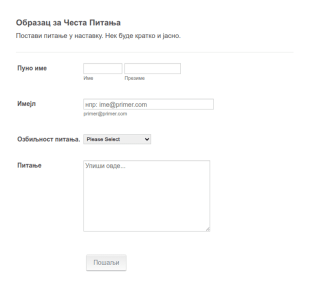
Образац за Честа Питања
Једноставан алат за постављање питања. Омогућује упознавање забринутости клијената и озбиљности њиховог проблеме. Такође добар образац за праћење решених проблема купаца.
Иди на категорију:Обрасци за корисничку услугу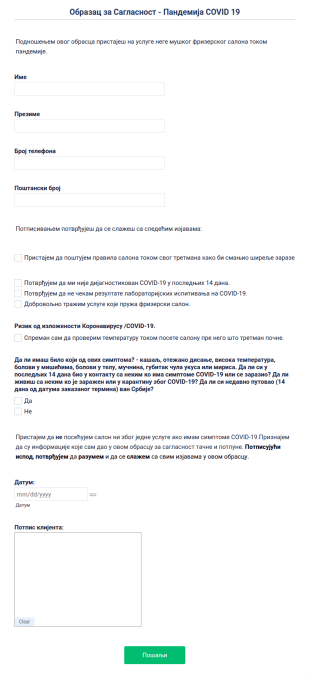
Образац за Сагласност Пандемија COVID 19
Образац за Сагласност - Пандемија COVID 19 користе фризерски салони са скрининг клијента и добијање сагласности пре заказаног термина ради спречавања ширења COVID.
Иди на категорију:Обрасци за корисничку услугу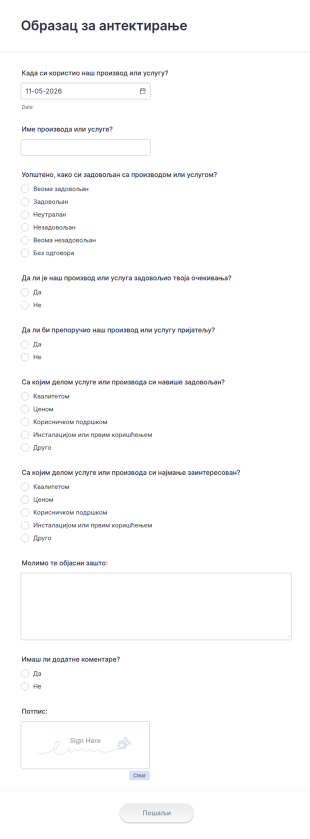
Образац за антектирање
Са лакоћом прикупљај инфрмације од својих корисника користећи овај образац за антекирање. Ово дозвољава твојим корисницима да оцене и поделе искуство и очекивање са тојим производом или услугом
Иди на категорију:Обрасци за корисничку услугу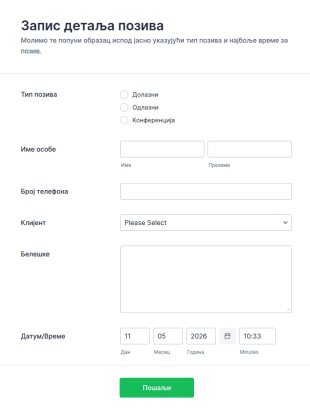
Евиденција позива клијентa
Евиденција позива клијентa се користи са лакоћом и можеш на брз начин да региструјеш долазне и одлазне позиве клијената. Провери шаблон за евиденцију позива клијентa да видиш како је једноставно управљати позивима. Додатно можеш да интегришеш независне апликације као што су Salesforce, HubSpotKeap и друге, да додатно олакшаш прикупљање података.
Иди на категорију:Обрасци за корисничку услугу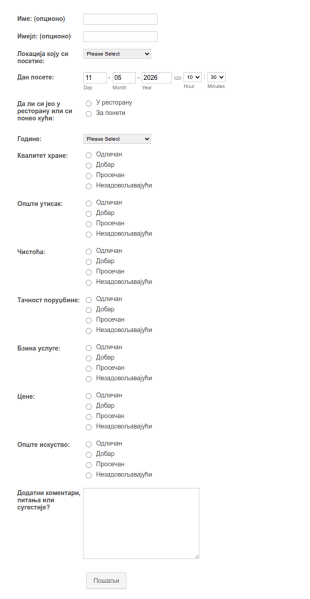
Образац за повратне информације ресторана
Успешни ресторани расту ако слушају муштерије. Најбољи начин за добијање повратних информација је питање правих питања на добро дизајнираном обрасцу. Овај образац за повратне информације ресторана је у потпуности прилагодив; Можеш га дизајнирати да се слаже са изгледом ресторана, и када га дизајнираш по својој жељи, подаци могу бити сачувани у независним апликацијама као што је Google Sheets.
Иди на категорију:Обрасци за корисничку услугуAbout Обрасци за корисничку услугу
Обрасци за корисничку подршку су неопходни дигитални обрасци осмишљени да поједноставе прикупљање, управљање и анализу података о клијентима у различитим пословним окружењима. Ови обрасци су незаменљиви у ситуацијама у којима предузећа комуницирају са својим клијентима, било да је реч о прикупљању повратних информација, захтевима за услугама или решавању притужби. Коришћењем образаца за корисничку подршку, организације могу да обезбеде ефикасно документовање интеракција са клијентима, смањујући могућност губитка информација и побољшавајући укупно задовољство клијената. Ови обрасци омогућавају несметан ток рада, омогућавајући предузећима да благовремено решавају проблеме клијената и на тај начин граде позитиван однос између компанија и њихових корисника.
Jotform stands out as the leading online form builder for creating and managing Customer Service Forms. With its intuitive drag-and-drop interface, Jotform enables users to easily customize forms to meet specific business needs without requiring any technical expertise. The platform also supports automation of data collection processes, allowing for quicker response times and improved data accuracy. Furthermore, Jotform Tables provides a centralized data management solution, ensuring that customer information is organized, easily accessible, and secure. This combination of customization, automation, and centralized management makes Jotform an invaluable asset for any business looking to enhance its customer service operations.
Why Use Customer Service Forms?
- Customer Service Forms significantly enhance the accuracy of data collection by eliminating the need for manual data entry, which is prone to errors. By using digital forms, businesses can ensure that the data collected from customers is precise and reliable, leading to better decision-making.
- These forms expedite the process of gathering and processing customer information, allowing businesses to respond to customer queries and issues faster. This speed not only improves customer satisfaction but also helps companies maintain a competitive edge in their industry.
- Professional data handling is achieved through Customer Service Forms, as they offer secure data management and storage solutions. This ensures that sensitive customer information is protected from unauthorized access, building trust between the business and its customers.
- Jotform's online form builder allows for seamless customization of forms to suit specific business needs, providing flexibility and adaptability. Companies can tailor forms to capture the exact data required for various customer service processes, ensuring relevance and efficiency.
- The integration capabilities of Jotform, with over 100 third-party applications such as Google Sheets and Salesforce, enable businesses to streamline their workflows by automating data transfer and synchronization. This connectivity ensures that customer data is up-to-date across all platforms, enhancing operational efficiency.
Common Problems Solved by Customer Service Forms
- One of the primary issues in customer service is the inefficiency of paper-based processes, which are time-consuming and susceptible to data loss. Customer Service Forms eliminate the reliance on physical paperwork, ensuring that all data is captured digitally and stored securely.
- Manual data entry often leads to errors and inconsistencies, which can affect the quality of customer service. By using digital forms, businesses can automate data entry, reducing the likelihood of errors and ensuring that customer information is accurate and consistent.
- Lost data is a significant concern for businesses relying on traditional data collection methods. Customer Service Forms provide a reliable solution by ensuring that all customer interactions are logged and stored in a centralized system, minimizing the risk of data loss.
- Managing high volumes of customer requests can be challenging without an efficient system in place. Customer Service Forms simplify this process by organizing and prioritizing requests, allowing customer service teams to address issues systematically and efficiently.
- The lack of real-time data can hinder a company's ability to respond quickly to customer needs. With Customer Service Forms, businesses can access up-to-date information instantly, enabling more responsive and informed customer service.
Matching Use Cases to Features
- For businesses looking to streamline their customer inquiry processes, the Drag-and-Drop Form Builder allows for quick customization of forms, ensuring that they align with specific inquiry types and customer needs. This feature simplifies form creation, enhancing the user experience for both customers and service teams.
- Conditional Logic can be used to create dynamic forms that adapt based on user input, ensuring that only relevant questions are presented to customers. This feature improves form completion rates and ensures that the data collected is pertinent to the specific customer interaction.
- For companies that handle payments as part of their customer service operations, Jotform's integration with over 30 Payment Gateways, such as Stripe and PayPal, facilitates secure and seamless payment processing directly through the forms. This capability enhances the convenience for customers and streamlines financial transactions.
- The Electronic Signatures feature, powered by Jotform Sign, allows businesses to capture legally binding signatures from customers, enhancing the efficiency of contract or agreement processes. This feature ensures that all necessary authorizations are obtained in a timely manner, streamlining operations.
- Automated PDF Generation, enabled by the PDF Editor, transforms form submissions into professionally formatted PDF documents, which can be easily shared and stored. This feature enhances record-keeping and ensures that customer interactions are documented in a standardized format.
- Jotform's 100+ Third-party Integrations, including Salesforce and Slack, enable seamless data sharing across different platforms, ensuring that customer service teams have access to the latest information. This connectivity fosters collaboration and enhances the overall efficiency of customer service operations.
- The Approval Workflows feature streamlines the process of managing customer requests and inquiries by automating the approval process. This feature ensures that requests are reviewed and processed promptly, improving the speed and quality of customer service.
How to Create a Customer Service Form
- Start by browsing the Template List for a Customer Services template or opt to create a form from scratch by starting with a blank form.
- Customize the design and fields of your form using the Drag-and-Drop Form Builder, ensuring that it captures all necessary customer information.
- Once the form is complete, publish and share it with your audience via Direct Link, Email, or Website Embed, making it easily accessible to your customers.
Top Use Cases for Customer Service Forms
- For Managers: Customer Service Forms provide managers with a powerful tool to oversee and optimize customer service operations. By leveraging these forms, managers can track key performance indicators, streamline processes, and ensure that service teams are meeting customer needs efficiently. The centralized data management offered by Jotform Tables allows managers to easily access and analyze customer data, enabling data-driven decision-making and strategic planning. This oversight ensures that customer service operations are aligned with organizational goals and customer expectations.
- For Teams: Customer service teams benefit greatly from the use of Customer Service Forms, as they facilitate the efficient handling of customer inquiries and requests. By automating repetitive tasks and organizing customer data systematically, teams can focus on delivering high-quality service without being bogged down by administrative tasks. The integration capabilities of Jotform allow teams to collaborate seamlessly with other departments, ensuring that customer issues are resolved quickly and effectively. This streamlined workflow enhances team productivity and improves overall service delivery.
- For Customers: For customers, Customer Service Forms offer a convenient and efficient way to interact with businesses. These forms provide a straightforward method for submitting inquiries, feedback, or service requests without the need for lengthy phone calls or in-person visits. The user-friendly design of Jotform's forms ensures a smooth experience, making it easy for customers to provide the necessary information. This convenience enhances customer satisfaction, as it demonstrates the business's commitment to providing accessible and responsive service.
Summarizing Customer Service Forms
Customer Service Forms are a vital component for businesses aiming to enhance their customer service operations through efficient data collection and management. By utilizing Jotform's online form builder, companies can create customized forms that meet their specific needs, automating processes and improving the accuracy of customer data. The integration and data management capabilities of Jotform further enhance operational efficiency, allowing businesses to deliver high-quality service consistently. Ultimately, Customer Service Forms empower businesses to build stronger relationships with their customers by facilitating responsive and reliable service.
Често Постављана Питања
1. What is a customer service form?
Образац за корисничку службу је онлајн алат који користе предузећа за прикупљање упита, повратних информација, притужби или захтева за услуге од клијената на структуриран и организован начин.
2. Why are customer service forms important for businesses?
They help centralize customer communications, ensure timely responses, and provide valuable insights for improving products and services.
3. What information should be included in a customer service form?
Typical fields include customer contact details, type of inquiry, detailed description, urgency level, and any supporting documents or screenshots.
4. Are there different types of customer service forms?
Yes, common types include feedback forms, complaint forms, service request forms, support ticket forms, and satisfaction surveys, each tailored to specific support scenarios.
5. Who should use customer service forms?
Any organization or department that interacts with customers—such as support teams, help desks, or service providers—can benefit from using these forms.
6. How do customer service forms improve response times?
By automating notifications and routing requests to the right team members, these forms help ensure that customer issues are addressed quickly and efficiently.
7. Да ли су подаци корисника прикупљени кроз ове обрасце сигурни?
Yes, Jotform uses secure data storage and offers privacy features to protect customer information, complying with industry standards and regulations.
8. Могу ли се обрасци за корисничку подршку интегрисати са другим пословним алатима?
Апсолутно. Jotform омогућава интеграцију са CRM системима, софтвером за помоћ, имејл платформама и још много тога за поједностављење тока рада подршке и управљања подацима.