

Шаблони образаца за људске ресурсе

Образац за податке запослених
Образац за податке запослених се користи од стране многих компанија да чувају информације запослених у бази података. Шаблон садржи различите секције где запослени може да унесе приватне и пословне податке, као и све информације везане за позицију, контакте у хитним ситуацијама и друге потребне детаље. Са великим избором прибора и виџета, креирај сопствени образац, користећи овај као основу.
Иди на категорију:Обрасци за људске ресурсе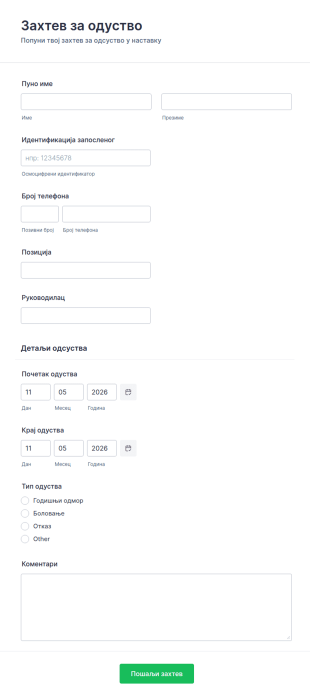
Образац за захтев за одуство
Са обрасцем за захтев за одуство који се попуњава са лакоћом, у тренутку примај захтеве за одсуство од запослених, са детаљима који спречавају забуну. Са пољима који прикупљају идентификацију запосленог, руководиоца и датуме за одсуство, можеш прикупити све битне информације без потребе да тражиш додатне информације од корисника после. Започни са овим примером и прилагоди га са пољима који одговарају војој организацији. Образац за захтев за одуство има приступ свим Jotform апликацијама и виџетима да додатно олакша и убрза прикупљање информација.
Иди на категорију:Обрасци за људске ресурсе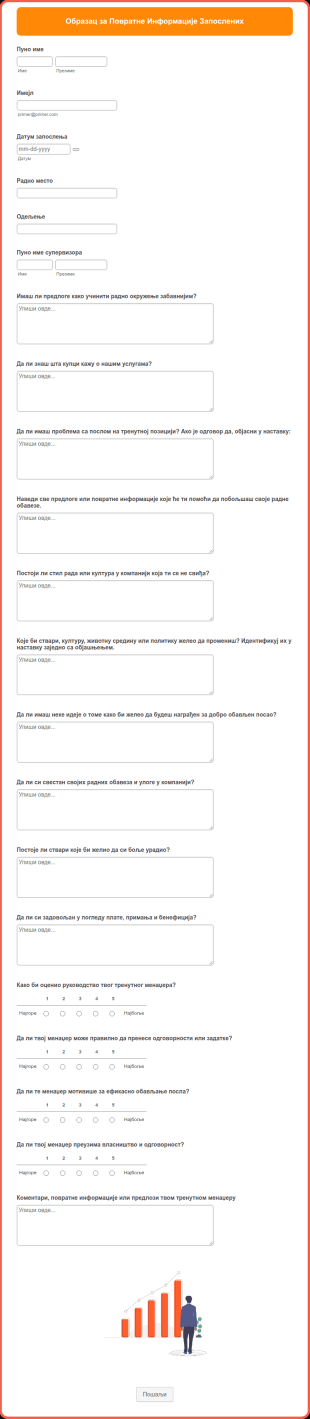
Образац за Повратне Информације Запослених
Образац за Повратне Информације Запослених је формални документ који се користи за прикупљање повратних информација од запослених у компанији. Важно је идентификовати потребе запослених јер то утиче на њихову продуктивност, креативност и задовољство. Ако је запослени задовољан својим тренутним положајем или одговорностима, показаће се добро што резултира повећаном продуктивношћу. Овај једноставан Образац за Повратне Информације Запослених има поља обрасца која траже информације о запосленима. Такође има неколико питања о његовим / њеним пословним одговорностима, задовољству, коментарима, сугестијама и идејама. Ова питања су у есејском формату, тако да запослени може у потпуности да изрази своја осећања. Одговоре које пружи запослени прегледаће одговарајуће одељење, а користиће се и као основа за интерно подучавање или континуирано образовање. Овај шаблон обрасца користи виџет Јединствени идентификатор за додељивање броја повратних информација за сваку пријаву.
Иди на категорију:Обрасци за људске ресурсе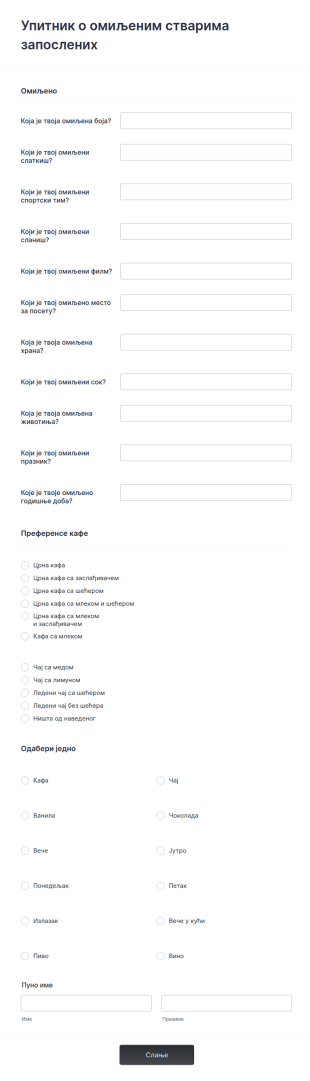
Упитник о омиљеним стварима запослених
Упитник о омиљеним стварима запослених је алат који тренери користе да сазнају које популарне ствари запослени воли, не воли и да ли би их препоручио неком другом.
Иди на категорију:Анкете запослених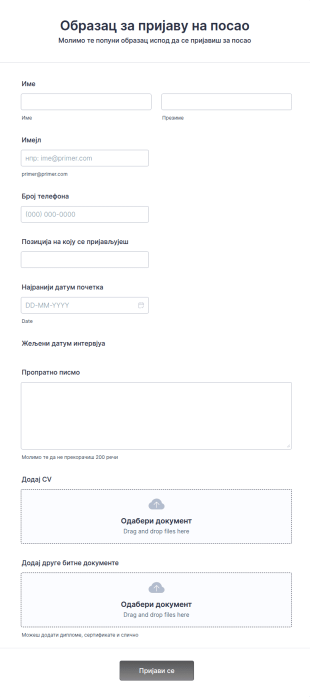
Онлајн пријава за посао
Онлајн образац за пријаву за посао је веб образац који се користи за прикупљање информација о кандидатима за посао.
Иди на категорију:Обрасци за људске ресурсе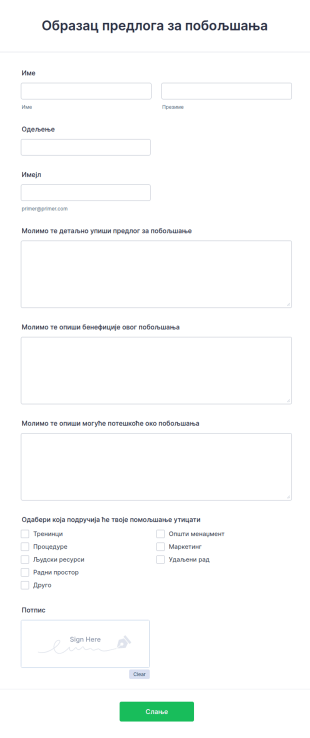
Образац предлога за побољшања
Примај повратне информације онлајн и прикупи предлоге за побољшање свог пословања. Лако се прилагођава, интегрише и уграђује. Није потребно кодирање.
Иди на категорију:Обрасци за повратне информације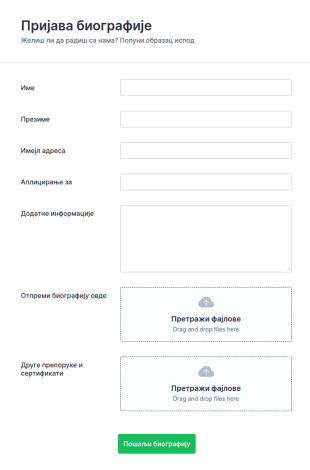
Образац за слање биографије
Образац за слање биографије ће ти помоћи да прикупљаш биографије брзо, и да помогнеш кандидатима у са пријавом на радно место. Шаблон се састоји од делова за прикупљање контакт информација, позиције за коју аплицирају, ако и део за отпремање биографије и других фајлова као што су препоруке. Са многим дугим прибором и виџетима, креирај образац по својим потребама, користећи овај као основу.
Иди на категорију:Обрасци за људске ресурсе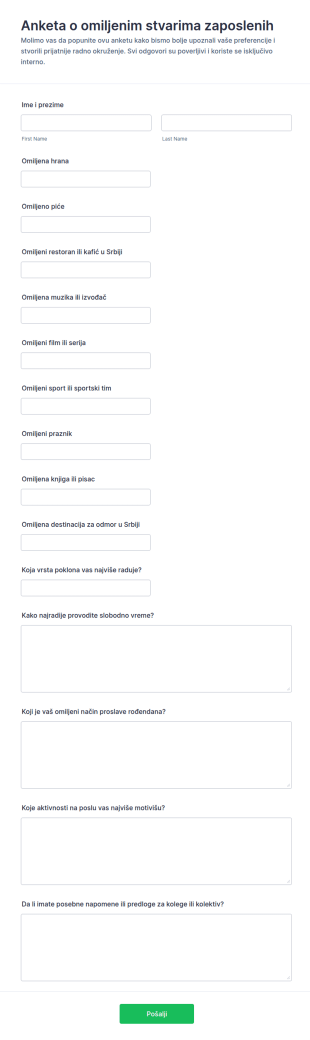
Anketa O Zaposlenim Omiljenim Stvarima
Anketa o omiljenim stvarima zaposlenih олакшава прикупљај податке о преференцијама тима ради бољег планирања дружења, поклона и интерних активности, уз једноставно дељење и преглед одговора у Jotform.
Иди на категорију:Анкете запослених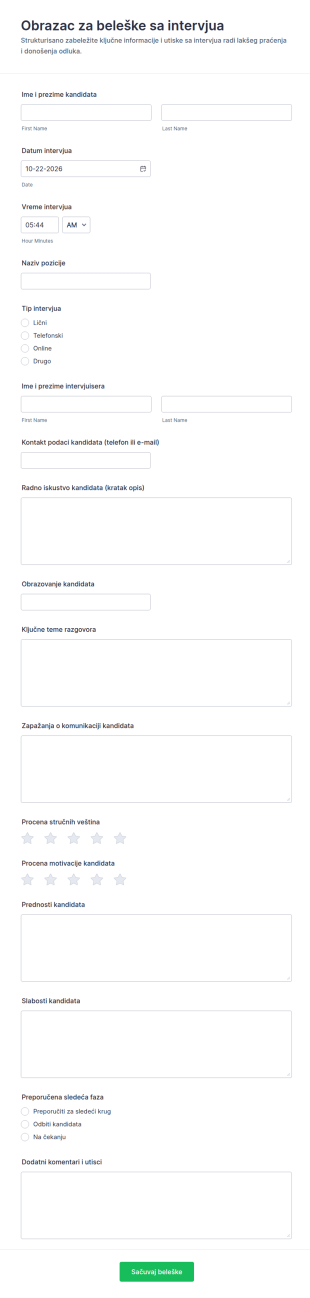
Zapisnici Sa Intervjua Survey
Образац за белешке са интервјуа помаже тимовима за запошљавање да брзо евидентирају утиске и процене након разговора и да организују прикупљање података о кандидатима у Jotform-у.
Иди на категорију:Обрасци за интервјуе
Procena Intervjua Za Posao Anketa
Obrazac za procenu razgovora za posao pomaže timovima za zapošljavanje da dosledno zabeleže utiske sa intervjua, uporede kandidate i organizuju sledeće korake uz Jotform prikupljanje podataka.
Иди на категорију:Обрасци за интервјуе
Анкета за свеобухватну процену
Процени своје запослене коришћењем овог добро осмишљеног шаблона Анкете за свеобухватну процену. Резултати ове анкете ће дефинитивно помоћи твојим запосленима да анализирају своје области за побољшање.
Иди на категорију:Обрасци за људске ресурсе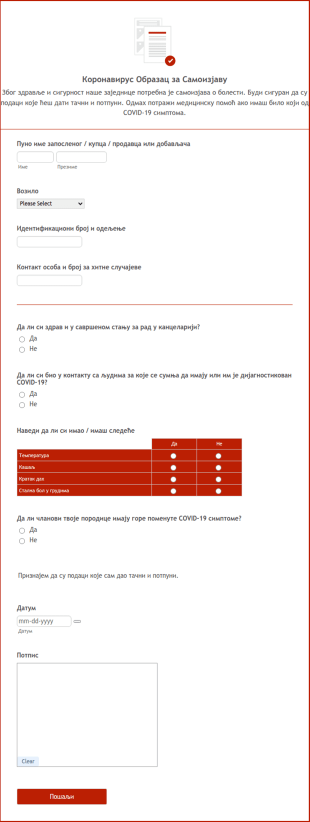
Коронавирус Образац за Самоизјаву
Коронавирус Образац за Самоизјаву запослених, добављача и купаца.
Иди на категорију:Обрасци за људске ресурсеAbout Шаблони образаца за људске ресурсе
Обрасци за људске ресурсе (HR) су специјализовани дигитални обрасци осмишљени да поједноставе различите HR процесе унутар организације. Ови обрасци обухватају широк спектар HR активности, од увођења нових запослених у посао и процене учинка до захтева за одсуство и излазних интервјуа. У динамичном свету људских ресурса, ови обрасци омогућавају ефикасно и прецизно прикупљање података, смањујући оптерећење HR тимова и унапређујући укупне радне процесе. Било да је реч о управљању подацима о запосленима или праћењу обука, HR обрасци имају кључну улогу у одржавању несметане комуникације и евиденције у оквиру HR одељења компаније.
Jotform serves as the premier online form builder for creating and managing Human Resources (HR) Forms. With its user-friendly interface, Jotform allows HR professionals to customize forms effortlessly, tailoring them to meet specific organizational needs. The platform's ability to automate data collection processes ensures that information is captured consistently and accurately, reducing the risk of errors. Moreover, Jotform Tables offer centralized data management, enabling HR teams to organize, analyze, and access data from a single, secure location. This comprehensive solution empowers HR departments to enhance their efficiency and focus more on strategic HR initiatives.
Why Use Human Resources (HR) Forms?
- Human Resources (HR) Forms significantly boost data accuracy by eliminating the need for manual data entry, which is prone to human errors. By having employees fill out digital forms, organizations ensure that the captured data is precise and reliable, leading to better decision-making processes.
- The speed of data collection is greatly enhanced with HR forms. As opposed to traditional paper forms, digital HR forms enable instant submission and processing of information, allowing HR teams to act swiftly on the data received, whether it be for onboarding new employees or processing leave requests.
- Professional data handling is a hallmark of HR forms, offering a structured approach to managing sensitive employee information. By adhering to industry standards for data protection and confidentiality, HR forms ensure that all collected data is handled with the utmost care and security.
- HR forms facilitate seamless communication between employees and HR departments. By providing a centralized platform for submitting inquiries, feedback, and requests, these forms help streamline communication channels, ensuring that all parties are on the same page.
- Automation of routine HR tasks is made possible with digital forms. By integrating HR forms with existing systems and workflows, organizations can automate repetitive tasks such as sending email confirmations or updating employee records, thereby freeing up valuable time for HR professionals.
Common Problems Solved by Human Resources (HR) Forms
- One of the primary issues HR departments face is the overwhelming amount of paperwork, which can lead to inefficiencies and lost documents. HR forms digitize this paperwork, making it easier to manage and reducing the risk of misplaced documents.
- Manual entry of employee data is not only time-consuming but also increases the likelihood of errors. HR forms automate this process, ensuring that information is accurately captured and reducing the need for redundant data entry.
- Lost data can have significant implications for an organization, especially when it comes to compliance and employee management. HR forms provide a secure and reliable way to store and manage data, ensuring that all information is preserved and easily retrievable when needed.
- Keeping track of employee requests and approvals can be challenging without a standardized process. HR forms streamline these workflows by providing a structured format for submissions and approvals, ensuring that nothing falls through the cracks.
Matching Use Cases to Features
- The Drag-and-Drop Form Builder is ideal for customizing HR forms to suit specific departmental needs. HR professionals can easily add, remove, or modify fields to tailor forms for various purposes, such as performance reviews or employee feedback, ensuring that all necessary information is gathered efficiently.
- Conditional Logic in HR forms allows for dynamic form interactions, making the user experience more intuitive. For instance, forms can be set to display specific questions based on previous answers, streamlining the data collection process and ensuring only relevant information is requested from employees.
- With over 30 Payment Gateways, HR forms can facilitate transactions such as employee reimbursements or event registrations. By incorporating these gateways, organizations can handle financial transactions directly within the form, providing convenience and efficiency.
- Electronic Signatures (Jotform Sign) enable HR departments to collect legally binding signatures directly on forms. This feature is particularly useful for contracts and agreements, ensuring that all documentation is completed and signed in a timely manner.
- The PDF Editor allows for automated PDF generation, creating professional documents from form submissions. This is particularly useful for generating employee records, contracts, or reports, ensuring that all documentation is consistent and easily shareable.
- Jotform's 100+ Third-party Integrations, such as with Google Sheets or Salesforce, enhance workflow efficiency by ensuring that data collected through HR forms is seamlessly integrated into existing systems. This connectivity allows for real-time data updates and streamlined operations.
- Approval Workflows facilitate the routing of forms for necessary approvals, ensuring that requests such as leave applications or expense claims are properly vetted and authorized in a timely manner.
How to Create a Human Resources (HR) Form
- Browse the Template List for a Human Resources (HR)s template or start from a blank form. This step allows you to select a starting point that best fits your organization's requirements.
- Customize the design and fields using the Drag-and-Drop Form Builder. This intuitive process allows you to add or modify fields to create a form that meets your specific data collection needs.
- Publish and share via Direct Link, Email, or Website Embed. This ensures that your form is easily accessible to all intended participants, facilitating smooth data collection.
Top Use Cases for Human Resources (HR) Forms
- For Managers: Managers can leverage HR forms to streamline employee evaluations, goal setting, and feedback collection. By utilizing digital forms, managers can ensure that evaluations are conducted consistently and that feedback is gathered in a structured manner. This not only enhances the performance review process but also aids in identifying areas for employee development and growth.
- For Teams: Teams benefit from HR forms through streamlined communication and collaboration. Forms such as team feedback surveys or inter-departmental requests facilitate efficient information exchange and ensure that all team members are aligned with organizational objectives. This collaborative approach fosters a cohesive work environment and promotes team synergy.
- For Customers: While primarily designed for internal use, HR forms can also enhance customer interactions by ensuring that HR-related inquiries and processes are handled smoothly and professionally. For example, forms can be used to manage client training sessions or to gather feedback on HR service delivery, ensuring that client expectations are met and exceeded.
Summarizing Human Resources (HR) Forms
Human Resources (HR) Forms serve as a vital component in modern HR management, offering a comprehensive solution for streamlining data collection, enhancing communication, and automating routine tasks. By adopting digital forms, organizations can significantly reduce the administrative burden on HR teams, allowing them to focus on strategic initiatives that drive business success. With Jotform's powerful features and integrations, HR departments are equipped with the tools needed to efficiently manage their workflows, ensuring that employee data is handled with precision and security.
Често Постављана Питања
1) Is it free to create Human Resources (HR) Forms on Jotform?
Да, Jotform нуди бесплатан план који ти омогућава да креираш и користиш обрасце за људске ресурсе (HR) са основним функцијама. Међутим, ако су ти потребне напредније могућности и већи лимити за пријаве, можеш размотрити прелазак на неки од плаћених планова.
2) Да ли су обрасци и послати подаци безбедни?
Апсолутно. Jotform даје приоритет безбедности података и примењује стандардне мере заштите у индустрији, као што је SSL шифровање, како би обезбедио да сви обрасци и достављени подаци буду заштићени од неовлашћеног приступа.
3) Do I need coding knowledge to build a Human Resources (HR) Form?
Не, није ти потребно никакво знање програмирања да би направио образац за људске ресурсе (HR) у Jotform-у. Интуитивни креатор образаца са функцијом превуци и пусти омогућава ти да лако креираш и прилагођаваш обрасце.
4) Да ли могу директно да прикупљам уплате путем својих образаца?
Да, Jotform подржава више од 30 система за плаћање, омогућавајући ти да прикупљаш уплате директно путем својих образаца за различите сврхе, као што су рефундације трошкова запосленима или пријаве за догађаје.
5) Да ли се ови обрасци могу користити на мобилним уређајима?
Да, Jotform обрасци су прилагођени мобилним уређајима и могу се отворити и попунити на било ком мобилном уређају, пружајући практичност запосленима и тимовима за људске ресурсе који су у покрету.
6) Да ли могу да претворим пријаве из образаца у професионалне PDF документе?
Да, помоћу Jotform PDF Уређивача можеш аутоматски да генеришеш професионалне PDF документе на основу пријава, што олакшава дељење и чување евиденције.
7) How do HR forms streamline the onboarding process?
HR forms simplify the onboarding process by automating the collection of necessary information and documentation from new hires. This ensures a smooth transition and reduces the administrative workload on HR teams.
8) Can HR forms integrate with our existing HR systems?
Yes, Jotform offers over 100 third-party integrations, allowing HR forms to seamlessly connect with existing HR systems and applications such as Google Sheets, Salesforce, and Slack, enhancing workflow efficiency.